
The best Fiix alternatives in 2026 are EZO EAM, Asset Panda, UpKeep, Limble, eMaint, IFS Cloud EAM, and IBM Maximo. EZO EAM is best for connected asset and equipment operations where teams need maintenance linked with equipment tracking, custody, reservations, inventory, procurement, utilization, and lifecycle management.
Introduction
Fiix is a capable cloud-based computerized maintenance management system (CMMS) for managing assets, work orders, preventive maintenance, technicians, parts, purchasing, and multi-site maintenance. It offers a free plan, paid plans for growing teams, mobile access, AI-assisted capabilities, and enterprise integrations, making it particularly relevant to maintenance-led operations in manufacturing, production, energy, resources, and facilities management.
The gap appears when maintenance data must also support equipment movement, availability, planning, and cost decisions. Teams managing shared, mobile, or high-value equipment may need custody records, reservations, inventory, procurement workflows, utilization reporting, or broader lifecycle visibility. Larger asset-intensive organizations may also need maintenance related to finance, supply chain, field service, condition monitoring, or asset performance management.
The best Fiix alternative, therefore, depends on the operational gap an organization needs to close. This guide evaluates seven Fiix alternatives based on their maintenance capabilities, scope of assets and equipment, mobile and inventory workflows, integrations, pricing, scalability, and implementation considerations.
What is Fiix, and where does it fit?
Fiix is a maintenance-centered CMMS that helps teams manage physical assets, work requests, work orders, preventive maintenance, downtime, parts, mobile work, and reporting.
Its asset hierarchy supports equipment, tools, parts, locations, and facilities, as well as parent-child relationships. The current free plan includes work orders, up to 25 active preventive maintenance schedules, downtime tracking, asset records, mobile access, and inventory.
| Plan | Published price | Selected capabilities |
| Free | $0 | Work orders, 25 active PMs, assets, downtime, mobile app, inventory |
| Basic | $45 per user/month | Unlimited PMs, reports, resource scheduling, inspections, and support |
| Professional | $75 per user/month | Multi-site management, Fiix Foresight, purchasing, nested PMs, cycle counts, custom analytics, and reports |
| Enterprise | Custom | Failure codes, custom workflows, integrations, application programming interfaces (APIs), e-signatures, audit trail, single sign-on (SSO) |
Fiix also offers a Lite License (Operator Access) as a separately priced add-on for Basic, Professional, and Enterprise plans. It gives frontline operators streamlined access to assets and assigned work order tasks without providing the full CMMS experience. Fiix MAX, its conversational maintenance assistant, is separately priced and must be combined with Professional or Enterprise. It answers questions about asset records, maintenance histories, work orders, and parts usage using information in the customer’s Fiix environment.
Fiix should not be treated as a basic work order application. It supports credible workflows for maintenance, assets, inventory, analytics, mobile, and enterprise. The buying question is whether another platform better fits the organization’s wider asset and equipment operations.
Fiix is a credible CMMS for maintenance-led operations. The key question is not whether it can manage maintenance, but whether maintenance covers the full scope of the organization’s assets and equipment workflows.
Customer proof
Universal Pure reports achieving 95% on-time preventive maintenance completion at five of seven sites for three consecutive weeks after adopting Fiix, while also improving inventory control and moving away from spreadsheet-based maintenance tracking.
Why do teams look for Fiix alternatives?
Teams typically evaluate Fiix alternatives because they need a different balance of operational scope, pricing, usability, industry depth, or implementation, not because Fiix lacks core maintenance functionality.
Maintenance is only one part of equipment management
A maintenance system may show whether an asset has been repaired, but operations may also need to know:
- Who currently has it
- When it is expected back
- Whether another team has reserved it
- Which location controls it
- Whether it is in transit
- Which project needs it
- What supporting stock is available
- How frequently is it used
- Whether it should be transferred, replaced, or retired
When that information is spread across spreadsheets, inboxes, calendars, and separate inventory tools, teams lose the connection between an asset’s maintenance status and its operational availability.
Equipment availability is unclear
“Operational” does not always mean “available”.
A generator may have no open work orders but already be assigned to a construction site. A camera may be in good condition but reserved for an upcoming production. A diagnostic device may have completed maintenance but still be located at the wrong facility.
Teams with frequent reservations, checkouts, handoffs, or dispatches may need a comprehensive EAM platform that connects maintenance status with custody, location, and future availability.
Per-user licensing may not fit broad participation
Fiix Basic and Professional are licensed per user, while Lite License (Operator Access), Fiix MAX, certain integrations, and Enterprise capabilities are priced separately or on a custom basis. Organizations should model every technician, operator, planner, supervisor, administrator, and requester who needs access rather than comparing only the published starting price.
This does not necessarily make Fiix more expensive. It means the cost comparison must use equivalent workflows, roles, and plan requirements.
The organization needs broader enterprise integration
Large asset-intensive organizations may need maintenance data to connect with systems and workflows outside the CMMS, including:
- Enterprise resource planning (ERP) and finance systems such as SAP, Oracle, or Microsoft Dynamics
- Maintenance, repair, and operations (MRO) procurement and supply-chain systems
- Capital-project and asset-investment planning platforms
- Field-service management systems
- Supervisory control and data acquisition (SCADA) and historian platforms
- Asset performance management (APM) and condition-monitoring systems
- Reliability engineering and failure-analysis tools
- Risk, lifecycle-cost, and repair-versus-replace planning workflows
When these connections become central to how maintenance decisions are made, the evaluation often expands beyond standalone CMMS products to broader enterprise asset management platforms such as EZO EAM, IFS Cloud EAM, or IBM Maximo.
When should an organization keep Fiix?
Switching platforms is not always the right answer. Fiix may still be the better choice when the underlying maintenance process is working, the data is dependable, and the required capabilities are already available through the current configuration or a suitable plan.
1. Adoption is working
Keep Fiix when:
- Technicians consistently complete work orders and preventive maintenance tasks.
- Mobile and offline workflows support how maintenance teams work in the field.
- The main challenge lies in training, governance, or process discipline rather than in the software itself.
2. Maintenance data is reliable
Fiix remains a viable fit when:
- Asset hierarchies reflect real equipment and location relationships.
- Parts balances, cycle counts, maintenance histories, and PM schedules are dependable.
- Reporting provides enough visibility into backlog, downtime, costs, and maintenance performance.
3. The current or next plan meets the requirement
A replacement may be unnecessary when:
- Multi-site management, purchasing, reporting, integrations, or enterprise controls are available in the required Fiix plan.
- Fiix Foresight or Fiix MAX addresses analytics and information-access needs.
- Existing Rockwell Automation connections or other integrations remain strategically valuable to the operation.
Keep Fiix if the organization’s maintenance workflows are being adopted, the underlying data is trustworthy, and the required capabilities can be supported without introducing unnecessary workarounds or cost. Consider alternatives when the gap is structural; for example, the organization needs broader custody, reservations, asset lifecycle, calibration, enterprise integration, or asset-performance capabilities that Fiix is not the best fit to provide.
What should you look for in a Fiix alternative?
A suitable Fiix alternative should preserve the maintenance controls the organization needs while improving the workflows for specific assets or equipment that are causing friction.
Asset and equipment records
Evaluate whether the asset and equipment management platform supports:
- Unique asset IDs
- Parent-child relationships
- Location hierarchies
- Condition and status
- Documents and warranties
- Acquisition and maintenance costs
- Custody and assignment history
- Utilization
- Retirement records
Maintenance capabilities
Ask each vendor to demonstrate:
- Work requests
- Work orders
- Recurring preventive maintenance
- Meter-based or condition-based triggers
- Inspections and checklists
- Technician assignment
- Parts consumption
- Labor and costs
- Downtime
- Maintenance reporting
Custody and equipment movement
For equipment that moves between people or sites, evaluate:
- Check-in and check-out
- Current custodian
- Expected return
- Custody transfer
- Location transfer
- Chain of custody
- Mobile scanning
- Offboarding recovery
Reservations and availability
Test whether the platform can:
- Display future availability
- Prevent booking conflicts
- Reserve assets for teams or projects
- Block assets under maintenance
- Account for expected returns
- Coordinate fulfillment or dispatch
- Distinguish location from availability
Inventory and procurement
The relevant asset and equipment management system may need to manage:
- Spare parts
- Reusable equipment stock
- Consumables
- Stock by location
- Reorder thresholds
- Parts reservations
- Stock transfers
- Purchase orders
- Vendors
- Work-order consumption
Mobile and offline work
A hands-on technician test should include:
- Opening an assigned work order
- Finding or scanning the asset
- Completing an inspection
- Adding a photograph
- Recording a meter reading
- Consuming a part
- Recording labor
- Completing and synchronizing the work
Do not treat “mobile access” and “full offline operation” as interchangeable.
Reporting and intelligence
Ask the vendor to build or display:
- PM-compliance reports
- Maintenance backlog
- Downtime
- Mean time to repair (MTTR) and mean time between failures (MTBF)
- Parts consumption
- Equipment availability
- Utilization
- Cross-site costs
- Lifecycle costs
- Repair-versus-replace context
Automation and AI
Separate:
- Scheduled notifications
- Rule-based automations
- Threshold-triggered actions
- Predictive analytics
- Generative assistance
- Natural-language search
A scheduled reminder is automation, not artificial intelligence. A meter threshold that creates work is condition-based automation, not necessarily predictive maintenance.
Evaluation checklist
| Criterion | What to test | Red flag |
| Asset scope | Follow an asset from receipt to retirement | The demonstration begins and ends with maintenance |
| Mobile usability | Complete real work on a phone | Only manager dashboards are shown |
| Custody | Transfer equipment between people and sites | Location changes without responsibility |
| Availability | Reserve equipment due for maintenance | Booking and maintenance remain disconnected |
| Inventory | Consume a part and trigger replenishment | Parts sit outside the work process |
| Reporting | Build a cross-site cost report | Routine reports require vendor development |
| Offline mode | Complete and synchronize field work | Offline access is view-only |
| Integrations | Confirm fields, direction, and frequency | The vendor only states that an API exists |
| Pricing | Model three-year ownership | Required functionality depends on unclear upgrades |
| Migration | Review field and history mapping | The vendor discusses imports but not validation |
How were the Fiix alternatives selected?
We evaluated each platform against the same set of criteria relevant to maintenance leaders comparing Fiix alternatives. The assessment focused on how well each product supports both day-to-day maintenance execution and the wider operational requirements that may lead a team to consider replacing Fiix.
The evaluation covered:
- Asset and equipment management scope: Asset records, hierarchies, lifecycle history, custody, assignments, availability, reservations, transfers, and retirement.
- Maintenance functionality: Work requests, work orders, preventive and condition-based maintenance, inspections, technician workflows, downtime, and maintenance history.
- Equipment visibility and operational control: The ability to understand where equipment is, who has it, whether it is available, and how its operational status affects use.
- Mobile usability: Technician access, scanning, inspections, field updates, offline capabilities, and synchronization.
- Inventory and procurement: Spare parts, consumables, stock by location, purchasing, vendors, replenishment, and links between parts and maintenance work.
- Reporting and analytics: Maintenance KPIs, asset utilization, costs, downtime, backlog, cross-site reporting, and lifecycle insights.
- Enterprise scalability: Multi-site administration, permissions, governance, organizational complexity, and suitability for larger asset environments.
- Integrations and APIs: Connections with ERP, procurement, identity, business intelligence (BI), Internet of Things (IoT), supervisory control and data acquisition (SCADA), telematics, and other operational systems, including the depth and direction of data exchange.
- Implementation requirements: Migration effort, administrative complexity, onboarding support, configuration needs, and effort to get the first production workflows in use.
The final list intentionally includes platforms with different strengths rather than treating every Fiix alternative as an equivalent CMMS. Asset Panda focuses on configurable asset tracking and audits; UpKeep and Limble emphasize accessible maintenance execution; eMaint adds deeper reliability and calibration capabilities; EZO EAM connects maintenance with broader equipment operations; and IFS Cloud EAM and IBM Maximo address more complex enterprise asset lifecycles.
Editorial note: EZO publishes this guide, and EZO EAM is our product. Each vendor was reviewed against the same qualitative criteria using current product information, pricing, documentation, and third-party review evidence where available. The rankings reflect product fit for the use cases described rather than a numerical scoring model.
Data verification disclaimer: Pricing, plan availability, product entitlements, AI capabilities, and third-party review data in this article were checked on August 7, 2026. Pricing and product capabilities were verified against vendors’ official pricing pages and documentation. Review scores and counts were verified against the cited Capterra product listings. Because pricing, packaging, and ratings can change, readers should confirm current terms with the vendor before making a purchase decision.
Fiix and its alternatives at a glance
| Platform | Orientation | Pricing approach | Deployment & implementation scope | Capterra rating |
| Fiix — incumbent baseline | Maintenance-centered CMMS | Free; Basic $45/user/month; Professional $75/user/month; Enterprise custom | Cloud CMMS: implementation scope depends on data migration, configuration, integrations, and the number of sites | 4.5/5, 628 reviews |
| EZO EAM | EAM with CMMS capabilities | Item-based plans; CMMS packaging varies | Cloud EAM; scope depends on asset, custody, inventory, integration, and maintenance workflows | 4.6/5, 1,544 reviews |
| Asset Panda | Asset tracking/asset intelligence | Custom quote | Cloud and mobile platform; implementation depends heavily on data structure and workflow configuration | 4.6/5, 1,366 reviews |
| UpKeep | CMMS and asset operations | $24 and $55 per user; higher tiers custom | Cloud and mobile-first CMMS; scope expands with integrations, multi-site controls, and enterprise requirements | 4.6/5, 1,329 reviews |
| Limble CMMS | Cloud CMMS | Contact vendor | Cloud CMMS; buyers should confirm migration, onboarding, and integration requirements for their environment | 4.8/5, 755 reviews |
| eMaint | Configurable CMMS and EAM | Team from $69/user/month; Professional from $85/user/month; Enterprise custom | Cloud CMMS/EAM; regulated and multi-site deployments may require greater configuration, validation, and training | 4.5/5, 420 reviews |
| IFS Cloud EAM | Enterprise EAM with Industrial AI | Custom, asset-based commercial model | Broader enterprise implementation spanning EAM, integrations, finance, service, and other business processes | 3.9/5, 30 reviews* |
| IBM Maximo Application Suite | Enterprise EAM, APM, and planning suite | AppPoints-based licensing; estimator/quote for exact cost | SaaS or client-managed enterprise deployment with substantial application, integration, capacity, and governance scoping | 4.2/5, 83 reviews |
The current Capterra listings support EZO at 4.6/1,544, Asset Panda at 4.6/1,366, UpKeep at 4.6/1,329, Limble at 4.8/755, eMaint at 4.5/420, IFS Cloud at 3.9/30, and IBM Maximo Application Suite at 4.2/83.
Ratings reflect the cited Capterra listings at the time of verification. Review volume varies substantially across platforms, so ratings should not be interpreted as equivalent evidence when one product has more than 1,000 reviews while another has only a few dozen. The IFS rating shown is for the broader IFS Cloud listing.
1. EZO EAM: Best for connected asset and equipment operations
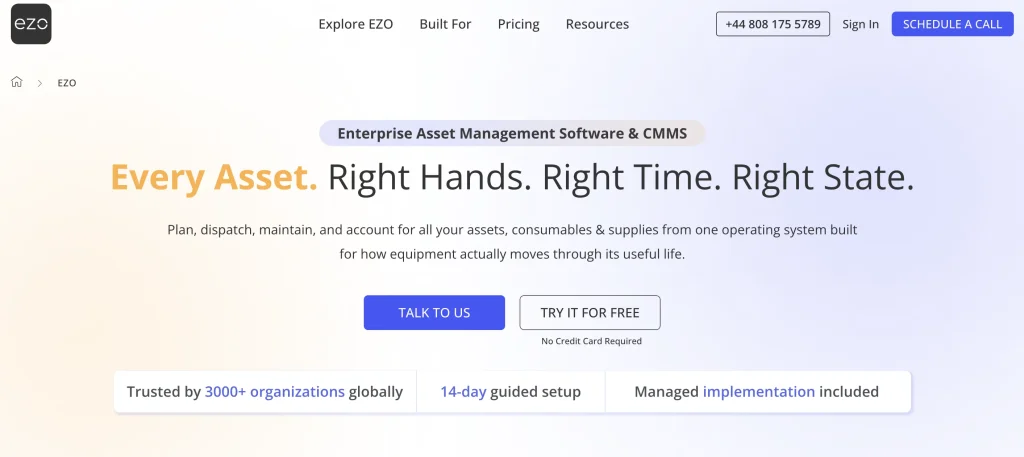
EZO EAM is an enterprise asset management (EAM) platform that connects maintenance with the wider equipment workflow, including custody, reservations, inventory, procurement, utilization, and lifecycle records. It supports individually tracked assets, reusable stock, consumables, checkouts, locations, requests, audits, purchasing, mobile access, and reporting.
This broader operational scope is relevant when an asset’s maintenance status also affects who can use it, where it is located, whether it is reserved, what stock supports it, and when it can return to service.
Where EZO EAM extends beyond maintenance
The primary difference is not simply that EZO can record maintenance. It is that the maintenance context sits beside:
- Current custodian
- Checkout and expected return
- Reservations
- Operational availability
- Location and transfers
- Asset stock and consumables
- Purchase orders
- Utilization
- Lifecycle history
This is useful when an asset’s ability to return to service affects an upcoming reservation, dispatch, transfer, or project.
Customer proof
In an EZO customer story, a global media organization reported recovering more than 100 previously unaccounted-for assets worth about £10,000, eliminating 5–6 hours of manual data entry per week, and improving asset data accuracy by 50%. The organization uses EZO workflows, including checkouts, approvals, reservations, and availability calendars across multiple departments.
Pricing
EZO currently offers:
- Essential at $63.55 per month based on 300 items
- Advanced at $85.51 per month based on 300 items
- Premium at $100.88 per month based on 300 items
- Custom Enterprise by quote
The Essential plan includes asset tracking, checkouts, multi-location support, barcode and QR labels, mobile access, up to 5,000 stock units, and unlimited users under the fair-usage policy. Advanced adds unlimited locations, custom fields and reports, access controls, purchase orders, audits, scanner support, and radio-frequency identification (RFID). Premium adds request workflows, GPS-integrated tracking, automations and integrations, utilization and ROI insights, and access to the separately priced CMMS add-on. Zoe and AI-powered invoice import are available across EZO EAM plans, while capabilities such as AI-powered maintenance checklists depend on CMMS packaging.
Maintenance packaging varies by plan. Basic service records are available from Advanced onward. Preventive maintenance, work-order management, technician management, AI-powered maintenance checklists, work-order automations, and the Work Planner require the separately priced CMMS add-on on Premium and are included with Enterprise. Buyers should therefore compare EZO EAM plans based on the depth of maintenance they require, rather than assume identical CMMS functionality across tiers.
Why choose EZO EAM over Fiix?
- Maintenance must affect equipment availability and reservations.
- Custody, check-outs, and transfers are frequent workflows.
- Assets, reusable stock, and consumables need connected records.
- Equipment moves regularly between users, projects, or locations.
- Teams need maintenance connected with procurement, utilization, and lifecycle history.
Best for
- Multi-site equipment operations
- Construction
- Manufacturing
- Warehousing and distribution
- Government
- AV and production operations
- Field equipment teams
Not ideal for
Not ideal for teams whose primary requirements are highly specialized industrial reliability, advanced calibration, or asset performance management, without a meaningful need for custody, reservations, or broader equipment operations.
Verify before buying
- Which CMMS capabilities require the Premium add-on versus Enterprise
- Offline requirements
- Required ERP, accounting, telematics, or industrial integrations
- Calibration and reliability depth
- Data and workflow migration requirements
2. Asset Panda: Best for configurable asset tracking and mobile audits
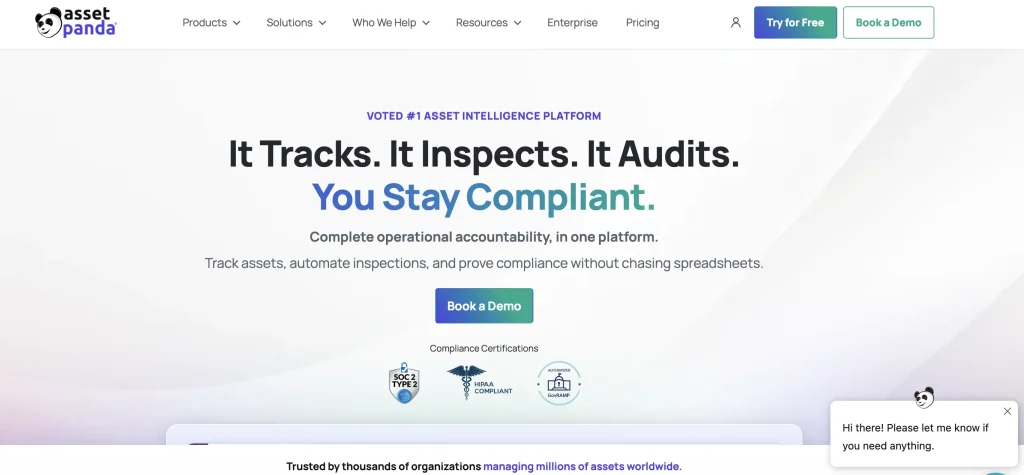
Asset Panda’s differentiator is configurability: teams can structure asset records, inspections, audits, checkouts, and workflows to match how different departments operate.
Asset Panda now positions itself as an asset intelligence platform, expanding beyond its traditional asset-tracking focus to include Ursa AI, inspections, audits, compliance workflows, and asset data analysis. Its current product scope covers tracking, inspections, audits, compliance, lifecycle management, maintenance records, equipment management, calibration, mobile auditing, and repair tracking.
How Asset Panda uses Ursa
Asset Panda’s Ursa AI engine can help configure databases, suggest fields, map imported spreadsheet columns, create automations, search records using natural language, and assist with document extraction. Ursa is available through Asset Panda’s web and mobile experiences, with access and packaging varying by subscription tier.
This makes the current product broader than the older description of Asset Panda as a customizable barcode database.
Why choose Asset Panda over Fiix?
Asset Panda is worth evaluating when:
- Asset tracking is more important than plant reliability.
- Different departments need different record types and workflows.
- Equipment assignments and check-outs happen frequently.
- Mobile barcode or QR audits are central.
- Inspections and compliance records matter.
- Teams manage IT assets, facilities, equipment, tools, vehicles, or medical devices together.
- The organization wants AI assistance with setup, imports, searches, and workflow creation.
Customer proof
Asset Panda reports that an electrical construction company manages more than 43,000 tools and IT assets on the platform, saving several hours of manual work per day. Its workflow uses mobile scanning and transaction reports to track equipment as it moves between job sites and warehouses.
Pricing
Asset Panda provides personalized pricing based on an organization’s requirements and offers a fully featured seven-day trial through its demo flow.
Best for
- IT and shared-services teams
- Education
- Government
- Healthcare equipment
- Construction
- Facilities
- Nonprofits
- Cross-department asset programs
- Organizations conducting frequent audits
Not ideal for
Not ideal for maintenance teams whose primary use case is deep industrial reliability planning, advanced failure analysis, or sophisticated MRO inventory processes.
Verify before buying
- Meter- and condition-based maintenance depth
- Parts planning and purchasing
- Failure and reliability analytics
- Industrial integrations
- Governance for highly customized forms and workflows
3. UpKeep: Best for mobile-first maintenance execution
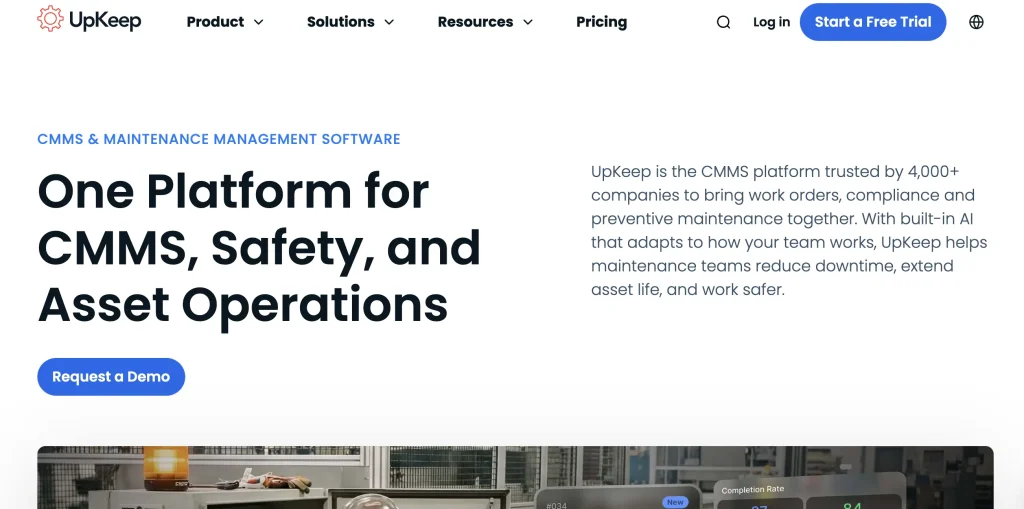
UpKeep, another strong Fiix alternative, puts technician mobility and field execution at the center of maintenance management, combining mobile work orders, preventive maintenance, parts management, and a progression toward broader enterprise controls.
Customer proof
In an UpKeep case study, a mining operation reported increasing plant availability by approximately 5%, resulting in $40,000–$50,000 in savings, after moving maintenance processes from spreadsheets to UpKeep.
Pricing
UpKeep lists Essential at $24 per user per month and Premium at $55 per user per month. Professional and Enterprise are custom-priced. UpKeep Professional adds offline mobile work, an external request portal, full analytics history, asset lifecycle tracking, and signature capture. Enterprise adds multi-site support, workflow automation, reliability and downtime tracking, purchase-order management, APIs, custom integrations, SSO, custom roles, and dashboards.
The Professional plan uses custom pricing and adds:
- Mobile offline mode
- External request portal
- Full analytics history
- Asset lifecycle tracking
- Signature capture
Enterprise adds multi-site functionality, workflow automation, reliability and downtime tracking, purchase orders, APIs, custom integrations, SSO, roles, and custom dashboards.
Why choose UpKeep over Fiix?
UpKeep works well for teams where:
- Technician mobility is the main buying criterion.
- The organization wants a lower-priced entry point.
- Nova AI is needed from the entry-level plan for maintenance insights, data review, and routine task assistance.
- Unlimited requesters and locations reduce barriers to participation.
- Teams want a progressive path from work orders to enterprise governance.
- The operation is replacing paper or disconnected maintenance logs.
Best for
- Field maintenance
- Facilities
- Growing maintenance departments
- Distributed operations
- Teams formalizing preventive maintenance
Not ideal for
Not ideal for teams whose primary requirement is equipment custody, reservations, booking, and circulation across users or projects rather than maintenance execution.
Verify before buying
- Offline access requirements
- Multi-site functionality
- API and integration tier
- Purchase-order requirements
- Custody and reservation workflows
4. Limble CMMS: Best for straightforward PM adoption and guided onboarding
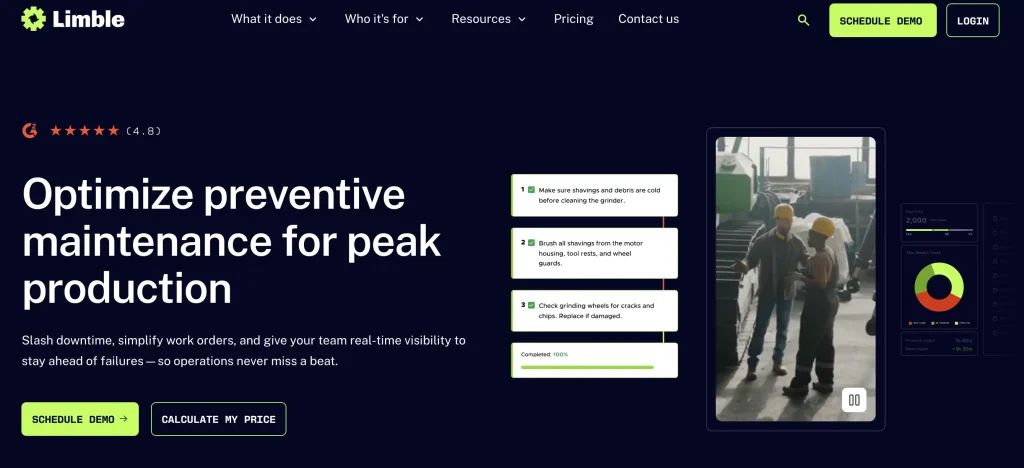
Limble emphasizes straightforward preventive maintenance adoption, combining approachable work order and PM workflows with asset records, parts management, QR scanning, and guided onboarding.
Limble supports work requests, work orders, asset hierarchies, parts, preventive-maintenance workflows, QR scanning, dashboards, and purchasing processes. As of August 7, 2026, Capterra lists it at 4.8 out of 5 based on 755 reviews, with ease of use and customer support among the recurring positive themes.
Current mobile functionality
The new Limble mobile app can start and complete work orders, navigate asset hierarchies, create and access parts, use selected dashboards, and download bookmarked tasks for offline completion.
However, offline functionality is not equivalent to having the complete online application available without a connection. Limble’s documentation states that some features are unavailable offline and that bookmarked tasks are limited to 10 per device. Buyers with extensive offline requirements should test their exact workflow.
Why choose Limble over Fiix?
Limble is particularly relevant when:
- Quick PM adoption is more important than an extensive EAM scope.
- The maintenance team values guided onboarding and support.
- Administrators want a more approachable daily interface.
- The organization is moving from spreadsheets or paper.
- Work orders, PMs, assets, and parts cover most requirements.
Customer proof
Limble reports that Allagash Brewing reduced unplanned maintenance by 40% after optimizing its maintenance processes with the platform. Limble also highlights that Tara Manufacturing has reduced downtime by 83%.
Pricing
Limble’s current public software profile directs buyers to contact the vendor for pricing and indicates that a free trial is available.
Best for
- Small and midsize maintenance departments
- Facilities
- Manufacturing
- Education
- Teams formalizing PM processes
Not ideal for
Not ideal for organizations that need maintenance tightly integrated with equipment custody, reservations, complex lifecycle management, or broad enterprise financial processes.
Verify before buying
- Offline workflow coverage
- Ten-task offline bookmark constraint
- Purchasing depth
- Dashboard availability
- Required barcode/scanning workflows
5. eMaint: Best for configurable reliability and regulated maintenance
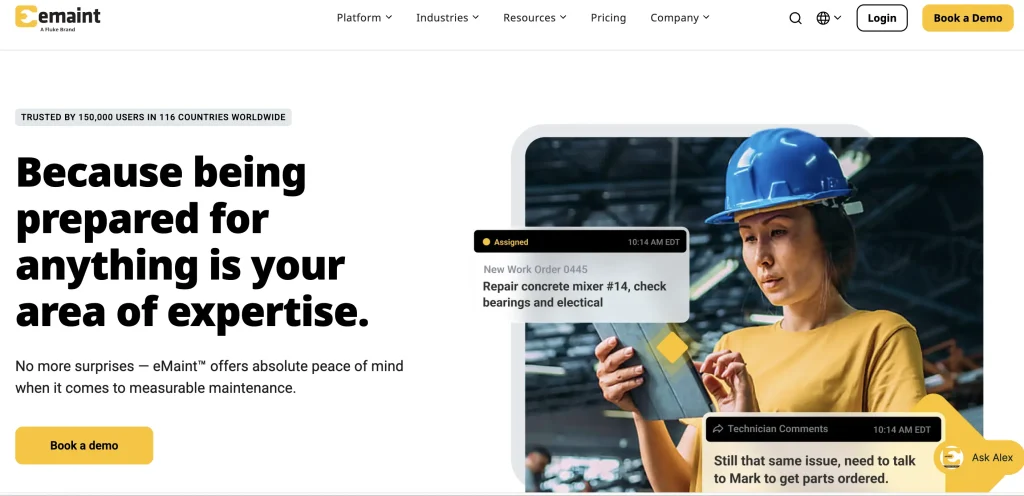
eMaint is built for reliability teams that need configurable maintenance processes, calibration, condition monitoring, controlled procedures, and multi-location inventory.
eMaint Professional requires at least three users and includes work orders, PMs, meter readings, downtime and asset performance tracking, parts forecasting, requisitions, multi-location inventory, advanced analytics, condition-based triggers, e-signatures, calibration, offline mobile work, and a staging environment. The plan also includes a dedicated Fluke account manager, as well as expert support and training from Fluke.
Enterprise requires at least five users and includes everything in Professional, plus a senior Fluke account manager, global multi-site operations, global inventory, SSO, ERP, BI, and SCADA integrations, prebuilt connectors, unlimited request-only portal licenses, APIs, and access to the eMaint AI Suite.
Why choose eMaint over Fiix?
eMaint becomes more relevant when:
- Calibration is a central requirement.
- The operation needs e-signatures and controlled procedures.
- Condition-based maintenance is mature.
- The organization uses or plans to use Fluke condition-monitoring sensors and wants sensor alerts connected with maintenance workflows.
- Multi-site inventory and global maintenance governance matter.
- Teams need extensive workflow configuration.
Customer Proof
SKF is standardizing maintenance with eMaint across 81 facilities and has already standardized more than 76,000 assets and 133,000 spare parts in the platform. SKF uses a common global structure for assets, failure codes, and maintenance data while technicians access work and parts through mobile devices.
Pricing
As of August 2026, eMaint’s official CMMS pricing calculator lists Team starting at $69 per user per month, Professional at $85 per user per month, and Enterprise with custom pricing. It shows minimum monthly spends of $207 for Team and $255 for Professional. eMaint notes that these are starting rates and that final pricing depends on user count, contract length, and configuration.
eMaint’s main pricing page does not publish dollar prices. It currently lists a three-user minimum for Professional and a five-user minimum for Enterprise, while a separate CMMS pricing page also lists the Team plan. Implementation services may add costs depending on the level of support required. Buyers should request a quote to confirm current pricing and plan availability for their deployment.
Best for
- Pharmaceutical operations
- Food and beverage
- Manufacturing
- Regulated facilities
- Reliability-centered maintenance teams
- Global industrial operations
Not ideal for
Not ideal for organizations primarily looking for lightweight maintenance administration or equipment booking, custody, and reservation workflows.
Verify before buying
- Current Team/Professional/Enterprise packaging
- Calibration requirements
- Validation and e-signature requirements
- Integration scope
- Implementation and training services
- Fluke support services versus sensor interoperability
6. IFS Cloud EAM: Best for complex asset and service lifecycles
IFS positions IFS Cloud EAM as an enterprise asset management platform with embedded Industrial AI, alongside lifecycle management, asset performance, procurement, finance, and operational intelligence capabilities.
IFS Cloud EAM manages assets from design through decommissioning. It combines EAM with embedded Industrial AI, dynamic scheduling, Copilot-assisted failure mode and effects analysis (FMECA), anomaly detection, 3D visualization, asset performance management, procurement, finance, and operational intelligence.
Its scope is much broader than a conventional CMMS. It can support:
- Asset lifecycle management
- Maintenance and reliability
- Condition-data analysis
- Asset performance management
- Repair-versus-replace decisions
- Procurement and supply chain
- Finance and budgeting
- Complex project-to-operation handovers
- Enterprise service workflows
Why choose IFS Cloud EAM over Fiix?
IFS Cloud EAM fits environments where:
- Maintenance must connect directly with enterprise resource planning (ERP) and finance.
- Assets begin as engineered projects or capital programs.
- Procurement and supply-chain decisions affect maintenance execution.
- Asset condition must influence risk and lifecycle decisions.
- The organization manages internal maintenance and field service together.
- Industrial AI is intended to work across operations rather than within a single maintenance application.
Customer proof
Green Bay Packaging deployed IFS Cloud EAM at its two main paper mills to connect asset reliability with procurement, inventory, workforce scheduling, and mobile maintenance workflows. The deployment also included the standardization of more than 80,000 maintenance, repair, and operations parts through its master data initiative.
Pricing
IFS does not publish a standard EAM price list. In April 2026, IFS announced a move away from headcount-based pricing toward a model based on operational assets. Exact commercial terms still depend on the selected products, asset scope, AI capabilities, and services.
Best for
- Aerospace and defense
- Energy and utilities
- Engineering and construction
- Manufacturing
- Mining
- Oil and gas
- Transportation
- Telecommunications
- Complex service organizations
Not ideal for
Not ideal for maintenance departments that primarily need work orders, PMs, parts, and technician workflows without broader ERP, service, financial, or lifecycle integration.
Verify before buying
- Required Maximo applications and add-ons
- AppPoints required for users and selected capabilities
- SaaS versus client-managed deployment
- Capacity requirements and additional environments
- Implementation and integration services
- Final annual subscription and implementation cost
7. IBM Maximo Application Suite: Best for mission-critical enterprise assets
IBM Maximo combines enterprise asset management with reliability, asset health, mobile execution, inventory, and long-term planning for mission-critical asset environments.
Maximo Asset Management supports work orders, automated approvals, failure codes, job plans, asset history, mobile execution, online and offline work, barcode and RFID scanning, dashboards, and MRO inventory.
The wider Maximo Application Suite can combine:
- Enterprise asset management
- Asset performance management
- Reliability-centered maintenance
- Asset health and condition insight
- Field execution
- Inspections
- Inventory optimization
- Facilities management
- Capital planning
- Industry-specific solutions
Maximo 9.2, announced in June 2026, expanded AI across reliability insights, field execution, safety and compliance, document extraction, and cross-system orchestration. Its Condition Insight functionality brings together work orders, inspections, meter readings, and reliability strategies to identify patterns and recommend actions.
Why choose Maximo over Fiix?
Maximo is designed for situations where:
- Asset failures create substantial safety, financial, or service risk.
- Asset condition must guide maintenance and investment.
- The enterprise has mature reliability processes.
- Large infrastructure portfolios require long-term intervention planning.
- EAM, asset performance management (APM), inventory, facilities, and capital planning must share one platform.
- The organization needs extensive deployment and industry options.
Customer proof
IBM reports that Downer Group’s TrainDNA platform, which uses Maximo Application Suite alongside other IBM technologies and services, has supported a 51% increase in fleet reliability. The system manages data associated with more than 1,500 rail carriages.
Pricing
IBM publishes indicative SaaS pricing for the Maximo Application Suite on its pricing page and estimator, rather than a single fixed list price. Maximo uses AppPoints, a credit-based licensing model in which applications and user types consume defined amounts of capacity. IBM lists Maintenance Essentials at 150 AppPoints and Standard MAS SaaS at 300 AppPoints; exact pricing depends on the applications, users, capacity, deployment model, and selected configuration. Buyers should use IBM’s estimator or request a quote to obtain deployment-specific costs.
Best for
- Utilities
- Transportation
- Energy
- Government infrastructure
- Process manufacturing
- Large facilities portfolios
- Mission-critical equipment environments
Not ideal for
Not ideal for teams that need a relatively lightweight maintenance system and do not require enterprise EAM, APM, asset health, or long-term planning capabilities.
Verify before buying
- AppPoints capacity
- Required Maximo applications
- SaaS versus client-managed deployment
- Integration scope
- Implementation services
- Long-term administration and governance requirements
How do the Fiix alternatives differ from Fiix?
Fiix is primarily centered on maintenance execution, equipment reliability, work orders, preventive maintenance, parts, mobile work, and maintenance reporting. The alternatives in this guide differ mainly in the areas they emphasize beyond or alongside the core CMMS workflows.
| Alternative | Main difference from Fiix | Best suited when |
| EZO EAM | Extends maintenance into custody, reservations, equipment availability, inventory, procurement, utilization, and broader lifecycle operations. | Maintenance needs to stay connected with who has equipment, where it is, whether it is available, and how it moves between teams or locations. |
| Asset Panda | Places greater emphasis on configurable asset records, inspections, audits, checkouts, and cross-department workflows. | Asset tracking, assignments, inspections, and auditability matter as much as—or more than—advanced maintenance planning. |
| UpKeep | Emphasizes mobile-first maintenance execution, progressing from core work management to broader enterprise controls. | Technician mobility, field adoption, preventive maintenance, and accessible day-to-day execution of work are primary priorities. |
| Limble CMMS | Focuses on straightforward adoption of work orders and preventive maintenance with an approachable maintenance experience. | Teams want to formalize PMs, work orders, assets, and parts without moving into a broader enterprise EAM environment. |
| eMaint | Adds deeper emphasis on configurable reliability workflows, calibration, condition-based maintenance, controlled procedures, and regulated maintenance environments. | Calibration, reliability engineering, condition monitoring, e-signatures, or structured maintenance governance are important requirements. |
| IFS Cloud EAM | Expands maintenance into full asset lifecycle management connected with procurement, finance, field service, asset performance, and operational intelligence. | Maintenance is part of a larger enterprise process spanning capital assets, finance, supply chain, service, and lifecycle decision-making. |
| IBM Maximo Application Suite | Combines enterprise asset management with asset performance management, condition insight, reliability, inventory optimization, and long-term asset planning. | Asset failures carry significant operational, financial, or safety consequences, and maintenance must inform broader asset-health and investment decisions. |
The key distinction, therefore, is not simply which platform has more features. It is the operational problem that sits outside Fiix’s maintenance-centered model.
Teams focused primarily on maintenance execution may find UpKeep, Limble, or eMaint more directly comparable. Organizations that need maintenance connected with broader equipment operations may evaluate EZO EAM or Asset Panda, while asset-intensive enterprises requiring lifecycle, financial, service, or asset performance capabilities may look toward IFS Cloud EAM or IBM Maximo.
How do you migrate from Fiix to another platform?
Migrating from Fiix requires more than exporting assets and work orders. Locations, hierarchies, PM schedules, parts, purchasing, reports, users, integrations, and historical records must all be assessed.
1. Define why the organization is switching
Set measurable objectives such as:
- Better custody control
- Equipment reservations
- Lower total licensing costs
- Easier PM administration
- Better mobile adoption
- Stronger ERP integration
- Broader lifecycle reporting
- Asset performance management
2. Audit the Fiix environment
Document:
- Sites and locations
- Assets and tools
- Parts
- Parent-child structures
- Users and roles
- Work requests
- Open and historical work orders
- PM schedules
- Purchasing records
- Failure codes
- Custom fields
- Reports
- Integrations
- Fiix Foresight and MAX usage
3. Decide what should move
Separate records into:
- Active operational data
- Required maintenance history
- Compliance evidence
- Financially relevant records
- Archive-only history
- Duplicates
- Obsolete configurations
- Workflows that should be redesigned
4. Clean the data
Resolve duplicate assets, invalid users, obsolete PMs, inconsistent locations, retired equipment, duplicate parts, unused fields, and missing ownership before import.
5. Map fields and workflows
| Fiix element | Target-system mapping | Migration treatment |
| Equipment code | Asset ID or equivalent identifier | Import and validate |
| Asset hierarchy | Location, group, parent-child, or equivalent structure | Rebuild or transform |
| Work order status | Target workflow status | Map and test |
| PM schedule | Preventive maintenance template or schedule | Rebuild and validate |
| Part | Stock, spare parts, or inventory record | Import and reconcile quantities |
| Site | Location, site, or business unit | Map to target structure |
| Failure code | Failure, diagnostic, or classification field | Map or archive |
| Custom report | Dashboard or report | Rebuild selectively |
| Attachment | Asset, work order, or document attachment | Migrate selectively |
6. Pilot one complete asset workflow
Ask each finalist to demonstrate an asset that is:
- Received
- Assigned or checked out
- Reserved for future work
- Returned damaged
- Placed under maintenance
- Repaired with stocked parts
- Returned to availability
- Transferred to another location
- Reported on for cost and utilization
7. Validate integrations
Test ERP, procurement, identity, BI, IoT, SCADA, APIs, Rockwell systems, email, and mobile devices using realistic data.
8. Plan the cutover
Define:
- Data-freeze date
- Final export
- Treatment of open work
- PM activation in the new platform
- User rollout
- Reporting validation
- Support coverage
- Rollback criteria
- Fiix archive access
- Contract end date
Do not cancel Fiix until preventive maintenance schedules, open work, critical reports, integrations, and required historical records have been validated in the replacement platform.
What mistakes should teams avoid when replacing Fiix?
The most common mistake is replacing the software before confirming whether the underlying issue is product scope, configuration, data quality, or process discipline.
Avoid:
- Replacing Fiix when a plan change would close the gap
- Selecting only by entry price
- Ignoring the value of existing Rockwell integrations
- Treating every CMMS and EAM product as equivalent
- Buying lifecycle functionality that the team cannot govern
- Migrating every historical record
- Recreating unnecessary customizations
- Failing to test offline work
- Ignoring custody and availability
- Underestimating integration effort
- Purchasing AI without reliable maintenance data
- Excluding technicians from product testing
- Failing to appoint a long-term platform owner
Which Fiix alternative should you choose?
The right Fiix alternative depends on the operational problem the organization is trying to solve. Use the shortlist below to narrow the options, then validate the required workflows, plan entitlements, integrations, and implementation requirements during a vendor pilot.
| Your primary need | Best fit | Runner-up | Verify before buying |
| Connect maintenance with custody, reservations, availability, inventory, and equipment movement | EZO EAM | Asset Panda | Required CMMS package, offline requirements, integrations, and maintenance depth |
| Configure asset records, inspections, audits, and cross-department workflows | Asset Panda | EZO EAM | PM depth, parts planning, purchasing, calibration, and industrial integrations |
| Prioritize technician mobility and field maintenance execution | UpKeep | eMaint | Offline-plan requirements, mobile workflow coverage, multi-site controls, APIs, and enterprise feature gating |
| Establish straightforward work-order and preventive-maintenance processes | Limble CMMS | UpKeep | Offline limitations, purchasing depth, dashboard access, integrations, and mobile feature coverage |
| Support calibration, condition-based maintenance, and regulated reliability workflows | eMaint | IBM Maximo | Calibration requirements, configuration effort, integrations, training, and total implementation cost |
| Connect asset maintenance with finance, procurement, field service, and full lifecycle management | IFS Cloud EAM | IBM Maximo | ERP integration scope, implementation effort, commercial model, and organizational readiness |
| Manage mission-critical assets with reliability, asset health, APM, and long-term planning | IBM Maximo | IFS Cloud EAM | AppPoints capacity, required applications, implementation scope, and governance requirements |
A shortlist should not be based on category labels alone. Give finalists the same maintenance, asset, inventory, mobile, integration, and reporting scenario and evaluate which platform closes the organization’s operational gap with the least unnecessary complexity.