





EZO EAM Reservation & Scheduling

Equipment Reservation Software

Get the Right Gear Into the Right Hands on Time

Give equipment coordinators a clear view of what’s booked, which requests need approval, and where each pickup is scheduled. Staff can request gear from a self-service catalog, and coordinators can book on their behalf. Record each checkout and return so the next shift knows who has the gear and what’s back.

Mid Market Leader
High performer
Best Meets Requirements.
No Credit Card Required
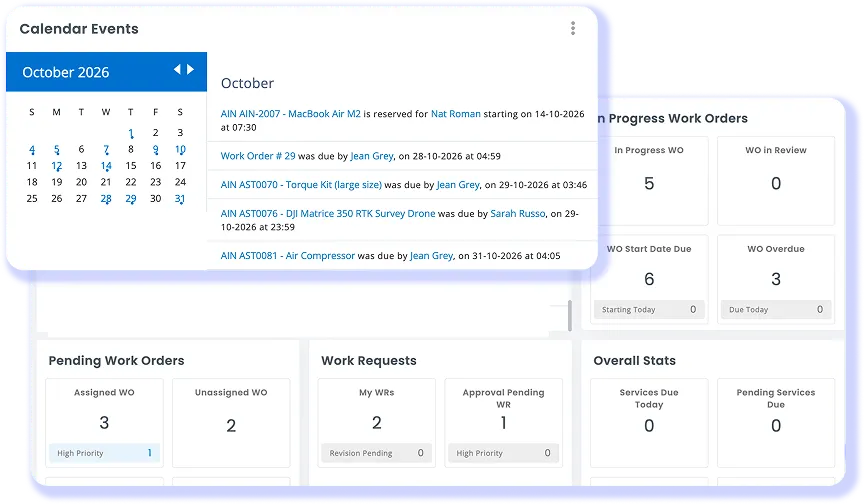
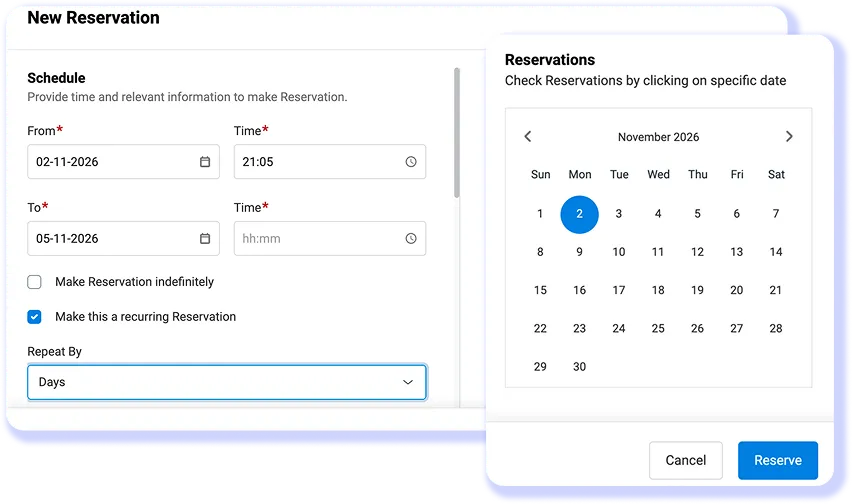
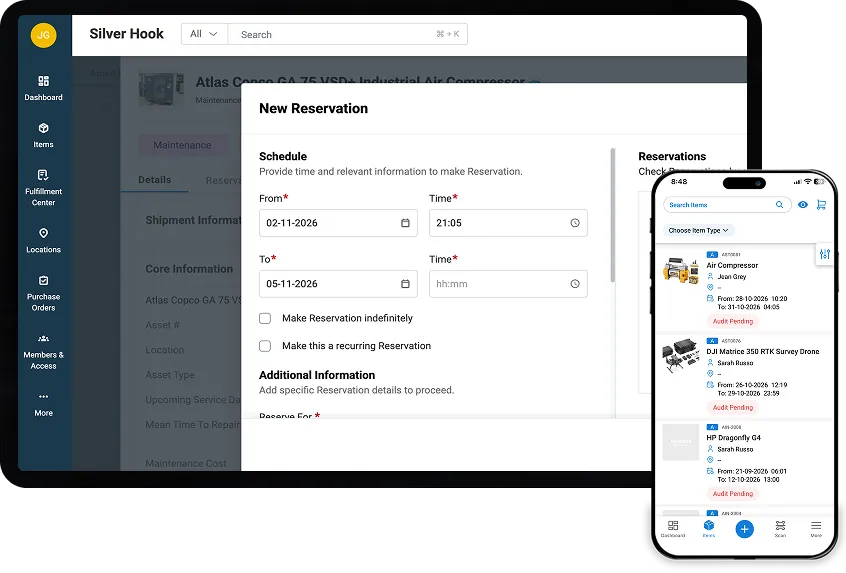
EZO EAM availability calendar, equipment reservation, and mobile checkout screens.

Multiple Requests Turned Around in Under a Day

70%

Requests routed through self-service

90%

Clients brought turnaround under one day

13,000+

Portal requests since launch

Shared Equipment Booking Software For Daily Operations

Give equipment and facilities managers one place to coordinate reservations, approvals, and handoffs across locations with EZO EAM’s equipment booking software.

Check Availability by Location

Check current checkouts and upcoming reservations to see which equipment is available at the site and on the dates your team needs it.

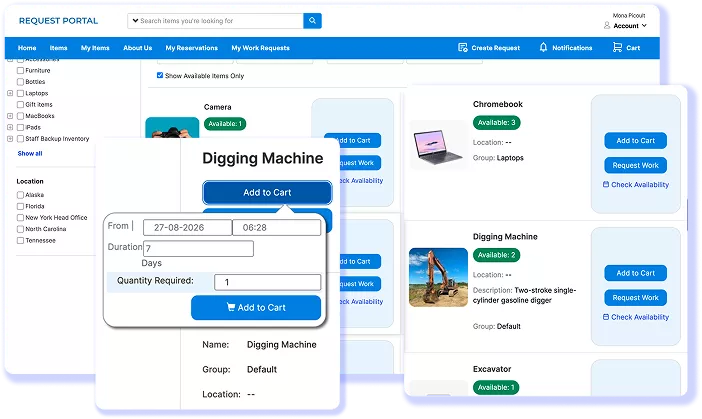
Give Teams a Catalog to Request Equipment

Let teams browse shared equipment in a shop-like portal, submit reservation requests, and follow each request's status and history.

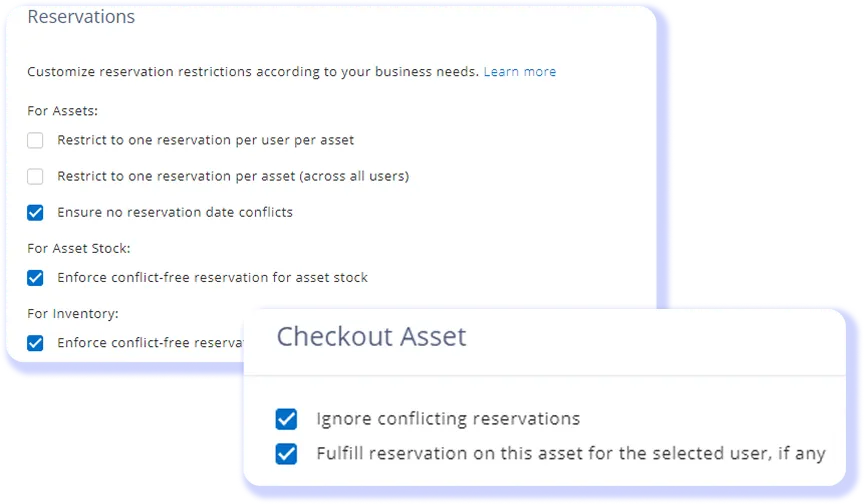
Protect Scheduled Bookings

Apply reservation conflict restrictions to reduce competing bookings and checkouts that overlap existing reservations.

Manage Requests and Approvals

Staff can request equipment from the self-service catalog and track its status. Approvers can review and approve requests in the Fulfillment Center.

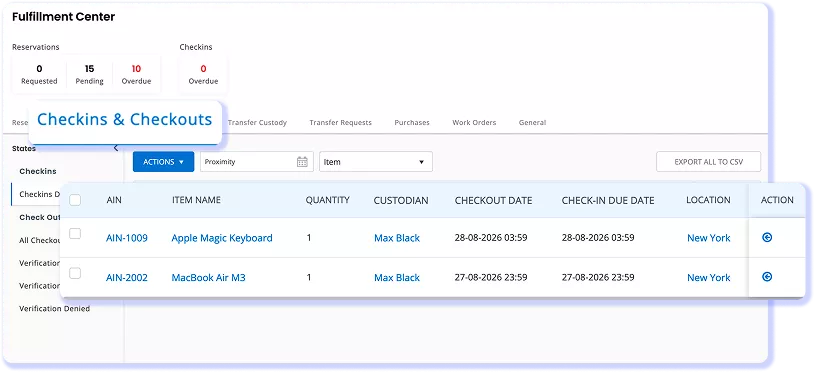
Track Equipment Custody and History

See who has each piece of equipment, when it’s due back, and when it was returned. Review checkout history to see who had the equipment before and when it changed hands.

Review Booking Activity

Use reservation reports to review booking volumes and average request response times. Review checkout history to see who received equipment and when it was returned.

Trusted by Teams Managing Shared Equipment

Simplify Equipment Booking From Request To Pickup

Run Bookings and Handoffs With Equipment Scheduling Software

Customer Testimonials

Give Every Equipment Booking a Clear Handoff

Stop Chasing Bookings Across Calendars And Messages

When equipment plans and handoff records sit in different places, coordinators spend time confirming availability and who has what.
An equipment coordinator reviews shared equipment requests and scheduled bookings.

Proven Results by Our Customers

Record Equipment Handoffs Where They Happen

Use the EZO EAM mobile app to find equipment records, identify items, and update handoffs without returning to a desk.
EZO EAM mobile app showing asset details, barcode scanning, and equipment checkout.

Guides for Better Equipment Booking and Scheduling

Frequently Asked Questions

Equipment reservation software helps teams book shared assets such as tools, loaner laptops, and lab instruments. EZO EAM is an equipment booking system for internal teams that need to check availability, manage requests, and record checkouts and returns. For customer-facing rentals, refer to EZRentOut.

Check equipment availability for the dates and location you need. Staff can submit a request through the Request Portal, and authorized approvers can review it in the Fulfillment Center when approval is required. At pickup, scan a barcode or QR code to identify the item and check it out to the recipient. Record the return to update the asset’s checkout history.

Configure EZO EAM to restrict overlapping reservations and conflicting checkouts. Review existing bookings before confirming a reservation. Where settings allow checkout overrides, administrators can override conflicts. Staff can do so only for their own reservations and only for assets they have permission to see.

Yes. In EZO EAM, employees can open My Reservations to edit or cancel equipment reservations they submitted. If the action is unavailable, they can ask an administrator to review the reservation.

Yes. Administrators can enable reservation arbitration to require approval for staff reservations. Authorized approvers can review, approve, or deny requests in the Fulfillment Center. Account settings determine which staff reservations need approval.

Both workflows are available. Staff can request equipment through the Request Portal, subject to account settings and permissions. Authorized managers and coordinators can reserve equipment for employees. To reserve equipment for projects, check availability for the required dates and location, then book it for the staff who will use it.

Yes. Use the Availability Calendar to check upcoming reservations and current checkouts at the site where staff will pick up the equipment. Which items staff can see and request depends on the account’s visibility settings and their permissions.

Yes. The Availability Calendar shows equipment recorded as under maintenance. Check the asset’s maintenance status before confirming a reservation, and review your account’s booking restrictions to understand when the system blocks a booking.

Yes. Each checked-out asset record shows its assigned custodian and due-back date. Checkout history shows who previously held the equipment and when it was returned. Teams can also configure overdue notifications for items that haven’t been returned on time.

Use checkout and return timestamps to see how long equipment was checked out. Compare those records with reservations to see which bookings led to pickups. Checkout duration measures time in someone’s custody. Reservations Summary shows booking demand and average request response times.

Plan Equipment Bookings and Track Handoffs

Give teams a catalog to request equipment, coordinators a clear booking workflow, and every handoff a record of who received what.