



EZO EAM Enterprise Asset Management
Enterprise Asset Management Software
Connect Equipment Operations Across Your Sites
Our Clients Have Reported
2,000+ hrs
Annually saved via automation
~$200K
Cost savings annually
100%
Increase in operational efficiency
Run Equipment Operations Across Your Sites From One System
Procure and Receive Across Sites
Raise purchase orders, route them for approval, and receive items into the right location, so catalog, cost price, and stock levels update as equipment arrives on site.
Route Requests Through One Queue
Teams and site leads submit equipment requests through a single portal. Approvers use a shared Fulfillment Center queue to review demand and coordinate fulfillment across sites.
Assign Custody With a Clear Owner
Check equipment out to people, projects, or locations by scanning. Record custody transfers and ask holders to verify possession, so responsibility stays clear at each handoff.
Move Equipment Across Your Sites
Nested locations, per-site quantities, and stock transfers show what each site holds and where equipment went, with GPS data layered on for connected field assets.
We're Trusted by the Best


Standardize Equipment Requests Across Sites
How EZO EAM Runs Each Stage of the Asset Loop
Requests and Dispatch
Custody and Audits
Multi-Site Operations
Maintenance
Reporting and Control
Requests and Dispatch
Route and Approve Equipment Requests
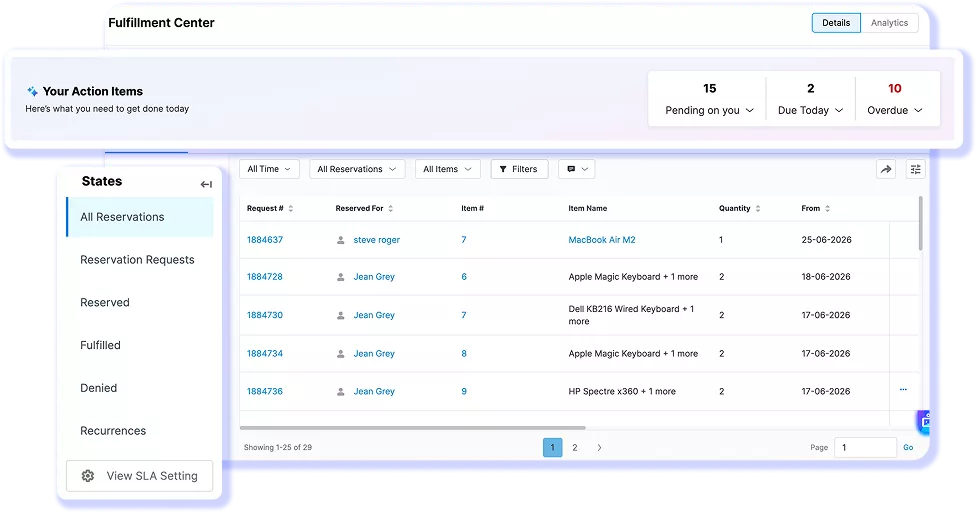
Requests can start with a team member or a site lead acting for a crew. EZO EAM brings them into a single Fulfillment Center queue for reservations, checkouts, transfers, and purchase orders. Multi-tier approval routes requests to the right approver, so teams can review requests and coordinate fulfillment through a consistent, cross-site process.
Custody and Audits
Track Custody From Checkout to Return
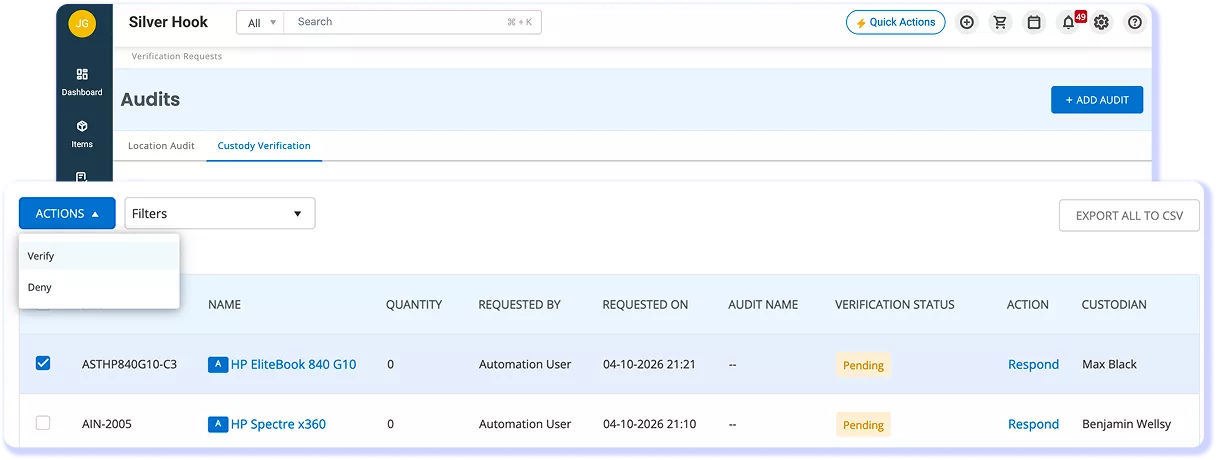
When equipment changes hands, teams need to know who holds it and how it moved. EZO EAM assigns custody at checkout to a person, project, or location and records custody transfers. Custody audits ask holders to confirm possession and condition. Item Trail records dated asset actions, so teams can trace recorded handoffs without rebuilding the history.
Multi-Site Operations
See What Every Site Holds
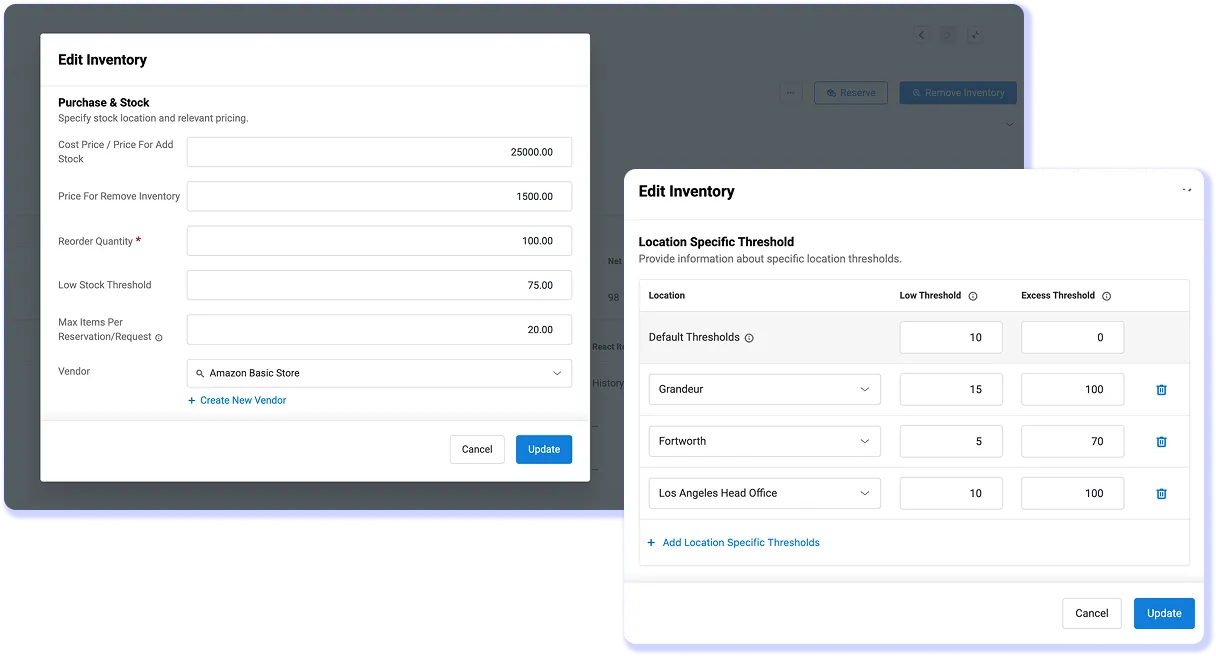
Central teams need to see site inventory as equipment and stock move. EZO EAM uses nested locations, location-based quantities, and stock transfers to track what each site holds. Location thresholds support low-stock alerts, while GPS integrations add location data for connected field equipment, so teams can review stock needs and equipment movement.
Maintenance
Keep Preventive Work Connected to Equipment
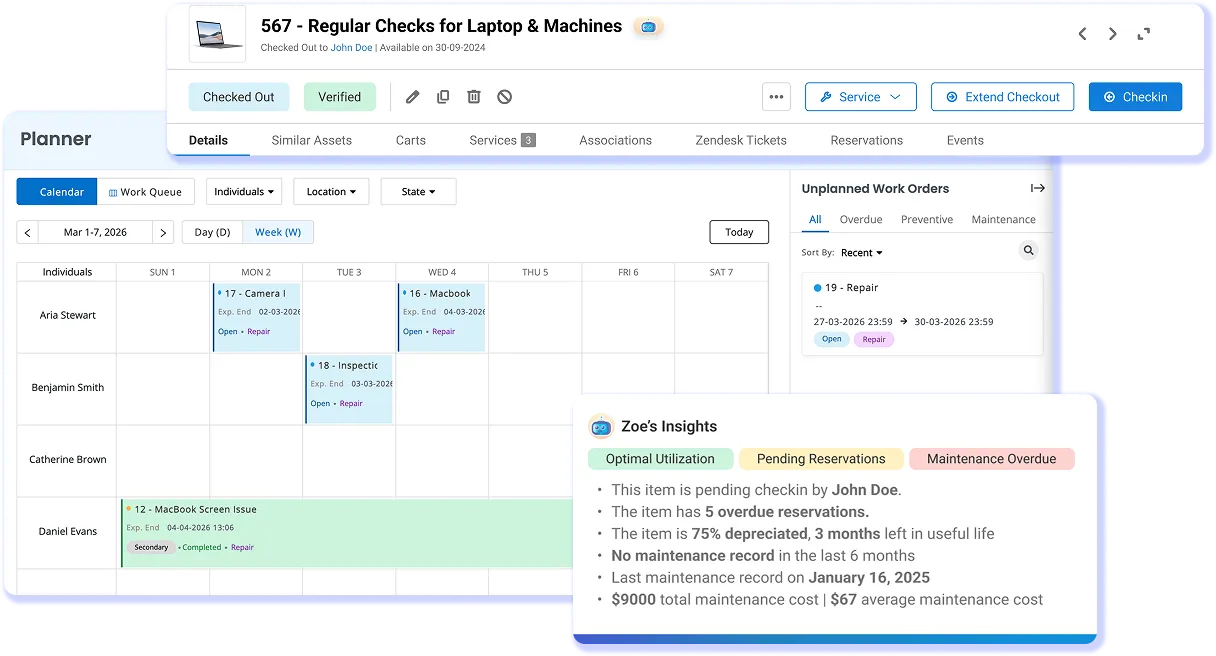
When service history sits apart from equipment records, teams lose context on readiness. EZO EAM connects preventive maintenance, work orders, checklists, and labor logs to equipment records. Teams can review service activity alongside custody and location, while the under-maintenance status blocks checkout until the asset is released for use. Maintenance capabilities depend on the selected plan and add-ons.
Reporting and Control
Report on Cost, Value, and Accountability
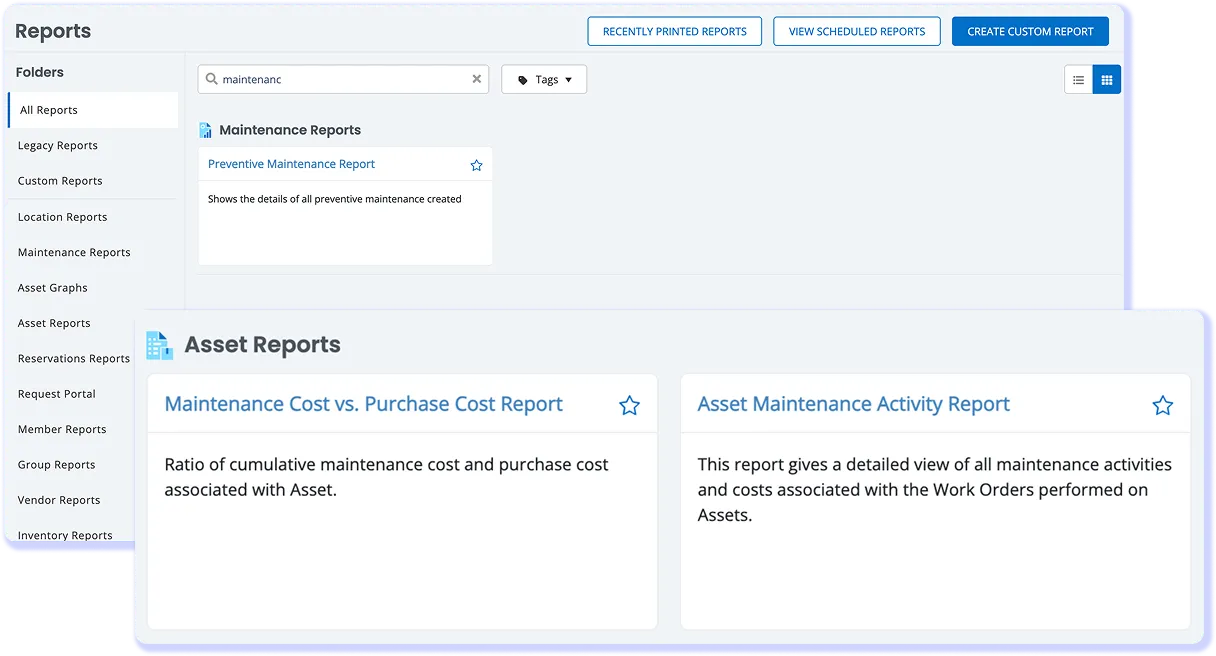
Operations and Finance need equipment data they can review without rebuilding spreadsheets. EZO EAM supports custom and scheduled reports, depreciation, and cost centers. Roles govern permitted actions, scopes restrict visible records, and SAML single sign-on supports authentication, helping teams manage access and review costs across multiple sites.
What Operations Teams Say About EZO EAM
Connect Your Sites Through One Asset Record
Where Multi-Site Operations Lose Asset Control
- Scattered records: Disconnected systems make asset information unreliable.
- Unclear custody: Unrecorded handoffs leave equipment ownership uncertain.
- Limited visibility: Teams struggle to locate available equipment across sites.
- Maintenance gaps: Missing service history leads to delays and downtime.
Proven results by our customers
VENDING MACHINES MANAGED ACROSS 11 SITES
Pepsi MidAmerica uses EZO EAM and custom integrations to connect equipment requests, checkout, work orders, and dispatch across its regional operations.

IMPROVEMENT IN OPERATIONAL EFFICIENCY
PSI Repair Services connected EZO EAM with its Epicor ERP to manage repair workflows, asset records, and reporting across 16 locations, improving operational efficiency by more than 75%.
TOOLS AND EQUIPMENT TRACKED ACROSS 50 SITES
AX Construction gained visibility into 2,000+ tools and heavy equipment across 50 project sites, helping teams track equipment movement, verify custody, and manage maintenance.
Track Assets From Anywhere
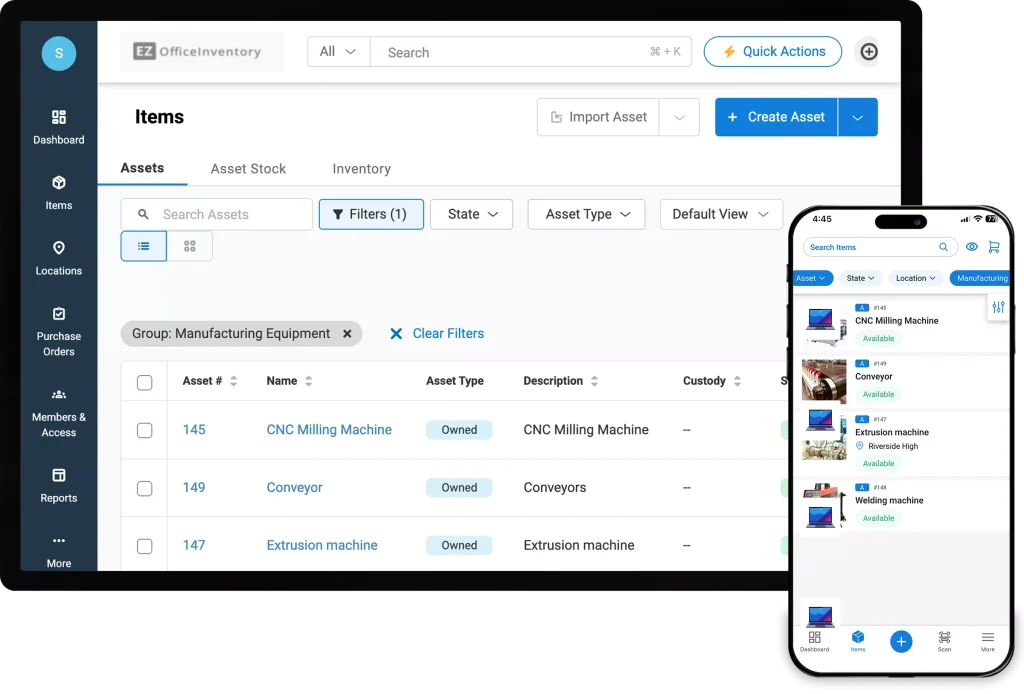
- Access equipment details, locations, and custody records from any job site
- Scan QR codes or barcodes to check equipment in or out and track handoffs
- Access synced work orders offline and update maintenance logs when reconnected
- Manage equipment and maintenance tasks on both iOS and Android devices
Read More on Enterprise Asset Management
Frequently Asked Questions
A CMMS focuses on maintenance activities, including work orders, preventive maintenance, and service history. Enterprise asset management software connects maintenance with the broader asset lifecycle, from purchasing and assignment to transfers and retirement. EZO EAM brings equipment custody, location, maintenance, and reporting together, helping teams coordinate asset operations across people, departments, and sites.
Yes. Your ERP can remain the financial system of record while EZO EAM manages equipment requests, custody, transfers, maintenance, and audits. ERP connectivity requires a scoped integration using EZO EAM’s REST API, rather than a pre-packaged ERP connector. During implementation, teams should define the records to exchange, field mappings, sync frequency, and responsibility for building and maintaining the integration.
EZO EAM supports several access and authentication controls for managing users and asset data. These include custom roles, team and member scopes, two-factor authentication, and SAML single sign-on. EZO EAM also supports identity integrations including Okta, OneLogin, and Ping Identity. Item Trail records asset actions with dates and times, giving teams an activity history associated with equipment records.
EZO EAM’s mobile apps let field teams manage equipment and work orders from the job site. Teams can scan barcodes and QR codes, check equipment in and out, manage custody, and use mobile work orders to view, update, complete, and log labor against maintenance work. Mobile work order functionality is available with the CMMS add-on or Enterprise plan. Workers without their own EZO EAM login can still receive equipment through a site lead. The handoff records the site lead who performs the transaction and the recipient who receives the equipment, maintaining an identifiable custody record.
EZO EAM pricing is based on the number of items tracked and is billed in USD. The Essential, Advanced, and Premium plans include unlimited users under fair-use guidelines. CMMS functionality is priced separately based on the number of admin users, while Enterprise pricing is quote-based. Organizations can also start a 14-day free trial without providing a credit card, allowing teams to evaluate EZO EAM before committing to a plan. Pricing and plan inclusions vary by configuration, so teams with more complex asset, maintenance, or multi-site requirements can review options before selecting a plan.
EZO EAM supports structured asset data imports and configurable implementation workflows. Teams can import assets, locations, and members from Excel or CSV files, with up to 1,000 records per file. They can then configure groups, custom fields, roles, and approval workflows around their operating model. For larger deployments, paid implementation services are available for structured migration and configuration. Implementation scope depends on factors such as the number of sites, asset types, and required integrations.
EZO EAM’s Asset Downtime Report includes uptime, downtime, and MTBF by asset. Utilization insights are also available, depending on the plan. For MTTR or other specialized measures, confirm the available reports, calculation definitions, and required data during evaluation. Where additional analysis is needed, scope a reporting workflow using exports or the REST API and validate that it captures the necessary fields.
EZO EAM fits enterprise programs that need coordinated control of equipment across people, departments, and sites. It connects requests, assignments, transfers, audits, and maintenance around shared asset records. Organizations with specialized reliability, industrial integration, hosting, or regulated-record requirements should assess those needs during evaluation and define any additional systems or integration work.