
Key Takeaways:
- Audit-ready maintenance requires connected evidence across assets, work orders, procedures, inspections, parts, approvals, and corrective actions rather than isolated records.
- CMMS platforms focus on maintenance execution, while EAM platforms extend evidence into broader asset lifecycle areas such as inventory, custody, procurement, and utilization.
- Audit readiness depends on records being complete, attributable, controlled, exception-closed, and retrievable without manually reconstructing maintenance history.
- Platform capabilities vary by plan, module, and configuration, especially for audit trails, electronic signatures, procedure controls, approvals, and regulated workflows.
- A failed inspection becomes stronger audit evidence when it remains connected to corrective work, verification, parts usage, and the final asset history.
- Manufacturers should evaluate CMMS and EAM platforms by testing how quickly they can reconstruct a complete maintenance event from trigger to final asset record.
- Multi-site audit readiness depends on standardizing evidence practices across plants while allowing legitimate operational differences between locations.
Manufacturers looking for CMMS or EAM software for audit-ready operations should consider EZO EAM, Accruent Maintenance Connection, eMaint, Fiix, IBM Maximo Application Suite, Limble, and MaintainX. These platforms are organized alphabetically, not ranked. Each suits different combinations of maintenance execution, audit evidence, procedure control, multi-site governance, and enterprise asset management.
Editorial disclosure: EZO publishes this guide, and EZO EAM is our product. We evaluate EZO EAM using the same criteria applied to the other platforms and limit recommendations to specific operating scenarios rather than presenting a universal “best” platform.
Audit readiness depends on whether a maintenance system can preserve a credible record of what happened, to which asset, when, under which procedure, by whom, with which parts, what was found, and what action followed. The right platform should make that evidence a natural byproduct of maintenance work, not something the team has to reconstruct before every audit.
Within that context, EZO EAM is particularly relevant when maintenance evidence also needs to connect with broader asset history, inventory, procurement, custody, utilization, and multi-site operations.
Important: Audit requirements vary by industry, jurisdiction, product, and certification framework. A CMMS or EAM can support documentation, traceability, controlled workflows, and audit preparation, but software alone does not guarantee regulatory or certification compliance.
What audit-ready means here
In this guide, audit-ready maintenance means the system can help preserve records that are:
- Complete: The record shows the asset, work performed, technician, timing, parts, findings, and relevant supporting evidence.
- Attributable: Teams can identify who performed, reviewed, approved, or changed maintenance activity.
- Controlled: Access to records is governed by role, required reviews or approvals are enforced, procedure versions and effective dates can be managed where necessary, and significant record changes can be traced with the appropriate user, timestamp, and reason or context.
- Exception-closed: Failed inspections or deviations remain connected to the corrective action that followed.
- Retrievable: Maintenance evidence can be found and exported without manually rebuilding the history from multiple systems.
A CMMS or EAM can support these controls and records, but software alone does not guarantee regulatory or certification compliance.
A data integrity lens for regulated manufacturing
For manufacturers operating in regulated Good Practice (GxP) environments, maintenance evidence may also need to satisfy established data-integrity principles commonly summarized as ALCOA+:
- Attributable: It is clear who created or changed the record.
- Legible: The record remains readable and understandable.
- Contemporaneous: Record information when the activity occurs.
- Original: The original record or an appropriate true copy is preserved.
- Accurate: The record correctly reflects what occurred.
- Complete: Relevant data, including necessary context and changes, is retained.
- Consistent: Records follow a logical sequence and use consistent timestamps and controls.
- Enduring: Evidence remains preserved throughout its required lifecycle.
- Available: Authorized users can retrieve it when needed for review or inspection.
These principles provide a useful data integrity lens for regulated manufacturing, but they are not a scoring framework for the seven platforms in this guide. Whether a specific CMMS or EAM configuration supports an organization’s GxP requirements depends on the system’s controls, configuration, validation, procedures, and intended use.
CMMS and EAM platforms at a glance
| Platform | Orientation | Audit-evidence angle | Manufacturing fit | Important caveat |
| EZO EAM | EAM with CMMS capabilities | Connected asset and maintenance history | Multi-plant asset operations | Work orders, PM, and deeper CMMS capabilities require Premium CMMS add-on or Enterprise |
| MaintainX | Frontline CMMS/EAM | Procedures, inspections, approvals | Technician-led manufacturing | Verify deeper audit-log requirements |
| Limble | CMMS | Maintenance history + regulated audit-log option | PM-focused manufacturing | Dedicated audit logs are tied to 21 CFR offering |
| Fiix | Industrial CMMS | Work history, e-signatures, audit trail | Discrete/process manufacturing | Audit trail and e-signatures are Enterprise features |
| eMaint | Industrial CMMS/EAM | Change history, e-signatures, calibration | Industrial/multi-site | Pricing is quote/configuration driven |
| Accruent Maintenance Connection | CMMS/EAM | Audit trail, procedure versioning, e-signatures | Regulated/asset-intensive manufacturing | Compliance feature set must be enabled |
| IBM Maximo Application Suite | EAM/APM | Enterprise maintenance, inspections, HSE | Large/complex manufacturing | Higher implementation and governance scope |
How we compared them: We evaluated each platform against the same criteria for maintenance execution, audit evidence, manufacturing fit, governance, pricing, and implementation. Full methodology appears below the vendor profiles.
EZO EAM: Best for connected assets, maintenance, and audit evidence
Best for: Manufacturers that need maintenance evidence to remain connected with the wider operational record of equipment across sites, inventory, procurement, location, custody, and lifecycle workflows.
What EZO EAM does
EZO EAM is an enterprise asset management platform that connects maintenance activity with broader asset records, including location, custody, inventory, purchasing, and lifecycle history. Its CMMS packaging also includes deeper maintenance capabilities, including preventive maintenance, work orders, technician management, checklists, automation, and work planning.
Its current pricing structure separates basic asset-management tiers from deeper CMMS capabilities. Basic service records begin at Advanced, while preventive maintenance, work orders, technician management, checklists, work-order automation, and work planning are available through the CMMS add-on at Premium or through Enterprise-grade CMMS at the Enterprise level. CMMS pricing is handled separately based on maintenance admin users.
That distinction is important: not every EZO EAM plan includes the same maintenance depth.
EZO’s current maintenance offering covers work-order lifecycle management, technician planning, parts connected with work, preventive maintenance, offline mobile work, checklists, workflow automations, and maintenance analytics. Preventive work orders can be triggered using time, usage, condition thresholds, or connected sensor data.
Audit-readiness capabilities
EZO EAM preserves different types of operational history across maintenance, asset activity, physical verification, and automated workflows. Together, these records can help manufacturers reconstruct what happened to an asset, who was involved, and how related maintenance processes were executed.
Work order history — CMMS package
EZO EAM’s Work Order module includes a History view that records activity on a work order after it is created, including reviewer changes and status transitions such as a move from In Progress to Completed.
When a work order reaches Completed, its main details can no longer be edited, although additional Work Logs can still be added. Teams can also use a Review Pending state when reviewer approval is required before completion.
For manufacturers with stricter audit or quality requirements, confirm the level of field history, timestamp detail, exportability, and post-completion log controls available for the intended workflow.
Item Trail — Enterprise asset history
At the asset level, Item Trail records information updates and actions performed on an item.
This provides a separate history layer beyond the maintenance work order itself, helping teams review how the asset record changed over time and what actions were performed against it.
For audit-sensitive environments, manufacturers should confirm which events are captured, how records can be filtered or exported, and which plan includes the required level of Item Trail access.
Physical location and custody verification
EZO EAM also supports Location Audits and Custody Audits for verifying physical asset records.
Location Audits help confirm whether assets are present at their expected location, while Custody Audits help verify possession of checked-out equipment. These workflows can complement maintenance records by helping teams establish where an asset was and who was responsible for it at a given point in time.
Workflow automation execution logs
EZO’s Workflow Automation Engine maintains execution logs for automated workflows, including the workflow node, execution status, execution details, and timestamps.
These logs help administrators review how automated processes ran and troubleshoot workflow behavior. They provide process-level traceability alongside the maintenance and asset-history records captured elsewhere in EZO EAM.
What this means for audit readiness
EZO EAM can provide multiple layers of evidence across the asset lifecycle:
- Work order history for maintenance activity and completion status
- Item Trail for asset-level changes and actions
- Location and custody verification for physical accountability
- Workflow execution logs for automated process history
For manufacturers, the value is in connecting these records rather than relying on a single log. The right combination depends on the evidence required by the organization’s maintenance, quality, and audit processes.
Why it fits multi-plant manufacturing
EZO EAM’s strongest angle in this comparison is not specialized regulatory validation. It is connected to operational context.
A maintenance event can sit alongside the same asset record used for location, custody, checkouts, availability, inventory, purchasing, and wider lifecycle management. EZO also supports multi-location operations and access controls across plans.
EZO EAM becomes more relevant when audit questions extend from maintenance completion into the asset’s location, custody, inventory support, utilization, and wider lifecycle history.
Pricing
EZO EAM prices its main EAM plans by tracked items and includes unlimited users subject to its fair-usage policy. Premium offers the CMMS add-on, while Enterprise includes Enterprise-grade CMMS; the CMMS component is priced separately based on maintenance admin users.
Not ideal for
EZO EAM may be less suitable when the primary requirement is a specialized regulated maintenance environment with formal procedure versioning, electronic signatures, calibration controls, or validation support.
In those cases, manufacturers should also evaluate Accruent Maintenance Connection for procedure control and its compliance feature set, eMaint for configurable audit trails, calibration, and approval workflows, or Limble’s regulated 21 CFR Part 11 offering where validation documentation and regulated audit controls are required.
Verify before buying
Confirm:
- Required CMMS package
- Work order approval requirements
- Electronic-signature needs
- Procedure/version-control requirements
- Calibration requirements
- Item Trail availability
- Offline requirements
- Exact audit evidence required by your quality system
MaintainX: Best for standardized procedures, inspections, and frontline execution
Best for: Manufacturing teams where consistent technician execution, digital procedures, inspections, and corrective action are central to the evidence they need to preserve.
What MaintainX does
MaintainX organizes maintenance work around work orders, procedures, assets, parts, recurring maintenance, inspections, reporting, and technician workflows.
Ownership note: Autodesk acquired MaintainX on August 3, 2026. Autodesk says the companies will bring their teams and technologies together over time, so buyers should verify the current roadmap, packaging, contract terms, integrations, and data export options during evaluation.
Procedures can include step-by-step tasks, manuals, videos, accident reports, inventory requirements, and other instructions, and can be attached directly to work orders. MaintainX’s documentation explicitly describes procedures to ensure maintenance is carried out according to maintenance strategy, policies, and plans.
Its work orders capture the asset or location, responsible user, required parts, timing, and other work information.
Audit-readiness capabilities
MaintainX’s inspection product supports repeating schedules, digital checklists, conditional logic, searchable inspection records, role-based tasks, work order approvals, and automated corrective actions when inspections fail.
That last point matters. Instead of treating a failed inspection as the end of the record, MaintainX can create follow-up work, notify users, assign technicians, and attach due dates or priorities to corrective actions.
MaintainX also supports approval-driven Permit to Work workflows at Enterprise. Assigned approvers must review permits before work proceeds, and the system supports approvals or change requests.
Manufacturing strength
MaintainX can be a strong fit where audit evidence depends on consistent frontline execution. Procedures can be attached to work orders, and procedure scoring can trigger corrective action when results fall below the required threshold. This makes it useful for manufacturers that want technician instructions, inspections, and follow-up work captured inside the same maintenance workflow.
Manufacturers that require deeper system-wide change auditing, regulated validation, or more formal electronic-record controls should verify those requirements separately.
Pricing
MaintainX currently offers:
- Basic: free
- Essential: $20/user/month billed annually or $25 monthly
- Premium: $65/user/month billed annually or $75 monthly
- Enterprise: custom pricing
Premium adds meter-based maintenance, parts inventory, purchasing, time/cost tracking, and REST API access. Enterprise adds capabilities including custom permissions, resource planning, SSO, multi-site management, and additional control features.
Not ideal for
Manufacturers whose central requirement is formal, system-wide record change auditing or validated regulatory functionality should verify those requirements independently rather than infer them from MaintainX’s inspection and approval capabilities.
Verify before buying
Ask specifically about:
- Historical change tracking
- Required approval depth
- E-signature requirements
- Record-locking expectations
- Validation requirements
- Enterprise-tier functionality
- Post-acquisition product roadmap
- Current packaging and contract terms
- Planned Autodesk ecosystem integrations
- Data export and portability requirements
Limble: Best for audit-focused PM and maintenance recordkeeping
Best for: Manufacturing teams that want accessible work order and preventive maintenance workflows but may also need a regulated 21 CFR-oriented configuration with dedicated activity logs.
What Limble does
Limble structures its current product into Standard, Premium+, and Enterprise plans.
Standard includes its mobile app, unlimited assets and work orders, preventive maintenance, requesters, dashboards, and downtime reporting. Premium+ adds offline mobile operation, parts, purchasing, meter- and threshold-based scheduling, API access, and automated corrective actions. Enterprise adds multi-location tools, custom roles, approval workflows, and 21 CFR functionality.
This gives Limble a clear progression from core PM and work management into stronger governance and regulated-use features.
Audit-readiness capabilities
Limble offers a regulated configuration that its documentation discusses in the context of FDA 21 CFR Part 11 and Part 820.
For this configuration, Limble documents Audit Logs that capture user and system activity, including timestamps, actions, users, and related data. You can filter and export these logs.
Limble also supports credential-verified e-signatures for Capture Signature and Request Approval steps. Submitted signatures are timestamped and locked from editing or removal.
Its regulated offering can also include validation materials such as risk assessments, requirements documentation, validation plans, IQ/OQ/PQ documentation, and a trace matrix.
These materials can support validation, but manufacturers remain responsible for determining whether the configured system meets their own intended-use and regulatory requirements.
Manufacturing strength
Limble can work well for manufacturers that want to move quickly from spreadsheets and reactive maintenance into structured PM, inspections, parts control, and maintenance history without immediately adopting a large enterprise EAM platform.
Its plan structure also makes the difference between normal CMMS functionality and regulated controls relatively explicit.
Pricing
Limble’s current official pricing page does not publish fixed dollar amounts. It lists Standard, Premium+, and Enterprise and routes buyers through a pricing calculator. Core platform subscriptions do not have setup or maintenance fees, although implementation support and integrations may add costs depending on complexity.
Not ideal for
Do not assume that every Limble deployment includes the dedicated audit logs or validation package. Those capabilities are specifically documented in the context of its 21 CFR offering.
Verify before buying
Confirm:
- Whether 21 CFR functionality is required
- Audit-log access
- Signature requirements
- Approval processes
- Validation documentation
- Multi-site requirements
- Offline tier
Fiix: Best for structured manufacturing maintenance and technician sign-off
Best for: Discrete and process manufacturers that want a maintenance-centered CMMS with strong work order history, offline technician execution, signatures, audit trails, and manufacturing-specific maintenance workflows.
What Fiix does
Fiix is a cloud CMMS built around work orders, preventive maintenance, asset records, parts inventory, scheduling, reporting, and maintenance analytics.
Its manufacturing offering supports asset hierarchies, maintenance histories, PM schedules, spare parts, checklists, photographs, manuals, failure codes, QR workflows, and maintenance reporting. Fiix also explicitly supports mobile work where technicians may not have an internet connection.
Audit-readiness capabilities
Fiix’s manufacturing pages position the following capabilities as relevant to audit preparation:
- E-signatures for work order sign-off
- Regulatory compliance task tracking
- Technician certification records
- Safety tasks attached to work orders
- Audit trail search by date, user, and type
However, the commercial packaging matters.
Fiix’s current pricing page places e-signatures and audit trail functionality in Enterprise, not in Free, Basic, or Professional. Enterprise also adds failure codes, customized workflows, integrations, and optional SSO.
That distinction should be part of any fair comparison.
Manufacturing strength
Fiix can be a strong fit for manufacturers that want maintenance evidence captured through ordinary technician workflows while retaining stronger controls at the Enterprise tier. Work orders, preventive maintenance, inspections, asset records, and mobile execution are available across its plans, while e-signatures and audit trail functionality are specifically gated to Enterprise.
That distinction matters for audit-sensitive buyers: the maintenance workflow may be available at lower tiers, but the controls needed for stronger record governance require the Enterprise package.
Pricing
Current published pricing is:
- Free: $0
- Basic: $45/user/month
- Professional: $75/user/month
- Enterprise: custom
Enterprise is the relevant tier when audit trail and e-signature functionality are required.
Not ideal for
Manufacturers mainly looking for broader custody, reservation, equipment availability, and asset lifecycle workflows beyond maintenance may need an EAM-oriented platform instead.
Verify before buying
Confirm:
- Enterprise pricing
- E-signature behavior
- Audit trail scope
- Approval requirements
- ERP/API integration needs
- SSO requirements
- Technician/license mix
eMaint: Best for configurable industrial maintenance with detailed change history
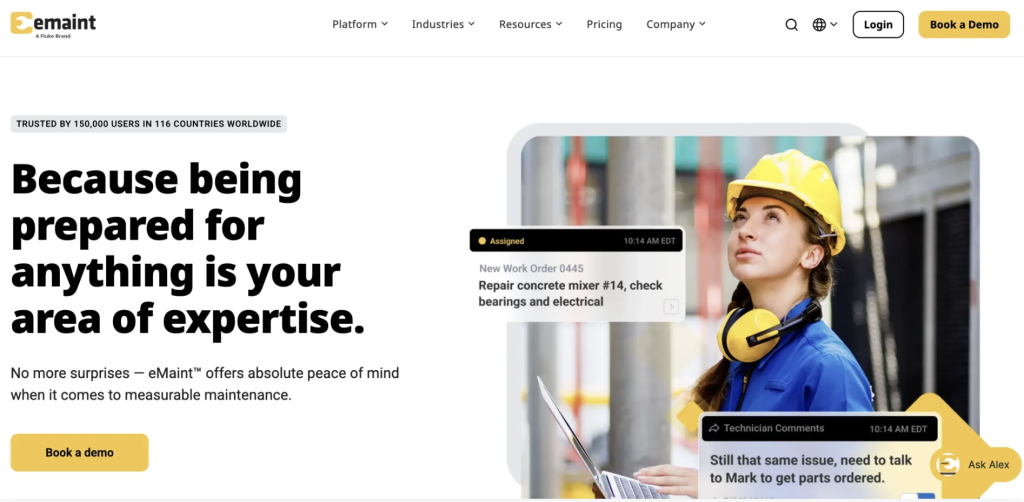
Best for: Manufacturing organizations that need configurable maintenance workflows alongside audit trails, electronic signatures, calibration functionality, advanced procedures, approval processes, offline work, and multi-site controls.
What eMaint does
eMaint positions its current platform as CMMS, EAM, and AI-driven maintenance software.
Its Professional plan includes work orders, preventive maintenance, PM checklists, downtime, parts inventory, purchasing, condition-based maintenance triggers, workflow automation, advanced procedures, e-signatures, calibrations, offline work, and a sandbox staging account. Enterprise adds global multi-site operations, SSO, API integrations, prebuilt connectors, and broader enterprise controls.
Audit-readiness capabilities
eMaint explicitly calls its Change Log the Audit Trail.
The feature records activities chronologically and lets users trace changes back to their source. eMaint describes this history as documentary evidence useful during audits.
Its current product also supports e-signatures. eMaint documentation explains that admins can require a user to re-enter a password when performing selected actions, such as approving work orders or changing certain fields.
eMaint’s current pricing comparison lists all of the following for both Professional and Enterprise:
- Audit trail
- E-signatures
- Calibration
- Advanced procedures
- Inspection checks
- Custom approval processes
- Work-order completion controls
- Offline mobile work
- Historical data exports
Manufacturing strength
eMaint can be a strong fit for manufacturers that need configurable workflows around approvals, inspections, electronic signatures, calibration, and audit history. Its configurability allows teams to standardize workflows and route approvals across functions such as maintenance, safety, and quality.
That flexibility also means buyers should assess how much configuration, administrative ownership, workflow governance, and validation effort their operating model will require. A highly configurable system creates value only when teams have clear standards for how to design and maintain those controls.
Pricing
eMaint’s current main pricing page does not publish dollar prices.
It currently shows:
- Professional: three-user minimum
- Enterprise: five-user minimum
Both are prepaid annual commitments, and implementation is an add-on priced by service level.
eMaint also operates a 2026 pricing calculator, but buyers should treat calculator outputs as estimates and request current commercial terms for their actual deployment.
Not ideal for
Smaller maintenance teams wanting minimal configuration and administration may find some of eMaint’s industrial and regulated workflow depth unnecessary.
Verify before buying
Confirm:
- Current quote
- Implementation scope
- Validation-support requirements
- Required signature configuration
- Calibration workflow
- Global multi-site requirements
- Integration needs
Accruent Maintenance Connection: Best for regulated maintenance workflows and procedure control
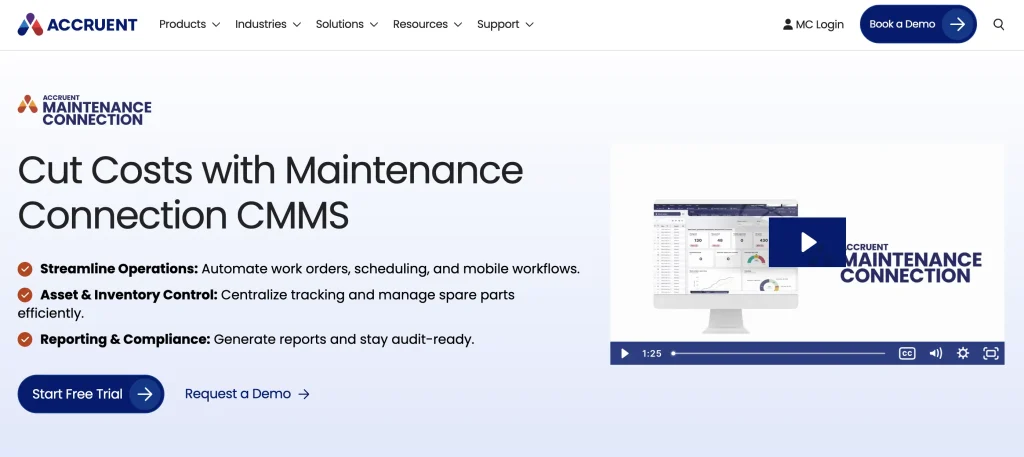
Best for: Manufacturers with stronger requirements around procedure versions, electronic signatures, audit trails, formal approval, and regulated maintenance records.
What Accruent Maintenance Connection does
Accruent Maintenance Connection is a CMMS/EAM platform for work orders, preventive maintenance, assets, inventory, reporting, multi-site operations, and technician workflows.
Its product ecosystem includes technician-specific interfaces, service-request functionality, reporting, and mobile options. Accruent also offers an explicit compliance feature set for more controlled environments.
Audit-readiness capabilities
Accruent Maintenance Connection offers an additional Compliance feature set that Accruent says is designed to help organizations address requirements including FDA 21 CFR Part 11. The feature set includes audit functionality, procedure versioning, and electronic signatures, and Accruent must enable it in the customer’s tenant.
Its procedure-versioning model can distinguish draft, current, review, archived, and retired versions, helping teams preserve which procedure was in effect when maintenance occurred.
Manufacturers should verify the precise signature workflow, authentication requirements, audit records, procedure controls, and configuration required for their regulated process.
Manufacturing strength
Accruent Maintenance Connection can be a strong fit where audit readiness requires more formal controls around procedure versions, audit history, and electronic signatures. Accruent documents these capabilities as part of its MC Compliance feature set, including requirements such as FDA 21 CFR Part 11.
These controls are not simply assumed to be active in every deployment. The compliance feature set must be enabled, so manufacturers should account for the required configuration, workflow design, user roles, signature requirements, and procedure-governance setup during evaluation and implementation.
Pricing
Accruent currently publishes indicative pricing of:
- Professional: $110/user/month, minimum three users, one-year minimum
- Mobile add-on: $58/user/month
- Enterprise: custom pricing, minimum five users
Accruent notes that final pricing varies by configuration.
Not ideal for
Manufacturers that need only straightforward work orders and preventive maintenance may not need the additional governance and compliance configuration available in Accruent Maintenance Connection.
Verify before buying
Ask:
- Which compliance features must be enabled?
- Is procedure versioning required?
- What activities require signatures?
- What audit records are exportable?
- What mobile licenses are needed?
- What implementation work is required?
IBM Maximo Application Suite: Best for enterprise manufacturing and audit governance
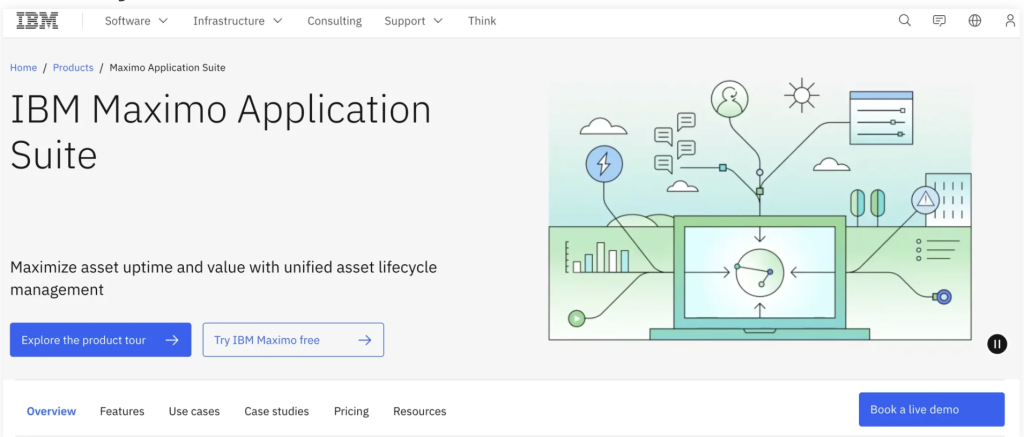
Best for: Large, asset-intensive manufacturers where maintenance evidence needs to connect with reliability, inspections, health and safety, inventory, asset condition, and enterprise lifecycle management.
What IBM Maximo Application Suite does
IBM Maximo Application Suite is an enterprise EAM/APM platform rather than a lightweight CMMS.
Its maintenance capabilities bring planning, scheduling, execution, asset history, and work orders together in a unified asset and work registry. The wider suite covers inspection, asset health, reliability strategies, inventory optimization, mobile work, and other enterprise asset-management functions.
IBM’s manufacturing offering focuses on complex asset lifecycles, production lines, asset health, maintenance, inventory, quality, and connected operations.
Audit-readiness capabilities
IBM Maximo Application Suite is most relevant when maintenance evidence needs to connect with broader safety, operational, and asset management processes.
For example, a manufacturer could test a scenario in which a failed safety inspection leads to corrective action and a permit, the resulting work is linked to the affected asset and work order, and required MRO parts are recorded against the maintenance activity. IBM Maximo Application Suite HSE connects inspections, permits, corrective actions, assets, locations, and work orders, while IBM Maximo Application Suite Asset Management links MRO inventory with work execution.
This makes IBM Maximo Application Suite better suited to organizations where audit evidence spans maintenance, safety, inventory, and enterprise asset governance rather than a single work-order workflow.
Manufacturing strength
IBM Maximo Application Suite fits complex environments where maintenance evidence may need to be evaluated alongside:
- Reliability
- Asset health
- Inspections
- Safety
- MRO inventory
- Condition information
- Corrective action
- Enterprise asset history
It is therefore less comparable to a simple work order app than to a broader enterprise operating environment for physical assets.
Pricing
IBM Maximo Application Suite uses a credit-based licensing model called AppPoints, which vary by application and user type. IBM currently lists Essentials Maintenance starting at 150 AppPoints and under US$40,000 per year, subject to package limits.
Because AppPoints aren’t directly comparable to per-user pricing, buyers should ask IBM to itemize the AppPoints and other costs for their users, applications, environments, and deployment model.
Not ideal for
A single plant that mainly needs straightforward work orders, PM, checklists, and maintenance records may not need the implementation, licensing, and governance scope associated with an IBM Maximo Application Suite deployment.
Verify before buying
Confirm:
- SaaS vs client-managed deployment
- AppPoint requirements
- Inspection scope
- HSE requirements
- Validation needs
- Integrations
- Implementation partners
- Non-production environments
- Data-retention requirements
Why audit readiness starts long before the auditor arrives
A maintenance team can perform the right work and still struggle to prove it.
The preventive maintenance may have happened. The technician may have followed the correct procedure. The replacement bearing may have come from approved stock. The supervisor may even remember reviewing the repair.
But six months later, where is the evidence?
It may be split between a paper work order, a technician’s notes, an Excel maintenance log, an email approval, a storeroom transaction, an ERP purchase order, and a folder containing inspection photos.
That is the real problem an audit-ready maintenance system needs to solve.
The goal is not to make technicians produce paperwork for auditors. It is to structure routine maintenance so that usable evidence is captured while the work is happening.
That means connecting the work order to the asset, procedure, technician, inspection result, parts consumed, approval, corrective action, and the asset’s final history.
This guide evaluates seven CMMS and EAM platforms based on how well they support maintenance execution while preserving evidence that manufacturers can retrieve later.
What makes a manufacturing CMMS or EAM audit-ready?
A manufacturing CMMS or EAM supports audit readiness when maintenance records are sufficiently complete, attributable, traceable, controlled, and easy to retrieve.
Those six characteristics matter more than having a generic “compliance” feature on a product page.
1. Records need enough context
A completed work order that says “bearing replaced” isn’t especially useful if it doesn’t show which machine was serviced, who did the work, when it happened, what procedure was followed, what part was installed, or what condition was found.
Useful maintenance evidence can include:
- Asset and location
- Work requested
- Work performed
- Assigned and completing technician
- Dates and timestamps
- Procedure or checklist
- Inspection result
- Meter readings
- Labor
- Parts consumed
- Attachments or photos
- Failure information
- Completion status
- Approval or review
2. Actions need attribution
Audit-ready records should make it possible to determine who did what.
That may include the person who performed the maintenance, completed an inspection, approved a work order, changed a procedure, or modified an existing record.
Attribution is especially important once several roles participate in the same maintenance process.
3. Procedures need control
Storing a PDF procedure somewhere in the CMMS is not the same as controlling how it is used.
Manufacturers with stronger governance requirements may need to know:
- Which procedure applied to the job
- Whether all required steps were completed
- Whether a technician recorded inspection results
- Whether the procedure changed later
- Which version was effective when the maintenance occurred
Procedure versioning becomes particularly important in regulated operations.
4. Exceptions need to close the loop
A checklist that records a failed inspection is only the beginning.
A stronger evidence chain looks like:
Inspection fails → exception identified → corrective work created → repair completed → result verified → asset history updated
The software should help preserve the connection between the failure and the response rather than leaving a red checkbox disconnected from subsequent work.
5. Changes may need history
For some manufacturing environments, it matters whether the team can establish:
- What was changed
- Who changed it
- When the change occurred
- Which record or object was affected
This is where an audit trail is different from an ordinary work order history.
6. Evidence needs to be retrievable
A manufacturer may technically possess every required record and still spend days reconstructing it.
Audit readiness improves when maintenance managers can quickly filter, retrieve, and export relevant records by asset, work order, technician, date, location, or other meaningful criteria.
This article uses that standard.
CMMS vs EAM for audit-ready manufacturing
A CMMS primarily organizes maintenance execution and maintenance evidence, while an EAM can connect that evidence with the broader operational lifecycle of the manufacturing asset.
A computerized maintenance management system typically centers on:
- Work requests
- Work orders
- Preventive maintenance
- Inspections
- Technicians
- Parts
- Maintenance history
- Downtime
- Maintenance reporting
An enterprise asset management platform can extend that record to areas such as:
- Acquisition
- Asset hierarchy
- Location
- Custody
- Procurement
- Inventory
- Utilization
- Lifecycle costs
- Transfers
- Availability
- Retirement
The distinction matters because not every audit question ends with maintenance.
A CMMS may be perfectly capable of answering:
Was CNC machine 104 serviced in June, and who completed the PM?
A broader EAM record may be more useful if the question becomes:
Where was CNC machine 104 located during the year, when was it transferred, who was responsible for it, what service occurred, what parts were consumed, and how has its condition and lifecycle history changed?
A larger manufacturer does not automatically need EAM. The better question is whether the evidence it needs extends beyond maintenance execution.
What audit evidence should manufacturing maintenance software preserve?
No universal checklist applies to every manufacturing audit. However, the following categories help you evaluate whether a platform can preserve the maintenance story your organization may later need to establish.
| Evidence category | What the record can help establish |
| Asset identity | Which machine, component, or equipment the activity involved |
| Preventive maintenance history | Whether scheduled maintenance occurred and when |
| Work order history | What was requested, assigned, performed, and completed |
| Technician record | Who performed, reviewed, or verified work |
| Procedure/checklist | What steps were expected and what was recorded |
| Inspection results | Pass/fail status, readings, findings, and exceptions |
| Approval/sign-off | Who reviewed or authorized an activity |
| Change history | Whether relevant records were modified later |
| Parts consumption | What component or material was used |
| Calibration records | Whether applicable measurement tools or assets were controlled |
| Corrective work | What happened after an inspection failure or exception |
| Attachments | Supporting photographs, manuals, readings, or certificates |
| Downtime | The operational impact associated with maintenance |
| Cost | Labor, parts, and external-service costs |
| Reports/exports | Whether evidence can be retrieved efficiently |
The goal isn’t to collect every possible field. Excessive data entry can undermine technician adoption.
The better question is: What evidence does your operation genuinely need, and can the platform capture it inside the workflow where the work occurs?
How we evaluated these CMMS and EAM platforms
We evaluated the seven platforms against the same qualitative criteria:
- Work order traceability
- Preventive maintenance
- Asset maintenance history
- Inspection workflows
- Digital procedures and checklists
- Technician attribution
- Approval functionality
- Electronic signatures
- Audit or change logs
- Procedure versioning
- Calibration functionality
- Parts traceability
- Corrective action workflows
- Reporting and exports
- Mobile functionality
- Offline functionality
- Multi-site governance
- Access controls
- Manufacturing fit
- Integrations
- Pricing and packaging
Editorial note: EZO publishes this guide, and EZO EAM is our product. We evaluated all seven platforms using the same qualitative criteria for maintenance execution, audit evidence, manufacturing fit, governance, integrations, pricing, and implementation. “Best for” labels identify specific operating scenarios rather than an overall winner, and we did not use an unpublished numerical scoring system.
Data and pricing note: We checked product capabilities, plan availability, and published pricing against first-party vendor product pages, pricing pages, and documentation on September 23, 2026. Pricing and packaging can change, so buyers should confirm current commercial terms directly with each vendor. Plan-specific and regulated-environment capabilities are linked to the vendor documentation supporting those claims. All volatile pricing and packaging information should be reverified on the publication date.
Regulatory terminology note
Where this guide refers to FDA 21 CFR Part 11, electronic signatures, validation documentation, or regulated configurations, the terminology reflects the individual vendor’s published documentation. Electronic signature capabilities vary significantly between platforms and should not be treated as equivalent. Manufacturers should verify whether a vendor’s controls meet the specific electronic-record, signature, validation, and quality-system requirements that apply to their intended use.
Software features and vendor-provided validation materials can support a manufacturer’s compliance and validation processes, but they do not by themselves establish that the customer’s configured system or operating process meets its regulatory obligations.
The maintenance evidence chain
A useful way to compare these platforms is to stop thinking about isolated features and follow one maintenance event from beginning to end.
Editorial framework: The Maintenance Evidence Chain
Trigger → Work order → Asset → Procedure → Technician → Inspection → Parts → Sign-off → Corrective action → Asset history → Audit report
Consider a monthly preventive maintenance inspection on a CNC machine.
Trigger
The CMMS generates the scheduled PM because the date or usage threshold is reached.
Work order
The system creates the work record and ties it to the correct machine and location.
Procedure
The technician receives the appropriate steps, checklist, or SOP rather than relying on memory.
Technician
The record attributes the work to the person responsible for performing it.
Inspection
A bearing inspection fails.
The important point is that the evidence chain should not stop here.
Parts
The technician identifies and consumes the correct replacement bearing from inventory.
Sign-off or approval
Where required, the technician or supervisor signs or approves the completed work.
Corrective action
The repair is documented, and the failed inspection is connected with the action that resolved it.
Asset history
The machine’s record now contains the maintenance event, findings, repair, parts, and dates.
Retrieval
Months later, the maintenance manager should be able to find that history without rebuilding it from email, paper, and spreadsheets.
This exercise shows whether the platform preserves the relationships needed to reconstruct a maintenance event later.
The 10-minute audit retrieval test
A practical way to evaluate a CMMS or EAM is to ask the vendor to reconstruct one historical maintenance event.
Give every vendor the same scenario:
A preventive maintenance inspection on a critical production asset failed three months ago. Show us the complete maintenance and evidence trail.
Ask the vendor to retrieve:
- Asset identity and location
- Original PM trigger or schedule
- Completed work order
- Procedure or checklist used
- Assigned and completing technician
- Inspection finding and failed step
- Parts consumed
- Corrective work performed
- Completion and approval or sign-off, where applicable
- Relevant changes made afterward
- Supporting attachments
- Final asset history and exportable record
Then evaluate how easily the platform reconstructs that story.
Suggested retrieval rubric
Editorial framework — not an industry standard
| Criterion | 2 — Strong | 1 — Partial | 0 — Weak |
| Time to retrieve | Complete evidence is available within about 10 minutes | Requires 10–30 minutes or manual navigation | Takes more than 30 minutes or cannot be reconstructed |
| Systems touched | Evidence is retrieved from one connected system | A second system or export is required | Several systems, spreadsheets, emails, or manual records are required |
| Evidence-chain completeness | Required records are connected from trigger through corrective action and asset history | Most records exist, but one or more links require manual interpretation | Important records are missing or disconnected |
| Export usability | The resulting report or export provides enough context to understand the event independently | Export exists but needs additional explanation or supporting records | No coherent export can be produced |
A higher score indicates that maintenance evidence is easier to retrieve and reconstruct within the tested scenario. Do not interpret it as a compliance score or proof that the platform meets a specific regulatory requirement.
The goal is simple: determine whether the system preserves the maintenance story as work happens or leaves the team to rebuild it later.
The audit evidence maturity ladder
Not every manufacturer needs the same level of record control.
A useful way to evaluate maturity is:
| Stage | Evidence state | What it means |
| 1. Recorded | Maintenance is digital | Paper and spreadsheets are being replaced |
| 2. Attributable | Users and timestamps are present | Who did what becomes clearer |
| 3. Connected | Work links to assets, parts, procedures | The context behind the job is preserved |
| 4. Controlled | Roles, approvals, versioning, or change logs govern records | Changes are managed more deliberately |
| 5. Exception-aware | Failed checks lead to corrective work | Deviations are connected with resolution |
| 6. Retrievable | Evidence can be filtered and exported quickly | Less manual reconstruction is required |
| 7. Governed across sites | Common standards span plants | Enterprise evidence becomes more consistent |
This is an editorial framework, not an industry standard.
Its purpose is to make one point clear: digital maintenance records are not automatically audit-ready records.
CMMS and EAM audit-evidence comparison
Capabilities vary by plan, module, and configuration. The tables below use the following terminology:
- Included — documented as part of the cited product or plan
- Plan-gated — available only on a named higher plan
- Add-on/module — requires an additional product capability or package
- Must be enabled — supported, but the vendor states that the capability must be activated or configured
- Not documented in sources reviewed — the vendor sources reviewed for this article did not establish the capability; buyers should ask the specific verification question shown
Evidence capture and maintenance records
| Capability | EZO EAM | MaintainX | Limble | Fiix | eMaint | Accruent Maintenance Connection | IBM Maximo Application Suite |
| Work order history | CMMS add-on at Premium / Enterprise-grade CMMS | Included | Included | Included | Included | Included | Included |
| PM history | CMMS add-on at Premium / Enterprise-grade CMMS | Included | Included | Included | Included | Included | Included |
| Inspection/checklists | CMMS add-on at Premium / Enterprise-grade CMMS | Included | Included | Included | Included | Included | Included |
| Technician attribution | CMMS package; verify required workflow | Included | Included | Included | Included | Included | Included |
| Electronic signatures | Not documented in sources reviewed — verify whether the required authenticated sign-off is supported | Procedure Signature Capture documented; verify whether it meets the required electronic-signature standard | 21 CFR account: credential-verified Capture Signature / Request Approval with timestamped, locked signature | Plan-gated: Enterprise E-Signatures; vendor documentation reviewed does not establish Part 11 equivalence | Professional / Enterprise E-Signatures; vendor documents password-protected authentication for selected actions | Compliance feature set; must be enabled on tenants. Vendor positions the feature set for FDA 21 CFR Part 11 support | Not established in sources reviewed for the specific workflow — verify application and configuration |
| Offline maintenance | Enterprise Mobile Offline App; CMMS workflows should be tested for required offline scope | Offline functionality documented; verify plan, supported actions, and sync behavior | Plan-gated: Premium+ | Offline mobile work documented; verify required workflow and plan | Professional / Enterprise: Mobile App with Offline Work Mode | MC Kinetic: most functions work offline after login and sync; live search requires connectivity | IBM Maximo Application Suite Mobile supports automatic offline operation; verify application scope and synchronization requirements |
Record control, governance, and audit functionality
| Capability | EZO EAM | MaintainX | Limble | Fiix | eMaint | Accruent Maintenance Connection | IBM Maximo Application Suite |
| Completion review/approval | Review Pending state in CMMS package; verify whether required multi-step approval or segregation-of-duties workflow is supported | Work-order approvals documented; verify plan and required depth | Plan-gated: Enterprise approval workflows | Not documented in sources reviewed — ask how completion approval is configured | Included: custom approval processes | Available; verify required configuration | Available; verify application and workflow |
| Audit/change log | Work order history in CMMS package; Enterprise Item Trail for item changes. These are separate record types. | Not documented in sources reviewed as a system-wide change audit trail — ask what old/new values and user changes are retained | Regulated offering: 21 CFR Audit Logs | Plan-gated: Enterprise | Included: Professional / Enterprise Audit Trail | Must be enabled: compliance audit feature | Verify the exact IBM Maximo Application Suite application and record types covered |
| Procedure versioning | Not documented in sources reviewed — ask whether historical procedure revisions are retained against completed work | Global Procedures documented; historical version-control behavior should be verified separately | Not documented in sources reviewed — verify regulated configuration | Not documented in sources reviewed — ask whether historical procedure revisions are retained | Advanced procedures documented; verify version-history requirements | Must be enabled: compliance procedure versioning | Verify application and configuration |
| Multi-site governance | Available; verify plan-level roles and controls | Plan-gated: Enterprise | Plan-gated: Enterprise | Plan-gated: Professional and Enterprise | Plan-gated: Enterprise | Available; verify deployment and administrative model | Enterprise capability; verify proposed application scope |
Important: These labels describe what the vendor sources reviewed establish. “Not documented” does not mean the platform lacks the capability; it means this article should not present it as confirmed without stronger first-party evidence.
Which platform fits your manufacturing audit requirements?
No single winner exists because the products solve different levels of the problem.
| Primary requirement | Strong fit | What to verify |
| Maintenance evidence connected with wider asset operations | EZO EAM | CMMS package, signature and procedure requirements |
| Standardized technician procedures and inspections | MaintainX | Historical change controls and approval depth |
| Accessible CMMS with regulated audit options | Limble | 21 CFR package and audit-log availability |
| Manufacturing work orders, offline work, e-signatures and audit trail | Fiix | Enterprise licensing |
| Configurable audit trail, calibration and industrial workflows | eMaint | Implementation and validation requirements |
| Procedure versioning and regulated maintenance controls | Accruent Maintenance Connection | Compliance-feature enablement |
| Enterprise EAM, HSE and reliability governance | IBM Maximo Application Suite | Implementation scope and licensing |
The right platform depends less on how many times a vendor uses the word “compliance” and more on the evidence your operation actually needs to produce.
Quick decision rule: Choose EZO EAM when maintenance evidence needs to stay connected with broader asset, inventory, custody, procurement, and lifecycle records. If formal regulated maintenance controls such as procedure versioning, validated workflows, electronic signatures, or specialized audit trails are the primary requirement, also evaluate Accruent Maintenance Connection, eMaint, or Limble’s regulated Part 11 configuration.
How do you standardize audit-ready maintenance across multiple plants?
Multi-plant audit readiness depends on standardizing the evidence model without preventing sites from handling legitimate local differences.
The biggest problem is often not missing data. It is inconsistent data.
Imagine three plants repairing the same failure:
- Plant A records “Bearing failure.”
- Plant B records “Mechanical issue.”
- Plant C closes the work order with “Repair complete.”
The repair may have been identical, but an enterprise reliability or quality team cannot analyze those records consistently.
Multi-site manufacturers should define common standards for:
- Asset naming
- Asset hierarchies
- Failure codes
- Work-order categories
- PM templates
- Standard procedures
- Required inspection fields
- Parts naming
- Technician roles
- Approval rules
- Corrective-action categories
- Report definitions
At the same time, plants may need legitimate local variations because of different equipment, production lines, regulations, languages, or operating conditions.
The objective is not to make every plant identical.
It is to make the evidence comparable.
Platforms such as MaintainX, Limble, Fiix, eMaint, Accruent Maintenance Connection, EZO EAM, and IBM Maximo Application Suite offer different approaches to multi-site administration, workflows, roles, reporting, and standardization. Buyers should test how global templates and local controls interact rather than accepting “multi-site” as a sufficient feature description.
How much does audit-ready CMMS or EAM software cost?
The useful comparison is the three-year cost of the configuration that provides the maintenance evidence and controls you actually need, not the lowest advertised starting price.
Pricing models also differ. Some vendors charge per user, some separate mobile or maintenance capabilities into add-ons, and IBM Maximo Application Suite uses AppPoints rather than a directly comparable per-user model. Ask every vendor to itemize the same cost categories before comparing proposals.
| Cost area | Ask the vendor to itemize |
| Core software | Required edition or package and the pricing unit used—users, assets, sites, AppPoints, or another metric |
| User access | Cost for administrators, technicians, requesters, approvers, read-only users, and other user types |
| Sites | Any charges or licensing changes for additional plants or locations |
| Audit controls | Required package or module for audit logs, change history, approvals, or regulated workflows |
| Electronic signatures | Whether signatures are included, plan-gated, or require additional configuration |
| Procedure control | Cost or package required for procedure versioning, approvals, and related controls |
| Mobile and offline | Mobile licenses, offline functionality, or separate technician applications |
| Calibration | Whether calibration capabilities are included or separately licensed |
| Integrations and APIs | API access, ERP/HRIS integrations, connectors, middleware, and integration services |
| SSO and security | Required enterprise tier or add-on for SSO and advanced access controls |
| Implementation | Configuration, workflow design, migration, testing, and deployment services |
| Validation support | Validation documentation, regulated configuration, test environments, or related professional services |
| Training and support | Initial training, ongoing support tier, dedicated services, and administrator enablement |
| Non-production environments | Sandbox, staging, test, or validation environments |
| Renewal terms | Contract minimums, annual commitments, escalation terms, and add-on renewals |
For example, Fiix publishes lower-tier, per-user pricing, but its audit trail and e-signatures are Enterprise capabilities. Accruent Maintenance Connection publishes Professional pricing of $110 per user per month and a $58 per-user monthly mobile add-on, while Enterprise pricing is custom. IBM Maximo Application Suite’s AppPoint model requires a different calculation altogether.
The goal is not to force every vendor into the same pricing model. It is to obtain proposals that cover the same operational requirements, then compare the resulting three-year cost on a like-for-like scope.
How to choose a CMMS or EAM for audit-ready manufacturing
Use six questions to narrow the field.
1. Which audits actually matter?
Start with the requirement, not the software.
Your plant may be preparing for:
- Internal quality audits
- Customer audits
- Safety reviews
- Certification audits
- Regulatory inspections
- Maintenance governance reviews
Different audits create different evidence requirements.
2. Which records are hardest to produce today?
Ask your maintenance and quality teams what causes the scramble.
Is it:
- Missing PM records?
- Technician attribution?
- Inspection history?
- Parts usage?
- Procedure versions?
- Calibration?
- Approvals?
- Work order changes?
That reveals where software can create the most value.
3. Which changes must be traceable?
Do not use history, audit trail, and version control interchangeably.
A work order history may show status changes.
An audit trail may record changes to a wider range of system objects.
Procedure versioning may preserve which revision was effective at a particular time.
Define the requirement before comparing the feature name.
4. What evidence must technicians capture?
Every additional required field adds friction.
Ask technicians what they can realistically capture accurately while doing the job:
- Inspection values
- Parts
- Photos
- Failure codes
- Labor
- Comments
- Readings
- Signatures
Audit readiness should improve data quality, not create a culture of meaningless checkbox completion.
5. What happens when an inspection fails?
This is one of the best differentiators between systems.
The application should help answer:
What action was taken because of this failure?
A disconnected failed checklist is weaker evidence than a failed inspection tied directly to subsequent corrective work and verification.
6. Does maintenance evidence need broader asset context?
If your evidence requirements extend to:
- Asset ownership
- Movement
- Custody
- Availability
- Procurement
- Inventory
- Utilization
- Lifecycle history
then an EAM-oriented platform may be a stronger fit than a maintenance-only CMMS.
Regulated manufacturers should not compare platforms based on an “e-signature,” “audit trail,” or “21 CFR” label alone. The relevant question is whether the proposed product edition and configuration provide the specific record controls, authentication, change history, procedure governance, validation support, and retention required by the organization’s intended use and quality system.
Build a more traceable asset operation
Audit readiness should not begin when someone asks for evidence.
The strongest maintenance systems make evidence a natural output of the work itself. Maintenance activity, technician actions, exceptions, corrective work, parts, and labor are captured as the job progresses, creating a record you can retrieve later without reconstruction.
For manufacturers whose audit questions extend beyond maintenance into location, custody, inventory, utilization, procurement, and lifecycle history, EZO EAM can connect that broader asset record with maintenance workflows through its CMMS add-on at Premium or Enterprise-grade CMMS at Enterprise.