PingOne often sits at the center of SaaS access, but application assignments and login activity can be difficult to review from software records alone. When IT teams need to check who has access to an application, whether users are actively logging in, or which tools may be underused, they may have to switch between PingOne and their software asset management workflow.
With AssetSonar’s Ping Identity integration, you can sync PingOne-managed applications, associated users, and available login activity into AssetSonar. This helps you review SaaS access and usage from one place, identify inactive users or applications, and make better decisions around license allocation.
This guide walks you through connecting Ping Identity with AssetSonar, syncing PingOne applications and users, and reviewing the imported SaaS data in AssetSonar.
1. Pre-requisite: Authenticating with Ping Identity
To allow AssetSonar to connect securely with Ping Identity, you’ll need to create an application in PingOne and generate the required credentials.
Follow these steps in your PingOne Admin Console:
- Go to Applications → Create New Application.
- Enter a Name for your app (for example, AssetSonar Integration).
- Choose Worker App as the Application Type.
- Click Save.
- Under Roles, grant the following permissions:
- Environment Admin
- Identity Data Admin
- Click Save again.
- Navigate to the Overview tab of the app.
- Copy the following details:
- Environment ID
- Client ID
- Client Secret
- Your Top-Level Domain can be identified from the PingOne URL (for example, asia.pingone.com or na.pingone.com).
- Copy the following details:
PingOne APIs use OAuth 2.0 Client Credentials Grant for authentication.
You will need the following parameters:
- Environment ID
- Client ID
- Client Secret
- Region-specific Base URL (e.g., https://api.pingone.com/v1)
Ensure that your integration has access to the following scopes:
- p1:read:applications
- p1:read:users
- p1:read:auditActivities
2. Enabling the Ping Identity Cloud Software Integration
From AssetSonar dashboard, go to Settings → Integrations → Cloud Software → Ping Identity Cloud Software Integration. Click Enabled and this will display the option to Add Credentials.
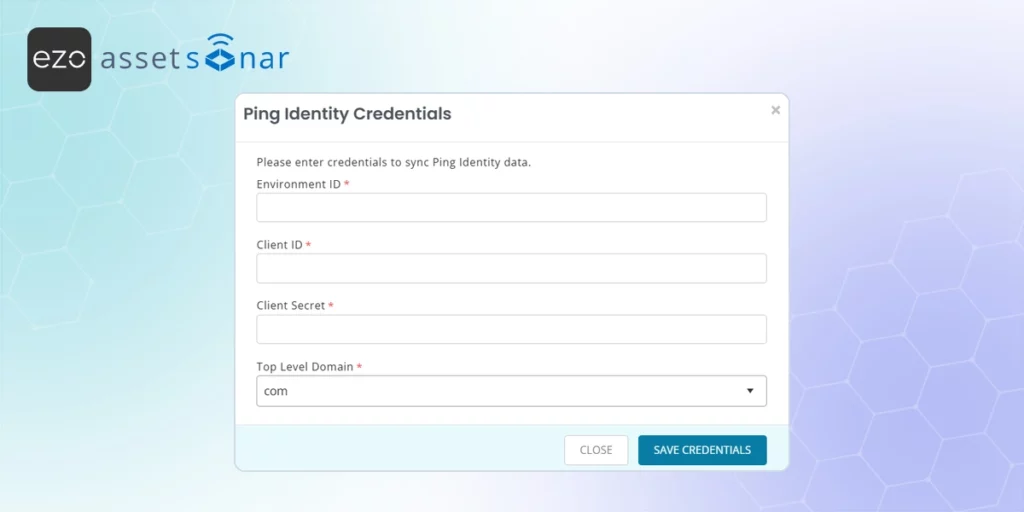
When you click on Add Credentials, you will be displayed the following modal. Here you will need to add credentials generated in the prerequisites section (See the previous section).
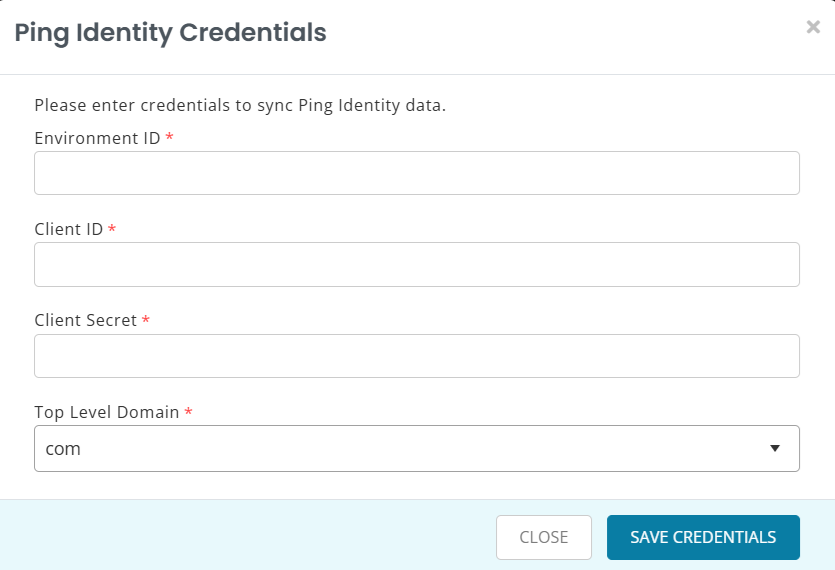
Click Save Credentials.
Once you click Save Credentials, AssetSonar will authenticate using OAuth 2.0 client credentials grant and connect to your PingOne environment.
When setup completes successfully, you’ll see the integration status update to Connected, along with the timestamp of the last successful sync.
3. Synced Software Applications
Once connected, AssetSonar automatically imports all applications configured in your PingOne environment.
Each software entry displays Ping Identity as the Source and includes the following details:
| Field | Description |
| Name | Application name fetched from PingOne |
| Description | Short description (if available) |
| Associated Users Count | Number of users linked to the app |
| Source | Ping Identity |
| Type | Cloud Software |
| Last Login Attempt | Derived from PingOne audit logs |
Click on a software title to open its detail page. You’ll see Ping Identity listed as the discovery source under the software information panel.
Viewing Associated Users
Go to the Associated Users tab on the software detail page to view all users linked to that application.
Each entry includes:
- User Name
- Source: Ping Identity
- Last Login Attempt — derived from the PingOne auditActivities API, showing the most recent sign-in timestamp.
Note: AssetSonar matches user emails from PingOne logs to existing users in your AssetSonar directory to display accurate user information.
4. Auto-Entitlement for Ping Identity Cloud Software
AssetSonar supports auto-entitlement for software licenses discovered through Ping Identity Cloud Software.
Once enabled, all users associated with a PingOne-managed app will be automatically entitled to the corresponding software license in AssetSonar.
This reduces manual license allocation and ensures entitlement data stays synchronized between your identity provider and AssetSonar.
Ready to get started?
With Ping Identity Cloud Software Integration, AssetSonar gives you complete SaaS visibility across PingOne-managed applications — helping you optimize license allocation, reduce unused seats, and enhance security.
Need help connecting your environment? Contact us at support@ezo.io — our team will be happy to assist.

![[How-To] Connect Miro with AssetSonar for License Visibility](https://cdn.ezo.io/wp-content/uploads/2026/04/13092134/Connect-Miro-with-EZO-AssetSonar-for-License-Visibility.jpg)
![[How-to] Automate Software Tracking with Slack Integration in AssetSonar](https://cdn.ezo.io/wp-content/uploads/2025/01/20124914/Zoom-integration-scaled-1.webp)
![[How-to] Configure Azure AD Single Sign-on (SSO) Integration With AssetSonar](https://cdn.ezo.io/wp-content/uploads/2020/10/Configure-Azure-AD-Single-Sign-on-SSO-Integration-With-AssetSonar.png)




