Disclosure: EZO publishes this guide, and EZO EAM is our product. We evaluated every platform against the same criteria, with recommendations tied to specific use cases.
The best asset management software solutions for 2026 include EZO EAM, Asset Panda, MaintainX, UpKeep, Limble CMMS, Fiix, IFS Cloud EAM, and IBM Maximo Application Suite. The right platform depends on whether your organization primarily needs asset tracking and audits, maintenance execution, equipment custody and availability, or broader enterprise lifecycle management.
Introduction
Asset management software helps organizations maintain an accurate operational record of physical assets: what they own, where the assets are located, who is responsible for them, what condition they are in, and what happens from acquisition through retirement.
This guide focuses on operational asset management software for physical equipment and assets. It does not primarily evaluate IT asset management-only platforms or fixed-asset accounting systems. That distinction matters because the phrase “asset management software” can refer to very different product categories, including asset tracking, equipment management, computerized maintenance management systems (CMMS), enterprise asset management (EAM), fleet systems, and inventory platforms.
The complexity grows when assets move between people, locations, jobs, maintenance states, reservations, and inventory workflows. A maintenance-first system, a configurable asset tracker, and an enterprise EAM suite may all qualify as asset management software, but they solve different operational problems.
This guide evaluates eight platforms based on asset visibility, lifecycle control, custody, availability, maintenance, mobile workflows, inventory, procurement, integrations, reporting, enterprise requirements, implementation, pricing, and operational fit.
What is asset management software?
Asset management software is a system designed to help track, control, maintain, and document physical assets throughout their useful life.
For operational teams, that useful life may begin when an asset is purchased, received, labeled, assigned, and made available for use. It continues as the asset moves between teams, locations, projects, maintenance events, audits, and cost centers. It ends when the asset is retired, replaced, sold, disposed of, or written off.
A strong asset management system helps teams manage:
- Acquisition and receiving
- Asset identification
- Barcode, QR code, or RFID tagging
- Location and custody
- Check-in and check-out
- Reservations and availability
- Transfers
- Maintenance and inspections
- Spare parts and inventory
- Procurement and purchase orders
- Utilization
- Costs
- Audits
- Lifecycle history
- Retirement
Not every tool covers all of these workflows equally. Most platforms sit somewhere on a spectrum between tracking, maintenance, and enterprise lifecycle management.
Asset tracking platforms
Asset tracking platforms are best when the main problem is knowing what assets exist, where they are, who has them, and whether records are accurate. These tools often emphasize asset labels, mobile scanning, audits, assignments, inspections, and configurable fields.
CMMS platforms
A computerized maintenance management system, or CMMS, is best when the main problem is maintenance execution. CMMS tools usually focus on work orders, preventive maintenance, technicians, inspections, spare parts, downtime, and service history.
EAM platforms
Enterprise asset management platforms are most effective when organizations need to integrate asset lifecycle management with operations, maintenance, procurement, finance, reliability, risk, service, or capital planning. Broader EAM systems usually require more implementation effort but can support more complex enterprise processes.
What should you look for in asset management software?
The best asset management software should align with how assets are identified, moved, maintained, supported, reported on, and eventually retired.
Asset visibility and identification
Start with the asset record. Buyers should look for unique asset IDs, barcode or QR labels, RFID support where needed, location hierarchy, serial numbers, images, documents, status fields, and asset categories. These basics determine whether teams can later find and trust asset data.
Custody and accountability
For shared equipment, custody is often as important as location. Evaluate whether the platform supports check-in/check-out, custodians, assignment history, transfers, expected return dates, offboarding recovery, and chain-of-custody records.
Reservations and availability
Location does not always equal availability. An asset may be physically present but reserved, under maintenance, damaged, awaiting inspection, or assigned to another team. Buyers should test reservations, booking conflicts, maintenance holds, expected returns, and project allocation workflows.
Maintenance and service history
Maintenance functionality should cover work orders, preventive maintenance, inspections, meter readings, technician assignments, downtime, parts use, costs, and service history. A buyer should verify whether maintenance is included in the base plan, packaged separately, or limited by role, user, or module.
Inventory and procurement
Operational asset management often depends on spare parts, consumables, reusable stock, vendors, reorder thresholds, transfers, purchase orders, and work-order consumption. A platform that tracks assets but cannot support the inventory around those assets may leave maintenance and operations teams working in separate systems.
Mobile and field usability
Field usability should be tested hands-on. A technician or operator should be able to scan an asset, issue it, return it, transfer it, inspect it, attach a photo, update status, and complete assigned work from a mobile device. Mobile access should not be treated as the same thing as full offline functionality; buyers should verify what can actually be done without connectivity.
Reporting and lifecycle intelligence
Useful reports should show asset history, utilization, availability, maintenance costs, downtime, audit history, lifecycle costs, and repair-versus-replace context. Enterprise buyers should also ask whether reports can be filtered by site, department, cost center, asset class, or project.
Integrations and enterprise controls
Asset data rarely stays within a single platform. Buyers should evaluate APIs, ERP connections, accounting integrations, identity integrations, SSO, role-based permissions, service desk connections, telematics, data exports, audit history, and backup options.
AI and automation
AI claims need careful review. Scheduled alerts, approval routing, and threshold-based actions are automation. Predictive analytics, generative AI, natural-language querying, anomaly detection, and document extraction are different capabilities. Buyers should ask vendors to show exactly what the AI does, what data it uses, and which plan includes it.
How we evaluated the best asset management software
We selected commercially available platforms that focus on physical and operational asset management and represent different approaches to the category, from configurable asset tracking and maintenance-first CMMS to connected asset operations and enterprise EAM. We excluded products focused primarily on IT asset management, fixed-asset accounting, fleet telematics, or standalone inventory management. The shortlist is intended to represent different buyer needs rather than every platform available in the market.
Evaluation criteria
The platforms were reviewed across:
- Asset tracking and lifecycle scope
- Equipment custody and movement
- Reservations and availability
- Maintenance functionality
- Mobile and scanning workflows
- Inventory and procurement
- Reporting and analytics
- Automation and AI
- Integrations and APIs
- Security and access controls
- Multi-site scalability
- Deployment model
- Implementation requirements
- Pricing and total cost of ownership
- Customer proof and use-case fit
- Sufficient current first-party documentation to evaluate the product consistently
Editorial note
EZO publishes this guide and owns EZO EAM. All eight platforms were assessed using the same qualitative criteria, including asset lifecycle scope, tracking, maintenance, mobile workflows, inventory, integrations, pricing, implementation requirements, and operational fit. Recommendations are tied to specific use cases rather than an unpublished numerical score.
About our data
Product capabilities, pricing, plan availability, deployment options, and implementation details were verified against first-party vendor pages and documentation on August 11, 2026. We link directly to vendor sources for pricing, plan-dependent features, implementation claims, and other details that can change over time. Where first-party sources conflict, we prioritize the vendor’s designated pricing or product documentation over general marketing content.
Customer examples come from vendor-published case studies or company announcements. We report quantified outcomes only where the source explicitly provides them. These results are specific to the organizations cited and should not be interpreted as typical or guaranteed outcomes.
Asset management software at a glance
| Platform | Orientation | Pricing model | Deployment/implementation scope |
| EZO EAM | EAM with CMMS capabilities | Item-based; monthly or yearly billing; CMMS packaging varies | Cloud operational asset platform |
| Asset Panda | Configurable asset tracking and asset intelligence | Tiered annual plans: Starter, Business+, Enterprise | Configurable cloud/mobile platform |
| MaintainX | Maintenance and asset management | Per-user; monthly or annual billing; Enterprise custom | Cloud/mobile; enterprise multi-site options |
| UpKeep | CMMS and asset operations | Per-user monthly rates; Professional and Enterprise custom | Cloud/mobile; implementation packages available |
| Limble CMMS | Maintenance-centered asset management | Subscription-based; Enterprise pricing varies by licenses and requirements | Cloud/mobile; Enterprise for multi-location controls |
| Fiix | Maintenance-centered CMMS | Per-user; monthly or annual billing; Enterprise custom | Cloud/mobile; industrial maintenance workflows |
| IFS Cloud EAM | Enterprise EAM and asset lifecycle management | Quote-based enterprise pricing | Broad enterprise transformation |
| IBM Maximo Application Suite | Enterprise EAM, APM, RCM, and lifecycle planning | AppPoints-based; SaaS and client-managed pricing; some packages priced annually | Enterprise SaaS, client-managed, and hybrid options |
EZO publishes Essential, Advanced, Premium, and Enterprise plans with item-based pricing; Premium includes access to a separately priced CMMS add-on, while Enterprise includes offline mode, dispatch, telematics and usage intelligence, and enterprise-grade CMMS functionality. Asset Panda publishes Starter, Business+, and Enterprise plans and also offers a seven-day free trial. MaintainX publishes Basic, Essential, Premium, and custom Enterprise tiers, while UpKeep publishes Essential and Premium plans with Professional and Enterprise available by quote.
EZO EAM: Best for connected asset and equipment operations
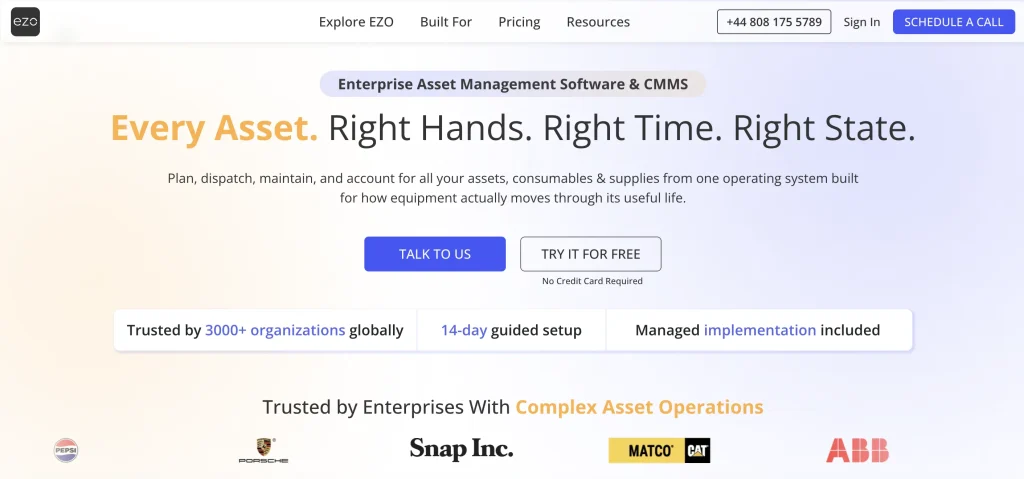
Best for: Multi-site teams that need asset tracking connected with requests, custody, reservations, availability, inventory, procurement, maintenance, utilization, and lifecycle history.
Key capabilities
EZO EAM is designed for teams that need to control how physical assets move through operations. It supports asset tracking, checkouts, reservations, multi-location visibility, barcode and QR labels, mobile access, purchase orders, audits, scanner and RFID support, request workflows, GPS-integrated tracking, automation, integrations, utilization insights, AI-powered features, and CMMS capabilities depending on plan and packaging.
Maintenance depth varies by plan and packaging. Basic service records are available within the core asset management plans, while deeper CMMS capabilities such as preventive maintenance, work order management, technician management, AI-powered checklists, work order automations, and Work Planner are available through additional CMMS packaging or Enterprise.
Versus other asset management platforms
Choose EZO EAM when tracking an asset is not enough and teams also need to coordinate who has it, whether it is available, where it is going, what maintenance it needs, and what inventory supports it.
Customer example
Magna IV Engineering uses EZO EAM to track 2,500 assets across projects, manage equipment availability and maintenance, and automate reporting. The company reports saving at least three hours per day through automated data entry, while Custom Reports allow its team to generate three to four reports each week in minutes.
Pricing
EZO EAM uses item-based pricing for its core asset management plans. As verified on August 11, 2026, Essential starts at $63.55/month for 300 items, Advanced at $85.51/month for 300 items, and Premium at $100.88/month for 300 items. Enterprise is custom-priced. CMMS capabilities are packaged separately depending on maintenance requirements, so buyers should confirm the required asset management plan and CMMS package when calculating total cost.
Deployment and implementation
EZO EAM includes mobile access across its published plans, while offline mode, dispatch, telematics, and custom integrations are available at higher tiers.
Not ideal for
EZO EAM may not be the best fit for teams whose primary requirements are highly specialized industrial reliability, advanced calibration, or asset performance management without meaningful custody, availability, inventory, or broader equipment-operation workflows.
Verify before buying
- Which CMMS capabilities are included in the required package?
- Is offline mobile required?
- Are the needs for GPS, telematics, RFID, and barcodes clearly separated?
- Which integrations require Premium, Enterprise, or custom work?
- How should rollout be sequenced across sites?
Asset Panda: Best for configurable asset tracking, inspections, and audits
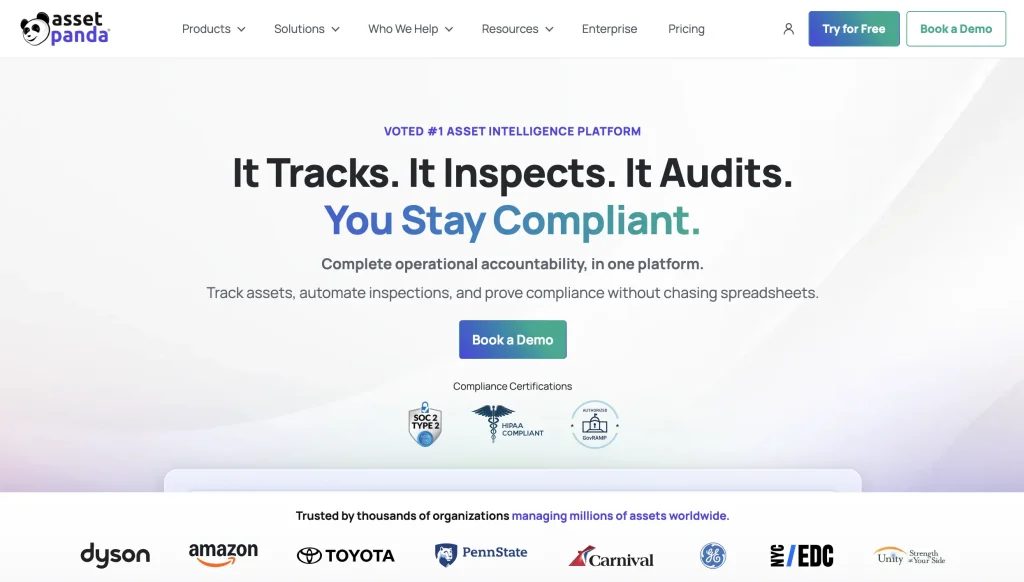
Best for: Teams that need flexible asset records, mobile scanning, inspections, audits, forms, and asset accountability.
Key capabilities
Asset Panda centers on configurable asset tracking and accountability. Teams can create customized asset records, fields, forms, workflows, reports, and inspection processes, and use mobile scanning to manage assignments, locations, condition, maintenance history, and audit records.
Its flexibility makes it useful when organizations want to adapt the system to their own asset categories and processes rather than adopt a maintenance-first operating model.
Versus other asset management platforms
Asset Panda is strongest when the buyer wants a flexible tracking and accountability platform rather than a maintenance-first CMMS or a broader enterprise EAM transformation.
Customer example
The Budd Group uses Asset Panda to track company vehicles and equipment, maintain repair records, and give managers visibility into asset locations and maintenance needs across its field operations. The company estimates that centralized tracking and maintenance workflows save about eight hours per day that were previously spent locating lost or broken assets.
Pricing
Asset Panda offers three annually billed plans. Starter is $3,000/year and includes five full users and up to 1,000 assets. Business+ is $7,200/year and includes 10 full users and up to 5,000 assets, while Enterprise is $18,000/year and includes 20 full users and up to 10,000 assets. Additional users, assets, and collaborator seats are priced separately. Asset Panda also offers a seven-day free trial. Buyers should model these additional costs alongside their expected asset counts and user requirements.
Deployment and implementation
Asset Panda is a configurable cloud and mobile platform. Because its value often depends on forms, fields, workflows, and reporting structures, implementation quality depends on how well the buyer defines asset categories, data standards, inspection forms, and role access before rollout.
Not ideal for
Asset Panda may not be ideal for buyers whose main needs are deep industrial reliability planning, advanced asset performance management, or maintenance-centered execution, rather than tracking, inspection, accountability, and configurable records.
Verify before buying
- How are asset fields, forms, and workflows configured?
- What maintenance depth is required?
- Which mobile and offline workflows are supported?
- What integrations are available for the buyer’s systems?
- How are audit trails and approvals preserved?
MaintainX: Best for frontline maintenance and asset management
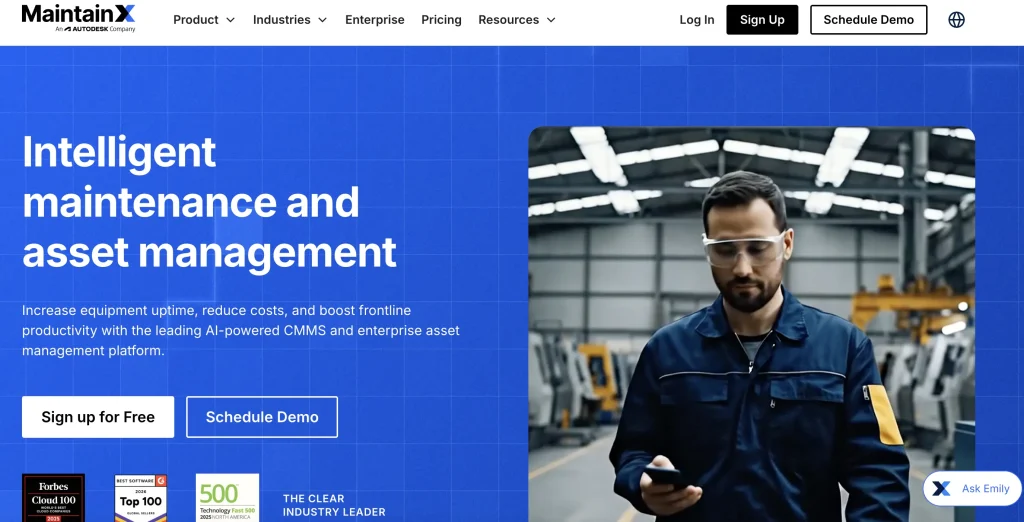
Best for: Maintenance and operations teams that need mobile work orders, procedures, preventive maintenance, parts inventory, asset records, purchasing, and multi-site maintenance controls.
Key capabilities
MaintainX combines asset records with frontline maintenance execution. Paid plans include unlimited work orders, while broader capabilities include preventive maintenance, procedures, work requests, QR and barcode scanning, asset and location hierarchies, downtime tracking, meter-based maintenance, parts inventory, purchasing, and reporting.
Higher tiers expand the platform with capabilities such as Open REST API access, custom permissions, Internet of Things integrations, single sign-on, multi-site management, MaintainX Assist, and more advanced reporting.
Versus other asset management platforms
MaintainX stands out when asset management is primarily tied to frontline maintenance execution, technician adoption, procedures, parts, and work order discipline.
Customer example
Redimix Companies uses MaintainX to centralize maintenance procedures, schedule preventive work, manage parts and vendor information, and track maintenance performance across its plants. The company reports a 53.9% year-over-year reduction in maintenance spend and a 66% reduction in winter maintenance costs after implementing MaintainX.
Pricing
MaintainX publishes Basic at $0/user/month, Essential at $20/user/month billed annually, Premium at $65/user/month billed annually, and custom Enterprise pricing. Premium adds deeper asset reliability, parts inventory, purchasing, time and cost tracking, Open REST API access, and a dedicated account manager; Enterprise adds multi-site management, SSO, IoT integrations, custom permissions, MaintainX Assist, and report builder features.
Deployment and implementation
MaintainX is cloud/mobile software. Its pricing page states that the average customer takes three weeks to implement one site, while Premium and Enterprise customers receive a structured three-week onboarding process with an implementation specialist.
Not ideal for
MaintainX may not be ideal for teams whose core problem is equipment reservations, custody circulation, request-to-dispatch fulfillment, or broader non-maintenance asset operations.
Verify before buying
- Which features require Premium or Enterprise?
- How many paid users are needed versus requester users?
- Are custody, reservation, and availability workflows required?
- Is multi-site reporting needed?
- Which ERP, IoT, or BI integrations must be live?
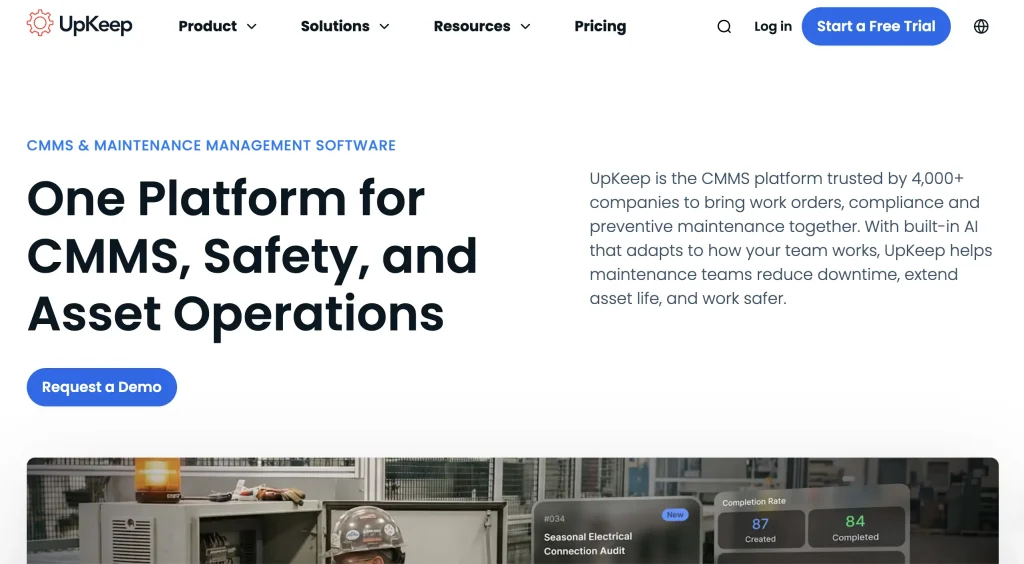
UpKeep: Best for mobile-first maintenance and asset operations
Best for: Maintenance teams that want mobile work orders, preventive maintenance, parts, offline work, asset lifecycle tracking, and enterprise controls.
Key capabilities
UpKeep is built around mobile maintenance and asset operations. Essential includes unlimited work orders and locations, while Premium adds preventive maintenance scheduling, custom checklists, parts and inventory management, labor tracking, and analytics.
Professional expands the platform to include offline mobile access, an external request portal, a longer analytics history, asset lifecycle tracking, and signature capture. Enterprise adds capabilities such as multi-site modules, workflow automation, reliability and downtime tracking, purchase order management, APIs, custom integrations, SSO, custom roles, and dashboards.
Versus other asset management platforms
UpKeep is strongest when the buying team prioritizes mobile maintenance execution and wants to expand into asset operations over time.
Customer example
Water Lilies Food uses UpKeep to manage work orders, preventive maintenance, asset history, and condition monitoring across its food manufacturing operations. The company reports reducing equipment downtime by more than 50%, with recurring issues that previously caused two to four hours of lost production per shift falling to as little as eight minutes.
Pricing
UpKeep publishes Essential at $24/user/month and Premium at $55/user/month. Professional and Enterprise are custom-priced. Buyers should note that offline mode, external request portal, lifecycle tracking, API/custom integrations, SSO, custom roles, multi-site modules, and purchase order management are tied to higher tiers.
Deployment and implementation
UpKeep is cloud/mobile software. Its pricing page lists implementation and training packages, including a $500 training option, a $1,500 Quickstart package, a $5,000 expanded training option, and custom Enterprise implementation. The Quickstart package includes setup, data migration, and training within 45 days.
Not ideal for
UpKeep may not be ideal for buyers whose primary needs are non-maintenance asset fulfillment, equipment circulation, warehouse-style checkouts, or broad custody and reservation workflows outside the maintenance function.
Verify before buying
- Which users require paid licenses?
- Is offline mode required?
- Are API, SSO, and custom roles needed?
- Does the platform support the required asset lifecycle depth?
- Which implementation package matches the rollout scope?
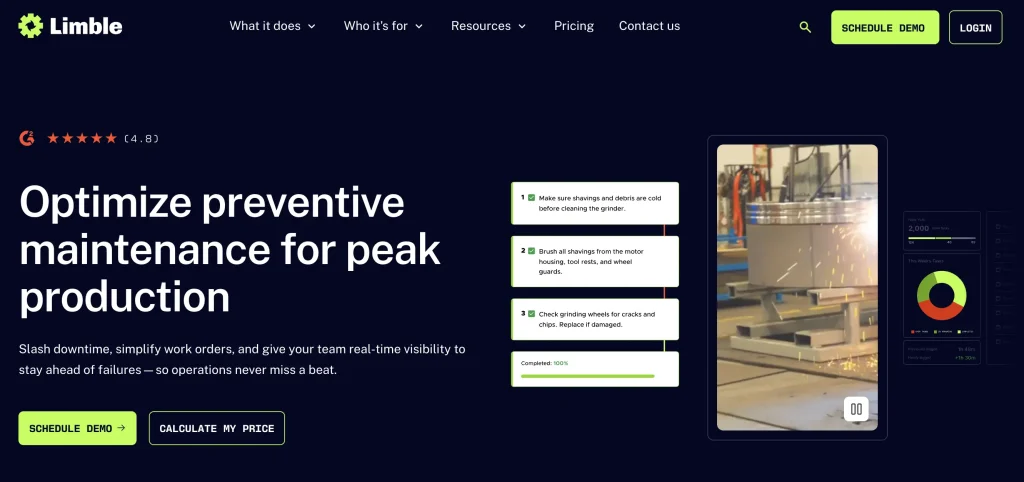
Limble CMMS: Best for straightforward maintenance-centered asset management
Best for: Teams that want asset records, work orders, preventive maintenance, mobile workflows, dashboards, parts, purchasing, and multi-location maintenance controls.
Key capabilities
Limble combines asset records with maintenance execution. Standard supports mobile access, unlimited assets and custom fields, unlimited work orders and preventive maintenance tasks, unlimited work requesters, custom dashboards, and downtime reporting.
Premium+ adds offline mobile access, spare parts management, vendor and purchase order workflows, meter- and threshold-based scheduling, API access, and additional customer success support. Enterprise extends the platform with multi-location tools and reporting, custom roles, approval workflows, inventory cycle counts, SSO, and broader ERP, IoT, and business-system integrations.
Versus other asset management platforms
Limble is strongest when the asset management need is tightly connected to maintenance adoption, preventive maintenance, parts, and straightforward reporting.
Customer example
Thanksgiving Point uses Limble CMMS to manage work orders, preventive maintenance, reporting, and maintenance activity across its museums, gardens, restaurants, and facilities. Its facilities director estimates that the platform saves at least 1.5 hours of administrative work per day, while automated reporting has replaced time-consuming manual report preparation.
Pricing
Limble’s pricing page does not publish flat dollar figures. It uses a price-calculation and demo-led flow across Standard, Premium+, and Enterprise plans. Buyers should model costs around maintenance users, requesters, offline mode, parts inventory, purchasing, API access, SSO, ERP and IoT integrations, and multi-location requirements.
Deployment and implementation
Limble is a cloud- and mobile-based CMMS. Standard includes mobile access, while offline mode begins with Premium+. Enterprise is the relevant tier for multi-location controls, custom roles, approval workflows, inventory cycle counts, SSO, and ERP/IoT integrations.
Not ideal for
Limble may not be ideal for teams whose core requirement is equipment custody, reservations, request fulfillment, or broad lifecycle coordination beyond maintenance-centered asset workflows.
Verify before buying
- Which plan includes offline access?
- Are parts, purchasing, and vendor workflows required?
- Is multi-location reporting needed?
- What implementation support is included?
- Are ERP, IoT, or SSO integrations required?
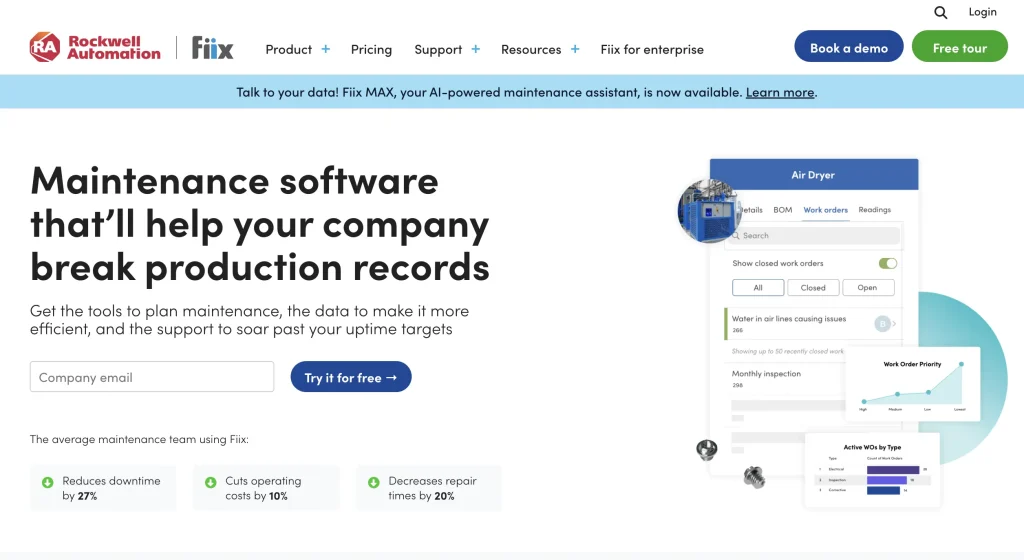
Fiix: Best for structured industrial maintenance and asset reliability
Best for: Maintenance teams that need asset hierarchies, work orders, preventive maintenance, parts, mobile/offline work, analytics, and industrial maintenance structure.
Key capabilities
Fiix by Rockwell Automation is a cloud-based CMMS centered on maintenance execution and asset reliability. It supports work orders, preventive maintenance, asset hierarchies, mobile and offline work, parts inventory, downtime tracking, reporting, purchasing, and multi-site maintenance.
Higher-tier and optional capabilities include Fiix Foresight, analytics, inventory cycle counts, failure codes, customizable workflows, e-signatures, audit trails, API integrations, SSO, and Fiix MAX AI assistance.
Versus other asset management platforms
Fiix is particularly well suited to organizations whose asset-management requirements are driven by industrial maintenance, structured asset hierarchies, reliability workflows, and parts-connected work execution. For organizations already using Rockwell Automation technologies, Fiix also fits within a broader industrial software ecosystem, with documented integrations with products such as FactoryTalk Optix for condition-based maintenance workflows.
Customer example
Perth County Ingredients uses Fiix to transition from reactive to scheduled and condition-based maintenance, providing technicians with mobile access to work orders, asset information, and maintenance history. The company reports a 54% reduction in reactive maintenance and more than $40,000 in annual maintenance cost savings following its maintenance modernization efforts.
Pricing
Fiix publishes a Free plan, Basic at $45/user/month, Professional at $75/user/month, and custom Enterprise pricing. Professional adds capabilities including multi-site management, Fiix Foresight, purchasing and RFQs, multi-asset work orders, inventory cycle counts, and advanced analytics and reporting. Enterprise adds failure codes, customizable workflows, e-signatures, audit trails, and additional integration and security capabilities. Buyers should confirm pricing for Enterprise and paid add-ons such as custom integrations, SSO, and Fiix MAX.
Deployment and implementation
Fiix is cloud-based and supports desktop and mobile work. Its official feature pages emphasize mobile work order access and offline logging for technicians working without internet connectivity.
Not ideal for
Fiix may not be ideal for teams whose core need is equipment reservations, custody, warehouse fulfillment, or broader asset circulation outside the maintenance organization.
Verify before buying
- Which plan includes required analytics and purchasing?
- Are API integrations or SSO needed?
- How deep must the asset hierarchy be?
- Is offline mobile work required?
- Does maintenance status need to drive reservations or availability?
IFS Cloud EAM: Best for complex enterprise asset lifecycles
Best for: Asset-intensive enterprises that need lifecycle control across assets, maintenance, service, procurement, finance, asset performance, and enterprise planning.
Key capabilities
IFS Cloud EAM supports asset management from design through decommissioning and connects lifecycle management with maintenance, procurement, finance, asset performance management, and field service.
Its broader enterprise capabilities include Industrial AI, 3D visualization, dynamic scheduling, anomaly detection, and Copilot-assisted failure mode, effects, and criticality analysis. IFS Cloud also spans ERP, supply chain management, and field service management, making EAM part of a wider enterprise operating environment.
Versus other asset management platforms
IFS Cloud EAM stands out when asset lifecycle management must connect with enterprise planning, finance, procurement, field service, and asset performance management.
Customer example
Stannah Group selected IFS Cloud, including its EAM capabilities, to replace a legacy platform and 67 separate systems while connecting asset management with manufacturing and field service operations. The implementation is designed to support 2,500 users across 13 countries. IFS’s published story describes the deployment scope and expected operational benefits rather than a quantified realized outcome.
Pricing
IFS does not publish self-serve pricing for IFS Cloud EAM. Pricing is quote-based, so buyers should confirm the required products, deployment scope, implementation services, support, and other commercial requirements directly with IFS.
Deployment and implementation
IFS Cloud EAM is an enterprise platform. Buyers should plan for process design, data migration, integrations, change management, governance, and phased rollout. It is best evaluated as a broader enterprise asset lifecycle and operational transformation rather than a quick departmental tracker.
Not ideal for
IFS Cloud EAM may exceed the needs of teams that mainly require work orders, simple PMs, asset labels, mobile scanning, or spare-parts tracking without enterprise lifecycle, finance, service, or asset performance requirements.
Verify before buying
- Which IFS Cloud modules are required?
- How will EAM connect with ERP, procurement, finance, and service?
- What implementation timeline and resources are needed?
- Which AI capabilities are included?
- How will data governance work across regions or business units?
IBM Maximo Application Suite: Best for mission-critical assets and asset performance management
Best for: Large, asset-intensive organizations that need enterprise asset management, asset performance management, reliability, condition insight, MRO inventory, and long-term asset planning.
Key capabilities
IBM Maximo Application Suite combines enterprise asset management with maintenance, inspections, reliability, asset performance management, asset investment planning, field service, MRO inventory, and lifecycle planning.
Its scope includes reliability-centered maintenance, condition-based maintenance, field execution, inspection workflows, inventory optimization, and AI-supported asset-management processes for critical equipment and infrastructure.
Versus other asset management platforms
Maximo stands out when asset failure creates major safety, service, financial, or infrastructure risk and the organization needs mature reliability and performance management capabilities.
Customer example
Downer Group uses IBM Maximo and connected asset data to support maintenance and reliability across its passenger rail operations in Australia. IBM reports that Downer achieved a 51% increase in train reliability, measured by the mean distance between service-impacting failures, with its long-term average exceeding 75,000 km.
Pricing
IBM Maximo uses AppPoints, a credit-based licensing model. IBM publishes SaaS and client-managed options, including Essentials, Standard, Premium, and software-only client-managed packages. IBM’s pricing page lists Maintenance starting under $40,000 per year and directs buyers to the pricing estimator or quote process for final pricing.
Deployment and implementation
IBM Maximo Application Suite is available as SaaS or client-managed software, with Cloud, Cloud/On Prem/Hybrid options listed in IBM’s pricing table. Implementation can be significant because Maximo often supports enterprise maintenance, asset performance, reliability, inventory, facilities, and capital planning programs.
Not ideal for
Maximo may be too complex for teams that mainly need fast asset tracking, equipment checkouts, simple work orders, or lightweight multi-site equipment coordination.
Verify before buying
- Which Maximo applications are required?
- How many AppPoints are needed?
- Is SaaS, client-managed, or hybrid deployment required?
- Are APM, RCM, inventory optimization, or asset investment planning in scope?
- What internal administration and implementation resources are available?
Asset operations coverage test
Use this framework to compare how deeply each platform supports asset operations. It is not an industry-standard model.
Ask whether the platform can answer these questions:
- What asset is this?
- Where is it?
- Who has it?
- Is it available?
- Is it reserved?
- Is it operational?
- What maintenance is due?
- What stock or parts support it?
- How much is it being used?
- Should it be repaired, moved, replaced, or retired?
If a system only answers the first two questions, it is probably an asset tracker. If it answers most of the list, it may support broader asset operations. If it connects those answers with finance, risk, asset performance, and capital decisions, it is moving into enterprise EAM territory.
Same-asset lifecycle test
Use the same asset and operating scenario with every shortlisted vendor so you can compare how each platform handles the full workflow.
Use one representative asset and ask the vendor to demonstrate:
Purchase → Receive → Label → Assign → Reserve → Check out → Transfer → Return damaged → Maintenance → Parts consumption → Return to availability → Audit → Retire
Then evaluate:
- How many workflows require manual handoffs?
- How many systems are involved?
- Can field users complete the workflow on mobile?
- Does the platform preserve custody history?
- Does maintenance affect availability?
- Does parts consumption update inventory?
- Are costs and asset history visible?
- Are reports usable without vendor-built customization?
- Which plan or module is required?
This test is useful because many platforms look similar in feature lists but differ sharply once an asset moves through a real operating cycle.
Asset management maturity ladder
| Stage | Primary need | Typical software orientation |
| 1. Know what exists | Asset register, labels, locations | Asset tracking |
| 2. Control movement | Custody, checkouts, audits, availability | Operational asset management |
| 3. Maintain equipment | PMs, work orders, technicians, parts | CMMS |
| 4. Connect asset operations | Tracking + availability + inventory + maintenance + procurement | EAM / connected asset operations |
| 5. Optimize enterprise lifecycle | APM, finance, risk, service, capital planning | Enterprise EAM / APM |
The right platform should match the buyer’s maturity stage. A team still trying to label assets may not need a full enterprise EAM suite. A global manufacturer making capital renewal decisions may quickly outgrow a simple tracking tool.
Asset management software capability comparison
The tables below compare the availability of documented capabilities across the eight platforms. They show whether a capability is included, limited to certain plans, separately packaged, configurable, or not clearly documented. They do not rank how well each platform performs a capability.
Legend:
- Included — all plans: Documented across all published plans
- Included: Documented as available, but public sources do not provide a comparable tier-by-tier breakdown
- Plan-dependent — [tier]: First available on the named tier
- Add-on — [tier/package]: Requires separate packaging or purchase
- Configurable: Supported through workflow setup, permissions, configuration, or implementation
- Not documented: Not clearly verified in the current first-party sources reviewed
Where a vendor publishes the exact tier or package required, it is named below. “Not documented” does not mean the capability is unavailable.
Tracking and equipment movement
| Platform | Asset records & lifecycle history | Barcode / QR scanning | Multi-location management | Check-in / check-out |
| EZO EAM | Included | Included | Included | Included |
| Asset Panda | Included — all plans | Included — all plans | Included / configurable | Configurable |
| MaintainX | Included | Included | Plan-dependent — Enterprise | Not documented |
| UpKeep | Included | Included | Plan-dependent — Enterprise | Plan-dependent |
| Limble CMMS | Included | Included | Plan-dependent — Enterprise | Plan-dependent — Enterprise |
| Fiix | Included | Included | Plan-dependent — Professional and Enterprise | Not documented |
| IFS Cloud EAM | Included | Not documented | Included | Not documented |
| IBM Maximo | Included | Included | Included | Not documented |
Availability, maintenance, and inventory
| Platform | Reservations / availability | Work order management | Preventive maintenance | Parts / inventory management |
| EZO EAM | Included | Add-on — Premium CMMS package; included with Enterprise | Add-on — Premium CMMS package; included with Enterprise | Included |
| Asset Panda | Configurable | Not documented | Configurable | Included |
| MaintainX | Not documented | Included | Included | Plan-dependent — Premium and Enterprise |
| UpKeep | Not documented | Included | Plan-dependent — Premium and above | Plan-dependent — Premium and above |
| Limble CMMS | Not documented | Included | Included | Plan-dependent — Premium+ and Enterprise |
| Fiix | Not documented | Included | Included | Included |
| IFS Cloud EAM | Not documented | Included | Included | Included |
| IBM Maximo | Included | Included | Included | Included |
Mobile, procurement, and reporting
| Platform | Offline mobile work | Purchasing / procurement | Reporting / analytics |
| EZO EAM | Plan-dependent — Enterprise | Included; workflow depth varies by plan | Included* |
| Asset Panda | Plan-dependent — Enterprise | Not documented | Included |
| MaintainX | Included — all plans | Plan-dependent — Premium and Enterprise | Included; depth varies by tier* |
| UpKeep | Plan-dependent — Professional and Enterprise | Plan-dependent — Enterprise | Plan-dependent |
| Limble CMMS | Plan-dependent — Premium+ and Enterprise | Plan-dependent — Premium+ and Enterprise | Included; depth varies by tier* |
| Fiix | Included — all plans | Plan-dependent — Professional and Enterprise | Included; depth varies by tier* |
| IFS Cloud EAM | Included | Included | Included |
| IBM Maximo | Included — through Maximo Mobile | Included | Included |
Integrations, access, and automation
| Platform | APIs / integrations | SSO / advanced access controls | AI-assisted features | Workflow automation |
| EZO EAM | Plan-dependent — Advanced and above | Plan-dependent — Premium and Enterprise | Included; maintenance AI follows CMMS packaging* | Plan-dependent |
| Asset Panda | Plan-dependent — Business+ and Enterprise | Configurable | Plan-dependent — Enterprise | Configurable |
| MaintainX | Plan-dependent — Premium and Enterprise | Plan-dependent — Enterprise | Plan-dependent | Plan-dependent |
| UpKeep | Plan-dependent — Enterprise | Plan-dependent — Enterprise | Included — Essential and above* | Plan-dependent — Enterprise |
| Limble CMMS | Plan-dependent — Premium+ and Enterprise | Plan-dependent — Enterprise | Included; depth varies by tier* | Plan-dependent |
| Fiix | Add-on / higher-tier options | Add-on — Enterprise | Add-on / higher-tier options | Plan-dependent |
| IFS Cloud EAM | Configurable | Not documented | Included | Configurable |
| IBM Maximo | Configurable | Included | Plan-dependent | Configurable |
Plan and configuration notes
- EZO EAM: Reservations are documented across the published asset management plans. API access begins with Advanced, while LDAP/SAML begins with Premium. Preventive maintenance and work order management require additional CMMS packaging (Premium) and are included with Enterprise. Offline mode is available with Enterprise. General AI-assisted functionality is available in EZO EAM, while maintenance-specific AI capabilities are packaged with CMMS.
- Asset Panda: Asset tracking, barcode scanning, mobile access, configurable fields, and history tracking are included across its published plans. Business+ adds integrations and Open API access. Enterprise adds Mobile Offline Mode and AI-assisted capabilities including AI-enabled workflows, AI column mapping, and field auto-fill. Reservations and check-in/check-out are documented configurable workflows.
- MaintainX: Work orders and offline mobile access are available across current plans. Parts inventory, purchasing, and Open REST API access expand at Premium, while multi-site management and SSO are Enterprise capabilities. Reporting and AI functionality also vary by tier.
- UpKeep: Preventive maintenance and parts/inventory management begin with Premium. Offline mobile functionality begins with Professional. Multi-site modules, purchasing, API/custom integrations, SSO, custom roles, and workflow automation are Enterprise capabilities. Nova AI is available from Essential, although AI depth and limits may vary by plan.
- Limble CMMS: Standard includes asset records, work orders, preventive maintenance, mobile access, QR codes, and reporting. Premium+ adds offline mode, spare-parts management, purchasing, and Open REST API access. Enterprise adds multi-location management, asset check-in/check-out, custom roles, approval workflows, and SSO.
- Fiix: Asset management, barcode/QR scanning, work orders, preventive maintenance, mobile access, offline work, and parts inventory are documented within its published plans. Multi-site management, purchasing, and more advanced analytics begin with Professional. Integration Hub, custom API integrations, SSO, and some AI capabilities depend on Enterprise packaging or additional-cost options.
- IFS Cloud EAM: IFS documents asset lifecycle management, work execution, maintenance, parts and inventory, procurement, offline mobile work, integrations, and embedded Industrial AI. IFS does not publish a SaaS-style tier-by-tier entitlement table comparable to those of other vendors, so this comparison does not infer plan gating where it is not explicitly documented.
- IBM Maximo: IBM documents work orders, preventive maintenance, mobile and offline work, barcode/QR scanning, inventory, purchasing, reservations, dashboards, SSO, and broader enterprise asset-management workflows across Maximo applications. Availability depends on the selected applications and package, so buyers should confirm the required Maximo Application Suite configuration during evaluation.
* Reporting and AI depth can vary even when the underlying capability is available. Buyers should evaluate advanced analytics, custom reporting, generative or predictive AI, maintenance-specific AI, usage limits, and required packages separately rather than treating these as simple yes/no capabilities.
Pricing, packaging, and feature entitlements were rechecked against first-party vendor sources in August 2026 and may change. Confirm required plans, add-ons, and configuration with each vendor before purchase.
Which asset management software should you choose?
| Your primary need | Often a fit | Also consider | Verify before buying |
| Connect tracking with custody, reservations, availability, maintenance, and inventory | EZO EAM | Asset Panda | CMMS package, offline, integration requirements |
| Highly configurable tracking, inspections, and audits | Asset Panda | EZO EAM | Maintenance depth and workflow governance |
| Frontline maintenance and asset execution | MaintainX | UpKeep | Enterprise tier and asset lifecycle requirements |
| Mobile maintenance and asset operations | UpKeep | MaintainX | Offline tier, integrations, multi-site controls |
| Straightforward maintenance-centered asset management | Limble CMMS | UpKeep | Broader lifecycle and custody requirements |
| Industrial maintenance and asset reliability | Fiix | Limble CMMS | Reliability depth and enterprise integrations |
| Asset lifecycle connected with finance and service | IFS Cloud EAM | IBM Maximo | Implementation and enterprise scope |
| Mission-critical EAM and APM | IBM Maximo | IFS Cloud EAM | AppPoints, deployment, governance |
The right choice depends on the operational problem the team needs to solve. A maintenance team may need a CMMS. An equipment operations team may need to be connected to custody, reservations, fulfillment, inventory, and maintenance. A large asset-intensive enterprise may need EAM, APM, and capital planning.
Which industries benefit most from asset management software?
Asset management software is most valuable when assets are shared, mobile, expensive, maintenance-sensitive, regulated, or distributed across locations.
Construction and field operations
Construction teams need to track equipment movement between jobsites, yards, vehicles, crews, and storage areas. Custody, availability, maintenance, rentals, dispatch, and utilization often determine whether projects stay on schedule.
Manufacturing
Manufacturers need visibility into plant equipment, tools, gauges, molds, spare parts, downtime, maintenance history, inspection records, procurement, and lifecycle costs. Asset management software helps teams connect operational readiness with maintenance and inventory data.
Healthcare
Healthcare teams need to locate mobile equipment, track custody, maintain service history, monitor availability, and support asset-related audits. The priority is often visibility and documented maintenance history across departments and facilities.
Education
Schools and universities manage assets across campuses, departments, labs, athletic facilities, and student or staff checkouts. Asset management software helps with assignments, returns, audits, reservations, and lifecycle planning.
Government and public works
Government and public works teams manage distributed field equipment, vehicles, facilities, infrastructure, and public-service assets. They often need audit history, access controls, multi-site accountability, and reliable reporting.
Warehousing and distribution
Warehousing and distribution teams manage scanners, forklifts, material handling equipment, reusable stock, spare parts, and mobile assets across shifts and locations. Availability and maintenance status can directly affect throughput.
What deployment and enterprise capabilities matter?
Enterprise buyers should evaluate deployment and governance alongside features, because asset management data becomes operational infrastructure once multiple teams depend on it.
Important enterprise capabilities include:
- Cloud deployment
- Multi-site administration
- Role-based permissions
- SSO
- APIs
- Identity integrations
- ERP and accounting integrations
- Data export
- Audit history
- Backups
- Data migration support
- Implementation services
- Training
- Support
- Custom roles
- Approval workflows
- Multi-location reporting
- Private cloud or client-managed options where required and officially supported
EZO’s public pricing page lists API access from Advanced onward, LDAP/SAML from Premium onward, GPS integrations from Premium onward, telematics and custom integrations at Enterprise, and private cloud at Enterprise. MaintainX Enterprise lists SSO, custom permissions, multi-site management, IoT integrations, and Open API access through higher plans. IBM Maximo offers SaaS and client-managed options, with cloud and Cloud/On Prem/Hybrid deployment options shown in IBM’s pricing table.
No deployment model guarantees compliance on its own. Buyers still need governance, access controls, process ownership, audit trails, and documented operating procedures.
How do you choose asset management software?
The right platform should solve the organization’s actual asset-control problem without introducing more operational complexity than the team can support.
1. What types of assets are being managed?
Individual assets, reusable stock, consumables, tools, vehicles, production equipment, facilities assets, infrastructure, and fleet assets may require different workflows. A system that works for laptops may not work for tools, molds, gauges, vehicles, or MRO inventory.
2. How often do assets move?
If assets rarely move, a tracking-first tool may be enough. If assets move between users, sites, projects, departments, vehicles, or maintenance states, custody and availability become much more important.
3. Is maintenance central?
If maintenance is the primary workflow, CMMS depth matters. Buyers should test work orders, preventive maintenance, technician assignments, inspections, meter readings, parts consumption, and service history. If maintenance is only one part of a broader asset operating loop, an EAM or connected asset operations platform may fit better.
4. How many teams and systems participate?
Asset workflows often touch operations, maintenance, procurement, finance, IT, facilities, warehouse teams, field users, and leadership. The more teams involved, the more important permissions, APIs, SSO, integrations, reporting, and data governance become.
5. How much complexity can the organization govern?
Enterprise EAM systems can support sophisticated asset lifecycle programs, but they also require implementation discipline. Teams should not buy more complexity than they can maintain. The best system is the one the organization can actually adopt, govern, and keep accurate.
Three-year TCO framework for asset management software
Asset management software should not be ranked solely by headline starting price. Buyers should model three-year total cost of ownership across licensing, implementation, integrations, administration, and support.
Compare:
- Tracked-item charges
- Full-user licenses
- Limited technician licenses
- Requester or view-only users
- Maintenance modules
- Inventory modules
- AI add-ons
- API and integration tiers
- SSO/security add-ons
- Implementation services
- Data migration
- Training
- Customer support
- Additional environments
- Professional services
- Annual increases
- Hardware such as scanners, tags, RFID readers, or telematics devices
- Internal administration time
A lower starting price may become expensive if required workflows sit behind higher tiers. A higher enterprise platform may be justified if it replaces multiple systems and supports long-term lifecycle, reliability, finance, and governance requirements.
Compare asset management platforms on your requirements
Use the same asset, workflow, reporting requirements, plan requirements, and TCO assumptions to evaluate every shortlisted vendor consistently.