Disclosure: EZO publishes this guide, and EZO EAM is one of the 10 products compared. We list EZO EAM first because it is the publisher’s product; this placement does not mean it is the best overall alternative. We order the remaining products by how closely their documented capabilities align with the evaluation criteria and use cases covered in this guide. We apply the same plan-tier and capability checks to EZO EAM as we do to the other products.
Key Takeaways:
- Limble draws clear plan lines: offline mobile, meter and threshold PMs, spare parts, purchasing, and the REST API start on Premium+, while multiple locations and custom roles are Enterprise features. Compare alternatives against the Limble plan you actually run.
CMMS choices should match daily work execution needs, while EAM or ERP-native tools fit broader lifecycle, governance, and financial process ownership.
Demo finalists by running one real work order end-to-end on mobile, including proof-of-work capture and, if offline matters, offline sync.
Validate PM automation beyond calendars by testing completion-based, meter or condition-threshold triggers and, if you run multiple sites, whether that logic stays consistent across them.
Reduce switching risk by migrating only essential data, piloting one site or one workflow first, and proving one critical integration and, if required, SSO before cutover.
A CMMS becomes difficult to manage when the system no longer matches how maintenance work actually happens.
The warning signs are usually operational, not technical. Requests remain open because triage is inconsistent. Preventive maintenance schedules do not reflect actual equipment usage. Parts are tracked separately from the work that consumes them. Technicians have to return to a computer to finish work. Managers must clean up spreadsheet reports before they can use them.
Those problems do not automatically mean Limble is the wrong platform. They can also result from configuration, data quality, adoption, or process design.
The useful question, therefore, is not simply “Which Limble alternative is better?”
It is:
“Which platform fits the maintenance workflow we actually need to run?”
This guide compares 10 platforms against that question, with particular attention to work orders, preventive maintenance, parts, mobile execution, integrations, multi-site operations, pricing, and migration.
EZO publishes EZO EAM, which is included in this comparison. This guide is built for switching and shortlisting: 10 Limble alternatives you can pilot quickly, plus what to look for, what to test in a demo, and how to run a safer migration.
Before you switch from Limble, establish what is actually broken
Switching a CMMS is disruptive. Asset records, PM schedules, work history, parts data, integrations, permissions, reports, and technician habits all have to move or be rebuilt.
Before replacing Limble, separate platform limitations from implementation problems.
Stay with Limble when the problem is configuration or adoption
If technicians are not completing work orders, investigate workflow design, training, mobile usability, and management expectations before assuming the software is responsible.
If PMs are repeatedly overdue, review staffing, scheduling assumptions, and workload before replacing the platform.
If inventory records are inaccurate, examine receiving, cycle counts, and stockroom governance.
If reports are unreliable, check asset hierarchies, required fields, and data entry consistency.
A new platform will not automatically fix those problems.
Consider switching when the limitation is structural
A replacement becomes more reasonable when a requirement remains difficult to support after reasonable configuration and process changes.
Potential triggers include:
- Required mobile or offline workflows are unavailable or too restricted.
- PM automation does not support the trigger logic your equipment requires.
- Parts, purchasing, or inventory need to connect more closely with maintenance.
- Multi-site standardization is difficult to govern.
- Required integrations depend on workarounds or excessive custom development.
- The organization needs broader asset lifecycle capabilities beyond maintenance execution.
- The pricing model becomes difficult to scale as more people, assets, or sites participate.
Limble’s own plan structure makes this distinction important. Offline mode, meter- and threshold-based scheduling, spare parts inventory, and REST API access require a plan, while multiple locations and regions, plus some governance controls, sit at higher tiers.
Limble’s baseline: What should an alternative actually replace?
Do not compare alternatives against Limble’s marketing overview. Compare them against the plan and workflows you currently use.
| Area | Limble baseline |
| Mobile | Mobile app available across plans |
| Offline work | Premium+ with access limited to Open or In-Progress tasks |
| PM scheduling | Calendar PMs across plans, with meter and threshold scheduling on Premium+ |
| Multi-site | Multiple locations and regions require Enterprise |
| Parts | Spare parts inventory begins at Premium+ |
| Reporting | Custom dashboards across plans, with advanced and multi-location limitations by tier |
| API | REST API starts at Premium+ |
| SSO | OIDC-based SSO available on Premium+ and included in Enterprise |
One important detail: Limble’s offline mode doesn’t fully match connected work. Tasks must already be open or in progress, and signatures and approvals cannot be captured offline.
Use this as the baseline when evaluating a replacement.
Best Limble alternatives at a glance, CMMS-focused
The table below focuses on the capabilities most likely to affect a switch. Native means the capability is part of the named product, while Module/add-on means another separately packaged capability is required. Where a documented plan gate exists, we show it rather than hide it.
| Product | Best for | Maintenance work management | Preventive maintenance scheduling | Parts and inventory management | Checklists and inspections | Integrations and APIs |
|---|---|---|---|---|---|---|
| EZO EAM | Connected asset operations with CMMS capabilities available via add-on | Module | Module | Native | Module | Native (Advanced+) |
| MaintainX CMMS | Standardized frontline work and meter-triggered work orders | Native | Native (Premium+ for meter triggers) | Premium+ | Native | Premium+ |
| UpKeep CMMS | Mobile-first execution with tiered enterprise controls | Native | Premium+ | Premium+ | Premium+ | Enterprise |
| Fiix CMMS | CMMS with an Integration Hub and a free entry point | Native | Native | Native | Native | Native (Enterprise for Integration Hub/custom API) |
| eMaint CMMS | Multi-site maintenance programs with configurable rollout support | Native | Native | Native | Native | Native (Enterprise for API/connectors/SSO) |
| Asset Essentials (by Siemens) | Facilities and operations teams standardizing cloud CMMS | Native | Native | Module | Native | May require additional cost components |
| IFS Cloud EAM | Asset lifecycle management with industrial AI and links to ERP, field service, and telematics | Native | Native | Native | Native | Native |
| IBM Maximo Manage | Large-scale maintenance governance with add-ons and AppPoints licensing | Native | Native | Native | Native | Native |
| Octave Attune EAM | Asset-intensive teams aligning maintenance with ERP financial processes | Native | Native | Native | Native | Native |
| SAP S/4HANA Asset Management | ERP-native maintenance planning, scheduling, and execution inside SAP | Native | Native | Native | Native | Native |
The table is a decision aid, not a feature-count ranking. A capability can still carry a plan, module, licensing, or configuration dependency that you should verify during evaluation.
CMMS vs EAM: What matters when you are switching
A CMMS (computerized maintenance management system) is a system for executing maintenance. It is where you request, approve, assign, schedule, complete, and record work. In practical terms, CMMS scope is work orders, preventive maintenance, scheduling, parts consumption, and the service history you use for compliance and reliability decisions.
An EAM (enterprise asset management) expands that scope into broader lifecycle and governance questions. Many platforms blend CMMS and EAM concepts, so the decision comes down to what you need the system to own day-to-day. This breakdown, with practical examples, is in this guide to CMMS vs EAM.
When teams look at Limble alternatives, these are the execution checks that matter, and where Limble draws its plan lines:
- Mobile execution: Limble’s mobile app is on every plan, but Offline Mode and procedures with signature capture or inspection checks start on Premium+. Offline work covers only tasks already open or in progress, and you can’t capture signatures or approvals offline.
- PM logic: Calendar PMs are on every Limble plan. Meter- and threshold-based scheduling starts on Premium+, and multiple locations and regions are Enterprise-only.
- Parts on jobs: Limble’s Standard plan has no spare parts inventory. On Premium+, Limble reserves parts added to a task and generates a reorder task when used and reserved parts drop below the minimum threshold.
- Reporting: Custom dashboards with backlog, downtime, MTTR, and MTBF are on every Limble plan, but Advanced Analytics is capped at 3 a month on Standard, and multi-location reporting is Enterprise only.
- Integration and governance: Limble’s REST API starts on Premium+, and OIDC-based SSO is an add-on on Premium+ and included in Enterprise.
This list stays CMMS-first, then includes broader EAM and ERP-native options for teams whose requirements push past CMMS-only scope.
How we selected these Limble alternatives
To be eligible, each product needed to support core CMMS workflows at minimum: work management and preventive maintenance, even when packaged inside a broader EAM or ERP suite. The goal is not to crown a universal best CMMS. It is to give you credible Limble competitors you can pressure-test against your own execution requirements.
We prioritized first-party vendor pages for CMMS capabilities, packaging, and pricing models. We used G2 ratings only for high-level sentiment signals, not as proof that a capability exists.
How the list is ordered
EZO EAM appears first because EZO publishes this guide. That placement does not mean EZO EAM is the best overall Limble alternative. The remaining products are ordered according to how closely their documented capabilities align with the evaluation criteria used throughout this guide, including work management, preventive maintenance, mobile and offline execution, parts, reporting, integrations, and pricing.
After EZO EAM, the list moves from CMMS-focused platforms to broader EAM and ERP-native platforms for organizations whose requirements extend beyond maintenance execution. G2 ratings are included as high-level sentiment signals where available and do not determine product placement.
What to look for in a Limble alternative
Work order flow that matches how work actually starts
Start with your actual intake model.
Does work begin with an operator request, a planner-created job, an inspection finding, or a mixture?
Then test the full workflow:
intake → triage → approval → assignment → scheduling → execution → closeout
Pay attention to who can change statuses, what evidence technicians must provide, and whether supervisors can review work before closing it. Pasted markdown
A work-order checkbox is not enough. Two platforms can both “support work orders” while producing very different administrative workloads.
PM automation beyond calendar schedules
Calendar-based preventive maintenance is only the starting point.
If your operation relies on usage, meters, completion-based recurrence, or condition thresholds, rebuild the same PM in every finalist.
Test:
- trigger configuration,
- recurrence behavior,
- work-order creation,
- assigned technician,
- checklist requirements,
- parts,
- due dates, and
- history after completion.
For multi-site operations, also test whether you can standardize the same PM logic without forcing each site to create its own version.
Mobile execution that survives real field conditions
A mobile app does not automatically mean technicians can complete work where it happens.
Run a real work order on the mobile application.
Have a technician:
- Open the job.
- Review the asset and instructions.
- Capture notes or photos.
- Complete required tasks.
- Record labor or parts.
- Close the work.
If offline work matters, repeat the entire process without connectivity. Reconnect the device and verify exactly what synchronized and how conflicts are handled.
This test is especially important for plants, remote sites, basements, outdoor equipment, and other areas where connectivity cannot be assumed.
Parts and inventory tied to maintenance reality
Do not stop at “the platform has inventory.”
Test whether a technician can:
assign part → consume part → update stock → record cost → trigger replenishment
Also test location-level inventory, reorder thresholds, purchasing, and whether the resulting consumption stays tied to the maintenance work.
The objective is to determine whether inventory supports maintenance execution or simply exists beside it.
Reporting you can run without rebuilding everything in spreadsheets
A maintenance platform should answer basic operational questions without requiring manual reconstruction.
At minimum, test:
- overdue work,
- backlog aging,
- PM compliance,
- repeat work by asset,
- downtime,
- labor or maintenance cost.
Build three reports using your own messy data rather than a curated vendor dataset.
If the report only works after exporting to Excel and manually cleaning the data, include that effort in your evaluation.
Integration surface area that avoids new silos
An API is an integration mechanism, not an integration outcome.
For each critical connection, document:
- records that need to move,
- fields required,
- source and destination,
- synchronization direction,
- synchronization frequency,
- error handling,
- authentication,
- plan requirements, and
- who owns the connection after launch.
Test one critical integration before signing.
For example, an ERP connection may need purchasing and vendor data, while a BI connection may need maintenance costs and completion data. A sensor connection may need asset mapping and automated work-order creation.
Evaluate the integration as a workflow, not a checkbox.
Security and governance checks
Treat security as a qualification step rather than a generic vendor statement.
For each finalist, verify:
- single sign-on (SSO) availability and plan requirements,
- role and permission granularity,
- site-level access controls,
- audit history,
- data export,
- backup and recovery expectations,
- data residency requirements, and
- how user access is handled when employees leave.
Also ask the vendor to demonstrate one administrative scenario rather than simply confirming that the feature exists.
For example, create a user, assign the appropriate role, restrict access to one site, change the user’s responsibility, and remove access. Then verify what remains in the audit history.
This is particularly important when the CMMS is being adopted across multiple facilities or business units.
Multi-site governance matters more than the location count
“Supports multiple locations” does not tell you whether the platform can actually standardize maintenance across them.
Test whether you can:
- maintain common PM templates,
- standardize work-order statuses,
- control who can edit site-level data,
- share parts and inventory information appropriately,
- compare performance across sites, and
- allow necessary local differences without creating separate systems.
The goal is not to eliminate every site-level variation. It is to make those variations deliberate rather than accidental.
Pricing model that matches participation
Pricing affects how people use a CMMS.
A per-user model can include technicians, planners, supervisors, and approvers in the licensing calculation.
An item-based model can scale differently as the equipment portfolio grows.
A module-based model can make a seemingly inexpensive platform considerably more expensive once required capabilities are added.
A credit-based model can require a different calculation altogether.
Build a three-year scenario using:
- technicians,
- requesters,
- supervisors,
- planners,
- administrators,
- sites,
- assets,
- modules,
- integrations,
- implementation, and
- expected growth.
Do not compare the lowest advertised price from one platform with the lowest advertised price from another when the required operating models are different.
Switching readiness: migration, imports, and data ownership
Implementation risk is often hidden inside the migration itself.
Before choosing a platform, ask:
- Who cleans and maps the data?
- Who configures workflows?
- Who builds integrations?
- What training is included?
- Is a sandbox available?
- Who owns the implementation after go-live?
- What support channels are included?
- What additional services cost extra?
Then define the minimum data required for launch rather than assuming everything has to move.
Treat migration as a controlled operational change, not a spreadsheet import exercise.
10 Limble alternatives to consider in 2026
1. EZO EAM: Best for CMMS teams that want configurable PM and parts workflows, with offline execution on Enterprise
Best fit: EZO EAM fits maintenance teams that want configurable work orders and PMs, parts tied to jobs, and broader asset records, with offline mobile execution available on Enterprise.
Plan note: EZO EAM’s CMMS capabilities require the CMMS add-on on Premium or Enterprise-grade CMMS on Enterprise. Offline mobile execution is available on Enterprise.
EZO EAM includes maintenance workflows for work orders, preventive maintenance, planning, parts connected to work, checklists, workflow automations, and maintenance analytics. It also supports recurring preventive maintenance based on time or meter readings. For more detail on how work and recurrence flow together, see this overview of CMMS workflows in equipment management software.
CMMS strengths:
- Work order lifecycle: Create, assign, track, and document work through completion.
- PM scheduling: Schedule recurring preventive maintenance using time- or meter-based triggers.
- Parts linked to work: Link parts to work orders and record the inventory consumed during maintenance.
- Checklists and inspections: Use configurable digital checklists, mandatory checklist items, and work order review workflows. Technicians can mention supervisors or other technicians when they need additional attention.
- Workflow automations: Automate approvals, task assignments, and notifications.
- Offline capture (Enterprise): Capture work offline in the mobile app and sync changes when connected.
CMMS trade-offs:
- Deeper CMMS capabilities, including preventive maintenance, work orders, technician management, work order automations, and the work planner, require the CMMS add-on on Premium or come with Enterprise-grade CMMS on Enterprise.
Senasys manages machining tools, work orders, and purchase orders in EZO EAM. The team reports saving $5,000–$10,000 per month by consolidating suppliers through purchase orders. See the Senasys case study.
Integrations and APIs: EZO EAM provides REST API access on Advanced, with custom integrations available on Enterprise. It does not provide packaged ERP connectors, so ERP connections may require API-based or custom integration work.
Pricing + support: EZO EAM uses item-based pricing, calculated according to the number of items tracked. As of October, 2026, Essential starts at $81.41/month for 500 items, while Advanced and Premium pricing varies by item count and plan configuration. The CMMS add-on is priced separately per admin user. Use EZO EAM’s pricing calculator to confirm the cost for your item count. A free 14-day trial is available.
2. MaintainX CMMS: Best for fast frontline execution with standardized procedures and meter-triggered work
Best fit: MaintainX fits teams that want technicians following consistent procedures across sites, with practical PM scheduling and the ability to trigger work orders based on meter-reading conditions.
Ownership update: Autodesk completed its acquisition of MaintainX on August 3, 2026. MaintainX is now part of Autodesk Operations Solutions, Autodesk’s operations-focused business. For a long-term deployment, buyers should confirm the current product roadmap, commercial terms, and renewal protections during evaluation.
MaintainX is a cloud-based CMMS for web and mobile that centralizes maintenance data, communication, and workflows. It supports reactive work alongside preventive maintenance schedules and documents condition-driven triggers, including automatically triggering work orders when a meter reading meets conditions you specify.
CMMS strengths:
- Work orders and requests: Create, assign, and monitor work orders and requests.
- PM scheduling: Manage preventive and reactive maintenance in the same system.
- Meter-based triggers: Automatically trigger work orders when meter conditions are met.
- Checklists and inspections: Create digital checklists, including procedure scoring and automated corrective actions.
- Parts inventory: Monitor parts inventory and get alerts when stock runs low.
- Dashboards and reporting: Use dashboards and reports for PM compliance and maintenance activity.
CMMS trade-offs:
- Plan tier matters. SSO setup requires the Enterprise plan. Meter-triggered work orders start at Premium, so Basic and Essential do not include them.
- Offline mode works only in the mobile app, not on the web. The device must connect first to cache work orders, and you can’t do cycle counts offline.
Pricing + support: MaintainX publishes tiered pricing, with Basic at $0 per user per month, Essential at $20 per user per month billed annually, Premium at $65 per user per month billed annually, and Enterprise at custom pricing. Requester accounts are free.
3. UpKeep CMMS: Best for mobile-first work execution with tiered scaling for integrations and governance
Best fit: UpKeep fits teams that want technicians working primarily in a mobile app, with a path to higher-tier controls like SSO, API access, and workflow automation as requirements expand.
UpKeep’s core Maintenance product is a CMMS for work order management, preventive maintenance, asset history, and parts and inventory. It also offers dedicated iOS and Android apps for field execution, with offline mode and automatic sync on the Professional and Enterprise plans.
UpKeep’s Enterprise tier includes workflow automation, reliability and downtime tracking, PO management, API and custom integrations, and SSO and custom roles.
CMMS strengths:
- Mobile execution: The mobile app supports CMMS workflows, with offline mode and automatic sync on Professional and Enterprise.
- Work orders: Centralize work orders and asset history in one system.
- PM scheduling: Schedule preventive maintenance and manage maintenance records.
- Parts and inventory: Includes parts and inventory in maintenance workflows.
- Integrations: Supports integrations, including an open API and no-code options through Zapier.
- Enterprise governance: The Enterprise tier includes SSO and custom roles.
CMMS trade-offs:
- Several capabilities, including SSO and workflow automation, are tied to higher tiers, so plan fit affects execution scope.
- Meter readings, which drive meter-based PM triggers, are available on Premium, Professional, and Enterprise, not Essential.
Pricing + support: UpKeep publishes tiered pricing with Essential at $24 per user per month and Premium at $55 per user per month. Professional and Enterprise are quote-based. UpKeep also states unlimited free requester seats.
4. Fiix CMMS: Best for teams that want a free starting point plus an Integration Hub for connected maintenance data
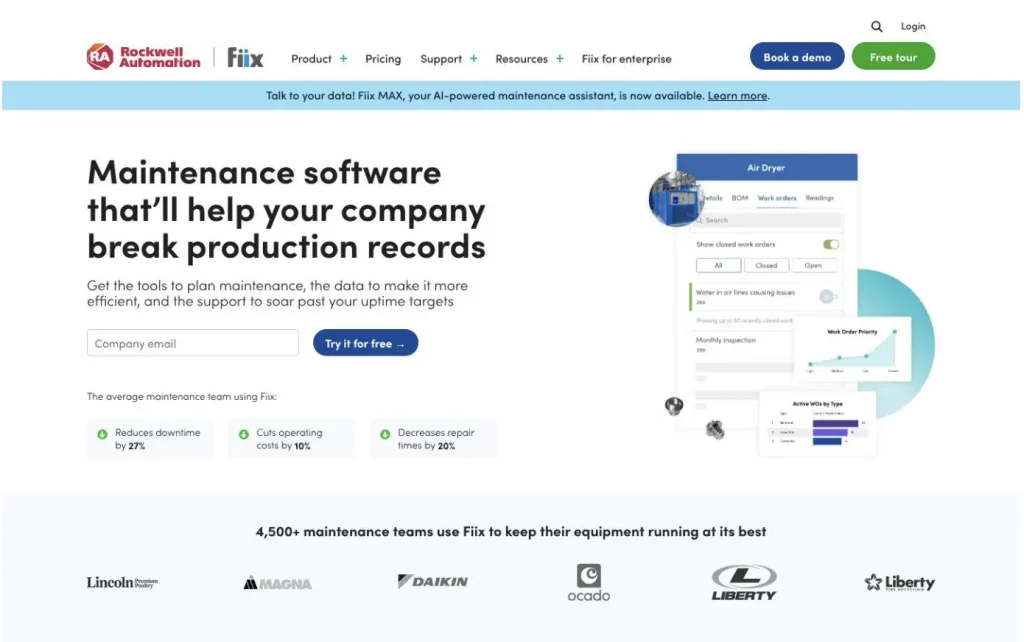
Best fit: Fiix fits teams that want to stand up work orders and planned maintenance quickly, then connect the CMMS to other systems through a dedicated integration approach.
Fiix offers a free CMMS plan and focuses on maintenance execution and connectivity. It highlights an Integration Hub and “connectors to 1000s of endpoints,” focusing on connecting CMMS data to ERP and industrial systems to share information and trigger work across systems. Fiix also highlights parts planning support through a parts forecaster that analyzes historical data and predicts parts needed for upcoming work.
CMMS strengths:
- Work orders: Core workflow for tracking maintenance work.
- Preventive maintenance: Supports planned and preventive maintenance workflows.
- Parts planning: Forecasts parts needed for upcoming work based on historical data.
- Integrations: Integration Hub and app exchange to connect with ERP, industrial control, and other systems.
- Support model: Fiix lists phone and email support on Basic and higher plans. Confirm the support entitlement for the Free plan.
- Services: Offers training and implementation services.
CMMS trade-offs:
- Pass/fail inspection tasks are not in the Free plan; they start on Basic. The parts forecaster is on Professional and Enterprise only.
- The Fiix Integration Hub and custom API integrations are on the Enterprise plan, and app exchange OT integrations start at $3k per plant per year, plus a $6k per-plant one-time implementation.
Pricing + support: Fiix offers a free CMMS plan with limited users and 25 active PMs. Basic is $45 per user, per month, Professional is $75 per user, per month, and Enterprise has custom pricing.
5. eMaint CMMS: Best for multi-site maintenance programs that want rollout support and configurable workflows
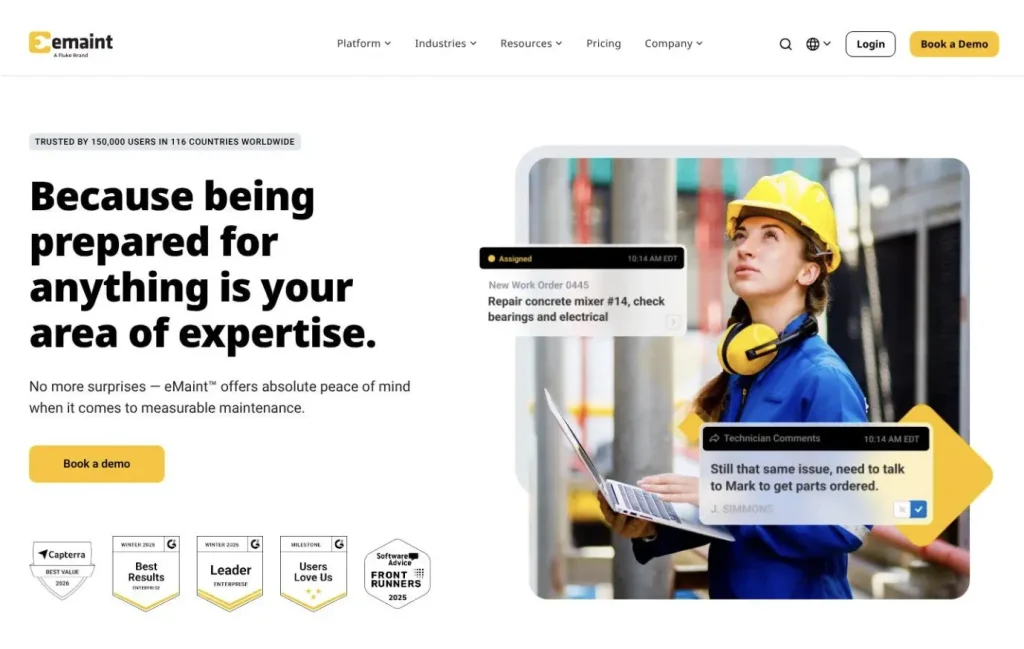
Best fit: eMaint fits teams that want a CMMS designed to scale from one site to many, with an implementation model that emphasizes going live first, then standardizing across facilities.
eMaint is a single platform covering work orders, asset management, preventive spare-parts planning, and analytics and reporting. It emphasizes multi-site governance and “deep integrations,” plus a rollout narrative: pre-built modules and proven workflows to get teams live in 90 days, then expand across facilities.
CMMS strengths:
- Work orders: Plan, assign, and track work to completion, with recurring work orders, failure codes, and custom approval processes.
- Inventory planning: Plan preventive spare parts for critical components, plus parts forecasting, cycle counts, and multi-location inventory.
- Reporting: Includes analytics, KPI tracking, and audit dashboards.
- Rollout model: eMaint says pre-built modules and proven workflows get teams live in 90 days, then grow from a single site to enterprise-wide operations.
- Multi-site governance: Standardizes work orders, assets, parts, and workflows across sites with a master-child hierarchy and task library.
- Integrations: Integrates with ERP platforms including SAP and Oracle, with a documented REST API and pre-built connectors.
CMMS trade-offs:
- API access, pre-built ERP connectors, and single sign-on come with the Enterprise plan (5-user minimum), not Professional.
- Vendor Portal, Computer Systems Validation and Test Scripts, and Slow Track Release Server are paid add-ons.
Pricing + support: Pricing is quote-based. eMaint offers Professional (3-user minimum) and Enterprise (5-user minimum) plans. Both include unlimited helpdesk support and 24/7 online training, and eMaint provides an ROI calculator.
6. Asset Essentials (by Siemens): Best for facilities-oriented teams standardizing work orders, PMs, and parts
Best fit: Asset Essentials fits teams that want a cloud CMMS for work orders, preventive maintenance, and parts purchasing, with analytics and tiered modules.
Asset Essentials describes work order management and unified PM schedules with automated work order creation. It also describes inventory controls such as low-stock notifications, parts recommendations, and the ability to create and manage orders. For teams connecting maintenance with purchasing, Asset Essentials documents syncing PO data with an ERP system, and its IoT remote monitoring can automatically generate corrective work orders through the Smart Assets add-on.
CMMS strengths
- Work orders and PMs: Work Orders as the central place to create, manage, and close work, including PMs. – Scheduling visibility: Calendar and planner tools for scheduling work and managing workloads.
- Parts and purchase orders: Track parts usage and cost, manage POs, and receive low-stock notifications.
- ERP tie-in: Sync purchase order data with your ERP system.
- IoT work orders: IoT remote monitoring can automatically generate corrective work orders through Smart Assets, a paid add-on.
- Role-based access: Notes that menus and capabilities depend on user role.
CMMS trade-offs:
- Safety Programs are not in the base product. One help page limits them to Asset Essentials Enterprise, and the help center’s table of contents lists them as add-on purchase features at additional cost.
- Checklists and Pass/Fail inspection tasks are part of work orders and PMs, but standalone audit/inspection programs are sold at additional cost.
- Parts and purchasing packaging vary by Asset Essentials offering. The Education documentation identifies Parts & POs as an additional-cost feature; confirm inclusion in the edition and quote being evaluated.
Pricing + support: Pricing is quote-based. Asset Essentials offers demos and product tours, and its implementation services include training and go-live support.
7. IFS Cloud EAM: Best for lifecycle programs that unify planning, execution, maintenance, and AI insights
Best fit: IFS Cloud EAM fits organizations that need asset management closely connected to enterprise processes such as finance, supply chain, projects, and maintenance.
IFS also offers IFS Ultimo, a separate EAM product focused on maintenance and safety.
IFS Cloud EAM manages assets across their lifecycle, from acquisition and deployment to decommissioning and replacement, and IFS pairs it with Industrial AI and native links to ERP, field service, and telematics. IFS also offers IFS Ultimo, an EAM option focused on maintenance and safety with a fast time to value, short implementation time, and ease of use. In Limble-alternative shortlists, IFS tends to show up when the maintenance team’s scope expands into broader enterprise governance, or when planning and execution are expected to sit together.
CMMS strengths:
- Lifecycle coverage: Covers assets from acquisition and deployment through decommissioning and replacement, with maintenance inside that lifecycle.
- Planning and execution together: Work orders include resource and material requirements, budget costs, and documents, and PM-generated work orders can be planned alongside manual ones.
- Enterprise context: Work orders connect to IFS inventory, service management, and rental processes, not maintenance alone.
CMMS trade-offs:
- Spare part kits depend on IFS Inventory, so plan inventory setup before building maintenance parts lists.
Pricing + support: Pricing is quote-based and not publicly listed. IFS offers implementation and optimization services through IFS Success, plus dedicated support and cloud services for monitoring, maintenance, and issue resolution.
8. IBM Maximo Manage (Maximo Application Suite): Best for large-scale governance with modular add-ons and AppPoints licensing
Best fit: IBM Maximo Manage fits asset-intensive organizations that need scalable maintenance management, with calibration included in Manage and add-ons for scheduling optimization and ERP connectors.
Maximo Manage is an EAM platform built to reduce unexpected downtime and support maintenance beyond time-scheduled work. For field execution, Maximo Mobile gives technicians real-time access to asset data, work orders, and maintenance history, online or offline. Add-ons include advanced scheduling and optimization, spatial asset visualization, and connectors to ERP and other systems. Calibration is licensed as part of Maximo Manage. Maximo Application Suite uses an AppPoints credit-based licensing model and is offered as SaaS or client-managed software.
CMMS strengths:
- Maintenance management: Create, prioritize, assign, and track work orders with predefined workflows, failure codes, job plans, and asset history.
- Mobile access: Maximo Mobile lets technicians access asset data while working.
- Add-on ecosystem: Add-ons include scheduling optimization, spatial asset visualization, and ERP connectors.
- Flexible deployment: Offered as SaaS or client-managed software.
- Licensing model: AppPoints credit-based model designed to scale usage and functionality.
CMMS trade-offs:
- Final scope depends on suite components and add-ons you license.
- The Essentials Maintenance plan is limited to one environment, up to 25 users, and up to 100 work orders per hour. Subscriptions carry a minimum 12-month non-cancellable term.
Reviewers frequently mention flexibility and scalability, and also describe it as a premium investment.
Pricing + support: IBM publishes a starting price for its Essentials Maintenance SaaS plan: under US$40K per year (150 AppPoints, one environment, up to 25 users, MAS Scheduler included). Standard, Premium, and client-managed packages are quote-based. IBM provides documentation, training, and support resources.
9. Octave Attune EAM (formerly HxGN EAM): Best for asset-intensive teams connecting maintenance with ERP financial processes
Best fit: Octave Attune EAM fits organizations that want maintenance work management inside broader EAM governance, with an emphasis on how EAM and ERP processes connect.
Octave says EAM goes beyond CMMS by managing the asset lifecycle from acquisition to retirement, including budgeting, inventory, procurement, and compliance. It also explains how ERP and EAM can work together: EAM-tracked maintenance costs can flow into ERP financials, and ERP procurement processes can link to work orders and inventory. Octave also notes the product branding shift from HxGN EAM to Octave Attune EAM.
CMMS strengths:
- Work management: Captures field data, automates work orders, and schedules labor to track costs.
- Parts and procurement: Manages requisitions, quotes, and purchase orders, and optimizes stock levels.
- ERP connectivity: When integrated with ERP, maintenance costs tracked in EAM flow into ERP financials, and ERP procurement links with work orders and inventory.
- Lifecycle visibility: Gives a picture of asset health and cost of ownership across the asset lifecycle.
CMMS trade-offs:
- The Attune EAM Offline app works only with certain Attune EAM versions, may need a database script, and needs a network connection to sync with the server.
Pricing + support: Pricing is customized to the customer’s requirements and contract terms, with custom quotes available through Octave. Octave provides direct support, product documentation, training, community resources, and compatibility guidance.
10. SAP S/4HANA Asset Management: Best for ERP-native maintenance where work orders must live inside SAP
Best fit: SAP S/4HANA Asset Management fits organizations that want maintenance planning, scheduling, and execution inside SAP, especially when preventive maintenance and spare parts processes need to align with ERP workflows.
SAP S/4HANA Asset Management supports structured maintenance planning and execution. For maintenance processes that use SAP’s phase model, work can progress through nine stages: initiation, screening, planning, approval, preparation, scheduling, execution, post-execution, and completion. The phases and available workflows depend on the SAP S/4HANA edition, release, order type, and configuration
CMMS strengths:
- Maintenance execution: Plan, schedule, and execute maintenance activities within SAP S/4HANA processes.
- Preventive maintenance: Maintenance plans schedule preventive work, and maintenance plan orders are released for execution.
- Checklists: Inspection checklists are generated from maintenance order operations and run end-to-end, from inspection plans to results recording and follow-up actions.
- Spare parts workflows: Maintenance orders reserve materials and create purchase requisitions from operation details, and order processing can refurbish repairable spares.
CMMS trade-offs:
- Offline mobile work runs through SAP Service and Asset Manager, which is licensed separately and provisions users with access to the SAP S/4HANA back end.
- Setup runs through SAP customizing. SAP’s implementation learning journey targets consultants and covers executing all required customizing settings in SAP S/4HANA Asset Management.
Pricing + support: Pricing is quote-based. SAP offers trials and demos, plus implementation learning journeys with instructor-led courses on maintenance processing.
Which Limble alternative fits your shortlist?
Instead of declaring one platform the universal winner, match the alternative to the problem you are trying to solve.
| If your priority is… | Start with | Also consider |
| Maintenance connected to broader equipment operations | EZO EAM | eMaint, Octave Attune EAM |
| Frontline technician adoption | MaintainX | UpKeep |
| Mobile-first maintenance | UpKeep | MaintainX, EZO EAM |
| Straightforward PM execution | Limble | MaintainX, UpKeep |
| Connected manufacturing maintenance | Fiix | eMaint, IBM Maximo |
| Multi-site maintenance governance | eMaint | IBM Maximo, IFS Cloud EAM |
| Facilities-oriented maintenance | Asset Essentials | UpKeep |
| Enterprise asset lifecycle management | IFS Cloud EAM | IBM Maximo, Octave Attune EAM |
| Complex industrial maintenance governance | IBM Maximo | IFS Cloud EAM, SAP |
| ERP-native maintenance | SAP S/4HANA Asset Management | IFS Cloud EAM, IBM Maximo |
The fit guide should be treated as a shortlist generator, not a ranking. The final decision should come from the same workflow being tested across the finalists.
How to compare pricing models across Limble alternatives
Price the operating model, not the headline subscription.
| Platform | Primary pricing basis | Important consideration |
| EZO EAM | Tracked items + CMMS admin users | CMMS priced separately |
| MaintainX | Users | Higher-tier capabilities affect total cost |
| UpKeep | Users | Professional and Enterprise are quote-based |
| Fiix | Users | Integration and industrial capabilities may add cost |
| eMaint | Quote-based | Plan, user minimums, and add-ons matter |
| Asset Essentials | Quote-based | Parts, purchasing, and other modules may cost extra |
| IFS Cloud EAM | Quote-based | Scope depends heavily on modules |
| IBM Maximo | AppPoints | Model actual application and user consumption |
| Octave Attune EAM | Quote-based | Scope and deployment determine cost |
| SAP S/4HANA Asset Management | Quote-based | SAP environment and additional services affect cost |
For the financial model, calculate:
Year 1 = subscription + implementation + migration + integrations + training
Ongoing cost = subscription + add-ons + support + administration + integration maintenance
This gives Finance a more realistic comparison than published entry prices alone.
CMMS demo checklist and CMMS migration checklist: how to pilot finalists safely
CMMS demo checklist
Use one real workflow, not a polished sample. The goal is to prove execution fit.
- Run one real work order end-to-end on mobile: create, assign, start, capture notes/photos, and close.
- If offline matters, test it: complete the job without connectivity, reconnect, and verify what synced and how conflicts are handled.
- Create a PM with multiple trigger types: time-based plus at least one of usage, completion-based recurrence, or threshold triggers where applicable.
- Test assignment and routing: assign technicians, validate approvals (if you use them), and confirm notifications.
- Consume parts on a work order: verify stock updates and confirm how reorder thresholds or purchasing is triggered.
- Produce 3 reports: backlog aging, PM compliance, and an MTTR, MTBF, or downtime proxy your team trusts.
- Validate SSO setup path if required: confirm whether SSO is available in the plan you are evaluating.
- Validate one critical integration: prove the API or connector approach with one system such as ERP/accounting, BI, or sensors.
CMMS migration checklist
Treat migration as scope control. You do not need to move everything to launch successfully.
- Decide what to migrate: assets, locations, PM templates, parts, vendor list, work history, and attachments.
- Map fields and clean data: standardize naming, remove duplicates, and confirm required fields before import.
- Pilot one site or one workflow: start contained, then expand once execution is stable.
- Validate integrations before cutover: do not defer validating the ERP, SSO, or BI connections you use until after go-live.
- Plan the cutover: define when the old system stops being the system of record.
- Define data ownership and export expectations: confirm you can export and back up your data as part of governance, including whether you can export/backup all your data from the system at any time.
Want to pressure-test EZO EAM against your real work orders, PM triggers, and mobile/offline needs? See EZO EAM’s CMMS capabilities in action.
Which Limble alternative should you choose in 2026?
The right alternative depends on what is breaking in your current maintenance operation.
If the problem is primarily technician adoption and straightforward PM execution, a maintenance-focused CMMS may be the right direction.
If you need stronger multi-site governance, integrations, or industrial maintenance capabilities, you should evaluate enterprise-oriented CMMS and EAM platforms more closely.
If maintenance has become inseparable from equipment custody, inventory, procurement, availability, utilization, and lifecycle management, an EAM such as EZO EAM may be a better scope match than another maintenance-only system.
The most important step is to test that assumption.
Take one real workflow. Use real asset data. Include the exceptions your technicians actually encounter. Test the plan tier you would purchase, not the vendor’s most generous demonstration environment.
Then compare what each platform requires to complete the same job.
The best Limble alternative is the platform that fits the work your organization actually needs to run, without introducing a new set of operational workarounds.