Introduction
With a growing trend toward hybrid and remote work, there has been a massive change in what IT asset management has to control. Laptops, monitors, software licenses, access rights, and support requests are no longer tied to a single office, network, or predictable handoff process. IT assets now move across homes, coworking spaces, branch offices, personal networks, and sometimes multiple countries.
This matters because remote-capable work has settled into a hybrid-first pattern. Gallup’s latest hybrid-work tracker reports that more than half of remote-capable employees work in a hybrid arrangement, while a significant share work fully remotely.
At the same time, SaaS usage continues to add another layer of chaos, with organizations often managing 100+ applications.
For IT leaders, the answer is not always to buy more tools. The better approach is to choose one strong ITAM platform as the system of record, then add specialist tools only where the workflow clearly sits outside ITAM’s natural scope.
This guide compares the best IT asset management tools for hybrid and remote workforces, including all-in-one ITAM platforms, endpoint-led tools, ITSM-led options, enterprise ITAM systems, discovery-first platforms, and infrastructure visibility solutions.
The numbers below show why hybrid work is no longer just a location challenge; it is now an asset visibility, device control, and software management challenge.
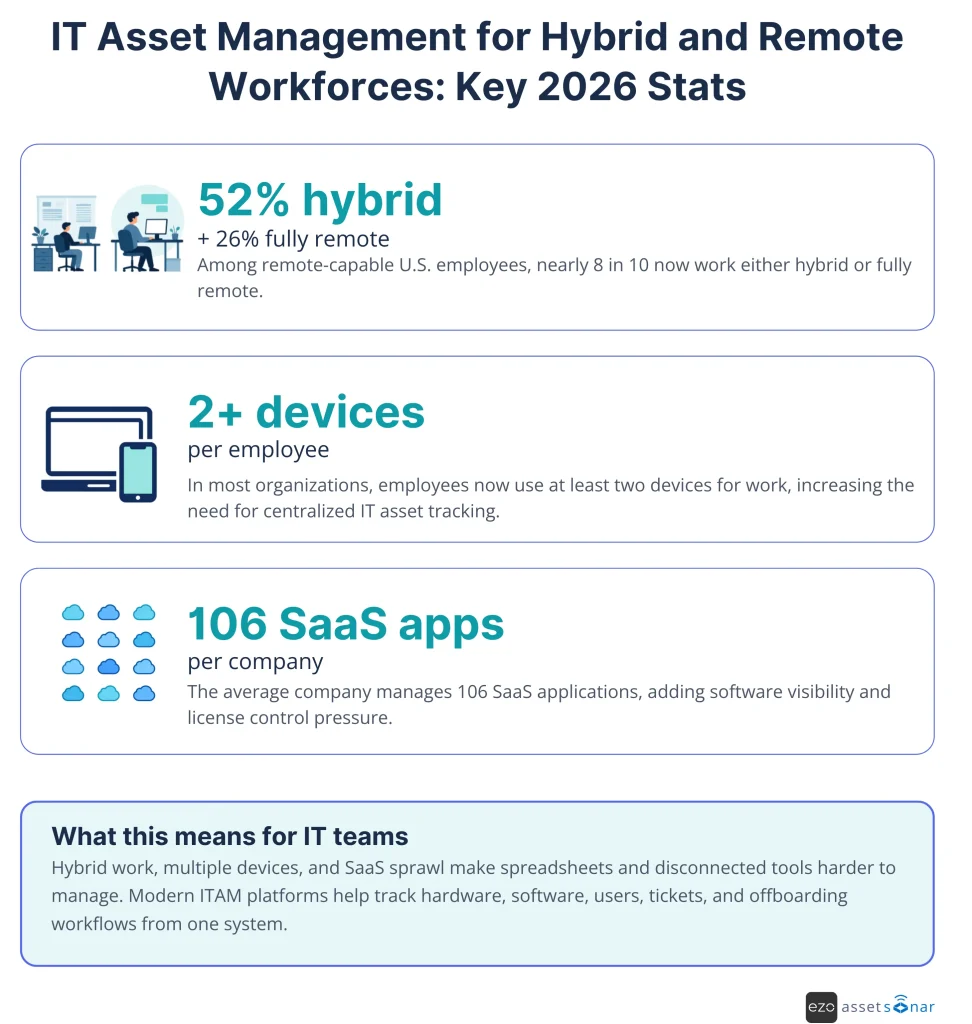
Source: Gallup, JumpCloud, BetterCloud
Quick overview of ITAM tools for hybrid and remote workforces
| Tool | Best for (distributed scenario) | What it consolidates | Standout for remote/hybrid | Main tradeoff to validate | G2 rating |
| AssetSonar | Mid-market and enterprise teams need one ITAM system | Hardware, software, ITSM, patching, workflows | Connects custody, status, licenses, tickets, and patch context | Validate advanced reporting and any highly customized workflow requirements | 4.5/5 |
| NinjaOne | Endpoint-led IT and MSP teams | RMM, endpoint management, patching, remote support | Strong remote endpoint control | May not replace deeper ITAM lifecycle, procurement, custody, and license governance | 4.7/5 |
| Freshservice | Service-desk-led IT teams | ITSM, ITAM, discovery, service workflows | Asset context inside ITSM workflows | Advanced ITAM/SAM needs may require higher plans or configurations | 4.6/5 |
| ServiceNow ITAM | Large global enterprises | ITAM, ITSM, CMDB, procurement, catalog | Deep enterprise workflow alignment | Implementation cost, admin ownership, and module scope can be significant | 4.3/5 |
| Lansweeper | Teams with discovery gaps | Asset discovery, inventory, asset intelligence | Agent-based and agentless visibility | Strong discovery does not always equal full lifecycle ITAM | 4.4/5 |
| Ivanti Neurons for ITAM | Security-driven endpoint teams | ITAM, discovery, endpoint/service context | Lifecycle visibility tied to endpoint operations | Buyers should validate the required Ivanti modules and the implementation effort | 4.3/5 |
| Device42 | Infrastructure-heavy organizations | Discovery, CMDB, dependency mapping | Application and infrastructure dependency visibility | Less focused on employee hardware custody and remote device recovery | 4.7/5 |
How we evaluated these tools
The tools in this list were evaluated around practical hybrid and remote ITAM needs, not just general asset inventory.
The most important criteria were:
- Distributed asset visibility: Can the tool track assets beyond the office network through agents, integrations, MDM imports, or discovery sources?
- Hardware custody and ownership: Can IT see who has each device, where it is, when it was assigned, and what should happen next?
- Software and license visibility: Can the platform help identify assigned software, unused licenses, duplicate tools, and renewal risks?
- Patch and endpoint context: Can IT understand whether remote devices are active, secure, patched, encrypted, or missing check-ins?
- Lifecycle workflow support: Can the tool support procurement, onboarding, ownership transfer, support, refresh, offboarding, recovery, and retirement?
- ITSM and support context: Can asset records connect to tickets, service requests, approvals, and support history?
- Integration ecosystem: Can the platform connect with identity, MDM, service desk, procurement, warranty, SaaS, and endpoint systems?
- Buyer fit: Is the tool best for mid-market IT, enterprise IT, MSPs, service-desk-led teams, security-led teams, or infrastructure-heavy environments?
Why hybrid and remote work breaks traditional IT asset management?
Hybrid and remote work breaks traditional ITAM because assets no longer sit in known buildings, on known networks, under direct IT supervision. When devices leave the office, visibility, custody, patching, license usage, and recovery workflows become harder to control.
The biggest issues usually appear in six areas.
1. Off-network blind spots
Scheduled network scans can miss laptops that rarely connect to the VPN or never return to the office. Without an agent, MDM integration, identity signal, or another discovery source, the asset record becomes stale.
2. Harder onboarding and offboarding
IT has to ship devices to employees it may never meet, assign the right software and access, and recover equipment when someone leaves. The risk is not only a missing laptop; it is also open access, unreclaimed licenses, sensitive data, and incomplete custody records.
3. Remote endpoint exposure
Unpatched laptops and unmanaged devices widen the attack surface. If IT cannot see patch status, encryption state, last check-in date, or assigned owner, incident response becomes reactive.
4. Shadow IT and SaaS sprawl
Distributed teams often self-provision software to move faster. That can create duplicate subscriptions, unused seats, unknown tools, and user access that survives role changes.
5. Tool sprawl inside IT
A discovery tool, ticketing tool, MDM console, procurement spreadsheet, and patching tool may each hold a different version of the truth. Hybrid ITAM fails when teams spend more time reconciling systems than managing assets.
6. Physical logistics gaps
ITAM software can record who owns a laptop, but it cannot physically ship, collect, inspect, or repair the device. For global remote teams, device logistics still need clear operational ownership.
This shift is easier to see when you compare traditional office-based ITAM with hybrid and remote ITAM: the asset record now has to follow devices, users, software, and return workflows across multiple locations.
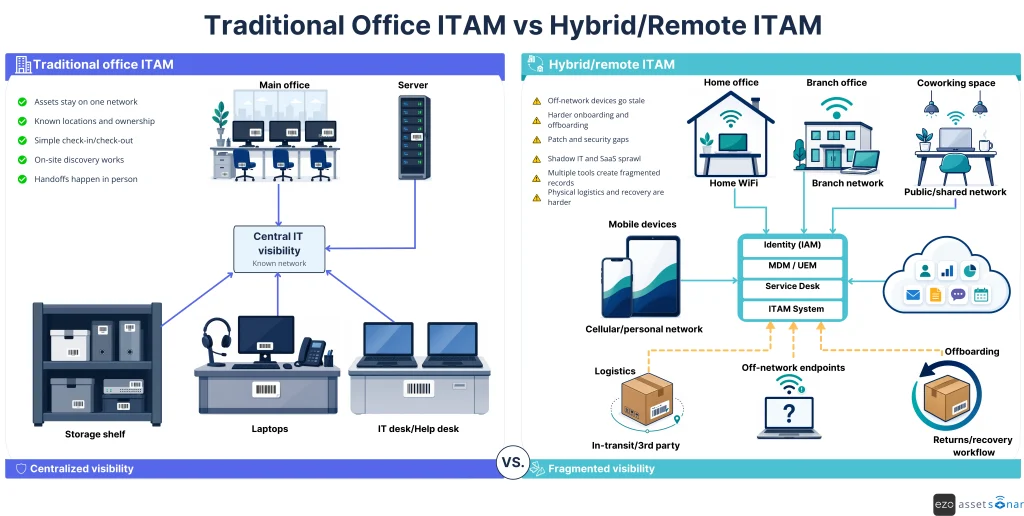
The goal is not to add a separate system for every gap. The goal is to maintain a single strong ITAM platform as the operational source of truth, and connect specialist systems where needed.
What should you look for in ITAM tools built for distributed teams?
You should look for ITAM tools that can track assets beyond the office, connect hardware and software records, support remote lifecycle workflows, and reduce the number of disconnected systems your team depends on.
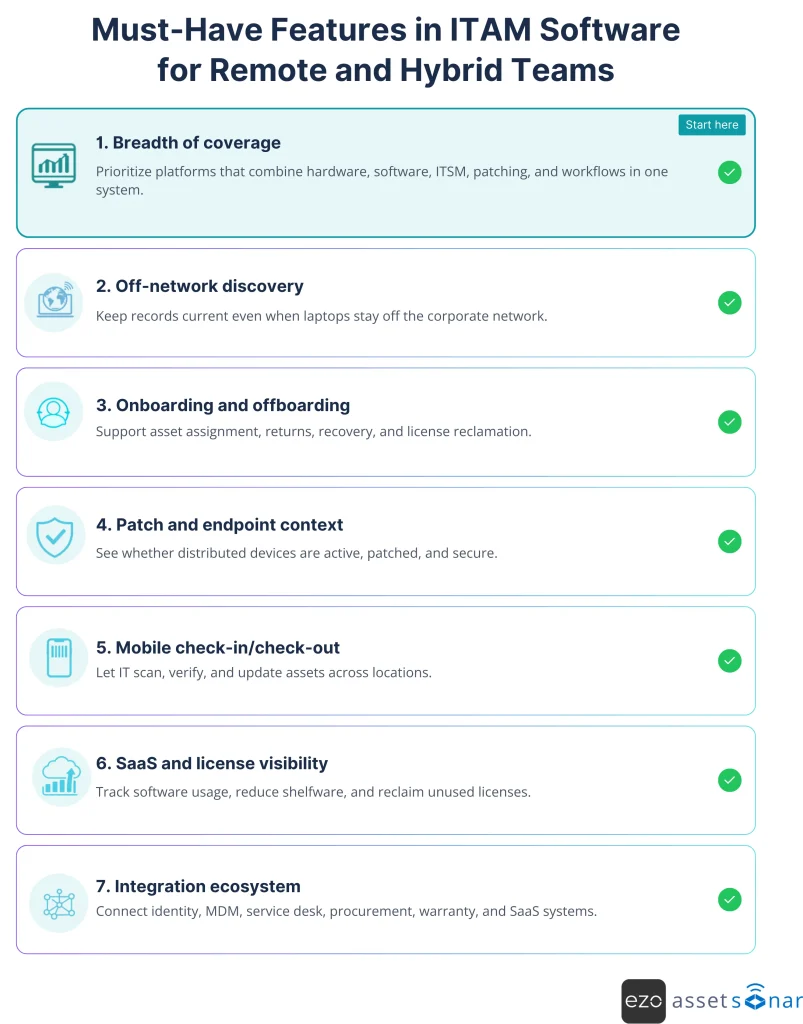
Use the following checklist when comparing vendors:
Breadth of coverage
The strongest ITAM tools consolidate hardware assets, software licenses, service workflows, patch visibility, and automation into a single platform. The more useful coverage you get in one system, the less manual reconciliation your team has to do.
Off-network discovery
Remote laptops require agent-based discovery, MDM imports, identity integrations, or cloud connectors to keep records current even when devices do not connect to the corporate network.
Identity-driven onboarding and offboarding
Integrations with Microsoft Entra ID, Okta, Google Workspace, HRIS, and service desk tools can help tie assets to users, roles, access, and exit workflows.
Endpoint security and patch context
ITAM for remote employees should show whether a device is active, assigned, patched, encrypted, and safe to keep in use.
Mobile access
IT teams need to scan barcodes, verify custody, check items in or out, and update records from a phone, especially across offices, storage rooms, and shipping workflows.
SaaS discovery and license management
A strong platform should help identify software usage, reclaim unused licenses, and reduce spend tied to inactive users or underused tools.
Integration ecosystem
Your ITAM tool should connect with MDM, service desk, procurement, identity, warranty, backup, and SaaS systems so it becomes the source of truth rather than another isolated database.
Once the visibility gaps are clear, the next step is to determine which capabilities actually matter when comparing ITAM tools for distributed teams.
Best IT Asset Management Tools for Hybrid and Remote Workforces in 2026
The tools below were scored against the criteria above, with extra weight on breadth of coverage, off-network visibility, and distributed lifecycle automation. The strongest options help hybrid and remote IT teams manage hardware, software, users, tickets, patch context, integrations, and offboarding workflows from fewer systems.
1. AssetSonar – Best all-in-one ITAM for distributed teams
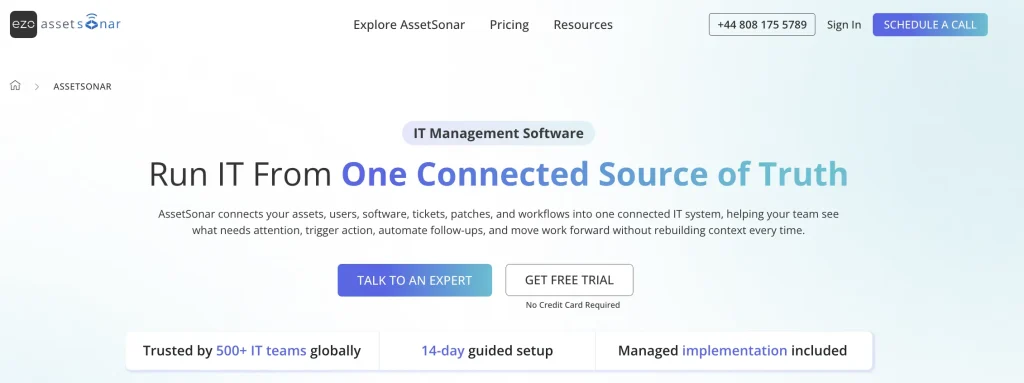
AssetSonar is an all-in-one ITAM platform for mid-market and enterprise teams that manage distributed hardware and software, tickets, patches, workflows, and asset ownership. It gives IT teams a single source of truth for asset status, location, custody, users, licenses, service context, and lifecycle actions.
For hybrid and remote workforces, that central record matters because assets no longer remain tied to a single office or network. AssetSonar helps teams track assets from procurement to retirement, maintain accurate ownership records, manage inventory across multiple locations, and support employee handoffs without relying on spreadsheets.
Its main strength is platform breadth. AssetSonar brings together hardware asset management, software asset management, IT service management, patch management, integrations, and workflow automation. IT teams can connect asset records with assigned users, software, licenses, service requests, patch status, contracts, warranties, and retirement plans without switching between disconnected systems.
AssetSonar also supports several distributed IT workflows:
- Asset discovery through its ITAM Agent.
- Barcode and QR-based check-in/check-out workflows through the AssetSonar mobile app.
- Integrations with identity, MDM, SaaS, service desk, procurement, warranty, backup, and endpoint tools.
- Onboarding, ownership transfer, offboarding, and asset recovery workflows.
Offboarding is one of the strongest use cases for distributed teams. When an employee leaves, IT can verify assigned hardware, review software and licenses, update custody records, track returns, revoke or coordinate access actions via connected systems, and prepare devices for reassignment, repair, or retirement.
This is where AssetSonar’s broader ITSM connection becomes useful. In AssetSonar’s State of ITSM Report 2026, only 20% of respondents reported deep ITSM-asset integration, while missing device history, inaccurate ownership, limited real-time discovery, and missing software/licensing data were major blockers. AssetSonar helps close those gaps by unifying asset tracking, service context, software visibility, patch data, and lifecycle workflows on a single platform.
For teams exploring AI-assisted ITAM, AssetSonar’s Zoe the Copilot may help surface insights into asset, lifecycle, software, and service workflows. This claim should be validated against the current product documentation before publishing.
Best for: Mid-market and enterprise IT teams with hybrid, remote, or multi-location employees who want to consolidate ITAM into a single automation-driven platform.
Pricing model: Public per-asset pricing; the ITAM plan starts at $1 per asset per month.
Potential limitation: Teams with highly customized reporting, niche compliance workflows, or advanced dashboard requirements should validate those needs during trial or implementation.
Why AssetSonar made the list: AssetSonar has a 4.5/5 rating, where users highlight ease of use, customizability, integrations, and simplified asset tracking. We included it because those strengths support the core needs of hybrid and remote ITAM: accurate ownership, connected workflows, software visibility, and fewer disconnected tools.
2. NinjaOne – Best for endpoint-led IT teams
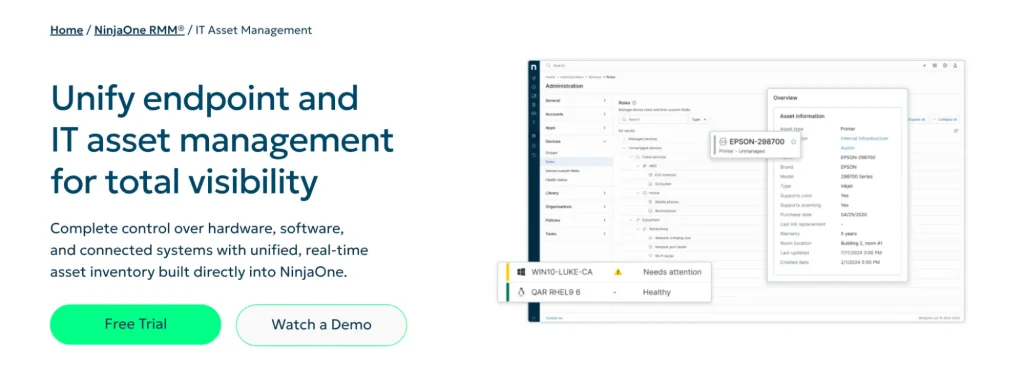
NinjaOne is a strong option for IT teams and MSPs that approach asset management from an endpoint operations perspective. It combines RMM, endpoint management, patching, remote access, backup, automation, and service desk capabilities on a single platform.
For remote teams, NinjaOne’s value is direct endpoint control. If your biggest challenge is monitoring distributed devices, applying patches, supporting users remotely, and keeping endpoint data current, it is a practical choice.
NinjaOne fits hybrid IT environments where device health and support responsiveness matter more than deep hardware custody or procurement workflows. IT teams can use it to monitor laptops, automate patching, run remote support sessions, and keep endpoint information up to date.
Key capabilities: RMM, endpoint management, patch management, remote access, backup, service desk, automation, alerting, and endpoint monitoring.
Best for: IT teams and MSPs that prioritize endpoint monitoring, remote support, patching, and distributed device management.
Pricing model: Per-endpoint, volume-based pricing.
Potential limitation: NinjaOne is endpoint-led. Teams that need deeper hardware custody, procurement records, software license governance, asset depreciation, and offboarding recovery workflows may still need a dedicated ITAM platform.
Why NinjaOne fits endpoint-led teams: With a 4.7/5 rating, NinjaOne is frequently praised for its intuitive interface, device management, automation, monitoring, and responsive support. It belongs on this list because remote IT teams often need direct endpoint control before they can solve broader asset lifecycle problems.
3. Freshservice – Best cloud-native ITSM + ITAM option
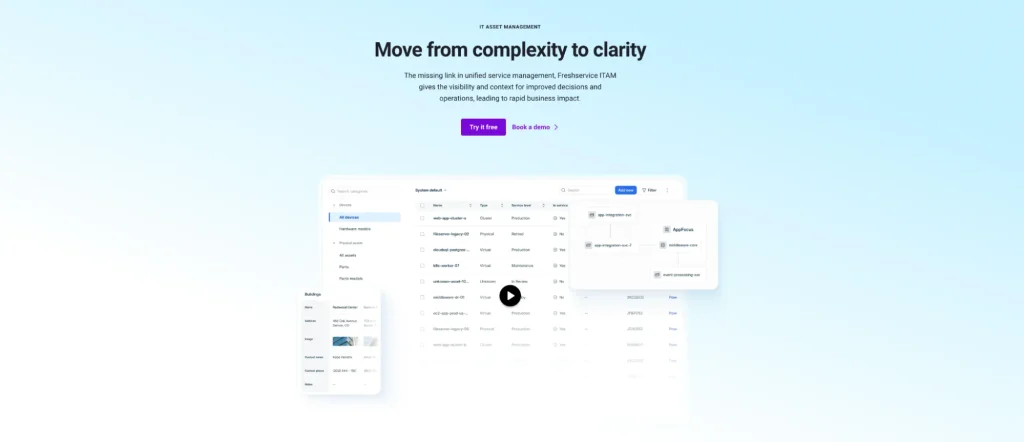
Freshservice is a cloud-based ITSM platform with IT asset management capabilities. It is a good fit when asset management needs to sit close to tickets, incidents, approvals, requests, and service workflows.
For distributed teams, the biggest advantage is service-desk alignment. If your IT team already works heavily through tickets and service requests, Freshservice can keep asset context close to the work being done.
That matters in hybrid environments because support teams often need to know which device is assigned to a remote employee, whether it has related incidents, what software is attached to it, and whether a replacement, repair, or return workflow is already in progress.
Key capabilities: ITSM, IT asset management, automated discovery, license management, dependency mapping, CMDB capabilities, service workflows, and automation.
Best for: Service-desk-led teams that want ITAM inside a cloud ITSM platform.
Pricing model: Per-agent plan structure.
Potential limitation: More advanced ITAM, SAM, governance, or enterprise asset requirements may require higher-tier plans, add-ons, integrations, or additional configuration.
Why Freshservice stands out: Freshservice is rated 4.6/5, with users often pointing to its intuitive interface, automation, ticket management, and workflow visibility. It is a strong fit for service-desk-led teams that want IT asset management close to incidents, requests, approvals, and support workflows.
4. ServiceNow ITAM – Best for large distributed enterprises
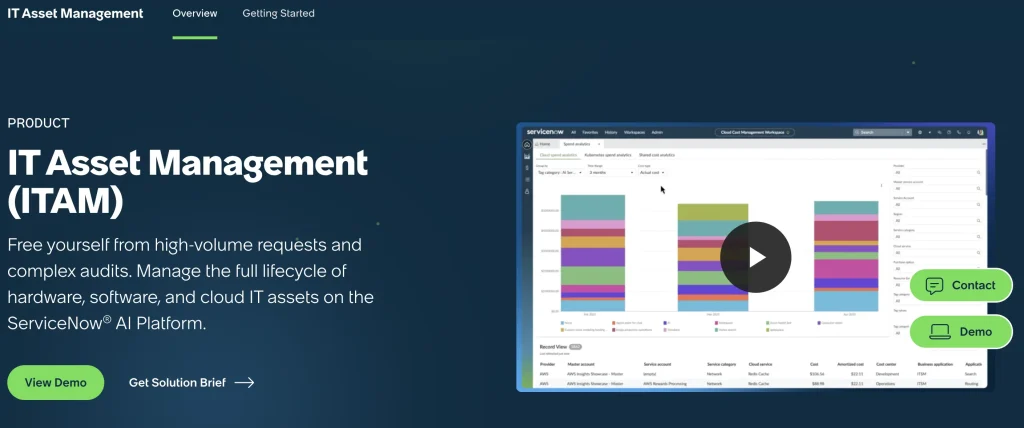
ServiceNow ITAM is built for large enterprises that need asset management connected to ITSM, CMDB, procurement, catalog, and enterprise workflows. It can support hardware, software, and cloud asset management across complex environments.
For global organizations already invested in ServiceNow, the platform’s strength lies in ecosystem depth. ITAM does not operate as a standalone inventory function; it connects to the broader service, configuration, procurement, and workflow layer.
For remote and hybrid workforces, this can help large IT organizations standardize asset processes across business units, regions, and service teams. It is especially relevant when asset records need to connect to service catalogs, approvals, audits, financial controls, and CMDB governance.
Key capabilities: Hardware asset management, software asset management, cloud asset management, ITSM, CMDB, procurement workflows, catalog management, lifecycle automation, and enterprise workflow management.
Best for: Large enterprises with mature ServiceNow environments, global IT operations, and dedicated platform ownership.
Pricing model: Quote-based enterprise licensing.
Potential limitation: ServiceNow can be expensive and complex to implement. It works best when the organization has the budget, governance model, platform team, and process maturity to maintain it properly.
Why ServiceNow belongs here: ServiceNow has a 4.3/5 rating and is valued for centralized asset management, tracking, reporting, compliance support, and visibility across hardware and software assets. It earns its place for large enterprises that need ITAM connected to ITSM, CMDB, procurement, and enterprise workflows.
5. Lansweeper – Best for discovery-first visibility
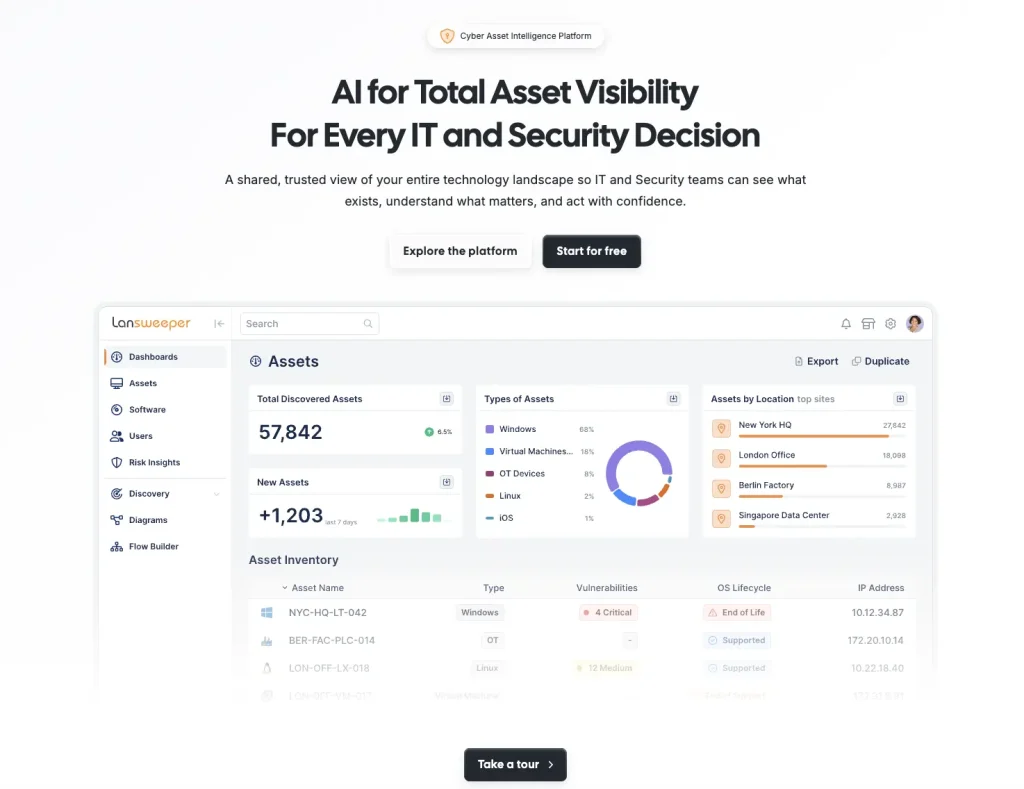
Lansweeper is a discovery-first asset intelligence platform that helps organizations find and inventory assets across physical, virtual, cloud, and networked environments. It supports multiple discovery methods, including agent-based and agentless approaches.
For hybrid and remote teams, Lansweeper is useful when the first problem is simply knowing what exists. It can help reduce visibility gaps across networks, cloud environments, and roaming devices before IT decides how to manage ownership, support, lifecycle, and governance.
This makes it especially useful for teams that have inherited fragmented environments, unmanaged devices, incomplete inventories, or multiple offices with inconsistent discovery practices.
Key capabilities: Asset discovery, inventory management, active and passive discovery, agent-based and agentless scanning, cloud visibility, network inventory, and roaming-device visibility.
Best for: Teams that need stronger discovery across networks, cloud environments, and roaming devices.
Pricing model: Asset-based pricing tiers.
Potential limitation: Lansweeper is strongest in discovery and inventory. Teams that need full ITAM lifecycle workflows, software license governance, procurement records, service workflows, and offboarding recovery may need additional systems.
Why Lansweeper is included: Lansweeper holds a 4.4/5 rating, with users highlighting comprehensive asset management, agentless scanning, and detailed network/device visibility. It is useful for hybrid teams whose first challenge is discovering what assets exist across networks, cloud environments, and roaming devices.
6. Ivanti Neurons for ITAM – Best for security-driven endpoint lifecycle
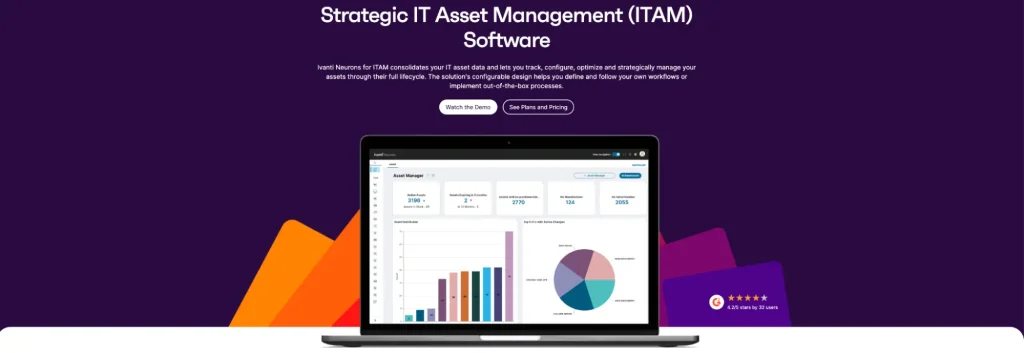
Ivanti Neurons for ITAM is a strong option for teams that want asset management close to endpoint management, service management, security operations, and automation. It supports lifecycle visibility across hardware, software, virtual, cloud, and endpoint assets.
For distributed teams, Ivanti’s appeal lies in its integration of ITAM and endpoint operations. If your organization already uses Ivanti products, its ITAM capabilities may fit naturally into a broader environment for service, endpoint, patch, and security workflows.
This is useful for hybrid teams that want asset records to support more than inventory. For example, IT may need to connect ownership, device status, endpoint risk, patch context, and service activity when evaluating whether a remote device is safe, current, and accountable.
Key capabilities: Hardware asset management, software asset management, asset lifecycle tracking, discovery, endpoint context, automation, service management alignment, and security-adjacent asset visibility.
Best for: Security-conscious IT teams with endpoint-heavy environments, especially organizations already using Ivanti.
Pricing model: Quote-based pricing.
Potential limitation: Buyers should validate implementation effort, required modules, admin complexity, and whether additional Ivanti products are needed for endpoint, patch, service, or security workflows.
Why Ivanti Neurons for ITAM is a fit: It is rated 4.3/5, with users highlighting customizability, tracking, reporting, and support for asset management processes. It fits teams that want ITAM closer to endpoint, service, and security operations, especially if they already use Ivanti products.
7. Device42 – Best for infrastructure and dependency visibility
Device42 is a strong fit for organizations that need detailed discovery and dependency mapping across data centers, cloud environments, applications, services, and infrastructure. It helps teams understand what assets exist and how they relate to business services and technical dependencies.
For hybrid and remote teams, Device42 is most useful when distributed work sits alongside complex infrastructure. It is less about employee-device logistics and more about infrastructure visibility, service dependencies, application mapping, and configuration accuracy.
This matters for organizations where remote work has increased reliance on cloud services, remote access infrastructure, application delivery, and hybrid IT environments. In those cases, IT needs to understand not only employee endpoints but also the infrastructure and services supporting distributed work.
Key capabilities: Infrastructure discovery, CMDB, dependency mapping, data center asset management, cloud discovery, application mapping, service dependency visibility, and configuration documentation.
Best for: Infrastructure-heavy organizations that need discovery, CMDB, and dependency mapping.
Pricing model: Quote-based pricing.
Potential limitation: Device42 may require more setup effort and technical ownership than lighter ITAM tools. It is not the strongest fit for teams focused mainly on employee hardware custody, laptop recovery, or remote offboarding workflows.
Why Device42 works for infrastructure-heavy teams: Device42 has a 4.7/5 rating, with users praising its responsive support, infrastructure discovery, integrations, and ability to simplify asset and dependency visibility. It belongs on this list for teams managing remote work alongside complex infrastructure, applications, and hybrid IT environments.
What add-ons do distributed teams still need beyond one ITAM platform?
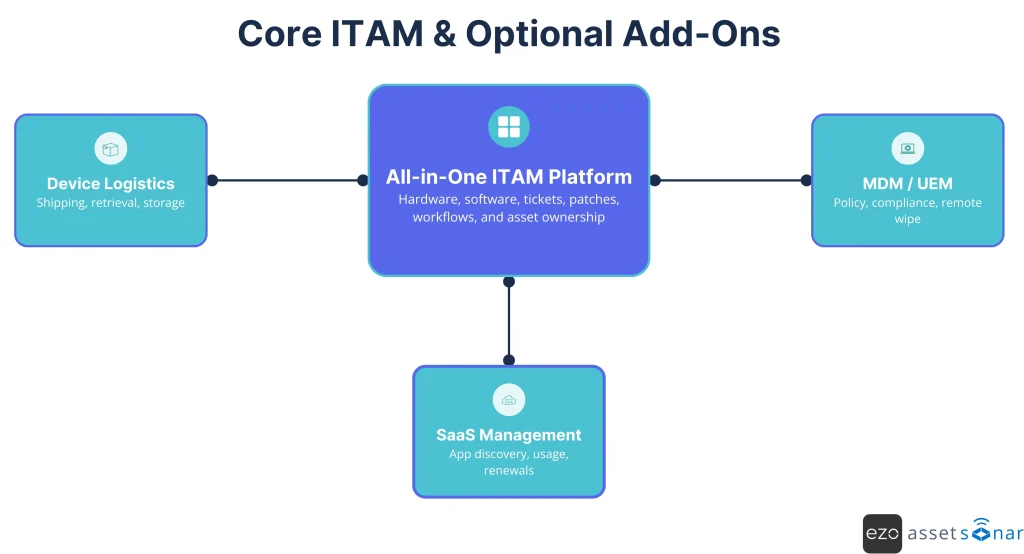
A strong all-in-one ITAM platform can address most needs across hardware, software, services, licenses, ownership, and lifecycle workflows. Add-ons are only necessary where ITAM software cannot realistically replace a specialist system.
- Device logistics and last-mile fulfillment
No ITAM tool can physically ship a preconfigured laptop to another country, collect it after termination, or inspect returned equipment. Device logistics platforms can help with procurement, deployment, retrieval, repairs, and global fulfillment.
The ITAM platform should still own the asset record, custody status, assigned user, return status, and lifecycle outcome.
- Mobile Device Management
For deep policy enforcement, many teams still use Microsoft Intune, Jamf, Kandji, or another MDM/UEM tool. ITAM and MDM should work together rather than replace each other.
ITAM owns the asset record, ownership, lifecycle, procurement, warranty, and service context. MDM owns device policies, compliance settings, encryption enforcement, wipe actions, and device restrictions.
- Dedicated SaaS management
If your organization has heavy SaaS sprawl, a specialist SaaS management platform may help with deeper app discovery, renewal workflows, and license reclamation.
For many teams, however, a strong software asset management module inside the core ITAM platform is enough to start identifying unused licenses, inactive users, duplicate tools, and avoidable renewal costs.
The practical model is simple: keep ITAM as the system of record, then connect specialist tools only where the workflow sits outside core asset management.
What metrics should you track once your ITAM tool is live?
Once your ITAM tool is live, track metrics that show whether distributed assets are visible, secure, recoverable, and financially controlled. A remote ITAM program fails when the record slowly drifts away from reality.
Start with these metrics:
- Devices not checked in for 14–30 days: Flags lost, inactive, or unreachable assets before the next audit.
- Remote endpoints missing recent patches: Shows security exposure by device, owner, location, or department.
- Offboarding recovery rate: Measures the percentage of laptops, monitors, and accessories returned, wiped, and closed out within the expected window.
- Inventory completeness: Tracks how often new devices appear without an owner, asset tag, location, procurement record, or warranty record.
- Unused software licenses: Shows reclaimable spend from inactive users, duplicate tools, and shelfware.
- Ticket-to-asset context time: Measures how quickly support teams can identify the assigned device, user, warranty, software context, and service history.
- Exceptions by location or team: Helps identify where equipment loss, delayed returns, missing check-ins, or inconsistent handoffs are concentrated.
- Recovered asset value: Shows finance and procurement how much spend is avoided through device returns, reuse, and reassignment.
The more of these metrics you can monitor in one place, the less likely your hybrid IT estate is to drift into asset chaos.
Which IT asset management tool should you choose?
Choose the IT asset management tool that gives your team the widest useful coverage while keeping the fewest systems. For distributed work, that usually means prioritizing consolidation unless a specialist tool solves a clear gap.
For most mid-market and enterprise teams, AssetSonar is the strongest all-in-one ITAM choice because it covers the day-to-day operational layer of hybrid ITAM: hardware tracking, software management, ITSM, patch management, workflow automation, custody, ownership transfer, and offboarding support.
Other tools still make sense in specific scenarios:
| Scenario | Best starting point |
| You want one ITAM platform for distributed hardware, software, tickets, patch context, ownership, and offboarding | AssetSonar |
| Endpoint monitoring, remote support, and patching are the top priorities | NinjaOne |
| Your service desk is the center of IT operations | Freshservice |
| You are a large enterprise that has already invested in ServiceNow | ServiceNow ITAM |
| Your first problem is incomplete discovery or inventory visibility | Lansweeper |
| You want ITAM close to the endpoint and security operations | Ivanti Neurons for ITAM |
| You need infrastructure discovery and dependency mapping | Device42 |
Before committing, run a practical pilot. Do not test only clean office devices. Pick a real group of remote employees and check whether the tool can discover devices, assign ownership, show patch and software context, support check-in/check-out, connect to tickets, and close the offboarding loop.
That is the real test of IT asset management for remote employees: not whether the dashboard looks complete, but whether the platform can keep asset records accurate when the assets are no longer in the building.