
Key takeaways:
- Executive ITAM reporting depends on traceable lifecycle, financial, software, ownership, and compliance data, not dashboard polish or isolated inventory accuracy.
- Board-ready ITAM reporting should give CFOs, CISOs, and CIOs different views of the same asset data, covering financial exposure, security and compliance risk, and lifecycle performance.
- AssetSonar, Freshservice, and InvGate suit mid-market teams; ManageEngine emphasizes dedicated lifecycle and financial ITAM without a broader enterprise suite.
- ServiceNow, Ivanti, and Oomnitza suit more complex environments where ecosystem breadth, governance, cross-system reconciliation, and administrative capacity matter.
- Flexera One stands out for its expertise in complex software licensing and cloud setups, while ServiceNow combines SAM and FinOps depth with broader enterprise workflows.
- Buyers should distinguish financial reporting from true budgeting and ITAM compliance evidence from organizational compliance, especially when capabilities require separate modules.
- Pilots should use real data to validate traceability, refresh accuracy, integrations, historical reporting, stakeholder access, and remaining manual reconciliation before selecting a solution.
IT teams can have accurate asset records and still struggle to answer basic leadership questions: What is driving IT spend? Which assets need replacing next? Where are the biggest licensing or compliance gaps?
The challenge is turning operational ITAM data into information CIOs, CFOs, and security leaders can actually use. That requires more than inventory visibility. Teams need executive reporting, budget dashboards, and compliance evidence built from reliable lifecycle, financial, software, and ownership data.
This guide compares eight ITAM platforms across those three areas, with particular attention to mid-market fit, pricing, and the operating effort required to keep reporting useful over time.
Comprehensive overview of ITAM tools for executive reporting, budget dashboards, and compliance
| Tool | Executive Reporting | Budget Dashboards | Compliance | Pricing | Mid-Market Fit | G2 Rating |
| AssetSonar | Configurable + scheduled reports | Financial reports and depreciation | SAM* + device compliance records | ITAM $0.75/asset/month, billed annually; Advanced SAM +$0.42 | Strong | 4.5/5 |
| ServiceNow IT Asset Management | Purpose-built dashboard* | Asset and cloud cost views* | SAM* + asset/audit evidence | Custom quote; scope depends on applications | Enterprise-led | 4.3/5 |
| Flexera One | Portfolio analytics | Cloud/SAM forecasting* | Advanced SAM/license position | Custom quote | Enterprise-led | 4.3/5 |
| Ivanti Neurons for ITAM | Role-based dashboards | Asset financials; Spend Intelligence* | Asset evidence + license-use signals | Custom quote; Spend Intelligence separate | Conditional | 4.3/5 |
| Freshservice | Asset/service analytics | Financial data and forecast inputs | SAM* + asset history | ITSM plan + Asset Units; Pro+ for PO/contracts/SAM | Strong | 4.6/5 |
| ManageEngine AssetExplorer | Custom + scheduled reports | Asset financials and TCO | Install-vs-license + audit history | Cloud from $955/year for 250 IT assets | Strong | 4.2/5 |
| InvGate Asset Management | Configurable dashboards | Cost-center budgets + depreciation | License + audit reporting | $1,499/year for 500 IP devices | Strong | 4.7/5 |
| Oomnitza | Configurable dashboards | Spend and refresh planning | Audit evidence | Custom quote | Conditional | 4.6/5 |
*Some capabilities require an additional product, module, or package tier. Financial reporting is not treated as native budgeting or forecasting unless specifically documented.
What ITAM should deliver across reporting, budgets, and compliance
For this comparison, the three outcomes are related but distinct.
Executive reporting turns ITAM data into management views that trace back to the underlying assets, licenses, contracts, or users.
Budget dashboards use financial data on assets and software to support planning. Cost, depreciation, and renewal data are financial inputs, but they should not be treated as native budget forecasting or budget-versus-actual functionality unless the product documents those workflows.
Compliance can include software license compliance, asset and audit evidence, and device and policy evidence. These capabilities are not interchangeable, and ITAM evidence does not establish organizational compliance on its own.
ITAM contributes governed asset context, while finance, identity, procurement, or governance systems may remain authoritative for their respective data.
How we selected these ITAM tools
We included platforms that could support all three areas central to this article: executive reporting, budget dashboards, and compliance.
Each product was reviewed against the same criteria:
- Quality and flexibility of management-level reporting
- Depth of financial and budget-related asset data
- Availability of records that can support compliance reviews
- Ability to keep reporting data current through discovery and integrations
- Fit for the organization sizes and operating models the product targets
- Pricing structure, required modules, and administration requirements
We verified capabilities primarily through official product pages and documentation. G2 ratings and user feedback were used as secondary signals for usability and implementation experience.
What to look for before choosing an ITAM platform
Once buyers confirm the required capabilities, they should test how well the platform works within their own reporting process. Important factors to consider include:
Data traceability: Trace important KPIs to the source record, source system, last refresh, and calculation logic.
Reporting repeatability: Test saved definitions, scheduled delivery, historical comparison, and the effort required to reproduce each reporting cycle.
Data ownership: Define the authoritative system for asset, finance, software, identity, and compliance-related fields.
Stakeholder access: Check role-based, read-only, auditor, and export permissions for sensitive reports.
Administration effort: Identify who will maintain integrations, reports, calculations, permissions, and data quality after rollout.
Total commercial scope: Compare pricing units, minimum commitments, required modules, implementation, integrations, and support.
8 ITAM tools for executive reporting, budget dashboards, and compliance: Detailed breakdown
1. AssetSonar
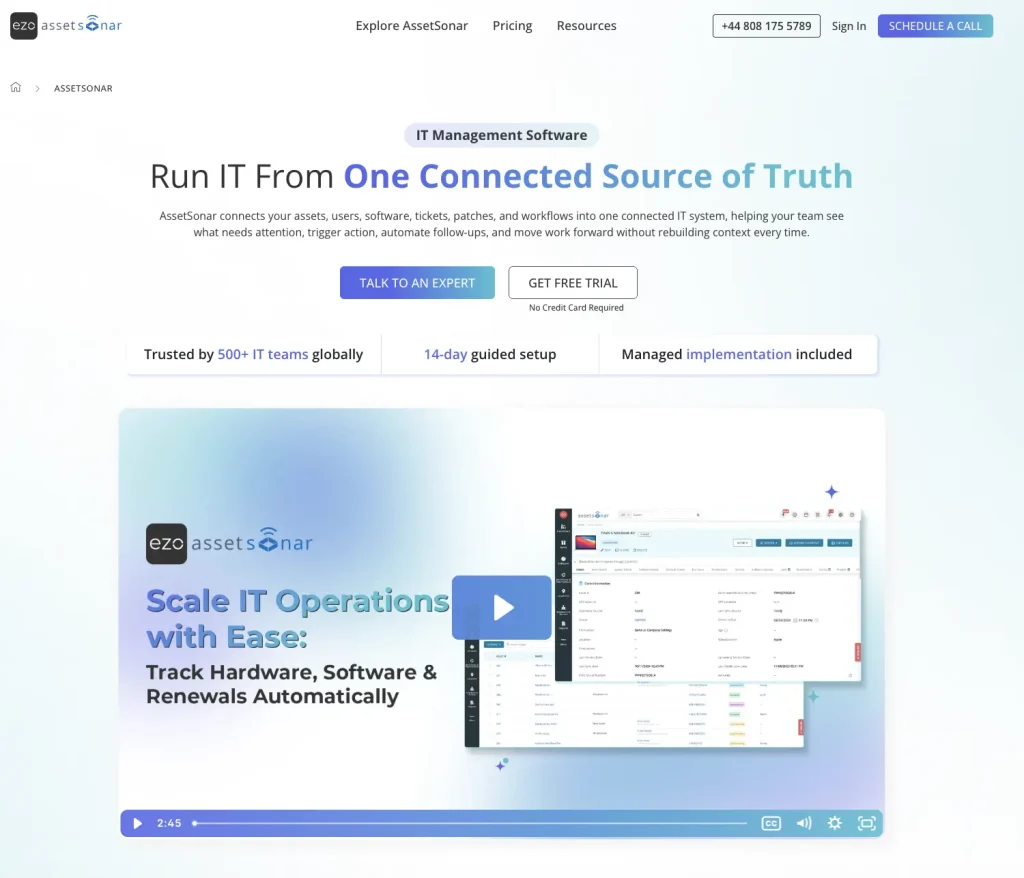
AssetSonar is an ITAM platform with native ITSM capabilities. It helps mid-market IT teams connect asset, license, financial, and service data. This enables faster decisions about spend, lifecycle management, and operational risk.
Best for: Mid-market IT teams that need connected ITAM reporting without adopting a large enterprise suite.
Executive reporting:
- Build Custom Reports across hardware and software data; ITSM ticket reporting requires the ITSM plan.
- Apply filters, calculations, and custom fields to focus reports on specific management needs.
- Export reports to CSV or PDF, or schedule them for recurring delivery.
- Convert report data into graphs and pin relevant visualizations to dashboards.
- View discovered software, versions, publishers, installations, authorized and unauthorized applications, license allocation, utilization, and compliance.
- Analyze software usage by application, device, or employee; identify unused licenses and installations; and track SaaS costs, renewals, and potential savings.
Budget visibility:
- Track asset depreciation using Straight Line and Declining Balance models.
- Filter depreciation reports by vendor, group, date, and other asset attributes.
- Surface software license costs, payments, renewal dates, and upcoming renewals.
- With Advanced SAM, use license usage and seat data to identify potential reclamation opportunities.
Evidence for compliance reviews:
- Reconcile software entitlements with detected installations to identify entitled, unentitled, and potentially noncompliant software use.
- Consolidate device ownership, configuration, and management data from tools such as Intune and Jamf to support device-policy and control-coverage reviews.
- Conduct scan-based asset audits to verify that recorded devices match what is physically present, assigned, and located across the organization.
- Use location and custody audit results, software entitlement records, and Item Trail histories to show which assets were verified, where custody or licensing discrepancies appeared, and what record changes followed. These records can support compliance reviews, but they do not prove compliance on their own.
- AssetSonar provides asset, software, custody, patch, workflow, and audit evidence that can support SOC 2, ISO 27001, HIPAA, NIST CSF, ISO 19770-1, SOX, and GDPR reviews. The platform supports evidence collection but does not make an organization compliant on its own.
A reporting workflow can begin with device data synchronized from an MDM. AssetSonar combines that information with lifecycle, financial, software, license, and service records. IT teams can then filter the required data, create a report, schedule or export it, and surface selected metrics on dashboards. This can reduce manual reconciliation when source integrations and record mappings are complete.
Limitation: Advanced SAM is required for license optimization and compliance monitoring, while ITSM ticket reporting requires the ITSM plan. Complex enterprise requirements may still favor broader suites.
User feedback: AssetSonar has a 4.5/5 G2 rating. Reviewers value its ease of use and centralized asset management, while some mention room for improvement in reporting flexibility and advanced configuration.
2. ServiceNow IT Asset Management
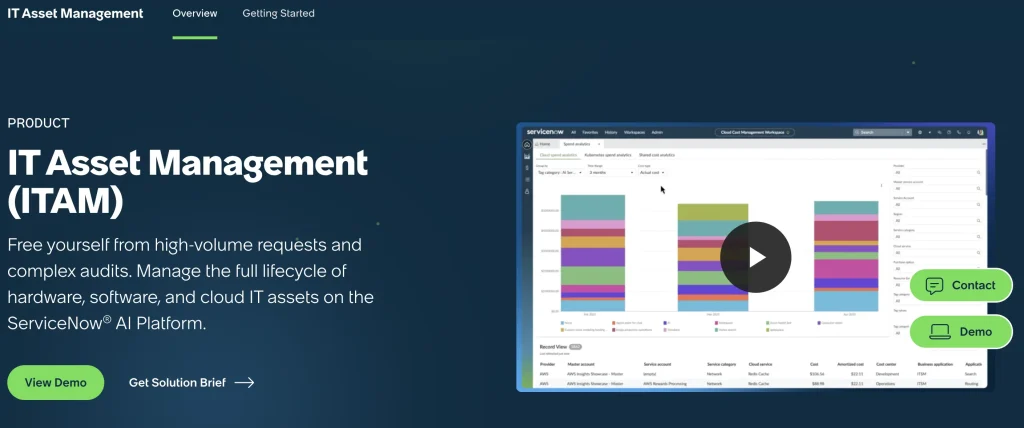
ServiceNow IT Asset Management is designed for organizations that need asset reporting across a large technology estate. It is particularly relevant for enterprises already using ServiceNow for service management, procurement, software management, or cloud operations.
Best for: Large enterprises with established ServiceNow operations and complex technology estates.
Executive reporting:
- The Asset Management Executive Dashboard consolidates KPIs from activated HAM, SAM, and Cloud Cost Management applications; available widgets depend on installed modules.
- Track total spend, realized and potential savings, fulfillment time, and lifecycle status.
- Monitor asset-health indicators from a consolidated leadership view.
- Dashboard aggregate data is refreshed daily through a scheduled job.
Budget visibility:
- Analyze asset costs alongside contracts and software licensing exposure.
- Surface potential software reclamation savings and true-up costs.
- Track cloud costs and forecast future spend.
- Identify over-licensed software positions that can affect upcoming budgets.
Compliance and audit readiness:
- Connect hardware, software-license, contract, procurement, and audit records.
- Support evidence collection through structured workflows.
- Track non-compliant products and publishers through SAM reporting.
- Use licensing and asset history to support audit preparation.
Limitation: Dashboard breadth depends on the activated HAM, SAM, and Cloud Cost Management applications, and the wider platform can require substantial implementation and administration.
User feedback: ServiceNow IT Asset Management has a 4.3/5 G2 rating. Reviewers often value its breadth and configurability, while setup complexity and cost remain recurring concerns.
3. Flexera One
Flexera One is strongest for organizations where software licensing, SaaS, cloud costs, and publisher compliance represent major financial or governance concerns. Its reporting is geared toward technology-spend optimization and complex software estates.
Best for: Enterprises with complex publisher licensing, hybrid-cloud costs, and mature SAM or FinOps programs.
Executive reporting:
- Combine hardware, software, SaaS, and cloud information for portfolio-level analysis.
- Report on technology usage, spend, risk, and optimization opportunities.
- Give IT, procurement, and finance different views of the same technology estate.
- Surface software and cloud trends that can inform executive decisions.
Budget visibility:
- Break down cloud and license spend by product, licensing model, or cost center.
- Cloud License Management can forecast cloud spend using historical cost data.
- Cloud License Management also supports showback, chargeback, Power BI integration, and API access.
Compliance and audit readiness:
- Reconcile software entitlements with usage and applicable product use rights.
- Establish license positions for major software publishers.
- Surface licensing exposure before vendor audits.
- Provide data for renewal negotiations and software-audit preparation.
Limitation: Cloud forecasting, showback, chargeback, and related analytics depend on the relevant Flexera components, which can add package and implementation complexity.
User feedback: Flexera One has a 4.4/5 G2 rating. Reviewers frequently highlight its depth in SAM and spend management, while setup and integration complexity are common drawbacks.
4. Ivanti Neurons
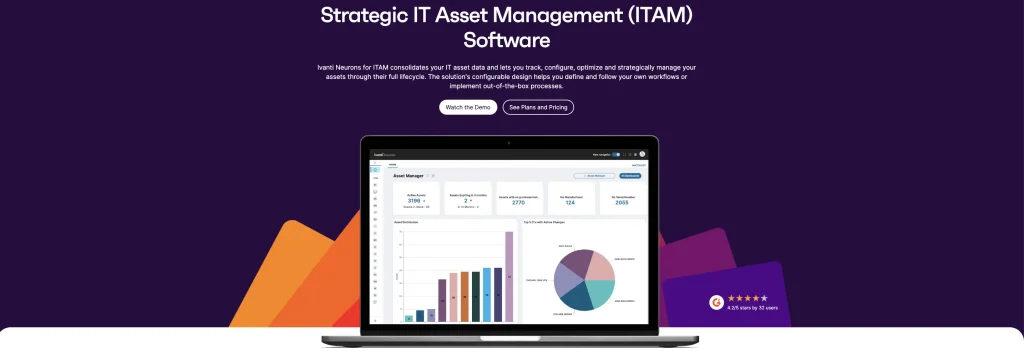
Ivanti Neurons for ITAM combines asset financials with procurement, contracts, lifecycle data, and the broader Ivanti ecosystem. This makes it particularly relevant for organizations already using Ivanti for endpoint or service-management functions.
Best for: Mid-sized to enterprise organizations already invested in Ivanti service or endpoint management.
Executive reporting:
- Use role-based dashboards for lifecycle activity, contracts, procurement, stock, vendors, and software.
- Monitor asset exceptions alongside operational information.
- View total asset costs by year, asset type, and quarter through Asset Financials.
- Build different dashboard views around financial, lifecycle, or operational priorities.
Budget visibility:
- Track purchase orders by vendor and status.
- Connect financial information with asset lifecycle records.
- For ITAM Cloud, separately licensed Spend Intelligence can synchronize contract and entitlement data for deeper software spend analysis.
- Use software-spend data to support cost and renewal analysis.
Compliance and audit readiness:
- Flag assets with missing ownership or incomplete disposal information.
- Identify lost or stolen devices through asset-exception views.
- Surface licensed software that has remained unused for defined periods.
- Use exception and software records to support asset and license reviews.
Limitation: A deeper software spend analysis may require the separately licensed Spend Intelligence capability. Its documented ITAM integration applies to ITAM Cloud, not ITAM On-Premises.
User feedback: Ivanti Neurons for ITAM has a 4.3/5 G2 rating. Users generally respond positively to its asset-management capabilities, although configuration effort and reliance on additional Ivanti products can add complexity.
5. Freshservice
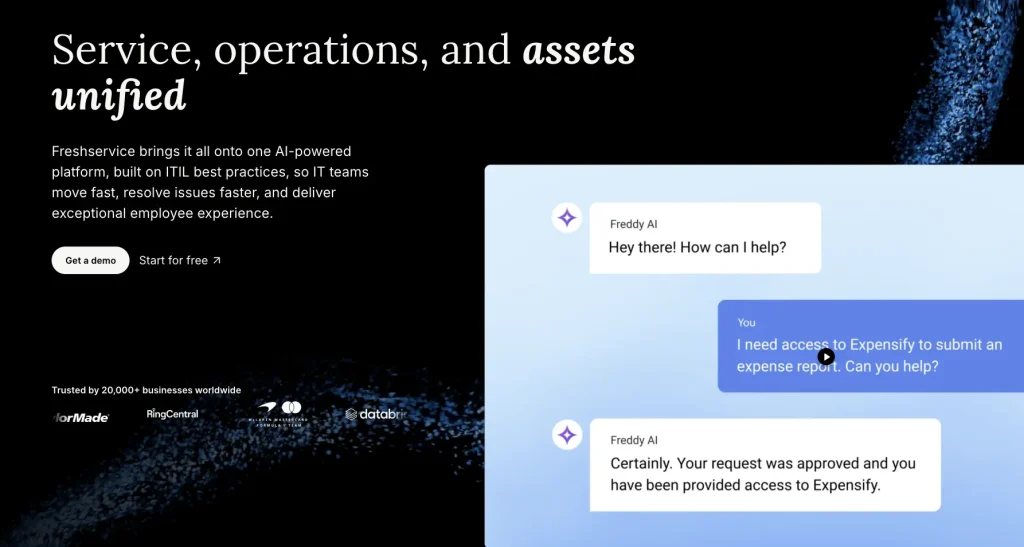
Freshservice embeds ITAM within a broader ITSM platform. It is a practical choice for organizations that want asset, procurement, contract, financial, and service data available within the same operating environment.
Best for: Mid-market IT teams that want ITAM and financial visibility within an ITSM-led operating model.
Executive reporting:
- Use dashboards and analytics across asset and service-management data.
- Surface asset-management metrics for leadership reporting.
- Use CMDB relationships to add asset context; advanced application and business service mapping requires Enterprise ITAM.
- Connect asset information with broader IT service activity.
Budget visibility:
- Track asset value and expenses through Financial Management.
- Use asset value and expense data to inform allocation and budget forecasts.
- ITAM Pro and Enterprise add Purchase Order Management for item-level costs, taxes, and totals.
- Track depreciation, book value, contract costs, renewals, and vendor commitments.
Compliance and audit readiness:
- Use automated discovery to maintain a more current asset inventory.
- Preserve asset change history for review and investigation.
- ITAM Pro and Enterprise add software asset management and software license compliance capabilities.
- Maintain contract and hardware lifecycle records that can support governance reviews.
Limitation: Freshservice is primarily ITSM-led. Organizations seeking an ITAM-first operating model may prefer a platform built primarily for asset management.
User feedback: Freshservice has a 4.6/5 G2 rating. Reviewers commonly praise its usability and service-management experience, while some want greater flexibility and customization in reporting.
6. ManageEngine AssetExplorer

ManageEngine AssetExplorer is a dedicated ITAM platform with reporting across the asset lifecycle, procurement, financials, and software licensing. Its scope suits teams that want structured asset management without adopting a broader enterprise platform.
Best for: Mid-market teams that prioritize structured IT asset lifecycle management and cost tracking.
Executive reporting:
- Use predefined reports for common asset-management requirements.
- Build custom reports for organization-specific fields and metrics.
- Create query-based reports for more detailed analysis.
- Schedule recurring reports for delivery to stakeholders.
Budget visibility:
- Track purchase orders and associate costs with cost centers.
- Calculate depreciation across managed assets.
- Record purchase, operational, component, and disposal costs.
- Track current book value and total cost of ownership.
Compliance and audit readiness:
- Compare purchased licenses against software installations.
- Identify unused or underutilized licenses.
- Maintain historical asset records for audit review.
- Manage contracts and license agreements alongside asset information.
Limitation: Its analytics are geared more toward operational ITAM than dedicated executive presentation workflows.
User feedback: ManageEngine AssetExplorer has a 4.2/5 G2 rating. Reviewers generally value its asset management functionality, although some note reporting limitations or occasional issues.
7. InvGate Asset Management
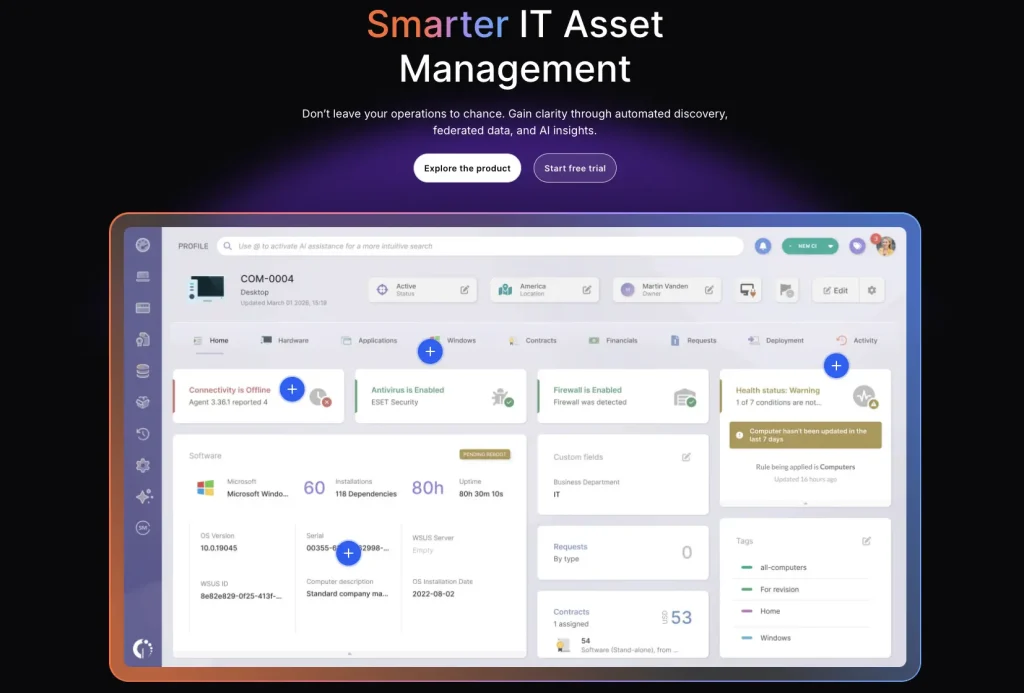
InvGate Asset Management combines lifecycle data, asset financials, compliance information, and configurable dashboards. It gives mid-market IT teams flexibility to create management views without moving to a larger enterprise ITAM suite.
Best for: Mid-market IT teams that want configurable financial and compliance dashboards without an enterprise ITAM stack.
Executive reporting:
- Build custom dashboards using different visualizations.
- Filter reporting by properties such as owner, location, and tags.
- Create lifecycle and hardware-refresh views for management.
- Combine warranty, purchase, end-of-life, battery-health, and depreciation information in dashboard views.
Budget visibility:
- Track financial information and depreciation at the asset level.
- Allocate budgets using cost centers.
- Report on asset costs and annual depreciation.
- Add software usage, license, contract, and renewal cost data to the financial analysis.
Compliance and audit readiness:
- Report on software-license compliance.
- Track inventory audits and lifecycle controls.
- Include contract information in governance reporting.
- Customize, export, or schedule reports for stakeholders and auditors.
Limitation: Executive dashboards generally need to be configured around the organization’s own metrics rather than relying on a predefined board view.
User feedback: InvGate Asset Management has a 4.7/5 G2 rating. User sentiment is generally positive regarding its IT asset management capabilities.
8. Oomnitza

Oomnitza is designed for organizations that have asset data distributed across multiple systems. It reconciles that information so teams can use a more consistent dataset for governance, spending analysis, lifecycle planning, and executive reporting.
Best for: Mid-to-enterprise organizations with asset data distributed across multiple systems and workflows.
Executive reporting:
- Build configurable dashboards from reconciled asset records.
- Create stakeholder-specific views for different leadership audiences.
- Use the same reconciled dataset for budget reviews, audits, and leadership reporting.
- Connect information from multiple technology systems before reporting on it.
Budget visibility:
- Analyze procurement, ownership, usage, and lifecycle data together.
- Identify redundant technology spend.
- Surface reclaimable software opportunities.
- Use lifecycle information to support refresh and renewal planning.
Compliance and audit readiness:
- Generate exportable audit evidence from governed asset records.
- Maintain chain-of-custody information.
- Use reconciled data to support governance reviews.
- Preserve asset context needed for audit-readiness workflows.
Limitation: Oomnitza’s flexibility can require additional configuration, particularly for teams building custom workflows and integrations.
User feedback: Oomnitza has a 4.6/5 G2 rating. Reviewers often value its customization and automation capabilities, while interface and configuration complexity remain common concerns.
ITAM insights every board-ready report should include
Board-ready ITAM reporting should turn operational asset data into metrics leadership can use for financial, risk, compliance, and lifecycle decisions. The exact mix will vary by organization, but these metrics provide a practical starting point.
CFO-facing AssetSonar metrics:
- Hardware Asset Value: Track asset purchase cost, current value, and depreciation details across asset categories, locations, and departments.
- Asset Cost by Category/Vendor: Analyze hardware spending across device types, manufacturers, and suppliers.
- Software License Spend: Track software costs, license quantities, and spend information associated with software records.
- Upcoming Renewal Costs: Monitor software and contract renewal dates with associated cost information.
- Unused License Seats: Identify purchased licenses that are not assigned or actively used.
- Potential License Savings: Surface optimization opportunities by identifying unused or reclaimable software seats.
- License Utilization: Compare purchased seats, assigned users, and available license capacity.
CISO-facing AssetSonar metrics:
- Managed Asset Coverage: Track discovered devices compared with assets recorded in AssetSonar.
- Asset Record Completeness: Measure availability of key asset details such as owner, location, warranty, and lifecycle information.
- Device Compliance Status: Review device attributes such as encryption, antivirus status, jailbreak status, and management state (where available through integrations).
- Software Installation Visibility: Track installed applications across managed devices.
- Software Entitlement Gaps: Identify software installations that do not align with recorded license entitlements.
- Asset Ownership Gaps: Identify devices without assigned users, custodians, or locations.
- Discovery Source Coverage: Track assets discovered through connected sources such as endpoint agents, MDM, browser extensions, and network discovery tools.
- Patch Status Visibility: Review patch information collected from managed devices and connected sources.
CIO-facing AssetSonar metrics:
- Asset Lifecycle Distribution: Track assets by lifecycle stage, such as active, in repair, retired, or disposed.
- Asset Age Distribution: Monitor asset age by category, location, department, or manufacturer.
- End-of-Life Asset Count: Identify assets approaching replacement or retirement milestones.
- Hardware Utilization: Track assigned, available, and unassigned assets.
- Software Utilization: Identify installed, assigned, unused, or underused software licenses.
- Asset Assignment Accuracy: Track whether devices are linked to the correct users, departments, or locations.
- Asset Location Accuracy: Monitor whether asset records contain verified location information.
- Asset-Linked Ticket Volume: Analyze support activity tied to specific assets in AssetSonar ITSM.
- Warranty Coverage Status: Track active warranties and upcoming expirations.
- Asset Audit Discrepancies: Identify mismatches between discovered data and recorded asset information.
Which ITAM tool fits your environment?
The right tool depends on the organization’s scale, existing stack, and the area that matters most.
| If this matters most | Shortlist | Use this to break the tie |
| Connected mid-market ITAM and service context | AssetSonar, Freshservice, InvGate | ITAM-led vs. ITSM-led model and dashboard flexibility |
| Enterprise platform and governance depth | ServiceNow, Ivanti, Oomnitza | Existing ecosystem, administration capacity, and cross-system reconciliation |
| Software and cloud economics | Flexera One, ServiceNow | SAM/FinOps depth vs. wider enterprise workflow integration |
| License compliance depth | Flexera One, ServiceNow, AssetSonar with Advanced SAM | Publisher complexity and required module scope |
| Dedicated lifecycle and financial ITAM | ManageEngine, AssetSonar, InvGate | Financial depth, reporting model, and commercial structure |
Mid-market buyers should pay particular attention to implementation and administration effort. Enterprise buyers may place more weight on ecosystem breadth and governance depth.
How to pilot finalists before implementation
A pilot should test whether the platform can support a real reporting cycle using your own data.
Start with one use case from each priority area, such as a leadership dashboard, a budget review, or a compliance evidence request. Then:
- Load representative records. Include assets, users, software, entitlements, contracts, costs, cost centers, and lifecycle states.
- Connect the required source systems. Record refresh cadence and verify how failed or stale connections are surfaced.
- Build the selected views. Test dashboards, scheduled delivery, exports, and stakeholder permissions.
- Validate the numbers. Trace key figures back to source records and confirm formulas, filters, and assumptions.
- Change representative records. Confirm that lifecycle, ownership, financial, and software changes appear correctly and within an acceptable delay.
- Run the cycle again. Compare historical output and measure how much reconciliation and manual preparation remain.
Before selecting a vendor, also validate the full commercial proposal. Confirm required modules, pricing units, implementation costs, integrations, support, and ongoing administration.
Common mistakes when evaluating ITAM reporting platforms
Treating financial data as a complete budgeting workflow: Cost, depreciation, contracts, and renewals are useful budget inputs, but they do not automatically mean the platform supports budget-versus-actual planning, scenario modeling, or native forecasting.
Assuming demoed capabilities are included in the base package: Confirm which modules or tiers provide the dashboard, SAM, cloud-cost, procurement, or compliance capabilities demonstrated during evaluation.
Comparing review scores without context: G2 rating should support user-sentiment analysis, not determine vendor ranking. Review volume and recurring themes matter more than small differences in average score.
Choosing an ITAM tool for executive reporting, budget dashboards, and compliance
Choose based on the depth you need across executive reporting, financial planning, and compliance evidence. First, verify whether each required capability is native or provided by another module. Then compare the complete commercial scope and test the workflow with real data. AssetSonar is a practical mid-market option for teams that want ITAM-led reporting with connected asset, software, financial, and service context, while larger or more specialized environments may favor enterprise or SAM-focused platforms.