





Live webinar · Nov 19, 1 PM EST: SolarWinds, PHP, and the Software Security Wake-Up Call

Okta Integration with AssetSonar

Native

Identity Management

Keep AssetSonar Members in Sync With Okta

AssetSonar integrates with Okta for sign-on, provisioning, and assigned apps to keep member details and custody accurate.

No Credit Card Required

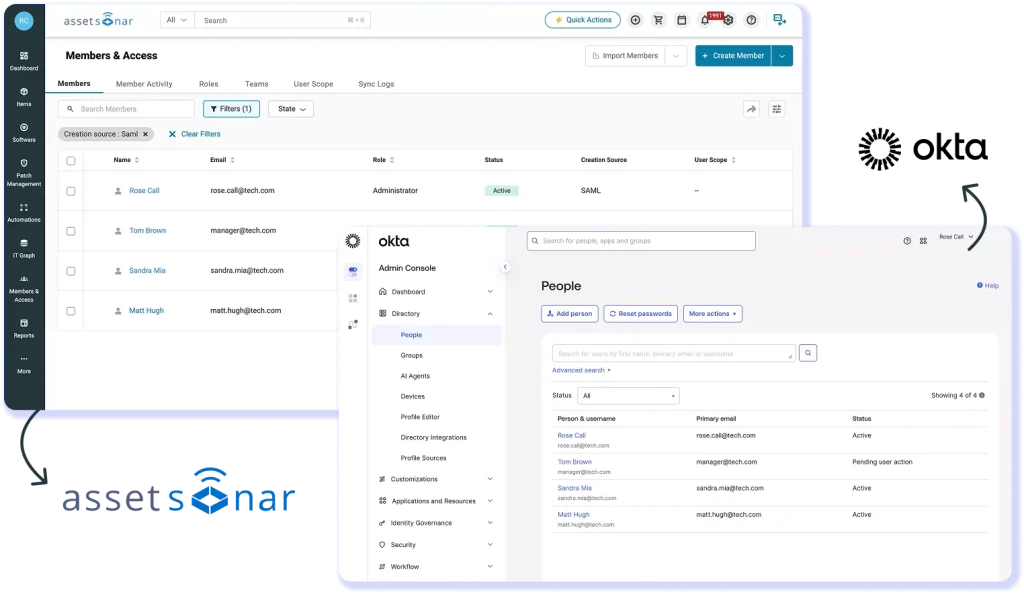
AssetSonar Members list showing people provisioned from Okta with the assets checked out to them

From Your Okta Directory to Your AssetSonar Records

Okta manages sign-in, user accounts, and app assignments. AssetSonar uses it for SAML 2.0 single sign-on, receives member records over SCIM, and imports assigned apps as software records, so custody follows the directory.

Cut Manual Entry for New Members

When IT creates member records by hand, each new hire adds data entry. With SCIM, Okta creates the member in AssetSonar on assignment, with a role IT set up in advance.

See What Departing Staff Still Hold

When the member list goes stale, devices and licenses stay checked out to people who left. With members tied to Okta, IT can see what each person holds and start recovery.

Track Okta Apps Beside Hardware

When app assignments live only in Okta, IT has to compare separate software records. AssetSonar imports assigned apps, putting people, software, and hardware in one view.

How Okta Identity Data Flows Into AssetSonar

SAML 2.0 SINGLE SIGN-ON

Sign In to AssetSonar Through Okta SSO

AssetSonar is added to Okta as a SAML 2.0 application, so Okta handles single sign-on. Admins enter Okta’s Identity Provider URL and certificate and map first_name, last_name, and email. When someone without an existing member record first signs in through Okta SAML, AssetSonar creates a Staff User record automatically and also provides a default role setting.
AssetSonar SAML settings showing the Okta Identity Provider URL, certificate, and attribute mappings
AssetSonar SCIM provisioning settings showing the SCIM Connector Base URL and Connector Key fields

SCIM USER PROVISIONING

Keep Member Records Current From Okta

Assets are checked out to members, so custody is only as accurate as the member list. AssetSonar provides a SCIM Connector Base URL and Connector Key for the AssetSonar app in Okta. Once provisioning is on, Okta creates members, updates attributes, and deprovisions them when unassigned. IT can then recover the devices and licenses each departing person held.

CLOUD SOFTWARE DATA

Track Okta-Assigned Apps as Software

Okta knows which apps each person is assigned, but the asset inventory rarely does, so license counts stay estimates. Admins connect the Okta Cloud Software Integration with an Okta API token and subdomain. AssetSonar then imports each assigned app as a software record with its users attached, so IT can review software, people, and hardware together.
Software records in AssetSonar imported from Okta, each listed with the users assigned to the app

Trusted by High-Performing Teams

Connect Okta Members to Your Asset Records

Set Up Okta Single Sign-On in AssetSonar

Requirements

Setup in simple steps

Other Integrations in Identity Management

Integrate Azure AD with AssetSonar to unify SSO, SCIM provisioning & identity governance.
Connect OneLogin to AssetSonar to automate onboarding, offboarding & access compliance.
Sync user data from Google Workspace to AssetSonar to streamline access & ITAM reporting.
Integrate Ping Identity with AssetSonar for MFA, SSO & centralized access governance.

Read More on Okta Integration

Frequently Asked Questions

The AssetSonar Okta integration moves data through three separate flows. At sign-in, the SAML 2.0 assertion carries a person’s first name, last name, and email, which AssetSonar uses to sign them in or add them as a Staff User. Over SCIM, Okta creates members in AssetSonar and keeps their profile attributes current. Through the cloud software integration, Okta-assigned applications arrive as software records with their users attached. Each flow is configured separately.

The integration is one-way, from Okta into AssetSonar. Okta remains the system of record for identity and access, so changes to people, attributes, and app assignments are made in Okta and then reach AssetSonar. None of the three flows on this page writes member or asset data back to Okta. AssetSonar builds the asset, license, and lifecycle record on top of what Okta reports. Okta governs who someone is and which apps they can open, and AssetSonar tracks the devices and licenses they hold.

It depends on the flow. Single sign-on applies at the moment someone signs in through Okta, so the SAML 2.0 assertion AssetSonar receives reflects that person’s Okta details at sign-in. Okta pushes SCIM provisioning changes as they happen for the actions enabled under “To App”, rather than on a schedule AssetSonar polls. The cloud software flow imports applications assigned in Okta into AssetSonar as software records.

Each flow uses its own credentials. For single sign-on, you need Okta administrator access to add the AssetSonar app, plus the Identity Provider URL and certificate. For SCIM, enable User Provisioning via SCIM under Settings > Add-ons to get a SCIM Connector Base URL and Connector Key. In Okta, select “Enable API integration”, paste them into the Base URL and API Token fields, and pick the actions under To App. For cloud software data, an Okta admin creates an API token under Security > API.

Single sign-on, user provisioning, and role-based access management are under User Management in the published plan and are included with both AssetSonar ITAM and ITSM. The Okta cloud software integration needs the Advanced SAM add-on. AssetSonar is priced per asset rather than per user, so adding Okta users adds no AssetSonar per-user fees. For current rates, see the AssetSonar pricing page or schedule a call.

For single sign-on, AssetSonar matches members by email address. If the email sent by Okta matches an existing member’s email, AssetSonar signs that member in. If it doesn’t match, AssetSonar creates a new Staff User record. Different email addresses for the same person across the two systems can therefore produce a duplicate record. To avoid duplicates, make sure the email Okta sends for SAML sign-in matches the person’s existing member email in AssetSonar before their first login.

When you add AssetSonar from the Okta marketplace, Okta asks for your AssetSonar subdomain, which the assertion consumer service URL is built from in the form https://yoursubdomain.assetsonar.com/users/auth/saml/callback. The Identity Provider URL and certificate sit under View Setup Instructions on the app’s Sign On tab. In AssetSonar’s SAML settings, enter both, map first_name, last_name, and email, and set a Clock Drift value in seconds. A default role for first-time sign-ins is optional.

When someone is unassigned in Okta, Okta deprovisions their AssetSonar member over SCIM. Because devices and licenses are checked out to members, IT should start offboarding in AssetSonar before or alongside that change. The offboarding ticket lists what the person holds and assigns recovery and license tasks to IT. A deprovisioned user no longer appears in the Member logs.

Yes, if the roles and Teams exist first. In AssetSonar’s SCIM settings, select Import Users to Custom Roles, and Users are provisioned to the matching custom role that already exists in AssetSonar. Users whose role has no match go to the default role you choose, so pick a least-privileged role rather than Administrator. If a user’s Team is not defined in AssetSonar, that user is not provisioned, and an email lists who was skipped. Create roles and Teams in AssetSonar before provisioning.

Yes. Okta can tell AssetSonar which applications your people have been assigned, though an assignment does not show whether someone uses the app. An admin turns on the Okta Cloud Software Integration under Settings > Integrations > Cloud Software, then enters an Okta API token and the Okta subdomain. AssetSonar lists those applications as software records, with the assigned users attached. The SAM owner can review them next to laptops and other hardware for license and renewal reviews.

Yes, where your Okta policies require it. When people sign in through Okta SSO, Okta applies the sign-on policies your team has set, including multi-factor authentication, before the SAML 2.0 assertion reaches AssetSonar. That control belongs to Okta rather than to AssetSonar. Separately, AssetSonar offers its own two-step authentication for accounts that sign in directly instead of through an identity provider, so users outside single sign-on can still be asked for a second step at login.

Device records come from the tools that see the hardware: an MDM such as Jamf Pro or Microsoft Intune, the AssetSonar ITAM Agent, or network discovery. Okta supplies the member records those devices are checked out to, kept current as people change in the directory. Jamf Pro and Microsoft Intune are separate integrations that bring in device records, while Okta brings in people. IT then checks devices out to those members, so AssetSonar shows each device and its current holder.

Connect Your Okta Directory to AssetSonar

Bring Okta sign-in, member lifecycle, and assigned apps into AssetSonar so IT can see who holds which asset.