





Live webinar · Oct 21, 2 PM EST: How to Reduce Software License Waste Before Your Next Renewal

Zendesk integration with AssetSonar

Native

Service Desk

Find the Right Asset in your Zendesk Ticket

With AssetSonar’s Zendesk integration, see a requester’s devices, checkouts, and service history directly in the Zendesk ticket you’re already working on.

No Credit Card Required

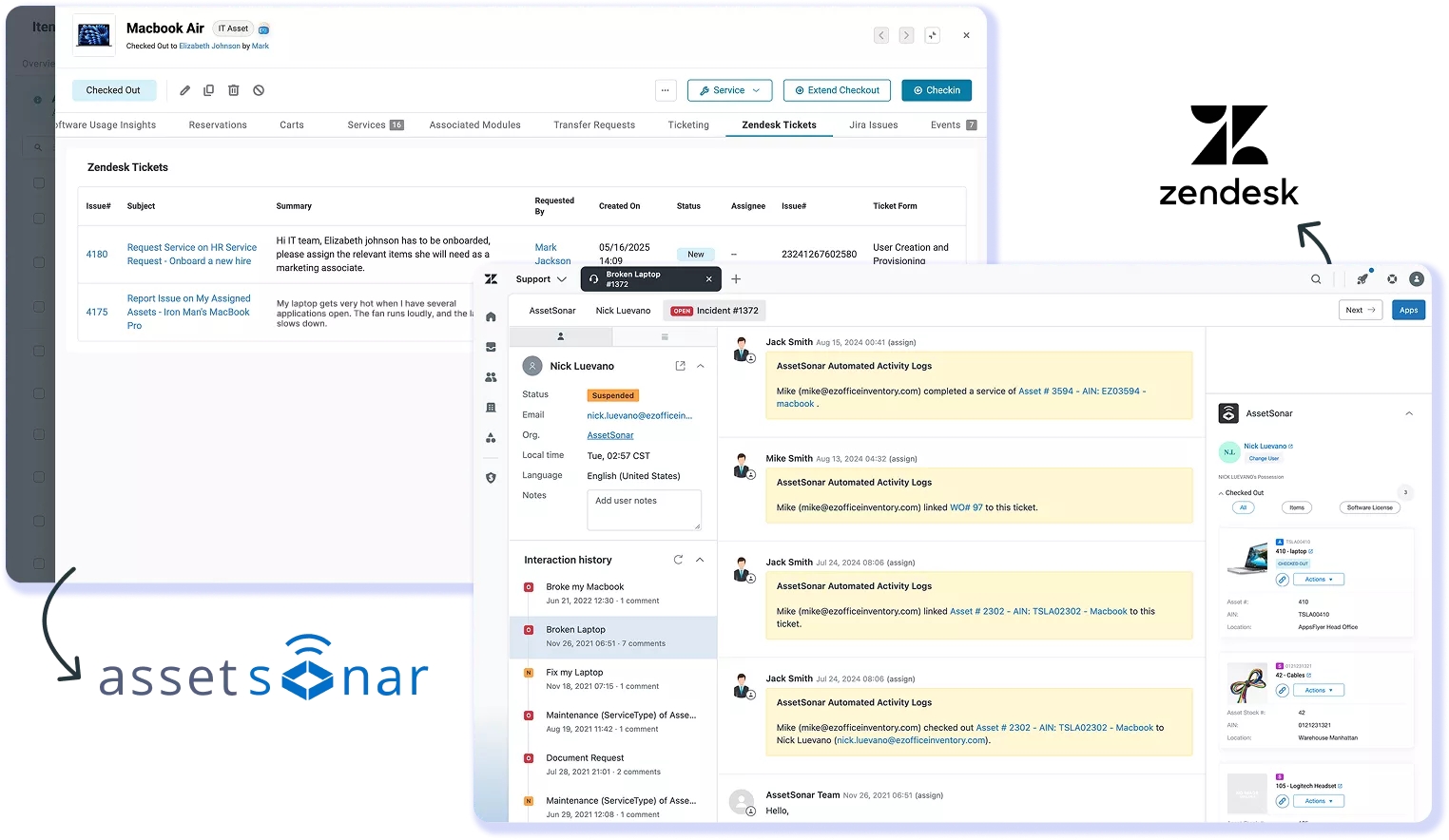
AssetSonar Zendesk Tickets tab beside a Zendesk ticket with linked items and activity logs.

Connect Zendesk Support With Your Asset Record

Zendesk Support manages customer and employee tickets. AssetSonar shows requesters’ checked-out assets in the agent workspace and lets agents link items to tickets. With Auto-sync on, resolved tickets update in AssetSonar.

Answer Without Leaving the Ticket

See checked-out devices, their details, and service history inside the Zendesk ticket. Agents can identify and link the relevant asset from the described issue without a separate lookup.

Turn Service Events Into Tickets

Configure ServiceDesk Alerts to create Zendesk tickets when selected asset service events occur. In Zendesk, set the ticket’s assignee and priority before submitting it.

Help Employees Find Their Assets

Show checked-out assets in configured Zendesk Help Center request forms. Employees can select the relevant asset in the Assets field when reporting an equipment issue.

See How AssetSonar Connects Assets and Tickets

AGENT WORKSPACE CONTEXT

Show Asset Details in a Zendesk Ticket

AssetSonar shows a requester profile, checkouts, linked purchase orders, upcoming reservations, and assets linked to the Zendesk ticket. Agents can search by name, item number, or AIN and link the right asset. When Activity Logs are enabled, linking an item appears as an internal note. With Auto-sync, the resolved ticket updates in AssetSonar.
Zendesk ticket showing AssetSonar activity logs and the Zendesk search overlay.
AssetSonar ServiceDesk Alerts settings listing service events available for alerts.

AUTOMATED TICKET CREATION

Raise Zendesk Tickets From Asset Events

ServiceDesk Alerts create Zendesk tickets for selected events: service started on an asset, service completion due, recurring service pending, or service pending in a set number of days. You can set an assignee and priority before submitting the ticket. Teams can send multiple items for servicing through a mass action in AssetSonar and create a Zendesk ticket.

EMPLOYEE SELF-SERVICE

Let Employees See What They’re Assigned

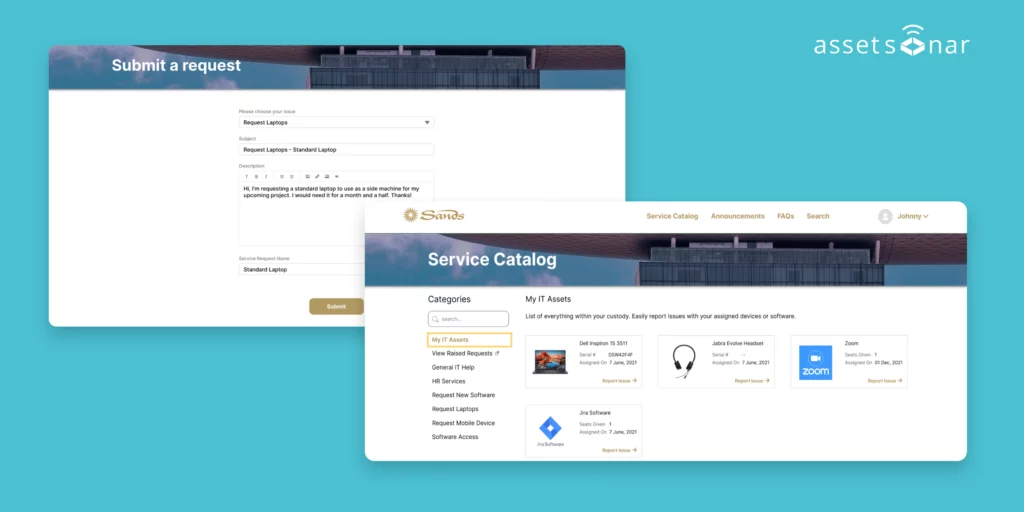
Employees see checked-out assets in configured Help Center request forms. With Checkout to Location enabled, assets appear under “Assigned to me” and “Assigned to my location”. A configured AssetSonar Service Catalog can appear in the Help Center, where employees can browse and request service items from the Service Catalog button.
employee-self-service

Trusted by High-Performing Teams

Give Your Zendesk Agents the Required Asset Record

Set Up the Integration in Five Steps

Requirements

Setup in simple steps

Related Integrations for Service Desk Management

Integrate Jira with AssetSonar to sync asset data & reduce downtime through linked tickets.
Use Okta with AssetSonar to sync users, automate provisioning & strengthen ITAM compliance.
Integrate Azure AD with AssetSonar to unify SSO, SCIM provisioning & identity governance.
Sync Android, iOS & Windows devices with AssetSonar for real-time visibility and compliance.
Read More on Zendesk Integration

Frequently Asked Questions

The Zendesk integration is included with AssetSonar ITAM. Zendesk remains the ticketing workspace, while AssetSonar maintains IT asset records and shows requester asset context to agents. Teams can also configure AssetSonar’s Zendesk Service Catalog through the ITAM integration and embed it in Zendesk Help Center. Employees can browse service items and submit requests there, with relevant assets and service items linked to Zendesk ticket fields when configured.

Auto-sync updates AssetSonar when a Zendesk ticket is resolved. AssetSonar documents this behavior in the Zendesk setup and recommends enabling Auto-sync when configuring the two apps. Other integration flows work separately: AssetSonar can surface requester and asset context in Zendesk, link items to tickets, and create Zendesk tickets from selected service events.

Yes. AssetSonar includes a Zendesk Ticket Reports view under Reports, which lists every item in your account linked to a Zendesk ticket, along with details such as requester, assigned agent, ticket status, and expected versus actual service end dates. Teams can also build custom reports that combine Zendesk ticket data with item, asset, or asset stock fields. Reports cover linked items only, so agents should link the relevant asset when working a ticket to keep reporting complete.

You need an AssetSonar ITAM account and a Zendesk account on Suite Team or a higher plan for the AssetSonar app to appear in the agent workspace. A Zendesk Admin must configure the connection. Setup also requires the AssetSonar subdomain, API token, and Account Owner email. Requesters must exist in both systems with the same email address so AssetSonar can associate them with the correct asset context. Auto-sync should also be enabled when the integration is configured between both apps.

AssetSonar and Zendesk users are matched by email address. A requester needs a corresponding user record in both systems with the same email so the integration can associate the right person with the right asset context. Keeping those records aligned helps the app surface the requester’s checkouts and related asset information when an agent opens a ticket. Consistent email records therefore help teams prepare the integration for use across Zendesk service workflows and requester interactions.

ServiceDesk Alerts for Zendesk are configured in AssetSonar. The Account Owner selects which asset service events should prompt ticket generation, including service started, service completion due, recurring service pending, and service pending within a selected number of days. When a configured event occurs, AssetSonar creates the corresponding Zendesk ticket. You can then set an assignee and priority in Zendesk before submitting the ticket for follow-up and tracking by the service team.

Agents can search for an item from the AssetSonar app inside Zendesk using its name, item number, or AIN, then link the relevant item to the ticket. Agents can filter search results to narrow down the correct equipment. Once linked, the item appears with the ticket context alongside the requester’s available AssetSonar information. This lets agents associate the request with the asset involved while staying in the Zendesk agent workspace instead of switching tools.

AssetSonar matches users across Zendesk and AssetSonar by email address. The requester must exist in both systems with the same email address for the integration to associate that person with the correct asset context. Keeping user records aligned across both platforms therefore helps ensure the right asset context appears when agents handle requests.

IT Asset Management for Your Zendesk Agents

Pair Zendesk’s ticket workflow with AssetSonar’s IT asset records so agents can identify the right devices and speed up IT issue resolution.