Introduction
Axonius is often evaluated by teams that need a clearer, more trusted view of assets across security, endpoint, identity, cloud, SaaS, network, and IT systems. Axonius positions its platform around decision-grade asset intelligence and says it unifies disjointed coverage across devices, identities, applications, infrastructure, and more.
But not every buyer searching for Axonius alternatives is trying to replace Axonius with another cyber asset attack surface management platform.
Some teams need a security-led platform that can reconcile data across a large security ecosystem, validate control coverage, and support exposure management. Others need better discovery. Many mid-market IT teams have a different problem: they may know that assets exist, but they cannot reliably manage ownership, lifecycle status, tickets, software, licenses, patches, contracts, renewals, offboarding, or audit evidence from a single operational record.
That difference matters.
Axonius is strongest when the core problem is cyber asset intelligence: reconciling fragmented asset data, identifying unmanaged assets, validating coverage gaps, and helping security teams prioritize action. IT asset management solves a different problem. It focuses on how assets are purchased, assigned, supported, maintained, governed, refreshed, reclaimed, and retired.
So the best Axonius alternative depends on what your team needs to do with the asset data after it has been collected.
This guide compares seven Axonius alternatives across five buying scenarios:
- Operational ITAM, SAM, and ITSM workflows
- Enterprise ITSM, CMDB, and workflow consolidation
- Endpoint, patch, and remediation operations
- Technology lifecycle automation
- Discovery-led inventory and asset intelligence
It also explains where each platform overlaps with Axonius, where it does not, and what mid-market IT teams should validate before making a choice.
Quick answer: best Axonius alternatives by use case
| Buyer need | Best starting point | Why |
| Operational ITAM, SAM, ITSM, ownership, tickets, and lifecycle workflows | AssetSonar | Best fit when IT needs to act on asset data across hardware, software, users, tickets, licenses, and lifecycle records. |
| Enterprise ITAM, ITSM, CMDB, and workflow consolidation | ServiceNow | Best fit for large enterprises already standardizing on the Now Platform. |
| Endpoint, patch, ITSM, ITAM, and remediation workflows | Ivanti Neurons | Best fit when endpoint action, patching, vulnerability context, and service operations need to connect. |
| Cross-system technology lifecycle automation | Oomnitza | Best fit when IT, HR, Finance, Procurement, Security, and Compliance workflows need coordination. |
| Discovery-led inventory | Lansweeper | Best fit when the first problem is finding and inventorying assets across environments. |
| Enterprise ITSM, CMDB, discovery, and service relationships | BMC Helix | Best fit for enterprises with complex services, dependencies, and CMDB governance needs. |
| ITSM-led asset management | Freshservice | Best fit for service desk teams that want asset context within tickets and change workflows. |
What Axonius does
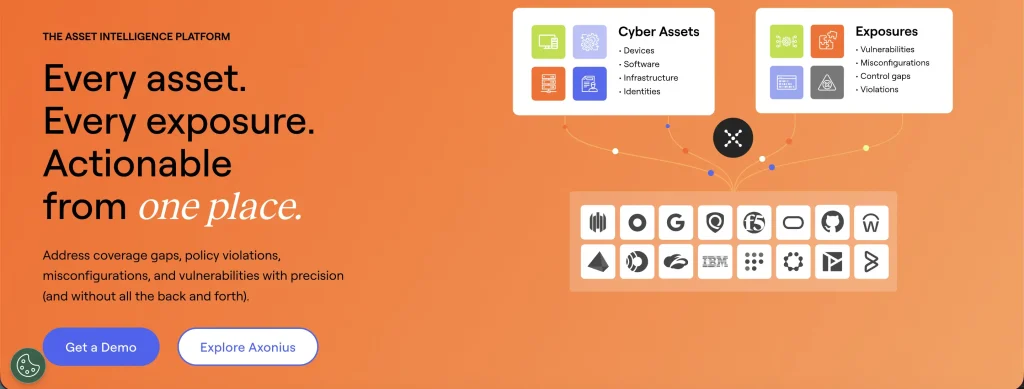
Axonius is a cyber asset intelligence platform. Its value lies in connecting to many existing systems, reconciling asset data, and helping teams act on coverage, control, and exposure gaps.
Axonius connects to existing security, endpoint, cloud, identity, network, SaaS, and business systems. It normalizes and reconciles overlapping records into an authoritative asset model, then makes the consolidated data available for queries, policies, dashboards, reporting, and response actions.
Axonius is commonly evaluated for:
- Cyber asset visibility
- Asset data reconciliation
- Security-control coverage
- Unmanaged asset identification
- Policy validation
- Vulnerability and exposure workflows
- CMDB reconciliation
- Incident response context
- Enforcement actions through connected systems
Axonius uses Cyber Assets to continuously collect, normalize, and enrich cyber asset data for a trusted view of the technology footprint and attack surface.
Axonius is not a traditional ITAM system in the narrow sense. It can support asset intelligence and actionability across many asset classes. Still, its core value lies in managing hardware custody, procurement, software entitlements, service desk workflows, contract renewals, refresh planning, and disposal within an ITAM operating model.
What users say about Axonius
G2 rating: 4.7/5
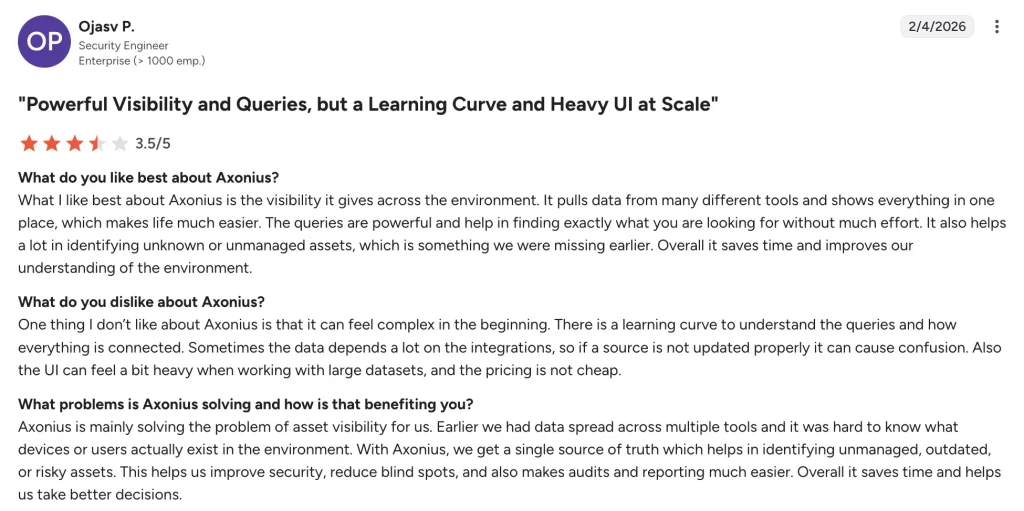
G2 reviewers often praise Axonius for bringing asset data from many security and IT tools into a single view. Common strengths include its broad integration ecosystem, asset correlation capabilities, and flexible querying for identifying unmanaged devices, coverage gaps, and policy exceptions.
Some reviewers note a learning curve around advanced queries, reporting, and integration setup. Others mention that getting the most value from the platform requires thoughtful planning around data sources, normalization, and workflows.
Capterra rating: 4.8/5
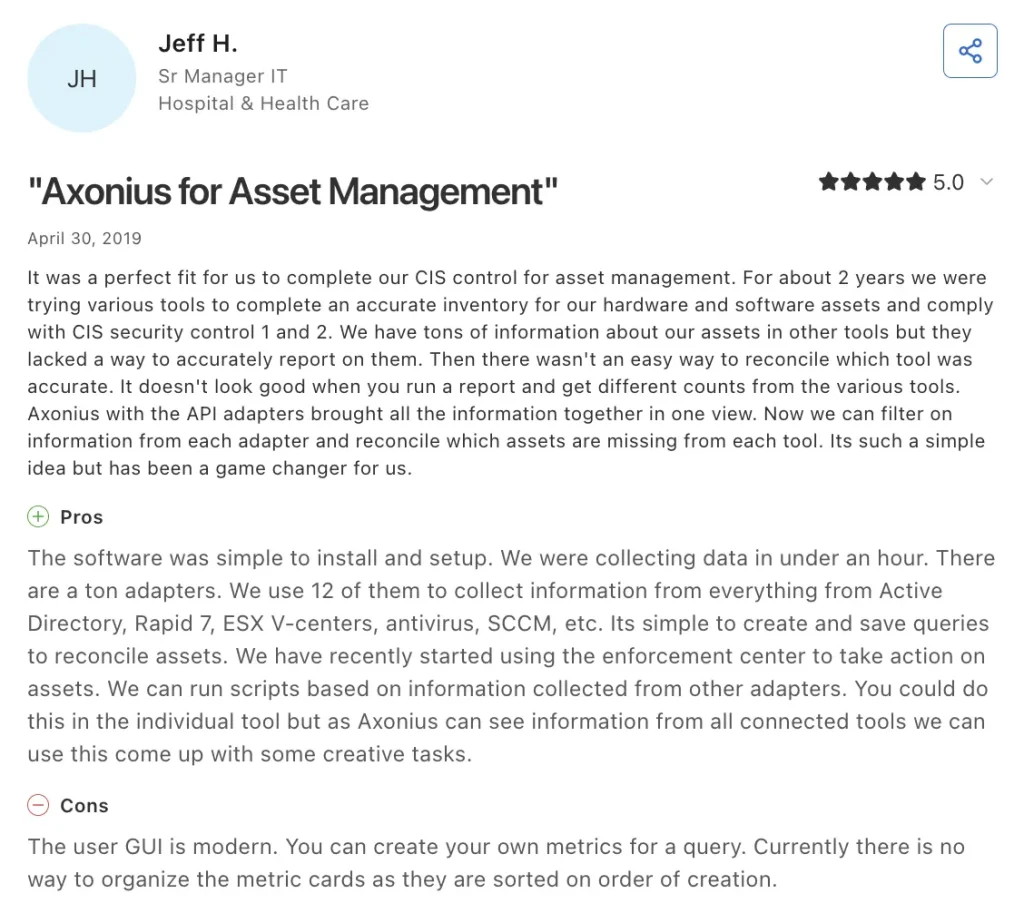
Capterra reviewers frequently highlight Axonius’s ability to improve asset visibility and maintain a more complete inventory of devices, users, and connected resources. Many also value its support for compliance efforts and for security control validation.
Most feedback is positive, though some users feel the platform may be more than organizations with basic inventory needs require. Others note that success depends on properly configuring integrations and aligning the platform with existing processes.
How much does Axonius cost?
Axonius uses a custom enterprise pricing model that is typically based on factors such as the number of managed assets, selected product modules, integration requirements, deployment scope, and contract terms. Pricing is generally tailored to each organization’s environment rather than offered through fixed per-user or per-device plans.
The total cost of Axonius can vary depending on:
- The number and types of assets being managed
- Required Axonius modules and capabilities
- Adapter and integration requirements
- Implementation and professional services
- Contract length and renewal terms
- Support levels and deployment complexity
Axonius pricing typically scales with asset volume and platform scope. Pricing discussions should account for licensing, implementation, optional services, and renewal costs when evaluating the total cost of ownership.
Axonius vs ITAM: what is the difference?
Axonius and ITAM tools can both contain asset data, but they are usually bought for different reasons.
Axonius is typically used when security and IT teams need to answer questions such as:
- Which assets are unmanaged?
- Which endpoints are missing EDR, MDM, encryption, or vulnerability agents?
- Which systems disagree about the same asset?
- Which assets are exposed, misconfigured, or missing security controls?
- Which policies are failing across the environment?
- Which connected system should trigger the remediation action?
ITAM software is typically used when IT teams need to manage asset accountability throughout the lifecycle and answer questions such as:
- Who owns this device?
- Where is it located?
- Which software and licenses are tied to it?
- What tickets, incidents, changes, or service records are connected to it?
- Is it under warranty?
- Is it due for a refresh?
- Has it been returned during offboarding?
- What should be reclaimed, renewed, replaced, or retired?
For some organizations, Axonius and ITAM may work together. For others, especially mid-market teams whose primary pain is operational lifecycle management, an ITAM or ITSM-led alternative may be a better fit.
Detailed breakdown of Axonius alternatives for mid-market IT teams
1. AssetSonar

AssetSonar is an IT asset management platform designed to help IT teams manage hardware, software, users, service activity, and operational records from a unified system. While Axonius is primarily focused on cyber asset intelligence and security data reconciliation, AssetSonar is built around operational asset governance and the actions teams need to take after assets are identified.
That distinction becomes important once visibility is no longer the main challenge. Many IT teams already know what assets exist but need a reliable way to manage ownership, software, support activity, and lifecycle processes. AssetSonar is designed to provide that operational context by connecting asset records with the systems and workflows used to maintain them.
At the center of this approach is AssetSonar’s Unified IT Graph, which links assets, software, users, tickets, and configuration items into a shared view. Instead of investigating issues through separate tools and disconnected records, teams can understand how an asset relates to the people, software, and service activity around it. For example, when a device requires attention, technicians can quickly identify the assigned user, review related software, check service history, and assess the broader impact before taking action.
This connected view also supports day-to-day operational and security workflows. AssetSonar helps teams track software health, monitor patch status, and identify issues requiring attention, while also supporting asset and service management activities. By keeping this information within the same platform, organizations can reduce context switching and make decisions using the full operational picture rather than isolated data points.
To support consistent execution, AssetSonar includes workflow automation capabilities that can trigger notifications, approvals, escalations, and other actions in response to asset or software events. This helps teams turn identified issues into structured processes, ensuring that operational and lifecycle tasks are tracked and completed rather than remaining as unresolved findings.
How AssetSonar compares with Axonius
Axonius is stronger when the primary needs are cyber asset intelligence, security control validation, exposure analysis, and reconciliation across a large security ecosystem.
AssetSonar is stronger when the team needs cyber asset intelligence connected to operational workflows. It helps IT teams move from asset visibility to ownership, support, software governance, service management, patch context, and lifecycle action.
AssetSonar should not be positioned as a one-to-one replacement for every Axonius CAASM or exposure-management use case. It is a stronger fit when the buyer needs ITAM, SAM, ITSM, and lifecycle execution around asset data.
Best fit
Choose AssetSonar if your team needs to manage assets, software, users, tickets, ownership, lifecycle workflows, and service activity within a single operational system.
What users have to say
Rated 4.5/5 based on user reviews, AssetSonar is praised for making it easier to locate asset information by employee or device name, track custody, and replace spreadsheet-based inventory processes. Reviewers also highlight its MDM and help desk integrations, which can support automatic asset creation and connect hardware and software records with existing IT workflows. Some users report that reporting filters, dashboard design, and advanced customization could be more intuitive, while initial setup may require support when configuring integrations and custom fields.
Pricing
- ITAM: $1 per asset/month
- ITSM (includes ITAM): $1.44 per asset/month
- Advanced SAM add-on: $0.56 per asset/month
Validate before buying
- Discovery sources and sync frequency
- SAM package requirements
- Patch visibility vs patch deployment language
- ITSM workflow depth
- CMDB / IT Graph requirements
- HR, MDM, IdP, SaaS, and ITSM integrations
- Offboarding workflow requirements
- Reporting and audit evidence expectations
2. ServiceNow
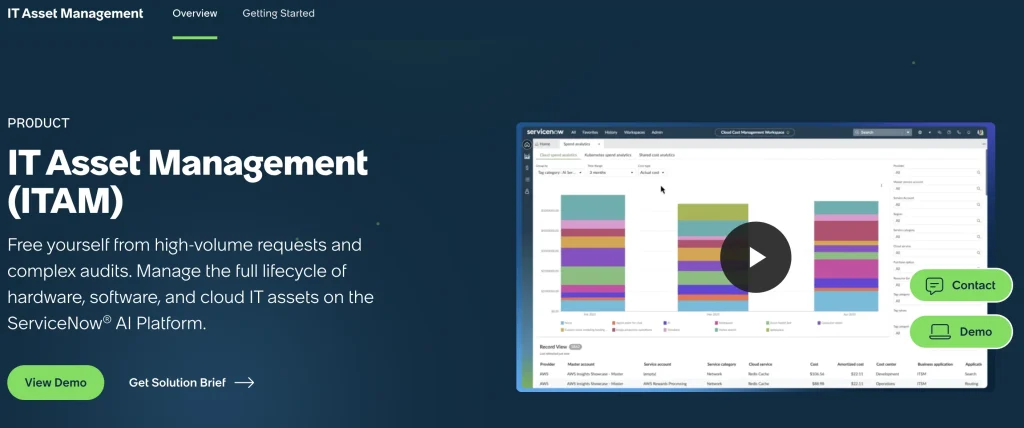
ServiceNow provides enterprise IT Asset Management capabilities for hardware, software, and cloud assets. ServiceNow ITAM connects to catalogs, CMDB, and procurement, with lifecycle visibility across contracts, costs, and compliance.
For organizations comparing ServiceNow and Axonius, the core question is whether asset data should reside within a broad enterprise workflow platform or a specialized cyber asset intelligence layer.
ServiceNow is a strong fit when asset records must support incidents, changes, requests, configuration items, business services, procurement, software governance, and enterprise workflow automation.
How ServiceNow compares with Axonius
Axonius sits above the existing stack and reconciles data from many IT and security tools. ServiceNow can also ingest and manage asset and configuration data, but its value is strongest when the organization wants those records tied to enterprise service workflows.
ServiceNow may be a better fit for large organizations that already use the Now Platform or want to consolidate IT processes. Axonius may be a better fit when the security team wants a specialized asset intelligence and exposure-management layer across many security tools.
Best fit
Choose ServiceNow if your organization has the budget, platform maturity, and admin capacity to standardize ITAM, ITSM, CMDB, Discovery, and workflow management on ServiceNow.
What users have to say
ServiceNow holds a 4.4/5 user rating and is valued for managing assets throughout their lifecycle, from procurement to retirement. Users appreciate its integration with other ServiceNow modules, enabling connected IT, risk, and compliance workflows. However, reviewers note that data imports, service mappings, and ongoing administration can be complex and often require specialized expertise.
Pricing
ServiceNow uses custom enterprise pricing rather than a fixed-rate package. Costs depend on the products and modules selected, such as IT Asset Management, ITSM, CMDB, Discovery, or Security Operations, as well as deployment scope and scale. Organizations can request a tailored quote and evaluate the solution’s total cost.
Validate before buying
- Required ServiceNow modules
- Implementation partner requirements
- CMDB governance model
- Discovery scope
- Security Operations or Vulnerability Response requirements
- Data cleanup and migration effort
- Ongoing admin capacity
- Total implementation and services cost
3. Ivanti Neurons
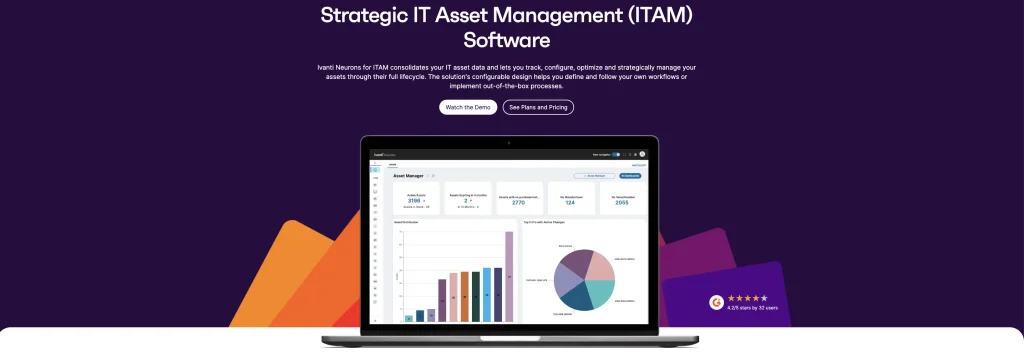
Ivanti Neurons is relevant when the team wants to move from endpoint visibility into action. Ivanti’s risk-based vulnerability management page describes risk prioritization, vulnerability correlation, threat intelligence, and remediation prioritization. Ivanti can also be considered as an exposure management solution that combines attack surface management, risk-based vulnerability management, exposure remediation, and patch management.
That makes Ivanti a stronger fit when endpoint operations, patching, vulnerability context, and IT service workflows are part of the same buying conversation.
How Ivanti Neurons compares with Axonius
Axonius is more focused on cyber asset intelligence and reconciliation across a broad third-party ecosystem.
Ivanti Neurons is more directly connected to endpoint operations and remediation across Ivanti’s own platform. It may be stronger when the organization wants to act on endpoints through ITSM, ITAM, patch, and endpoint management workflows.
Best fit
Choose Ivanti Neurons if endpoint operations, patching, ITSM, ITAM, and automated remediation are central requirements.
What users have to say
With a 4.3/5 rating, Ivanti Neurons for ITAM is appreciated for centralized asset tracking, network discovery, license management, and reporting. Reviewers particularly value its customization options and compatibility with other Ivanti products. Some users report that advanced configuration requires backend expertise, while occasional synchronization issues and interface limitations can affect the user experience.
Pricing
Ivanti uses quote-based pricing and typically licenses capabilities through separate Neurons modules rather than a single bundled platform. Buyers can request a detailed quote covering required products, implementation, integrations, support, and any additional service costs to understand total ownership expenses.
Validate before buying
- Required Ivanti products and modules
- Endpoint coverage by OS
- Patch and remediation scope
- ITAM vs endpoint inventory depth
- ITSM workflow requirements
- Security team reporting needs
- Integration with existing MDM, EDR, and vulnerability tools
4. Oomnitza
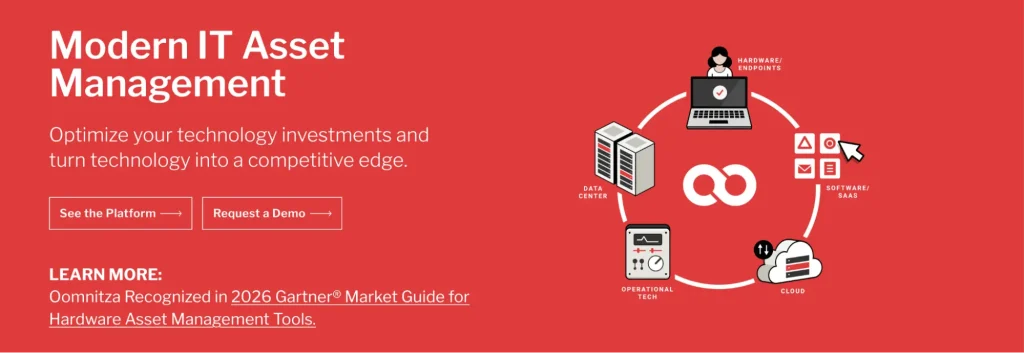
Oomnitza is built around an asset-centric data layer that helps IT, Security, Compliance, Finance, Procurement, and Operations gain a unified view of the technology ecosystem.
It is a strong Axonius alternative when the buyer’s problem is not just asset visibility, but lifecycle coordination across departments.
For example, an employee offboarding process may require HR status, identity access, assigned devices, SaaS ownership, service tasks, asset recovery, and audit evidence. Oomnitza is relevant for buyers trying to coordinate those kinds of cross-system technology workflows.
How Oomnitza compares with Axonius
Both platforms aggregate asset-related data from multiple systems.
Axonius is more security-led, with stronger alignment to cyber asset intelligence, control coverage, and exposure-related workflows. Oomnitza is more lifecycle-led, with a stronger emphasis on technology ownership, workflow automation, procurement, recovery, audit readiness, and cross-functional processes.
Best fit
Choose Oomnitza if your team needs lifecycle automation across IT, HR, Finance, Procurement, and Compliance systems.
What users have to say
Rated 4.6/5 by users, Oomnitza is praised for its integrations, flexible data model, and workflow automation. Reviewers value its ability to centralize technology data and support asset lifecycle processes across departments. Some note that extensive customization can make setup and workflow design more complex.
Pricing
Oomnitza follows a custom annual subscription model, with pricing influenced by factors such as asset volume, integration requirements, selected modules, and implementation scope. Buyers should evaluate the total cost based on their technology environment, workflow needs, and any required professional services to ensure the proposal aligns with their operational requirements.
Validate before buying
- Source system coverage
- Workflow configuration effort
- Lifecycle process templates
- HR/Finance/Procurement integrations
- SAM and SaaS management depth
- Data reconciliation rules
- Pricing and services model
5. Lansweeper
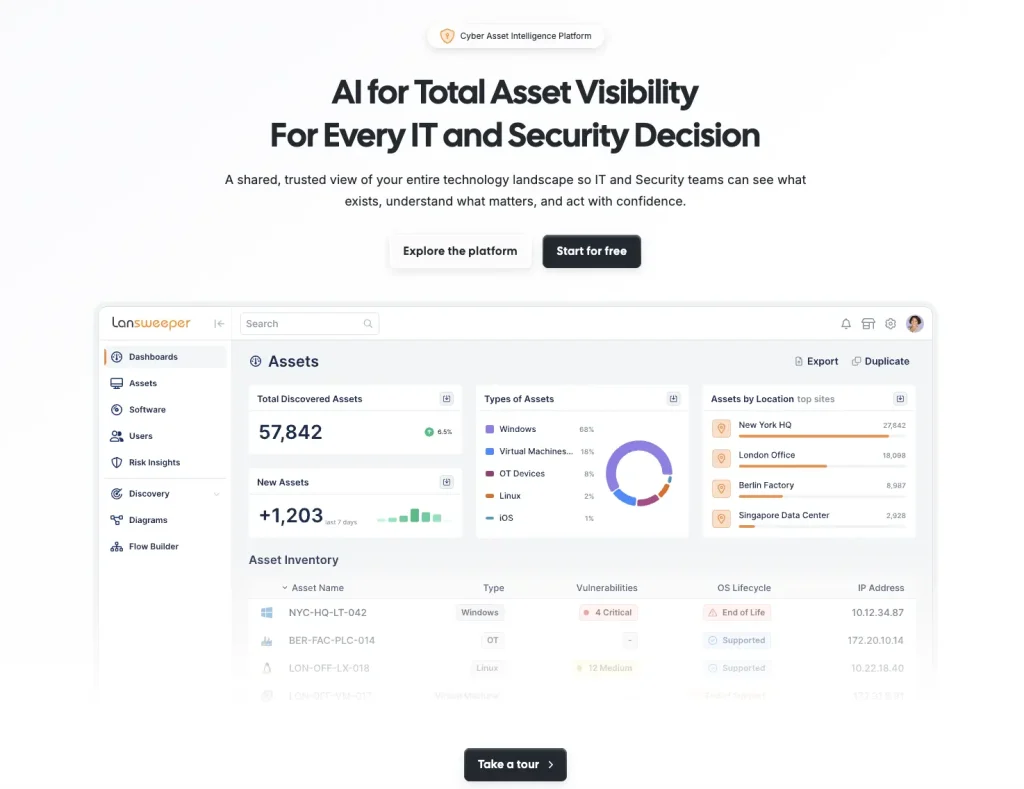
Lansweeper is a discovery-led asset intelligence platform focused on identifying and inventorying technology assets across environments. It supports active and passive scanning, agent-based and agentless options, and device recognition capabilities.
Lansweeper is useful when IT teams do not trust their inventory or need better visibility into devices, software, users, and technology assets before feeding that data into ITAM, ITSM, CMDB, or security systems.
How Lansweeper compares with Axonius
Lansweeper starts with discovery. It is strong when the first challenge is finding what exists across the environment.
Axonius starts from a reconciliation and actionability model. It connects to systems that already observe or manage assets, then consolidates that data for policy checks, security analysis, and action.
A team may choose Lansweeper when native discovery coverage is the priority. It may still need a separate ITAM or ITSM platform for procurement, custody, service workflows, software entitlements, contracts, refresh, and disposal.
Best fit
Choose Lansweeper if your immediate priority is discovering unknown or poorly documented assets.
What users have to say
Lansweeper holds a 4.4/5 user rating and is praised for its strong asset discovery capabilities, detailed hardware and software inventories, and visibility across diverse environments. Users value its ability to uncover unmanaged assets and generate useful reports quickly. Some reviewers note a learning curve when managing large datasets.
Pricing
Lansweeper offers the following plans that are billed annually:
- Free plan: $0/month (up to 100 assets)
- Starter: €179/month
- Pro: €339/month
- Enterprise: Custom pricing
Validate before buying
- Active vs passive scanning needs
- Agent-based vs agentless requirements
- Remote endpoint coverage
- Software inventory depth
- Integration into ITAM/ITSM/CMDB
- Vulnerability/lifecycle insights by plan
- Asset-count thresholds and annual billing
6. BMC Helix
BMC Helix is relevant when asset and configuration data must support incidents, changes, services, infrastructure relationships, and operational governance. Its asset management provides lifecycle oversight from procurement to retirement, with CMDB as a data foundation and Discovery supporting service modeling and dependency mapping.
BMC Helix CMDB is positioned as a source of reference for assets and services, with capabilities to combine and federate data, populate the CMDB through Discovery, and visualize relationships and dependencies.
How BMC Helix compares with Axonius
BMC Helix is more aligned with ITSM, CMDB, discovery, service modeling, and enterprise operational workflows.
Axonius is more aligned with cyber asset intelligence, security data reconciliation, control validation, and exposure-oriented workflows. BMC Helix may provide stronger service and CMDB context, while specialized security intelligence may depend on integrations or other tools.
Best fit
Choose BMC Helix if the organization needs enterprise ITSM and CMDB governance with discovery and service relationship mapping.
What users have to say
Rated 4.1/5, BMC Helix is praised for managing incidents, changes, requests, and tasks within structured IT service workflows. Users highlight its workflow automation, dashboards, ticket tracking, and knowledge management capabilities. However, reviewers note that setup and customization can be time-consuming, the interface may feel complex, and integrations can present challenges.
Pricing
BMC Helix follows a custom, quote-based pricing model rather than publishing standard rates. Pricing typically depends on selected modules, user counts, deployment scope, and implementation requirements. Buyers should request a detailed quote covering licensing, services, integrations, support, and any additional infrastructure costs.
Validate before buying
- CMDB governance model
- Discovery and reconciliation requirements
- Asset lifecycle depth
- Service mapping needs
- ITSM integration requirements
- Pricing and services model
- Admin and specialist resource needs
7. Freshservice
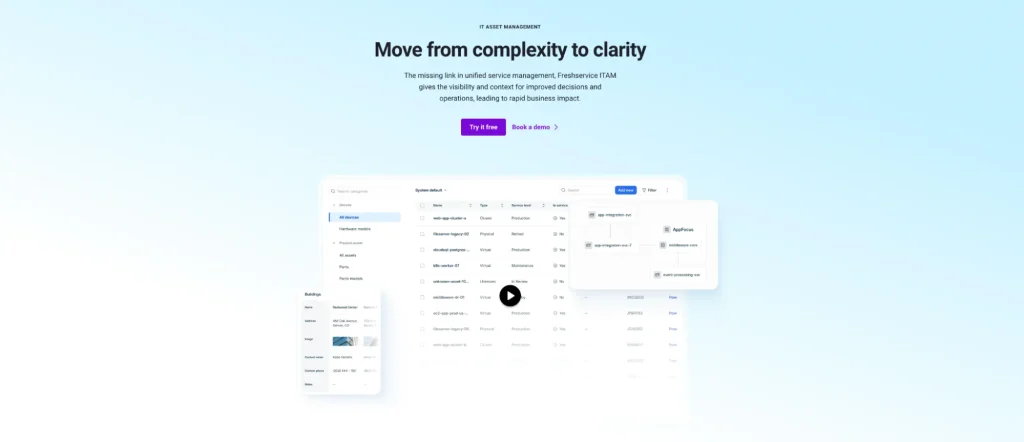
Freshservice is an ITSM platform with IT asset management capabilities. It offers automated discovery across on-prem, cloud, and hybrid environments, plus software license management to maintain software profiles and control costs.
Freshservice is a stronger Axonius alternative for service operations than for specialized cyber asset intelligence. It helps technicians use asset context while resolving tickets, managing changes, and supporting employees.
How Freshservice compares with Axonius
Freshservice starts with the service desk and adds asset context.
Axonius starts with cyber asset data and uses it to validate security coverage, reconcile systems, and support exposure or remediation workflows.
Choose Freshservice when the primary goal is improving service delivery with asset context. Choose Axonius when the main goal is security-led asset intelligence, control analysis, and exposure management.
Best fit
Choose Freshservice if your ITSM team needs asset records connected to tickets, requests, changes, CMDB relationships, and service workflows.
What users have to say
Freshservice holds a 4.6/5 user rating and is often praised for its intuitive interface, ease of adoption, automation features, and streamlined service desk workflows. Users appreciate its quick implementation and strong user experience, though some note that advanced reporting, customization, and complex enterprise needs may require additional configuration.
Pricing
Freshservice offers ITAM through Starter, Growth, Pro, and Enterprise plans using an asset-unit pricing model rather than simple per-asset pricing. Organizations typically request a quote based on asset volume and requirements. Buyers should verify the included discovery, software asset management, SaaS management, lifecycle management, automation features, and asset-unit allocations.
Validate before buying
- ITAM Asset Unit model
- Plan-level access to SAM and SaaS discovery
- Discovery depth by environment
- CMDB and dependency mapping requirements
- Asset lifecycle workflows
- ITSM maturity and service desk adoption
- Integration with security and endpoint tools
What to look for in an Axonius alternative
| Decision area | What to validate |
| Primary use case | Decide whether the main requirement is CAASM, ITAM, discovery, ITSM, CMDB, SAM, patching, endpoint action, or lifecycle governance. |
| Asset coverage | List required asset classes: laptops, desktops, servers, VMs, cloud assets, SaaS apps, software, users, network devices, OT, IoT, and mobile devices. |
| Data collection | Compare agents, agentless scans, API connectors, MDM integrations, browser extensions, cloud connectors, manual imports, active scanning, and passive discovery. |
| Reconciliation | Test duplicate handling, stale records, source precedence, field conflicts, normalization, and sync frequency. |
| Lifecycle management | Validate ownership, custody, procurement, contracts, warranties, renewals, refresh, offboarding, and disposal workflows. |
| Security context | Separate visibility from action. Finding a missing control, deploying a fix, opening a ticket, and validating remediation may require different modules. |
| ITSM and CMDB fit | Confirm whether tickets, assets, CIs, relationships, and service records reside in a single system or sync across tools. |
| Software governance | Validate software discovery, SaaS visibility, license allocation, entitlement tracking, reclamation, renewals, and usage evidence. |
| Total cost | Include licensing, add-ons, asset growth, implementation, migration, services, training, and admin effort. |
How we evaluated these Axonius alternatives
We evaluated each platform based on the problem it is best designed to solve, not by treating every tool as a direct Axonius replacement.
Each platform was assessed for:
- Primary use case
- Mid-market fit
- Discovery methods
- Data reconciliation
- Hardware lifecycle depth
- Software and SaaS governance
- Security context
- ITSM and CMDB alignment
- Workflow automation
- Deployment requirements
- Integrations
- Pricing model
- Ongoing administration
Pilot checklist for choosing an Axonius alternative
Before making a final decision, convert broad goals into testable workflows.
Instead of saying:
“We need better asset visibility.”
Use a workflow such as:
“The platform must identify every managed laptop, show the assigned employee, confirm warranty status, list installed software, flag patch or software status, connect the device to open incidents, trigger an approved replacement process, and preserve the lifecycle record.”
During the pilot, test:
- Asset coverage across representative systems
- Duplicate and stale record handling
- Source precedence rules
- Ownership completeness
- Remote endpoint coverage
- Software and SaaS visibility
- Ticket and service workflow links
- Patch or vulnerability context
- Reporting quality
- Admin effort
- Integration maintenance
- Three-year cost estimate
Conclusion
The best Axonius alternative depends on what your team needs asset data to do.
Choose a security-led platform when the priority is cyber asset intelligence, control validation, exposure management, and reconciliation across a large security ecosystem.
Choose a discovery-led platform when the priority is finding unknown assets.
Choose an ITSM or CMDB platform when asset records must support relationships among incidents, changes, services, and infrastructure.
Choose an ITAM platform when the priority is ownership, lifecycle governance, software management, custody, cost control, refresh planning, offboarding, and disposal.
For mid-market IT teams that need asset intelligence integrated into day-to-day operations, AssetSonar is a strong alternative to consider. It is best suited for teams that want ITAM, SAM, ITSM, ownership, software, patch context, tickets, and lifecycle workflows connected around the same asset records.
For teams with specialized CAASM or exposure-management requirements, AssetSonar should be evaluated alongside, not automatically instead of, a security-led platform.
The right question is not just: “Which tool has the most asset data?”
The better question is: “What work must that asset data support once we have it?”