Most teams do not replace Snipe-IT because check-in and checkout suddenly stop working. They replace it because the operating model around the asset register becomes expensive.
A technician has to update a laptop record after an MDM change. Software installations live in a separate tool. Offboarding crosses HR, identity, endpoint management, the service desk, and the stockroom. An audit starts with exporting data from several systems and deciding which one is correct.
That is the real decision behind a Snipe-IT replacement: which part of your current process can no longer depend on manual reconciliation?
For a mid-market IT team, the best alternatives in 2026 are:
- AssetSonar for teams that need hardware ITAM, discovery, SaaS management, and workflow automation in one platform.
- Reftab for teams that want straightforward cloud asset tracking without operating a server.
- GLPI for organizations that want to retain open-source control while adding broader ITSM and inventory capabilities.
- ManageEngine AssetExplorer for procurement, contracts, software license management, and structured IT asset administration.
- Freshservice for service-desk-led organizations that want asset context inside incident and request workflows.
- InvGate Asset Management for teams prioritizing discovery across endpoints, infrastructure, cloud, and software.
- Asset Panda for configurable physical asset workflows across IT and other departments.
- BlueTally for lean IT teams that want cloud-based custody tracking and strong MDM and identity integrations.
- Jira Assets for organizations that already run service management and operational workflows in Atlassian.
- ServiceNow ITAM for large organizations with mature governance, CMDB, procurement, and enterprise workflow requirements.
The right shortlist depends on the reason you are leaving Snipe-IT. A team that only wants managed hosting should not buy the same platform as a team trying to reconcile software entitlements or govern a large SaaS estate.
This guide compares the leading alternatives according to their intended market, core capabilities, limitations, pricing approach, and suitability for mid-market IT teams.
Snipe-IT alternatives at a glance
| Tool | Choose it when | Main trade-off to test | Deployment | Pricing approach | User rating |
| AssetSonar | Your migration trigger spans hardware, discovery, installed software, licenses, SaaS, and lifecycle workflows | Confirm which Advanced SAM capabilities and integrations belong in your required package | Cloud | Public per-asset pricing; optional ITSM and Advanced SAM | 4.5/5 |
| Reftab | You want an accessible cloud replacement for custody, barcodes, reservations, and day-to-day asset tracking | Validate the depth of software and SaaS governance required by your environment | Cloud | Free tier; paid plans vary by module and asset volume | 4.3/5 |
| GLPI | Open-source control and self-hosting remain requirements, but you need broader ITSM, inventory, and CMDB functions | Budget for configuration, plugins, upgrades, and technical ownership | Self-hosted or cloud | Community edition plus paid cloud and support plans | 4.5/5 |
| ManageEngine AssetExplorer | Procurement, purchase orders, contracts, vendors, discovery, and software licenses drive the project | Test administration effort and fit with the wider ManageEngine ecosystem | Cloud or on-premises | Public cloud and on-premises pricing tiered by asset count | 4.5/5 |
| Freshservice | The service desk is the center of IT operations, and asset data must support incidents, requests, and changes | Model the Freshservice subscription and Asset Unit consumption before purchasing | Cloud | Eligible Freshservice plan plus custom ITAM pricing through Asset Unit packs | 4.6/5 |
| InvGate Asset Management | Your asset register is incomplete because endpoints, infrastructure, cloud resources, or software are not discovered consistently | Validate reconciliation, reporting, and integration coverage against your environment | Cloud or on-premises options | Public device-based pricing; custom Enterprise tier; free trial available | 4.7/5 |
| Asset Panda | You need highly configurable mobile workflows for IT and non-IT physical assets | Confirm whether it’s software, SaaS, and CMDB depth matches an ITAM-specific use case | Cloud | Custom quote | 4.2/5 |
| BlueTally | You want quick adoption, unlimited assets and users on paid plans, and strong device and identity integrations | Check whether its hardware-oriented scope is sufficient for your software estate | Cloud | Free up to 50 assets; public tiered pricing | 4.6/5 |
| Jira Assets | Jira Service Management already handles requests, incidents, and changes | Schema design, data ingestion, governance, and object consumption require deliberate administration | Cloud; Data Center options are also available | Included object allowances vary by plan; additional object charges may apply | 4.3/5 |
| ServiceNow ITAM | Your organization already operates the Now Platform or needs enterprise-wide asset lifecycle governance | Implementation cost and process complexity can exceed the requirements of a mid-market IT team | Cloud | Custom quote based on modules, scope, and requirements | 4.4/5 |
Pricing note: Pricing was checked in June 2026 and may vary by plan, usage, and deployment. Confirm current details with the vendor.
What Snipe-IT does well, and when staying may be the right choice
Snipe-IT is an open-source asset management application for tracking hardware, accessories, components, consumables, software licenses, users, and custody history. Teams can self-host it for free or use a paid, vendor-hosted plan.
Its strongest use case is clear: maintain an accountable record of physical assets without committing to an expensive enterprise platform. Check-in and checkout, labels, custom fields, status tracking, audits, license-seat records, and the REST API give small technical teams a practical step up from spreadsheets.
Staying with Snipe-IT can still be the correct decision when:
- Physical custody is the main requirement.
- Your team has the skills and time to manage hosting, backups, upgrades, security, and integrations.
- MDM, endpoint, identity, software, and service-desk data can remain in separate systems.
- Audit preparation does not require sophisticated software normalization or entitlement reconciliation.
- You prefer to build integrations through the API rather than buy a broader platform.
Snipe-IT’s self-hosted edition remains free, and its hosted plans begin at $39.99 per month. The question is therefore not whether Snipe-IT is “good enough” in general. It is whether the administrative work surrounding it is still cheaper than moving.
Pros and Cons of Snipe-IT
Snipe-IT is widely appreciated for its affordability, flexibility, and straightforward asset tracking capabilities. At the same time, organizations with more advanced ITAM requirements may encounter limitations around automation, software governance, and scalability.
Pros:
- Free self-hosted edition with no asset or user limits
- Flexible custom fields and asset categorization options
- Strong check-in and checkout workflows for equipment tracking
- QR code and barcode support for faster asset audits
- Detailed asset history and custody records
- Open-source platform with an active user community
- REST API for custom integrations and workflows
- Suitable replacement for spreadsheets and manual asset logs
Cons:
- Requires technical expertise to deploy and maintain when self-hosted
- Limited native automated asset discovery compared with modern ITAM platforms
- Software asset management capabilities are relatively basic
- SaaS management and subscription visibility are limited
- Some integrations require custom development or third-party tools
- Reporting and dashboard capabilities may not meet advanced enterprise requirements
- Scaling across large, complex environments can increase administrative effort
For small IT teams moving away from spreadsheets, Snipe-IT can provide significant value through its low cost and ease of customization. However, organizations seeking deeper automation, software compliance management, or broader IT operations capabilities may eventually outgrow the platform.
Snipe-IT pricing
Snipe-IT offers both free self-hosted and paid hosted options. The self-hosted version includes core asset management features at no cost, while hosted plans vary based on resources, support, and server isolation. Organizations can scale from shared hosting to dedicated environments as their needs grow.
- Self-Hosted: Free
- Basic Hosting: $39.99/month
- Small Business Hosting: $99.99/month
- Dedicated Hosting (Small): $249.99/month
- Dedicated Hosting (Medium): $5,000/year
- Dedicated Hosting (Large): $7,500/year
Note: Annual billing discounts are available on hosted plans.
Snipe-IT user sentiment
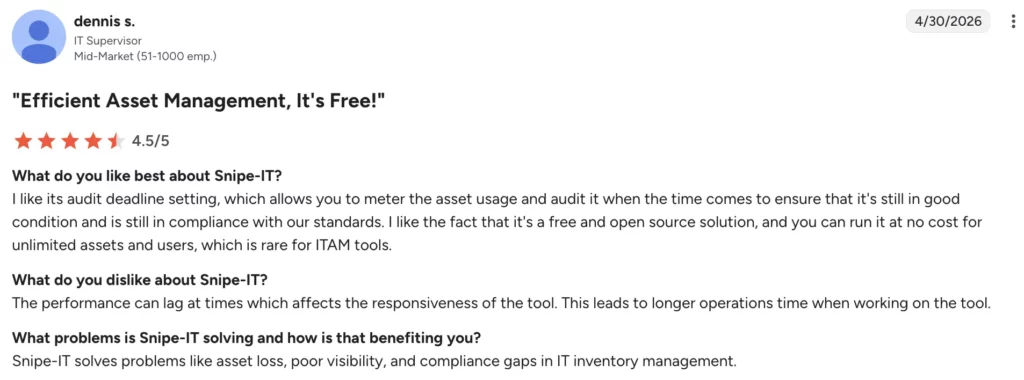
On G2, Snipe-IT has a 4.6/5 rating. Reviewers frequently praise its ease of use, centralized asset tracking, equipment assignment management, and flexibility in managing hardware, software licenses, locations, and user custody records. Users also appreciate the open-source model and the ability to replace spreadsheets with a more structured asset-management system. One user says:
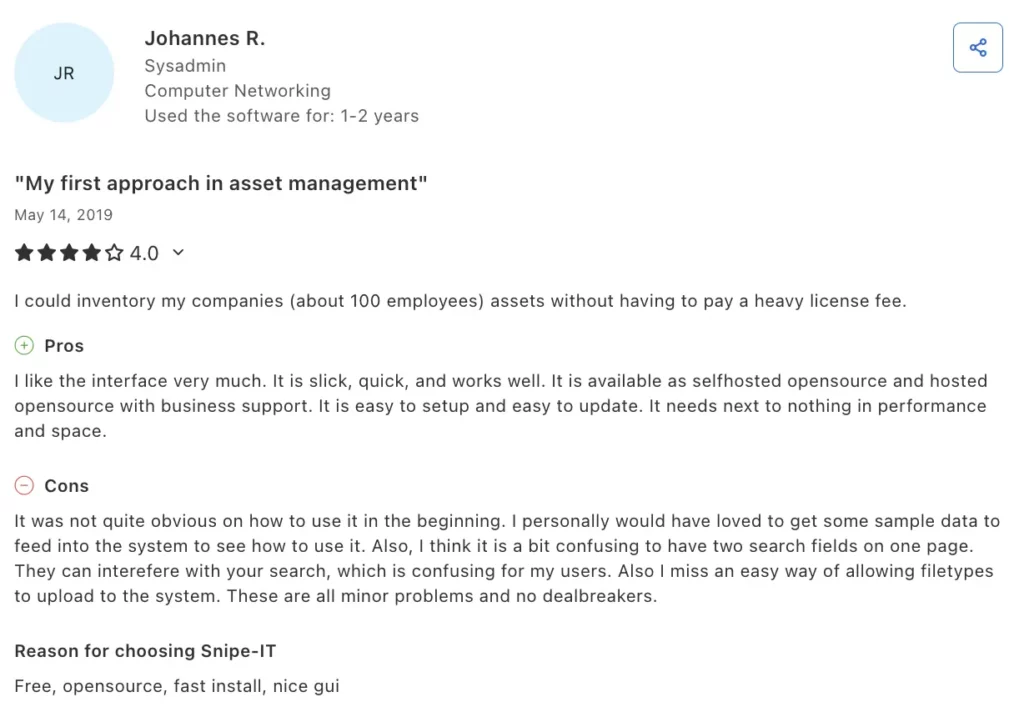
On Capterra, Snipe-IT has a 4.4/5 rating. Reviewers highlight its affordability, customization options, and overall value for organizations that need a dedicated asset register. Common criticisms include the technical effort required for installation and configuration, particularly for self-hosted deployments, as well as limitations related to reporting, integrations, notifications, interface design, and performance. Overall, sentiment is most positive among teams with the technical resources to manage setup and ongoing administration. According to one user:
Five signs that your team has outgrown the current setup
1. The asset register is correct only after someone cleans it
A register becomes operationally weak when its accuracy depends on periodic manual repair. A laptop may be reassigned in the MDM but not in the ITAM system. A device may be retired without the status changing. A new endpoint may exist for weeks before an import catches it.
If the team cannot explain how records are created, updated, matched, and retired, buying a new interface will not solve the problem. The replacement needs a defined discovery and reconciliation model.
2. Offboarding requires several independent checklists
A departing employee may have a laptop in the asset register, a phone in the MDM, application access in the identity provider, SaaS seats in multiple admin consoles, and an open return task in the service desk. When those systems do not exchange status information, IT has to verify completion manually.
A stronger platform should either orchestrate these handoffs or provide reliable integrations so that ownership, access, license allocation, and recovery can be verified within the same workflow.
3. License records do not answer compliance or spend questions
Recording that the organization bought 100 licenses is not the same as knowing where the software is installed, who uses it, whether the entitlement permits that deployment, or which seats can be reclaimed.
Teams managing expensive desktop applications, publisher audits, or growing SaaS spend should distinguish simple license tracking from software asset management. The required depth may include discovery, normalization, entitlements, usage, renewals, and reclamation.
4. Audit evidence is assembled rather than produced
An auditor may ask for the custody history, the list of former employees with assigned devices, unsupported software, missing owners, warranty status, or proof that a sample of assets was reviewed. If each answer comes from a different export, the risk is not only the time spent. It is the possibility that the evidence contradicts itself.
No tool guarantees compliance. A suitable ITAM platform should make evidence easier to retrieve, explain, and reproduce.
5. The free software has a growing internal cost
Self-hosting entails work that rarely appears in license comparisons: infrastructure, database administration, backups, monitoring, upgrades, vulnerability response, integration maintenance, and internal support. A cloud platform introduces subscription cost, but it can remove part of that operational burden.
The comparison should therefore use the total cost of ownership, not the license price alone.
How to evaluate a Snipe-IT replacement
Start with how data enters the system
Ask each vendor to show the exact path by which a new asset appears and stays current.
- Does an agent discover it?
- Does an MDM or endpoint platform create or update it?
- Can network discovery find unmanaged infrastructure?
- Can identity data update the assigned user?
- What happens when two sources describe the same device?
- Which field is authoritative when records conflict?
“Automated discovery” is not a complete answer. A mid-market team needs to understand source priority, unique identifiers, matching rules, update frequency, and duplicate handling.
Test a lifecycle, not a dashboard
A polished inventory screen does not prove that the platform supports your operating process. Use one asset and run it through procurement, receiving, stock, assignment, service, reassignment, recovery, and retirement.
During the test, identify who owns each step and which event changes the record. This exposes whether the platform has a real workflow or simply offers editable status fields.
Separate HAM, SAM, SaaS management, and CMDB requirements
These categories overlap, but they solve different problems:
- Hardware asset management (HAM) focuses on physical custody, lifecycle, cost, warranty, stock, and disposal.
- Software asset management (SAM) connects installations and usage with entitlements, license terms, cost, renewals, and reclamation.
- SaaS management focuses on cloud application ownership, subscriptions, seats, activity, renewals, and shadow IT.
- A CMDB models configuration items and relationships needed for service impact, incident, and change management.
A product can be strong in one area and basic in another. Your shortlist should reflect the category that creates the business case.
Measure the work required to maintain integrations
A public API is useful, but it transfers responsibility to your team. A supported connector transfers more of that responsibility to the vendor, although it may require a higher plan.
For every critical system, Intune, Jamf, Kandji, Entra ID, Okta, Google Workspace, Jira, Freshservice, ServiceNow, HR, procurement, and key SaaS applications, document:
- Which data moves?
- In which direction?
- How often does it sync?
- What happens when the connection fails?
- Who supports the integration?
Build the commercial model before the demo ends
Different products are charged by assets, agents, users, objects, modules, or consumption units. Ask the vendor to price your current environment and a realistic three-year growth case.
Include implementation, migration, support, add-ons, integration work, hosting, and administrator time. A lower entry price can prove more expensive when the software or service management capabilities you need are sold in separate packages.
How users rate the leading Snipe-IT alternatives
The radar chart compares recurring user-review themes across six areas: ease of use, asset and inventory management, automation and workflows, integrations, reporting and customization, and implementation.
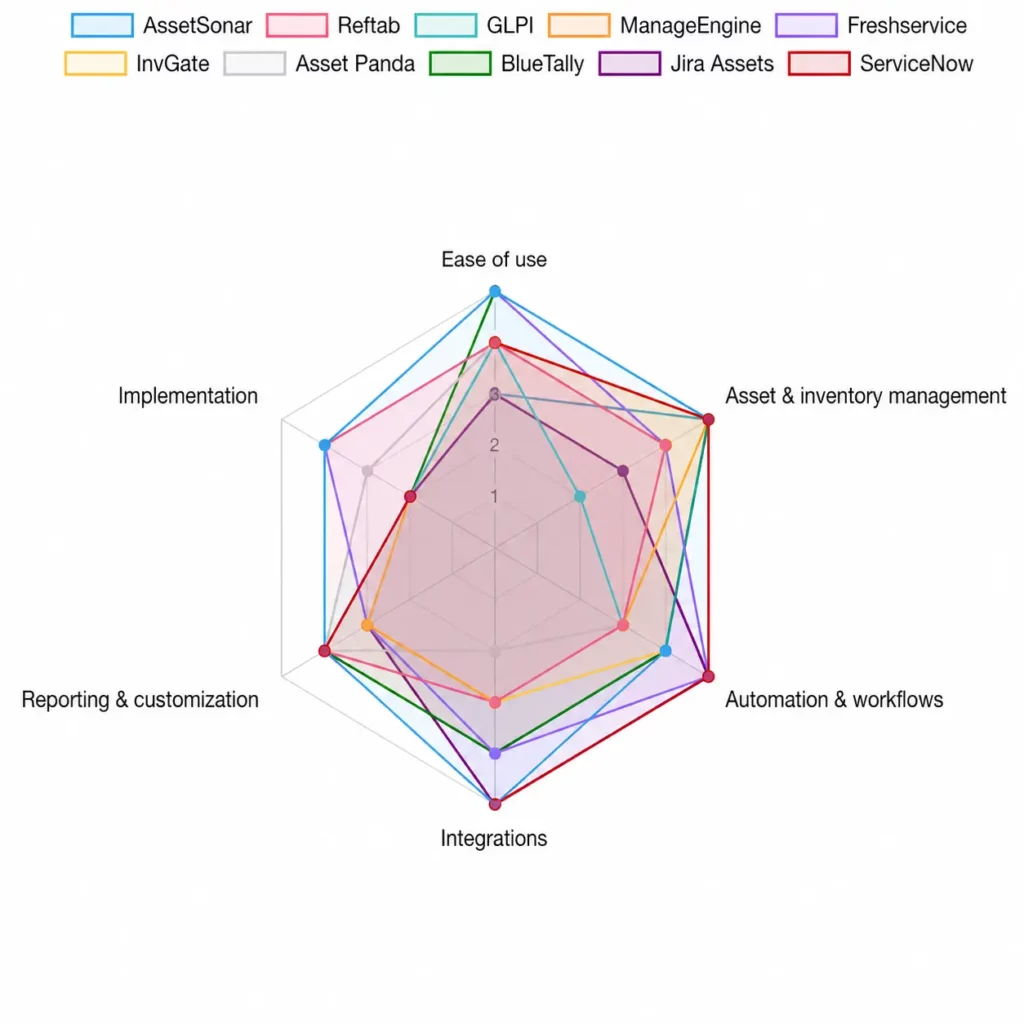
Note: Scores are editorial assessments based on recurring themes in user reviews. Scores are directional and are not official ratings from either review platform.
Comprehensive comparison of the top Snipe-IT alternatives
1. AssetSonar

AssetSonar is the most direct fit in this comparison for a mid-market team whose migration trigger extends beyond hosting. Rather than functioning as a standalone asset register, it combines asset tracking with software visibility, user accountability, lifecycle workflows, and broader IT asset management processes.
The distinction from Snipe-IT is operational. Instead of relying solely on manually maintained records, teams can incorporate endpoint and software data, link device custody to users, and apply workflows to recurring lifecycle events. Organizations that need deeper software governance can extend into software asset management, while those looking to connect assets with support operations can add ITSM capabilities within the same platform.
This breadth is useful when an offboarding workflow needs to recover equipment, reassign or reclaim licenses, update ownership, and create service tasks without rebuilding the process across several disconnected tools.
Key capabilities:
- Hardware asset lifecycle management
- Software asset management and license tracking
- SaaS management and cloud application visibility
- Asset discovery and inventory management
- Employee check-in and check-out workflows
- Warranty, contract, and maintenance tracking
- Workflow automation and approvals
- Patch management
- Reporting and audit readiness
- ITAM integration and service workflows
- IT Graph
Potential limitations:
- Advanced software asset management capabilities require an additional SAM package
- Pricing scales with managed asset volume
User sentiment:
Based on G2 reviews, AssetSonar is frequently praised for its ease of use, responsive customer support, asset lifecycle visibility, and ability to connect hardware, software, and user records in a single platform. Reviewers often highlight onboarding and offboarding workflows as a major operational improvement.
Common criticisms include requests for deeper reporting customization, additional integrations, and more advanced software asset management capabilities without requiring additional modules. Some users also note that implementation planning becomes more important as environments grow in complexity.
Pricing:
AssetSonar ITAM starts at $0.75 per asset per month, while its ITSM package, which includes ITAM capabilities, starts at $1.08 per asset per month. Advanced Software Asset Management can be added for $0.42 per asset per month. Since pricing is asset-based, organizations can more easily estimate ITAM costs as their inventory grows. Volume discounts are available for environments with more than 1,000 assets.
2. Reftab
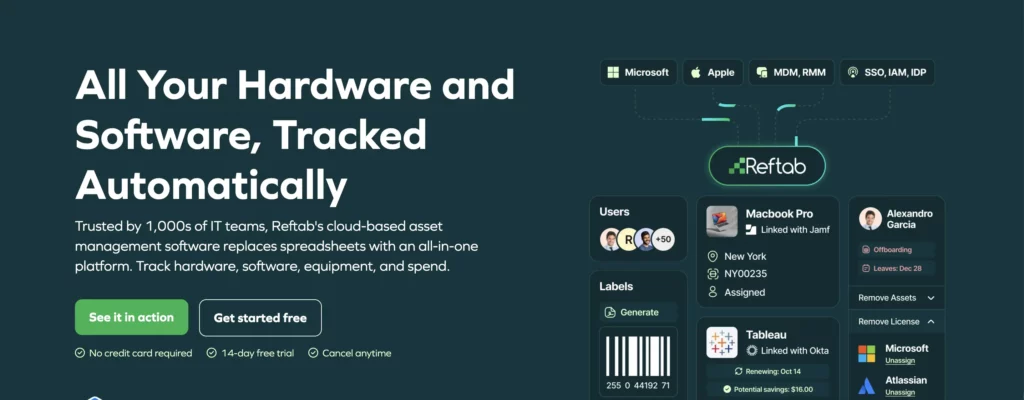
Reftab is a practical choice for teams that like the accessibility of Snipe-IT but no longer want to maintain a self-hosted application. It focuses on making asset tracking and day-to-day administration easier through a cloud-based experience that remains approachable for smaller IT teams.
Its appeal is its lower implementation barrier compared to a large ITSM or enterprise ITAM platform. A team can move custody and inventory processes into a managed cloud service without first designing a complex CMDB or enterprise workflow architecture.
Reftab has also expanded beyond basic hardware records, so it should not be dismissed as a barcode-only tool. The buying question is how far your requirements extend into software normalization, entitlement logic, SaaS usage, infrastructure relationships, and formal license optimization. Those areas should be tested against the exact package you are considering rather than inferred from a general feature list.
Key capabilities:
- Hardware and software asset tracking
- Barcode and QR code asset management
- Asset reservations and checkouts
- Mobile asset management
- Maintenance scheduling
- User request workflows
- SaaS and software inventory tracking
- Reporting and dashboards
- Cloud-hosted deployment
Potential limitations:
- Less suited for organizations requiring advanced software license optimization
- Limited CMDB and service relationship modeling compared to ITSM-centric platforms
- Enterprise governance capabilities are lighter than larger ITAM suites
User sentiment:
G2 reviewers commonly describe Reftab as intuitive, easy to deploy, and well-suited for organizations that need practical asset tracking without extensive configuration. Barcode management, mobile usability, and straightforward reporting are recurring strengths.
Users who outgrow the platform sometimes mention limitations around advanced ITAM, software licensing depth, and enterprise-scale workflow requirements. Some reviewers also request additional customization options for reporting and automation.
Pricing:
Reftab offers a free-forever plan for up to 50 assets. For hardware asset management with 250 assets, annual-billing prices start at $31.25 per month for Starter, $62.50 for Pro, and $125 for Business. While Reftab is primarily focused on asset tracking rather than advanced ITAM functions such as software license management, its pricing remains attractive for small and midsize organizations managing hardware inventories.
3. GLPI
GLPI is the logical alternative when open-source control remains non-negotiable but Snipe-IT’s asset-focused scope is no longer enough. It expands beyond asset tracking into a broader IT management platform that can support service processes, operational records, and customization through its plugin ecosystem.
The trade-off is ownership. GLPI can give a technical team more control and a wider functional surface, but it does not remove the need to design, configure, secure, upgrade, and support the environment. Plugins can close functional gaps, yet every plugin also becomes part of the platform’s maintenance and compatibility model.
Organizations leaving Snipe-IT because of server or upgrade burden should compare GLPI’s hosted option with its self-hosted edition. Moving from one self-managed open-source application to another may expand capability without reducing operational overhead.
Key capabilities:
- Asset and inventory management
- Help desk and ticketing
- Service catalog functionality
- Contract and supplier management
- CMDB-style asset relationships
- Financial and lifecycle tracking
- Inventory agents
- Extensive plugin ecosystem
- Open-source deployment options
Potential limitations:
- Requires ongoing administration and maintenance
- Plugin dependencies can increase complexity
- User experience may require more configuration than SaaS alternatives
User sentiment:
GLPI users on G2 often appreciate the breadth of functionality available in an open-source platform, particularly the combination of asset management, ticketing, and inventory capabilities. Flexibility and customization are frequently cited advantages.
The most common concerns involve interface modernization, configuration complexity, plugin management, and the technical expertise required to maintain and upgrade deployments. Organizations without dedicated administrators may find the learning curve steeper than SaaS alternatives.
Pricing:
GLPI Network Public Cloud starts at €19 per IT agent per month, excluding VAT, and includes unlimited assets and end users. For self-hosted deployments, GLPI Network Basic starts at €100 per month, excluding VAT, for up to 10 IT agents and 500 assets. Because GLPI does not charge based on asset count in its cloud offering, it can be cost-effective for organizations with large IT asset inventories.
4. ManageEngine AssetExplorer
ManageEngine AssetExplorer is geared toward organizations that want asset management tied closely to procurement, contracts, and software governance. Rather than focusing only on inventory records, it helps track the administrative and financial processes that surround IT assets throughout their lifecycle.
It is especially relevant when the business case starts before deployment. Procurement can create purchase records, receiving can add assets, IT can assign and scan them, and contract owners can track renewals and vendor terms. The software module can identify unused or underused licenses and compare deployments with license records.
That administrative depth is also the main consideration. A team seeking a lightweight replacement may find that AssetExplorer introduces more fields, workflows, and governance than it is prepared to maintain. Buyers already using other ManageEngine products should evaluate the benefit of ecosystem alignment; buyers outside that ecosystem should confirm which adjacent service or endpoint capabilities require separate products.
Key capabilities:
- Hardware and software inventory
- Software license management
- Purchase order management
- Vendor and contract tracking
- Asset lifecycle management
- Discovery and inventory collection
- CMDB relationships
- Compliance reporting
- Audit support
Potential limitations:
- Can feel administrative for smaller teams
- Some adjacent IT operations capabilities require separate ManageEngine products
- Configuration depth may exceed the needs of basic asset-tracking projects
User sentiment:
ManageEngine users frequently praise the platform’s broad feature set, affordability relative to enterprise competitors, and strong inventory and software management capabilities. Organizations already using other ManageEngine products often report smoother adoption.
Common complaints include interface inconsistencies across modules, occasional complexity during configuration, and a desire for more streamlined workflows. Some reviewers also note that advanced functionality can require additional products within the ManageEngine ecosystem.
Pricing:
ManageEngine AssetExplorer cloud pricing starts at $115 per month or $1,245 per year for 250 IT assets. Its on-premises annual license starts at $955 for 250 IT assets. Pricing scales according to the number of managed assets, making it straightforward for ITAM teams to forecast costs as asset inventories expand. A 30-day cloud trial supports up to 250 IT assets.
5. Freshservice
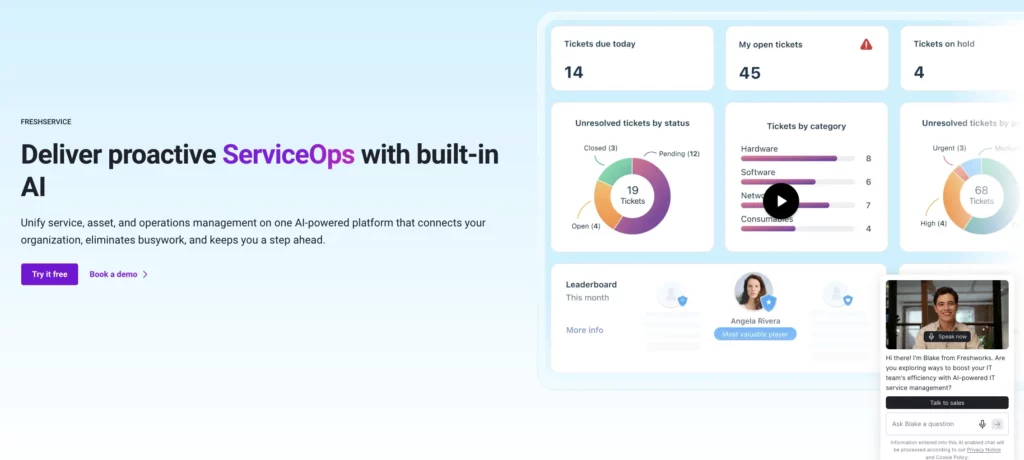
Freshservice ITAM is designed to connect asset management with service management. Its value is clearest in organizations where incidents, requests, and changes already drive how IT work is delivered and tracked.
An agent troubleshooting a user issue can see the relevant device and software context. A service request can trigger an asset workflow. Change and incident processes can use configuration relationships. Higher ITAM tiers add capabilities such as network, cloud, and infrastructure discovery, software normalization, SaaS discovery, dependency mapping, and service discovery.
Freshservice is therefore more than a direct replacement for a standalone register. It changes the center of gravity from “manage assets” to “manage services with asset context.” That is a benefit for ITSM-led teams and unnecessary complexity for organizations that do not need a service desk platform.
Key capabilities:
- Asset and configuration management
- Integrated IT service management
- Network and cloud discovery
- Software and SaaS management
- Dependency mapping
- Service catalog integration
- Incident, change, and request workflows
- Automation and orchestration
- Reporting and analytics
Potential limitations:
- Requires a Freshservice ITSM subscription
- Asset costs depend on asset-unit consumption rather than simple asset counts
User sentiment:
Freshservice consistently receives positive feedback for its modern interface, ease of implementation, automation capabilities, and strong service desk experience. Many reviewers highlight the value of combining ITSM and ITAM within a single platform.
Areas for improvement commonly include reporting flexibility, pricing as organizations scale, and occasional limitations in advanced customization compared with larger enterprise platforms.
Pricing:
Freshservice offers custom pricing for its ITAM Growth, Pro, and Enterprise plans. ITAM functionality is licensed through Asset Units purchased in packs of 500, and organizations must also subscribe to an eligible Freshservice Growth, Pro, or Enterprise plan. Since Asset Unit consumption varies by asset type, ITAM costs can differ significantly depending on the mix of hardware, software, cloud, and other managed assets.
6. InvGate Asset Management
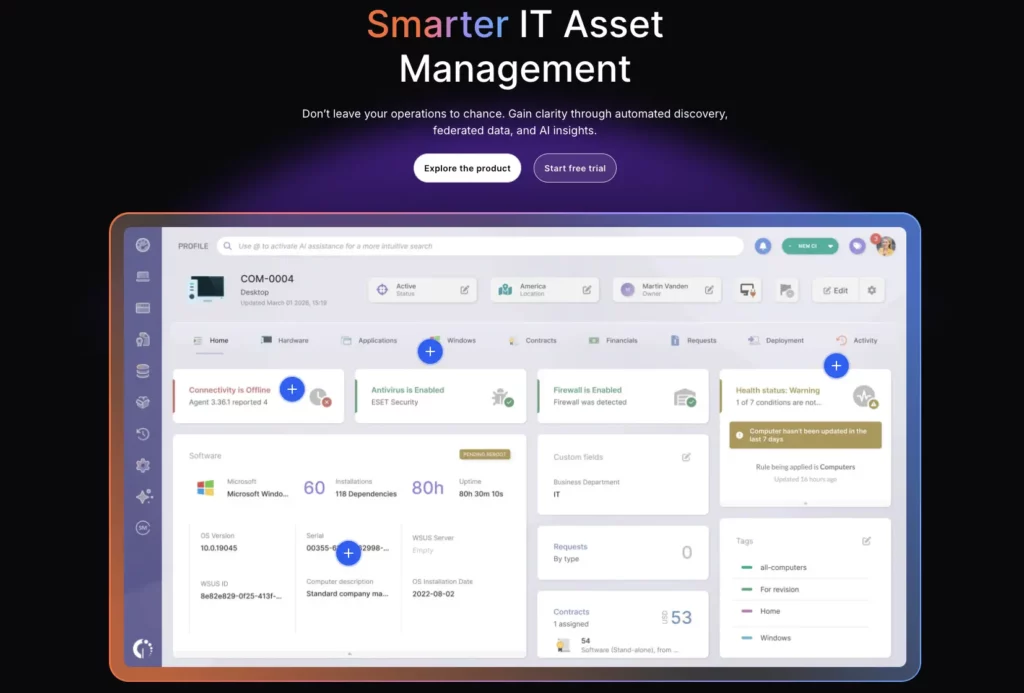
InvGate Asset Management is a strong candidate when the central problem is not the quality of manually entered records but the number of assets the team cannot see. Its focus is on building a more complete inventory through discovery and then using that visibility to support broader asset-management processes.
That coverage matters in environments where laptops are only part of the estate. Servers, network devices, virtual machines, cloud services, databases, containers, and other technical assets may need to be fed into the same inventory and lifecycle model. InvGate also provides financial and lifecycle data, software metering, automation, analytics, and an optional connection with InvGate Service Management.
Discovery does not remove data-governance work. It can create duplicate or conflicting records if source priority and matching rules are weak. The proof point is therefore reconciliation: can the product convert several sources into a trusted record without creating a second cleanup project?
Key capabilities:
- Agent-based and agentless discovery
- Hardware and software inventory
- Cloud and virtualization visibility
- Software metering
- License management
- Asset lifecycle tracking
- Automation workflows
- Analytics and reporting
- Service management integration
Potential limitations:
- Discovery projects still require governance and reconciliation planning
- Advanced enterprise governance capabilities may require additional tooling
- Pricing is quote-based rather than publicly standardized
User sentiment:
InvGate reviewers often highlight ease of deployment, strong discovery capabilities, intuitive navigation, and responsive support. Many users report improved visibility into hardware and software inventories after implementation.
Some reviewers would like broader third-party integrations, deeper reporting customization, or additional enterprise-scale governance features. Feedback generally reflects a positive balance between usability and functionality.
Pricing:
InvGate Starter costs $1,499 per year for 500 IP devices. Pro costs $5 per IP device per year, starting at $2,500 annually for 500–5,000 devices. Enterprise pricing is customized and starts at $12,000 per year. Because pricing is tied to discovered devices, organizations can align ITAM spending with the size of their managed environment. A free 30-day trial is available without a credit card.
7. Asset Panda
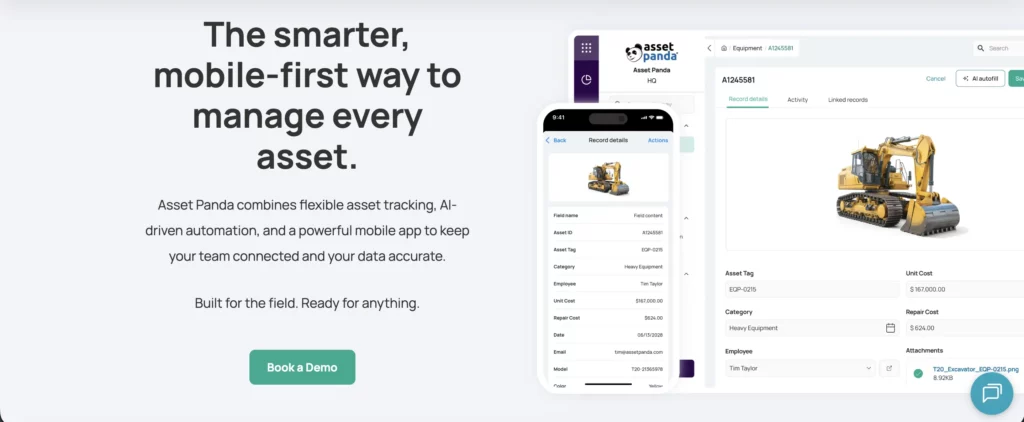
Asset Panda is a configurable, mobile-first asset platform that can track IT equipment, tools, vehicles, facility equipment, and other physical assets. Its main strength is flexibility, allowing organizations to adapt workflows and records to different operational needs without adopting a full enterprise IT platform.
That flexibility is valuable when several departments need one asset application but use different record types and handoffs. The mobile app, barcode scanning, and QR scanning can also support field teams who do not manage assets from a desk.
The distinction to test is between configurable asset tracking and deep ITAM. A flexible record can store software or license information, but that does not automatically provide endpoint discovery, software normalization, publisher-specific entitlement rules, SaaS usage, or service-impact relationships.
Key capabilities:
- Custom asset records and workflows
- Mobile asset management
- Barcode and QR code scanning
- Maintenance tracking
- Approval workflows
- Reporting and dashboards
- Multi-department asset management
- Custom forms and permissions
Potential limitations:
- Limited native software asset management depth
- Not designed as a CMDB or service-relationship platform
- Advanced ITAM requirements may require additional tools
User sentiment:
Asset Panda users frequently praise the platform’s configurability, mobile experience, and ability to support diverse asset types beyond IT. Organizations with unique workflows often appreciate the flexibility available without custom development.
The most common criticisms involve reporting complexity, occasional usability challenges during setup, and the time required to configure workflows effectively. Some reviewers note that extensive customization can increase administrative effort.
Pricing:
Asset Panda offers custom pricing. Organizations must request a personalized quote based on their asset-management requirements and selected capabilities. Since pricing is customized, ITAM teams should evaluate whether they need advanced workflows, integrations, and reporting features before requesting a quote. The vendor also offers a fully featured seven-day free trial after the initial consultation.
8. BlueTally
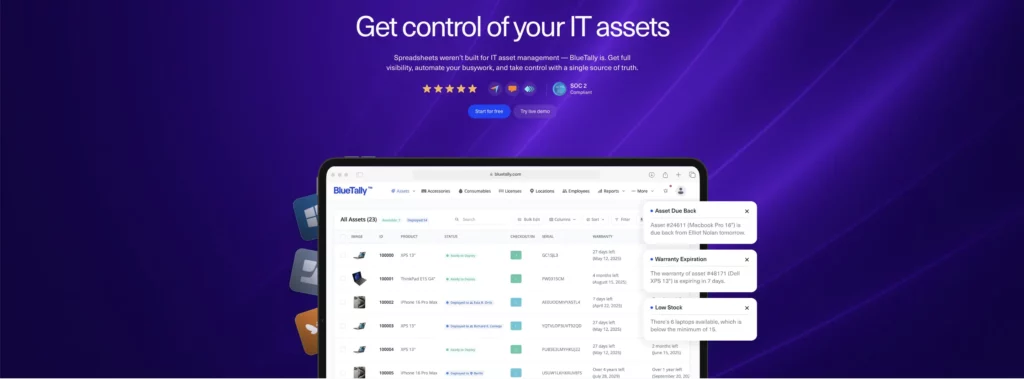
BlueTally is aimed at organizations that want a simple cloud-based asset platform with enough automation to reduce manual record-keeping. Its strongest appeal is its ability to integrate asset tracking with common identity and device management systems used by lean IT teams.
For a lean IT team, these connections can remove the specific manual updates that make a basic register hard to trust. An identity or device management source can help keep users and devices aligned, while self-audits and employee views distribute some of the verification work beyond the IT asset manager.
The trade-off is scope. BlueTally is strongest in device accountability and operational asset administration. Teams with complex software entitlements, extensive SaaS discovery, usage metering, or infrastructure relationships should test those requirements rather than assuming that license tracking equals a full SAM program.
Key capabilities:
- Asset assignments and custody tracking
- Check-in and check-out workflows
- License tracking
- Warranty and maintenance management
- Employee self-service views
- Identity and MDM integrations
- Audit workflows
- SSO and SCIM support
- Cloud-hosted deployment
Potential limitations:
- Limited software asset management depth
- Less suited for complex infrastructure environments
- Advanced discovery and optimization capabilities are comparatively limited
User sentiment:
BlueTally reviewers commonly describe the platform as clean, easy to learn, and quick to implement. Integrations with identity providers and device-management tools are frequently cited as valuable for maintaining accurate asset ownership records.
Users seeking enterprise-grade ITAM capabilities occasionally mention limitations around advanced reporting, software asset management depth, and broader infrastructure visibility. Overall sentiment tends to be strongest among small and mid-sized IT teams.
Pricing:
BlueTally offers a free account for up to 50 assets. With annual billing, Starter costs $299 per month, Business costs $499 per month, and Corporate costs $999 per month. Paid plans include unlimited assets and users, which can be beneficial for organizations with rapidly growing asset inventories. Monthly billing is higher, and all paid tiers include a free 14-day trial.
9. Jira Assets
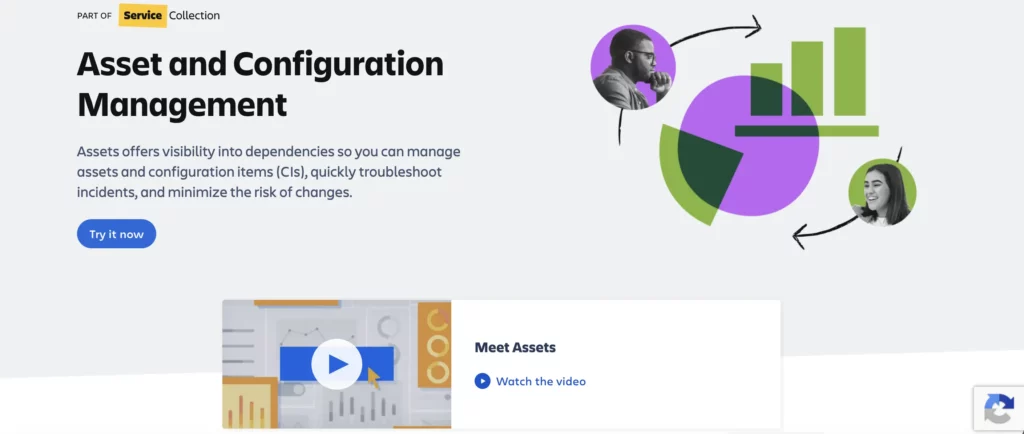
Jira Assets lets organizations create a structured model of the people, devices, applications, and services that support their operations and connect that information directly to Jira Service Management workflows.
That flexibility can be powerful in an Atlassian environment. A request form can reference an approved device or application. An incident can point to a configuration item. A change can identify affected services and owners. Data Manager and import capabilities can consolidate external sources into the object model.
The platform requires design discipline. Object schemas, attributes, relationships, imports, automation, access, and archival rules must be planned. Jira Assets can become an effective configuration and service context layer, but it is not automatically a turnkey HAM, SAM, procurement, or custody application.
Key capabilities:
- Configuration and asset modeling
- Object schemas and relationships
- Jira Service Management integration
- Change and incident context
- Data imports and synchronization
- Automation workflows
- Service dependency mapping
- Access and governance controls
Potential limitations:
- Requires schema design and ongoing governance
- Not a dedicated hardware or software asset management platform
- Procurement and lifecycle workflows may require additional configuration
User sentiment:
Jira Service Management users frequently praise the flexibility of Assets, deep integration with Jira workflows, and the ability to connect operational data with service processes. Organizations already invested in Atlassian products often report strong adoption.
Common concerns include the need for ongoing maintenance, data accuracy challenges, integration limitations, scalability constraints, and the time required to keep asset records up to date as the organization grows.
Pricing:
Jira Assets is included with Atlassian Service Collection Standard, Premium, and Enterprise plans. Standard starts at $20 per agent per month, while Premium starts at $51.42 per agent per month. The plans include 5,000, 50,000, and 500,000 Assets objects, respectively, with additional objects starting at $0.02 per object per month. For ITAM programs, it’s important to consider object limits because every asset, configuration item, or related record contributes to overall usage and potential costs.
10. ServiceNow ITAM
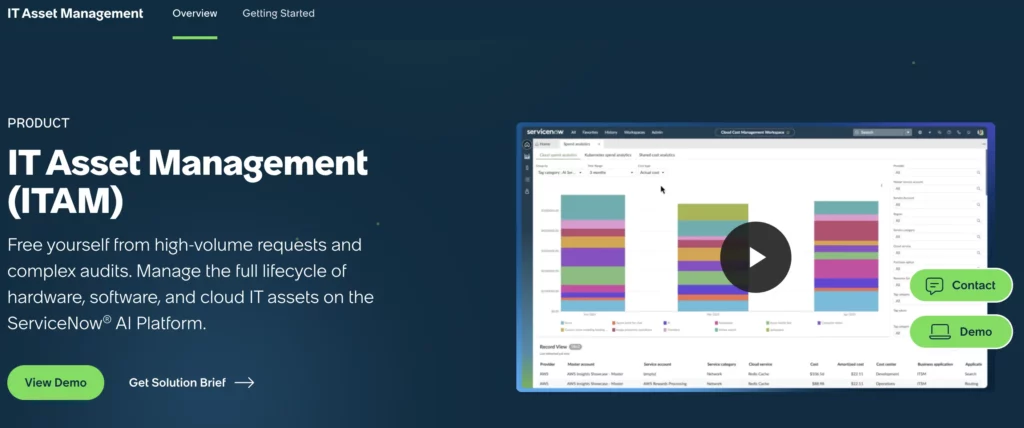
ServiceNow IT Asset Management covers hardware, software, and cloud asset lifecycles within the broader Now Platform. It can connect procurement, receiving, stockrooms, deployment, service, refresh, recovery, and disposal, using ServiceNow workflows, CMDB data, service management processes, and governance controls.
This makes it relevant to organizations that need consistent policy across business units, countries, and large technical estates. Software Asset Management can support normalization, entitlements, license positions, optimization, and publisher-specific processes. Hardware Asset Management can coordinate financial, contractual, inventory, and lifecycle records.
ServiceNow’s strength comes with a significant implementation obligation. Data ownership, process design, CMDB quality, integrations, roles, licensing, and ongoing platform administration must be funded. A mid-market team can buy more platform than it can successfully operate if those foundations are not already in place.
Key capabilities:
- Hardware asset management
- Software asset management
- Procurement workflows
- CMDB integration
- License optimization
- Compliance management
- Workflow automation
- Vendor management
- Enterprise reporting
- Governance controls
Potential limitations:
- Significant implementation effort
- Higher total cost of ownership
- Requires ongoing administration and governance
- It may be excessive for smaller organizations
User sentiment:
Reviews across G2 consistently highlight ServiceNow’s scalability, workflow automation, governance capabilities, and CMDB integration as major strengths. Organizations with mature IT operations often praise their ability to standardize processes across large environments and to connect asset management with broader service management initiatives.
Common concerns include implementation complexity, administrative overhead, consulting requirements, and overall cost. Reviewers frequently note that success depends heavily on governance, process maturity, and dedicated platform ownership.
Pricing:
ServiceNow pricing can be achieved by contacting the vendor to receive a customized quote based on their requirements. Pricing typically depends on factors such as the number of assets, modules selected, and the scope of ITAM capabilities required, including hardware asset management, software asset management, and SaaS management. As a result, ServiceNow is generally evaluated by larger enterprises with complex ITAM needs.
Which Snipe-IT alternative should you choose?
Use the migration trigger, not the longest feature list, to narrow the market.
Choose AssetSonar when the gap spans several ITAM disciplines
AssetSonar is a strong choice in this comparison for a mid-market team that needs to connect physical asset lifecycle records with automated discovery, installed software, and SaaS governance, license activity, user ownership, reporting, and workflow automation. It offers a more direct path from a manually maintained register to a broader ITAM operating model.
It is less compelling when the only requirement is managed hosting for a simple custody database or when open-source self-hosting is mandatory.
Choose Reftab or BlueTally when simplicity is the priority
Both products can reduce the operational burden of self-hosting and improve daily custody processes. Reftab is a strong general cloud-tracking option; BlueTally is particularly attractive when MDM, identity, employee lifecycle, and warranty integrations match your environment.
Carefully assess software and SaaS depth if license governance is part of the business case.
Choose GLPI when control matters more than reducing administration
GLPI expands the open-source route into ITSM, inventory, CMDB, contracts, and plugins. It is the clearest choice for teams prepared to own the platform and its extensions.
Choose Freshservice or Jira Assets when the service workflow comes first
Freshservice provides a more packaged ITSM-plus-ITAM approach. Jira Assets provides a flexible object and relationship model inside Atlassian service workflows. The decision depends on whether you want a ready ITAM capability set or a configurable context layer around Jira work.
Choose AssetExplorer when procurement and contracts drive the project
ManageEngine AssetExplorer is well-suited to organizations that need to manage purchase orders, vendors, contracts, software licenses, inventory, and lifecycle records under a single administrative model.
Choose InvGate when the inventory cannot be trusted because discovery is incomplete
InvGate should be high on the shortlist when the estate includes network, cloud, virtualization, servers, and other infrastructure that a manual register does not capture consistently.
Choose Asset Panda when IT is only one part of the asset program
Asset Panda can be a better organizational fit when a single platform must support IT equipment, tools, vehicles, and other physical assets, with mobile and configurable workflows.
Choose ServiceNow when enterprise process standardization justifies the investment
ServiceNow is not the default “upgrade” from Snipe-IT. It is a platform decision for organizations with the budget, governance maturity, and implementation capacity to run enterprise ITAM properly.
How we evaluated these Snipe-IT alternatives
This comparison uses publicly documented product capabilities, deployment options, pricing pages, and packaging information available as of June 2026. The evaluation focuses on the reasons mid-market teams commonly move beyond a basic or manually maintained asset register:
- Data collection and reconciliation
- Hardware lifecycle and custody
- Software and SaaS governance
- Service, procurement, and employee lifecycle workflows
- Audit evidence and reporting
- Integration ownership
- Deployment burden
- Commercial model and total cost
We did not run identical production implementations for every product. Buyers should use the pilot framework above to verify the capabilities, integrations, and pricing that apply to their environment.
Final recommendation
Snipe-IT remains a strong asset register for teams that value open-source control, low software cost, and dependable custody tracking. Replacing it makes sense when the work around the register, discovery, reconciliation, license analysis, employee handoffs, integrations, or audit preparation has become the larger problem.
For mid-market IT teams facing several of those issues at once, AssetSonar should be on the shortlist when the goal is to move from a manually maintained asset register to a connected ITAM operating model spanning assets, users, software, licenses, workflows, reporting, offboarding, and service context. The final fit depends on required packages, integrations, asset volume, and implementation scope.
Teams with narrower requirements should choose accordingly: Reftab or BlueTally for accessible cloud tracking; GLPI for open-source breadth; Freshservice or Jira Assets for service-led operations; AssetExplorer for procurement and contracts; InvGate for broad discovery; Asset Panda for cross-department physical assets; and ServiceNow for enterprise governance.
The final decision should be based on a controlled pilot that demonstrates three things: that the data remains accurate, that the workflow eliminates real handoffs, and that the three-year operating cost is defensible.