
Key Takeaways:
- Effective ITSM knowledge management requires closed-loop capture, governance, retrieval, self-service, and measurement; a searchable article repository alone does not ensure knowledge reuse.
- AssetSonar, ManageEngine, InvGate, and SysAid connect support records to reusable knowledge, but differ in asset context, structured workflows, closed-ticket extraction, and historical-record reuse.
- ServiceNow and Ivanti emphasize governed enterprise knowledge workflows, while Jira Service Management relies on Confluence and Rovo for knowledge creation and reuse.
- Freshservice and SolarWinds emphasize self-service and contextual reuse; NinjaOne stays closer to endpoint documentation with a less complete ticket-to-knowledge workflow.
- Choose based on where knowledge breaks down: capture, retrieval, governance, or self-service, then pilot the full loop and verify advanced AI or KM features by plan.
Closing a ticket does not mean the work is finished. A technician may spend an hour finding the root cause and documenting the fix, but that knowledge can become buried in ticket history. A knowledge base helps only if useful answers stay current and easy to find.
Depending on the platform, ITSM knowledge management tools may turn ticket resolutions into articles, surface existing knowledge during ticket handling, govern publication, and make reviewed articles available through self-service.
This guide compares 10 ITSM platforms on that lifecycle: how effectively they capture completed support work and make it reusable in future tickets.
Best ITSM knowledge management tools: At a glance
| Product | Best for | Ticket → KB | AI drafting | Reuse/self-service | Governance/dependency | Pricing model |
| AssetSonar | Asset-aware IT support | Native | Native, Zoe, AI Co-pilot | In-ticket suggestions + self-service | Visibility controls + version history | Per asset, unlimited agents |
| ManageEngine ServiceDesk Plus | Structured service desk teams | Native | Zia GenAI | Contextual KB recommendations | Categories + role-based access | Per technician; assets affect some editions |
| Ivanti Neurons for ITSM | Enterprise AI + governed publishing | Native | Premium/Enterprise Premium or add-on | Native self-service reuse | Formal approval workflows; SaaS AI dependency | Quote-based |
| ServiceNow ITSM | Mature KCS-oriented programs | KCS plugin-enabled | Now Assist, licensing-dependent | Native agent + self-service reuse | Advanced lifecycle controls; KCS plugins required for some functions | Quote-based |
| Freshservice | Mid-market IT teams | Native via Solutions / Email-to-KBase | Freddy Copilot add-on | Contextual suggestions + portal | Native Solutions workflow; advanced AI plan-dependent | Per agent |
| InvGate Service Management | Closed-ticket knowledge extraction | Native | Native AI drafting | Knowledge Discovery + self-service | Role-based article governance | Annual bundled plans |
| Jira Service Management | Atlassian-based teams | Integrated via Confluence | Rovo on paid eligible plans | Request-form suggestions + portal | Confluence permissions and administration | Per agent / Cloud plan |
| SysAid | Reusing completed service records | Native | AI service-record generation | Similar-record retrieval + self-service | Internal vs. end-user publishing controls | Per agent |
| SolarWinds Service Desk | Reusing existing solutions | Native | Premier GenAI | Smart Suggestions + self-service | Audience controls; advanced AI plan-dependent | Per technician |
| NinjaOne | Endpoint-focused support teams | Limited | Limited | Ticket-history search; limited self-service KM | Documentation-centric rather than closed-loop KM | Per device/quote |
Legend:
Native = available within the product’s documented workflow.
Integrated = requires a connected first-party product.
Plan-dependent = requires a specified plan, add-on, or license.
Limited = supports part of the workflow but not full ticket-to-knowledge automation.
What makes an ITSM knowledge management tool effective
A useful ITSM knowledge system should support the full path from solving an issue to reusing that solution.
Agents first need to find existing knowledge while working on a ticket. Knowledge base search, similar incident retrieval, and contextual article suggestions can prevent unnecessary troubleshooting.
When no suitable answer exists, the platform should make knowledge capture easy. This may mean converting a resolution into an article or using AI to draft one from ticket information.
New content also needs governance. Review workflows, permissions, version control, and article ownership help prevent incomplete or outdated guidance from reaching users.
Finally, approved knowledge should return to the workflow through agent recommendations, portals, search, or virtual agents. Usage and feedback can then show which articles need improvement.
This reflects the knowledge-management service (KCS) approach: capture, reuse, and improve knowledge as part of support work rather than treating it as a separate documentation project.
How we selected these ITSM knowledge management tools
Each product needed active ITSM or service desk functionality and a meaningful way to manage support knowledge. Standalone wikis and general documentation platforms were excluded.
We evaluated the tools around the same core areas:
- Ticket-to-article capture
- AI-assisted knowledge creation
- Search and contextual recommendations
- Review and governance
- Knowledge reuse during ticket handling
- Employee self-service
- Knowledge maintenance and analytics
Together, these criteria help distinguish basic knowledge repositories from ITSM platforms that actively capture, govern, and reuse support knowledge.
The right capability depends on where knowledge currently breaks down in the support process. Use the matrix below to identify what your shortlist should prioritize.
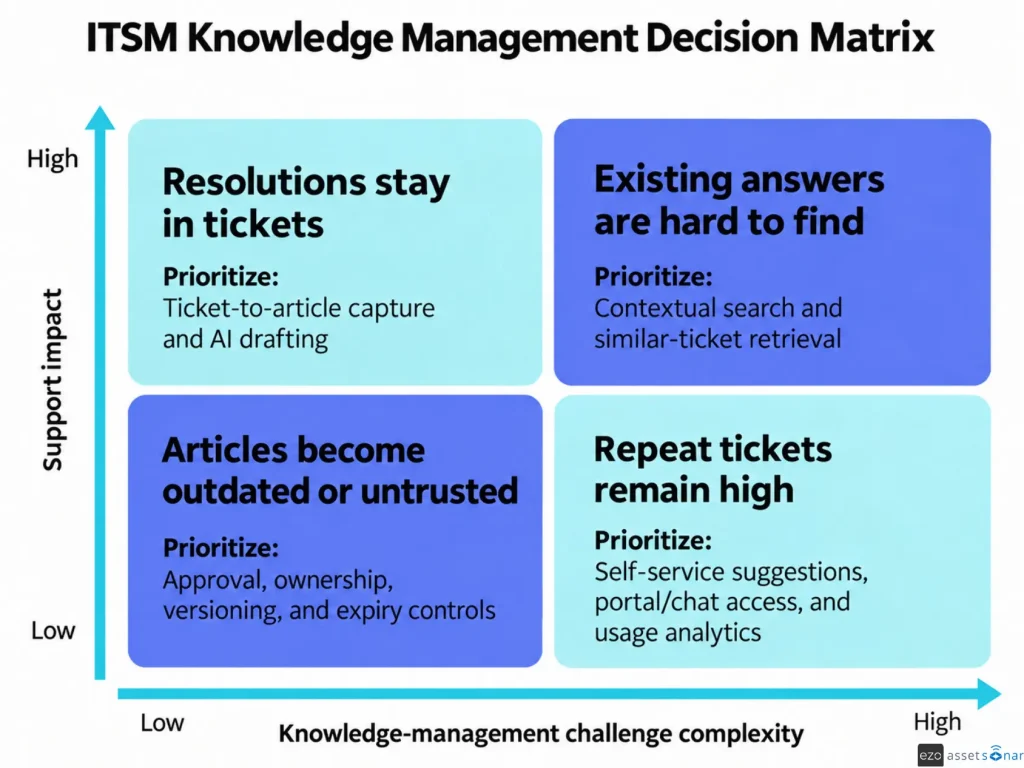
With that priority in mind, the tools below show how different ITSM platforms approach knowledge capture, retrieval, governance, and reuse.
Comprehensive overview of ITSM knowledge management tools for turning resolved tickets into solutions
The tools below differ most in how they capture resolved-ticket knowledge, govern it, and return it to future support workflows.
1. AssetSonar
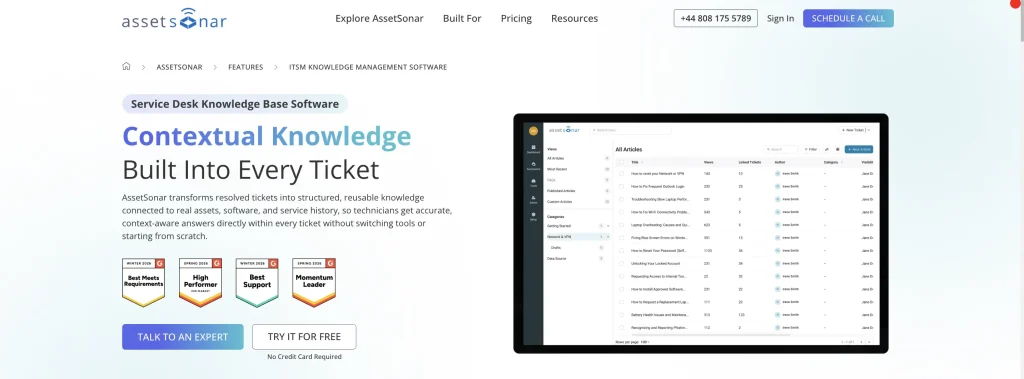
Best fit: IT teams that want service knowledge connected with the asset and software context behind support issues.
AssetSonar brings knowledge management into the same environment with its ITSM and ITAM capabilities. Resolved tickets can become structured articles, while AI generates ready-to-review drafts. KB articles can also be linked or suggested within tickets, so technicians can use documented fixes alongside asset and software context
Key knowledge management capabilities:
- AI Article Generation: AI can create draft knowledge articles from ticket resolutions and recurring support issues for technicians to review before publishing.
- Ticket-linked knowledge: Knowledge base articles can be attached directly to tickets, allowing technicians and requesters to reuse structured resolutions within the ticket thread.
- Controlled publishing: Per-article visibility controls separate internal technician content from employee-facing guidance, while version history lets teams review and restore previous article versions.
- Asset-aware knowledge: Tickets can combine asset and software context with linked or suggested KB articles during support.
Limitations:
- Teams that need highly formalized KCS governance may require more specialized workflows than AssetSonar currently emphasizes.
- Asset-based pricing may be less suitable for small service desks managing large inventories.
Pricing:
The AssetSonar ITSM plan starts at $1.08 per asset per month and includes ITAM, knowledge base functionality, and unlimited agents. Packages start at 100 assets, with volume discounts available for more than 1,000 assets.
User perspective:
AssetSonar has a 4.5/5 rating on G2. Users often praise its ease of use, integrations, and ability to centralize IT information. On the negative side, some reviewers mention limitations in reporting, filtering, and customization when they need more tailored operational views.
2. ManageEngine ServiceDesk Plus

Best fit: IT departments that want structured knowledge creation and retrieval within an established service desk environment.
ServiceDesk Plus connects its native Solutions knowledge base with ticket handling. Zia’s Solution Generator can create structured solutions from ticket conversations or past resolutions, while Solution Assist retrieves and summarizes relevant KB content
Key knowledge management capabilities:
- Resolution-to-knowledge capture: Ticket information can be converted into reusable solutions instead of remaining buried in closed requests.
- Solution Generator: Zia can generate resolutions from ticket conversations or similar past tickets and create structured Solutions for the native KB.
- Contextual recommendations: Relevant KB content can surface when technicians or users search for help.
- Structured access: Categories and role-based controls help organize content for different audiences.
Limitations:
- Availability of generative AI and related Zia functions can vary by deployment and configuration.
- Cloud and on-premises environments may not provide identical knowledge management capabilities.
Pricing:
ServiceDesk Plus pricing starts at $13 per technician per month for Standard. Professional starts at $27 and Enterprise at $67 per technician monthly. Technical support is included for paid customers.
User perspective:
G2 currently rates ManageEngine ServiceDesk Plus 4.2/5. Reviewers frequently value its flexibility, integrations, and broad service desk functionality. However, users also report that initial setup and deeper customization can take time, especially when building more complex workflows.
3. Ivanti Neurons for ITSM

Best fit: Larger IT organizations that need controlled AI-assisted knowledge creation and formal review processes.
Ivanti Neurons for ITSM focuses on bringing AI into a governed knowledge lifecycle. Resolved or closed incidents can provide the source material for a draft article, while the resulting content moves through categorization and approval before publication. This makes Ivanti especially relevant for enterprises that want to create knowledge faster. At the same time, AI-generated content still moves through existing governance controls.
Key knowledge management capabilities:
- Incident-to-article generation: AI can use resolved and closed incidents to create draft knowledge articles.
- Structured approval: Different article types can follow defined review and approval workflows before publication.
- Categorized publishing: Agents can assign generated content to the appropriate knowledge collection and category.
- Self-service reuse: Published articles can help employees troubleshoot known issues before creating an incident.
Limitations:
- AI knowledge article generation is tied to supported SaaS environments rather than every Ivanti deployment.
- Advanced ITSM knowledge capabilities require applicable Premium or Enterprise Premium licensing.
- AI-generated articles use supported Ivanti templates, which may restrict teams with highly customized article structures.
Pricing:
Ivanti uses quote-based pricing. ITSM is included in Premium and Enterprise Premium and can also be purchased as an add-on for other eligible tiers.
User perspective:
Ivanti Neurons for ITSM is rated 4.0/5 on G2. Users commonly value its automation and flexibility when managing structured enterprise service processes. The main negative theme is complexity, with reviewers noting that advanced setup can require experienced administrators.
4. ServiceNow ITSM
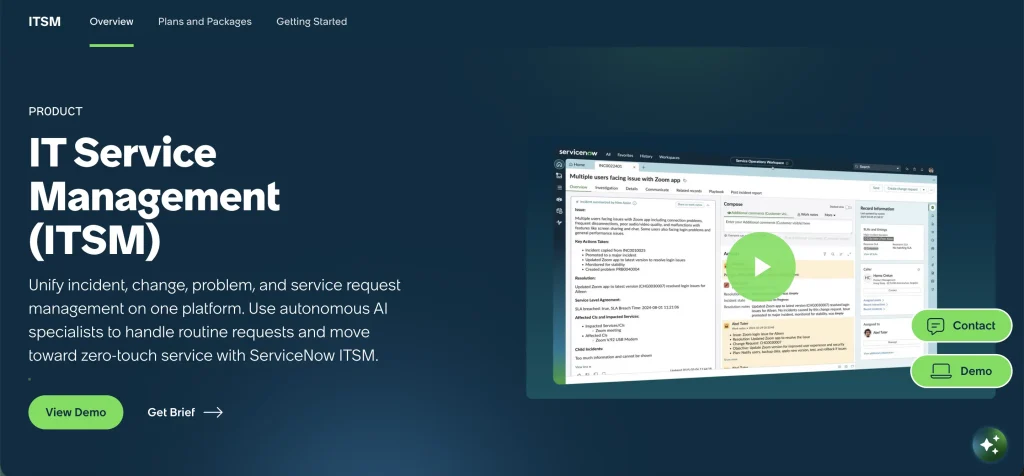
Best fit: Enterprises that need mature knowledge governance, KCS-oriented processes, and traceability between incidents and articles.
ServiceNow supports a governed incident-to-knowledge workflow in which resolved incidents can create linked draft articles. Now Assist can also generate knowledge from incident content or groups of similar incidents, while KCS capabilities add structured lifecycle controls.
Key knowledge management capabilities:
- Incident-to-article creation: Resolved incidents can generate linked draft knowledge articles.
- KCS-oriented structure: With Knowledge Management KCS Capabilities enabled, articles can use confidence and governance states.
- Approval controls: New knowledge can pass through defined submission and approval stages before publication.
- Lifecycle management: Versioning, validity periods, and article states help teams maintain content over time.
Limitations:
- Resolved-incident article creation requires KCS Integration for Incident Management, while KCS confidence and governance states require Knowledge Management KCS Capabilities.
- Now Assist knowledge generation requires Now Assist for ITSM and applicable licensing and configuration.
Pricing:
ServiceNow sells ITSM through packaged offerings with pricing provided by quote. Costs depend on the selected edition and additional capabilities.
User perspective:
ServiceNow IT Service Management holds a 4.5/5 G2 rating. Users often value its centralized workflows, automation, and support for complex service operations. Its main drawback is the learning and administration burden, with reviewers often citing demanding configuration and a steep learning curve.
5. Freshservice
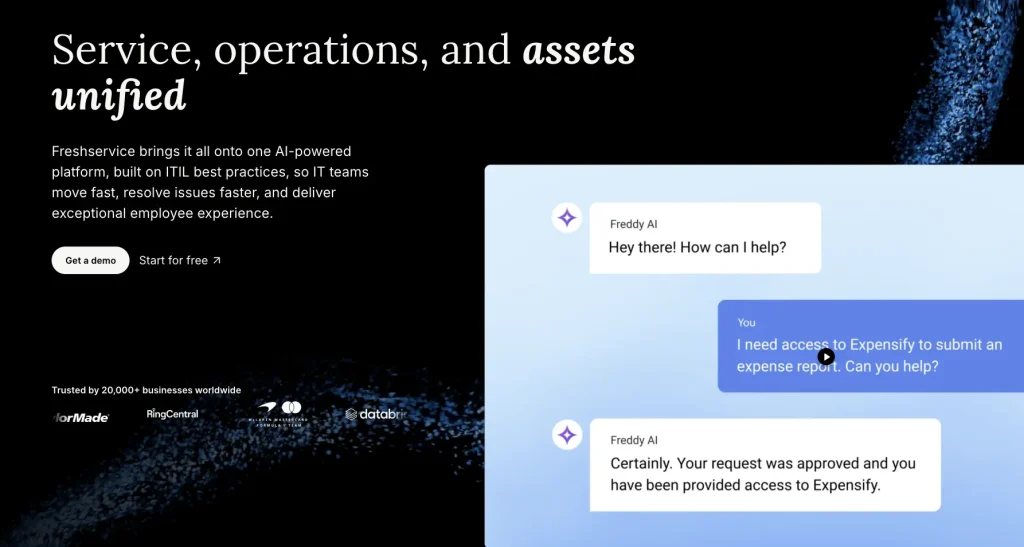
Best fit: Mid-market IT teams that want accessible knowledge creation, AI assistance, and employee self-service.
Freshservice combines its Solutions knowledge base with Freddy AI Copilot. Agents can turn ticket replies into draft solution articles through Email-to-KBase, while Freddy’s Help Article Generator drafts articles from prompts and surfaces relevant knowledge during support.
Key knowledge management capabilities:
- Ticket-response capture: Agent replies can be copied to the knowledge base as draft Solutions articles through Email-to-Knowledge Base.
- Freddy Knowledge Assistant: On Pro and Enterprise with the Copilot add-on, Freddy can draft help articles and surface relevant content during service work.
- Self-service search: Employees can search approved content before relying on an agent.
- Contextual reuse: Existing knowledge can surface while technicians work on active requests.
Limitations:
- More advanced Freddy AI functionality may require an add-on or higher-tier plan.
- Teams with highly formal KCS governance requirements may need deeper approval and lifecycle controls.
Pricing:
Freshservice starts at $19 per agent per month when billed annually. Growth costs $49, Pro costs $99, and Enterprise uses custom pricing. Freddy AI Copilot costs $29 per agent per month annually on Pro and Enterprise.
User perspective:
Freshservice receives a 4.6/5 rating on G2. Users regularly praise its clean interface and ease of adoption. Negative feedback tends to focus on customization or advanced functionality becoming more limited as service requirements grow more complex.
6. InvGate Service Management
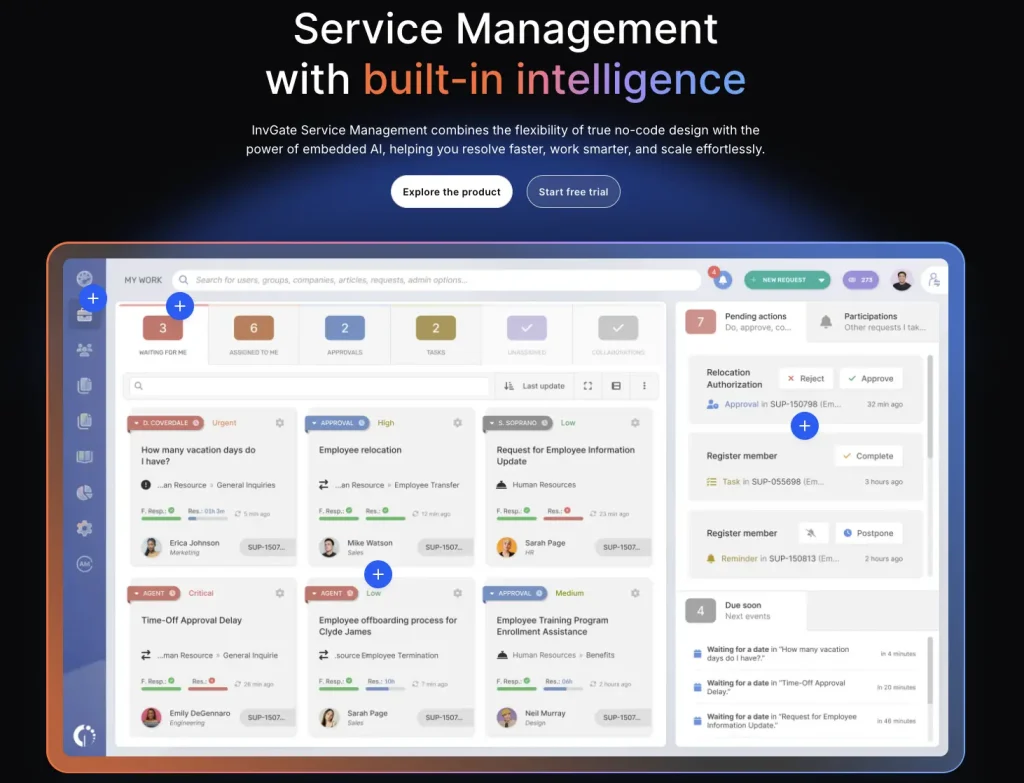
Best fit: Service desks that want to reuse closed-ticket knowledge with less manual re-entry.
InvGate uses closed-ticket history in two ways. Agents can generate a formal knowledge base draft from a completed resolution, while Knowledge Discovery extracts reusable information directly from closed tickets even when no article exists.
Key knowledge management capabilities:
- Closed-ticket article generation: AI can use a completed ticket resolution to create a structured draft article.
- Knowledge Discovery: Historical tickets can provide reusable knowledge even when no formal knowledge base article was created.
- Role-based knowledge: Permissions and categories help control how content is organized and exposed.
- AI-assisted reuse: Existing knowledge can contribute to suggested answers and virtual service experiences.
Limitations:
- More advanced workflow and AI functionality are concentrated in higher-tier plans.
- On-premises deployment is reserved for the Enterprise package.
- Teams with strict KCS governance requirements should compare its controls with more governance-heavy platforms.
Pricing:
Starter costs $1,499 per year for five agents. Pro starts at $2,500 annually, while Enterprise starts at $12,000 and uses custom pricing. A free trial is available.
User perspective:
InvGate Service Management has a 4.6/5 G2 rating. Reviewers often highlight its intuitive interface and relatively straightforward implementation. Negative feedback commonly points to integration or customization limits when organizations need more specialized configurations.
7. Jira Service Management
Best fit: IT teams already working in the Atlassian ecosystem that want service knowledge closely connected with Jira and Confluence.
Jira Service Management uses Confluence as its knowledge layer. Rovo can turn resolved tickets and recurring issues into draft articles that are saved or published in a linked Confluence space. This setup is most useful when Jira and Confluence are already established tools across support, development, and documentation teams.
Key knowledge management capabilities:
- Confluence-backed knowledge: Teams can manage support documentation through a Confluence space connected with Jira Service Management.
- Rovo-assisted drafting: AI can help create knowledge drafts from service context and recurring issues.
- Resolution reuse: Rovo knowledge management skills can turn ticket resolution steps into reusable knowledge base content.
- Request-form suggestions: Relevant articles can surface before an employee submits a new request.
Limitations:
- As articles live in Confluence, buyers should validate permissions, ownership, and cross-product administration
- Rovo-based workflows depend on supported plans and Rovo availability.
Pricing:
Jira Service Management offers a free plan for up to three agents, followed by Standard, Premium, and Enterprise plans. Rovo usage allowances and advanced capabilities vary by tier.
User perspective:
Jira Service Management is rated 4.3/5 on G2. Users value the connection between Jira, Confluence, and existing Atlassian workflows. On the negative side, reviewers often mention a learning curve as configurations, permissions, and cross-product administration become more complex.
8. SysAid

Best fit: IT teams that want to uncover useful knowledge from completed service records and reuse past resolutions more easily.
SysAid’s “Generate Knowledge Base Article from Service Record” agent creates articles from closed service records using resolutions, messages, notes, and descriptions. Its “Similar Incidents and Problems” agent separately retrieves related historical records for reuse.
Key knowledge management capabilities:
- Generate Knowledge Base Article from Service Record agent: Creates structured knowledge base content from completed service records.
- Similar Incidents and Problems: Retrieves related historical service records to help agents reuse earlier solutions.
- Service-record links: Knowledge base articles can be associated directly with service records for easier reuse during support.
- Self-service publishing: Teams can separate internal agent knowledge from content intended for end users.
Limitations:
- Some newer AI capabilities depend on SysAid’s current cloud infrastructure, so older environments may require upgrades.
- The Professional plan starts at a higher per-agent price than several mid-market alternatives.
Pricing:
SysAid Professional costs $89 per agent per month and includes AI functionality. Enterprise uses custom pricing and starts at a higher user threshold.
User perspective:
SysAid currently carries a 4.5/5 rating on G2. Users commonly value its automation and centralized service desk capabilities. Negative feedback tends to focus on interface and configuration friction when administrators move beyond standard workflows.
9. SolarWinds Service Desk

Best fit: IT teams with established ticket history and knowledge base content that want existing answers surfaced more effectively during support.
SolarWinds Service Desk emphasizes finding and reusing existing solutions during support. Smart Suggestions surfaces relevant knowledge base content, while Premier adds GenAI-guided solutions based on closed tickets, approved solutions, and knowledge articles. The platform also supports creating new knowledge from service activity. It provides basic usage signals that help teams understand whether published content is being used.
Key knowledge management capabilities:
- Smart Suggestions: Relevant articles can appear during request submission or agent troubleshooting.
- Incident-to-article creation: Agents can create new knowledge directly from active incidents.
- Audience controls: Articles can remain internal or be published for employee self-service.
- Usage signals: Views, article-to-ticket attachments, and ratings provide basic feedback on content use.
Limitations:
- Smart Suggestions supports broader knowledge reuse, while GenAI-guided incident solutions require Premier.
- Its knowledge management approach emphasizes practical service desk reuse more than extensive KCS governance.
Pricing:
Essentials starts at $39 per technician per month, Advanced at $99, and Premier at $124, billed annually. A 30-day trial is available.
User perspective:
SolarWinds Service Desk earns 4.3/5 on G2. Users frequently praise its straightforward interface and ease of ticket management. The most common drawbacks involve integration coverage and customization when teams need to support more complex environments.
10. NinjaOne
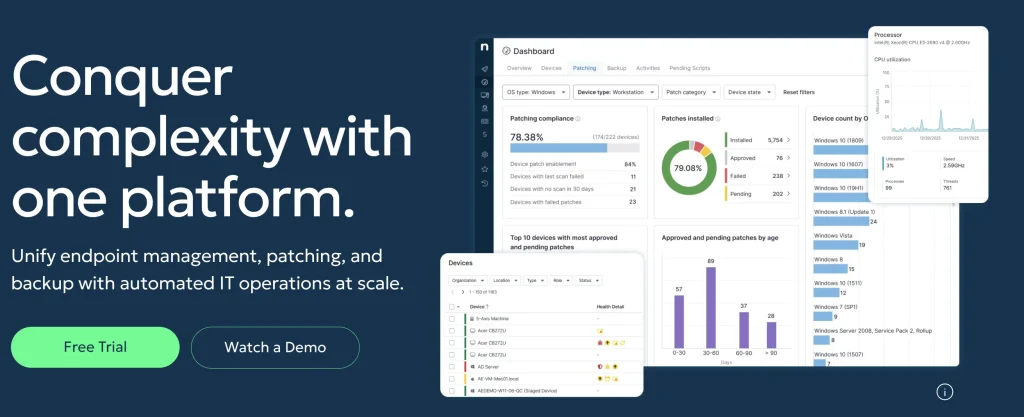
Best fit: Endpoint-focused IT teams that need documentation and ticket-history search more than formal ticket-to-knowledge automation.
NinjaOne combines ticketing, technical documentation, and endpoint context, but its knowledge workflow is closer to documentation and ticket-history retrieval than a closed-loop ITSM knowledge system.
Key knowledge management capabilities:
- Structured documentation: Teams can maintain global or organization-specific wikis and technical documents.
- Ticket history search: Full-text search helps technicians retrieve information from open, pending, and closed tickets.
- Endpoint context: Documentation sits alongside the devices and endpoint operations managed through NinjaOne.
Limitations:
- NinjaOne does not document the same native resolved-ticket-to-article workflow available in several other products in this comparison.
- Self-service and formal knowledge governance are less central to its current ITSM offering.
Pricing:
NinjaOne uses custom per-device pricing rather than publishing a standard per-agent ITSM rate. Final pricing depends on the selected products and number of managed endpoints.
User perspective:
NinjaOne has a 4.7/5 G2 rating. Users frequently praise its ease of use and ability to simplify day-to-day IT operations. For this use case, the main drawback is that knowledge management is less tightly connected to ticket resolution than in platforms built around a closed ticket-to-knowledge workflow.
How to choose an ITSM knowledge management tool
Teams starting from scratch should define their knowledge base setup, including structure, audiences, and initial content priorities.
| Where knowledge breaks | Prioritize |
| Resolutions stay in tickets | Ticket-to-article capture and AI drafting |
| Existing answers are hard to find | Contextual search and similar-ticket retrieval |
| Articles become outdated or untrusted | Approval, ownership, versioning, and expiry controls |
| Repeat tickets remain high | Self-service suggestions, portal/chat access, and usage analytics |
Also consider the context required to solve an issue. If answers depend on a device, application, CI, or user, a platform that connects operational records with knowledge may provide more relevant guidance than a separate repository.
Integrated ITSM knowledge vs. a separate content layer
A native ITSM knowledge base can keep ticketing, knowledge, and service context within the same system, reducing context switching and integration overhead. Platforms that rely on a separate content layer can still support effective knowledge workflows, but buyers should verify how well search, permissions, and ticket context stay connected across systems.
Compare how tickets, permissions, search, approvals, and updates move between the service desk and knowledge layer. Jira Service Management, for example, uses Confluence rather than storing its knowledge content entirely within JSM.
How to pilot an ITSM knowledge management tool
A useful pilot should test the entire knowledge loop, not just whether the product has the ability to create and store a consistent knowledge base.
Start with a few recurring ticket types and some existing articles. Then submit one issue with a documented answer and another with no current solution.
Test whether agents can find the existing article inside their normal workflow and whether embedded media remains clear and usable across employee and technician views. For the new issue, resolve the ticket and try to turn that resolution into a draft article. Review the content, approve it, and publish it to the intended audience.
Record how long draft creation takes, what ticket metadata carries over, how many review steps are required, whether the new article surfaces on a repeat issue, what analytics are captured, and which plan enables each step.
Common mistakes when comparing ITSM knowledge management tools
When comparing ITSM knowledge management tools, it is easy to focus on visible features while overlooking how knowledge is actually captured, governed, reused, and priced. The mistakes below can make a platform look stronger on paper than it performs in practice.
Treating every AI capability as equivalent
Check whether AI drafts articles, retrieves grounded answers, cites sources, preserves permissions, requires human review, and which plan or add-on enables each capability.
Ignoring governance
Review workflows, ownership, permissions, versioning, expiry controls, and audit history to determine whether published knowledge remains trustworthy over time.
Comparing entry prices without checking KM packaging
A vendor may advertise AI or advanced knowledge capabilities that are only available on higher tiers or through add-ons. Compare the cost of the workflow you actually need.
Turn resolved tickets into reusable IT knowledge
The value of ITSM knowledge management is not the number of articles a platform can store. It is how consistently the system preserves what technicians learn and makes that knowledge useful when the same issue appears again.
The tools in this comparison approach the problem differently. Some focus on AI-assisted article generation, while others offer stronger governance, historical ticket retrieval, self-service, or contextual recommendations.
The right platform depends on where knowledge currently gets lost in your support process. Teams that want service knowledge closely connected with asset and configuration context can consider AssetSonar, while organizations with different governance, ecosystem, or deployment requirements may benefit from another approach.