Key Takeaways:
- ITSM platforms differ by operating model: AssetSonar is asset-centric, Freshservice favors rapid cloud adoption, ServiceNow/BMC emphasize enterprise governance, Jira connects service with development, and Zendesk prioritizes conversational support.
- OpenFrame combines service desk with endpoint/security operations, while ManageEngine stresses deployment flexibility, Ivanti endpoint alignment, SolarWinds asset discovery, and SysAid guided AI adoption. Pasted text
- Product fit should reflect the organization’s current operating model and administrative capacity; buying for a theoretical future state can create unnecessary cost and complexity. Pasted text
- AI should be evaluated across assist, recommend, act, and prevent levels, with attention to data access, approvals, auditability, reviewability, and pricing.
- A meaningful proof of concept should test the same end-to-end workflow across platforms, including asset context, SLAs, approvals, reporting, exports, and audit trails.
IT service disruptions, fragmented ticketing systems, and disconnected asset data continue to slow down IT teams and impact employee productivity. When service requests lack context, technicians spend more time investigating issues than resolving them, leading to delayed resolutions and higher operational costs.
These challenges are especially critical for IT teams managing hybrid environments, distributed workforces, and growing technology stacks. Without a unified system, gaps between incidents, assets, and users make it difficult to maintain consistent service quality and adhere to SLAs.
This is where IT service management (ITSM) tools play a key role. A modern ITSM platform centralizes service requests, automates workflows, and connects incidents with underlying assets, users, and configurations. This ensures tickets are handled with the right context, improving resolution speed, accountability, and service efficiency.
This best ITSM software 2026 comparison evaluates 10 platforms against key operational criteria. It also examines recurring patterns in reviews across multiple platforms. Review feedback is used to assess adoption, usability, administration, and support experience. It is not treated as proof of undocumented functionality.
What qualifies as ITSM software?
ITSM software supports the structured design, delivery, management, and improvement of IT services. A qualifying platform should cover more than ticket intake. At minimum, it should manage incidents and service requests, service levels, routing, escalation, knowledge, self-service, reporting, and repeatable workflows.
Related categories serve different purposes:
- Help desk software focuses primarily on receiving and resolving user issues.
- Service desk software provides a broader interface between employees and service providers, although vendors use this label inconsistently.
- IT asset management software tracks the financial, contractual, ownership, and lifecycle records of hardware and software.
- IT operations management monitors and manages the infrastructure that delivers technology services.
- A CMDB records configuration items and their relationships supporting applications and business services.
- Enterprise service management applies service management practices across departments such as HR, facilities, finance, and legal.
A software does not become a complete ITSM platform merely because it can create tickets. Buyers should evaluate the documented processes, data relationships, and controls behind the category label.
How were these ITSM platforms selected?
The platforms included in this comparison were selected based on publicly available US market visibility, adoption signals, and industry presence. The goal was to reflect the use of widely used ITSM tools across different deployment models, maturity levels, and enterprise needs.
This is not a universal ranking. Each platform was evaluated using the same criteria:
- Incident and request management
- SLA policies and escalations
- Self-service and knowledge management
- Workflow and approval automation
- Asset and CMDB context
- AI assistance and governance
- Integrations and extensibility
- Security and administrative controls
- Implementation and migration effort
- Pricing structure and expansion costs
Top ITSM software compared at a glance
| Platform | Best Fit | Asset and CMDB Model | Deployment | Pricing Structure | G2 Rating |
| AssetSonar | Asset-centric ITSM | IT Graph connects assets, software, users, contracts, tickets, and dependencies | Cloud | Per asset; unlimited agents | 4.5/5 |
| Freshservice | Faster cloud adoption | CMDB available; ITAM licensed through Asset Units | Cloud | Per agent; ITAM and AI add-ons | 4.6/5 |
| ServiceNow ITSM | Complex enterprise governance | CMDB foundation; HAM and SAM use separate products | Cloud | Quote-based product packages | 4.5/5 |
| OpenFrame | ITSM runs alongside endpoint and security operations | Tickets link to devices, customers, and KB articles; endpoint inventory from built-in MDM and osquery; no CMDB | Self-hosted (open source) or managed cloud | Per device; no per-technician fees; AI tokens metered | 4.8/5 |
| Jira Service Management | Atlassian-centered service delivery | Assets links objects and configuration data to work items in Jira; plan-dependent | Cloud; Data Center EOL March 2029 | Tiered per agent | 4.3/5 |
| ManageEngine ServiceDesk Plus | Flexible deployment and ITIL processes | ITAM in Professional and Enterprise; CMDB depends on edition and deployment | Cloud and on-premises | Per technician, by edition | 4.2/5 |
| Ivanti Neurons for ITSM | Endpoint-connected service management | ITSM package includes ITAM and discovery; Service Mapping is separate | Cloud, on-premises, and hybrid | Quote-based packages | 4.0/5 |
| BMC Helix ITSM | Large-enterprise process control | Helix CMDB; Discovery and other capabilities use additional products | Cloud | Quote-based products | 3.7/5 |
| SolarWinds Service Desk | Cloud ITSM with asset discovery | Asset management and CMDB included; asset capacity priced separately | Cloud | Per technician; asset pricing separate | 4.3/5 |
| SysAid | Guided adoption with embedded AI | Asset management included; verify licensed asset scope | Cloud and on-premises | Per agent; Enterprise is quote-based | 4.5/5 |
| Zendesk for Employee Service | Helpdesk-led employee service | External asset or CMDB integrations may be required | Cloud | Per agent; add-ons and usage charges may apply | 4.3/5 |
What should you look for in an ITSM platform?
A modern ITSM platform should manage service work effectively and provide technicians with enough operational context to act. A well-routed ticket still creates unnecessary work if the technician must search for another product to find the affected device, installed software, warranty, ownership history, or related changes.
Ticketing, incident, problem, and change management
The core ITSM processes should handle end-to-end service workflows without forcing all work into a single queue.
- Categorize, prioritize, route, merge, and escalate incidents
- Support structured problem management for recurring issues
- Enable change management with approvals, risk tracking, and audit history
- Ensure records, relationships, and traceability across all processes
SLA management and service automation
SLA tracking should be actionable, not just time-based, and tightly connected to workflow automation.
- Multiple SLA targets and business-hour rules
- Pause conditions, warning thresholds, and escalation paths
- Automated breach notifications and instant reporting
- Workflow automation for approvals, notifications, and fulfillment
Self-service, knowledge, and asset context
Employees should be able to resolve issues independently, while technicians retain full operational context.
- Self-service portal for requests, forms, and knowledge articles
- Knowledge management to improve deflection and resolution speed
- Direct access to asset and CMDB data from within tickets
- Up-to-date device, software, and ownership context for technicians
Integration, security, and administrative control
The platform should connect securely with core business systems while maintaining strong governance controls.
- Integrations with identity, endpoint, monitoring, and procurement systems
- API quality, sync reliability, and extensibility
- Security controls including SSO, MFA, RBAC, encryption, and location audit logs
- Clear visibility into which features are included per plan
Implementation, migration, and total cost
Successful ITSM adoption depends on realistic implementation effort and a full cost view beyond licensing.
- Effort for process design, data migration, integrations, and testing
- Ongoing administrative and maintenance requirements
- Total cost including cost for licenses, assets, AI usage, CMDB/discovery modules, and support
- Implementation services and long-term operational overhead
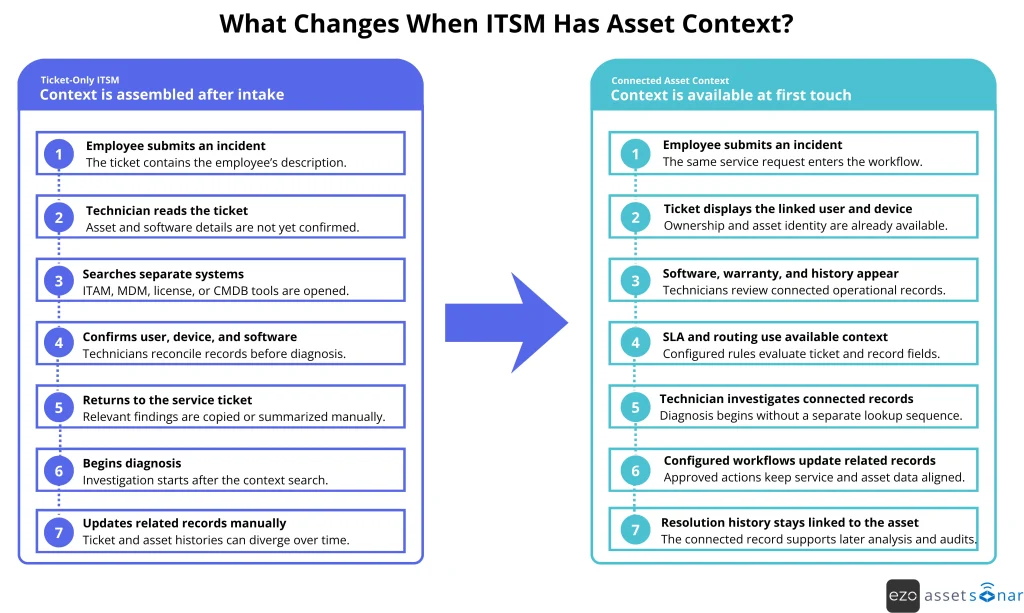
Ticketing capabilities may appear similar on paper, but the resolution process varies when asset data is linked to each request. The infographic below compares how technicians handle the same incident with and without immediate asset context.
10 Best ITSM software platforms for 2026
1. AssetSonar: ITSM powered by connected ITAM
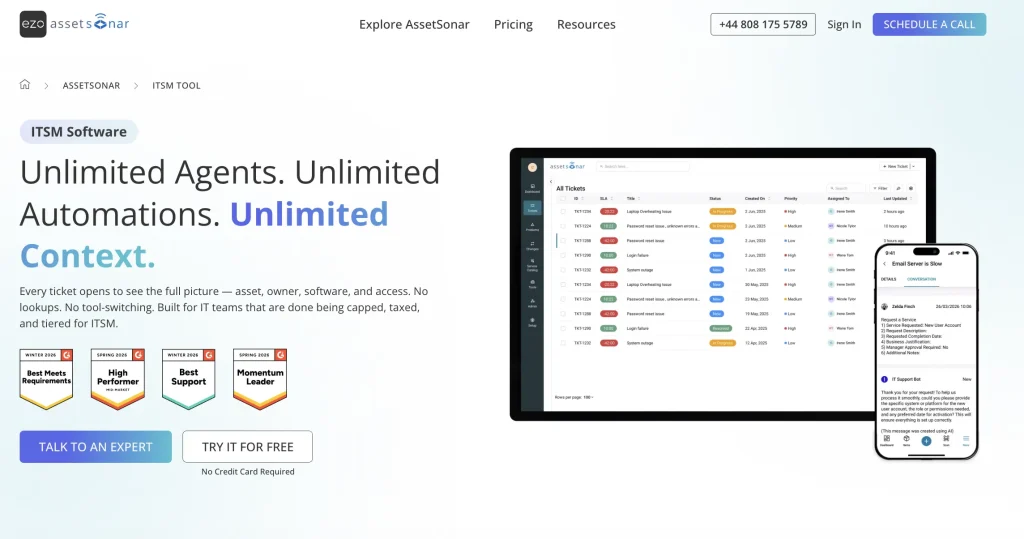
AssetSonar approaches service management from an IT asset management foundation. Its IT Graph connects assets, software, users, contracts, tickets, and technical dependencies. This gives technicians a wider operational record than a standalone ticket queue does.
The platform supports incidents, requests, SLA policies, escalations, knowledge management, self-service, and configured workflows. When a ticket concerns a device or application, the service record can be evaluated alongside ownership, lifecycle, software, warranty, and related service information. Technicians do not have to reconstruct that context from separate spreadsheets or disconnected products.
AssetSonar’s workflow engine can route work, coordinate approvals, escalate SLA risks, and update related records when configured conditions are met. Zoe, its AI copilot, can assist with classification, summaries, suggested responses, similar incidents, and diagnostic guidance. Technician review remains important for consequential decisions.
The operating model is most relevant when service delivery, hardware management, software oversight, discovery, and lifecycle workflows need to share one data foundation. Advanced SAM extends its capabilities to include deeper software normalization, compliance, usage analysis, SaaS discovery, and reclamation.
Review analysis: Strong asset adoption, with ITSM evidence still developing
G2 and Capterra feedback frequently associates AssetSonar with approachable setup, asset tracking, responsive support, and configurable records. The recurring criticism concerns the usability or depth of some reporting and customization experiences.
Many reviews evaluate AssetSonar as an ITAM platform, with strong feedback on asset visibility, administration, and operational control. Buyers can use these reviews to assess administration and asset operations, but they should test incident, SLA, and service workflows directly during a trial.
Evaluation note: AssetSonar uses a per-asset subscription model, offers a 7-day free trial, and includes a 14-day implementation plan upon purchase. Organizations planning extensive service management across non-IT departments can test specific workflows during the pilot.
2. Freshservice: Faster deployment and accessible administration
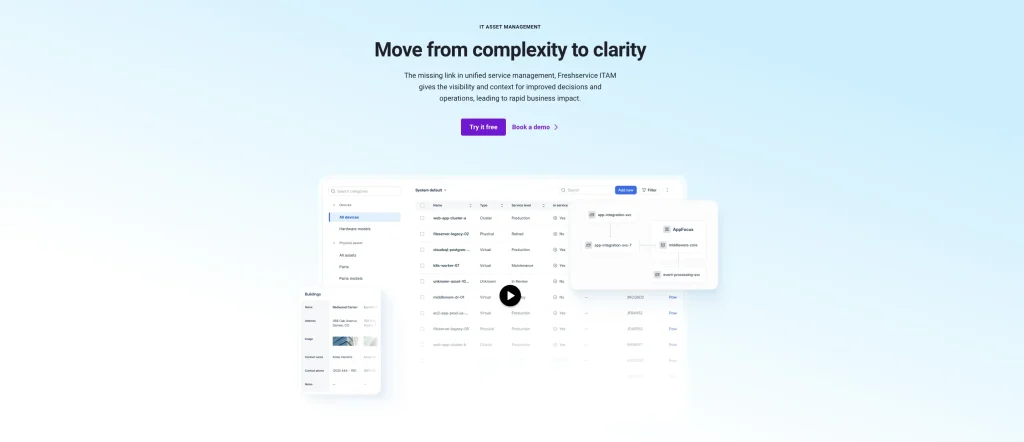
Freshservice combines incident, problem, change, request, knowledge, and service catalog capabilities with workflow automation for ticket routing, approvals, notifications, escalations, and request fulfillment. Its drag-and-drop administration and packaged ITIL practices reduce the design effort required before an IT department can begin handling requests.
Freshservice also offers integrated asset management and a CMDB. Its configuration records can connect assets with incidents, problems, and changes, while discovery options collect data from on-premises, cloud, and hybrid environments. Buyers should verify which asset, discovery, and advanced ITAM functions are included in their intended plan.
Freddy AI supports routing, summarization, response drafting, search, and employee self-service. Some AI capabilities are included only in higher tiers or sold as add-ons. Freshservice is therefore easy to start implementing, but the final cost depends on the desired process and the depth of automation.
Review analysis: Low initial friction can become configuration friction
Reviews consistently favor Freshservice’s interface, organized ticketing, automation, and relatively approachable deployment. The negative pattern appears later in the adoption cycle. Reviewers seeking deeper portal customization, specialized reporting, or more complex workflows describe greater configuration effort.
Some also note that costs increase when advanced automation, AI, and asset requirements enter the scope. Buyers should prototype their hardest workflow before treating ease of setup as evidence of long-term fit.
Evaluation note: During the pilot, build the most complex required workflow, portal journey, and report without vendor assistance. This will show whether the platform remains manageable beyond its initial setup.
3. ServiceNow ITSM: Enterprise process scale and governance
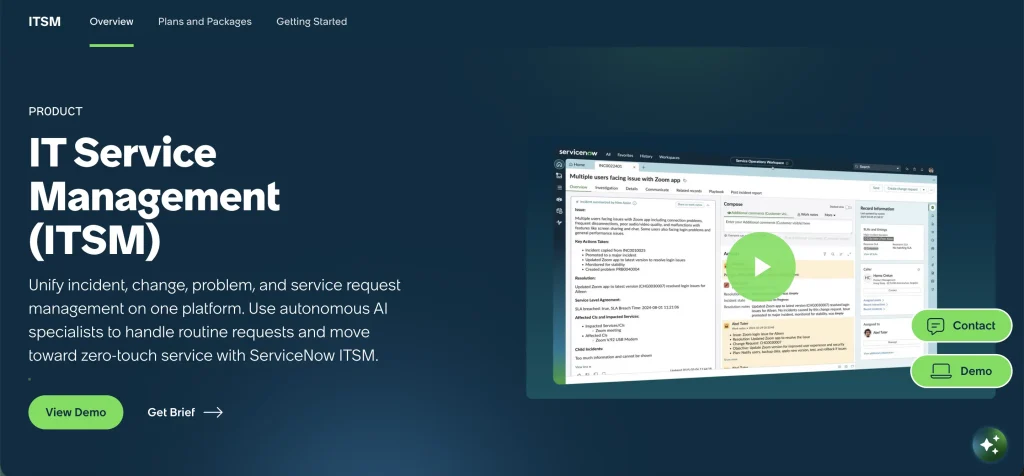
ServiceNow ITSM is designed for organizations that need detailed process control across numerous services, business units, approval models, and administrator roles.
The platform consolidates service records on the ServiceNow CMDB. This allows incidents and changes to be evaluated against configuration items and service dependencies. Hardware Asset Management, Software Asset Management, Asset Discovery, and other functions sit within the wider ServiceNow portfolio and may require additional licensing.
ServiceNow’s AI capabilities can support virtual agents, ticket creation, routing, knowledge suggestions, analytics, and automated task execution. The breadth is substantial, but effective deployment depends on process ownership, data governance, and skilled administration.
Review analysis: Platform value increases with organizational maturity
Reviewers frequently value ServiceNow’s centralization, automation, reporting potential, and ability to model complex workflows. Their criticism is less about missing capability and more about the resources required to use it well.
Setup, customization, navigation, training, and administration become recurring concerns. ServiceNow performs best when the organization has mature processes and dedicated platform ownership. Without those conditions, flexibility can become operational overhead.
Evaluation note: Estimate the ongoing administrator effort, change-control requirements, and upgrade testing needed after implementation. The initial configuration should not be treated as the complete operational burden.
4. OpenFrame: Service desk and endpoint operations in one stack
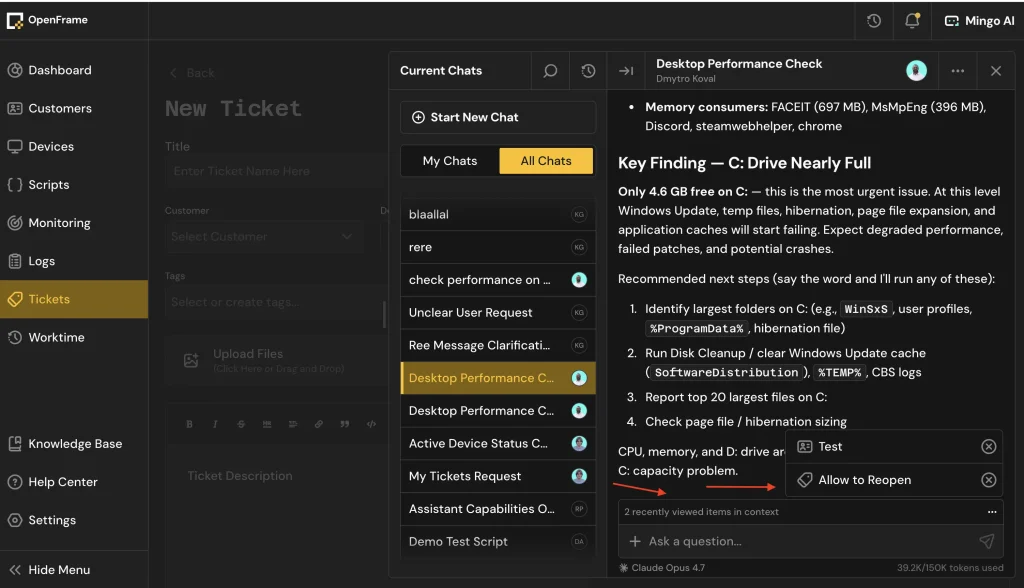
OpenFrame, built by Flamingo, is an open, AI-native platform for IT and security, described by the company as “Claude Code for IT.” It combines ticketing with RMM, remote access, MDM, patching, and SIEM, so MSPs and in-house IT teams work from one stack.
The service desk covers custom pipeline stages with automations and SLAs, a knowledge base, and time tracking. Tickets link to the affected device. From the ticket, technicians can check inventory and vulnerability data, run a script, or open a remote session without switching tools.
Two AI agents work inside the platform. Fae runs on employee devices, turns plain-language requests into tickets, and escalates to a person when needed. Mingo helps technicians run scripts, queries, and policies, with approval gates and audit logs on every action. Email-to-ticket is still on the roadmap, and buyers who need a CMDB should confirm the current scope.
Review analysis: Strong early feedback, with a review base still forming
OpenFrame holds a 4.8/5 rating on G2. Reviewers point to how fast the agents respond and like that a technician approves before the AI acts.
Current feedback comes mainly from small MSPs, so the review base is still small. Larger internal IT teams should test SLA and reporting workflows during a pilot.
Evaluation note
OpenFrame costs $1 per device per month, or $0.80 with annual billing, with no per-technician fees. AI usage is metered in tokens, and a free trial is available.
5. Jira Service Management: Connected service and development work
Jira Service Management connects service requests with development and operations work in Jira. It supports queues, request types, SLAs, incident coordination, problem management, change workflows, automation, and knowledge delivery through Confluence.
Its main advantage appears when support and engineering need to collaborate on the same issue. A service request can be linked to development work without requiring an entirely separate process or platform.
Atlassian Assets adds a flexible object model for devices, applications, people, facilities, and configuration items. Those objects can be connected to requests, incidents, and changes. Organizations can extend the model through Atlassian’s marketplace, but doing so also introduces governance and licensing considerations.
Review analysis: Existing Jira knowledge changes the experience
Reviewers regularly praise the connection between service tickets and development work, as well as flexible workflows and Atlassian integrations. Administration is the dividing line.
Organizations already experienced with Jira often treat configurability as an advantage. New administrators can encounter a steeper learning curve involving schemes, permissions, automations, and project structures. The product should therefore be evaluated differently by established Atlassian customers and first-time Jira adopters.
Evaluation note: Jira Service Management uses tiered per-agent pricing. Include Confluence, marketplace applications, implementation support, and Data Center requirements in the cost model where applicable.
6. ManageEngine ServiceDesk Plus: Broad ITIL coverage with flexible deployment
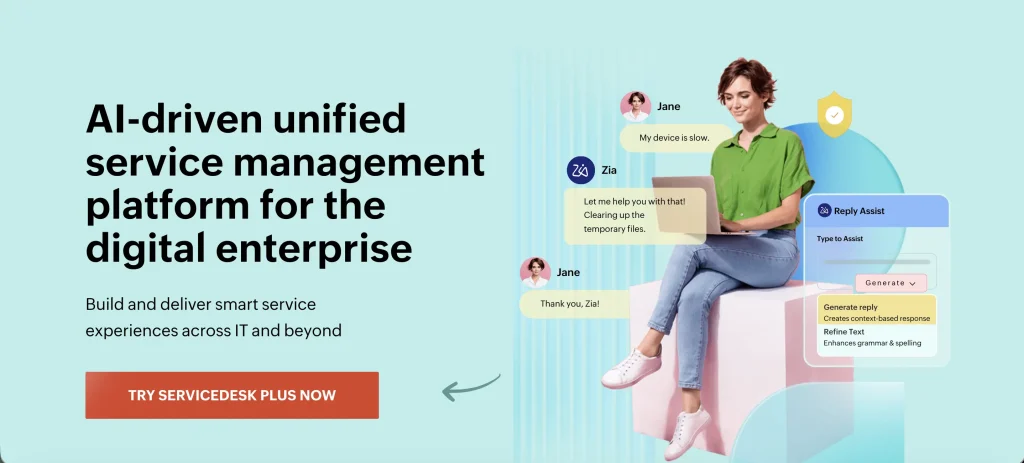
ManageEngine ServiceDesk Plus provides ITIL-aligned service desk capabilities in cloud and on-premises deployments, making it relevant for organizations with different infrastructure and control requirements. Its flexible deployment options (cloud and on-premises availability) let organizations choose the model that best fits their security, compliance, and operational needs.
Capabilities vary significantly by edition. Standard focuses on the help desk. Professional adds asset management, while Enterprise adds broader ITSM processes. CMDB, service catalog, problem management, and related capabilities may be included, unavailable, or sold separately depending on the deployment and edition.
ServiceDesk Plus can discover and track hardware and software, connect assets with tickets, and maintain configuration relationships. It provides broader native IT operations coverage than many basic service desk products, but buyers must compare the exact edition rather than the brand-level feature list.
Review analysis: Breadth earns approval, but packaging requires attention
Reviewers tend to value ticket handling, ITIL-aligned workflows, automation, custom triggers, and the range of functionality available for the price. Less favorable feedback refers to interface consistency, advanced reporting, upgrades, and the effort required for certain custom configurations.
The practical finding is not simply that ServiceDesk Plus offers good value. Its value depends on selecting the correct edition and accounting for any required add-ons before implementation.
Evaluation note: Test the required workflows in the exact edition and deployment model being considered. Capabilities and administrative behavior can differ between cloud, on-premises, and edition-specific configurations.
7. Ivanti Neurons for ITSM: Service and endpoint alignment

Ivanti Neurons for ITSM supports core IT service management processes, including incident, request, problem, change, release, knowledge, configuration, service-level, and event management.
Its current ITSM package includes IT asset management, discovery, and AI-assisted support through the Neurons Platform. These capabilities are designed to work together to improve incident handling and service visibility. At the same time, additional modules, such as Service Mapping and deeper integrations, may need to be evaluated separately, depending on scope and requirements.
Ivanti is relevant when an organization wants service workflows to interact with device, discovery, or security operations. That benefit depends on the selected Ivanti modules and the quality of the data passed between them.
Review analysis: Workflow flexibility carries an interface tax
G2 and Capterra reviewers recognize Ivanti’s configurable workflows, automation potential, integrations, and ability to support detailed ITSM processes. Interface complexity and a clunky administrative experience appear as the corresponding friction.
Some reviews also raise concerns about implementation or support. This creates a clear evaluation question: whether the organization values process flexibility enough to fund the administration and training it requires.
Evaluation note: Map data ownership across ITSM, ITAM, discovery, and endpoint systems. The pilot should test synchronization failures and confirm which product remains authoritative for each record type.
8. BMC Helix ITSM: Structured enterprise service governance
BMC Helix ITSM is designed for large-scale enterprise service management with strong governance and process control requirements. Its capabilities include incident clustering, change-risk analysis, omnichannel self-service, collaboration, and analytics.
Helix CMDB provides configuration and service relationship data. BMC Helix Discovery, Digital Workplace, Client Management, and other portfolio products can extend the operating model. Buyers should confirm which products, subscriptions, and implementation services are necessary for their intended design.
BMC Helix is most relevant where change control, auditability, approval structures, and process consistency outweigh the need for lightweight administration. It can support complex service environments, but it should not be evaluated like a plug-and-play help desk.
Review analysis: Capability appears after implementation, not before it
Reviewers often describe BMC Helix as robust, adaptable, and capable of fitting detailed organizational processes. The trade-off is evident in feedback on deployment, configuration, interface complexity, training, and total cost.
Product value depends heavily on implementation quality. A poorly scoped rollout can expose complexity without delivering the process control that justified it.
Evaluation note: Run one incident-to-change scenario across every required Helix product. This will expose cross-product handoffs, permission dependencies, and the administrative effort created by the proposed implementation.
9. SolarWinds Service Desk: Cloud ITSM with asset discovery
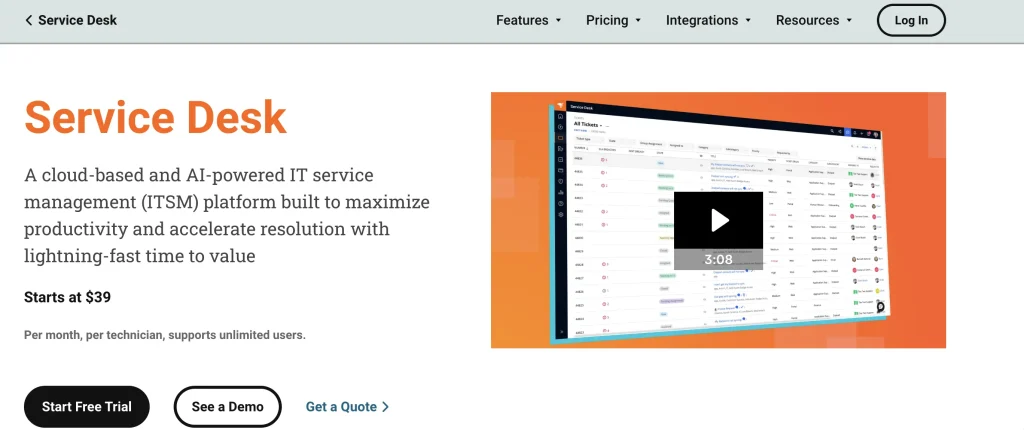
SolarWinds Service Desk is a cloud ITSM platform for managing incidents, requests, changes, SLAs, and workflows. It places particular emphasis on connecting service management with automatically discovered asset and infrastructure data.
SolarWinds Discovery uses agent and agentless methods to identify hardware and software. Discovered records populate the CMDB and provide asset and configuration context for incidents, problems, and changes.
This helps technicians investigate device-specific issues and build a service history around the affected asset.
IT asset management is available as an additional purchase, so buyers should distinguish between core service desk pricing and the cost of their required asset scope. Remote support requirements and integrations with the broader SolarWinds monitoring portfolio may also shape the final implementation.
Review analysis: Daily ticket work is easier than advanced administration
Reviewers regularly favor the ticket interface, dashboard accessibility, search, customization, and routine service desk. The less consistent experiences involve advanced reporting, implementation guidance, integrations, and specialized configuration.
This distinction makes SolarWinds attractive for improving daily service work, but the pilot should include administration and reporting tasks rather than testing only the agent interface.
Evaluation note: SolarWinds Service Desk uses tiered per-technician pricing, starting at $39 per technician per month for Essentials when billed annually, with higher tiers adding advanced automation, AI, reporting, and configuration capabilities.
10. SysAid: Guided ITSM adoption with embedded AI
SysAid combines ITSM capabilities with asset management. Its current positioning places AI agents and a copilot across employee and technician experiences.
The asset component tracks hardware and software and can support service and audit workflows. Licensed plans may limit the number of managed assets, which makes capacity planning important for larger IT environments.
SysAid’s AI functions support self-service, ticket classification, responses, and workflow activity. Buyers should distinguish between assistance, prebuilt agent actions, and organization-specific automations that still require configuration and governance.
Review analysis: Support and automation offset reporting limits
Review feedback frequently highlights ticket management, ease of use, workflow customization, AI assistance, and responsive support. Reporting depth is the most consistent counterpoint.
Some reviewers also mention interface friction, integration setup, asset limits, or the need for additional training. SysAid can reduce adoption risk for core ITSM, but analytics and integration requirements should be tested early rather than left for the end of implementation.
Evaluation note: The SysAid Professional plan is listed at $89 per agent per month. Buyers should verify asset allowances, AI scope, implementation support, and required integrations.
11. Zendesk: Conversational employee support
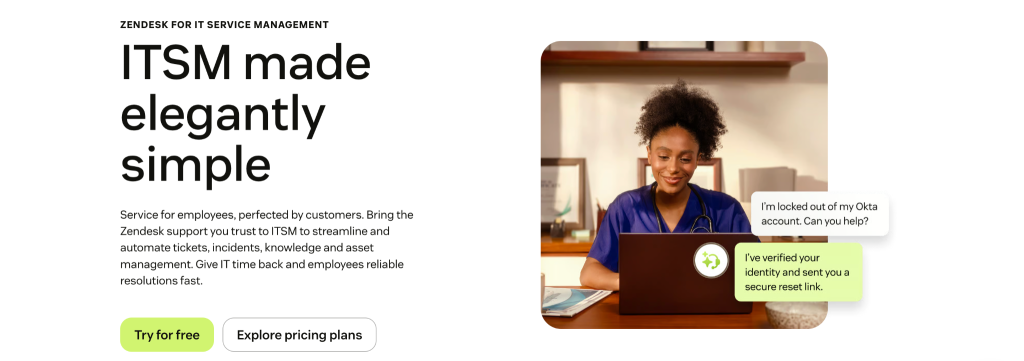
Zendesk for Employee Service applies Zendesk’s established support model to internal service delivery. It includes an IT service desk, automation, self-service, a service catalog, knowledge delivery, and multi-channel employee communication.
The principal advantage is the request experience. Employees can use familiar conversational channels, while agents work from a centralized interface designed around rapid ticket handling. This can improve adoption when the primary problem is inconsistent support intake.
Zendesk’s official ITSM positioning does not emphasize a native enterprise CMDB or the same asset lifecycle depth as ITAM-led platforms. Organizations that need device, software, license, or configuration context should define the required integrations and test how that information appears inside agent workflows.
Review analysis: Agent usability is proven, but ITSM depth needs separate validation
Zendesk reviews strongly support its usability, channel consolidation, ticket organization, scalability, and a mature customer support experience. Criticism more often concerns pricing expansion, add-ons, reporting constraints, performance, and complex configurations.
There is also an evidentiary limitation: most reviews assess Zendesk as a customer service suite rather than focusing on its newer ITSM positioning. Buyers should separate confidence in its ticketing experience from proof that it meets their change, CMDB, asset, and service-governance requirements.
Evaluation note: Test an asset-linked incident and change workflow from submission through reporting. If external asset or CMDB systems are required, verify synchronization, failure handling, and how their data appears to agents.
How should AI in ITSM be evaluated?
AI maturity in ITSM can be divided into four operational levels:
- Assist: Summarizes tickets, drafts replies, or retrieves knowledge.
- Recommend: Suggests classifications, assignments, causes, or next actions.
- Act: Executes an approved workflow, update, or remediation.
- Prevent: Uses service and infrastructure signals to identify risk before a request is submitted.
A vendor mentioning AI does not establish which level it supports. During a pilot, ask:
- What data does the AI use?
- Can administrators restrict its data access?
- Which actions require technician approval?
- Are recommendations and actions logged?
- Can the output be corrected and reviewed?
- Is AI included, usage-based, or sold separately?
- Does the AI understand the affected asset and service, or only the ticket text?
The strongest AI implementation is not necessarily the most autonomous. It is the one that uses reliable context and keeps consequential actions controlled and traceable.
Which ITSM operating model fits your organization?
Company size alone should not determine the product. Match the platform to the work it must coordinate and the resources available to administer it.
- Asset-centric IT operations: Prioritize connected assets, software, ownership, discovery, and service records.
- Rapid cloud adoption: Look for packaged processes, simpler configuration, and clear plan boundaries.
- Enterprise-level IT governance: Assess detailed permissions, auditability, change controls, CMDB depth, and platform administration.
- Development-connected service: Examine how incidents and requests move between support, engineering, and operations.
- Enterprise service management: Test whether non-IT departments can maintain their own workflows without weakening central governance.
- Lower ITIL maturity: Start with incident, request, SLA, portal, and knowledge processes before introducing an elaborate CMDB or heavily customized change model.
The best ITSM software should fit the organization’s current operating model while supporting its next stage of service maturity. Buying for a theoretical future state can create unnecessary cost and administrative burden.
How can you compare the true cost of ITSM software?
Build a three-year cost model rather than comparing advertised entry prices. Include:
- Agent, technician, requester, and concurrent-user licenses
- Managed assets, nodes, or configuration items
- AI usage or premium AI packages
- ITAM, CMDB, discovery, and service-mapping products
- Workflow, integration, or automation add-ons
- Sandbox and test environments
- Data migration and implementation services
- Administrator and developer time
- Premium support and training
- Contract minimums and renewal increases
This analysis prevents a low entry price from hiding the cost of the operational configuration that the IT department actually needs.
What should you test during an ITSM proof of concept?
Run the same operational scenario through every shortlisted platform:
- Submit an incident through the employee portal.
- Identify the affected asset and its current owner.
- Apply the correct SLA and escalation path.
- Route the incident using available context.
- Trigger an approval or related lifecycle action.
- Link a recurring incident to a problem record.
- Assess the impact of a proposed change.
- Build a report without vendor assistance.
- Export the ticket and related records.
- Review the complete audit trail.
A proof of concept should include administrators, technicians, employees, security stakeholders, and reporting users. Testing only the agent interface can hide migration, governance, and maintenance problems.
What questions should you ask ITSM vendors?
Use the demonstration and request-for-proposal process to verify claims that public feature pages often simplify:
- Which required capabilities are native, integrated, or separately licensed?
- Which plan includes ITAM, CMDB, discovery, AI, and audit logs?
- What licensing units can increase the subscription?
- How are tickets, articles, assets, relationships, and audit records migrated?
- Which integrations are bidirectional?
- How are failed integrations monitored and corrected?
- What administrative skills are needed after implementation?
- How are extensive customizations affected by upgrades?
- Which support services are included?
- How can the organization export its data when the contract ends?
- Where can buyers verify security, compliance, accessibility, and data residency?
- How frequently are release notes, trust documents, and product roadmaps updated?
The answers should be recorded in the contract or implementation scope where they affect cost or suitability.
Choose ITSM software around the work it must support
The top ITSM software options take different approaches to service delivery. Some prioritize enterprise process control, easier adoption, development collaboration, or conversational support. AssetSonar differentiates itself by connecting service work with asset, software, user, contract, and lifecycle context through the IT Graph.
The best ITSM software is the platform that resolves the organization’s current operational gaps without creating unnecessary licensing or administrative complexity.