





Live webinar · Oct 21, 2 PM EST: How to Reduce Software License Waste Before Your Next Renewal

Jamf Pro Integration with AssetSonar

Native

Asset Discovery & Scanning

Discover Every Apple Device Automatically

Turn Jamf Pro’s device data into one complete, audit-ready IT asset record for your entire Apple fleet.

No Credit Card Required

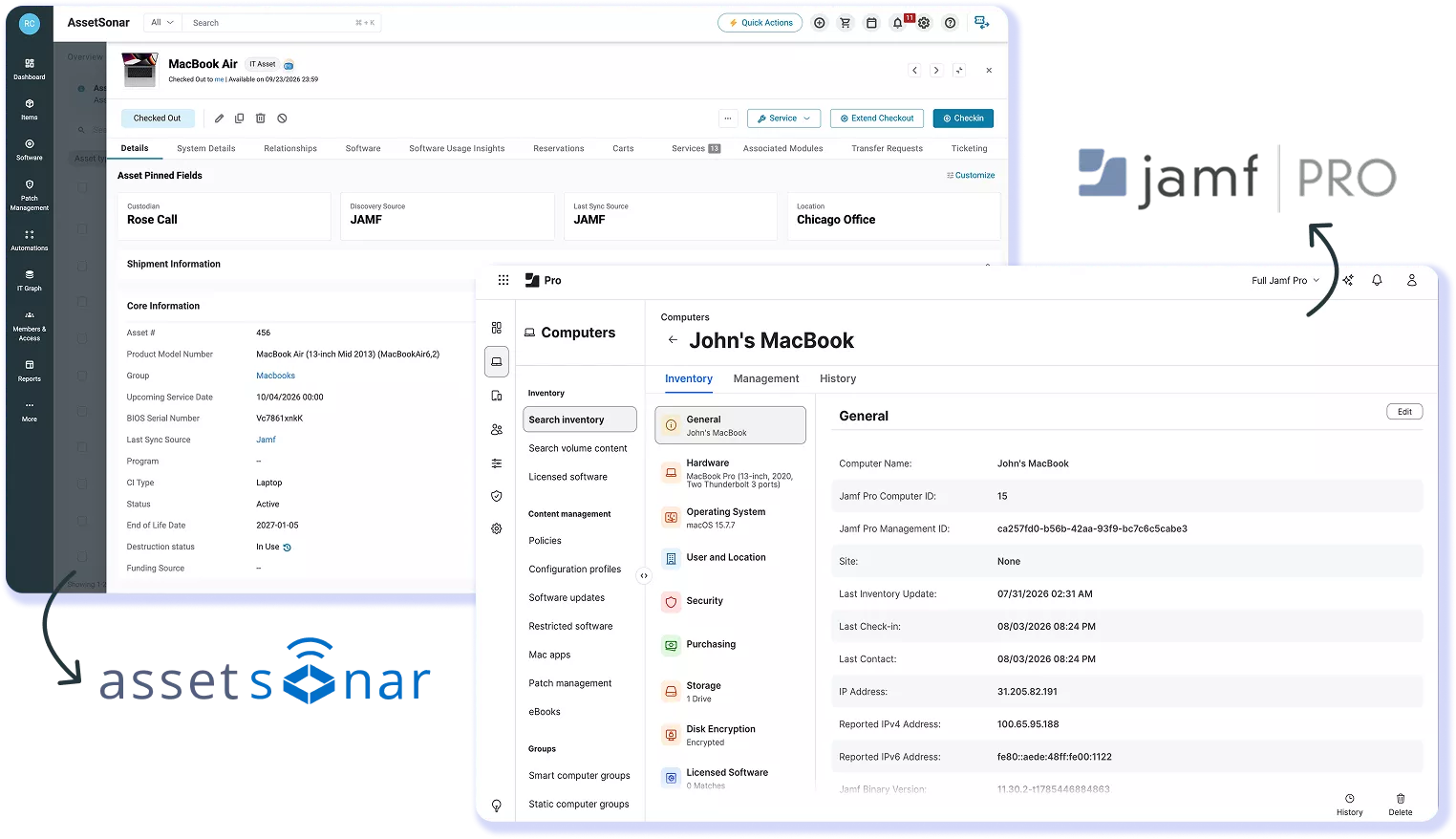
AssetSonar MacBook Air record showing Jamf as its discovery and sync source beside a Jamf Pro inventory screen.

From Jamf-Managed Devices to a Complete IT Asset Record

Jamf Pro manages your macOS, iOS, and iPadOS fleet. AssetSonar’s Jamf Pro integration imports every enrolled device, its warranty and AppleCare status, and mapped ownership details into one inventory alongside your other IT assets.

Find Your Apple Devices Instantly

Every iPad, MacBook, and iPhone that Jamf Pro manages lands in your asset register automatically, with hardware, software, ownership, and last logged-in user already filled in for you.

Stay Ahead of Warranty Expirations

Warranty dates and AppleCare status sync onto every device record as it imports, so coverage gaps surface before a renewal deadline instead of after a failure occurs.

Sync Multiple Jamf Tenants at Once

Connect more than one Jamf Pro tenant for different departments, offices, or business units, and each syncs independently while rolling into one unified inventory.

Turn Jamf Pro Data Into IT Asset Records

DEVICE DISCOVERY & IMPORT

Import Jamf-Managed Devices on a Schedule

AssetSonar syncs selected MacBooks, iPhones, and iPads from your Jamf Pro tenant, along with available hardware and software details, mapped ownership information, IP and MAC addresses, and last-login data. Sync Jamf Pro inventory to AssetSonar on demand, or set it to run automatically every 24 hours. No one enters anything by hand, and new enrollments appear on the next scheduled sync.
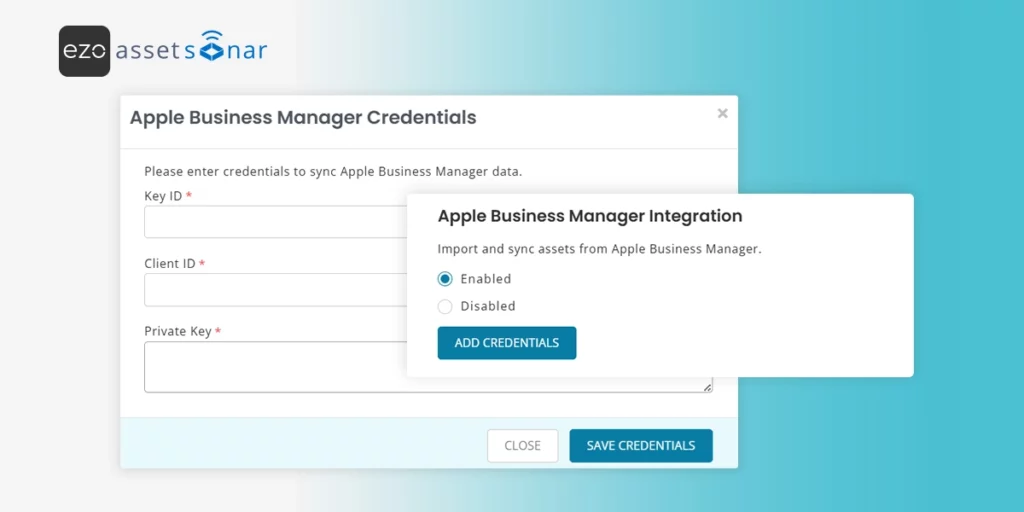
Jamf integration settings in AssetSonar, with fields for tenant credentials and an option to enable syncing.

WARRANTY & APPLECARE

Track Warranties Without Manual Lookups

AssetSonar adds the available warranty expiration and AppleCare data to each corresponding device record during sync once you configure ABM in your Jamf environment. IT teams can use the imported warranty expiry and AppleCare fields when reviewing device coverage. Export pre-built reports, such as “Expired Warranty Report,” or build custom reports by model or expiry date, giving IT and finance the same warranty details to plan around.

MULTI-SOURCE MATCHING

Run Jamf Pro Alongside Other Discovery Tools

Devices are matched on serial number as they arrive, so the Jamf Pro device inventory integration works alongside Intune, SCCM, or the AssetSonar Agent without creating duplicates. Whether you manage MacBook inventory with Jamf Pro and AssetSonar alone or run a mixed Apple and Windows fleet, each device keeps one record and its full discovery history.
AssetSonar MacBook Air record showing Jamf discovery and sync sources alongside device details.

Trusted by High-Performing Teams

Unify Your Apple Fleet. Streamline Lifecycle Tracking

Set Up the Integration in Under 10 Minutes

Requirements

Setup in simple steps

Other Integrations for Asset Discovery & Scanning

Sync Android, iOS & Windows devices with AssetSonar for real-time visibility and compliance.
Connect Kandji with AssetSonar to automate Apple device tracking and enforce security policies.
Sync Apple devices with AssetSonar to track OS updates, usage, and optimize hardware budgets.

Automatically import & update Apple IT assets directly from Apple’s verified inventory source through Apple Business Manager integration.

Read More on Jamf Pro Integration

Frequently Asked Questions

AssetSonar imports enrolled macOS, iOS, and iPadOS devices from Jamf Pro into its IT asset inventory. The sync can bring in hardware and software details, ownership, IP and MAC addresses, and login history. Warranty expiry and AppleCare status are also added to the device record. This gives IT teams a fuller asset record than a device list alone, while keeping Jamf Pro as the source for Apple device management. It also reduces manual re-entry when Apple inventory changes in Jamf Pro.
AssetSonar supports both on-demand and scheduled Jamf Pro inventory syncs. IT teams can run “Sync Now” for an immediate refresh or enable an automatic sync every 24 hours. Newly enrolled devices appear on the next scheduled sync. This matters where inventory freshness is important.
To connect Jamf Pro with AssetSonar, you need a Jamf Pro tenant with enrolled macOS, iOS, or iPadOS devices, the full Jamf Pro instance URL, and supported authentication credentials. AssetSonar recommends an API Client, although Basic Auth is also listed. During setup, admins enable the integration, add the tenant, choose device types and ownership mapping, then run a manual sync or enable the 24-hour schedule. Additional Jamf tenants can be added through the same workflow when required.
AssetSonar recommends using a Jamf Pro API Client. The Jamf API Role should have read access to Computers, Computer Prestage Enrollments, Mobile Devices, and Mobile Device Prestage Enrollments, with a Client ID, Client Secret, and at least a 10-minute access-token lifetime. Basic Auth is also supported using a Jamf Pro account with the Auditor role. This read-focused setup helps limit the permissions needed for inventory import.
Yes. AssetSonar can connect to more than one Jamf Pro tenant, which is useful for organizations that separate Apple management by department, office, subsidiary, or business unit. Each Jamf environment can sync independently while its imported devices roll into the same AssetSonar inventory. Admins repeat the Add Tenant process for each environment, so multi-tenant Jamf setups do not have to be consolidated before using the integration. This supports centralized visibility across teams.
AssetSonar is designed to work with Jamf Pro alongside other discovery sources such as Microsoft Intune, SCCM, and the AssetSonar Agent. Jamf-imported devices are matched by serial number as they arrive, so the same endpoint keeps one asset record rather than creating a new duplicate for each source. This is particularly useful for mixed environments where Apple devices are managed in Jamf while other endpoints come from separate tools. The device can also retain its discovery history.
AssetSonar can detect devices removed from a connected Jamf Pro tenant during the next sync. Admins can find them using the “IT assets deleted from sync source” filter and receive an MDM Assets Deletion Summary notification. They can also configure AssetSonar to retire deleted Jamf devices automatically. To prevent incorrect lifecycle changes, AssetSonar does not automatically retire devices that are checked out or undergoing maintenance. This keeps records aligned with Jamf changes.

AssetSonar brings Jamf Pro inventory data into a broader IT asset management environment. Apple device details from Jamf Pro become part of connected records that support asset custody, lifecycle tracking, audits, reporting, service history, and software visibility. Jamf Pro remains the system for Apple device configuration and MDM actions; AssetSonar uses Jamf inventory data for ITAM, lifecycle, and reporting workflows. Together, the platforms connect endpoint management with organization-wide asset governance.

Yes. The integration can support a mixed-device environment rather than an Apple-only asset inventory. Jamf Pro can remain the source for managed Macs, iPhones, and iPads, while AssetSonar also receives records from sources such as Intune, SCCM, or its own Agent. Serial-number matching helps keep one record per device. That lets IT teams manage Apple inventory alongside Windows and other endpoints without forcing every device into the same discovery source. This supports mixed fleets.

Bring Jamf-Managed Devices Into One IT Asset Record

Sync Jamf Pro with AssetSonar and account for each Mac, iPad, and iPhone you manage, with warranty and AppleCare details attached to each record.