





AssetSonar Integrations Ping Identity

Ping Identity Integration With AssetSonar

Native

Identity Management

Bring Ping Identity Users and Apps Into AssetSonar

Use Ping to sign in, provision members, and bring PingOne applications into your software inventory.

No Credit Card Required

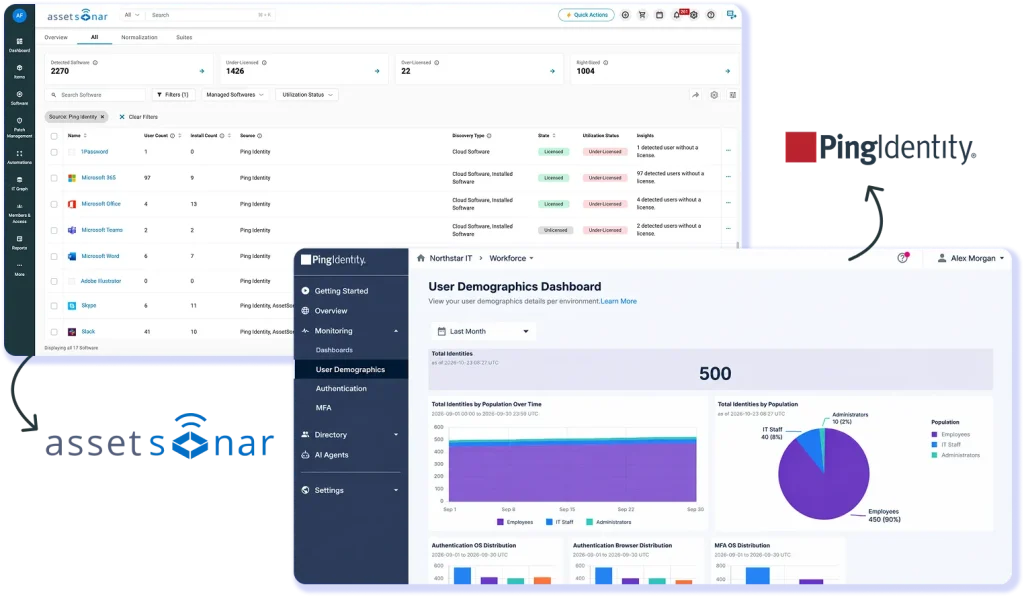
PingOne identity dashboard beside AssetSonar software inventory filtered by Ping Identity

Turn Ping Identity Data into IT Asset Accountability

Ping Identity manages authentication, access policies, and application assignments. AssetSonar connects through SAML, SCIM, and PingOne APIs to support account access, member provisioning, and software inventory.

Give Users Access at First Login

Employees use their existing Ping credentials to access AssetSonar. First-time access needs no separate login setup, reducing account administration as new people join.

Keep Asset Custody Tied to Users

Members provisioned from Ping Identity can be assigned equipment in AssetSonar. Using Ping’s employee details saves re-entering member information before checkout.

See Who Has Access to PingOne Apps

PingOne applications appear with associated users and last sign-in attempts in AssetSonar. These details connect application assignments with the people who hold access.

Connect User Access with Software Records

SINGLE SIGN-ON OVER SAML 2.0

Assign a Default Role at First Sign-In

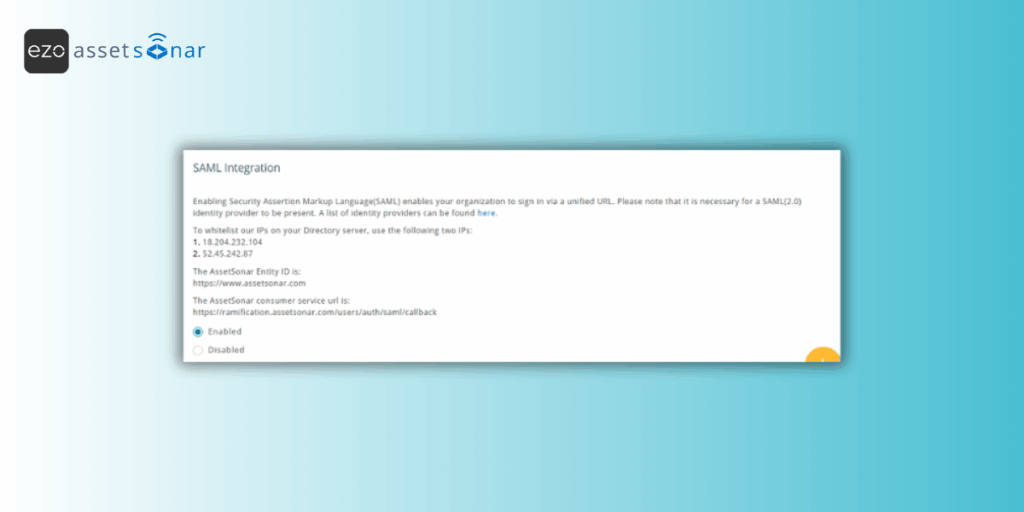
Add AssetSonar as a SAML 2.0 application in Ping Identity for single sign-on. Enter the identity provider URL, certificate, and attribute mappings in AssetSonar. A person not yet listed under Members is created as a Staff User on first access. Set a default role so new users receive the intended permissions without configuring each account individually.
AssetSonar SAML settings showing identity provider details, attribute mappings, and a default role.
AssetSonar SCIM connector settings beside a member’s checked-out assets and custody details.

PROVISIONING AND USER RECORDS

Create Members in AssetSonar From Ping

Maintaining a second employee list adds work before equipment can be assigned. AssetSonar provides a SCIM Connector Base URL and Connector Key for outbound provisioning from Ping Identity. The connection creates Member records in AssetSonar, ready for equipment checkout, so custody is recorded against imported employees without re-entering their details.

PINGONE APPLICATION DISCOVERY

Turn App Assignments Into Software Entitlements

PingOne already records application assignments and sign-in attempts, while IT teams maintain software records elsewhere. PingOne-managed applications become software records with associated users. Audit logs supply each user’s last sign-in attempt. Enable auto-entitlement to assign those users to the corresponding software license without manual allocation.
AssetSonar Ping Identity discovery settings and a software record with associated users.

Trusted by High-Performing Teams

Connect Ping Identity to Asset Custody Records

Set Up PingOne Single Sign-On In Simple Steps

Requirements

Set up in simple steps

Other Integrations for Identity Management

Use Okta with AssetSonar to sync users, automate provisioning & strengthen ITAM compliance.
Integrate Azure AD with AssetSonar to unify SSO, SCIM provisioning & identity governance.
Connect OneLogin to AssetSonar to automate onboarding, offboarding & access compliance.
Sync user data from Google Workspace to AssetSonar to streamline access & ITAM reporting.

Read More on Ping Identity Integration

Frequently Asked Questions

PingOne software records in AssetSonar include Name, Description, Associated Users Count, Source, Type, and Last Login Attempt. Source is Ping Identity, and Type is Cloud Software. Open a software title and select Associated Users to inspect user names, email addresses, and each user’s latest sign-in attempt from PingOne audit logs. Associated Users Count shows how many users are linked to the application. Descriptions appear when supplied by PingOne for the imported application.
The integration is one-way, from Ping Identity into AssetSonar. Ping manages identity, authentication policies, and application assignments. AssetSonar receives identity information for sign-in and member creation, plus application data for software inventory. These are separate connections, each configured for its own purpose. Identity administration stays in Ping, while equipment checkouts and software license records are managed in AssetSonar against the imported people and applications.
SAML authentication occurs when a user signs in to AssetSonar. SCIM member creation follows the provisioning configuration in Ping. PingOne application discovery has its own sync controls in AssetSonar. Open Settings > Integrations > Cloud Software to find the Ping Identity connection and its last successful sync timestamp. Use that time to check the freshness of imported application records; each user’s Last Login Attempt reflects a separate recorded event from PingOne audit logs.
PingOne discovery requires a Worker App with the Environment Admin and Identity Data Admin roles. Its required scopes are p1:read:applications, p1:read:users, and p1:read:auditActivities. In AssetSonar, enter the Environment ID, Client ID, Client Secret, and Top Level Domain. Authentication uses the OAuth 2.0 client credentials grant. Use credentials from the Worker App in the intended PingOne environment, and enter the Top Level Domain separately from the region-specific API base URL.
AssetSonar identifies members by the email address received during SAML sign-in. PingOne discovery matches email addresses from audit logs to existing users in the AssetSonar directory. The same work email in both systems links application activity to the intended employee. Employee aliases and domain changes should be checked when records do not align. For discovery, the email match connects audit-log information to a member; it is separate from configuring SCIM member provisioning.
PingOne is Ping Identity’s cloud identity platform; PingFederate is a federation server deployed in customer-managed environments. AssetSonar connects through SAML 2.0 for sign-in and SCIM for member provisioning. PingOne uses a SAML application and attribute mappings. PingFederate uses an SP Connection and an attribute contract. Importing AssetSonar’s service provider metadata brings in the Entity ID and ACS URL and lists first name, last name, and email as requested attributes. Cloud software discovery specifically reads the PingOne APIs.
Yes. AssetSonar supports provisioning users into a custom role that already exists in the account. When an incoming SCIM role has no match, the provisioning settings provide a fallback. Provision to a specific role assigns those users to a selected custom role; Provision to Administrators assigns administrative access. For example, an unmatched Customer Success role can use the configured fallback. Its permissions determine what those provisioned members can view and do in AssetSonar.
Yes. Ping Identity applies the authentication policies configured for AssetSonar SAML sign-in before sending the assertion. Any MFA required by those policies is handled by the identity platform. PingID can provide workforce MFA where configured. AssetSonar separately offers two-step authentication for direct account sign-ins. Allowed login methods are managed under Company Settings > Authentication, so direct account access should be reviewed alongside the SAML configuration.

Use Ping For Access. Track IT Assets in AssetSonar

Bring PingOne application assignments into your asset reviews, with employee software access and asset custody in one place.