Key Takeaways:
- Patch tools serve different roles: dedicated patchers focus on deployment, security platforms add risk context, ITSM governs remediation, and asset platforms strengthen inventory and ownership.
- Microsoft Intune and SolarWinds fit Microsoft estates; Automox and NinjaOne suit distributed endpoints; Tanium, Ivanti, and Qualys address enterprise scale or security-led remediation.
- AssetSonar, InvGate, and ManageEngine AssetExplorer connect patch scope with asset data, while ServiceNow and Freshservice emphasize service, approval, and change workflows.
- Lansweeper and Axonius strengthen discovery and inventory accuracy, while Flexera One adds broader software, cloud, and risk context rather than serving as a standalone patch engine.
- Shortlisting should validate real application coverage, remote devices, failed deployments, retries, exceptions, and remediation evidence because discovery or deployment alone does not prove patch success.
Missing patches become difficult to manage when IT teams are dealing with remote endpoints, mixed operating systems, third-party applications, failed deployments, and audit requirements at the same time. Without the right controls, patching becomes a manual cycle of chasing devices, reviewing reports, and coordinating remediation across teams.
Patch management software helps centralize that process. It gives IT teams a structured way to identify missing updates, control rollouts, automate deployments, track failures, and retain evidence of what changed.
The challenge is that patch management tools solve different parts of this process. Some prioritize endpoint execution, while others focus on vulnerability context, ITSM governance, or asset visibility. This guide compares 15 patch management tools to help IT managers understand those differences and build a practical shortlist.
Top 15 patch management tools at a glance
The table below focuses on the differences most likely to affect a buying decision.
| Product | Best for | Patch approach | Third-party patching | Pricing model |
| AssetSonar | ITAM-led teams connecting patching with asset operations | Native patch management | Native | Per asset |
| Microsoft Intune | Microsoft-centric Windows fleets | Endpoint management | Additional Microsoft capabilities | Per user |
| Ivanti Neurons for Patch Management | Risk-prioritized enterprise patching | Native patch management | Native | Platform fee + per device |
| Tanium Patch | Large enterprise endpoint estates | Endpoint platform module | Separate module | Annual subscription |
| Qualys Patch Management | Security teams using Qualys | Vulnerability-led patching | Native | Per asset / package-based |
| Automox | Cloud-native cross-platform patching | Dedicated patching | Plan dependent | Per endpoint |
| NinjaOne | Cloud-first endpoint operations | RMM and endpoint management | Native | Per device, volume-tiered |
| SolarWinds Patch Manager | WSUS and ConfigMgr environments | Microsoft infrastructure extension | Native | Per managed system |
| ServiceNow | Enterprise change and remediation governance | ITSM and orchestration | Through connected tools | Custom |
| Freshservice | ITSM-first teams | ITSM and integrations | Through integrations | Per agent |
| InvGate | ITAM and ITSM-led environments | Asset-led deployment | Windows focused | Fixed / per IP device |
| Lansweeper | Discovery-first IT teams | Inventory-led | Limited deployment role | Annual asset tiers |
| Axonius | Teams consolidating asset and security data | Orchestration and aggregation | Through connected tools | Custom |
| Flexera One | Risk and visibility-led organizations | Visibility and risk context | Through associated workflows | Fixed subscription |
| ManageEngine AssetExplorer | Asset and license management | ITAM-led | Through adjacent ManageEngine tools | Asset-based subscription |
Not all patch management tools solve the same problem
Patch management usually covers the process of identifying updates, planning deployments, applying them, and confirming the result. The products in this list participate in that process in different ways.
Dedicated patching tools focus heavily on deployment. Endpoint management platforms combine patching with device administration, monitoring, or remote operations. Vulnerability-led products prioritize remediation using exposure and risk. ITAM and ITSM platforms connect patching with assets, users, tickets, changes, and operational records.
Inventory and asset-intelligence products sit slightly earlier in the workflow. They help determine what exists, where it is, and which devices need attention before remediation begins.
Understanding these differences matters because two platforms may both support patch management without performing the same role.
How we selected these patch management tools
We evaluated products against the areas IT teams commonly consider when selecting patch management software:
- Operating system and endpoint coverage
- Third-party application support
- Rollout and change controls
- Vulnerability and risk context
- Reporting and audit evidence
- ITAM, ITSM, and endpoint integrations
- Deployment model and administrative effort
- Pricing and packaging structure
The list includes dedicated patch products as well as endpoint, security, ITSM, and asset platforms that play a meaningful role in patching workflows.
What to look for in patch management software
Focus on the capabilities that affect coverage, control, reporting, and day-to-day administration. These factors help separate a good fit from a tool that only looks complete on paper.
Coverage and application support
Start with what the platform can actually patch.
Operating system support should be checked separately across Windows, macOS, and Linux. The same applies to third-party applications because supported catalogs vary significantly between vendors.
Compare each catalog with the software installed in your environment. Pay particular attention to browsers, productivity applications, runtimes, development tools, and industry-specific applications that create the most patching work.
Rollout and change control
Patch deployment should be controlled rather than simply automated.
Look for maintenance windows, pilot groups, phased rollouts, approval workflows, retry logic, reboot controls, and exception handling. These controls reduce the chance of a problematic update reaching the entire environment simultaneously.
Regulated organizations should also consider how patching integrates with formal change-management processes.
Reporting and compliance evidence
A useful patch report should answer three questions:
- Which devices are missing updates?
- Which deployments succeeded or failed?
- Which devices have approved exceptions?
IT teams should also track compliance percentages, mean time to patch, failure rates, and aging exceptions.
For audit-heavy environments, reporting should demonstrate patch activity over time rather than only showing current compliance.
Vulnerability and remediation context
Patch severity does not always equal business risk.
Security-led programs may need vulnerability intelligence, usage activity, asset criticality, and exposure data to decide what to patch first.
This is where integrations between vulnerability scanners and patch-management tools matter. Strong workflows connect the vulnerability, affected asset, remediation action, and final status.
Architecture and remote endpoint support
Distributed organizations should consider how patches reach devices outside the corporate network.
Cloud-managed agents can simplify patching for laptops and remote users. Other products rely more heavily on WSUS, Configuration Manager, relays, or distribution infrastructure.
Also test interrupted downloads, bandwidth controls, offline devices, and endpoints that miss their assigned maintenance windows.
Ecosystem fit
Patch management rarely operates alone.
Consider how the product connects with your ITAM, ITSM, UEM, RMM, CMDB, vulnerability management, and security stack.
The goal is not always to replace every existing system. Determine whether the new platform reduces handoffs or simply creates another disconnected console.
Top 15 patch management tools for IT managers
1. AssetSonar
Best fit: IT teams that want patch management connected with asset, software, user, and service-management workflows.
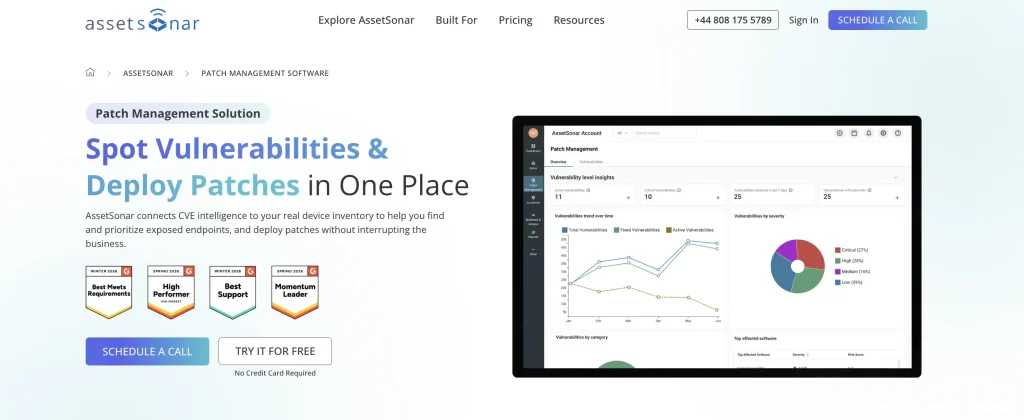
AssetSonar is an IT asset management platform that connects patching and vulnerability management with broader IT operations. Its platform spans hardware asset management, software asset management, ITSM, workflow automation, and native patch management.
Patch and vulnerability information sits alongside device, software, ownership, and service records. This gives IT teams additional context when prioritizing remediation and identifying who owns an affected asset. AssetSonar also connects this information through its broader IT Graph.
Strengths:
- Unified IT operations: ITAM, ITSM, SAM, patch management, and workflow automation operate within the same platform.
- Native vulnerability context: Vulnerability findings can be mapped against CVE and NIST NVD data.
- Asset-linked remediation: Patch activity stays connected with ownership, installed software, and broader asset history.
- Cross-functional workflows: Patch and asset information can support service, change, and automation processes.
- Cross-platform coverage: Detect vulnerable software and deploy patches across supported Windows, macOS, and Linux devices.
- Risk-based prioritization: Review severity, affected asset counts, and patch availability to decide what needs attention first.
- Controlled deployment: Select affected devices and deploy patches immediately or schedule them for later.
- Remediation tracking: Monitor patch results, verify closure, and retain activity history for reporting and audits.
Weaknesses:
- Broader platform focus: Teams seeking only a specialized patching utility should compare its deployment depth with dedicated platforms.
- Minimum asset volume: Packages start at 100 assets, making it less suited to very small inventories.
Pricing:
AssetSonar uses per-asset pricing. ITAM starts at $0.75 per asset per month, while ITSM with ITAM starts at $1.08. Advanced SAM is available as a separate add-on.
What users have to say:
AssetSonar holds a 4.5/5 rating on G2. Reviewers often highlight its usability and ability to centralize asset information, particularly for everyday inventory and lifecycle workflows. More critical comments point to reporting flexibility and integration requirements for complex environments.
2. Microsoft Intune
Best fit: Organizations already standardized on Microsoft endpoint, identity, and productivity tools.
Microsoft Intune sits within Microsoft’s broader endpoint-management ecosystem. Its patching value comes from managing application and Windows update workflows alongside device enrollment, compliance, identity, and configuration.
For Microsoft-heavy environments, this can reduce the need for another endpoint console. The model becomes more complex when teams require server patching, broader third-party application coverage, or mixed operating system support.
Strengths:
- Phased update rollouts: Use update rings and Autopatch groups to stage patches across test, pilot, and production devices.
- Urgent patch deployment: Expedite quality updates to push critical security fixes ahead of normal deferral schedules.
- Reduced reboot disruption: Hotpatch applies eligible Windows security updates without requiring an immediate restart.
- Granular update control: Manage feature, quality, and driver updates through separate policies with different rollout rules.
Weaknesses:
- Fragmented patch scope: Servers and some third-party workflows rely on separate Microsoft capabilities.
- Mixed-OS requirements: Teams should test macOS and non-Windows workflows against their real estate.
Pricing:
Microsoft Intune Plan 1 costs $8 per user per month with annual billing. Plan 1 is also included with Microsoft 365 E3, E5, and Enterprise Mobility + Security E3/E5 subscriptions.
What users have to say:
Microsoft Intune Enterprise Application Management earns 4.5/5 on G2. Centralized application management and alignment with Microsoft’s broader ecosystem stand out in reviews. The product resonates most with organizations already familiar with Microsoft licensing, identity, and device management.
3. Ivanti Neurons for Patch Management
Best fit: Enterprise IT and security teams that want patch prioritization tied closely to vulnerability risk.
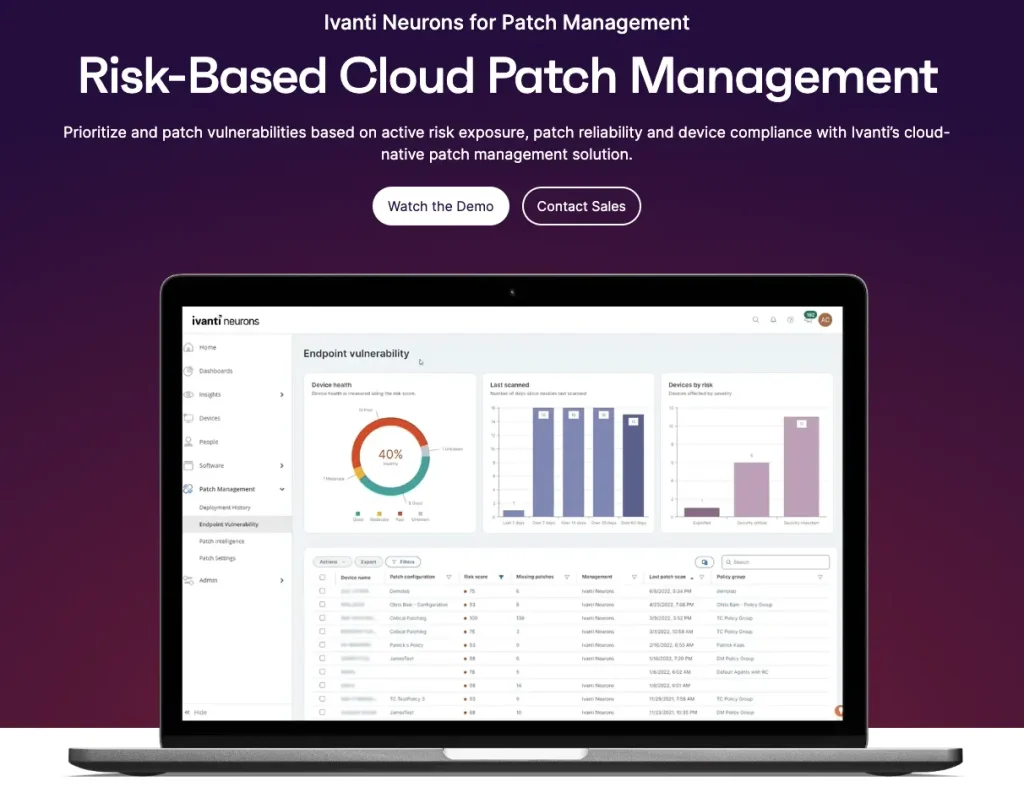
Ivanti Neurons for Patch Management is a cloud-based patching platform designed to help teams prioritize and remediate endpoint vulnerabilities.
Its positioning centers on active risk rather than update availability alone. This makes it relevant where security and endpoint teams jointly decide what should be patched first. It also fits organizations already using other products within the Ivanti Neurons ecosystem.
Strengths:
- Risk-based prioritization: Ivanti emphasizes remediation based on active vulnerability exposure.
- Cloud-based management: Patch workflows sit within the broader Neurons platform.
- Security alignment: The model supports environments where security and endpoint operations share remediation ownership.
Weaknesses:
- Platform complexity: Broader Neurons deployments can require more administration than a standalone patcher.
- Application-specific coverage: Third-party support should be validated against the organization’s software estate.
Pricing:
Ivanti Neurons for Patch Management uses a platform fee plus device-based licensing. It can be purchased separately or as part of a Secure Unified Endpoint solution package.
4. Tanium Patch
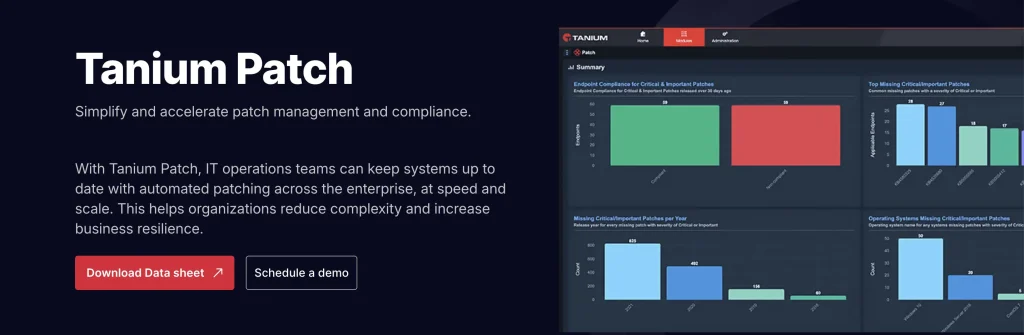
Best fit: Large enterprises that want patch management inside a broader endpoint and security platform.
Tanium combines endpoint management, exposure management, and security operations within a common platform.
Its patching story is closely tied to scale. Tanium’s architecture is designed to query and manage very large endpoint estates while limiting network strain. It therefore makes more sense as part of an enterprise endpoint strategy than as a lightweight point replacement.
Strengths:
- Cross-platform patching: Patch Windows, macOS, and Linux endpoints from the same platform.
- Controlled patch scheduling: Use maintenance windows, advanced rules, and staged deployments to control rollout timing.
- Patch success tracking: Monitor deployment status, failures, reboot state, and patch history in real time.
- Risk-aware rollout: Use endpoint context and patch-confidence signals to prioritize and stage higher-risk updates.
Weaknesses:
- Platform overhead: Tanium better suits organizations with resources to operate an enterprise endpoint platform.
- Module-based purchasing: Broader functionality can require additional Tanium modules.
Pricing:
Tanium uses custom per-endpoint licensing, with modules priced separately around the core platform.
What users have to say:
Tanium receives a 4.5/5 rating on G2. Real-time endpoint visibility and fast querying across large estates stand out in reviews. Its platform depth appears most worthwhile for organizations with the scale and expertise to manage broader administration requirements.
5. Qualys Patch Management
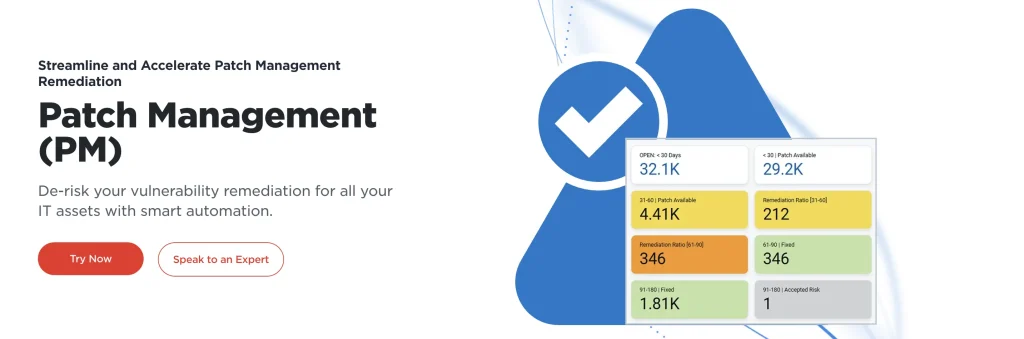
Best fit: Security teams already using the Qualys Cloud Platform for vulnerability management.
Qualys Patch Management extends vulnerability management into endpoint remediation. The platform can connect vulnerability findings with patch activity without requiring teams to export every issue into a separate system.
This makes the product particularly relevant when patching priorities originate from security exposure rather than a standard monthly update cycle.
Strengths:
- Security-platform alignment: Patching connects naturally with the Qualys vulnerability ecosystem.
- Remediation context: Teams can move from identified vulnerabilities into patch activity.
- Centralized endpoint action: The Qualys Cloud Agent can support vulnerability and remediation workflows.
Weaknesses:
- Best inside the Qualys ecosystem: Patch-only buyers may find a standalone platform simpler.
- Troubleshooting detail: Failed deployments can still require investigation outside the initial error message.
Pricing:
Qualys uses per-asset licensing for VMDR. VMDR TruRisk FixIT, which includes remediation and Patch Management, starts at $2,995.
What users have to say:
Qualys Patch Management holds a 4.3/5 rating on G2. Reviewers highlight asset-based patch targeting and remediation through the Qualys agent. More critical comments focus on failure diagnostics when an installer does not complete as expected.
6. Automox
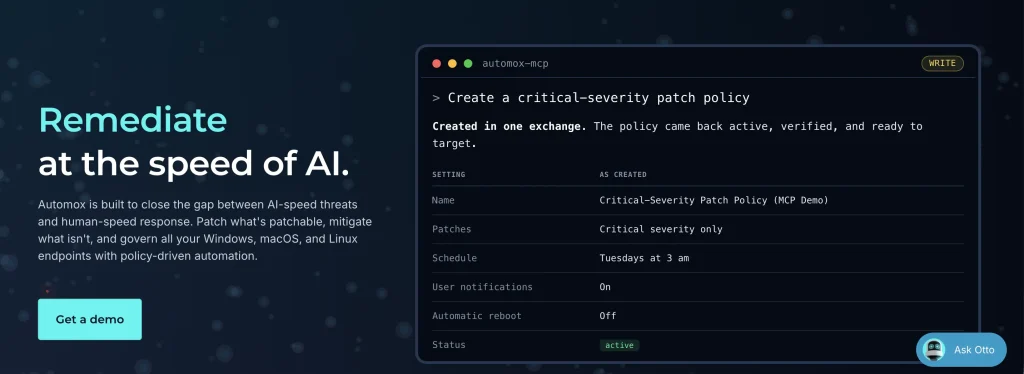
Best fit: Distributed IT teams that want policy-driven patch management across Windows, macOS, and Linux.
Automox is a cloud-native endpoint and patch-management platform built around policy-driven automation.
It is designed for remote and hybrid environments where maintaining local patch infrastructure can become difficult. Worklets extend the platform with scripting for configuration and remediation tasks outside routine catalog updates.
Strengths:
- Cross-platform approach: Manage Windows, macOS, and Linux through the same platform.
- Cloud-native system: Remote endpoints do not require traditional local patch servers.
- Policy-driven automation: Administrators can standardize recurring patch schedules and actions.
- Worklets: Script-based automation extends the product beyond standard update deployment.
Weaknesses:
- Catalog fit varies: Specialized third-party applications should be tested against the supported catalog.
- Plan selection matters: Application coverage and advanced automation vary by package.
Pricing:
Automox uses per-endpoint subscription pricing with capabilities divided across plan tiers.
What users have to say:
Automox earns a 4.5/5 rating on G2. Scheduling, reboot control, scripting, and distributed endpoint management feature prominently in reviews. Its policy model appears particularly useful for teams replacing manual patch cycles with repeatable automation.
7. NinjaOne
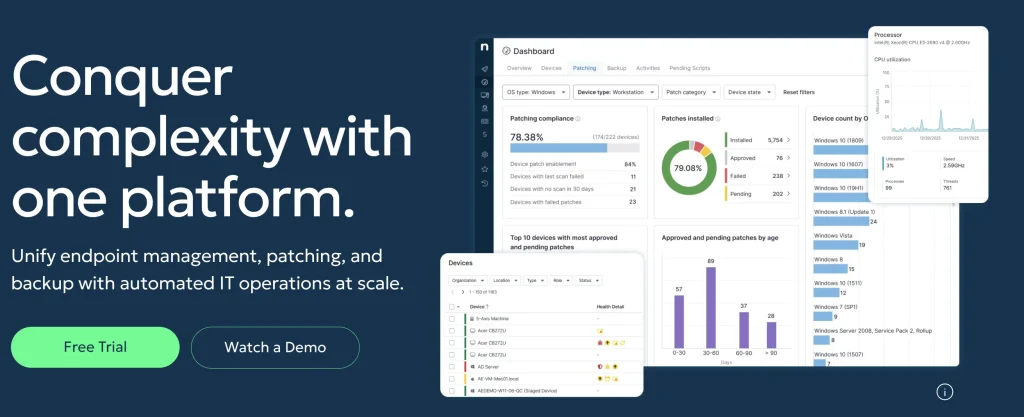
Best fit: Lean IT teams and MSPs that want endpoint management, remote operations, and patching within one cloud platform.
NinjaOne is a cloud-native endpoint-management and RMM platform. It combines monitoring, remote operations, asset visibility, and patching within a broader endpoint-management environment.
Its main patching advantage is consolidation. Distributed IT teams can manage endpoint administration and update workflows without operating several disconnected tools.
Strengths:
- Cloud-native operations: The platform is designed for distributed endpoint environments.
- Endpoint consolidation: Monitoring, remote management, asset visibility, and patching share one console.
- Automation: Scripts and policies support repeatable endpoint-management workflows.
- MSP support: NinjaOne also supports service providers managing several customer estates.
Weaknesses:
- Patch depth should be tested: Specialized third-party application requirements deserve validation.
- Broader rather than patch-only: Teams needing only a dedicated patching utility may buy more platform than necessary.
Pricing:
NinjaOne uses tiered per-device pricing with volume discounts. Pricing ranges from $3.75 per device per month for 50 or fewer endpoints to $1.50 per device per month at 10,000 endpoints. Pricing varies by region and products purchased.
What users have to say:
NinjaOne maintains a 4.7/5 rating on G2. Remote control, scripting, integrations, and centralized endpoint management are recurring positives. Consolidation stands out most for lean teams looking to reduce tool switching across everyday endpoint operations.
8. SolarWinds Patch Manager
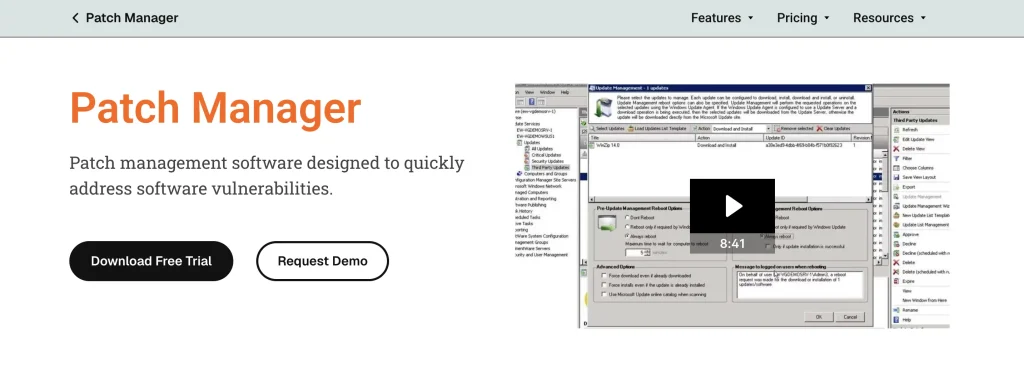
Best fit: Windows-focused organizations already operating Microsoft WSUS or Configuration Manager.
SolarWinds Patch Manager extends existing Microsoft patch infrastructure rather than replacing it.
Its primary value is improving third-party patching, reporting, and administration inside a Windows-oriented environment. It fits teams invested in WSUS or ConfigMgr more naturally than organizations looking for a completely new cloud-native endpoint architecture.
Strengths:
- Microsoft infrastructure fit: Patch Manager extends established WSUS and Configuration Manager workflows.
- Third-party patch support: It expands deployment beyond standard Microsoft updates.
- Audit reporting: Reporting capabilities support patch status and compliance workflows.
Weaknesses:
- Windows-centric architecture: macOS and Linux require another patching approach.
- Infrastructure dependency: Organizations moving away from WSUS or ConfigMgr may gain less value.
Pricing:
SolarWinds Patch Manager uses term-based licensing based on the number of managed systems, including managed clients and applicable Patch Manager, WSUS, and SCCM servers.
What users have to say:
SolarWinds Patch Manager carries a 4.3/5 rating on Software Advice. Reviewers point to its ability to extend familiar Microsoft patch infrastructure and simplify third-party patch administration. Reporting flexibility and initial setup appear more often as friction points, making prior WSUS or ConfigMgr experience useful.
9. ServiceNow
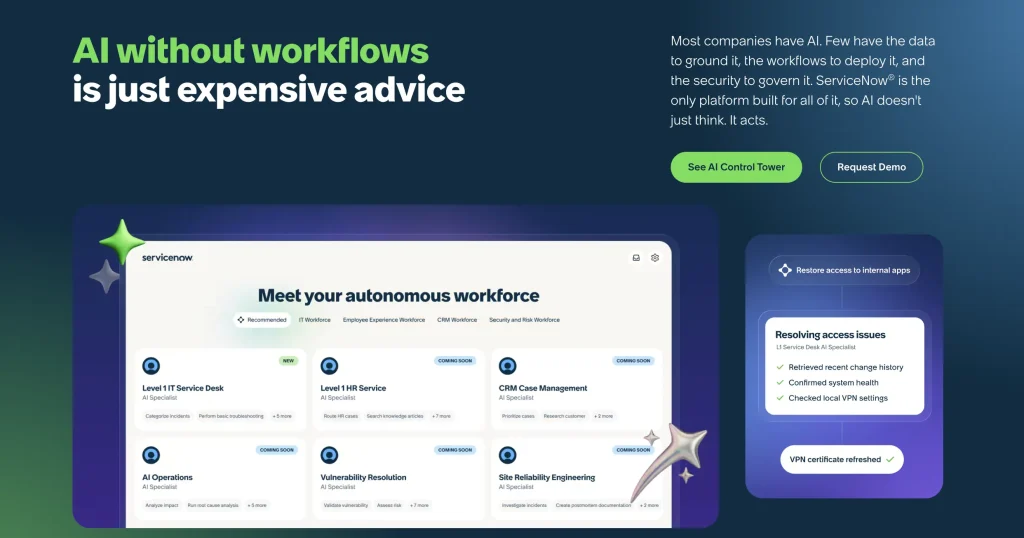
Best fit: Large enterprises where patching must follow formal change, approval, CMDB, and service-management processes.
ServiceNow’s role in patch management is primarily governance, change control, and remediation workflow management rather than endpoint execution.
Organizations already using ServiceNow can connect vulnerability, asset, change, and service information into controlled remediation workflows. This is useful where patching requires formal approvals, segregation of duties, and detailed audit history.
Strengths:
- Change-management workflows: Patch activity can follow formal approval and change processes.
- CMDB context: Remediation can incorporate ownership, dependencies, and service relationships.
- Enterprise automation: ServiceNow provides a broader workflow layer for coordinating IT operations.
Weaknesses:
- Not a standalone patch engine: Actual deployment depends on connected endpoint tools.
- Administrative complexity: Implementation and customization usually require experienced administrators.
Pricing:
ServiceNow uses custom platform and module pricing.
What users have to say:
ServiceNow IT Asset Management has a 4.3/5 rating on G2. Centralized asset visibility, lifecycle automation, and integration with the broader ServiceNow ecosystem receive strong praise. More critical comments suggest implementation quality depends heavily on well-structured processes and data before configuration.
10. Freshservice
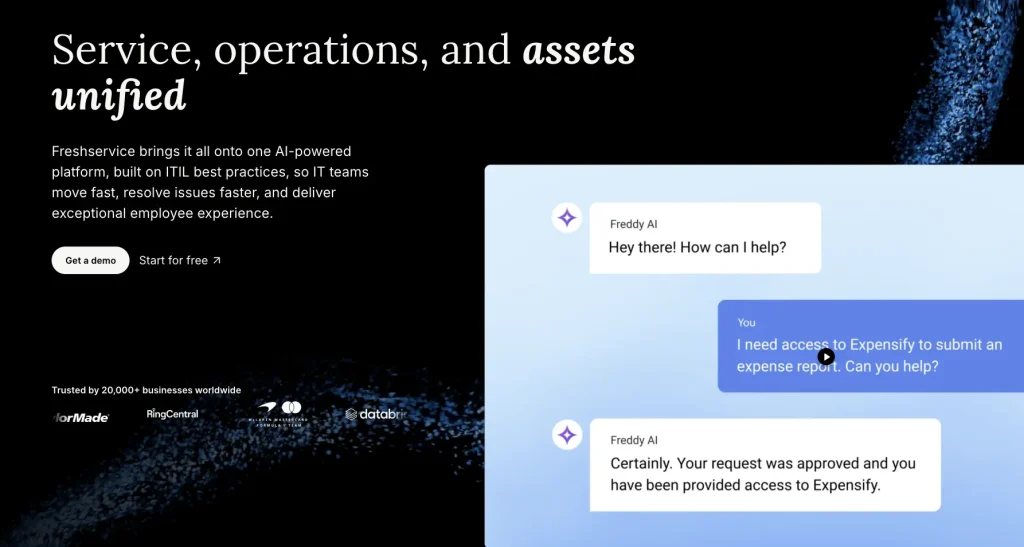
Best fit: Cloud ITSM teams that want service management, asset context, and patch-related workflows in the same operating model.
Freshservice is a cloud ITSM platform with integrated asset-management capabilities.
Its role in patching is more workflow-oriented than a dedicated endpoint patch management system. Teams can use assets, incidents, changes, and endpoint integrations to connect remediation with the service desk.
Freshservice also provides discovery options for building endpoint inventory.
Strengths:
- Automox-powered patching: Scan devices, enforce patch policies, and deploy pending updates through Freshservice.
- Patch health visibility: View device connectivity, patch status, and pending updates from one dashboard.
- Direct remediation actions: Restart or scan devices, deploy patches, and apply defined device policies.
- Asset-linked patching: Connect patch status with discovered hardware and software inventory for added context.
Weaknesses:
- Patch execution depends on integrations: Deeper deployment still requires an endpoint platform.
- Expansion costs: Advanced capabilities and additional asset capacity can increase total spend.
Pricing:
Freshservice publishes annual pricing of $19 per agent per month for Starter, $49 for Growth, and $99 for Pro. Higher-level packages use custom pricing.
What users have to say:
Freshservice scores 4.6/5 on G2. Its approachable interface, ticket automation, and integrations are recurring positives, particularly for teams replacing manual service-desk processes. More mixed feedback centers on deeper customization and advanced capabilities that require higher subscription tiers.
11. InvGate
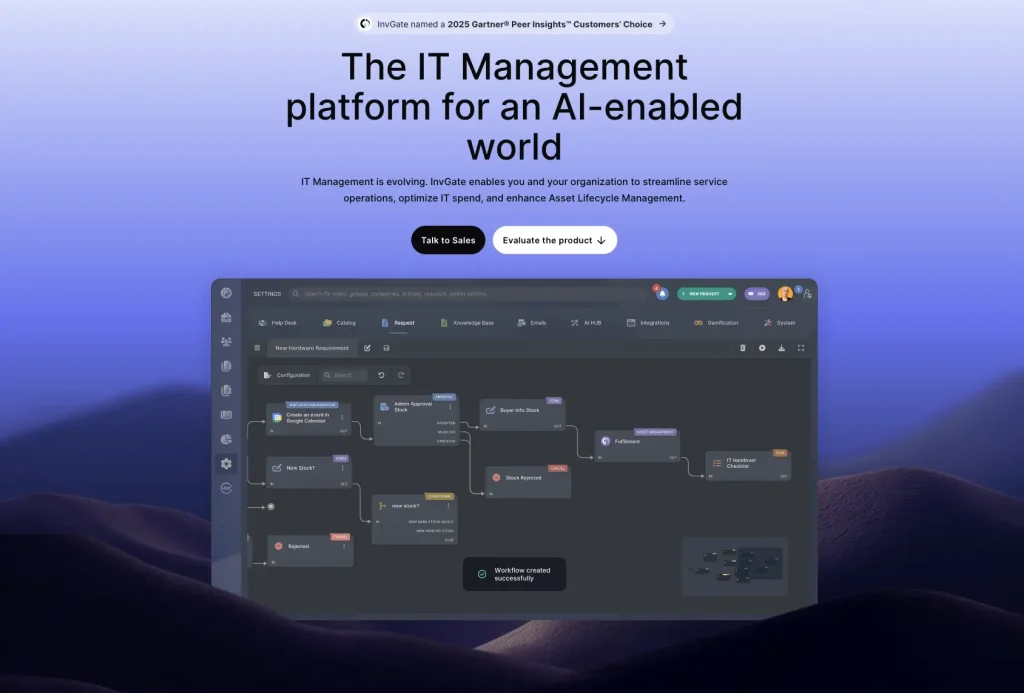
Best fit: IT teams that want asset management and service-management capabilities through connected products.
InvGate offers Asset Management and Service Management as separate products.
Its asset platform includes discovery, software management, remote administration, deployment, and CMDB capabilities. This gives teams a way to connect software and endpoint information with wider IT operations.
Patch-related use cases are strongest when software deployment sits inside a broader asset-management strategy.
Strengths:
- Modular platform: ITAM and ITSM can be purchased separately.
- Broad discovery: InvGate supports discovery across endpoints and infrastructure.
- Software deployment: Asset Management includes deployment and remote-management capabilities.
Weaknesses:
- Patch specialization: Teams needing a fully dedicated multi-OS patch engine should compare specialist platforms.
- Product boundaries: Buyers need to understand which workflows belong to Asset Management versus Service Management.
Pricing:
InvGate Asset Management Starter costs $1,499 per year for up to 500 IP devices. Pro costs $5 per IP device per year and starts at $2,500 annually, while Enterprise starts at $12,000 per year with custom pricing.
What users have to say:
InvGate Asset Management earns a 4.7/5 rating on G2. Its intuitive interface and straightforward asset-management workflows are common positives. Its strongest appeal appears to be simplifying everyday asset administration rather than supporting highly specialized endpoint engineering.
12. Lansweeper
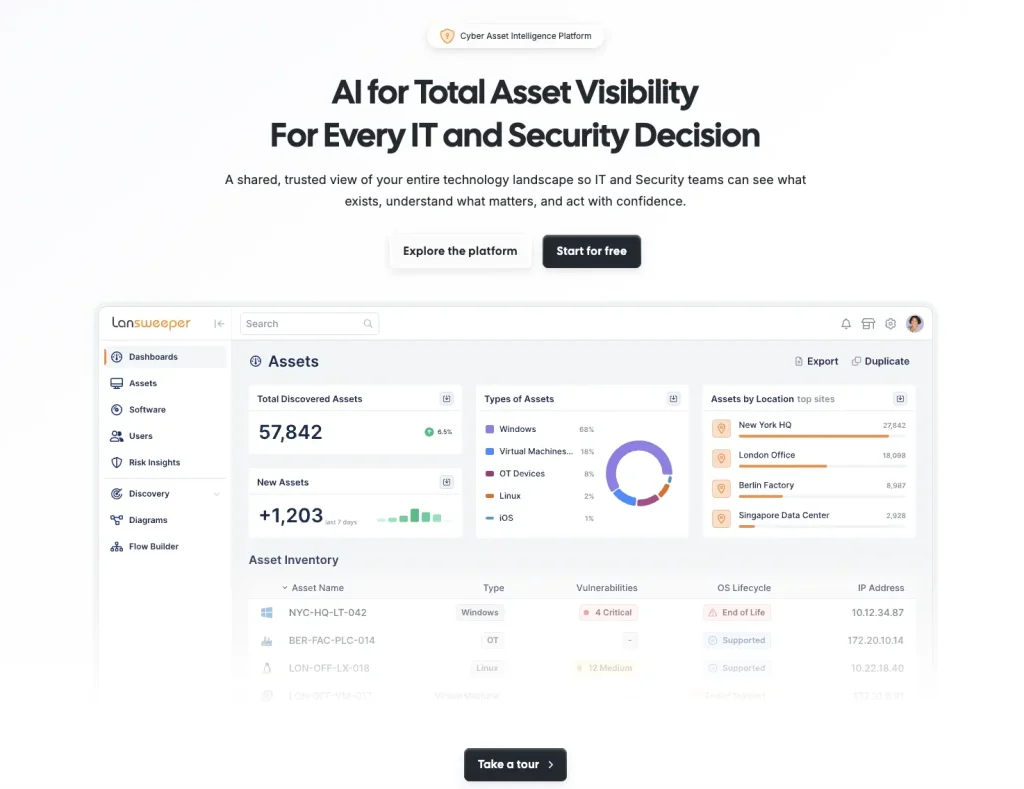
Best fit: IT and security teams that need accurate asset discovery before building patching and remediation workflows.
Lansweeper is an asset-intelligence platform centered on discovery and inventory.
Its agentless approach helps organizations identify devices across IT, OT, cloud, and connected environments. That visibility becomes valuable when patch compliance is unreliable because the underlying inventory is incomplete.
Lansweeper contributes most strongly at the discovery and targeting stage rather than acting as a complete patch execution platform.
Strengths:
- Agentless discovery: Many assets can be inventoried without an endpoint agent.
- Broad visibility: Lansweeper supports discovery across diverse technology environments.
- Reporting: Detailed inventory reports can support audits and patch-scope analysis.
Weaknesses:
- Patch execution is secondary: Comprehensive patching still requires additional endpoint tooling.
- Tier limitations: Integration access and broader capabilities vary across plans.
Pricing:
Lansweeper Starter starts at $239 per month, while Pro starts at $439 per month. Both plans are billed annually. Enterprise uses custom pricing and is also billed annually.
What users have to say:
Lansweeper holds a 4.4/5 rating on G2. Asset discovery and detailed hardware, software, and user visibility stand out in reviews. More critical feedback focuses on pricing progression, the cloud experience, and complexity when building advanced reports.
13. Axonius
Best fit: Organizations with several endpoint, vulnerability, and security tools that need unified asset context.
Axonius connects to existing systems through adapters and normalizes their data into a common asset inventory.
This can address a major patch-management problem: different tools frequently disagree about which devices exist, what controls are installed, and which systems still require remediation.
Axonius can help define patch scope and trigger downstream workflows while leaving actual endpoint execution with connected products.
Strengths:
- Connector-based aggregation: Data from endpoint and security systems can be brought together.
- Unified inventory: Normalization helps reconcile duplicate and conflicting asset records.
- Coverage-gap identification: Teams can find unmanaged devices or missing security controls.
- Workflow triggers: Asset conditions can initiate actions in connected platforms.
Weaknesses:
- Dependent on connected tools: Axonius does not replace the underlying patch engine.
- Query complexity: Larger data environments require thoughtful query and workflow design.
Pricing:
Axonius uses custom subscription pricing based on environment and requirements.
What users have to say:
Axonius receives a 4.2/5 rating on G2. Unified visibility across information previously spread across separate tools is a recurring strength. Query flexibility and unmanaged-asset detection also stand out, while navigation and workflow design can require more learning as datasets grow.
14. Flexera One
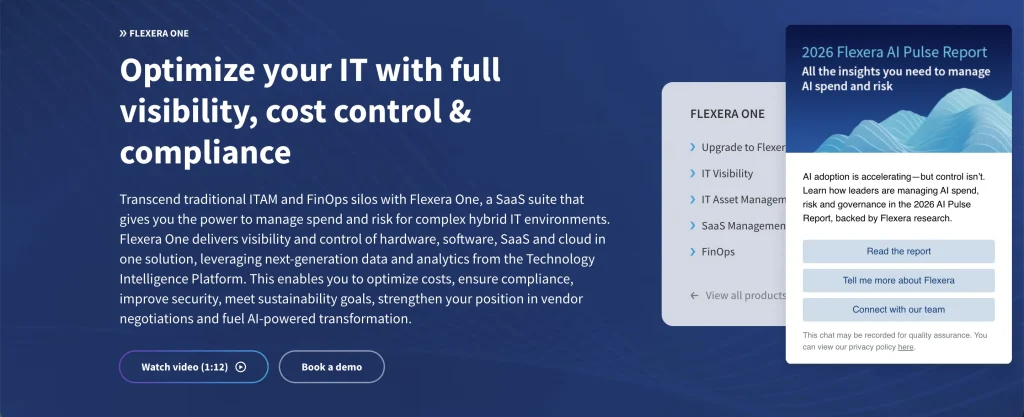
Best fit: Enterprises that want patch-related risk decisions connected with wider IT, software, cloud, and governance visibility.
Flexera One is positioned around IT visibility, cost optimization, and risk management across cloud, SaaS, and on-premises environments.
Its patch relevance sits within this wider security and regulatory-risk context. Rather than functioning purely as an endpoint patch utility, it helps organizations understand software exposure and asset context surrounding remediation decisions.
Strengths:
- Cross-environment visibility: Flexera spans cloud, SaaS, and on-premises estates.
- Risk-oriented approach: Software and technology visibility can inform remediation priorities.
- Software context: Wider license and software data helps organizations understand affected applications.
Weaknesses:
- Broader platform scope: Patch-only buyers may find a dedicated product simpler.
- Implementation effort: The breadth of data and integrations can increase deployment complexity.
Pricing:
Flexera One uses a fixed subscription fee based on contract term length and applicable usage metrics.
What users have to say:
Flexera One carries a 4.4/5 rating on G2. Software, cloud, licensing, and hybrid IT visibility are recurring strengths. Its broader scope also creates a steeper adoption curve, with onboarding and learning effort appearing more often as challenges before teams fully use its analytics and reporting capabilities.
15. ManageEngine AssetExplorer
Best fit: IT teams that want asset tracking and software-license information to support patch scope and governance.
ManageEngine AssetExplorer is primarily an IT asset-management product.
It helps teams maintain hardware and software inventories, track licenses, and create a more reliable record of what exists across the environment. That information can support patch targeting when incomplete inventory is contributing to compliance gaps.
For deeper patch execution, organizations can pair AssetExplorer with other endpoint products from ManageEngine.
Strengths:
- Asset visibility: Hardware and software inventory provides a stronger foundation for patch scope.
- License context: Software records help identify installed applications and ownership.
- ManageEngine ecosystem: Teams already using ManageEngine can connect AssetExplorer with adjacent endpoint tools.
Weaknesses:
- Not a dedicated patch platform: The product focuses more heavily on ITAM than patch execution.
- Additional tooling may be required: Full deployment workflows may sit in other ManageEngine products.
Pricing:
ManageEngine AssetExplorer uses asset-based annual subscription pricing. The cloud version starts at $955 per year for 250 IT assets, increasing to $1,795 for 500 assets and $2,995 for 1,000 assets. Annual maintenance and support are included.
What users have to say:
ManageEngine AssetExplorer has a 4.2/5 rating on G2. Reviewers often highlight straightforward asset discovery, software-license tracking, and accessible day-to-day inventory management. Customization and historical reporting can require more effort once teams move beyond standard asset workflows.
Which patch management tool fits your environment?
The right choice depends less on the longest feature list and more on how your organization already manages endpoints, security, assets, and change.
| Environment | Tools to consider | What to validate |
| ITAM-led operations | AssetSonar, InvGate | Patch depth, asset context, ITSM workflows |
| Microsoft-centric Windows estate | Microsoft Intune, SolarWinds Patch Manager | Server coverage, applications, WSUS or ConfigMgr dependencies |
| Large enterprise environment | Tanium, Ivanti, Qualys | Scale, administration, modules, pricing |
| Remote and mixed-OS workforce | Automox, NinjaOne, Ivanti | Off-network behavior, catalog, failure handling |
| Security-led remediation | Qualys, Ivanti, Flexera | Vulnerability prioritization and remediation evidence |
| ITSM-controlled environment | ServiceNow, Freshservice, AssetSonar | Approvals, audit trails, endpoint integrations |
| Discovery-first organization | Lansweeper, Axonius | Inventory accuracy and downstream execution |
| Asset and license focus | AssetSonar, InvGate, ManageEngine AssetExplorer | Deployment capability and software context |
What to test before committing to a patch management platform
A product demo usually shows the easiest deployment scenario. A useful pilot should test the situations that create administrative work after rollout.
Start with a representative device group rather than a lab-only environment. Test one standard operating system update and one common third-party application.
Include a remote endpoint, a device that misses its maintenance window, and a deployment that intentionally fails.
You should also test:
- Pilot and phased deployment groups
- Approval workflows
- Reboot notifications and deferrals
- Retry behavior
- Failed-patch reporting
- Application catalog coverage
- Remote and off-network endpoints
- Compliance exports
- Exception records
- Administrator effort required to resolve failures
The goal is to understand how the product behaves when patching does not go perfectly.
Common patch-management software selection mistakes
Small evaluation mistakes can lead to poor fit, hidden costs, and patching gaps. Avoid these common issues when comparing tools.
Comparing different tool types as though they are identical
A dedicated patcher, ITSM platform, vulnerability product, and asset-intelligence tool may all support remediation while performing different jobs. Compare them based on the part of the workflow you actually need.
Assuming inventory equals patch coverage
A tool may discover Windows, macOS, and Linux devices without being able to patch all three. Always separate discovery coverage from deployment coverage.
Choosing by third-party catalog size alone
A large application catalog only matters when it includes the software your organization actually runs. Compare supported applications with your real inventory.
Treating deployment as proof of remediation
A patch job being sent does not automatically prove that the update installed. Look for failure states, retries, installation evidence, and clear compliance reporting.
Ignoring administrative effort
Patch management costs include more than licensing. Manual packaging, exception handling, troubleshooting, failed deployments, and infrastructure maintenance create ongoing work that should be included in the buying decision.
Conclusion
Patch management software should reduce the operational gap between identifying an update and proving that remediation succeeded. The right platform depends on the systems already in place and where the current workflow creates the most friction.
Dedicated patch and endpoint tools provide deeper deployment control. Security platforms bring vulnerability context into prioritization. ITAM and ITSM products connect remediation with assets, users, tickets, and change workflows. Discovery platforms improve the inventory those processes depend on.
Narrow the market around your endpoint estate and operating model, then test every finalist against real applications, remote devices, failures, maintenance windows, and reporting requirements. The strongest fit is the platform that keeps patching manageable when exceptions occur, not only when every deployment goes according to plan.