
Key Takeaways:
- Asset workflow automation does more than route tickets or send alerts: an asset event should advance the process and update the underlying system record.
- ManageEngine, ServiceNow, Ivanti, Freshservice, InvGate, Jira Service Management, SolarWinds, and SysAid center automation on service processes, with differing asset depth and plan requirements.
- AssetSonar, Oomnitza, and Teqtivity keep asset lifecycle state central; NinjaOne focuses on endpoint actions, while Flexera One emphasizes SAM, HAM, and reclamation.
- Device42 and Lansweeper are data-led options: they supply discovery, CMDB, and inventory context, but broader lifecycle execution typically happens in connected platforms.
- Compare triggers, executable asset actions, lifecycle coverage, external orchestration, governance, and pricing units; integration counts or headline prices alone do not show workflow depth.
- Pilot finalists with employee offboarding, deliberately break integrations and approvals, then verify retries, final asset state, audit evidence, and the complete licensing model.
Asset processes break down when every lifecycle change depends on manual follow-up. Approvals stall, assignments go unrecorded, returned devices remain assigned to former employees. Offboarding tasks get split across disconnected systems.
Depending on the platform and integrations, IT workflow automation software can help close these gaps by connecting triggers, conditions, approvals, and actions. A request can initiate asset assignment. An employee departure can trigger recovery tasks, while a returned device can automatically move to the correct lifecycle state.
The challenge is that ITSM and ITAM tools automate these workflows at very different depths. This guide compared 15 platforms across asset-aware triggers, executable actions, lifecycle coverage, integrations, governance, pricing, and administrative effort.
15 ITSM and ITAM software with built-in automated asset workflows: At a glance
| Tool | Architecture | Best fit | Workflow role | External actions | Pricing model |
| AssetSonar | Unified ITSM + ITAM | Asset lifecycle automation | Native asset-state execution | Connectors/API | Per asset |
| ManageEngine ServiceDesk Plus | Unified ITSM + ITAM | Structured lifecycle states | Native asset-state execution | API/custom functions | Per technician |
| ServiceNow ITSM + HAM | Unified ITSM + ITAM | Enterprise orchestration | Modular lifecycle execution | Native platform/integrations | Custom subscription |
| Ivanti Neurons ITSM/ITAM | Unified ITSM + ITAM | Service and endpoint operations | Multi-product lifecycle execution | iPaaS/connectors | Custom subscription |
| Freshservice | ITSM-led | Employee lifecycle workflows | Service-led asset execution | Native orchestration | Per agent |
| Oomnitza | Cross-system orchestration | Asset-centric orchestration | Asset-driven cross-system execution | Native integrations/API | Organizational pricing |
| InvGate | Unified ITSM + ITAM | Connected service and asset workflows | Service and asset execution | API/custom | Annual product licensing |
| Jira Service Management + Assets | ITSM-led | Jira-centric operations | Asset-aware service execution | API/webhooks | Per agent |
| SolarWinds Service Desk | ITSM-led | Service-desk-led asset processes | Service-led asset context | Connectors/API | Per technician + assets |
| SysAid | ITSM-led | Request-centric automation | Service-led asset context | Workato/API | Per agent |
| NinjaOne | Endpoint-led | Managed endpoint operations | Endpoint actions | Connectors/API | Per device |
| Teqtivity | ITAM-led | Assignment and recovery | Native lifecycle execution | Connectors/API | Per licensed user |
| Flexera One ITAM | SAM-led | Software optimization | SAM and reclamation automation | Connectors/API | Custom subscription |
| Device42 | Discovery/CMDB-led | Infrastructure context | Discovery and lifecycle context | API/custom | Device-based |
| Lansweeper | Discovery/CMDB-led | Asset discovery for downstream workflows | Discovery/context layer | Connectors/API | Asset-based |
What counts as an automated asset workflow?
An automated IT asset workflow moves an asset-related process forward when a defined event occurs. Instead of relying on someone to update records or manually assign the next task, the system evaluates the event and carries out the next required action.
For example, an approved laptop request can move directly into allocation and assignment. When an employee leaves, the workflow can initiate device recovery and update the asset once it is returned. Depending on the workflow, an event can trigger the next action, condition, approval, or manual task while updating the asset record where supported.
This is what separates asset workflow automation from basic alerts or ticket routing. Discovery, notifications, and scheduled scans can support a workflow, but they do not manage the lifecycle on their own. The key question is whether the platform can use an asset event to move the process forward and reflect the outcome in the system record.
How we selected the tools
The shortlist spans multiple operating models because asset automation can live in different systems. ITAM-led, ITSM-led, unified, endpoint-led, discovery/CMDB-led, SAM-led, and cross-system orchestration tools contribute to workflows in different ways.
ITSM + ITAM platforms connect service request and lifecycle records within the same platform or product family. Asset-first platforms make devices or assets the central workflow object. Adjacent ITAM and discovery platforms provide discovered or normalized asset data that can initiate or enrich automation executed elsewhere.
Each product was assessed against the same questions:
- Can asset, user, service, time, or external events trigger workflows?
- Can workflows modify actual asset records and lifecycle states?
- Which lifecycle stages can the platform automate?
- Which integrations participate directly in asset workflows?
- Are approvals, RBAC, history, and execution visibility available?
- What modules, plans, or licensing units affect automation?
These criteria helped separate asset workflow automation from basic ticketing, discovery, or asset visibility, while showing how each product contributes to lifecycle execution.
What to look for in automated asset workflow software
Not every workflow engine software offers the same level of asset control. Focus on how automation starts, what actions it can execute, and how well it fits your lifecycle and operating model.
Asset-aware triggers
Start by asking what can initiate automation. Strong asset workflow engines respond to lifecycle status, ownership changes, employee events, service requests, discovery changes, dates, approvals, or external events.
Executable asset actions
A workflow should do more than generate another task. Check whether it can assign an asset, update custody, change ownership, or move an asset to another lifecycle state. It should also be able to invoke APIs or execute actions in connected systems when external orchestration is required.
Lifecycle coverage
Check which stages of the asset lifecycle the platform can automate. Depending on the organization, this may include request, approval, procurement, receiving, assignment, maintenance, return, recovery, redeployment, retirement, or disposal.
The goal is not to automate every stage. It is to confirm that the platform supports the lifecycle events your team actually manages.
External orchestration
Check which connections sync data into your chosen software for ITAM and ITSM, which resulting events can start an automation, and which actions the workflow can execute. For example, device data from Intune or Jamf Pro can update an asset record; a configured AssetSonar workflow can then act on a qualifying asset event. Evaluate SSO connections to Entra ID or Okta separately from provisioning and workflow automation.
Governance and reliability
Check RBAC, approvals, execution history, failure visibility, retry behavior, and audit trails. For actions executed in connected systems, such as deprovisioning user access, triggering device actions through MDM or UEM, or updating service tickets, check how failures are logged and whether retries can run without duplicating completed actions.
Detailed breakdown of 15 ITSM and ITAM software with built-in automated asset workflows
The following tools take different approaches to asset workflow automation, from ITSM-led service processes to asset-first lifecycle orchestration. Each profile focuses on how the platform handles workflow execution, integrations, and lifecycle coverage.
1. AssetSonar
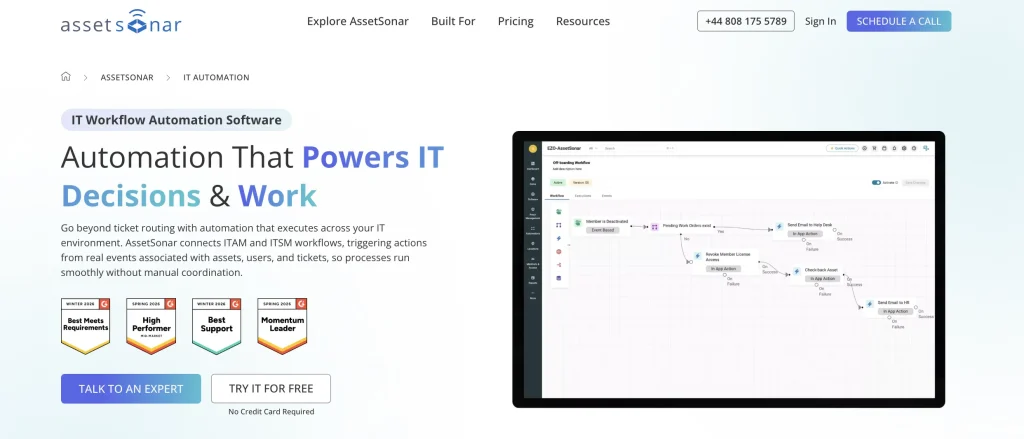
Best fit: Mid-market IT teams that want to automate asset assignment, employee onboarding/offboarding, recovery, and lifecycle changes across ITAM, ITSM, and connected systems.
AssetSonar makes asset context part of the workflow logic itself. Changes in assignment, lifecycle status, due dates, or service activity can initiate actions that update records, create service tasks, or move asset-related work forward.
Its Workflow Automation Engine uses a visual, node-based builder to connect triggers, conditions, and actions across ITAM and ITSM. The IT Graph provides relationships between assets, users, software, and service records, giving workflows the context needed to coordinate processes such as assignment, check-in/check-out, recovery, redeployment, and retirement.
Key strengths:
- Lifecycle continuity: Assignment, return, recovery, and redeployment can follow connected processes rather than isolated manual steps.
- Automated offboarding: Structured offboarding workflows can coordinate hardware recovery, access revocation, license reclamation, approvals, and final closure from a single process.
- Procurement automation: Procurement integrations and managed purchase orders can sync purchasing data, apply approvals, and carry acquisition details into downstream asset records.
- Service and asset alignment: ITSM tasks can retain the asset context needed for fulfillment and closure.
- Workflow governance: Conditions and defined actions help standardize how asset-related processes progress.
Weaknesses:
- Organizations with highly specialized and complex workflows should validate available actions, exception handling, and workflow depth against their use cases.
- Advanced software asset management is separately priced. Buyers combining HAM, SAM, and workflow automation should model the complete package.
Pricing:
ITAM starts at $0.75 per asset per month. ITSM, which includes ITAM capabilities, starts at $1.08 per asset per month, both billed annually. A 100-asset minimum applies, with volume discounts for more than 1,000 assets.
Review sentiment:
AssetSonar holds a 4.5/5 rating on G2. Reviewers frequently praise its ease of use, asset-management capabilities, and integrations with other IT tools. Some reviewers note that reporting, filtering, and deeper customization could be more flexible.
2. ManageEngine ServiceDesk Plus
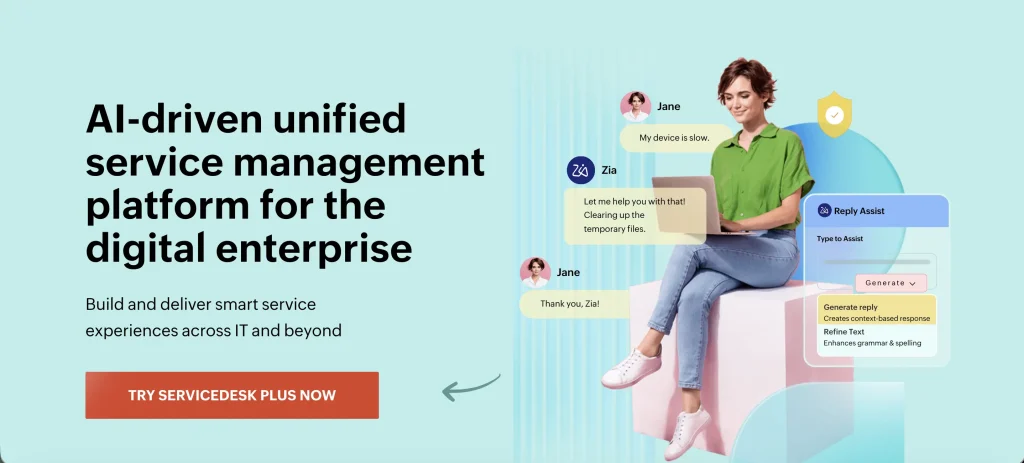
Best fit: IT teams that want service management, inventory, purchasing, and structured asset lifecycle automation within an established ITSM platform.
ServiceDesk Plus takes a state-based approach to asset workflow automation. Administrators can define lifecycle states and control how assets move between them. Rules define the conditions that must be met and what should happen when a change occurs.
This structure connects asset management with service requests, procurement, asset loans, and other operational processes. It gives teams a governed way to move assets through defined stages while keeping the underlying record up to date.
Key strengths:
- Lifecycle control: Formal asset states help standardize how equipment moves through defined operational stages.
- Role-based governance: Administrators can restrict lifecycle changes based on roles and predefined criteria.
- Service-to-asset continuity: Requests, asset loans, purchasing activity, and asset records can remain connected during fulfillment.
- Process flexibility: Custom functions let teams adapt lifecycle behavior to organization-specific requirements.
Weaknesses:
- Deeper ITSM capabilities vary by edition. Buyers should confirm which workflow features require Professional or Enterprise.
- More complex automation can require additional configuration beyond the standard lifecycle tools.
Pricing:
Cloud pricing starts at $13 per technician per month for Standard, $27 for Professional, and $67 for Enterprise. Asset management is available in Professional and Enterprise. Paid support is included.
Review sentiment:
ManageEngine ServiceDesk Plus is rated 4.2/5 on G2. Users regularly highlight its flexibility, ease of use, and integrated asset-management capabilities. Initial setup and workflow configuration can feel complex, particularly when teams need more advanced customization.
3. ServiceNow ITSM + Hardware Asset Management
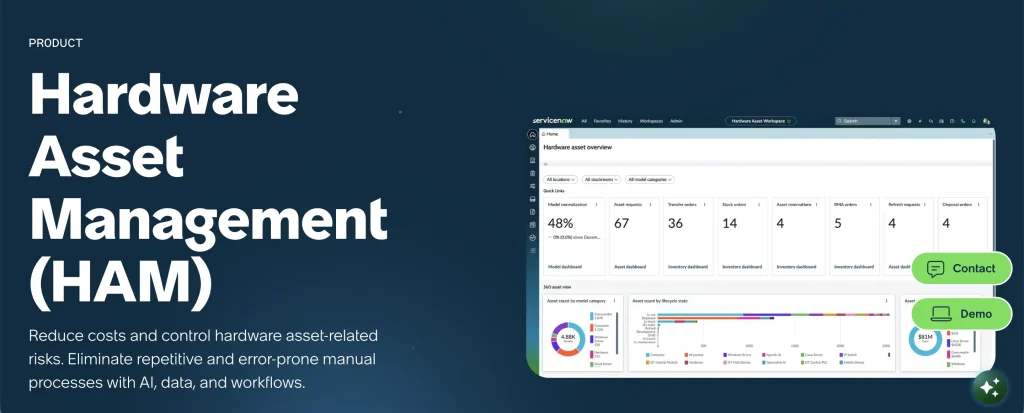
Best fit: Large organizations that need governed hardware processes connected to enterprise ITSM, CMDB, procurement, service operations, and broader business systems.
ServiceNow Hardware Asset Management coordinates hardware processes from procurement through retirement and disposal. Asset tasks can guide activities such as deployment, swaps, refreshes, and retirement while keeping related asset and configuration records aligned.
Flow Designer provides the workflow logic, while the broader Now Platform connects those processes to ITSM, the CMDB, the Service Catalog, and other operational areas. This creates a shared environment for complex asset and service processes rather than separating them across standalone tools.
HAM provides the asset lifecycle layer, while broader service workflows or cross-system automation may require ITSM, CMDB, IntegrationHub, or other licensed components
Key strengths:
- Shared data model: Asset, configuration, request, and task records can support the same business process.
- Enterprise governance: Approvals, role-based controls, and audit trails support environments with defined change controls, segregation of duties, and compliance requirements.
- Process depth: Hardware workflows can extend across multiple lifecycle stages and related service activities.
- Platform consistency: Teams can build asset processes within the same environment used for broader service operations.
Weaknesses:
- Some ServiceNow workflow capabilities require separately licensed products or modules, which can increase the overall subscription cost and setup complexity.
- Implementation and administration may be excessive for teams that only need straightforward asset workflows.
Pricing:
ServiceNow uses a custom, subscription-based pricing model. Hardware Asset Management is licensed as part of the broader Now Platform ecosystem, with total cost shaped by the selected package, deployment scale, and any additional modules or integration capabilities required.
Review sentiment:
ServiceNow IT Service Management carries a 4.3/5 G2 rating. Reviewers value its workflow automation and ability to centralize complex IT processes. Configuration effort and a steep learning curve are common drawbacks, particularly in heavily customized environments.
4. Ivanti Neurons for ITSM/ITAM
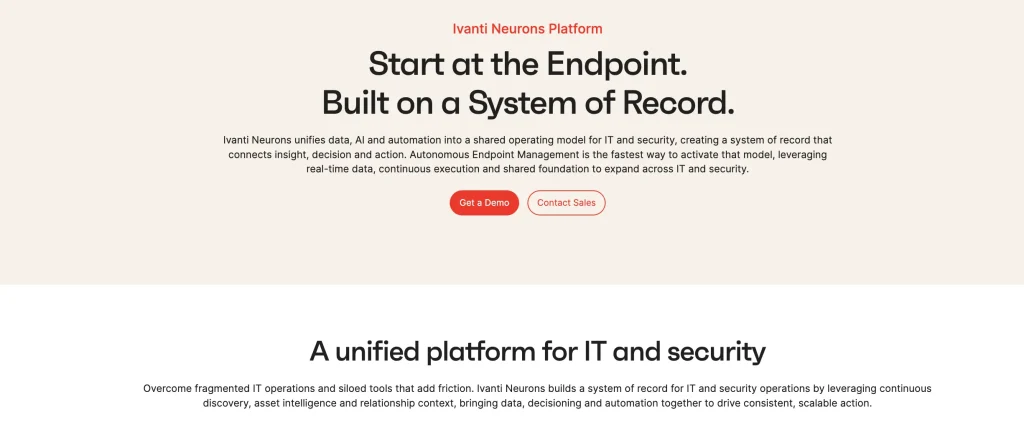
Best fit: Enterprises already invested in Ivanti that want asset processes connected with service management, endpoint operations, discovery, and employee workflows.
Ivanti Neurons for ITAM brings purchasing, contracts, inventory, discovery, and asset requests into the broader Neurons environment. Its relationship with Neurons for ITSM lets service activity and asset information support the same operational processes.
The wider portfolio adds endpoint management, patching, discovery, and other device context. Organizations can therefore build asset workflows that draw on several Ivanti products, while Neurons iPaaS extends selected processes into external business applications.
Key strengths:
- Unified operational context: Service, asset, and endpoint information can support related processes across the Neurons portfolio.
- Broad lifecycle scope: The platform covers acquisition, deployment, inventory, and ongoing asset management activities.
- Endpoint proximity: Device-management capabilities sit close to asset and service operations.
- Portfolio fit: Organizations already using Neurons products can keep more workflow activity within one ecosystem.
Weaknesses:
- Buyers must distinguish ITSM/ITAM functionality from capabilities that require additional Neurons products or iPaaS.
- The portfolio’s breadth can increase configuration and administration requirements.
Pricing:
Ivanti uses custom quoting for Neurons ITSM and ITAM. Neurons iPaaS is also an add-on, so buyers should include cross-system automation in the complete commercial estimate.
Review sentiment:
Ivanti Neurons for ITSM currently has a 4.0/5 rating on G2. Reviewers respond positively to its automation and customization capabilities. Initial setup and workflow configuration can be complex and time-consuming, especially for teams without prior experience.
5. Freshservice
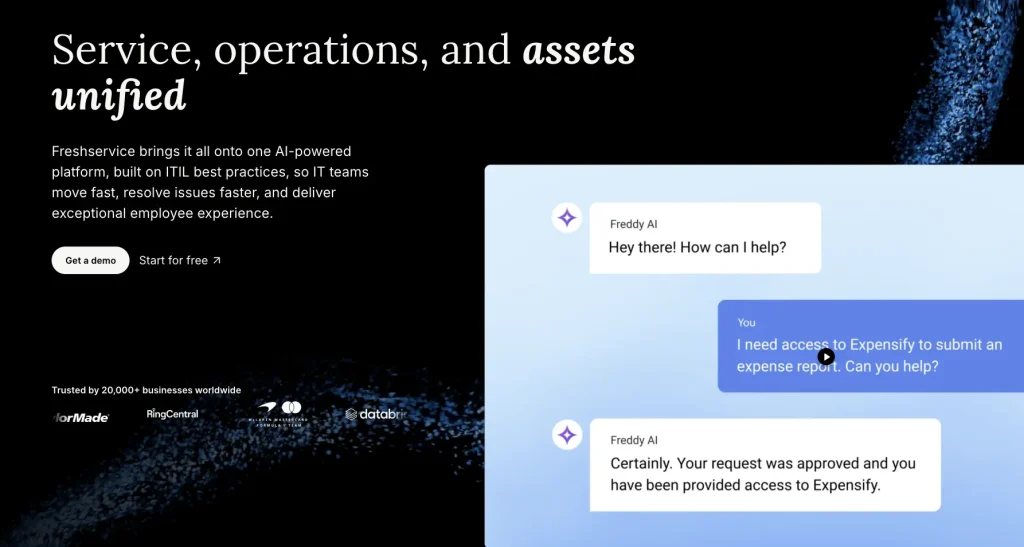
Best fit: Mid-market IT teams that want ITSM, ITAM, employee journeys, and workflow automation across connected tools without adopting a heavier enterprise platform.
Freshservice uses Workflow Automator to connect service requests, approvals, tasks, and asset context. ITAM and CMDB data provide the underlying asset information needed during fulfillment.
This becomes especially useful during employee onboarding and offboarding, where requests can route child tickets to the appropriate teams, helping expedite workstation allocation, asset recovery, and related fulfillment steps. Orchestration Center can then extend selected steps into external systems, allowing the workflow to continue beyond Freshservice.
Key strengths:
- Service-to-asset continuity: Asset information remains available as requests move through fulfillment.
- Employee lifecycle support: Onboarding and offboarding can incorporate allocation, recovery, and related service tasks.
- Workflow visibility: Administrators can review execution history and monitor how automated processes progress.
- Integrated ITAM context: Asset and CMDB records can inform service decisions without requiring a separate inventory layer.
Weaknesses:
- Employee Journeys and some advanced capabilities depend on the selected plan.
- Orchestration transaction allowances can affect costs for automation-heavy environments.
Pricing:
Annual pricing starts at $19 per agent per month for Starter, $49 for Growth, and $99 for Pro. Enterprise uses custom pricing. ITAM allowances and orchestration transactions vary by plan. A 14-day trial is available.
Review sentiment:
Freshservice earns a 4.6/5 rating on G2. Reviewers frequently praise its ease of use, straightforward setup, and accessible service-management experience. Some users note that advanced analytics, automation, and other desirable capabilities require higher-priced plans.
6. Oomnitza
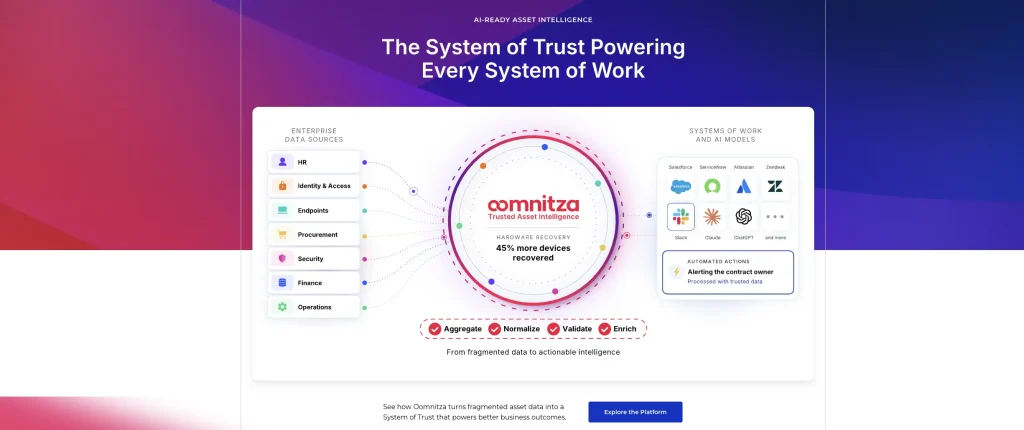
Best fit: Organizations that want asset and employee events to coordinate processes across ITAM, identity, endpoint, service-management, SaaS, and business systems.
Oomnitza takes an asset-first approach to cross-system workflow automation, coordinating asset actions across HR, identity, endpoint, procurement, ITSM, and other connected systems. Events from connected systems can initiate processes that update asset information and coordinate work elsewhere in the technology environment.
This makes the platform relevant for onboarding, transfers, recovery, refresh, and retirement. Completed actions and policy checks can also be retained against lifecycle history, helping teams confirm that required steps were actually completed.
Key strengths:
- Asset-first orchestration: Asset and employee context remains central as processes move across systems.
- Lifecycle evidence: Completed actions and policy checks can be retained against historical records.
- Employee lifecycle coverage: The platform supports coordinated onboarding, transfer, and offboarding processes.
- Cross-system coordination: A single process can span multiple operational systems rather than ending at the asset record.
Weaknesses:
- Deep orchestration requires more workflow design and administration than simpler lifecycle tools.
- The ability to update connected systems and the number of available integrations vary by package and connector.
Pricing:
Oomnitza uses annual organizational pricing rather than a public per-user rate. Enterprise adds integrations, read/write API access, write-back functionality, and other advanced capabilities.
Review sentiment:
Oomnitza is rated 4.6/5 on G2. Reviewers consistently highlight its customization, automation, and ability to consolidate data from multiple systems. That flexibility can also create a learning curve, particularly around workflow design and configuration.
7. InvGate
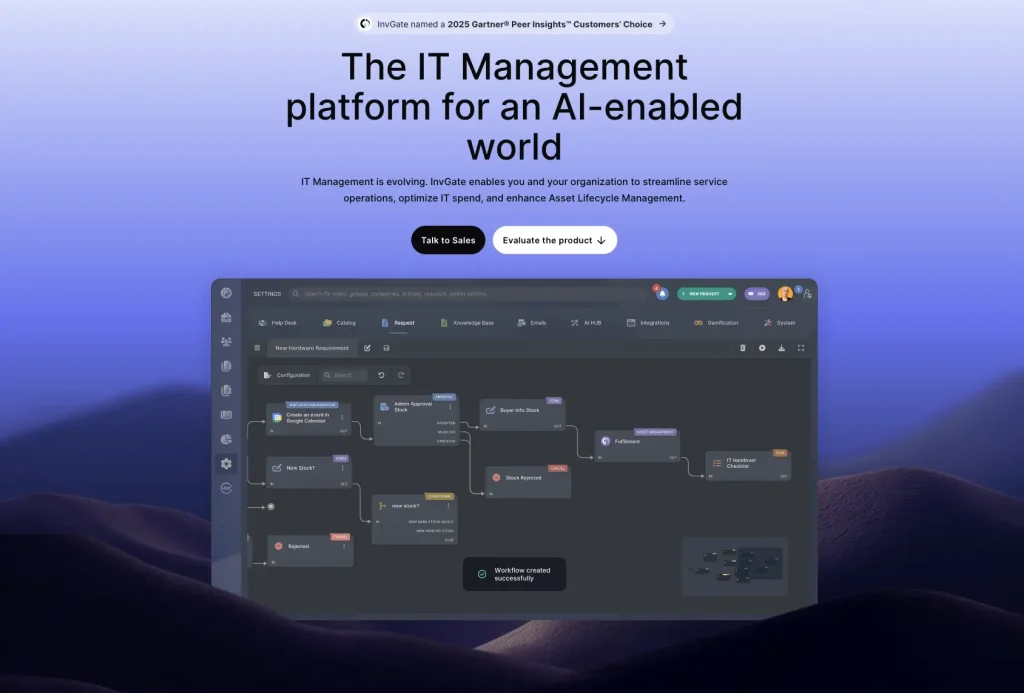
Best fit: Mid-market IT teams that want dedicated ITSM and ITAM products working together across fulfillment, assignment, employee lifecycle, and asset-state changes.
InvGate provides Service Management and Asset Management as separate products with native interoperability. Requests and incidents can reference inventory records, allowing service processes to retain the asset context needed during fulfillment.
This setup supports assignment, returns, loans, and ownership changes without forcing service and asset records into one product. It is particularly relevant for employee lifecycle processes where service tasks and physical equipment need to stay connected.
Key strengths:
- Connected fulfillment: Service teams can work with relevant asset information throughout a request.
- Ownership management: Assignment, returns, loans, and custody changes can remain tied to the asset record.
- Configurable service processes: Service Management Pro provides a workflow builder for organization-specific routing and approvals.
- Modular adoption: Organizations can deploy the ITSM and ITAM products independently or together.
Weaknesses:
- End-to-end ITSM and ITAM automation can require licensing both products.
- Buyers should validate which asset events can initiate automation directly and which depend on a service process.
Key integrations:
- Endpoint management: Microsoft Intune and Jamf.
- Identity: Active Directory, Microsoft Entra ID, and Okta.
- Cloud and productivity: AWS, Azure, and Google Workspace.
- Operations: Slack, Teams, Datadog, New Relic, TeamViewer, and AnyDesk.
Pricing:
Service Management and Asset Management each start at $1,499 per year for their Starter packages. Pro starts at $2,500 annually under the published minimums, while Enterprise uses custom pricing. A 30-day trial is available.
Review sentiment:
InvGate Service Management holds a 4.6/5 rating from G2 reviews. Reviewers commonly praise its intuitive interface, ease of use, and streamlined ticket management. Some users mention limited customization and occasional integration or setup challenges.
8. Jira Service Management + Assets

Best fit: Organizations using Jira that want asset objects, service requests, approvals, and automation rules connected within the Atlassian service-management environment.
Assets gives Jira Service Management a structured object model for assets and their relationships. Automation rules can respond to object changes and use asset information to decide what happens next.
The surrounding service-management layer handles requests and fulfillment. This lets teams bring asset data into Jira-based processes without separating asset context from the work items that depend on it.
Key strengths:
- Flexible object model: Custom schemas and attributes support organization-specific asset structures.
- Asset-aware service workflows: Requests and work items can use related asset information during processing.
- Conditional logic: Rules can evaluate object attributes before deciding which action to take.
- Atlassian alignment: Teams already using Jira can extend familiar workflows into asset-related use cases.
Weaknesses:
- Advanced hardware lifecycle functionality and larger Assets allowances depend on higher plans.
- Complex lifecycle automation may require significant schema and rule administration.
Key integrations:
- REST APIs: Support custom connections and record updates outside Jira Service Management.
- Webhooks: Send workflow data or events to external endpoints.
- Atlassian Marketplace: Extends Jira into identity, endpoint, HR, DevOps, and other systems.
Pricing:
Service Collection Standard is $20 per agent per month. Premium pricing is higher and adds advanced capabilities, while Enterprise uses custom pricing. Buyers should confirm current plan structure and included functionality directly with Atlassian.
Review sentiment:
Jira Service Management maintains a 4.3/5 rating on G2. Reviewers value its flexibility and close integration with the wider Atlassian ecosystem. More advanced deployments can require significant configuration and maintenance, while some users also raise concerns about pricing at scale.
9. SolarWinds Service Desk

Best fit: IT departments that automate primarily through service requests and want asset, discovery, CMDB, and employee context available during fulfillment.
SolarWinds Service Desk approaches asset automation from the service-management side. Process workflows can coordinate approvals, conditions, actions, and responsibilities around catalog items, changes, and runbooks.
Asset and CMDB data provide context to those processes rather than acting as a standalone lifecycle engine. This makes the platform most relevant when activities such as requests, assignments, returns, or servicing originate from the service desk.
Key strengths:
- Service-led workflow design: Asset-related work can follow the same structured processes as other service activities.
- Catalog-based fulfillment: Service catalog items provide a defined entry point for equipment and employee requests.
- Operational context: Asset and CMDB information can inform service decisions during fulfillment.
- Reusable runbooks: Teams can standardize repeatable operational procedures beyond basic ticket routing.
Weaknesses:
- Asset records usually support service workflows rather than initiating independent lifecycle automation.
- Advanced automation and audit capabilities are plan-dependent.
Pricing:
Annual pricing starts at $39 per technician per month for Essentials, $99 for Advanced, and $124 for Premier. Asset pricing is quoted separately. A 30-day trial is available.
Review sentiment:
SolarWinds Service Desk has a 4.3/5 rating on G2. Reviewers appreciate its user-friendly interface and ability to manage service requests and assets without extensive training. Some users find its workflow customization and conditional logic less flexible than more enterprise-focused platforms.
10. SysAid

Best fit: IT teams that want an integrated service desk and inventory layer with configurable request workflows and Workato-based external automation.
SysAid‘s Workflow Designer is centered on Request, Change, and Problem processes. Administrators can define phases, dependencies, conditions, and routing while attaching relevant asset records to the work being performed.
Asset information therefore enriches the service process rather than becoming a separate lifecycle engine. Custom fields and entity-level triggers give teams additional control over how records behave within those workflows.
Key strengths:
- Structured service processes: The visual designer supports multi-stage routing and conditional paths.
- Asset context: Relevant inventory records can remain attached to service activity.
- Rule flexibility: Dependencies and triggers give administrators control over how requests progress.
- Integrated inventory: Service teams can work with asset information without moving to a separate system.
Weaknesses:
- Native workflow design centers on service records rather than the complete asset lifecycle.
- Consider Workato credit consumption for integration-heavy, high-volume environments.
Pricing:
Professional is listed at $89 per agent per month and includes asset management, Workflow Designer, and SysAid Connect. The Enterprise plan requires a minimum of 20 agents and uses custom pricing.
Review sentiment:
SysAid currently holds a 4.5/5 G2 rating. Reviewers positively highlight its automation, ticket management, and integration of asset management with the service desk. Reporting customization is a recurring limitation, while some users also find parts of the interface or administration experience cumbersome.
11. NinjaOne
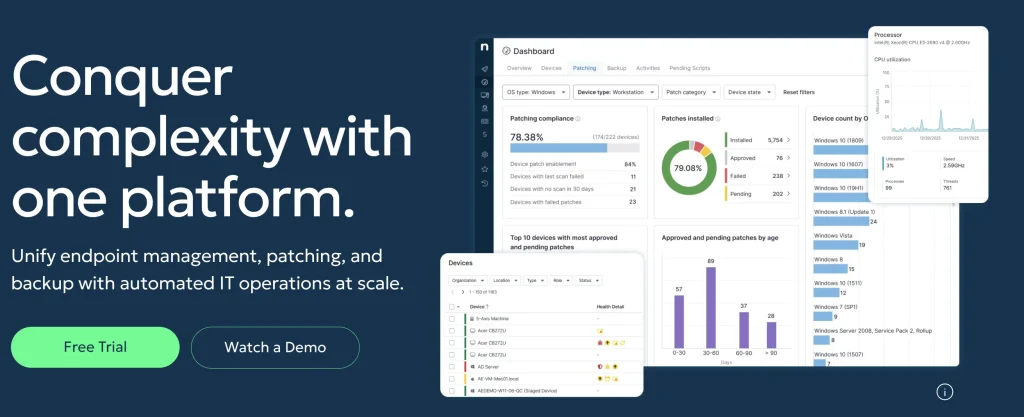
Best fit: Endpoint-heavy IT teams that want device inventory, remote actions, ticket automation, and managed endpoint lifecycle information in one operations platform.
NinjaOne approaches asset automation from endpoint management rather than traditional ITAM workflow design. Device status and management data provide the context for operational actions throughout the endpoint lifecycle.
Its strongest use case is direct action on managed devices. Teams can run scripts, perform maintenance, respond to device events, and connect those activities with ticketing. This supports operational automation well, although it does not replace a broader procurement-to-disposal workflow.
Key strengths:
- Direct endpoint control: Teams can perform operational actions on managed devices without switching platforms.
- Condition-based response: Device conditions can feed automated service or remediation activity.Trigger automations, alerts, or tickets when defined device conditions occur.
- Lifecycle visibility: Managed endpoints remain traceable through operational changes and decommissioning.
- Consolidated operations: Monitoring, maintenance, and endpoint context sit within the same environment.
Weaknesses:
- Automation is stronger for managed endpoints than for procurement, warehouse, or non-endpoint asset processes.
- Device and ticket automation should not be treated as a complete asset lifecycle engine.
Key integrations:
- Microsoft Intune: Adds endpoint-management interoperability.
- PSA and ITSM tools: Connect device activity with service and ticketing processes.
- Security platforms: Bring security context into endpoint operations.
- APIs: Extend NinjaOne into other IT operations systems.
Pricing:
NinjaOne uses per-device pricing. Published commercial examples vary by endpoint volume and selected products. Onboarding, training, and support are included, and a trial is available.
Review sentiment:
NinjaOne has a 4.7/5 rating on G2. Users frequently praise its intuitive interface, automation capabilities, remote management, and responsive support. Some reviewers find software rollout workflows, advanced reporting, or other specialized functions less polished than its core endpoint-management features.
12. Teqtivity
Best fit: ITAM teams that need structured employee onboarding, device assignment, return, reassignment, and offboarding across distributed workforces.
Teqtivity organizes asset workflows around the employee lifecycle. Teams can standardize which equipment employees receive based on role, department, or location and keep those assignments connected to the employee record.
The same approach extends into returns, reassignment, and offboarding. Automated reminders and escalation help teams follow up on outstanding equipment, while connected systems keep user and device information aligned as employee status changes.
Key strengths:
- Role-based provisioning: Asset bundles help standardize what equipment different employee groups receive.
- Recovery follow-up: Automated reminders and escalation support overdue returns.
- Record continuity: Assignment, reassignment, and decommissioning stay connected to the asset record.
- Distributed workforce fit: The workflow model suits organizations managing equipment across locations or remote employees.
Weaknesses:
- Teqtivity is ITAM-first rather than a full enterprise ITSM platform.
- Teams needing complex incident, change, or service-management automation will likely retain another ITSM system.
Pricing:
Core starts at $79 per user per month when billed annually for one to five users. Growth is listed at $75 per user for six to 20 users, while larger deployments use custom pricing.
Review sentiment:
Teqtivity has a 4.7/5 rating on G2, although its review sample remains small. Users particularly value its customizable workflows, integrations, and responsive support. Some reviewers mention occasional integration reliability issues or suggest that the interface could feel more modern.
13. Flexera One ITAM
Best fit: Large organizations prioritizing software optimization, license reclamation, hardware governance, and authoritative ITAM data across complex environments.
Flexera One ITAM approaches automation through asset governance, normalization, optimization, and reclamation. It can identify underused software and connect with App Broker or App Portal for automated reclamation, depending on licensing and architecture.
Its role is often to provide authoritative ITAM data and optimization decisions to a broader ITSM or CMDB environment. It therefore fits organizations where software cost, compliance, and large-scale asset intelligence drive workflow decisions more than service-request automation.
Key strengths:
- Software reclamation: Supports automated recovery of underused or unnecessary applications.
- Normalized asset intelligence: Standardized data improves downstream decision quality.
- Hardware governance: Physical asset information can be managed alongside software optimization.
- Enterprise-scale control: The platform is designed for complex technology estates and licensing environments.
Weaknesses:
- Flexera One ITAM is not primarily an ITSM workflow engine, so many service processes execute elsewhere.
- Its SAM and ITAM depth may exceed the needs of smaller teams focused on straightforward hardware workflows.
Pricing:
Flexera One ITAM uses custom pricing. Buyers should request a quote covering required modules and integrations instead of assuming one package includes every workflow capability.
Review sentiment:
Flexera One carries a 4.3/5 rating on G2. Reviewers value its centralized visibility across large and diverse technology environments. Its complexity is the main recurring drawback, with users citing resource-intensive setup and a relatively long learning curve.
14. Device42
Best fit: Infrastructure-heavy organizations that want discovered assets, dependency context, lifecycle events, and CMDB data to inform connected ITSM and downstream operational workflows.
Device42 combines discovery, CMDB, dependency mapping, and lifecycle tracking. This gives teams infrastructure context they can use when assets change state or when downstream operational work needs to be initiated.
For broader automation, Device42 often acts as an intelligence layer rather than owning the entire process. Lifecycle events, APIs, and connected tools can pass that context into external services or orchestration platforms.
Key strengths:
- Infrastructure context: Current device and configuration data can inform operational decisions.
- Dependency awareness: Relationship mapping helps teams understand potential impact before making changes.
- Lifecycle history: Asset changes remain traceable over time.
- Extensibility: Device42 can supply infrastructure data to processes managed elsewhere.
Weaknesses:
- Many end-to-end service workflows execute in connected systems rather than Device42 itself.
- Teams focused mainly on employee equipment assignment and recovery may find its infrastructure orientation broader than necessary.
Pricing:
Device42 uses annual subscription pricing based on device count. Pricing is quote-based, and the subscription includes unlimited users and support.
Review sentiment:
Device42, a Freshworks Company, receives a 4.7/5 rating on G2. Reviewers appreciate its infrastructure discovery, asset tracking, and dependency visibility. Some users find initial setup and navigation complex, while others report occasional slowdowns with larger datasets.
15. Lansweeper
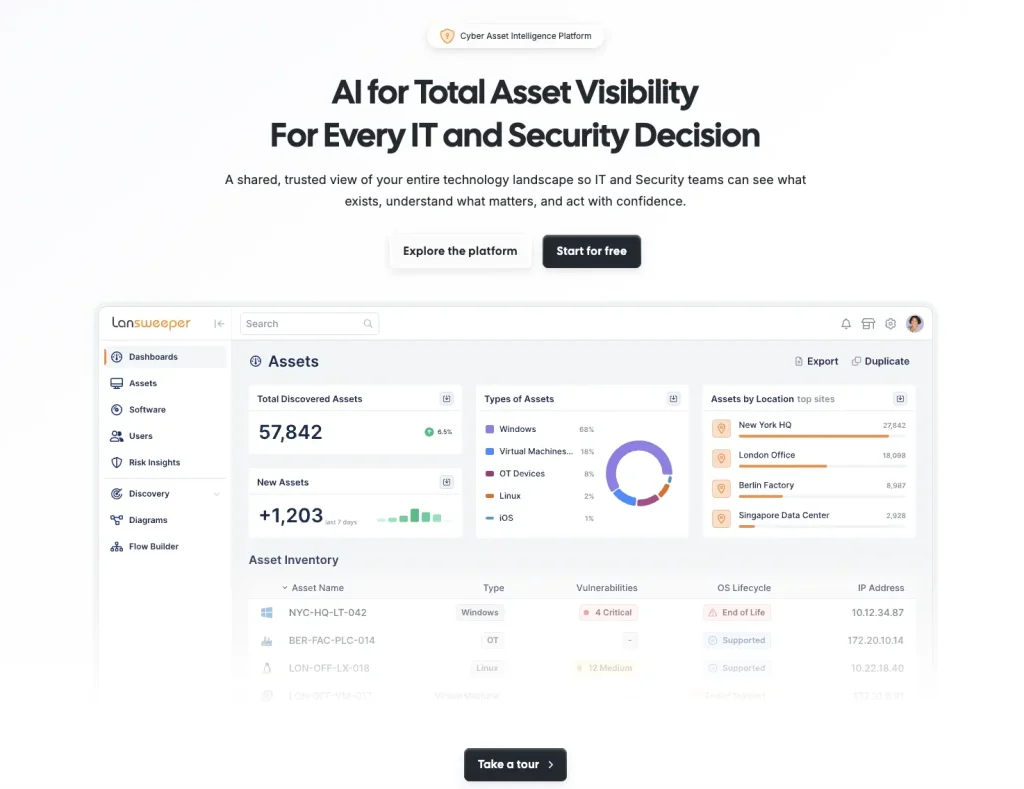
Best fit: Organizations that already have an ITSM or automation engine but need reliable discovery and inventory data to initiate or enrich workflows.
Lansweeper differs from most tools in this comparison because its primary role is asset discovery and intelligence. It does not attempt to own the complete lifecycle process.
Instead, discovered information about devices, software, ownership, and environmental changes can feed systems that handle remediation, reconciliation, or lifecycle work. This positions Lansweeper as the data layer behind automation rather than the workflow engine itself.
Key strengths:
- Broad discovery: Provides a detailed inventory foundation for downstream automation.
- Continuous asset data: Environmental changes can keep connected processes working from current information.
- IT and OT visibility: Supports organizations managing different classes of technology assets.
- Reconciliation support: Helps compare discovered devices with records maintained in other systems.
Weaknesses:
- Lansweeper is not a full native asset lifecycle workflow engine.
- Organizations need another platform to own approvals, employee workflows, lifecycle execution, or cross-system orchestration.
Key integrations:
- ServiceNow: Can pass discovered data into ServiceNow records and service processes.
- Jira: Connects asset information with Jira-based operational work.
- APIs: Allow custom applications and automation platforms to consume Lansweeper data.
Pricing:
Lansweeper’s Starter plan starts at $239 per month, while Pro starts at $439 per month, both billed annually. Enterprise uses custom annual pricing, with quotes available for larger or more complex deployments.
Review sentiment:
Lansweeper maintains a 4.4/5 rating on G2. Reviewers consistently praise its comprehensive discovery and detailed visibility across hardware and software. Some users find the interface overwhelming at first, while pricing at higher asset counts is another recurring concern.
How Asset Workflow Architectures Differ
The central distinction is where automation lives.
| Architecture | Workflow owner | Asset’s role | Typical fit |
| ITAM-led | Asset platform | Primary workflow object | Assignment, recovery, lifecycle transitions |
| ITSM-led | Service platform | Context or linked object | Requests, approvals, fulfillment |
| Unified ITSM + ITAM | Shared platform | Asset and service records share workflow state | End-to-end service and lifecycle processes |
| Discovery-led | Discovery/CMDB platform | Discovered or normalized asset context | Triggering or enriching workflows elsewhere |
| Cross-system orchestration | Orchestration layer | One of several governed objects | Employee lifecycle, procurement, security, SaaS, and enterprise automation |
The important question is not simply whether a product has “workflows.” Determine where your organization wants asset state, service state, and execution responsibility to live. The platform’s architecture should support that operating model.
Asset Lifecycle Workflow Coverage
Automated asset workflows should support more than isolated approvals or status updates. The real test is how much of the asset lifecycle the platform can move forward without repeated manual intervention. That can include request, approval, procurement, receiving, assignment, maintenance, recovery, redeployment, and retirement.
Use the infographic below as an evaluation checklist. For each stage, verify whether the platform can trigger the next action, update the underlying asset record, handle exceptions, and confirm completion. A tool may automate some stages natively while relying on integrations or APIs for others.
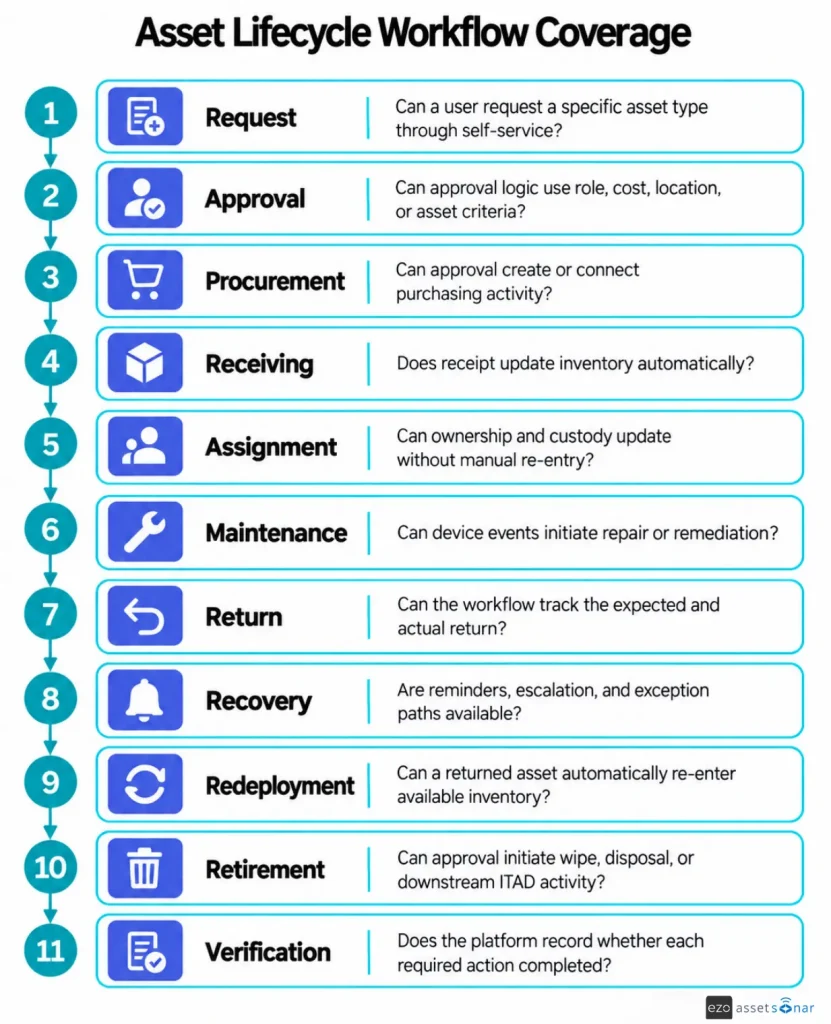
Verification applies across every lifecycle stage, not only at the end. Real workflows may also branch into storage, transfer, repair or RMA, loss or theft, refresh, and disposal paths.
The goal is not to automate every lifecycle stage. It is to identify where manual handoffs remain and whether those gaps create delays, stale records, or incomplete asset histories.
Finding the right fit for your asset workflows
Choose based on the system that should own execution.
- Asset-centric IT operations: Consider AssetSonar, Oomnitza, or Teqtivity when asset state should remain central to workflow execution.
- ITSM-led operations: Consider Freshservice, ManageEngine, InvGate, Jira Service Management, SolarWinds, or SysAid when service requests initiate most asset-related work.
- Unified and enterprise orchestration: ServiceNow and Ivanti suit environments where asset workflows operate within broader service and enterprise automation platforms.
- Endpoint-led operations: NinjaOne fits workflows centered on managed-endpoint actions, maintenance, and remediation rather than full procurement-to-disposal lifecycle ownership.
- Discovery/CMDB-led operations: Device42 and Lansweeper fit environments where discovered asset data feeds workflows executed in another platform.
- SAM-led operations: Flexera fits environments where software optimization, reclamation, and license governance drive asset automation.
How to pilot automated asset workflows
Do not evaluate finalists using only vendor demo data. Build one workflow that crosses enough systems to expose gaps in the automation system.
Employee offboarding is a useful test. Start with an HR or identity event and identify the employee’s assigned equipment. Then trigger recovery actions and any access actions supported through connected identity systems, track the expected return, and escalate overdue equipment. Once you receive the device, update its ownership and lifecycle state while preserving completion evidence. Assess if the automation correctly updates the device lifecycle state and ownership.
During the pilot, intentionally create exceptions. Remove a required field. Disconnect an integration. Reject an approval. Return the wrong device. Reassign an employee during the workflow.
Administrators should be able to identify the failed step, see which actions already executed, retry without duplicating completed actions, and verify the final asset state.
Finally, request a complete quote based on your actual agents, assets, endpoints, integrations, API usage, orchestration transactions, and required modules.
Common mistakes when comparing IT asset workflow tools
Treating ticket automation as asset automation. A rule that assigns a ticket does not necessarily change the underlying asset record.
Counting integrations instead of testing actions. A connector may only import data. Ask what it can read, write, trigger, and verify.
Ignoring the pricing unit. You can’t compare per-agent and per-asset prices without modeling your actual environment.
Testing only clean workflows. Real automation must survive missing data, rejected approvals, unavailable systems, and late returns.
Leaving system-of-record responsibility undefined. Decide whether ITAM, ITSM, CMDB, or another platform owns each authoritative state before automating changes between them.
Choosing an ITSM or ITAM tool for automated asset workflows
The right automation depends on where asset processes begin and which system should own their final state. ITSM-led platforms typically fit request-driven fulfillment, while ITAM-led platforms fit workflows where asset state, custody, recovery, and lifecycle changes are central.
AssetSonar is one option for teams that want asset lifecycle automation connected with ITSM processes, employee offboarding, recovery, and related asset-state updates. Discovery, endpoint, and SAM-led platforms can also contribute valuable data or actions when execution lives elsewhere.
Whichever tools make your shortlist, test them with a real automation workflow. Include integration failures and lifecycle exceptions, then compare the complete licensing model before purchasing.