Key Takeaways:
- ServiceDesk Plus already links requests, assets, and a CMDB depending on edition, so confirm which gap drives the replacement before shortlisting.
- Asset-led platforms such as AssetSonar suit teams whose tickets center on employee devices, while Freshservice and SolarWinds Service Desk suit teams standardizing ITSM processes first.
- ServiceNow, BMC Helix, and Ivanti fit organizations with dedicated platform administrators and complex infrastructure dependencies.
- Pricing units differ (per asset, per agent, per technician, per object, or custom quote), so compare complete first-year proposals rather than entry prices.
- Endpoint Central is a separate decision: replacing the service desk does not replace patching or remote support.
Mid-market IT teams need a service desk that connects employee support with device handovers, repairs, and reuse. When hardware and ticket records disagree, even a routine equipment request requires additional checks. Technicians must establish whether a laptop is available, assigned, or awaiting repair before promising it to someone.
Choosing among ManageEngine alternatives therefore means examining how support work updates the underlying IT asset management (ITAM) records. Requests, device ownership, status, and service history should remain consistent as work moves between technicians. The replacement must also fit the IT team’s capacity to configure and maintain it. This guide compares those connections alongside pricing, discovery, and existing endpoint tools.
ManageEngine alternatives at a glance
| Product | Best fit | How assets and support connect | Main trade-off | Pricing model | G2 |
|---|---|---|---|---|---|
| ManageEngine ServiceDesk Plus | IT teams already using ManageEngine | Tickets, asset tracking, and device relationships | Features depend on the plan; patching uses a separate product | Per technician, plus applicable asset charges | 4.2/5 |
| AssetSonar | IT teams managing employee devices and support together | ITAM with ServiceDesk in one platform | Cloud-based | Per IT asset; unlimited agents | 4.5/5 |
| Freshservice | IT teams organizing support processes | Tickets linked to assets and the services they support | More assets and advanced features cost extra | Per agent, plus extra asset capacity | 4.6/5 |
| InvGate | IT teams wanting separate asset and support tools | Connects its service desk and asset management products | Two subscriptions to manage | Per agent, plus a separate asset subscription | 4.6/5 |
| Jira Service Management | IT teams working closely with developers | Links support tickets, development work, and asset records | Asset fields and relationships need setup | Per agent, plus records above the included limit | 4.3/5 |
| SolarWinds Service Desk | IT teams needing cloud support and asset tracking | Asset tracking built into the service desk | Network discovery and visual dependency maps need higher plans | Per technician, plus asset charges | 4.3/5 |
| Ivanti ITSM | IT teams already using Ivanti | Connects service desk, asset management, and device discovery | Advanced device management costs extra | Custom quote | 4.0/5 |
| ServiceNow ITSM | IT teams managing complex services across departments | Connects service desk with asset management applications | Specialized asset tools require separate licenses | Custom quote | 4.5/5 |
| BMC Helix ITSM | IT teams supporting complex infrastructure | Links service requests to infrastructure and asset records | Discovery tools may require separate licensing | Custom quote | 3.7/5 |
What ServiceDesk Plus already connects
ManageEngine offers separate tools for service desk, IT asset tracking, and endpoint administration. ServiceDesk Plus is the relevant starting point when consolidating IT asset and service desk workflows.
Benefits of ManageEngine ServiceDesk Plus
- Established request handling: Email intake, self-service, knowledge articles, and SLA management support everyday service desk operations.
- Asset administration alongside support: Professional adds discovery, asset lifecycle tracking, purchasing, and contracts.
- Relationship-aware service management: Enterprise includes the CMDB, problem management, and change management. Lower cloud editions offer some capabilities through add-ons.
- Endpoint actions through integration: Endpoint Central extends support with remote control, software deployment, and patching.
Why consider alternatives?
- More specialists need technician access: Expanding participation can require additional technician licenses.
- Required workflows sit outside the current edition: CMDB, problem, and change requirements may introduce upgrades or add-ons.
- Endpoint administration remains a separate product decision: Consolidating tickets does not automatically consolidate Endpoint Central’s responsibilities.
How we selected these alternatives
We selected products that connect IT asset management with everyday service desk work. The criteria focus on the handoffs that affect fulfillment, troubleshooting, and hardware decisions.
- IT asset coverage: Evaluate whether hardware discovery reaches remote computers and the network devices you actually manage.
- Service context: Technicians need usable device or configuration records during diagnosis, fulfillment, and escalation.
- Lifecycle execution: Assignment, return, repair, and retirement must have accountable owners and recorded outcomes.
- Relationship modeling: CMDB relationships matter when an affected server or application supports other services.
- Operating fit: Check who configures discovery sources, resolves record conflicts, and maintains request routing after implementation.
- Commercial scope: The purchase must cover both service users and the relevant asset, object, or module allowances.
Platforms that connect IT assets with service desk workflows
An IT team replacing manual device handovers needs different capabilities from one connecting incidents to production services. The breakdown distinguishes those requirements and the trade-offs behind each replacement.
1. AssetSonar

Best fit: Mid-market IT teams replacing ServiceDesk Plus where employee device requests, hardware lifecycle decisions, and offboarding drive daily tickets. Asset administrators and specialists can participate without additional agent licensing costs.
AssetSonar ITAM with ServiceDesk keeps hardware requests connected to device ownership and lifecycle records. A technician investigating recurring laptop failures can review the device’s history before deciding whether to repair or replace it. That makes it an alternative for ServiceDesk Plus buyers coordinating support with hardware administration. Employees can select hardware checked out to them through a configured request form before technicians begin triage.
Where it is stronger than ManageEngine:
- Bring specialists into support without licensing each agent: AssetSonar includes unlimited agents, while ServiceDesk Plus licenses technician access. Asset administrators and other specialists can participate without purchasing additional agent seats.
- Include change and problem management from the outset: ITAM with ServiceDesk includes both capabilities alongside IT asset management. ServiceDesk Plus includes them in Enterprise, with add-on options in lower cloud editions. This can simplify purchasing when replacing Standard or Professional.
- Keep patching within AssetSonar: Advanced SAM adds patch management, allowing IT teams to deploy and schedule patches within the platform. ServiceDesk Plus provides patching through integration with Endpoint Central. Compare supported devices and applications before consolidating that work.
- Give employee exits a dedicated workflow: The Offboarding Center organizes departures into stages with tasks, tickets, approvals, and linked automations. This helps when the current ServiceDesk Plus process leaves hardware recovery and access removal as separate manual handoffs.
Where it may fall short:
- Self-hosting requirements: AssetSonar is offered as a cloud service. IT teams that must run their service desk in their own infrastructure may find ServiceDesk Plus’s on-premises deployment a closer fit.
Pricing:
The ITAM with ServiceDesk package starts at $1.08 per asset monthly, billed annually. Packages start at 100 assets, and volume discounts are available. Monthly plans are also available. Advanced SAM adds $0.42 per asset monthly on annual billing.
Reviews:
AssetSonar holds a 4.5/5 rating on G2. Users value having hardware, software, and device assignments available in one place during daily IT work. Reviews also include requests for richer reporting and interface improvements. Check the reports your asset administrators rely on, alongside the ticket workflows technicians will use.
2. Freshservice
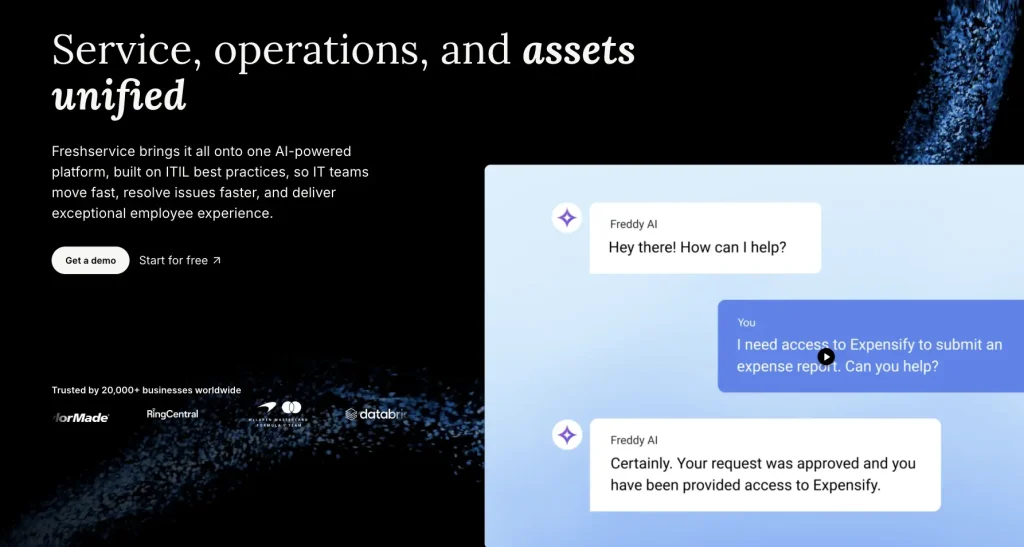
Best fit: IT teams moving from device-focused support toward a cloud service desk that also maps application and infrastructure dependencies.
Freshservice suits ServiceDesk Plus replacements where support needs to follow an issue beyond the employee’s computer. Its connected service and asset model can include the infrastructure behind an application. That helps IT teams assess whether a ticket concerns one endpoint or a wider service. Discovery depth and the chosen asset package determine how much infrastructure context is available.
Where it is stronger than ManageEngine:
- Replacing manual dependency mapping: Advanced discovery, powered by Device42, maps application components and service connections. This is useful when you maintain your current ServiceDesk Plus relationships manually.
- Replacing manual impact updates: Asset Impact can raise an incident’s impact when a higher-impact asset is linked. With the priority matrix enabled, priority can change too.
Where it may fall short:
- Impact boundaries: Asset Impact applies to incident and alert tickets. Removing an associated asset does not automatically lower the resulting impact.
- Discovery packaging: Application dependency mapping requires the appropriate advanced discovery capabilities. Do not assume the included ITAM allowance covers every discovery method.
Pricing:
Annual billing rates are $19 per agent monthly for Starter, $49 for Growth, and $99 for Pro. Enterprise uses custom pricing. Growth, Pro, and Enterprise include ITAM Growth with 100 Asset Units. These units measure usage by asset count and type; additional capacity or functionality costs extra.
Reviews:
Freshservice scores 4.6/5 on G2, with reviewers praising routine request automation and approachable administration. Some want more flexible reporting and find advanced customization harder to configure.
3. InvGate Service Management and Asset Management
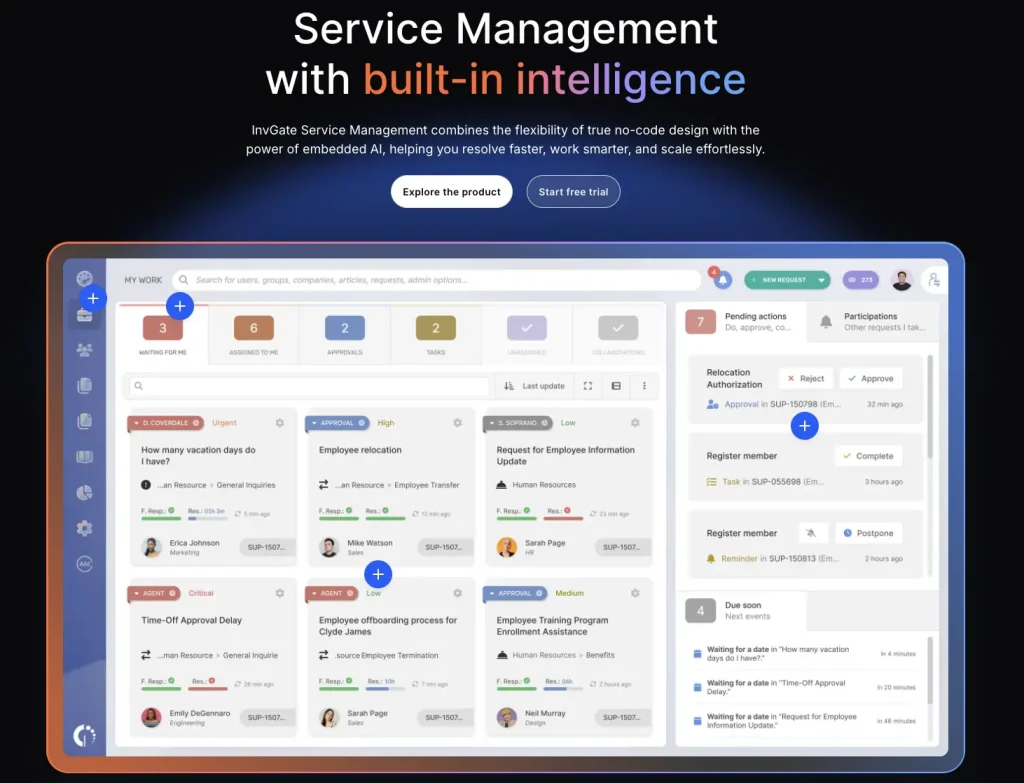
Best fit: IT teams seeking separate service and asset applications, assisted infrastructure mapping, and licensing options for rotating service desk responders.
InvGate Service Management works with InvGate Asset Management as a connected pair of applications. The asset application maintains discovered technology records, while service owners manage requests and approvals. For a ServiceDesk Plus replacement, this separates responsibilities between asset administrators and service desk managers. Their integration links incidents and requests to the asset data the asset application collects.
Where it is stronger than ManageEngine:
- Assisted relationship discovery: InvGate Asset Management discovers infrastructure relationships and assists CMDB mapping. Consider it when replacing a manually maintained ServiceDesk Plus dependency model.
- Concurrent-agent option: Enterprise offers concurrent seats for organizations where different technicians work at different times. Compare that approach with licensing each required ServiceDesk Plus technician login.
Where it may fall short:
- Workflow automation starts above Starter: The workflow builder is included in Pro and Enterprise. IT teams replacing configured approval or fulfillment processes should scope those editions rather than evaluate Starter alone.
- On-premises hosting requires Enterprise: Starter and Pro do not include that deployment option. Organizations retaining an internally hosted service desk need an Enterprise proposal.
Pricing:
Service Management Starter lists $1,499 annually for five agents. Pro lists $500 per agent annually, starting at $2,500; Enterprise starts at $12,000 annually with custom pricing. Scope the separate Asset Management subscription for the required asset count and capabilities.
Reviews:
Reviewers often describe InvGate Service Management as easy to navigate and useful for organizing requests. Its G2 rating is 4.6/5, although the profile contains only 20 reviews. Feedback also includes requests for more customization and advanced report filters. That small sample makes comparable customer references particularly useful.
4. Jira Service Management

Best fit: IT teams already using Jira for engineering work, where incidents and hardware requests frequently require development or release coordination.
Jira Service Management is a practical alternative when ServiceDesk Plus tickets repeatedly become engineering work elsewhere. Requests can link to Jira work items, keeping investigation and development in the same environment. Assets supplies the equipment and configuration model behind those requests. Administrators define objects, attributes, and relationships around the services IT supports.
Where it is stronger than ManageEngine:
- Support-to-engineering continuity: IT requests can link directly to Jira development work. This matters when your ServiceDesk Plus process depends on a separate engineering handoff.
- Deployment approval workflows: Premium supports approval controls for deployments initiated through connected delivery tools. IT organizations already coordinating releases in Atlassian can manage that gate alongside service work.
Where it may fall short:
- Advanced workflows require Premium: Change management, Data Manager, and advanced hardware lifecycle capabilities require the appropriate higher-tier subscription. Standard should not be treated as a complete replacement for every existing workflow.
- The asset model needs ongoing administration: IT teams must maintain object schemas, attributes, and relationships. Define who owns those structures as applications, equipment, and supported services change.
Pricing:
Service Collection charges by agent, with monthly or annual billing based on the selected subscription. Standard includes 5,000 Assets objects, Premium 50,000, and Enterprise 500,000. Additional objects start at $0.02 per object monthly, with volume discounts.
Reviews:
Users appreciate Jira Service Management’s traceable work and collaboration with engineering, especially in established Atlassian environments. It has a 4.3/5 rating on G2. Workflow and permission configuration draw criticism for their learning curve.
5. SolarWinds Service Desk

Best fit: Cloud-first IT teams wanting asset and change processes in the entry package, particularly alongside existing SolarWinds infrastructure monitoring.
SolarWinds Service Desk offers a replacement path when equipment records, service requests, and monitoring alerts need closer coordination. Its cloud service desk includes asset and configuration functions and integrates with existing SolarWinds monitoring. For ServiceDesk Plus buyers, the appeal depends on the tools they already use. Advanced discovery, automation, and dependency visualization remain package-specific decisions.
Where it is stronger than ManageEngine:
- Earlier packaged change and asset coverage: Essentials includes asset management, the CMDB, and change management. ServiceDesk Plus Standard requires additional scope for comparable asset and change functions.
- Reuse of SolarWinds monitoring: A configured Observability Self-Hosted connector can turn qualifying alerts into service desk incidents. This fits IT organizations already investigating infrastructure in SolarWinds.
Where it may fall short:
- Mapping tier: Visual CMDB and dependency mapping require Premier. Essentials does not include those visualization capabilities.
- Automation tier: Custom fields, advanced automations, and runbooks begin in Advanced. Validate your required workflows against the purchased tier.
Pricing:
Essentials starts at $39 per technician monthly, Advanced at $99, and Premier at $124, billed annually. Asset pricing is available on request. Include that component when comparing the total subscription.
Reviews:
SolarWinds Service Desk earns 4.3/5 on G2. Reviewers describe straightforward onboarding and ticket navigation, including for employees unfamiliar with a formal service desk. Some find complex customization and third-party integrations less accommodating.
6. Ivanti ITSM

Best fit: IT organizations already investing in the Ivanti Neurons Platform and seeking closer coordination between service desk and endpoint operations.
Ivanti ITSM brings the service desk onto the Neurons Platform, where incident handling can use asset ownership and lifecycle information. For ServiceDesk Plus buyers already using Ivanti endpoint tools, this can reduce the number of separately governed connections. Hosting options include cloud, on-premises, and hybrid deployments. Endpoint remediation depends on the selected extensions.
Where it is stronger than ManageEngine:
- Continuity with existing Neurons operations: Ivanti combines service and asset data on its platform, with optional endpoint-management capabilities connected to service workflows. This favors organizations expanding an existing Ivanti environment.
- Endpoint experience signals within the service package: ITSM Premium includes DEX scoring and real-time Edge Intelligence. This can suit ServiceDesk Plus buyers currently using separate tools to understand device performance and employee experience.
Where it may fall short:
- Endpoint entitlement boundaries: Autonomous Endpoint Management is optional. Continuous patch management requires a separate Autonomous Patch add-on.
- Premium service functions: Remote support and analyst-assisted troubleshooting appear in ITSM Premium. Include those requirements explicitly when selecting the package.
Pricing:
Ivanti provides pricing through a sales quote for the selected service management package and extensions. Request the licensing metric, included ITAM scope, and endpoint add-ons as separate quote lines.
Reviews:
Ivanti ITSM is rated 4.0/5 on G2. Its flexibility and configurable workflows attract positive feedback from administrators. Other reviews describe an older-feeling interface and a learning curve for new users.
7. ServiceNow IT Service Management
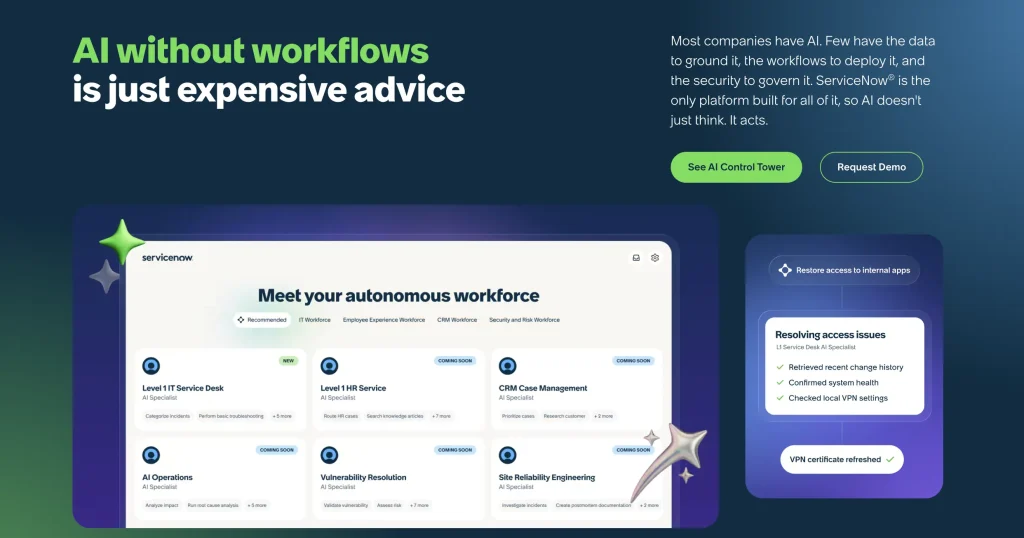
Best fit: IT organizations standardizing service definitions and software-license governance across multiple business services, with dedicated platform administration and implementation resources.
ServiceNow IT Service Management connects incident and request work with IT asset applications on the same platform. Its value increases when a service owner needs to connect infrastructure issues with business services. Hardware and software asset applications extend that record beyond support activity into lifecycle and license governance. Implementation requires decisions about service ownership and which applications are included.
Where it is stronger than ManageEngine:
- Consistent service definitions across applications: The Common Service Data Model provides shared definitions and relationships across ServiceNow products. It suits organizations moving beyond locally configured device and ticket records.
- Publisher-specific software governance: The separate Software Asset Management application supports publisher packs and licensing optimization. Evaluate it when your existing ServiceDesk Plus license tracking needs deeper publisher-specific controls.
Where it may fall short:
- Entitlement complexity: Foundation includes asset management and the CMDB. That baseline should not be treated as confirmation of every specialized hardware or software application entitlement.
- Service tier dependency: ITSM Advanced adds major incident, change, and problem management above Foundation. Foundation is not a like-for-like replacement for every Enterprise ServiceDesk Plus workflow.
Pricing:
ServiceNow provides custom quotes for ITSM packages and specialized asset products. Ask for the licensing units, contract term, and recurring charges for the agreed scope.
Reviews:
ServiceNow ITSM receives 4.5/5 on G2. Users value the breadth of connected workflows and the ability to organize service activity across different responsibilities. Complexity is the recurring trade-off, particularly for newer users.
8. BMC Helix ITSM
Best fit: IT teams with complex infrastructure records, multiple discovery sources, and an established or planned investment in BMC Helix operations.
BMC Helix ITSM connects service records with asset and configuration information maintained in the CMDB. It becomes relevant when a device ticket is part of a larger infrastructure incident. Support work can draw on Helix discovery and operations data. For ServiceDesk Plus buyers, that broader operating model makes configuration responsibilities an important part of the service desk rollout.
Where it is stronger than ManageEngine:
- Reuse of existing Helix discovery: Helix Discovery connects infrastructure data with Helix service processes. For an established Helix deployment, this keeps discovery and service administration in the same ecosystem.
- Explicit reconciliation across datasets: The CMDB Reconciliation Engine identifies and merges records from separate source datasets into a production dataset. This matters when conflicting discovery feeds drive the replacement.
Where it may fall short:
- Discovery scope: Connecting BMC Helix Discovery is a product and implementation decision. Include its required coverage and entitlements in the proposal.
- Configuration upkeep: Reconciliation requires decisions about which incoming records represent the same component. Assign responsibility for exceptions before expanding the rollout.
Pricing:
BMC Helix provides pricing through a custom proposal. Request licensing units, deployment terms, implementation charges, and recurring subscription costs.
Reviews:
Reviewers value BMC Helix ITSM for keeping incident and service history organized across daily support work. Its G2 rating is 3.7/5. Reviewers criticize configuration complexity and navigation, especially when simple tasks require several steps. Read those experiences alongside the reviewer’s role, since service analysts and platform administrators use different parts of the product.
Which ManageEngine alternative fits your team?
- Device-centered support with many specialists: AssetSonar, with per-asset pricing, unlimited agents, and tickets linked to device records.
- Service process maturity first: Freshservice or SolarWinds Service Desk, with asset and CMDB coverage scoped by plan.
- Separate service and asset ownership: InvGate Service Management with InvGate Asset Management.
- Support work that regularly becomes engineering work: Jira Service Management.
- Existing Ivanti, ServiceNow, or BMC investment with dedicated platform administrators: the matching platform.
Test the service desk handoffs before migrating from ManageEngine
A product demonstration can show connected screens without proving that your IT team can finish the underlying work. Use a small, representative pilot to test record continuity, exception handling, and the full cost of operating the replacement.
1. Reconcile a representative data sample
Export sample devices, users, contracts, and related requests from your current setup. Include a remote laptop, shared equipment, a renamed device, and a retired record. Record the original identifiers before mapping fields into the candidate system.
Import the sample twice and inspect whether existing devices update or duplicate. Then change a hostname while preserving its hardware identity. Investigate any unexpected new record before approving a wider import.
2. Require an operational result from each service scenario
Select scenarios covering a broken device, a hardware reassignment, and an employee exit. For each, define the final IT asset state before running the workflow. A completed ticket should correspond to the expected assignment, recovery, or service outcome.
Inspect the configured workflow automation at each handoff. Record manual steps, external application actions, and approvals separately. This identifies what the replacement executes and what still depends on another system or person.
3. Test exceptions and reporting permissions
Interrupt a connector, use an employee with no assigned hardware, and leave a required task incomplete. Check whether technicians can see the exception and identify its owner. Confirm that a requester cannot browse another employee’s restricted records.
Build the IT asset reports your stakeholders actually need. Test whether a service manager can trace an overdue recovery to its employee record and responsible technician. Check the result using ordinary role permissions, not only administrator access.
4. Compare complete first-year proposals
Give every vendor the same device counts, asset types, agent roles, discovery requirements, and required service processes. Separate recurring subscriptions from implementation, migration, and ongoing administration. Include additional capacity and modules needed for the tested workflows.
Avoid comparing one vendor’s per-agent entry price with another vendor’s complete per-asset package. Ask how the quote changes when your device estate grows or additional technicians participate. Model both changes before choosing the billing structure.
5. Set cutover and acceptance rules
Agree which records migrate, which histories remain archived, and which system owns each field during transition. Define who handles newly created tickets while the final data transfer runs. Keep a rollback route until request intake and required integrations pass acceptance checks.
Preserve the audit evidence needed to explain earlier assignments and service actions. Reconcile final record counts and a sample of linked histories before withdrawing access to the old system. Retire each ManageEngine component only after the replacement accepts its responsibilities.
How to choose the best ManageEngine alternative for your IT team
ServiceDesk Plus remains a reasonable fit when its current edition already covers the asset, change, and CMDB workflows a team uses, and Endpoint Central handles patching. A replacement makes sense when edition gaps, technician licensing, or deployment needs block those handoffs.
ServiceNow, BMC Helix, and Ivanti suit teams with dedicated platform administrators. Freshservice and SolarWinds Service Desk suit teams standardizing ITSM processes first.
AssetSonar is a strong option when device lifecycle work drives daily tickets and many specialists need agent access without per-seat fees. Run the same pilot scenarios with each finalist before committing to a migration.