Key Takeaways:
- Zendesk now shows assigned devices beside the ticket, so alternatives matter when IT teams need software, license, relationship, or priority context that follows the asset.
- AssetSonar, Freshservice, and SysAid build discovery into the service desk, differing in software depth, impact-based priority, and agent or agentless discovery.
- Jira Service Management and ManageEngine ServiceDesk Plus tie ticket context to Assets schemas or to the edition purchased, and InvGate Service Management adds a dedicated CMDB through a separately licensed asset product, which means running two products.
- ServiceNow and Ivanti Neurons for ITSM center on CMDB relationships and dependency maps, with ServiceNow aimed at large enterprises and Ivanti offering cloud, on-premises, or hybrid deployment.
- Pricing units differ across agents, technicians, assets, and objects, so test each shortlisted tool with real tickets and compare the full deployment, not the entry price.
When the ticket does not say which device is failing
Technicians using an ITSM tool lose time when a ticket describes the problem but not the device behind it. They ask the requester which machine it is, wait for a reply, then look up the warranty, installed software, and earlier tickets in other tools, and each lookup delays a fix that may only need a repair or replacement.
Zendesk shows assigned devices beside the ticket, so the question is how much context your IT team needs. Some IT teams want installed software, license status, and the services a device supports visible from the ticket, and that depends on how each tool models assets and the relationships between them. Access to the device, its owner, and its history helps technicians decide whether to repair, replace, or investigate a recurring issue.
This guide to Zendesk alternatives compares eight platforms on how asset context reaches the ticket, what to configure first, and which IT team each tool suits. It also shows each tool’s pricing unit and G2 rating, so the comparison covers cost and fit.
Zendesk alternatives at a glance
| Platform | Best for | How the asset reaches the ticket | Pricing unit | Main trade-off | G2 rating |
| AssetSonar | IT teams that want ITAM and ITSM on one data model | Items tab links any inventory item to the ticket; IT Graph relationships | Per asset; unlimited technician seats | Software depth needs the Advanced SAM module | 4.5/5 |
| Freshservice | IT teams that want built-in discovery agents | Linked asset can raise incident impact; priority follows a configured matrix | Per agent plus Asset Units | Asset Impact applies to incidents, not service requests | 4.6/5 |
| Jira Service Management | IT teams on Jira and Confluence | Assets objects field on request forms and incidents | Per agent plus object allowances | Schemas must be designed first | 4.3/5 |
| ManageEngine ServiceDesk Plus | IT teams that want edition-based asset management | Associated asset shown in the request, with history on the asset | Per technician plus managed assets | Asset features start at Professional | 4.2/5 |
| ServiceNow | Large enterprises with a platform CMDB | Configuration item and Affected CIs with dependency views | Custom quote | Heavy administration and data ownership | 4.5/5 |
| Ivanti Neurons for ITSM | IT teams needing cloud, on-premises, or hybrid | CI links with a visual CI map and outage impact | Custom quote | Discovery and ITAM are related products | 4.0/5 |
| SysAid | IT teams with mixed estates and remote sites | Main Asset on service records, with agent and agentless discovery | Per agent | Lansweeper needs its own license | 4.5/5 |
| InvGate Service Management | IT teams pairing a service desk with a separate asset product | Linked CIs from InvGate Asset Management | Agent-based pricing; asset product priced separately | Two products to run | 4.6/5 |
What Zendesk offers IT teams today
Zendesk Employee Service also offers IT asset management, allowing technicians to view assigned device records alongside tickets. This section covers what technicians can do with those asset records directly from their workspace.
Asset records are available on Suite Growth and above, with 500 records per account included. Admins define the asset types and fields that agents see, import existing records, and can schedule daily sync flows from Jamf Pro and Microsoft Intune.
| What the technician needs | How Zendesk handles it |
|---|---|
| See the device | The Assets panel in the ticket sidebar lists the assets assigned to the requester or their organization |
| Assign a device | Pick an available asset, set its status, and assign it to the requester or organization from the ticket |
| Check the details | View record opens the full asset record in a new tab, read-only for agents |
| Act on the device | Lock, restart, unassign, or erase a device when Jamf Pro or Intune is connected through Action Builder and the agent’s custom role allows it |
| Keep records current | Import data, or use daily sync flows from Jamf Pro and Intune |
| Decide what is tracked | Admins create asset types and custom fields that appear on each record |
Benefits of Zendesk
Zendesk’s strengths come from adding asset workflows to an established support workspace.
- Less manual identification: Assigned-device context reduces the need to ask employees which equipment they use.
- Controlled device actions: Role permissions limit which technicians can run supported endpoint actions.
- Familiar support processes: Organizations using Zendesk for customer and employee support can retain established agent workflows.
- Structured request intake: Service catalogs capture relevant information before technicians begin fulfillment.
- Connected inventory: Supported MDM syncs reduce manual updates to device records.
IT teams whose assets are mostly laptops and phones managed in Jamf or Intune, and who already run customer support in Zendesk, can reasonably stay.
Why consider Zendesk alternatives?
These are scope questions to test in a trial, not reasons Zendesk cannot support internal IT.
- Software context needs evaluation: Zendesk supports custom asset types, including software licenses, and relationship fields. IT teams should test whether their configuration provides the installed-software visibility, license information, and governance workflows technicians need.
- Inventory comes from imports and two MDM syncs: Daily sync flows cover Jamf Pro and Intune. Endpoints managed elsewhere, or devices no MDM sees, need an import or another route into the asset records.
- Dependency analysis needs evaluation: Zendesk supports asset relationship fields. IT teams needing dependency maps or service-impact analysis should test those workflows rather than assume a linked asset record provides them.
Top Zendesk alternatives for asset-aware IT support
Each profile covers what the technician sees in a ticket, what to set up first, and how the tool differs from Zendesk.
1. AssetSonar
Best fit:
Growing and midmarket organizations where device ownership, maintenance, and replacement decisions shape everyday support. Particularly suitable when asset administrators and service desk technicians need to work from connected records.
Overview:
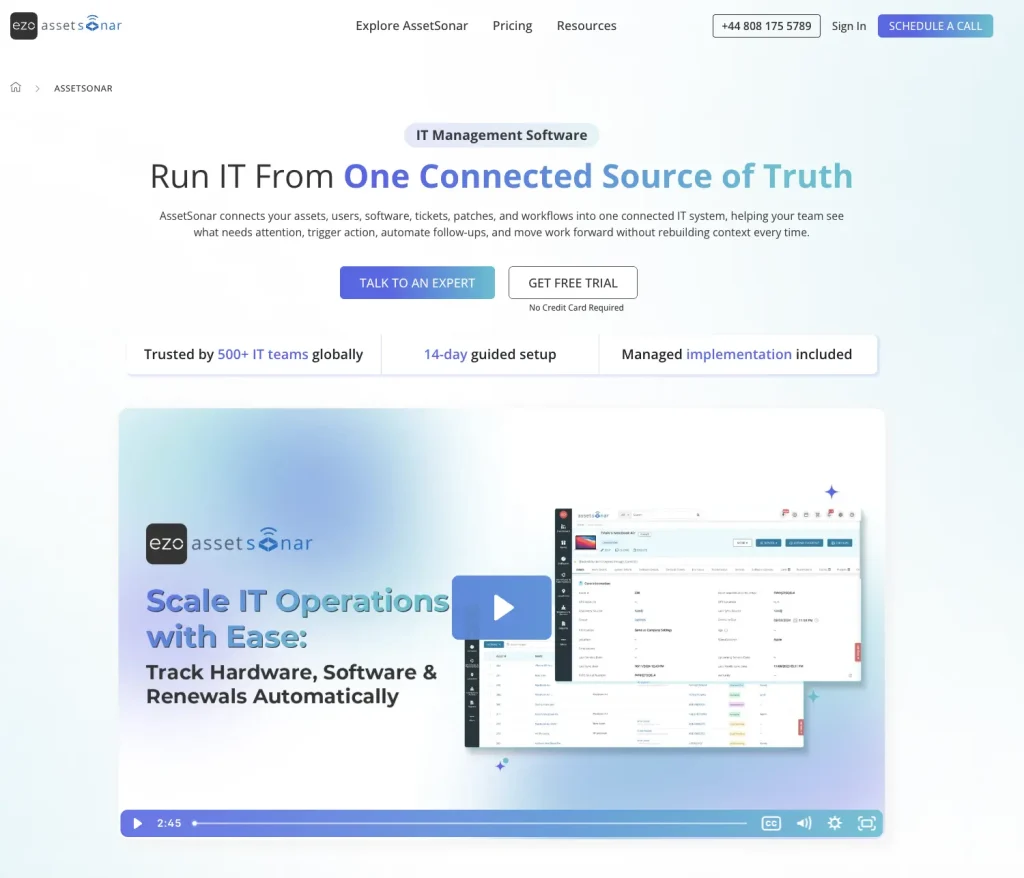
AssetSonar ITSM runs the service desk on its ITAM, with the IT Graph connecting assets, software, users, contracts, tickets, and patches. Technicians work incidents, requests, problems, and changes in one place, with SLAs, a service catalog, and a knowledge base alongside.
On an open ticket, the technician uses the Items tab to view the requester’s assigned items or browse other inventory items. Linking an item attaches it to the ticket, letting technicians review its current status, specifications, warranty, and incident history. Technicians can also link duplicate tickets to a master ticket and associate related incidents with problem records for further investigation.
Tickets come in through the employee portal, email, Microsoft Teams, Slack, and integrated tools. Automated routing assigns tickets based on configured rules, while an impact and urgency matrix determines priority. SLA timers track response and resolution targets, keeping service workflows and asset records in one system.
How IT teams use it:
- Link the requester’s laptop from the Items tab, or search Browse Items for a shared device. Open the linked record to review its incident history.
- Let employees pick their assigned device in ITSM forms so the asset arrives with the request.
- Review related tickets, problems, and changes to understand the asset’s service history.
Where it is stronger than Zendesk:
- With Advanced SAM, AssetSonar connects software discovery, license entitlements, and compliance data to asset records. Technicians can open a linked asset from an ITSM ticket to investigate installed software and access related license information.
- IT Graph models connections among devices, users, software, contracts, and configuration items. Technicians can investigate maintained relationships alongside ticket information when assessing a wider issue.
- Smart Diagnosis uses ticket context, including the requester’s items and similar past tickets, to suggest troubleshooting steps employees can try. Technicians can review those steps, potential root causes, and similar ticket patterns in the ticket conversation.
- The AssetSonar agent, automated network discovery, and MDM integrations such as Jamf Pro, Intune, Kandji, and Mosyle feed one inventory, widening coverage beyond a single MDM and reducing unmanaged gaps.
Where it may fall short:
- Software discovery, license optimization, and compliance monitoring require Advanced SAM. IT teams needing these capabilities alongside asset-linked tickets should include the module in their evaluation and test the relevant workflows.
- Custom fields and report filters offer flexibility, but tailoring them to your support workflows takes some initial setup, particularly when technicians need specific asset details readily available.
Pricing and customer support:
ITSM costs $1.08 per asset per month with ITAM included. ITAM alone costs $0.75, and Advanced SAM adds $0.42 per asset per month. These rates are billed annually, with unlimited agents and packages starting at 100 assets. Evaluation is demo-led. Licenses include onboarding assistance, weekday email and phone support, and urgent after-hours support.
Reviews:
AssetSonar holds a 4.5/5 rating on G2. Users value its centralized view of hardware and software, which makes inventory easy to navigate and manage across everyday IT work. Some reviewers want more flexible filtering and customization options, which a short pilot with real reports will make clear.
2. Freshservice
Best fit:
Service desks moving beyond basic ticket handling toward consistent incident, request, and change processes. A strong fit when cloud delivery is preferred, and administrators can maintain the inventory supporting those workflows.
Overview:
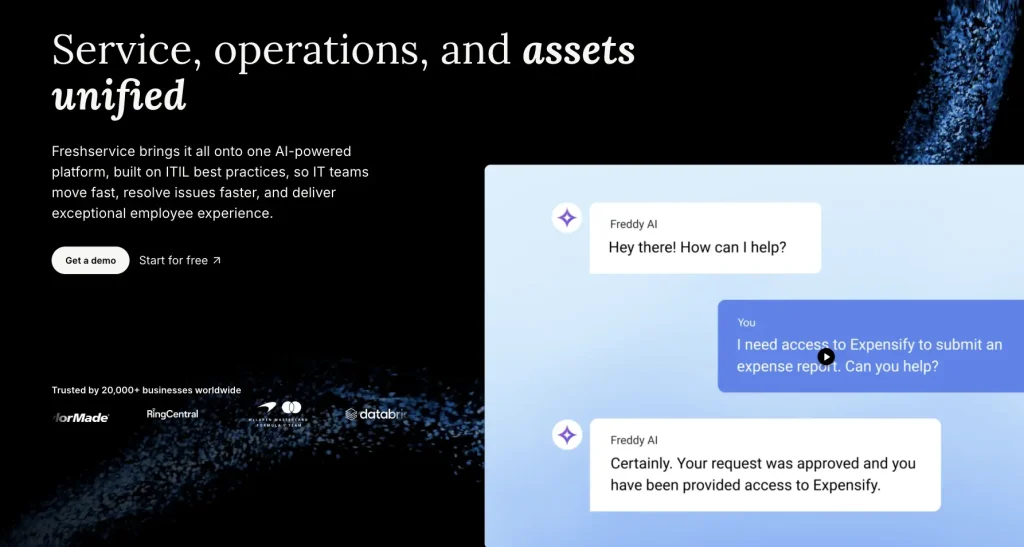
Freshservice is Freshworks’ ITSM platform, with an integrated asset and CMDB layer behind its service desk. Discovery runs through a Discovery Agent for Windows, Mac, and Linux computers, a Discovery Probe installed on a Windows server, and cloud discovery for Azure, AWS, and VMware vCenter, with connectors for Jamf, Intune, SCCM, and Device42. Records land in a CMDB where assets and their relationships are managed alongside tickets.
On a ticket, the technician associates the affected asset with the incident. The Asset Impact setting then compares the asset’s impact with the ticket’s impact and raises the ticket to the higher value, and if a priority matrix is enabled, priority follows. Impact only moves up; agents can still override it, and the feature applies to incident and alert tickets. Problem, change, and release management add formal ITIL processes.
The CMDB stores relationships between assets, so the context available depends on how those relationships are maintained. Freshservice connects asset records with service desk processes, including the service catalog and SLA management. Its employee offboarding workflows can also generate tickets to retrieve assets and revoke software access.
How IT teams use it:
- Associate the affected device with an incident and review its related support history.
- Use Asset Impact to raise incident impact when a linked asset is more operationally important.
- Inspect maintained asset relationships when an incident may affect a wider service.
- Use offboarding workflows to coordinate asset retrieval and removal of software access.
Where it is stronger than Zendesk:
- Associating a higher-impact asset can raise an incident or alert ticket’s impact. When you enable a priority matrix, the resulting impact can also raise priority.
- Windows, Mac, and Linux agents update hardware and software details directly from the device, adding coverage for endpoints outside Jamf or Intune, such as unmanaged laptops and Linux workstations.
- Cloud discovery and the Discovery Probe bring Azure, AWS, VMware, and server assets into the CMDB, so tickets can reference the hosts and cloud resources behind a service, not just laptops and phones.
- Problem, change, and release management all work from the same asset records, which suits IT teams that want to formalize operations beyond incident handling and tie recurring device failures to problem records.
Where it may fall short:
- Asset Impact applies to incident and alert tickets. Service requests do not inherit impact through this feature, and priority changes depend on an enabled priority matrix.
- Agent, probe, and connector-based discovery require separate configuration and reconciliation when their records overlap.
Pricing and customer support:
ITSM plans are billed per agent per month, annually: Starter $19, Growth $49, and Pro $99, with Enterprise by quote. Plans above Starter include the ITAM Growth package with 100 Asset Units, and more units come in packs of 500. A 14-day trial is available, and all plans include 24/7 email and 24/5 chat support.
Reviews:
Freshservice holds a 4.6/5 rating on G2. Users value its ease of use and automation, which help IT teams organize requests and handle routine support work. Some reviewers say plan tiers and add-ons take planning, so it helps to map the features you need, such as asset management and change processes, before choosing a plan.
3. Jira Service Management

Best fit:
Organizations already using Jira and Confluence, where support issues frequently require engineering involvement. Best suited to buyers willing to design an asset model around their existing Atlassian processes.
Overview:
Jira Service Management is Atlassian’s service management product, and Assets provides the asset and configuration model behind it. Equipment, people, services, and contracts are stored as objects in schemas, with attributes and references between them.
An admin creates an Assets objects field and adds it to the request form and the agent view. When someone selects an object in that field, the object and the work item link in both directions, and the object’s page lists all related work items. Portal users can select objects on the form, so employees can identify the laptop when raising a request. Connecting Assets schemas to incident management lets ongoing and recent incidents appear on specific objects, and that connection is part of the Premium or Enterprise Advanced ITSM space template.
Assets is built for more than hardware. Schemas can hold services, people, and contracts, and Data Manager on Premium and Enterprise (cloud only) imports data from other sources, so the same model can serve incident, change, and problem work. The detail a technician sees depends on how deliberately those schemas are designed.
How IT teams use it:
- Let employees pick their laptop from an Assets field on the request form so the ticket arrives with the device identified.
- Open the object from the work item to review its attributes and all related work items.
- Connect schemas to incident management so incidents and changes show their effect on specific objects.
- Narrow which objects appear in the field with AQL filters, for example by requester or location.
Where it is stronger than Zendesk:
- Selecting an object creates a two-way link, so the object page lists every related work item, and repeat problems on one device quickly become visible from both the asset and ticket sides.
- Object types, attributes, and references let IT teams model laptops, services, people, and contracts, then choose which attributes appear in the agent view of the ticket, so each ticket shows what matters.
- AQL filters limit which objects an employee or agent can choose, such as devices assigned to the requester, keeping asset data on tickets clean and preventing employees from reporting the wrong device.
- Jira Software users can view and edit the Assets field on issues where they already have edit permission, which keeps asset context attached when support work passes to developers who fix the underlying cause of the failure.
Where it may fall short:
- Useful ticket context depends on configured schemas, Assets fields, and request forms. The asset model requires administrative design before agents can use it consistently.
- Connecting Assets schemas to incident management requires the Advanced ITSM space template on the higher plans, so confirm the plan before testing that workflow, and compare it with your triage steps.
- IT teams outside Jira and Confluence adopt spaces, screens, and custom fields alongside the asset model, which adds a learning step for administrators new to Atlassian and for agents moving from another desk.
Pricing and customer support:
Cloud Service Collection lists Standard at $20 and Premium at $51.42 per agent per month; pricing varies by agent count and billing cycle. Free supports three agents, while Enterprise requires an annual quote. Standard, Premium, and Enterprise include 5,000, 50,000, and 500,000 Assets objects, respectively. Excess objects start at $0.02 per object per month, with volume discounts. Paid-plan trials run for 14 days, and Premium includes 24/7 support. Data Center pricing is separate.
Reviews:
Jira Service Management holds a 4.3/5 rating on G2. Users value its customizable workflows and its integration with the wider Atlassian suite. Some reviewers say the configuration options have a learning curve, particularly for administrators new to Jira, so a pilot schema helps before a full rollout.
4. ManageEngine ServiceDesk Plus

Best fit:
Established IT departments replacing separate help desk and inventory tools while retaining deployment flexibility. Particularly relevant when buyers want to select an edition around current requirements and expand its scope later.
Overview:
ManageEngine ServiceDesk Plus is an ITSM and help desk product sold in Standard, Professional, and Enterprise editions. IT asset management begins with Professional, which adds hardware and software tracking, purchase management, and contract management. The CMDB, which models configuration items and their relationships, comes with Enterprise or as a Professional add-on. The product runs in the cloud or on-premises, and different departments can run separate instances with different editions.
In a request, the technician sees the asset and the request details and can associate the affected asset under the request’s properties, so the request appears on that asset’s record. You can also link requests to problems, changes, and purchase orders from the same screen, so a failing-device incident can lead to a problem record or a replacement order.
ServiceDesk Plus supports broader ITIL processes through its Enterprise edition, including problem management, change management, service catalog, release management, and project management.
How IT teams use it:
- Associate the affected asset with the request and review its history from the asset’s request tab.
- Run separate instances with different editions for IT and for other departments.
- Add the CMDB to Professional Edition when relationship mapping becomes required.
- Link a request to a problem, change, or purchase order when a device issue leads to one.
Where it is stronger than Zendesk:
- Professional adds hardware and software tracking with purchase and contract records, so the asset behind a ticket carries cost and renewal context, as well as assignment and warranty, which inform repair or replace.
- The CMDB connects configuration items and their relationships with service work, helping technicians investigate dependencies beyond an individual device’s assignment and inventory details.
- You can associate a request with a purchase order from its details page, which helps when a repair becomes a full replacement that needs approval, procurement, and a new asset record, all traceable to the request.
- The product runs in the cloud or on-premises, with separate instances per department, which suits IT teams that need local hosting for some groups and shared cloud for others, all from one vendor and one product line.
Where it may fall short:
- Standard excludes asset management, so its free or entry-level pricing does not represent the asset-aware configuration compared here.
- On-premises deployment adds responsibility for hosting and maintaining the service desk infrastructure.
Pricing and customer support:
Cloud Professional starts at $645 per year, and Enterprise at $1,595 per year, each for two technicians and 250 assets. On-premises rates differ. Standard is free for up to five technicians but excludes asset management. Both deployments offer a 30-day trial. Cloud subscriptions include phone and email support, available 24/5 except public holidays.
Reviews:
ManageEngine ServiceDesk Plus holds a 4.2/5 rating on G2. Users value its comprehensive asset management, which helps with inventory and problem tracking. Some reviewers find setup and customization time-consuming and say that administrator training and a short learning curve help, so budget onboarding time for the technicians as well.
5. ServiceNow
Best fit:
Large enterprises coordinating support across complex infrastructure, shared services, and multiple operational groups. Most suitable where dedicated platform administrators and configuration-data owners can support implementation and ongoing governance.
Overview:
ServiceNow ITSM is packaged as Foundation, Advanced, and Prime. Foundation includes incident and request management, a service catalog, asset management, and the CMDB, and Advanced adds major incident, on-call, change, and problem management. Configuration data is usually organized around the Common Service Data Model, so assets, services, and applications relate to each other.
On an incident, the technician sets a Configuration item and can add Affected CIs. ServiceNow derives impacted services from CI associations, and dependency views show upstream and downstream components around a CI, so the technician can see which services depend on the failing item. Records linked to a CI show its incident history. End-user computers can enter the CMDB through the Service Graph Connectors that Foundation includes, so data quality depends on how those sources are governed.
ServiceNow extends the same configuration data into the rest of ITSM. Changes and problems reference the CIs they affect, so teams assess risk and recurring failures from shared records, and the asset management application ties those records to lifecycle processes.
How IT teams use it:
- Select the laptop’s CI on the incident and review the linked incidents, problems, and changes.
- Add Affected CIs when an issue spans several components, so impacted services are calculated.
- Open the dependency view to see the upstream and downstream services around a CI.
- Load end-user computers into the CMDB with the Service Graph Connectors that come with Foundation.
Where it is stronger than Zendesk:
- Affected CIs feed an impacted-services list, so an incident on one component shows the services it supports, not just the device named in the ticket, which speeds up impact decisions during a major incident.
- ServiceNow includes asset management and the CMDB in ITSM Foundation, so the base package links tickets to configuration data, whereas Zendesk’s asset panel focuses on devices assigned to a user and their actions.
- Advanced adds major incident, on-call, change, and problem management on the same records, which suits large enterprises that run formal ITIL operations around asset-linked incidents and changes.
- Prime adds Now Assist for CMDB, which automatically enriches, validates, and maps configuration items, directly addressing the data-quality work a large CMDB creates over time that otherwise falls to administrators.
Where it may fall short:
- Dependency analysis depends on maintained CI records and relationships, creating ongoing configuration-data ownership and administration work.
- Smaller IT teams may find the data model and administration heavier than a lighter service desk requires, so match the platform to the estate, the administrators available, and the services that need mapping.
Pricing and customer support:
ServiceNow requires a custom quote for its Foundation, Advanced, and Prime packages. Request the licensing units, minimum commitments, and entitlements for asset discovery and mapping in writing. Confirm onboarding scope, support coverage, and response commitments separately in the proposal.
Reviews:
ServiceNow ITSM holds a 4.5/5 rating on G2. Users value how well it meets complex requirements across large IT environments. Some reviewers describe it as a larger time and cost investment than lighter tools, which suits IT teams ready to commit administration resources, governance, and a longer rollout.
6. Ivanti Neurons for ITSM

Best fit:
Existing Ivanti customers bringing service management closer to endpoint and asset operations. Also relevant where hosting requirements call for evaluating cloud, on-premises, or hybrid deployment within the same vendor ecosystem.
Overview:
Ivanti Neurons for ITSM is Ivanti’s service management platform, built on a multi-tenant platform that can run in the cloud, on-premises, or in a hybrid environment. It is certified for 14 ITIL 4 practices, including IT asset management and configuration management, and it works natively with other Ivanti products such as Ivanti ITAM and Ivanti Discovery.
Configuration items link to records. In the CI map, a CI appears with its upstream and downstream relationships (such as Dependent on, Hosted on, and Managed by), and icons show whether it links to incidents, problems, or changes. A right-click shows a CI’s outage impact, and CI types cover computers such as laptops, infrastructure, mobile devices, and peripherals. Configuration managers define the relationship labels and the constraints between CI types.
The platform also supports incident, problem, change, and release management, along with an employee self-service portal. Its AI capabilities include ticket summarization, automated classification, and a virtual agent for employee support, subject to licensing and configuration. Discovery and asset lifecycle data come from related Ivanti products, so IT teams should evaluate these capabilities together.
How IT teams use it:
- Open the CI from the incident and read the incidents, problems, and changes linked to it.
- Use the CI map to trace upstream and downstream dependencies before escalating.
- Show the outage impact of a CI before approving a change that touches it.
- Define relationship labels and constraints so the maps follow the organization’s own CI model.
Where it is stronger than Zendesk:
- Ivanti runs in the cloud, on-premises, or hybrid, giving IT teams with on-premises requirements options a hosted-only service doesn’t, whether the constraint is policy, data location, or network design.
- The CI map shows relationships such as Dependent on and Hosted on, and its outage view marks which services a disabled CI would impact, which supports impact checks before approving a change that touches it.
- CI map indicators show linked incidents, problems, and changes. Hovering over an indicator reveals the associated record counts, helping technicians identify existing service activity around a CI. The indicators represent linked record types, not the CI’s operational status.
- HR and facilities service management share the same configuration database, which suits organizations that want one platform and one data model for several internal service desks, instead of a separate tool per department.
Where it may fall short:
- Discovery and ITAM are related Ivanti products that integrate with ITSM, so confirm which of them the deployment needs and how they connect before assuming full asset context, as each adds scope to the evaluation.
- Administrators must define and maintain CI types, relationship labels, and constraints. Those choices determine the structure and usefulness of its dependency maps.
- Ivanti recommends a maximum of 350 links per CI map, as additional links can degrade performance. For larger maps, administrators can limit the view to one or two relationship levels to improve readability.
Pricing and customer support:
Custom quote. Ivanti does not publish ITSM rates, and the product page points to a demo and sales contact. Ask for the edition, licensing unit, whether Ivanti ITAM and Discovery are in scope, the deployment model, and onboarding and support terms so you can compare the quote with other tools.
Reviews:
Ivanti Neurons for ITSM holds a 4.0/5 rating on G2. Users value its automation and AI-driven capabilities for handling service workflows. Some reviewers say setup and administration take more effort than in some competing tools, so it helps to scope administrator time early and to ask for a pilot on a real service map.
7. SysAid

Best fit:
Lean support departments responsible for varied equipment across offices and remote locations. Particularly relevant when the inventory must cover more than employee laptops and administrators can govern several discovery sources.
Overview:
SysAid is an AI-assisted ITSM platform with built-in asset and configuration management in the service desk. Assets reach SysAid through the SysAid Agent, agentless scans (WMI for Windows computers and SNMP for network devices), a Remote Discovery Service for remote sites, imports, Microsoft Intune, and a Lansweeper integration for deeper discovery. How an asset arrived determines how much SysAid knows about it.
Every asset record has a Service Desk tab that lists service records where the asset is designated as the Main Asset. Separate tabs show patch status, CMDB relationships, and monitoring information. Technicians can review earlier requests associated with the same device to identify recurring issues.
SysAid also offers AI-powered self-service for employees and an AI chatbot that helps technicians prioritize work, find solutions, and draft responses. Both capabilities are listed under Professional and Enterprise. Its enterprise service management offering also supports separate service spaces for HR, facilities, and other departments, with dedicated workflows, SLAs, and permissions.
How IT teams use it:
- Deploy the SysAid Agent to collect detailed hardware, software, and monitoring data from each device.
- Scan printers, routers, and switches with agentless SNMP discovery and Windows computers with WMI.
- Use the Remote Discovery Service to scan remote sites and networks behind firewalls.
- Set the affected device as the Main Asset on a service record, then review its Service Desk tab for earlier tickets.
Where it is stronger than Zendesk:
- The agent, WMI, SNMP, and a remote discovery service cover computers, printers, and network gear, which goes beyond the Jamf Pro and Intune sync flows Zendesk offers for device records, such as printers and switches.
- Each asset record lists every service record where it is the Main Asset, so repeat tickets on one device are visible from the asset and from the ticket that mentions it, making patterns across repeat tickets stand out.
- The Lansweeper integration imports device data daily and enriches records with manufacturer and serial number, adding deep IT, OT, IoT, and cloud asset coverage to the SysAid inventory for mixed estates.
- The asset record links support history, patch state, dependencies, and monitoring, so a technician sees how the device behaves and what it connects to, not only who holds it, which speeds up the first look.
Where it may fall short:
- The integration requires an active Lansweeper license, so deeper discovery adds a second vendor relationship, a second set of credentials to administer, and one more daily sync to monitor and troubleshoot.
- Assets that arrive through Lansweeper or Intune do not exchange data with the SysAid Agent, so decide which source is primary for each device type before the rollout so each device keeps one authoritative record.
- Lansweeper matching relies on manufacturer and serial number. Missing identifiers can prevent new records from being created or existing records from being matched correctly.
Pricing and customer support:
Professional is listed at $89 per agent per month, including 250 managed assets, asset and configuration management, and AI self-service. Enterprise requires a custom quote starting at 20 agents and includes a sandbox and Gold support with a one-hour P1 response. A private AWS instance is an optional Enterprise service. Confirm billing terms and additional asset-pack costs.
Reviews:
SysAid holds a 4.5/5 rating on G2. Users value its efficient ticket management and responsive customer support. Some reviewers want deeper API and reporting options, and a few find parts of the interface less intuitive, so it’s worth checking the admin screens and reporting views during a trial.
8. InvGate Service Management
Best fit:
Organizations that want service desk technicians and asset administrators to retain distinct responsibilities. Suits buyers who want to manage connected products while letting each function develop its processes independently.
Overview:
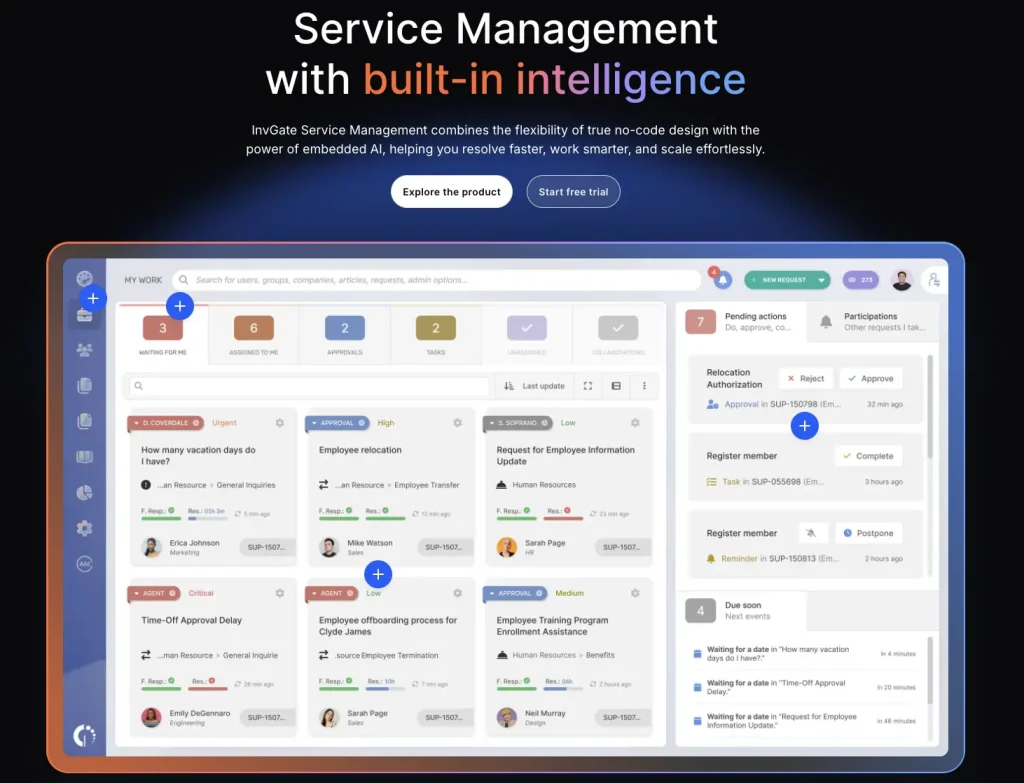
InvGate Service Management is an ITSM platform covering support requests, knowledge, SLAs, and broader service processes. Assets live in a separate product, InvGate Asset Management, which supplies discovery, a CMDB that visualizes relationships between assets and services, and remote management. The integration between the two is included in every Service Management plan.
In a ticket, the technician works with the configuration items the asset product supplies, so the service desk and the asset product share records instead of copying them. Employees can select the affected assets when they create a ticket.
InvGate Asset Management integrates with remote desktop tools such as TeamViewer, AnyDesk, and Windows RDP. Technicians can launch remote sessions from asset records to troubleshoot devices and perform maintenance.
How IT teams use it:
- Let employees select the affected asset when raising a ticket, then confirm it in the ticket.
- Review a CI’s earlier incidents in the asset record before treating a new ticket as isolated.
- Use the CMDB view in InvGate Asset Management to see what a device or service connects to.
Where it is stronger than Zendesk:
- InvGate Asset Management is built for inventory, discovery, and the CMDB, so asset administrators and service desk technicians can each own their side of the data and the process, with the ticket linking the two.
- The asset product visualizes dependencies between assets and services, giving technicians a map to check, while Zendesk’s asset panel centers on devices assigned to a user and their actions.
- Pro and Enterprise provide a drag-and-drop workflow builder for processes such as hardware requests. Service desk administrators can configure tasks, forms, and approval steps without scripting.
Where it may fall short:
- Service Management and Asset Management are configured and administered separately, so plan ownership, upgrades, and support contacts for both must be decided before the pilot starts, and who administers the link between them must be decided.
- Accurate user-to-device associations must be maintained across the connected service and asset products.
- Discovery and CMDB scope depend on the separately selected Asset Management plan, adding another licensing decision to the service desk purchase.
Pricing and customer support:
Starter costs $1,499 per year for five agents. Pro costs $500 per agent per year, with a five-agent minimum. Enterprise uses custom pricing starting at $12,000 per year. Asset Management is priced separately. Service Management offers a 30-day trial; Pro includes onboarding, training, and 24/7 support for critical service-availability issues.
Reviews:
InvGate Service Management holds a 4.6/5 rating on G2. Users describe it as intuitive and flexible, and easy to roll out across IT, HR, and facilities. Some reviewers say implementation takes about a month, so plan rollout time for the service desk and asset product together, including integration setup.
Questions to ask before switching
Use the same checklist in every demo. Record what appears inside the ticket and what requires opening an asset record or another workspace.
- Which asset details are accessible from the ticket? Check device identity, ownership, installed software, and license information. Record which details appear directly, which require navigation, and which depend on configuration.
- Where do asset records come from: an agent, an MDM, network scans, cloud accounts, or imports? Ask the vendor to show the source and last update on one real device.
- Can a technician see which users or services depend on the device? Open the same ticket and trace one dependency from the device to a user or service.
- Does the asset change a ticket’s impact, priority, approvals, or routing? Raise a ticket on a high-impact device and record what changes without agent input.
- Which actions can run from the ticket, and who can run them? Run one device action as a technician and as a restricted role, and compare the results.
- Which edition or add-on includes each of these, and what is the pricing unit? Request a written quote that names the edition, add-ons, and unit (agent, technician, asset, or object) for the full deployment.
- Would an integration with the current Zendesk setup close the gap? Test the integration on one real ticket flow before comparing the cost of replacing the desk.
Which Zendesk alternative fits your IT team?
Start from how your IT team already works, then shortlist two or three tools to test with real tickets.
- Choose AssetSonar for ITAM-led support with asset-based pricing. Include Advanced SAM when software discovery and license governance are required.
- Use Freshservice when discovery agents and asset-based priorities matter most.
- Jira Service Management when engineering already works in Jira and Confluence.
- ManageEngine ServiceDesk Plus when asset management, edition, and cloud or on-premises hosting all matter.
- ServiceNow when an enterprise CMDB with named data owners is the goal.
- Ivanti Neurons for ITSM when you need cloud, on-premises, or hybrid deployment and a visual CI map is useful.
- SysAid when mixed estates need agentless discovery for printers, network gear, and remote sites.
- InvGate Service Management when a separate asset product connects to the service desk.
Replacing Zendesk is not the only route. The AssetSonar Zendesk integration lets agents find and link AssetSonar items from a Zendesk ticket, and InvGate Asset Management can pull Zendesk ticket history onto asset records. Either option closes an asset gap without moving the service desk.
Choosing a Zendesk alternative when every ticket needs asset context
Zendesk already puts assigned devices beside the ticket, so keep it when laptops and phones in Jamf or Intune are the whole story. The alternatives earn their place when a ticket needs software and licenses, discovery beyond one MDM, relationships between assets and services, or priority that follows the asset.
Test every shortlisted tool with real tickets and real devices. Note what the technician sees, what had to be configured, and who will maintain the data after go-live, since context is only as good as the records. AssetSonar fits IT teams that want that context native to the service desk, and the others fit the ecosystems and scales described above.