If you’re replacing Cheqroom, the right alternative depends on the workflow you need to preserve or expand. EZO EAM, Shelf.nu, Asset Panda, and Reftab cover equipment checkout and reservations alongside broader asset workflows; itemit and GoCodes focus more on equipment tracking and custody; Asset Essentials and UpKeep are more maintenance-led; Snipe-IT emphasizes self-hosted IT asset accountability; and Sortly focuses on simpler visual inventory and asset tracking. If self-hosting is required, evaluate Snipe-IT and Shelf. Compare deployment requirements, maintenance responsibilities, and mobile-app licensing. Use the comparison below to narrow the list, then validate the workflows, integrations, plan requirements, and pricing that matter to your operation.
Disclosure: EZO publishes this guide, and EZO EAM is one of the platforms evaluated. The alternatives are organized by best-fit use case, not ranked from best to worst.
Key Takeaways:
- The right Cheqroom alternative supports the equipment workflows your organization needs to preserve or expand, not just the asset record or checkout.
- Reservations only work if they stay tied to checkout, custody, returns, maintenance, and what’s actually on the shelf.
- Asset management tools, checkout software, CMMS, and EAM platforms overlap, but each one solves a different operational problem.
- If your team handles many handoffs, you need fast scanning, grouped equipment workflows, clear due-back controls, and an audit trail you can trust.
- Pricing models vary, so weigh total cost against your users, assets, locations, integrations, and the modules you need.
- A good pilot uses your real equipment, real labels, and real borrowers, and includes conflicting reservations, partial returns, and messy exceptions.
Finding an equipment checkout platform isn’t hard. Finding one that holds up when reservations overlap, gear changes hands, borrowers return items late, and multiple teams work across locations? That’s the hard part.
That’s why comparing Cheqroom alternatives means looking past the basics. Almost any tool can create an asset record or log a checkout.
What you need to evaluate is the full journey your equipment takes: request, approval, availability, reservation, checkout, custody, return, inspection, maintenance, and back to availability again.
The right alternative depends on what you’re trying to replace. Some teams need equipment checkout and reservations, while others need broader asset management, maintenance and work orders, IT asset management, or a shared platform across departments.
Below, we compare 10 platforms worth considering in 2026. EZO EAM appears first because it is the publisher’s product; that placement does not indicate that it is the best overall alternative. The remaining platforms are organized by the use cases and operating models described in each profile, not by an overall ranking.
10 Cheqroom alternatives compared
Here’s a quick side-by-side before we get into the details.
How to read the matrix: Included means the capability is documented as part of the platform. Plan-gated means availability depends on the plan or package. Add-on means the capability requires a separately purchased module or add-on. Limited means the platform documents only part of the workflow. Not documented means we could not confirm the capability from the sources reviewed. Where the applicable plan is not publicly specified, verify it with the vendor before purchase.
| Platform | System category | Best fit | Checkout | Reservations | Maintenance | Mobile | Offline | Pricing approach |
| Cheqroom | Asset operations | Equipment reservations, checkout, custody, maintenance, and multi-location operations | Included* | Included* | Plan-gated / add-on* | Yes | Verify with vendor | $184/admin/month and up, billed annually |
| EZO EAM | Asset management/EAM | Reservation-led equipment operations and broader asset lifecycle workflows | Included | Included; advanced workflows may vary by plan. | Service records: Advanced+; full CMMS: Premium add-on or Enterprise | Yes | Plan-dependent | Tracked items |
| Shelf.nu | Asset management/equipment operations | Open-source equipment booking, custody, and kits | Included | Plan-gated: Team+. | Included for maintenance reminders; full CMMS not documented | Yes | Not documented | Workspace-based |
| Asset Panda | Configurable asset management | Multi-team asset, equipment, maintenance, and lifecycle workflows | Included | Included | Included | Yes | Yes | Quote-based |
| itemit | Asset tracking | Multi-site equipment custody and mobile tracking | Included | Included | Limited | Yes | Offline asset access and selected actions are supported; verify the exact checkout actions and synchronization behavior. | Subscription |
| Reftab | IT/hardware asset management | Request-led equipment booking and broader asset management | Included | Included | Included | Yes | Not documented | Subscription |
| Asset Essentials by Siemens | CMMS/asset management | Maintenance-led teams needing sign-out and return records | Included | Not documented | Included | Yes | Yes | Quote-based |
| Snipe-IT | Open-source ITAM | Low-cost, self-hosted asset accountability | Included | Not documented | Maintenance records | Third-party options | Not documented | Free self-hosted / hosted |
| Sortly | Inventory/asset management | Simpler visual equipment and inventory tracking | Included | Not documented | Basic maintenance tracking | Yes | Yes | User-based plans |
| GoCodes | Asset tracking | QR-led field equipment and tool tracking | Included | Not documented | Included | Yes | Add-on | Asset/user bundles |
| UpKeep CMMS | CMMS | Maintenance-led organizations needing equipment check-in/checkout | Plan-gated: Enterprise | Not documented | Included | Yes | Higher plans | Per-user / quote |
*Cheqroom documents these capabilities, but its current packaging makes some functionality plan-dependent or add-on based. Verify the specific plan and modules required for your workflow.
Legend: Included = documented as part of the platform. Plan-gated = depends on the applicable plan or package. Add-on = requires a separately purchased module or add-on. Limited = only part of the workflow is documented. Not documented = the capability could not be confirmed from the sources reviewed. Verify vendor-specific requirements before purchase.
Buyer decision snapshot
The capability matrix shows what each platform supports. Use this second view to compare the commercial, integration, deployment, and packaging factors that can affect your shortlist.
| Platform | Pricing model | Plan/add-on considerations | Integrations | Deployment and scale | Key limitation to validate |
| Cheqroom | Per admin, billed annually | Features and modules vary by plan. Minimum administrator counts apply. | Confirm systems, integration methods, and plan requirements for your environment. | Cloud-based. Core supports 1 location, Business up to 3, and Enterprise up to 10. Unlimited users and items are documented. | Confirm the plan and modules required for your equipment workflow. |
| EZO EAM | Tracked items | Service records: Advanced+. Full CMMS: Premium add-on or Enterprise. Carts, mass reservations, and offline functionality can vary by plan or module. | API workflows documented. Native connectors and additional API requirements should be confirmed. | Cloud-based with multi-location support. The sources reviewed do not publicly establish maximum asset, user, location, or transaction limits. | Validate plan requirements, scanner compatibility, offline workflows, and enterprise-scale capacity. |
| Shelf.nu | Workspace/team | Team includes unlimited team members and bookings. SSO/SAML is an add-on on Team and included with Enterprise. | Not publicly established in the sources reviewed. | Cloud-based with multi-location support. Maximum asset, user, booking, and transaction volumes are not publicly established. | Full CMMS functionality and enterprise implementation requirements are not established. |
| Asset Panda | Custom quote | Personalized quote required. | Not publicly established in the sources reviewed. | Cloud-based. Supports multi-team and multi-department operations, but maximum limits are not publicly established. | Validate configuration effort, integrations, and implementation requirements. |
| itemit | Subscription | Current plan limits should be confirmed. | API packaging and broader integrations should be confirmed with the vendor. | Cloud-based with multi-site equipment tracking. Maximum limits are not publicly established. | Validate offline capability, reporting depth, workflow complexity, and scale. |
| Reftab | Subscription | Hardware Asset Management is listed at $125/month. Free tier supports up to 50 assets. | Intune, Jamf, and Jira are documented. | Cloud-based hardware asset management. Maximum asset, user, location, and transaction limits are not publicly established. | Validate specialized equipment workflows and pricing at your asset count. |
| Asset Essentials by Siemens | Custom quote | Confirm modules and workflow requirements. | Not publicly established in the sources reviewed. | Cloud-based CMMS and asset management. Maximum limits are not publicly established. | Dedicated reservation, grouped-equipment, and high-volume checkout workflows require validation. |
| Snipe-IT | Self-hosted or hosted | Self-hosted software is free. Hosted Basic includes unlimited users and assets. | API and third-party options are available, but you should validate exact requirements. | Self-hosted or hosted. Hosted Basic documents unlimited users and assets. | Reservation calendars, equipment kits, and more advanced operational workflows may require additional configuration or tooling. |
| Sortly | User/item-based plans | Plans vary by user and item limits. Enterprise includes API and webhooks. | Integrations are supported on higher plans. | Cloud-based. Plans differ by user and unique-item limits. | Validate reservation depth, maintenance workflows, permissions, and plan limits. |
| GoCodes | Asset/user bundles | Offline is an add-on. Kitting is an add-on or available on higher plans. API access is an optional add-on. | API access is available as an add-on. | Cloud-based. Published plans range from 200 to 2,000 assets, with Enterprise available by custom pricing. | Validate offline, kitting, API, and multi-site requirements against total cost. |
| UpKeep | Per user | Offline mobile and API capabilities vary by tier. Enterprise supports multi-site operations. | API and custom integrations are available on higher tiers. | Cloud-based CMMS with documented Enterprise multi-site support. Maximum asset, user, and transaction volumes are not publicly established. | Validate reservation requirements if equipment booking is a core workflow. |
Not publicly established means the sources reviewed for this comparison did not establish the relevant information. Confirm current packaging, limits, integrations, and pricing with each vendor before purchase.
What is Cheqroom, and what should an alternative replace?
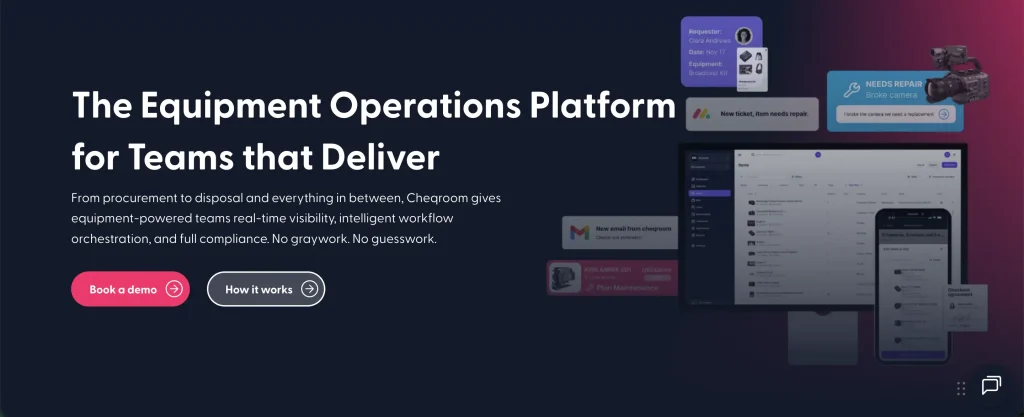
Cheqroom positions itself as an Asset Operations Platform for managing physical equipment across its lifecycle. Its documented capabilities include reservations and checkouts, custody and asset tracking, inventory, maintenance, lifecycle management, mobile workflows, integrations, and audit trails. It also supports asset identification through barcode, QR, RFID, and GPS-based workflows.
Cheqroom also describes workflow orchestration across requests, approvals, checkouts, returns, maintenance, transfers, inspections, and other operational processes. However, not every plan includes every capability. Its current pricing page identifies features such as RFID, Maintenance Management, Operations Management, Booking Portal, and Consumable Management as plan-dependent or add-on capabilities.
That means you should not treat every capability associated with the Cheqroom platform as part of the same base subscription when comparing alternatives. Check the specific plan and add-ons that your current workflow depends on.
The exact workflow available to you depends on the Cheqroom plan and any modules or add-ons your organization uses. For comparison purposes, a representative equipment-operations workflow may look like this:
Request → Approve → Reserve → Prepare → Check out → Return → Inspect → Service → Ready
Your alternative doesn’t have to reproduce every part of that workflow. Start by figuring out which operational layer your organization actually needs.
These are buyer entry points, not mutually exclusive software categories. A platform may fit more than one depending on the workflows and capabilities you need.
| Replacement need | Platform category to consider |
| Shared equipment booking and checkout | Equipment checkout/asset operations |
| Asset assignments, custody, and lifecycle | Asset management |
| Preventive maintenance and work orders | CMMS |
| Asset lifecycle plus maintenance and broader operations | EAM / broader asset management |
| Simple tool and equipment tracking | Lightweight asset tracking |
| IT equipment assignment and lifecycle | IT asset management |
Getting this right up front helps you avoid a common buying mistake: picking a platform because it looks like Cheqroom, only to find out it works at a completely different layer.
Why organizations consider Cheqroom alternatives
Teams rarely start shopping for a new equipment management platform for one reason.
You might be looking because:
- The pricing model doesn’t fit how your organization is structured around users or assets.
- You need broader asset lifecycle management.
- Maintenance and work orders are taking up more of your equipment operations.
- You want stronger IT asset management capabilities.
- You need self-hosting or a different deployment model.
- You want more configurable workflows or integrations.
- Your equipment operation has grown across departments or locations.
- You need more advanced inventory, procurement, or reporting.
- You want something simpler for a smaller or more focused workflow.
Each of these can point you toward a very different shortlist.
Say you’re a university managing cameras and AV kits. You’ll probably care most about reservations and fast checkout. A construction company might care more about mobile custody across jobsites. A manufacturer may need equipment tracking that ties directly into maintenance and work orders.
In other words, the best alternative fixes the specific gap that sent you looking in the first place.
How this list was built
This comparison is for organizations that share physical equipment and have outgrown spreadsheets or basic inventory lists.
We looked at every platform through the same set of questions:
- Checkout and custody: Can the system show who has a piece of equipment and when custody changed hands?
- Reservations: Can teams plan future equipment use without running into conflicts?
- Grouped equipment: Can kits, bundles, carts, or related items move together?
- Scanning: Can staff identify equipment quickly with barcode or QR workflows?
- Returns: Does the system capture due dates, overdue items, and return status?
- Asset lifecycle: Does it support maintenance, inspections, inventory, or broader lifecycle workflows?
- Integrations: Can it connect to the systems that already own your operational or financial data?
- Deployment and scale: What deployment models are available, what user, asset, location, workspace, or other limits are publicly documented, and what scale evidence can be established?
- Pricing: Does the pricing model line up with your users, assets, and the modules you need?
We’re not trying to crown a universal winner here. The goal is to show where each platform fits and where you should take a closer look before committing.
What to look for in a Cheqroom alternative
1. Reservations that actually control availability
A reservation calendar is only useful if it matches what you can actually hand out.
Try submitting two requests for the same item at the same time. Then test an overlapping reservation, a same-day change, and an item that’s unavailable because it’s damaged or in for maintenance.
The real question isn’t just:
“Can I reserve this item?”
It’s:
“Does the reservation stay tied to actual availability as the equipment moves through checkout, return, and maintenance?”
Some systems update availability as soon as a reservation is approved. Others go by checkout status or other rules. Either approach works, as long as the system applies it consistently. Distinguish physical status from bookable availability. An item can remain on the shelf while its reserved dates are blocked. Test how reservations, checkouts, overdue loans, and maintenance affect future commitments.
2. Checkout transactions that prove custody
Every checkout should leave a clear trail of who’s responsible.
At a minimum, find out whether the system can tell you:
- Who has the equipment?
- When did custody change?
- Who processed the transaction?
- When is it due back?
- Was the due date changed?
- Where was it checked out?
- What condition was recorded?
It’s also worth checking whether you can check equipment out to whoever is accountable in your organization. That might be an employee, a department, a location, a project, a crew, or some other operational entity.
3. Scan-first workflows for busy handoffs
A checkout system can tick every feature box and still be too slow for a busy equipment room.
During your pilot, count how many steps it takes to:
Scan equipment → identify borrower → set due date → confirm checkout
Then run the same test with 10, 20, or more items.
This matters anywhere several people might wait to pick up gear at once: equipment rooms, warehouses, production environments, field operations, and similar setups.
4. Kits, bundles, carts, and partial returns
Equipment rarely travels alone.
A production team might send out a camera with lenses, batteries, chargers, and cases. A construction crew might pick up a whole tool package. A field technician might grab several instruments at once.
So test your alternative with:
- A complete equipment kit
- An item added after the reservation was made
- An item swapped right before checkout
- A partial return
- A missing component
- Different return dates for items in the same group
You want to know whether the system tracks both the group, its individually tracked assets, and the quantities of any pooled accessories.
5. Due-back and overdue controls
A due date only matters if it actually drives what happens next.
Test:
- Standard loan periods
- Short-term loans
- Extensions
- Long-term custody
- Early returns
- Overdue notifications
- Escalation
- Reporting
- Exceptions
Pay special attention to long-term assignments. If an employee is supposed to keep an item for months, the system shouldn’t flood you with overdue alerts for a perfectly legitimate assignment.
EZO EAM, for example, documents both indefinite checkouts and requests for early check-in.
6. Maintenance must affect availability
Your system should distinguish between an item that’s unavailable because someone has it and one that’s unavailable because it needs service.
That distinction matters when the same equipment is both shared and maintained.
Ask:
- Can maintenance status block future reservations?
- Can you flag returned equipment for inspection?
- Does repair history stay connected to the asset?
- Can work orders reference the equipment?
- Does finishing maintenance make the asset available again?
- Can teams report on equipment that keeps ending up unavailable?
For maintenance-heavy organizations, a CMMS or EAM may be a better fit than a checkout-focused platform.
7. Inventory and consumables
Not everything in your equipment operation needs its own serialized asset record.
Reusable accessories such as cables and adapters may suit quantity-tracked returnable stock. Disposable batteries and supplies may suit consumable inventory. Track high-value or safety-critical items individually where required.
That means a broader asset management platform may need to handle both:
- Serialized assets: Individual cameras, laptops, tools, instruments, vehicles
- Quantity-based items: Batteries, cables, consumables, accessories, supplies
Ask each vendor how their system handles stock levels, transfers, low-stock alerts, reservations, and replenishment.
8. Integrations and system ownership
Your new platform has to work well with the systems you already use.
Possible integration points include:
- ERP
- CMMS
- EAM
- WMS
- ITSM
- HR systems
- Identity providers
- Accounting
- Procurement
- Analytics
- Calendar systems
Don’t stop at “API available.”
Dig a little deeper and ask:
- What data can be exchanged?
- Which direction does it move?
- Is the integration native or custom?
- How often does it sync?
- What happens when a sync fails?
- Which system owns the master record?
- Can asset IDs be mapped between systems?
For example, EZO EAM provides API workflows for reservations and cart checkouts, according to its API documentation.
9. Mobile and offline operation
Mobile access matters as soon as your equipment leaves the desk.
Test the workflow where it actually happens:
- Warehouse
- Jobsite
- Equipment room
- Vehicle
- Production floor
- Remote location
Then disconnect and test again.
Keep in mind that a mobile app doesn’t automatically mean offline capability. Check whether users can scan, check out, inspect, and update records without a connection, and what happens when the data syncs afterward.
According to Asset Panda’s documentation, its mobile workflows support offline equipment operations.
10. Security, SSO, permissions, and auditability
At the enterprise level, equipment management is also an access-control problem.
Before you choose a platform, confirm:
- SSO/SAML
- SCIM, where required
- Role-based permissions
- Location-level access
- Approval permissions
- Checkout permissions
- Override permissions
- Audit logs
- Data encryption
- Data retention
- Compliance documentation
- Data residency requirements
And don’t assume a vendor offering SSO covers every enterprise governance requirement.
For example, Cheqroom’s published security information lists SSO/SAML, role-based controls, encryption, audit logs, and SOC 2 Type II certification.
10 Cheqroom alternatives to consider
Each profile uses the same evaluation fields so you can consistently compare capabilities, packaging, deployment, pricing, and limitations. “Not publicly established” means the sources reviewed for this comparison did not establish the relevant information.
EZO EAM: Reservation-led equipment operations
System category: Asset management/EAM
Best fit: Organizations that need reservations, equipment checkout, custody, grouped handoffs, inventory, multi-location asset management, and broader asset lifecycle workflows.
Checkout and reservations: EZO EAM supports equipment reservations, checkouts, custody workflows, and cart-based equipment operations. Mass reservations and some cart workflows can depend on the plan and module settings.
Custody and grouped equipment: EZO EAM supports equipment custody and grouped equipment workflows through carts. Confirm the exact cart and mass-reservation capabilities included in your plan. Carts, Bundles, and Packages are available from Advanced; offline mobile functionality is listed on Enterprise. Confirm requirements for specific reservation workflows.
Maintenance and lifecycle: EZO EAM provides asset service records, with service-record functionality available from the Advanced plan. Full CMMS capabilities, including work orders and preventive maintenance, require the Premium CMMS add-on or an Enterprise-grade CMMS package.
Mobile and offline: Mobile equipment workflows and scanning are supported. Offline functionality is plan-dependent.
Integrations: EZO EAM documents API workflows for reservations and cart checkouts. Confirm native connectors, additional API capabilities, and any plan requirements for the systems you need to connect.
Deployment and scale: Cloud-based asset management with multi-location operations. The current sources reviewed do not establish a maximum number of tracked assets, users, locations, or transactions.
Scale fit: Multi-location use is documented, but enterprise-scale capacity should be validated against your asset population and transaction volume.
Support and implementation: Email support is listed across plans; dedicated account manager availability varies by plan. Confirm implementation scope and timelines.
Pricing: Asset management pricing is based on tracked items. Current plan cards show Essential at $63.55/month, Advanced at $85.51/month, and Premium at $100.88/month, each based on 300 items. Enterprise pricing is custom. Confirm the tracked-item basis and required CMMS costs before purchase.
Potential limitation: Some advanced EZO EAM workflows are plan- or module-dependent. Full CMMS requires the Premium CMMS add-on or an Enterprise-grade CMMS package, while carts, mass reservations, and offline functionality can also vary by plan and module settings.
Not ideal for: Teams looking only for a lightweight equipment list with minimal workflow requirements.
What to verify: Plan and module requirements for carts, mass reservations, service records, location audits, CMMS functionality, offline workflows, scanner compatibility, permissions, and checkout workflows.
Shelf.nu: Open-source equipment booking and custody
System category: Asset management/equipment operations
Best fit: Teams looking for an open-source-oriented platform with equipment bookings, custody, kits, QR scanning, and multi-location management.
Checkout and reservations: Shelf supports equipment bookings, conflict-free reservations, and check-in/checkout workflows.
Custody and grouped equipment: Shelf supports asset custody and kits, with check-in/checkout workflows that understand grouped equipment.
Maintenance and lifecycle: Shelf supports maintenance reminders and quantity-tracked stock. The sources reviewed do not establish full CMMS functionality.
Mobile and offline: Mobile apps support QR scanning and equipment check-in/checkout. The sources reviewed do not establish offline functionality.
Integrations: Shelf supports booking calendar feeds for Google Calendar, Outlook, and Apple Calendar. Verify other integrations, refresh behavior, and whether updates are one-way or two-way.
Deployment and scale: Cloud-based equipment management with multi-location support. Shelf lists unlimited assets and unlimited team members on Team. Confirm booking volume, performance, workspace structure, and implementation requirements. Support varies by plan.
Scale fit: Multi-location operation is documented, but larger enterprise deployments should validate capacity and workspace requirements.
Support and implementation: The sources reviewed do not publicly establish these.
Pricing: The Team plan is currently listed at $67/month with unlimited team members and bookings/reservations. Enterprise pricing is custom. SSO/SAML is an add-on on Team and included with Enterprise.
Potential limitation: The sources reviewed cover equipment management, booking, custody, kits, maintenance reminders, and quantity tracking, but don’t provide full CMMS functionality.
Consider another option if: Your requirements include deep preventive maintenance, work orders, or enterprise financial asset accounting.
What to verify: SSO pricing, audit requirements, integrations, multi-workspace structure, maintenance depth, and implementation requirements.
Asset Panda: Configurable multi-team asset operations
System category: Configurable asset management
Best fit: Organizations that need configurable workflows across equipment, maintenance, inspections, lifecycle management, and multiple departments.
Checkout and reservations: Asset Panda supports equipment check-in/checkout and reservations.
Custody and grouped equipment: Asset Panda supports equipment assignments and kitting. Validate the grouped-equipment workflows your operation needs.
Maintenance and lifecycle: Asset Panda supports maintenance, inspections, and broader asset lifecycle management.
Mobile and offline: Native mobile apps support barcode and QR scanning, offline workflows, GPS capture, and field actions.
Integrations: Asset Panda documents integrations including Microsoft Intune, Microsoft Entra ID, and Jamf Pro. Confirm availability, supported data, and setup requirements for the selected product and plan.
Deployment and scale: Cloud-based asset management supporting multi-team and multi-department operations. The reviewed sources do not specify maximum asset, user, location, or transaction volumes.
Scale fit: Multi-team operation is documented, but deployment capacity should be validated for larger populations.
Support and implementation: Asset Panda offers onboarding assistance with data imports, account configuration, and training. Confirm scope, fees, and timelines in the proposal.
Pricing: Asset Panda uses custom pricing and offers a 7-day trial after a personalized quote process.
Potential limitation: Asset Panda’s broad configurability may require more setup than a straightforward checkout workflow. Assess the configuration effort against the workflows your team actually needs.
Consider another option if: Your requirements are limited to basic equipment checkout, and you do not need configurable asset, maintenance, inspection, or lifecycle workflows.
What to verify: Configuration effort, integrations, pricing based on your user model, and implementation requirements.
itemit: Straightforward multi-site custody tracking
System category: Asset tracking
Best fit: Organizations that mainly need to know who has equipment, where it is, and when it is coming back.
Checkout and reservations: itemit supports mobile equipment checkout, bookings, due dates, and overdue states.
Custody and grouped equipment: itemit supports custody tracking. The sources reviewed do not publicly establish grouped-equipment capabilities.
Maintenance and lifecycle: itemit supports asset reminders and related tracking. Complex preventive maintenance and work order capabilities are not established in the sources reviewed.
Mobile and offline: Mobile scanning is central to its equipment workflow. Offline asset access and selected actions are supported; verify the exact checkout actions and synchronization behavior.
Integrations: Confirm API packaging and broader integrations with the vendor.
Deployment and scale: Cloud-based asset tracking with multi-site equipment tracking. The sources reviewed do not specify maximum limits for assets, users, locations, or transactions.
Scale fit: The sources document multi-site use, but the vendor should confirm capacity for larger deployments.
Support and implementation: The sources reviewed did not publicly establish these.
Pricing: Subscription pricing is available. Public pricing is available. For the displayed 1,000-asset tier, itemit lists Starter at £399/year, per user, up to three users; Pro at £1,599/year with unlimited users; Industrial from £2,999/year for up to 2,000 assets. Identify currency, asset allowance, billing basis, and excluded taxes.
Potential limitation: The sources reviewed establish mobile custody, bookings, reminders, and multi-site tracking, but do not establish full CMMS, procurement, financial asset accounting, or complex workflow orchestration.
Consider another option if: Your requirements extend beyond equipment custody, bookings, reminders, and multi-site tracking into full maintenance or broader asset-management workflows.
What to verify: API packaging, integrations, offline behavior, reporting depth, plan limits, and implementation requirements.
Reftab: Request-led equipment management
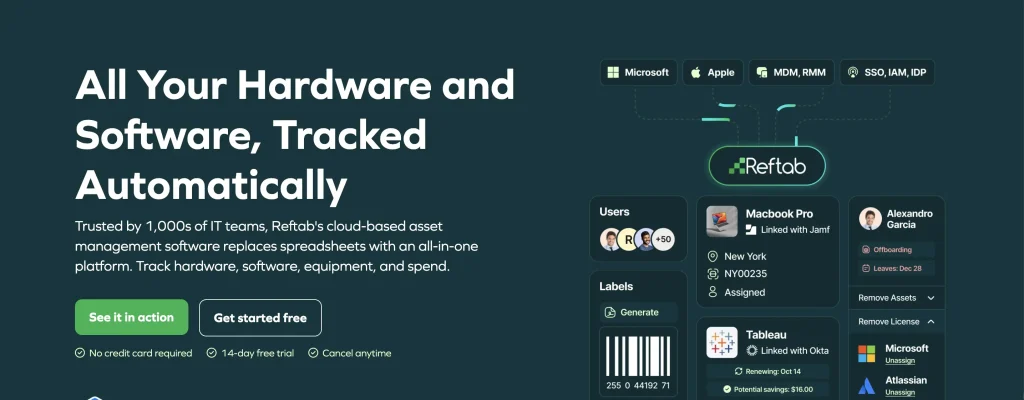
System category: IT and hardware asset management
Best fit: Organizations that want equipment requests, reservations, checkout, maintenance, audits, and broader hardware asset management in one platform.
Checkout and reservations: Reftab supports check-in/checkout, reservations, and equipment requests.
Custody and grouped equipment: Reftab supports asset custody and hardware lifecycle tracking. It also supports kit templates containing assets and accessories, with scanning to assemble the required components for checkout.
Maintenance and lifecycle: Reftab includes maintenance and work order capabilities alongside hardware lifecycle tracking.
Mobile and offline: iOS and Android apps support asset management and scanning. The reviewed sources do not describe offline functionality.
Integrations: Reftab documents integrations with platforms including Intune, Jamf, and Jira.
Deployment and scale: Cloud-based hardware asset management with support for broader organizational use. The sources reviewed do not establish maximum asset, user, location, or transaction volumes.
Scale fit: Suitable for broader hardware asset operations, but larger multi-site deployments should validate capacity and administrative requirements.
Support and implementation: The reviewed sources do not publicly specify these.
Pricing: Hardware Asset Management is currently listed at $125/month, with unlimited users and a 14-day trial. A free tier is available for up to 50 assets.
Potential limitation: Reftab’s roots are in IT and hardware asset management, so specialized equipment operations require closer validation.
Not ideal for: Organizations looking for a maintenance-first industrial CMMS.
What to verify: Reservation rules, equipment request approvals, integrations, maintenance workflows, and pricing at your asset count.
Asset Essentials by Siemens: Maintenance-led asset operations
System category: CMMS/asset management
Best fit: Maintenance organizations that need asset maintenance operations alongside documented equipment sign-out and return.
Checkout and reservations: Asset Essentials supports asset checkout and return logging. Its documented workflow covers sign-out and return, not a dedicated reservation workflow.
Custody and grouped equipment: The documented workflow records the signed-out site, person, date, notes, returned site, who returned it, and return date. Grouped-equipment capabilities are not publicly established.
Maintenance and lifecycle: Asset Essentials supports maintenance and asset management workflows. Its documented equipment workflow includes sign-out and return, along with those maintenance capabilities.
Mobile and offline: Asset Essentials documents offline mobile work order and asset data workflows, with restrictions. Verify whether the required sign-out and return actions work offline.
Integrations: Asset Essentials documents API access to records including assets, work orders, parts, and purchase orders. Confirm licensing, endpoints, and implementation requirements.
Deployment and scale: Cloud-based CMMS and asset management. The sources reviewed do not publicly state maximum limits for assets, users, locations, workspaces, or transactions.
Scale fit: Confirm multi-site or large asset-population support with the vendor.
Support and implementation: Not publicly established in the sources reviewed.
Pricing: Quote-based.
Potential limitation: Reservation, kit, and high-volume checkout workflows may require closer validation.
Consider another option if: Your primary requirement is complex equipment booking and shared-resource scheduling rather than maintenance-led asset management.
What to verify: Reservation depth, due-back controls, grouped equipment, mobile and offline workflows, integrations, and reporting.
Snipe-IT: Open-source asset accountability
System category: Open-source IT asset management
Best fit: Organizations that prioritize low software cost, self-hosting, and structured asset accountability.
Checkout and reservations: Snipe-IT supports checking assets out to people and locations and setting expected check-in dates. Its documented workflow centers on assignments and requests rather than a dedicated reservation calendar.
Custody and grouped equipment: Asset history and checkout records provide custody accountability. Snipe-IT includes Predefined Kits. Validate whether its kit checkout and return behavior meets your equipment-room requirements.
Maintenance and lifecycle: Snipe-IT supports maintenance records and asset history.
Mobile and offline: The reviewed sources do not establish a native mobile workflow. Offline functionality is also not established.
Integrations: API and third-party integration options may support broader workflows, but the exact integration requirements should be validated.
Deployment and scale: Available as self-hosted software or vendor-hosted infrastructure. Hosted Basic is currently documented with unlimited users and assets.
Scale fit: The documented unlimited-user and unlimited-asset hosted model can support large asset populations, but organizations should separately validate infrastructure, performance, integrations, and workflow requirements.
Support and implementation: Support and implementation requirements vary by hosting model and should be confirmed.
Pricing: The self-hosted Snipe-IT software is free to license. However, self-hosting shifts infrastructure, administration, upgrades, backups, security, and support responsibilities to the organization, creating operational costs outside the software license.
Potential limitation: More advanced operational workflows may require configuration, API work, scripts, or third-party tools.
Not ideal for: Equipment rooms where sophisticated reservation calendars, booking rules, and equipment kits are core requirements.
What to verify: Reservation requirements, mobile experience, integrations, hosting responsibilities, automation effort, and implementation ownership.
Sortly: Simpler visual equipment tracking
System category: Inventory and asset management
Best fit: Teams that want an easy-to-use system for equipment, tools, inventory, barcode/QR scanning, and basic check-in/checkout.
Checkout and reservations: Sortly supports check-in/checkout. The sources reviewed do not establish a dedicated reservation workflow.
Custody and grouped equipment: Check-in/checkout supports equipment accountability. Validate grouped-equipment capabilities for your workflow.
Maintenance and lifecycle: Sortly supports maintenance reminders and repair tracking, but deeper work order functionality is not established.
Mobile and offline: Sortly supports mobile workflows, and offline access is documented.
Integrations: Higher plans support integrations, with Enterprise including API and webhooks.
Deployment and scale: Cloud-based inventory and asset management with plans differentiated by users and unique-item limits. Enterprise is available for larger organizational requirements.
Scale fit: The published plan structure provides a clearer scaling path by item and user count, but organizations with large inventories should confirm the applicable plan limits.
Support and implementation: The sources reviewed do not publicly establish these.
Pricing: Sortly’s Advanced plan is listed at $49/month at the standard monthly rate. Sortly currently offers a 50% first-year discount on yearly plans, making Advanced $24/month when billed annually, or $288 for the first year. The promotional discount ends after the first year.
Potential limitation: Complex reservations and maintenance workflows may not be its strongest fit.
Not ideal for: Organizations that need deep equipment booking, sophisticated maintenance, or complex approval workflows.
What to verify: Reservation capabilities, due-back controls, permissions, API requirements, integrations, and plan limits.
GoCodes: QR-led field equipment tracking
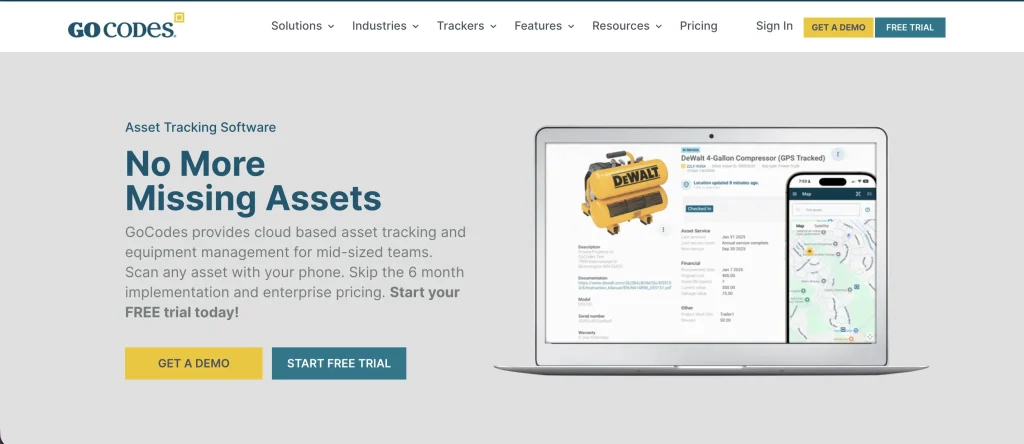
System category: Asset tracking
Best fit: Construction, field service, trades, and other teams that want QR-based equipment identification and mobile check-in/checkout.
Checkout and reservations: GoCodes supports mobile check-in/checkout. The sources reviewed do not describe a dedicated reservation workflow.
Custody and grouped equipment: Check-in/checkout supports equipment accountability. Kitting is available as an add-on or on higher plans.
Maintenance and lifecycle: GoCodes supports maintenance and asset tracking workflows.
Mobile and offline: Mobile scanning is supported. Offline operation is available as an add-on, based on the current pricing information reviewed.
Integrations: API access is available as an optional add-on.
Deployment and scale: Cloud-based asset tracking with plans structured around asset populations and users. Published plans range from 200 to 2,000 assets, with Enterprise available by custom pricing.
Scale fit: The published plans establish support for growing asset populations, while larger deployments should confirm Enterprise limits and multi-site requirements.
Support and implementation: Data migration is available as an optional add-on. Broader implementation requirements are not publicly established.
Pricing: Current pricing lists Standard at $550/year for 200 assets and three users, Premium at $1,100/year for 500 assets, Premium Elite at $1,950/year for 1,000 assets, and Professional at $2,750/year for 2,000 assets. Enterprise pricing is custom.
Potential limitation: QR-based identification is its core approach, so organizations needing more advanced reservation, maintenance, or EAM workflows should compare carefully.
Not ideal for: Organizations that need a comprehensive EAM or maintenance-first platform.
What to verify: Offline requirements, kitting costs, API requirements, integrations, multi-site reporting, and implementation services.
UpKeep: Asset operations and maintenance
System category: CMMS
Best fit: Maintenance teams that want equipment accountability alongside work orders, preventive maintenance, parts, and maintenance operations.
Checkout and reservations: UpKeep documents asset check-in/checkout. A dedicated time-based reservation workflow is not established in the sources reviewed.
Custody and grouped equipment: Equipment check-in/checkout provides custody accountability. UpKeep supports cascading check-in/checkout for eligible child assets when enabled. Test partial returns and exceptions before treating this as equivalent to a dedicated kit workflow.
Maintenance and lifecycle: UpKeep supports work orders, preventive maintenance, parts and inventory, time and labor tracking, and asset lifecycle capabilities.
Mobile and offline: Supports mobile workflows. Higher tiers add offline mobile mode.
Integrations: Higher tiers include API integrations and custom integrations.
Deployment and scale: Cloud-based CMMS with multi-site capabilities available at the Enterprise level. The current sources reviewed do not establish a maximum asset, user, or transaction volume.
Scale fit: Enterprise multi-site support is documented, but larger asset populations and transaction volumes should be validated with the vendor.
Support and implementation: The reviewed sources do not publicly specify these.
Pricing: Published pricing starts at $24/user/month for Essential and $55/user/month for Premium. Professional and Enterprise are quote-based.
Potential limitation: A CMMS-first workflow may not match the reservation depth of a dedicated equipment booking platform.
Not ideal for: Organizations where complex equipment reservations and shared-resource scheduling matter more than maintenance.
What to verify: Asset check-in/checkout requires Enterprise. Verify reservation requirements, mobile and offline workflows, permissions, integrations, and implementation requirements.
Narrow your Cheqroom alternatives shortlist by workflow
The fastest way to narrow the list is to start with the operational problem you need to solve. Use the profiles above to validate the specific workflow, plan, and integration requirements before choosing a platform.
| If your biggest problem is… | Start with these alternatives | Validate before choosing |
| Double bookings | EZO EAM, Shelf.nu, Asset Panda, Reftab | Conflict rules, availability updates, and plan requirements |
| Slow equipment handoffs | EZO EAM, Shelf.nu, Asset Panda, itemit, Reftab, Sortly, GoCodes | Scan steps, bulk checkout, and label compatibility |
| Lost equipment or unclear custody | EZO EAM, itemit, Reftab, Snipe-IT, GoCodes | Custody history, due dates, transfers, and auditability |
| Kits and grouped equipment | EZO EAM, Shelf.nu, Asset Panda, GoCodes | Grouped workflows, partial returns, and plan or add-on requirements |
| Maintenance-related downtime | EZO EAM, Asset Panda, Reftab, Asset Essentials, UpKeep | Work orders, preventive maintenance, inspections, and availability rules |
| Equipment across locations | EZO EAM, Shelf.nu, itemit, Reftab, Asset Panda, UpKeep | Location structure, transfers, permissions, and reporting |
| Self-hosting | Snipe-IT | Hosting responsibility, integrations, and administration effort |
| IT hardware management | Reftab, Snipe-IT | Requests, assignments, lifecycle controls, and integrations |
The candidates above are starting points based on the capabilities documented in this comparison, not an overall ranking. Narrow the list to two to four platforms, then test your highest-risk workflows with representative equipment.
How much do Cheqroom alternatives cost?
Compare pricing against how your organization actually runs.
Pricing models vary enough that headline prices can be misleading. Before comparing numbers, check what drives the price: administrators, users, tracked assets, workspaces, locations, modules, or a combination.
Cheqroom baseline: Cheqroom’s published pricing starts at $184 per admin/month for Core, $275 for Business, and $367 for Enterprise, billed annually. All three plans include unlimited users and unlimited items. Core supports one location, Business supports up to three, and Enterprise supports up to 10. Enterprise also includes RFID support, while features such as equipment audits, custom roles, and additional locations are plan-dependent. Minimum administrator counts apply.
| Platform | Pricing model | Published price | Billing cadence | Included users/assets | Relevant add-ons or limits |
| Cheqroom | Per admin | $184/admin/month for Core; $275 Business; $367 Enterprise | Annual | Unlimited users and items | Location and feature availability vary by plan |
| EZO EAM | Tracked items | $63.55/month Essential; $85.51 Advanced; $100.88 Premium | Monthly/yearly views | 300 tracked items shown on current plan cards | Full CMMS requires Premium add-on or Enterprise |
| Shelf.nu | Workspace/team | $67/month for Team; Enterprise custom | Monthly | Unlimited team members and bookings/reservations on Team | SSO/SAML is an add-on on Team and included with Enterprise |
| Asset Panda | Custom quote | Not publicly listed | Not publicly established | Not publicly established | Personalized quote required |
| itemit | Subscription | Current price not established in sources reviewed | Not publicly established | Not publicly established | Confirm current plan limits |
| Reftab | Subscription | $125/month for Hardware Asset Management | Not publicly established | Unlimited users; free tier up to 50 assets | Confirm pricing at your asset count |
| Asset Essentials by Siemens | Custom quote | Not publicly listed | Not publicly established | Not publicly established | Confirm modules and deployment requirements |
| Snipe-IT | Self-hosted or hosted | Free self-hosted; hosted Basic $39.99/month or $399.99/year | Monthly or annual | Unlimited users and assets on hosted Basic | Hosting model affects infrastructure and administration |
| Sortly | User/item-based plans | $49/month standard for Advanced; $24/month promotional first-year annual price | Monthly or annual | Advanced: 500 unique items, 2 users | 50% first-year annual discount; 20% annual discount applies after the first year |
| GoCodes | Asset/user bundles | Standard $500/year for 200 assets and 3 users | Annual | 200 assets and 3 users on Standard | Offline and kitting can add cost; Enterprise custom |
| UpKeep | Per user | From $24/user/month Essential; $55 Premium | Not publicly established | User-based | Offline and API capabilities vary by tier |
These prices are not directly comparable. Cheqroom prices by administrator, EZO EAM by tracked items, UpKeep by user, and GoCodes by asset and user bundles. Some vendors also separate important capabilities into higher plans or add-ons.
Pricing checked October 21, 2026, using publicly available vendor information. Promotional pricing, billing cadence, implementation, integrations, hardware, and add-ons can change the actual cost. Confirm the applicable plan, limits, and current price with each vendor before purchasing.
What should you include in the total cost of ownership?
Don’t look at subscription prices in isolation.
Make sure your budget covers:
- Software subscriptions
- Additional users or administrators
- Asset or item limits
- Labels, tags, scanners, and any RFID hardware.
- Labels and tags
- Implementation
- Data migration
- Integrations
- API access
- Offline functionality
- Kitting
- Maintenance modules
- Training
- Support
- Internal administration
For example, costs can rise when borrowers require paid licenses. Distinguish paid administrators and operators from free borrower or requester accounts. On the flip side, an asset-based model can be attractive when many users share relatively few tracked items; minimum charges, modules, and administrator fees can change the total.
Base your calculation on your actual:
Users + assets + locations + workflows + integrations + required modules
How to plan a Cheqroom migration while preserving operational history where supported
Migrating isn’t just about importing an asset spreadsheet. Different platforms support different data types and migration methods, so confirm which historical data you can migrate to your replacement platform before you commit to a cutover.
Before you switch, map the data, history, and workflows that need to move, and identify which records can be migrated, exported, or retained separately.
1. Build a migration data map
Don’t limit the migration plan to basic asset fields. Map the records and relationships your team relies on, then confirm what can be exported from Cheqroom and imported into the selected replacement platform.
| Data category | What to map | Priority | Export/import status |
| Assets | Asset IDs, names, categories, locations, condition, status, and other core fields | Required | Confirm with both platforms |
| Custom fields | Organization-specific asset fields and values | Required if used operationally | Confirm with both platforms |
| Users | User records, roles, permissions, and relevant assignments | Required | Confirm with both platforms |
| Locations | Sites, rooms, storage areas, and location hierarchy | Required | Confirm with both platforms |
| Reservations | Upcoming and relevant historical reservations | Conditional | Confirm with both platforms |
| Open checkouts | Current borrower, checkout date, expected return, and status | Required | Confirm with both platforms |
| Custody history | Historical checkouts, returns, transfers, and custody changes | Conditional | Confirm with both platforms |
| Attachments | Photos, documents, receipts, and other files linked to records | Conditional | Confirm with both platforms |
| Maintenance history | Service records, inspections, repairs, and related history | Conditional | Confirm with both platforms |
| Audit records | Audit history, discrepancies, and verification records | Conditional | Confirm with both platforms |
| Labels and IDs | Existing barcodes, QR codes, RFID identifiers, serial numbers, or other identifiers | Required where used | Confirm with both platforms |
| Integrations | Connected systems, mappings, workflows, and synchronization requirements | Required where used | Confirm with both platforms |
Treat the priority column as a planning guide, not a universal requirement. A reservation history, maintenance record, or attachment may be essential for one organization and unnecessary for another.
2. Export or record the current operational state
Before the cutover, export or record the information needed to establish the current state of your equipment operations. This includes who currently has each item, where it is located, whether it is checked out or reserved, its current status, and any open transactions that need to continue after migration.
Don’t assume that an exported field can be imported into the replacement platform in the same form. Confirm field mappings, supported formats, historical records, attachments, and relationships before the migration.
3. Migrate or recreate future reservations
Future bookings are commitments your team is counting on, not historical data. Determine whether the replacement platform can import them or whether you need to recreate them before cutover.
4. Map users and permissions
Map departments, roles, locations, approval rules, and access restrictions to the equivalent structures in the replacement platform. Confirm that users retain the appropriate access without inheriting permissions they should not have.
5. Decide how to retain historical custody
Determine which historical checkouts, returns, custody changes, attachments, and audit records need to remain accessible after migration. Confirm with Cheqroom and the selected replacement platform which records can be imported and which may need to remain in an export or the legacy system.
6. Reconnect integrations
List every integration currently in use, including APIs, calendars, identity providers, ERP, ITSM, accounting, and other connected systems. Document what data each integration sends or receives and determine how that workflow will operate after the migration.
7. Test the cutover
Run representative transactions in the new system before making the final switch. Test the most critical workflows, such as reservations, checkouts, returns, transfers, maintenance updates, permissions, and integrations. Compare the resulting records with the source system and resolve discrepancies before cutover.
8. Freeze the old workflow
Pick a clear cutover point so both systems aren’t treated as the source of truth at the same time. Define who can make changes during the freeze and how urgent transactions will be handled.
9. Retain legacy records appropriately
If contract terms and retention requirements allow, keep controlled read-only access to Cheqroom or maintain an auditable export of the legacy data for audits and reference. Confirm how long the records will remain accessible and who will secure and maintain them.
Pilot your Cheqroom alternatives before you migrate
A product demo shows you what the software can do under ideal conditions.
A pilot shows you whether your team can actually use it.
Start with a representative sample large enough to reproduce your highest-risk workflows across equipment types, locations, and user roles. You don’t need to include your entire inventory.
Include:
- Frequently borrowed equipment
- Similar-looking assets
- Kits
- High-value equipment
- Equipment across different locations
- Equipment that needs maintenance
- Existing labels
- Borrowers with different permissions
Then run through these scenarios.
Test 1: A normal reservation
Create a reservation and turn it into a checkout.
Test 2: A conflict
Try to reserve the same item for overlapping time periods.
Test 3: A last-minute change
Swap an item right before checkout.
Test 4: A high-volume handoff
Check out multiple items to one borrower.
Test 5: A partial return
Return only some of the items from a grouped checkout.
Test 6: An overdue item
Let the due date pass, then confirm that notifications and reporting work as expected.
Test 7: A damaged return
Return an item with a condition issue and make sure you can pull it out of availability.
Test 8: A maintenance event
Send an asset to maintenance and confirm that the availability system reflects its status.
Test 9: A permission test
Try to perform an action using a role that shouldn’t have permission.
Test 10: An audit
Pick 10 assets and reconstruct who had them, when custody changed, and what happened next.
Set your acceptance criteria before you start testing. For example, decide on acceptable scan and transaction times (time to complete a checkout, return, reservation, or audit), the maximum number of manual corrections, required audit fields, and the workflow completion rate.
Resist the urge to borrow universal benchmarks. The right thresholds depend on how your operation works.
Common mistakes when replacing Cheqroom
Choosing an asset list instead of an equipment workflow
A nicer-looking asset database won’t necessarily fix reservations, custody, returns, or overdue equipment.
Treating location as availability
An item can be sitting in exactly the right room and still be unavailable because it’s reserved, checked out, damaged, or in for maintenance.
Ignoring maintenance
If equipment regularly leaves circulation for repairs, maintenance status has to affect availability.
Ignoring grouped equipment
If your teams hand out kits, carts, or bundles, test those workflows before you pick a platform.
Comparing pricing without modeling your users
A platform that looks cheap for five administrators can get expensive once hundreds of borrowers need access.
Assuming an API solves integration
API availability alone doesn’t mean your required integration is supported. Verify endpoints, permissions, limits, data coverage, and maintenance responsibilities.
Piloting with clean demo data
Real equipment is messy. Real borrowers change their plans. Real labels get damaged. Real networks go down.
Your pilot should reflect all of that.
The bottom line
The right Cheqroom alternative matches the operational gap you need to solve, not the one with the longest feature list.
Narrow your shortlist to two to four candidates, then test reservations, checkout, custody, maintenance, integrations, and permissions with representative equipment before you migrate.