
Key Takeaways:
- Microsoft overbuying can come from unused seats, overlapping subscriptions, or missed employee changes. Each platform below addresses a different part of that problem.
- AssetSonar connects Microsoft 365 seats, assignments, and available activity with user and device records. IT teams can investigate potentially unused licenses before approving another purchase.
- ServiceNow and Flexera support Microsoft subscription optimization beyond identifying inactive accounts, including plan changes or overlapping subscriptions.
- ManageEngine M365 Manager Plus is a Microsoft-specific option. It belongs on a different shortlist from broader SaaS spending platforms.
- NinjaOne and Device42 contribute endpoint and deployment evidence. Treat them as supporting options when cloud subscription analysis happens elsewhere.
- A successful evaluation ends with an approved purchasing decision. Potential savings become useful when someone owns the resulting order change.
Why Microsoft license overbuying needs a closer look
Software license management helps IT teams check existing Microsoft seats before approving another purchase. Without that check, a new hire can trigger an order while paid licenses remain unused.
Overbuying also grows when employee departures leave subscriptions assigned or changing roles leave people on unnecessarily expensive plans. IT may see the account, while procurement sees only the renewal quantity. Neither view alone explains what the business still needs.
A useful platform connects license assignments, relevant activity, and employee changes with an action someone owns. IT can investigate unused capacity, approve changes, and give procurement a supported quantity before renewal. This article compares nine SaaS management platforms for Microsoft 365 license optimization. Review their capabilities, limitations, pricing, and user feedback to narrow your shortlist.
Microsoft license management platforms at a glance
| Product | Best for | Main Microsoft-related workflow | Operating caveat | Pricing model | G2 rating |
|---|---|---|---|---|---|
| AssetSonar | License decisions connected with employee and device records | Seat tracking and entitlement changes | Advanced SAM required | Per asset, plus SAM module | 4.5/5 |
| ServiceNow SAM Pro | Formal licensing governance in ServiceNow | Subscription optimization and remediation | Publisher content and integration setup | Custom quote; Subscription Units | 4.4/5 |
| Flexera One | Cloud subscriptions alongside installed software | Hybrid usage and license optimization | Product generation and assignment method matter | Custom quote; SaaS module measured by users | 4.3/5 |
| Torii | SaaS lifecycle automation | Microsoft assignment and offboarding actions | Action permissions differ from reporting access | Custom quote; employee-based licensing | 4.5/5 |
| Zylo | Procurement-led SaaS spending | Usage, costs, and renewal coordination | Package determines available identity actions | Custom-quoted packages | 4.7/5 |
| ManageEngine M365 Manager Plus | Focused Microsoft administration | License reports and bulk modifications | Professional required for automation | Users/mailboxes and edition | 4.3/5 |
| Oomnitza | Governance across existing systems | User and license data in configured workflows | Enterprise package and connector prerequisites | Platform, modules, and success package | 4.6/5 |
| NinjaOne | Endpoint-led software oversight | License records and desktop application evidence | Cloud-service analysis needs Microsoft-side evidence | Per-device platform pricing | 4.7/5 |
| Device42 | Installed Microsoft software reconciliation | Deployment discovery and licensing records | Installation counts do not establish cloud-seat need | Annual per-device subscription; software module | 4.7/5 |
What counts as SaaS management for Microsoft licenses?
SaaS, or software as a service, is software accessed through a subscription and managed in the cloud. A SaaS management platform combines application, user, spending, and contract information to support subscription decisions.
To assess Microsoft license needs, distinguish between purchased seats, assigned seats, and recorded activity. A purchased seat is available under your subscription. Assignment gives an account access, while activity shows how you used supported services. None of these counts can safely substitute for the others.
There are also two different financial outcomes. Reassigning an existing seat can avoid another purchase. Reducing the number of paid subscriptions can lower spending when the agreement permits it. Removing a user’s assignment does not automatically reduce the bill. Under Microsoft Customer Agreement billing, reductions generally require action within seven days of purchase, renewal, or a seat addition. Outside that window, the effective date can move to renewal.
How we selected these platforms
Microsoft 365 license optimization is the primary evaluation context. The comparison follows data from subscription records through corrective actions and purchasing decisions.
- Microsoft 365 integration and license tracking: Access to subscription quantities, license assignments, users, and relevant application activity.
- Optimization capabilities: Identification of inactive seats, overlapping subscriptions, or subscriptions worth reviewing for a different plan.
- Reclamation workflows: Support for approvals, reassignment, removal, and confirmation that the intended change was completed.
- Operational context: Connections with identity, employee lifecycle, IT asset management, procurement, and contract records.
- Commercial suitability: Pricing units, required modules, and the work needed to implement and maintain the license process.
ManageEngine is represented by M365 Manager Plus, its Microsoft-focused administration product. NinjaOne and Device42 remain in the comparison for the endpoint and deployment evidence they contribute.
What to look for before choosing a platform
The right feature depends on why you’re overbuying Microsoft licenses. Check the evidence behind each recommendation, the available actions, and the cost of operating the full workflow.
Activity that matches the license decision
A sign-in shows authentication activity, but it cannot explain every service a subscription must retain. Look for activity across desktop, browser, and mobile applications, and clearly identify the reporting period. Ask how the platform handles missing data before accepting an inactivity recommendation.
For plan changes, Microsoft offers enterprise subscription tiers called E3 and E5. Their exact names matter: Microsoft 365 and Office 365 are different plan families. Microsoft 365 E5 includes additional capabilities beyond E3, including security and compliance capabilities that may operate without daily user interaction.
That makes a downgrade more than an application-usage calculation. Security, identity, retention, and storage requirements can justify a subscription even when certain productivity applications see little activity. The platform should surface the evidence, and accountable owners should approve the change.
A clear route from recommendation to action
Ask the vendor to distinguish identifying a candidate, requesting approval, removing an assignment, and confirming the result. Each is a separate capability. A workflow that emails an administrator can still be useful, but it requires different staffing from direct Microsoft license changes.
The distinction matters during employee offboarding, when hardware recovery, data handover, and access changes have different owners. A license task needs a completion record tied to the departing employee. Closing an offboarding ticket without that evidence leaves the reusable-seat count uncertain.
A total cost based on your environment
Compare the full annual cost against the spending problem you can realistically address. Include required modules, Microsoft prerequisites, implementation, connector maintenance, and ongoing administration. Per-device, per-user, per-asset, and weighted subscription units represent different cost models.
Ask how contractors, service accounts, additional tenants, and growth affect the quote. A low rate can become less attractive when the billable population differs from your expected scope. Compare the cost of the same deployment with the same responsibilities covered.
9 SaaS management platforms for Microsoft 365 license optimization
The breakdown below shows where each product contributes to Microsoft license control and where additional administration is needed. Use the Best fit section to narrow the list before comparing features and pricing.
1. AssetSonar
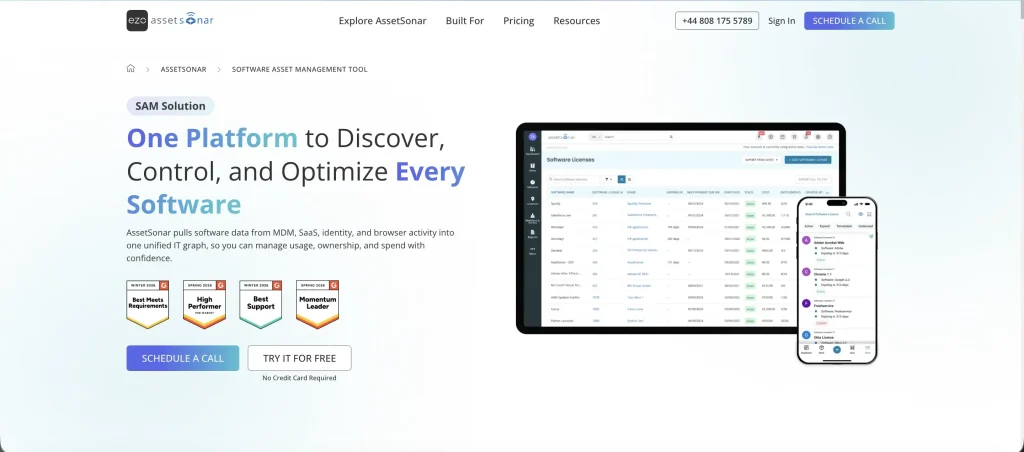
Best fit: Mid-market IT teams that manage Microsoft 365 alongside employee devices and other software. AssetSonar fits buyers who need license decisions connected to IT asset records, especially when departures leave both hardware and paid seats to resolve.
AssetSonar is an IT asset management (ITAM) platform with an Advanced Software Asset Management module. It keeps software licensing in the same environment as devices and users. That helps IT teams investigate a Microsoft seat in the context of the person holding it.
The Microsoft 365 integration covers subscription plans, seats, entitlements, and available activity. An entitlement is the license access assigned to a user. Separate integrations connect Microsoft Intune, its device-management service, and Entra ID, its identity service. The license connector does not replace those systems.
Connection setup requires an application registered in Microsoft’s identity service and administrator-approved access. IT must maintain the credentials and select the correct Microsoft cloud, such as a public or government environment. The tenant identifier then selects the organization within that environment. Assign connection ownership beyond initial setup, especially when one administrator currently handles all Microsoft license work.
Key strengths:
- Seat reconciliation: Imports plan quantities and assignments, helping IT teams check available capacity before approving another Microsoft purchase.
- Software normalization: Groups instances of the same Microsoft application under one record, helping IT teams review installations against existing licenses.
- Inactivity review: Places supported sign-in and access activity beside assigned seats, giving administrators specific users to investigate.
- Entitlement changes: Sends saved assignment changes back to Microsoft for licenses with two-way synchronization enabled.
- Tenant separation: Identifies each connected Microsoft tenant and its last sync, keeping other license records distinguishable.
- Renewal scheduling: Provides a license renewal calendar with dates and costs, supporting review before purchasing commitments renew.
- Broader software coverage: Advanced SAM adds software discovery, allocation, compliance monitoring, and reclamation across the connected IT software environment.
Weaknesses:
- Module planning: Microsoft 365 management is included through Advanced SAM. Add it to the deployment scope when comparing the total cost.
- Refresh timing: Microsoft tenant data refreshes every 24 hours. Run an on-demand import before purchasing reviews to capture recent license changes.
Pricing:
ITAM starts at $0.75 per asset per month, billed annually. Advanced SAM adds $0.42 per asset per month. Packages start at 100 assets, with volume discounts available.
Reviews:
AssetSonar holds a 4.5/5 G2 rating. Feedback highlights approachable asset tracking and responsive support. Reporting and filtering get more mixed comments, so the required renewal export is a useful part of the evaluation.
2. ServiceNow SAM Pro
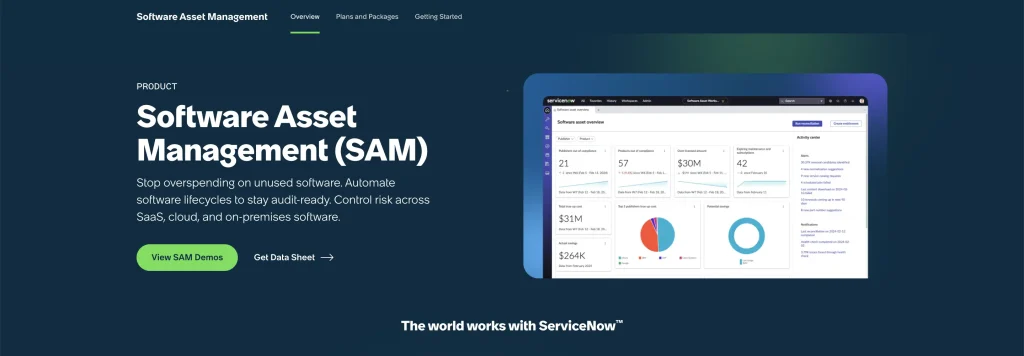
Best fit: Enterprises already using ServiceNow with dedicated software asset ownership and platform administration. SAM Pro suits buyers who need Microsoft subscription recommendations handled through established approvals and remediation processes.
ServiceNow Software Asset Management Professional, commonly called SAM Pro, is a licensed application on the ServiceNow platform. Its Microsoft workflow combines subscription information, software usage, reconciliation, and optimization. Reconciliation compares recorded licensing rights with the system’s calculated consumption.
This is relevant when a Microsoft buying decision spans several administrators or business units. The question may involve a duplicated subscription, an underused add-on, or a proposed move between plans. Those cases need different supporting records, rather than one inactivity list.
The Microsoft optimization workflow sits within Software Asset Workspace. Subscription records and usage can arrive on different schedules, so administrators need to distinguish a stale import from a real change in demand. The implementation should establish those data checks before optimization results become purchasing instructions. Software models keep each subscription associated with the relevant product record.
Key strengths:
- Overlap detection: Flags redundant Microsoft subscriptions that provide access already covered by another assigned plan.
- Downgrade recommendations: Uses configured conditions and activity to identify subscriptions worth reviewing for a less expensive tier.
- Consolidation analysis: Identifies cases where separate subscriptions could be covered through a combined Microsoft plan.
- Workload evidence: Collects supported application activity across desktop, web, and mobile sources to support user-level analysis.
- Reclamation rules: Applies inactivity thresholds to specific Microsoft services and creates candidates for controlled remediation.
Weaknesses:
- Configuration dependencies: Microsoft reporting requires the relevant SAM subscription, publisher content, integration, and scheduled data collection.
- Manual usage imports: Copilot, Visio Online, and Project Online introduce separate report-upload steps in the Microsoft usage workflow.
Pricing:
ServiceNow SAM Pro uses custom pricing based on Subscription Units, which weight managed IT resource categories. The SAM application requires a separate subscription. Include the required Microsoft scope in the quote.
Reviews:
ServiceNow SAM Pro scores 4.4/5 on G2. Reviews describe useful historical records and connected processes, alongside external-integration effort. Comments from software asset owners offer the closest context for this licensing use case.
3. Flexera One
Best fit: Large organizations managing Microsoft 365 and substantial installed Microsoft software. Flexera One fits licensing programs that need cloud and desktop evidence together, with specialists available to maintain connectors and interpret results.
Flexera One brings SaaS management into a broader technology licensing environment. Its value here is the relationship between cloud subscription access and software installed on employees’ computers. That distinction matters when desktop applications remain essential to a person’s job.
The SaaS Management product covers Microsoft optimization, usage analysis, contract information, and renewal management. A hybrid licensing position links SaaS Management with IT Asset Management. Buyers should confirm which components their proposed package includes.
Flexera has different generations of SaaS management. Connector behavior should therefore be matched to the product being purchased. A familiar integration name does not establish identical permissions, supported actions, or migration requirements. This is especially relevant for organizations extending an existing Flexera or Snow deployment rather than starting from a new installation. Imported license quantities refresh daily, so recent changes can take time to appear.
Key strengths:
- Hybrid Microsoft analysis: Connects cloud licensing with installed application evidence when SaaS Management and ITAM are integrated.
- Plan optimization: Recommends reviews of underused subscriptions and potential moves away from unnecessarily expensive bundles.
- Application-specific activity: Distinguishes activity across supported Microsoft services rather than reporting one suite-wide login.
- Contract context: Combines usage with subscription costs and renewal information to support Microsoft purchasing discussions.
- Discovery breadth: Uses financial feeds, connectors, identity sources, browser signals, and endpoint evidence to uncover related software spending.
Weaknesses:
- Reclamation scope: The connector reclaims directly assigned licenses. Review all user assignments before proceeding, as reclamation removes every license within the integration.
- Connector-generation differences: Existing Snow Integration Manager SaaS connectors cannot simply be reused in the newer Flexera One SaaS Management experience.
Pricing:
Flexera One SaaS Management is priced by user, with rates and minimum commitments set through a custom quote. Broader Flexera bundles add device or other licensing units. Compare the SaaS module against the exact package offered.
Reviews:
With a G2 rating of 4.3/5, Flexera One receives praise for consolidated licensing information and useful analysis. Setup and training are recurring considerations, especially when an organization deploys several parts of the suite.
4. Torii
Best fit: IT teams managing SaaS applications and recurring employee changes. Torii suits organizations that want Microsoft license actions within onboarding and offboarding, with owners available to maintain workflow permissions and exceptions.
Torii is a SaaS management platform with Microsoft 365 visibility and operational actions. Its relevant approach is to make license cleanup part of the employee lifecycle. That suits IT teams whose main problem is a missed administrative step after a departure or role change.
Its Microsoft integration provides visibility into users, status, connected accounts, usage history, and supported actions. The wider SaaS platform adds license and renewal workflows. This lets buyers evaluate Microsoft work alongside their other applications instead of designing a separate process for every service.
The connector can use an administrator account or application credentials. The setup should reflect whether the deployment is for observation or operational changes. That choice affects security approval and who maintains the connection. Multiple Microsoft accounts can connect, allowing the workflow to distinguish organizational environments. This matters when one IT function supports subsidiaries with separately administered Microsoft environments.
Key strengths:
- Assignment visibility: Syncs assigned and unassigned Microsoft licenses, supporting seat reuse before another purchase.
- Direct license actions: Assigns and unassigns Microsoft 365 licenses through the integration, with the required connection permissions.
- Employee lifecycle actions: Supports account, group, and session changes around departures, reducing separate administrative handoffs.
- Workload usage: Collects supported Microsoft application activity across desktop, web, and mobile reporting sources.
- File handover: Supports a OneDrive file-migration action that can accompany employee offboarding when configured.
Weaknesses:
- Reporting constraints: The usage feed initially looks back 28 days and includes a two-day Microsoft reporting delay.
- Permission-dependent execution: Reporting access does not automatically enable workflow actions; authentication method and write permissions need separate validation.
Pricing:
Torii uses custom pricing, with employee counts forming the basis of its subscription model. Enterprise terms can differ. Request a quote for the SaaS Management package and any additional identity or AI capabilities required.
Reviews:
Torii is rated 4.5/5 on G2. Reviewers value accessible SaaS administration and lifecycle automation. Workflow editing and maintenance receive more mixed feedback, so the administrator responsible for ongoing changes should join the evaluation.
5. Zylo
Best fit: Organizations where procurement, finance, and IT share SaaS spending decisions. Zylo fits buyers who need Microsoft utilization connected to contracts and portfolio spending, especially when purchasing problems extend beyond license administration.
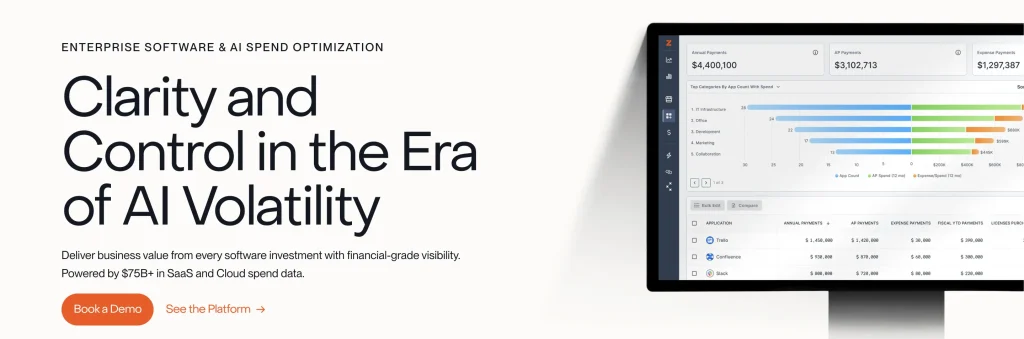
Zylo is a SaaS management platform centered on software spending, licensing, and renewals. Microsoft 365 enters that broader financial picture through a direct integration. Its usefulness depends partly on how license findings reach the people responsible for the commercial agreement.
The Microsoft license workflow connects assignments and activity with entitlement analysis. Other platform information supplies organizational and financial context. Procurement can then review a proposed change against the agreement it owns and the relevant budget.
Zylo’s packages separate basic portfolio visibility from additional actions and business workflows. Its Enterprise package also accommodates multiple business units and acquisitions. That distinction matters when a buyer expects automatic removal in Microsoft after an inactivity finding. Premium and Enterprise include actions through identity platforms such as Microsoft Entra. Buyers should decide whether those services belong in the project scope before comparing package costs.
Key strengths:
- Microsoft utilization: Brings license assignments and recorded activity into the SaaS portfolio for user-level review.
- Entitlement overlap: Identifies potentially redundant add-ons and licensing rights that deserve commercial or technical investigation.
- Financial discovery: Connects broader SaaS spending to application records, helping procurement investigate purchases outside central IT.
- Renewal preparation: Combines usage, costs, and agreement context so procurement can challenge an unsupported seat request.
- Reclamation coordination: Provides license workflows that support owner communication and follow-through on unused subscriptions.
Weaknesses:
- Service scope: Automated deprovisioning through identity systems covers connected applications; other applications can still leave manual cleanup with administrators.
- Portfolio administration: The broader spend program requires maintained financial and contract feeds, adding ownership beyond Microsoft license administration.
Pricing:
Zylo offers Core, Premium, and Enterprise through custom quotes. Request the pricing unit and minimum commitment for the selected package. Include the cost of identity actions or separate SaaS operations services where needed.
Reviews:
Zylo earns 4.7/5 on G2. Feedback favors understandable spend records, organized renewals, and responsive support. Integration coverage draws more mixed comments, particularly relevant where procurement depends on several financial data sources.
6. ManageEngine M365 Manager Plus
Best fit: Microsoft administrators who need detailed reporting, delegated operations, and bulk license changes. M365 Manager Plus fits buyers addressing Microsoft 365 directly, rather than discovering and negotiating spending across many SaaS vendors.
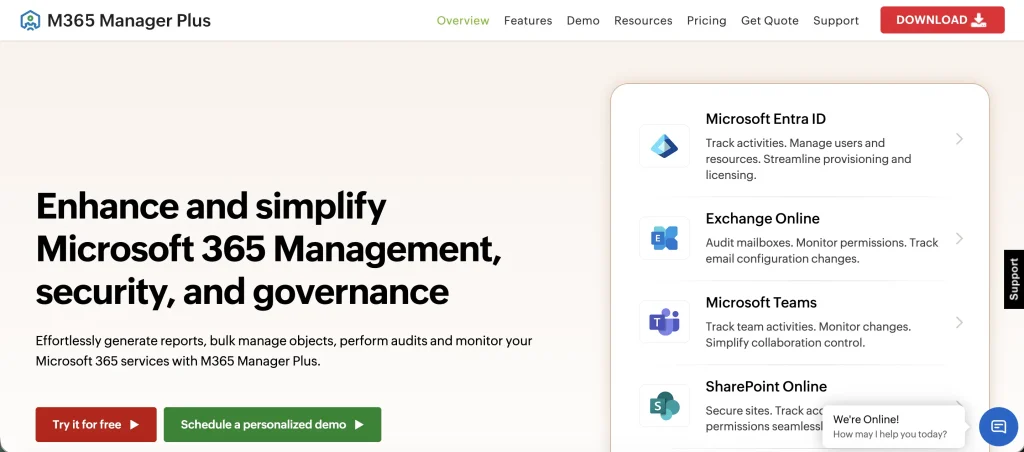
ManageEngine M365 Manager Plus focuses on Microsoft 365 administration within ManageEngine’s wider product range. It covers reporting, management, auditing, and related operations. Its scope suits a Microsoft licensing project rather than a general SaaS purchasing program.
The license-management functions provide reports and bulk operations for Microsoft subscriptions. That approach suits an administrator who can interpret the records and own the resulting changes. It can address a narrower operational requirement without making wider SaaS spending analysis the center of the deployment.
Edition selection matters because the product separates reporting and management from additional automation and auditing. Buyers should evaluate the specific edition they intend to run. They should also account for deployment and ongoing software maintenance, rather than judging the purchase entirely on its published annual entry price. The downloadable Windows application needs an installation environment.
Key strengths:
- Stale-license reporting: Lists unused Microsoft licenses based on recorded activity, supporting a focused cleanup queue.
- Service-level assignments: Shows which users hold licenses for particular services, making subscription records easier to investigate.
- Assignment-path reporting: Identifies how users received licenses, including licensed-group membership, before administrators choose a corrective action.
- Bulk changes: Supports license modification for users and groups, reducing repetitive work across larger cleanup batches.
- Scheduled evidence: Generates recurring reports and exports so administrators can maintain a regular license review process.
Weaknesses:
- Microsoft-specific scope: It does not replace a cross-vendor SaaS spending platform for contract discovery and portfolio negotiations.
- Edition boundary: Automation, auditing, and alerts require Professional; Standard includes reporting, management, and delegation.
Pricing:
Annual pricing starts at $345 for Standard or $595 for Professional for 100 users or mailboxes and one technician. Larger deployments and additional technicians require a tailored quote. Price any implementation services separately.
Reviews:
M365 Manager Plus has a 4.3/5 G2 score across seven reviews. Feedback includes praise for usability and built-in reports, alongside resource and interface concerns. Support experiences vary within this small sample.
7. Oomnitza
Best fit: Enterprises with employee and technology data spread across systems. Oomnitza fits buyers coordinating license governance across those sources, with an implementation owner to define matching rules, workflow triggers, and administrator ownership.
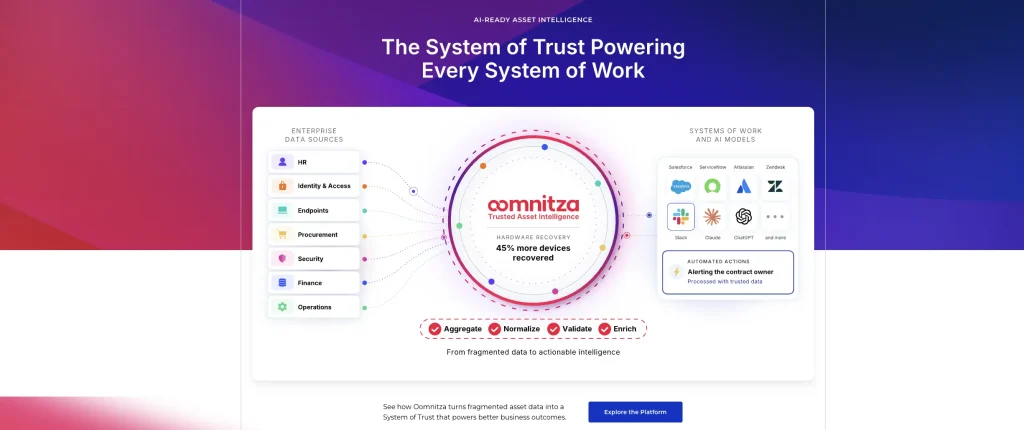
Oomnitza connects information from existing IT and business systems and uses it in governed workflows. For Microsoft licensing, that means relating user and software records to employee changes. The value depends on the quality of those connections and the actions configured around them.
Its Microsoft connection supports user ingestion and license-detail retrieval, with workflow presets supporting related administration. The implementation also needs credentials, permission approval, and rules for handling the imported population. These are operating responsibilities that remain relevant after the first successful synchronization.
The user workflow can match a person by their Microsoft sign-in name when email addresses are unsuitable. That detail matters after a rename or where several identities belong to one person. Decide which identifier connects an employee to the correct Microsoft account, then preserve that relationship through later lifecycle changes. Matching on imported display names alone can merge two different people.
Key strengths:
- Microsoft user ingestion: Imports the user population into the software record for comparison with employee information.
- License-detail retrieval: Collects Microsoft license details through the connector or a configured SaaS user workflow.
- Organizational filters: Can restrict imported users with filter expressions, helping define the population the licensing process covers.
- Offboarding triggers: Supports workflows driven by conditions such as an employee offboarding date.
- Configured Microsoft actions: Provides user-disable and user-delete presets, supporting coordinated access cleanup when policy permits.
Weaknesses:
- Identity prerequisite: The newer Microsoft application-user connector requires a paid Entra ID identity tier to retrieve license details.
- Workflow design: User disabling, deletion, and selective license changes need distinct rules. The implementation must define which action each employee event requires.
Pricing:
Oomnitza pricing combines a platform license, modules, and a Customer Success package. Software governance requires Enterprise, with the software module priced per user. The scoped Customer Success package includes implementation.
Reviews:
G2 users give Oomnitza 4.6/5. Feedback highlights easier access to asset information and connections with existing tools. Implementation experiences vary, so buyers planning substantial configuration should assess the ongoing administrator workload.
8. NinjaOne
Best fit: IT teams or managed service providers already using NinjaOne for endpoint operations. Its ITAM capability fits buyers keeping software records in that console while Microsoft subscription evidence comes through a separate administrative process.
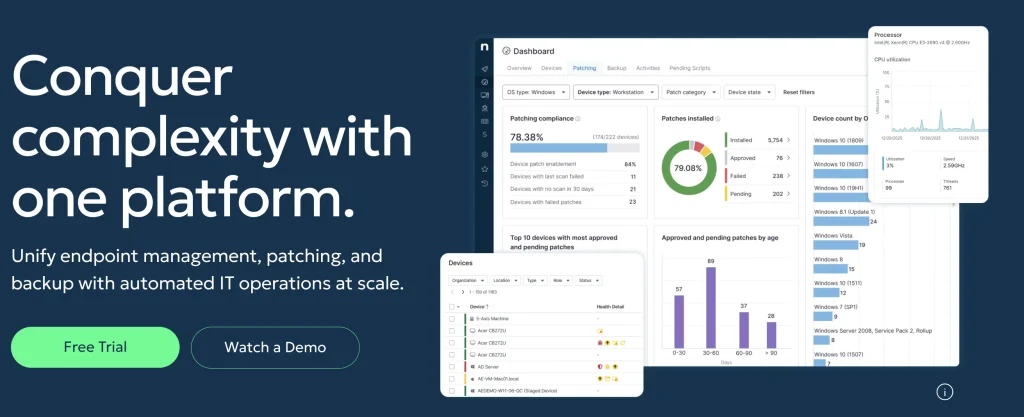
NinjaOne combines endpoint operations with IT asset management. Its software-license dashboard tracks recorded purchases, assignments, and expiration information. This makes it relevant when Microsoft’s installed applications are part of a wider endpoint-management responsibility. Administrator permissions govern who can edit the license register.
There is an important boundary around the word “usage.” In a license dashboard, it can mean recorded consumption or assignments. Application execution monitoring is a different signal, while cloud service activity requires Microsoft-side evidence. Buyers need to know which signal underpins a proposed purchase reduction.
Microsoft subscription analysis can require Microsoft Graph, its interface for accessing service data, and administrative scripts. That work needs a named owner alongside endpoint management. Existing customers may still benefit from the software records they already maintain. They should price the remaining scripting, reporting, and administrative ownership into the Microsoft workflow.
Key strengths:
- License register: Records purchased quantities, license costs, vendors, and dates for Microsoft software under review.
- Assignment models: Tracks software rights by user, device, or site, where the recorded licensing model requires it.
- Installed-application evidence: Associates software with managed devices, supporting investigation of desktop application requirements.
- Application metering: Supports configured executable monitoring on Windows and macOS for per-device license records.
- Expiration alerts: Flags recorded license deadlines so endpoint administrators can review software commitments before renewal.
Weaknesses:
- Cloud-service evidence: Desktop license records need Microsoft assignment and workload data before they can support cloud subscription decisions.
- Metering setup: Executable monitoring needs configuration for per-device licenses, adding work when Microsoft applications require separate tracking.
Pricing:
NinjaOne uses per-device pricing that varies by volume, region, and products purchased. Request a quote identifying the included ITAM capability and any billing add-on. The total should reflect the actual device population and contract term.
Reviews:
NinjaOne carries a 4.7/5 rating on G2. Feedback frequently favors ease of use, remote administration, and responsive support. Reviews from administrators managing comparable device populations provide the most useful operating context.
9. Device42
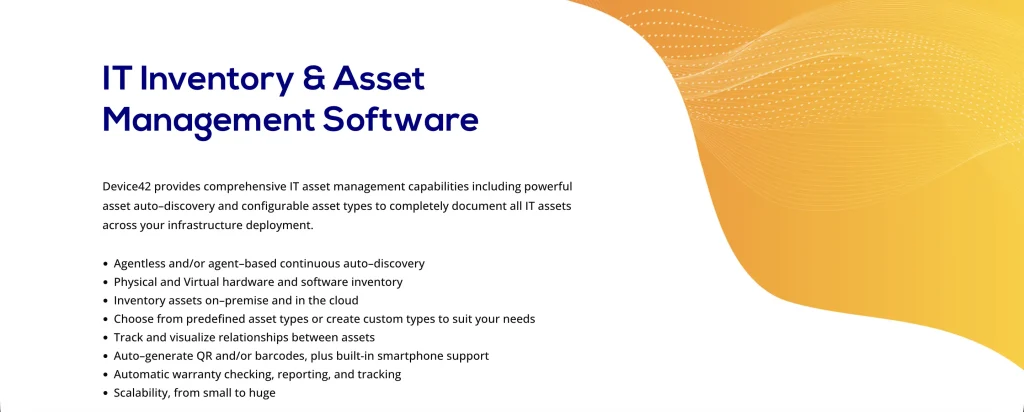
Best fit: Infrastructure-focused IT organizations that need discovery of installed Microsoft software. Device42 fits buyers reconciling deployments and purchased rights, especially where an existing discovery program needs stronger licensing evidence.
Device42 focuses on discovering and documenting IT infrastructure, with a Software License Management module. Its relevant evidence begins with software detected on machines. That is useful for establishing what is deployed before an administrator makes a licensing decision. The platform runs through a virtual appliance.
Its software workflow includes discovery, component records, licensing models, suite grouping, alerts, and reports. These records address a different question from whether an employee still needs a Microsoft 365 subscription. Installed software can inform that decision, but it does not reveal every browser or mobile service the employee uses.
Device42 therefore belongs here as an adjacent option for the deployment-evidence side of Microsoft licensing. Buyers whose main problem is unused cloud subscriptions need an additional process for tenant assignments and activity. Classifying a software component as SaaS does not, by itself, connect that record to the Microsoft tenant.
Key strengths:
- Agentless discovery: Detects installed software across supported Windows and Linux systems without deploying an agent to each machine.
- Deployment association: Connects software components with the devices where they were found, supporting deployment-to-license reconciliation.
- License models: Stores licensing information using different models rather than treating every Microsoft product as a subscription seat.
- Suite grouping: Groups software components into suites so licensing records can reflect bundled products.
- License alerts: Reports approaching license thresholds and relevant software conditions, supporting investigation before additional purchases.
Weaknesses:
- Cloud-seat scope: Installed-software reconciliation needs a separate Microsoft subscription process before it can resolve unused cloud seats.
- Separate software module: Software discovery and license management are add-ons, increasing the purchase scope beyond core infrastructure discovery.
Pricing:
Device42 uses annual subscriptions based on device counts. Software Discovery and License Management are add-ons to include in the custom quote. Price the required modules together when comparing the complete deployment.
Reviews:
Device42 averages 4.7/5 on G2. Review material emphasizes understanding deployed infrastructure and bringing its records together. Those experiences are most relevant to buyers using discovery evidence within a wider Microsoft licensing process.
Which tool fits your operating model?
Start by identifying where a Microsoft purchasing decision becomes a committed order. Then choose a shortlist that can work within that approval process, rather than creating another unowned report.
| Where purchasing authority sits | Shortlist to investigate | Who needs to participate |
|---|---|---|
| IT owns devices, employee records, and license administration | AssetSonar; Oomnitza | IT asset owner and Microsoft administrator |
| A central licensing function governs a complex software estate | ServiceNow SAM Pro; Flexera One | Software asset manager and platform administrator |
| SaaS operations or procurement coordinates application owners | Torii; Zylo | SaaS owner, procurement, and Microsoft administrator |
| Microsoft administrators control a focused improvement project | ManageEngine M365 Manager Plus | Microsoft administrator and budget owner |
| Endpoint or infrastructure operations supplies evidence to another licensing process | NinjaOne; Device42 | Discovery owner plus the person responsible for Microsoft subscriptions |
These are starting combinations, not endorsements that both products in a row deliver identical functionality. Existing contracts and internal ownership can change which option deserves the first evaluation.
How to pilot a platform with your Microsoft data
Pilot with recent joiners, departures, approved absences, browser-only users, and a second Microsoft environment where relevant. Assign read, approval, and execution roles before enabling write access.
- Reconcile the baseline. Match the platform’s purchased and assigned quantities against Microsoft’s records. Record source timestamps and explain every material discrepancy before analyzing savings.
- Test difficult cases. Include a license inherited through a group, duplicate employee identities, and a user with a business-critical add-on. Each case should produce a correct decision or a visible exception.
- Trace one approved change. Start with an identified candidate and follow it through approval, execution, Microsoft-side verification, and the next synchronization. Record whether a failed action becomes a retry, an alert, or an unnoticed incomplete task.
- Check reversibility and ownership. Ask the administrator to restore an approved test assignment. Then confirm who handles an expired connector secret, a failed report import, and an employee whose manager disputes the recommendation.
- Produce a purchasing artifact. Finish with a supported renewal quantity or a documented reason to reuse existing capacity. Procurement should receive the decision, owner, deadline, and evidence rather than an unexplained savings total.
Use a simple evaluation calculation: collectible savings plus validated purchase avoidance, minus the platform and operating costs. Keep cash reductions separate from avoided future purchases. Otherwise, a seat reused twice could inflate the claimed result.
Common mistakes that leave Microsoft overbuying unresolved
A platform can surface useful findings while the purchasing process still overbuys. These mistakes break the connection between license evidence and the quantities the business pays for.
- Choosing endpoint reporting for a subscription-optimization task. Test whether the platform evaluates Microsoft assignments and service activity. Installed-application records alone leave part of the subscription review outside the tool.
- Pricing the tool against endpoint count alone. A laptop count and a Microsoft user population can differ substantially. Shared devices, multiple devices per person, and additional identities can change the economics.
- Using demo prices in savings forecasts. Prepared data can use list prices that differ from your negotiated rates. Calculate each proposed reduction using the actual agreement price, or the forecast can exaggerate its value.
- Leaving the purchase request unchanged. Reclamation will not prevent overbuying if every request still creates a fresh order. Require the requester or approver to check reusable capacity and document why additional seats are necessary.
Stop Microsoft license overbuying at the next purchasing decision
Shortlist SaaS management platforms that fit your Microsoft 365 renewal process and employee changes. Assign the administrator, business approver, and purchasing owner before signing.
AssetSonar is a strong option when those decisions need employee and device context alongside license records. Its value should be judged on a specific outcome: whether IT can substantiate a seat decision and pass the right quantity to purchasing. Make that clear handoff an acceptance requirement, then keep ownership in place after implementation. Central licensing teams may prefer ServiceNow SAM Pro or Flexera One, while procurement-led programs may favor Zylo or Torii.