Key Takeaways:
- Mobile scanning matters most when scans trigger custody, receiving, audit, reconciliation, or record updates rather than simply opening an asset record.
- AssetSonar and Asset Panda suit custody-heavy workflows, while InvGate and Asset Panda align more closely with QR-led physical verification.
- AssetSonar, ManageEngine, ServiceNow, and Oomnitza stand out for scanner-intensive environments where multi-asset scanning and bulk processing matter.
- Freshservice, Ivanti, and ServiceNow fit ITSM-centered operations, while ServiceNow, Ivanti, and Oomnitza extend further into enterprise governance.
- Important tradeoffs include Asset Panda’s Enterprise-only offline functionality, Ivanti’s ITSM-plus-ITAM dependency, and broader platform complexity in ServiceNow and Oomnitza.
- Buyers should pilot real labels, production-like volumes, permissions, sync behavior, reconciliation exceptions, and normalized pricing before choosing a mobile ITAM platform.
Asset records can drift when technicians delay updates after handling physical equipment. Devices move quickly, labels get missed, and audits expose outdated ownership data. Manual updates also slow receiving, transfers, returns, and stockroom checks.
Mobile scanning lets technicians manage asset records while handling physical devices. They can scan barcodes or QR codes to access the corresponding asset record. From mobile, they can update records, manage custody, process returns, and conduct audits.
The best ITAM software with a mobile app and barcode/QR code scanning adds lifecycle context. On-the-spot scans can help update and record asset custody, location, and audit history.
This guide compares eight products for mobile scanning depth, ITAM scope, pricing, and operational fit.
Best ITAM software with mobile app and barcode/QR code scanning: At a glance
| Product | Best for | Mobile barcode/QR | High-volume scanning | G2 rating | Pricing model |
| AssetSonar | Connected custody and audits | Native | Native | 4.5/5 | Per asset |
| Asset Panda | Configurable mobile inventory | Native | Native | 4.2/5 | Annual plan |
| ManageEngine AssetExplorer | IT inventory scanning | Native | Native | 4.2/5 | IT asset count |
| Freshservice | ITSM-linked scanning | Native | Limited | 4.6/5 | Asset Units |
| Ivanti Neurons for ITAM | Existing Ivanti estates | Native | Native | 4.3/5 | Custom packaging |
| ServiceNow ITAM | Enterprise audits and stockrooms | Native | Native | 4.3/5 | Subscription units |
| InvGate Asset Management | QR-led field inventory | Native | Limited | 4.7/5 | Active IP assets |
| Oomnitza | Enterprise scanning automation | Native | Native | 4.6/5 | Platform plus usage |
What counts as ITAM software with mobile scanning?
At its simplest, scanning identifies an asset through a barcode or QR code. In ITAM, however, scanning becomes more useful when an asset’s ID links to its lifecycle record.
ITAM software with mobile scanning should let teams use a phone or supported mobile device to pull up an asset record and complete common actions at the point of use. Depending on the workflow, that can include verifying ownership and location, checking assets in or out, updating status, recording custody changes, reviewing warranty or service information, and supporting physical audits.
The distinction matters because scanning alone does not create asset visibility. The value comes from connecting the physical device to a system of record so that each scan can confirm, update, or validate the information IT teams rely on throughout the asset lifecycle.
How we selected these tools
We assessed these eight products using official product, mobile, and pricing documentation. This comparison reflects documented capabilities, not hands-on product testing.
- Mobile access: Documented iOS or Android asset workflows were required.
- Scanning: Barcode, QR, supported formats, and scanner options were evaluated.
- Workflow depth: Multi-scan, custody, receiving, audits, and record updates were considered.
- ITAM depth: Evaluation covered discovery, CMDB, procurement, and lifecycle capabilities.
- Integrations: MDM and adjacent IT system connections were considered.
- Pricing: Licensing metrics, dependencies, plans, and public pricing were compared.
What to look for in a mobile ITAM scanning application
The scanner itself is only one part of the workflow. Buyers should evaluate what happens before, during, and after each scan.
Scan-to-action workflows
A scan should support more than record lookup. Test assignment, transfer, receiving, audits, and check-in/check-out workflows. These actions reduce later data entry and help preserve accurate records.
Multi-scan and batch handling
High-volume IT teams need scanning without repeated navigation. Test mass scanning, review queues, duplicate handling, and bulk actions. These capabilities matter during stockroom counts, receiving, and physical audits.
Supported codes and external scanners
Check whether the app supports your existing barcode and QR formats. For external hardware, confirm supported connection methods before purchasing scanners.
Data reconciliation
Physical scans should reconcile with the existing system of record. Check matching across MDM, discovery, procurement, and ITAM. Strict rules reduce duplicate and conflicting records.
Permissions and audit history
Mobile actions should follow existing role permissions. Check who can assign, transfer, or retire assets. Scan history should also identify users, timestamps, locations, and exceptions.
Mobile usability
Technicians should complete routine actions without navigating complex menus. Test scan speed, camera accuracy, record loading, and field accessibility. Small usability issues become significant during large audits.
App maintenance
Check current OS support and recent mobile release activity. Mobile workflows can change after operating-system or scanner updates.
8 best ITAM software with mobile app and barcode/QR code scanning: Detailed breakdown
Below is a closer look at how each ITAM platform handles mobile barcode and QR scanning, including workflow depth, broader ITAM capabilities, pricing, and key limitations.
1. AssetSonar

Best fit: Distributed IT teams managing custody, audits, and endpoint data.
AssetSonar supports barcode and QR code scanning through its iOS and Android app. It also supports mass label scanning and HID-compliant external scanners. Mobile workflows connect physical scanning with broader asset records and custody information.
Key strengths:
- Mass scanning: IT teams can process several tagged assets during one scanning session. This approach reduces repetitive record-by-record work during audits.
- External scanner support: HID-compliant scanners can connect through Bluetooth. They suit teams handling frequent or high-volume scanning.
- Mobile asset updates: Technicians can locate records and update information from the field. This reduces delayed desktop-based data entry.
- Custody workflows: Scanning supports check-in/check-out and assignment-related processes. IT teams can maintain clearer records of device custody and assignment changes.
- MDM reconciliation: Intune and Jamf integrations connect physical records with managed endpoint data. This helps IT teams compare scanned assets with digital inventory.
- Barcode and QR code labeling: Teams can create and print barcode or QR code labels for IT assets or use existing barcode identifiers. Scanning connects the physical label to the corresponding asset record, helping teams identify and process equipment during deployment, audits, and inventory work.
Tradeoffs and limitations:
- IT teams with strict offline requirements should validate mobile coverage during their pilot.
- RFID-heavy environments may need additional integration and hardware planning.
Pricing:
AssetSonar uses per-asset pricing, starting at $0.75 per asset per month (billed annually). Costs scale with managed asset volume and include implementation, support, mobile access, and core ITAM capabilities.
2. Asset Panda
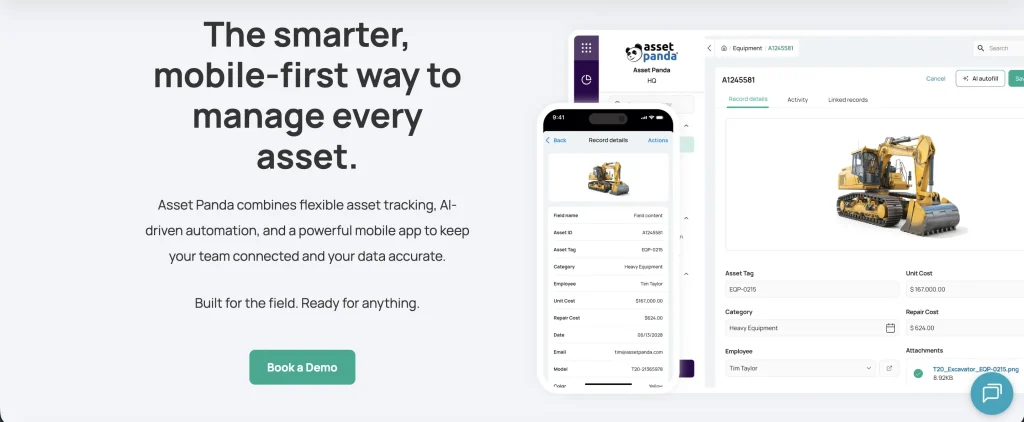
Best fit: IT teams needing configurable audits, custody, and offline work.
Asset Panda supports barcode and QR scanning through iOS and Android apps. Its mobile workflows focus heavily on physical inventory and asset actions. IT teams can also configure forms and processes around their internal requirements.
Key strengths:
- Mobile record management: Users can scan a barcode or QR code to open matching records. They can then update relevant information without returning to a desktop.
- Offline functionality: Enterprise users can continue selected work without active connectivity. This helps IT teams operating in remote locations.
- Configurable workflows: Organizations can tailor forms and actions around internal processes. This flexibility suits IT teams with nonstandard physical inventory procedures.
- Custody tracking: Mobile workflows support check-in/checkout and asset assignment. This provides clearer visibility into who currently holds equipment.
- Inventory audits: IT teams can perform physical checks directly through the apps. They can identify unexpected or misplaced assets.
Tradeoffs and limitations:
- IT discovery and CMDB depth are less central than dedicated ITAM suites.
- Offline functionality is limited to the Enterprise plan.
Pricing:
Asset Panda uses annual, tiered pricing. Starter begins at $3,000 yearly for 1,000 assets. Business+ and Enterprise are high-tier plans. Pricing is scaled by asset capacity, users, and included capabilities.
3. ManageEngine AssetExplorer
Best fit: IT teams needing ITAM with mobile barcode, QR, and multi-asset scanning.
ManageEngine AssetExplorer combines ITAM workflows with mobile inventory tools. Its iOS and Android apps support barcode and QR scanning. The wider platform adds discovery, software management, contracts, procurement, and CMDB capabilities.
Key strengths:
- Multi-asset scanning: Mobile users can import multiple assets in a single scanning session. This reduces repeated record entry during physical inventory checks.
- RFID support: The wider platform supports compatible RFID readers. This is separate from phone-camera scanning.
- Automated discovery: Network discovery provides another source for validating scanned devices. IT teams can compare physical inventory against discovered endpoints.
- Lifecycle coverage: Procurement, contracts, software management, and CMDB records extend asset context. This connects physical inventory with wider lifecycle processes.
Tradeoffs and limitations:
- Larger environments may require more configuration to align workflows with internal processes.
- RFID-focused deployments may need additional hardware and implementation planning.
Pricing:
AssetExplorer Cloud starts at $955 yearly for 250 IT assets. Available editions include Free, Trial, and Professional. Paid pricing scales with managed IT asset counts.
4. Freshservice
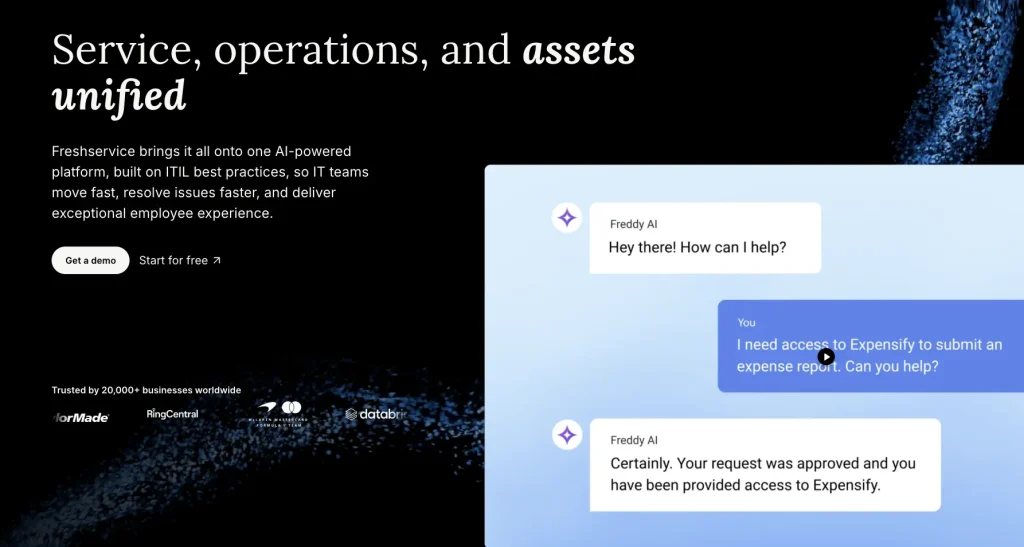
Best fit: Service teams connecting mobile asset work with ITSM and CMDB processes.
Freshservice combines ITAM with its broader service management platform. Its mobile app supports barcode and QR scanning on iOS and Android. After scanning an asset, technicians can access its record and view associated tickets or changes.
Key strengths:
- Asset creation: Mobile scanning can add assets during receiving or inventory work. This reduces manual data entry during asset intake.
- Service context: Asset records connect with related tickets and service activity. Technicians can review device context while handling support work.
- CMDB relationships: Assets identified through scanning can appear within broader CMDB relationships and service context.
- Lifecycle management: ITAM covers discovery, hardware tracking, contracts, and purchase orders. Higher plans extend software and service discovery.
- Unified workflows: Asset and service processes operate within the same platform. This can reduce handoffs between support and asset teams.
Tradeoffs and limitations:
- High-volume audit teams should validate multi-scan depth during their pilot.
- Asset Unit pricing requires careful comparison with simpler per-device models.
Pricing:
Freshservice ITAM starts with Growth, followed by Pro and Enterprise. Pricing uses Asset Units purchased in 500-unit packs. Consumption varies by managed resource type.
5. Ivanti Neurons for ITAM
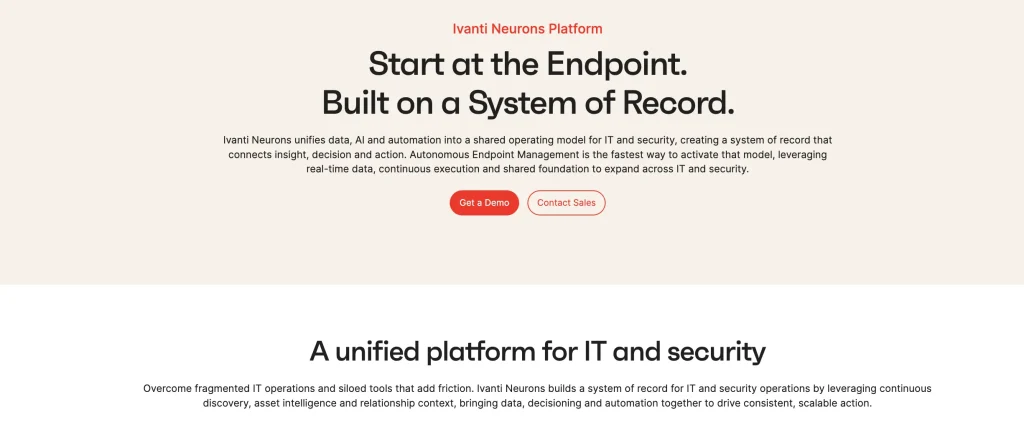
Best fit: Existing environments using both Ivanti Neurons for ITSM and ITAM.
Ivanti Neurons for ITAM supports mobile asset work across iOS and Android. The app reads several common 1D and 2D barcode formats. It also connects scanning with assignment, location, and receiving processes. The mobile workflow requires both products and appropriate mobile asset permissions.
Key strengths:
- Broad code support: The app supports QR, Data Matrix, Aztec, PDF417, and linear formats. This accommodates varied existing labeling standards.
- Multi-scan workflows: Users can capture several asset records during mobile sessions. This supports faster processing of larger equipment groups.
- Bulk updates: IT teams can apply selected actions across scanned records. This reduces repetitive editing after inventory collection.
- Asset changes: Mobile actions can update assignments, locations, and other asset details. Technicians can record changes at the point of the physical event.
- Procurement receiving: Hardware can be scanned against purchase-related records. This connects mobile work with receiving processes.
Tradeoffs and limitations:
- Mobile workflows require both Ivanti Neurons for ITSM and ITAM.
- IT teams should validate role and configuration requirements during their pilot.
Pricing:
Ivanti Neurons for ITAM uses custom, solution-based pricing. Costs depend on selected Neurons products, deployment scope, and integrations. ITAM can also sit within broader Neurons environments.
6. ServiceNow ITAM
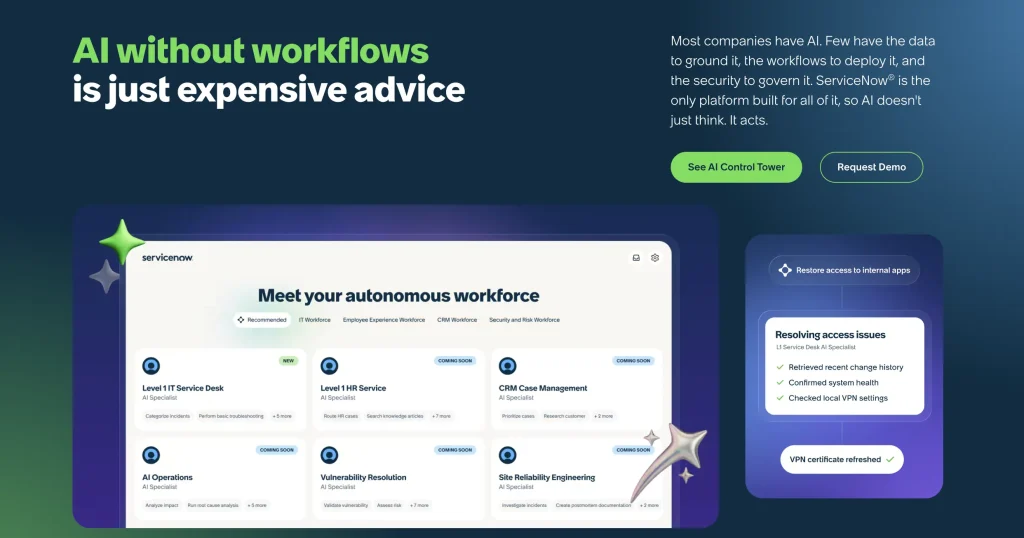
Best fit: Enterprises managing scheduled audits, stockrooms, receiving, and hardware asset workflows.
ServiceNow ITAM connects mobile scanning with structured enterprise workflows. Mobile tools support audits, receiving, and asset record updates. The wider platform links ITAM with CMDB and service management data.
Key strengths:
- Multi-scan processing: Users can capture several codes before completing an action. Scanned records can be reviewed before submission.
- Inventory audits: Mobile workflows compare scanned assets against expected location records. Duplicate handling supports cleaner audit results.
- Procurement receiving: Technicians can scan equipment during receiving activities. This links physical intake with procurement records.
- Stockroom workflows: Mobile tools support structured inventory work across stockrooms. This suits enterprises with formal equipment handling processes.
- Platform context: ITAM records connect with CMDB and service management workflows. This supports governance across wider enterprise operations.
Tradeoffs and limitations:
- IT teams should confirm required applications, roles, and configuration before implementation.
- Smaller teams may find the wider platform broader than their operational requirements.
Pricing:
ServiceNow ITAM uses custom pricing across hardware and software asset subscriptions. HAM Advanced is its current hardware package. Licensing uses Subscription Units and resource-category ratios.
7. InvGate Asset Management
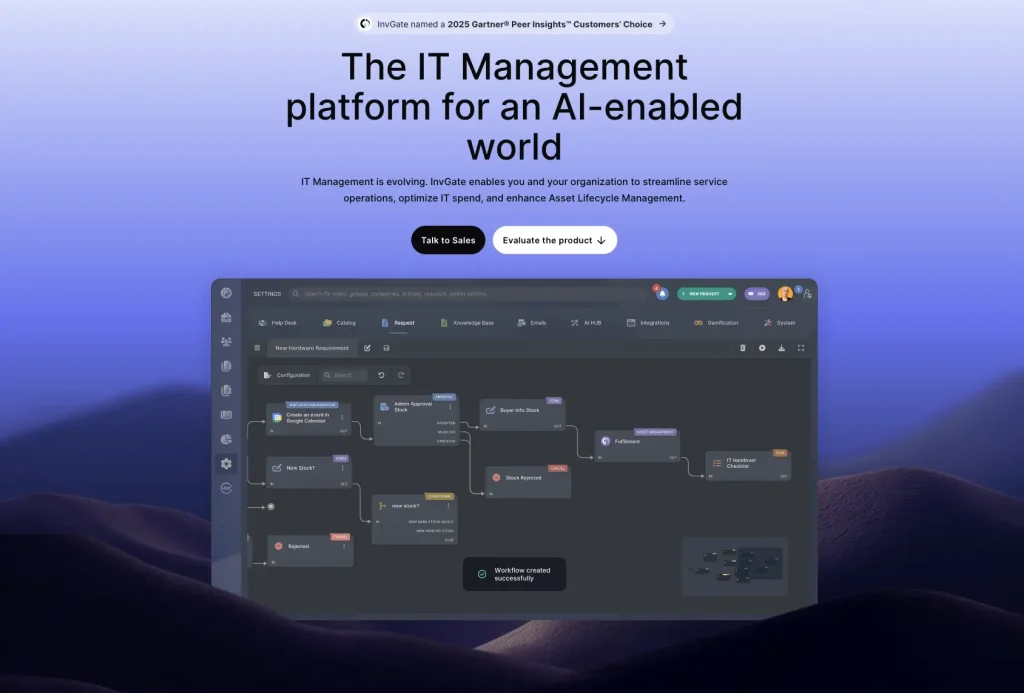
Best fit: IT teams prioritizing QR-based verification, discovery, and straightforward asset pricing.
InvGate Asset Management combines QR-led physical checks with broader ITAM functionality. Its mobile workflows connect scanned labels with managed asset records. The platform also adds discovery, software management, contracts, and CMDB capabilities.
Key strengths:
- QR label generation: IT teams can create QR labels for managed physical assets, linking equipment directly to its digital record.
- Mobile verification: Technicians can scan tagged assets during inventory checks. This helps confirm assets are where they should be.
- Asset context: Scanning exposes ownership and lifecycle information for each record. Technicians can review relevant details in the field.
- ITAM coverage: Discovery, contracts, software management, and CMDB functions complement physical checks. This extends visibility beyond scanned inventory.
- MDM integrations: Intune and Jamf provide additional managed endpoint data. IT teams can compare physical checks with digital inventory.
Tradeoffs and limitations:
- IT teams using mixed label formats should validate scanning compatibility during evaluation.
- High-volume environments should confirm external scanner requirements during their pilot.
Pricing:
InvGate starts at $1,499 yearly with Starter for 500 IP devices. Pro starts at $2,500, while Enterprise starts at $12,000 yearly. Pricing uses fixed, per-device, and custom models.
8. Oomnitza
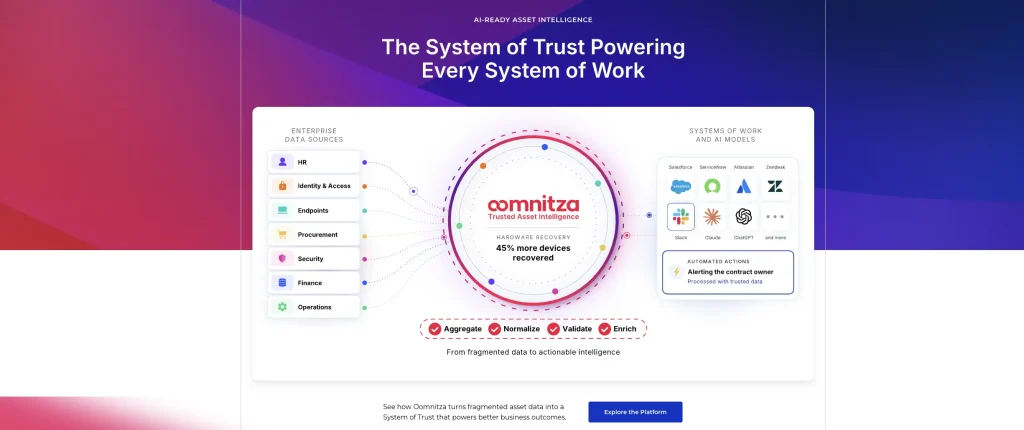
Best fit: Enterprises combining mobile inventory with automation and multi-system asset governance.
Oomnitza connects mobile scanning with configurable enterprise asset workflows. Users can scan through phone cameras or Bluetooth-enabled external scanners. The platform also links inventory data across connected business systems.
Key strengths:
- Flexible scanning: Users can scan with phone cameras or compatible Bluetooth readers. This supports both routine and repetitive inventory work.
- Barcode rules: Administrators can define how scanned values map into asset records. This standardizes identification across different labeling conventions.
- Bulk actions: Mobile users can update multiple permitted records after scanning. This reduces repeated work during larger inventory tasks.
- Workflow automation: Scanned records can feed configured processes and follow-up actions. This connects physical inventory with operational workflows.
Tradeoffs and limitations:
- IT teams may need configuration before mobile workflows match internal processes.
- Smaller environments should assess whether broader automation capabilities match their needs.
Pricing:
Oomnitza offers Essentials and Enterprise through custom annual pricing. Quotes combine platform licensing, usage-based modules, and Customer Success. Hardware modules scale by managed asset volume.
How to choose ITAM software with mobile scanning
Choosing an ITAM platform requires more than confirming that its mobile app can scan a barcode or QR code. Start with the workflows technicians need to complete after scanning, then narrow the shortlist based on scale, hardware, integrations, and pricing.
1. Define the actions technicians need after scanning
Start with the physical workflows your team performs most often. These may include check-in/check-out, assignment, transfers, receiving, audits, or record updates.
A platform that only retrieves an asset record may not support the workflow depth your team needs.
2. Match scanning capabilities to your inventory volume
Consider how many assets technicians typically process at once. For larger inventories, check for multi-scan, batch actions, duplicate handling, and external scanner support.
Teams scanning a few assets occasionally may not need the same capabilities as stockrooms processing hundreds of devices.
3. Check your existing labels and scanner hardware
Confirm that the mobile app supports the barcode or QR formats already attached to your assets. If technicians use Bluetooth, HID, RFID, or other dedicated scanners, verify compatibility separately.
This can prevent unnecessary relabeling or hardware replacement during implementation.
4. Evaluate what happens to the data after the scan
Determine how scanned records interact with ITAM, MDM, discovery, procurement, CMDB, and ITSM data.
The platform should help reconcile physical inventory with existing records rather than create duplicate or conflicting information.
5. Compare governance and mobile permissions
Check which actions technicians can perform from mobile and which require additional approval. Role permissions should cover sensitive actions such as reassignment, custody changes, record creation, and retirement.
Also confirm that relevant scan and asset changes remain available for audit history.
6. Normalize pricing before comparing vendors
Do not compare products using starting prices alone. Vendors may price by assets, IP devices, Asset Units, Subscription Units, users, modules, or platform usage.
Build the same representative asset environment for every vendor and include required modules, integrations, implementation, and support.
Which tool fits your mobile inventory model?
The right shortlist depends on scanning volume and surrounding IT processes. Different tools suit different operating models, even when their scanning features overlap.
| Operating model | Strong candidates | Why they fit |
| Custody-heavy IT teams | AssetSonar, Asset Panda | Strong mobile custody workflows |
| Scanner-intensive inventories | AssetSonar, ManageEngine, ServiceNow, Oomnitza | Stronger multi-asset scanning |
| ITSM-centered operations | Freshservice, Ivanti, ServiceNow | Scanning sits beside service workflows |
| QR-led field audits | InvGate, Asset Panda | Straightforward physical verification |
| Enterprise governance | ServiceNow, Ivanti, Oomnitza | Broader platform controls |
This table should narrow options rather than replace hands-on testing. Pilot the workflows technicians perform most often. Post-scan behavior should carry more weight than scanner availability alone.
How to pilot a mobile ITAM scanning workflow
A structured pilot shows how mobile scanning performs under real operating conditions. Use this five-step workflow to evaluate each shortlisted platform consistently.
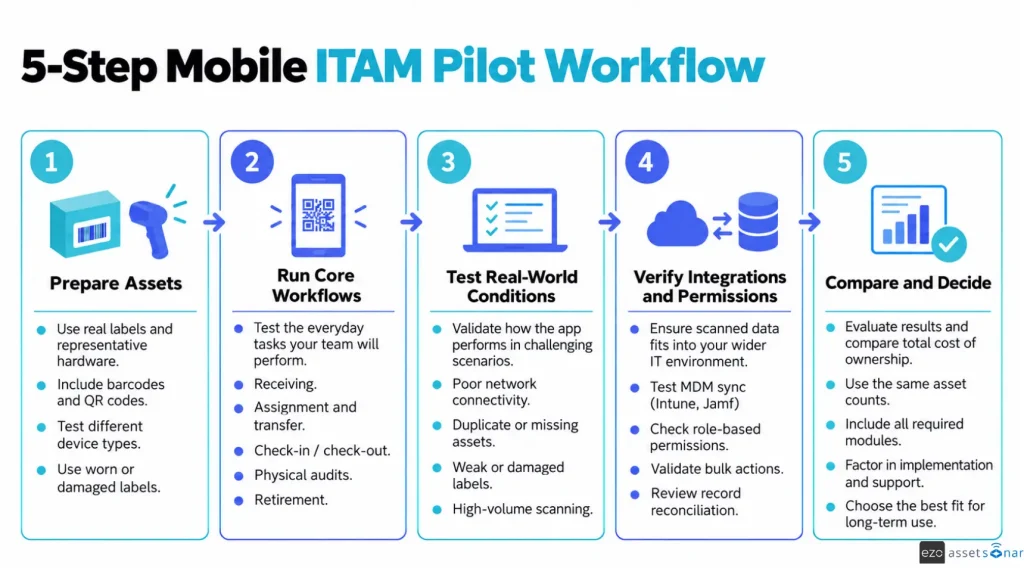
Use real labels and production-like asset volumes. Test receiving, transfers, custody changes, audits, and retirement. Include damaged labels, duplicates, weak connectivity, and missing assets.
Track failed reads, unmatched codes, sync delays, and reconciliation exceptions. Compare pricing using the same estate, modules, users, integrations, and support scope.
Common buying mistakes
Mobile scanning problems often appear only after deployment. These mistakes can reduce adoption, increase manual work, and damage inventory accuracy.
- Testing only clean labels: Include worn, duplicate, and poorly placed asset tags.
- Ignoring post-scan actions: Confirm which changes require technician approval.
- Comparing mismatched pricing: Model one representative estate across every vendor.
- Skipping reconciliation: Define field-level authority across connected systems.
- Overlooking connectivity: Test weak networks, queued changes, and resynchronization.
- Buying hardware early: Confirm supported scanner protocols before purchasing devices.
Choosing the best ITAM software with mobile app and barcode/QR code scanning
The best ITAM software with mobile app and barcode/QR code scanning depends on workflow depth. Start with post-scan actions, multi-scan needs, offline use, and external scanner support. Then compare reconciliation, permissions, surrounding systems, and pricing models.
Use documented gaps to narrow the shortlist before piloting finalists. Test real labels, realistic volumes, permissions, sync behavior, and pricing assumptions.