
Key Takeaways:
- Read-only inventory access cannot close a device return or change a software entitlement. Prioritize APIs that help implement the actions your workflows must complete.
- AssetSonar documents REST operations across assets, people, purchase orders, licenses, and work orders, with event-triggered workflows and outbound HTTP requests.
- API strengths differ substantially: ServiceNow emphasizes platform tables and CMDB reconciliation; Snipe-IT exposes custody calls; Device42 and Lansweeper focus on discovered data; Flexera has detailed software-license APIs.
- Access conditions matter as much as endpoints. Oomnitza reserves write API access for Enterprise, while Snipe-IT’s hosted tiers publish request limits.
- An integration can create duplicate records or overwrite an authoritative field unless it addresses identifier matching, permissions, and retry behavior.
When an employee leaves, their laptop may remain assigned in the IT asset management software even after HR closes the employee record. The service desk still needs proof of its return, and finance may be waiting to reclaim software licenses. These handoffs become slower when each team updates its own system manually.
A write-capable ITAM API can support the missing steps: identify the assigned device, record its return, update lifecycle status, or change a license entitlement. Webhooks and outbound API requests can connect those actions to HR, endpoint management, procurement, and service desk processes. But API access alone does not guarantee every action is available. Some products expose inventory and relationships; others support custody transactions, procurement changes, or software-license operations.
This comparison reviews eight IT asset management API tools for connecting asset records and completing workflow actions. It examines supported operations, access requirements, and integration constraints to help IT teams assess each option.
ITAM tools with API coverage at a glance
An API’s format is only a starting point. A more useful comparison is whether it exposes the objects and actions your integration needs, and what you must purchase to use them.
| Tool | Best for | Documented API scope | Workflow mechanism or constraint | G2 rating | Pricing model |
|---|---|---|---|---|---|
| AssetSonar | Lifecycle updates across ITAM records | REST: assets, members, licenses, purchase orders, work orders | Event and scheduled triggers; outbound requests | 4.5/5 | Per asset; plan-dependent modules |
| ServiceNow ITAM | Enterprise asset and CMDB governance | Table, CMDB, reconciliation and import APIs | REST flows; Integration Hub subscription for outbound workflow step | 4.3/5 | Custom quote; modular licensing |
| Snipe-IT | Direct equipment custody automation | REST: hardware, check-in/out, users, licenses, audits | API explorer; hosted request caps | 4.6/5 | Free self-hosted; hosted tiers |
| Device42 | Discovery-fed CMDB and asset reporting | REST for records; DOQL for connected queries | Query APIs and external integration scripts | 4.7/5 | Annual core license plus modules |
| Oomnitza | Data reconciliation and API-driven orchestration | REST v3; tenant Swagger reference | Workflow API block; write access on Enterprise | 4.6/5 | Custom quote; Enterprise for write API |
| Lansweeper | Exposing discovered asset intelligence | GraphQL Data API and selected asset mutations | GraphQL API and webhooks | 4.4/5 | Free entry tier; paid by estate size |
| ManageEngine AssetExplorer Cloud | Assets, procurement, and CMDB records | REST v3: assets, purchases, contracts, CI relations | OAuth 2.0; Postman collection; custom functions | 4.2/5 | Cloud asset-count plans |
| Flexera One ITAM | Software-license and inventory data APIs | Asset and inventory reads; license allocation/deallocation writes | Access tokens; regional API URLs; export jobs | 4.3/5 | Custom quote |
What does API coverage mean in ITAM?
API coverage describes which parts of an asset-process software can be exposed programmatically. Reading a device record is different from assigning it, receiving stock against a purchase order, changing its lifecycle state, or recording why it was retired. Useful coverage combines the right objects, operations, permissions, and failure-handling mechanisms.
These platforms solve different problems. Asset-centered systems manage custody and procurement. Discovery-oriented systems assemble information about devices and relationships. Enterprise service or software-license platforms may provide deep specialized APIs without exposing every physical-asset workflow. The distinction matters when choosing which system should own an asset record.
Why these ITAM tools made the list
A device import can succeed while custody transfers, purchase receipts, and license reassignment still require manual work. These unresolved actions distinguish useful API coverage from basic connectivity.
Each tool in this comparison exposes APIs for assets or related configuration records. The key distinctions are how records are linked, whether events can initiate external actions, and which editions or modules provide the required access. This includes asset lifecycle and discovery platforms, and software-license systems because they serve different parts of a connected asset workflow.
What to check before choosing an ITAM API
A successful API call does not always mean the asset workflow is complete. Custody history may be missing, another system may overwrite the update, or a failed request may go unnoticed. Consider these factors to identify potential gaps before choosing an ITAM platform.
Record coverage and actions
An onboarding automation might create an asset record but stop before assigning it to the employee. The integration is connected, yet a technician still has to finish the handoff.
Look beyond generic create and update endpoints. Check for the actions your process requires, such as checkout, purchase-order receipt, license reassignment, or retirement. A field change doesn’t necessarily create the custody or approval history tied to the corresponding workflow action.
Identity, relationships, and write ownership
HR, MDM, and procurement systems rarely use identical asset identifiers. One may hold a device ID, another a serial number, and ITAM an internal asset number. If an integration cannot reconcile them, the same laptop can appear twice.
An API needs workable lookup and relationship operations, but the organization also needs rules for which system owns each field. For example, an MDM could own hardware attributes while ITAM owns custody status. That prevents a stale device sync from overwriting a valid transfer.
Authentication and scoped permissions
An integration tied to an individual administrator’s token can stop when that person’s access changes. Broad write permissions also increase the impact of a faulty synchronization.
Look for service identities, appropriate scopes or role restrictions, token-rotation controls, and an audit trail that identifies automated changes. The question is not just whether an API accepts a token, but what that token can change.
Throughput, pagination, and failure handling
A migration may process thousands of assets before the service returns an error. Retrying the entire job can duplicate successful creates, while skipping the failed page can leave gaps in inventory.
Pagination, filters, bulk operations, rate limits, and error responses affect recovery. The integration should preserve checkpoints and distinguish transient failures from rejected data. Where a request outcome is uncertain, a lookup using a stable source identifier can prevent the next attempt from creating a duplicate.
Event triggers and outbound requests
A device checkout may need to update a ticket or notify HR immediately. An API that only exports inventory cannot initiate that handoff on its own.
Event delivery and outbound execution are different capabilities: a webhook sends an event to a receiver, while an outbound workflow request calls another system. Some integrations need middleware to connect the two. A prebuilt integration may already cover the required action; custom API work is valuable when the connector cannot support a specific field or workflow.
Licensing and maintenance requirements
A proof of concept can look affordable until the production workflow needs an additional module, a higher API tier, or more calls than the plan permits.
Compare the entitlement that enables each required operation, not the base subscription alone. Include credential maintenance, field mapping, error monitoring, and vendor upgrades in the operating cost. The cheapest entry plan is not necessarily the least expensive integration to maintain.
Top 8 ITAM tools with extensive API coverage
The following products address different integration requirements, from direct equipment custody and procurement operations to enterprise CMDB reconciliation and software-license management.
1. AssetSonar

Best fit: IT teams connecting hardware custody, procurement, licenses, and employee transitions across HR, MDM, and service systems. Its REST endpoints and workflow requests support both asset-record actions and processes that continue outside ITAM.
AssetSonar manages IT asset records across hardware, procurement, software licenses, service activities, and lifecycle operations. Its REST API allows external systems to access and update the records involved in those processes.
API access is enabled under Settings, Add-ons, API Integration and uses an access token in the HTTPS header. The AssetSonar API reference includes more than 25 resource types, including fixed assets, inventory, members, purchase orders, software licenses, work orders, and custom reports. List calls return 25 records per page, with optional parameters for custom fields and document links.
For workflows involving external applications, the Workflow Automation Engine supports event-based and scheduled triggers. Its Web Request node can send GET, POST, PUT, PATCH, and DELETE requests to external APIs. When a laptop is assigned or returned, the workflow can invoke another application without a separate manual handoff.
Key strengths:
- Lifecycle operations: Dedicated check-in, checkout, extend-checkout, retirement, and reactivation endpoints run lifecycle actions rather than simply editing status fields. History endpoints also let integrations retrieve the asset’s custody events.
- Purchase order operations: API calls support creating orders, adding items, confirming purchases, receiving equipment, and retrieving order records. Procurement data can move into asset management without duplicate entry.
- Software license management: License endpoints support creating, reconciling, updating seats, and managing entitlements. Integrations can retrieve expiring or underused licenses for renewal and reassignment workflows.
- Member and custody records: APIs expose member creation, updates, deactivation, and checked-out items. HR-driven workflows can identify assigned equipment and record custody changes during onboarding or offboarding.
- Event-triggered external requests: Workflows can respond to AssetSonar events, call external systems through the Web Request node, and use returned JSON in subsequent actions. This supports multistep processes involving external data.
Weaknesses:
- Client generation: The public reference uses request examples rather than a downloadable OpenAPI definition, so teams relying on generated SDKs may need to maintain their own request definitions.
- Purchase-order receipt: The documented receive endpoint receives all purchase-order items together. Teams that need to automate partial deliveries must account for that distinction in their procurement workflow.
Pricing: AssetSonar prices by asset, so cost follows inventory size rather than team size. ITAM is $0.75 per asset per month billed annually, ITAM plus ServiceDesk plan is $1.08, and the Advanced SAM add-on is $0.42. A seven-day free trial is available; production API usage is subject to the applicable fair-use terms.
User sentiment: Straightforward asset tracking, centralized records, and integration capabilities are recurring positives in AssetSonar feedback. AssetSonar has a 4.5/5 rating on G2. Usability and customer support are also frequently praised. Filtering, report extraction, and advanced customization are recurring areas of criticism.
2. ServiceNow IT Asset Management
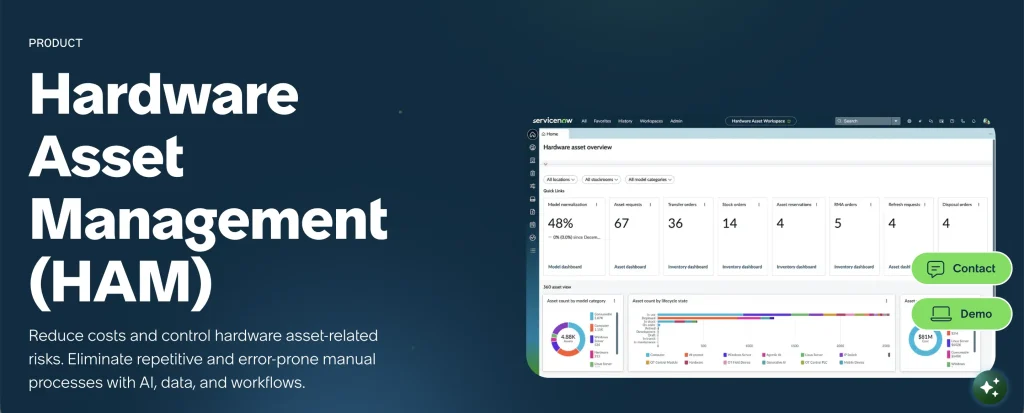
Best fit: Large enterprises with ServiceNow developers who want custom integrations on asset and CMDB tables.
ServiceNow IT Asset Management operates within the wider ServiceNow platform. Its APIs cover enterprise asset records, configuration items, custom tables, and data imports.
The Table API handles create, read, update, and delete operations on exposed tables. The CMDB Instance API manages configuration items and their relationships, while the Import Set API handles larger data loads. Developers can also create purpose-built endpoints using Scripted REST APIs.
When discovery and procurement disagree about a configuration item, ungoverned updates can overwrite the preferred record. ServiceNow’s Identification and Reconciliation API applies matching and source-precedence rules to CI updates. This makes reconciliation distinct from ordinary table CRUD.
Workflow integration is supported through inbound REST triggers and outbound REST steps. The outbound step requires an Integration Hub subscription.
Key strengths:
- Table API: Standard create, read, update, and delete operations work on exposed asset, user, and custom tables. Versioned URLs help developers maintain integrations against a known API version.
- CMDB reconciliation: The Identification and Reconciliation API applies source-precedence rules when inserting or updating configuration items. This supports controlled updates from multiple discovery sources.
- Custom endpoints: Scripted REST APIs let developers expose business-specific operations with their own logic and security. External integrations can call one endpoint instead of coordinating several table requests.
- Bulk data imports: The Import Set API supports larger imports requiring transformation and validation, including migrations and recurring feeds from discovery, procurement, or finance systems.
- Inbound and outbound flows: REST triggers can initiate workflows, while Integration Hub REST steps call external systems. This supports processes that span asset records and third-party applications.
Weaknesses:
- Integration Hub licensing: Outbound REST workflow steps require an additional Integration Hub subscription.
- Developer requirements: Creating and maintaining Scripted REST APIs requires ServiceNow development skills.
- Access configuration: Exploring and testing REST APIs can require additional roles and administrative permissions.
Pricing: ServiceNow licenses hardware and software asset management as separate products. Costs depend on the selected modules and enterprise agreement. Integration Hub adds another subscription requirement for outbound REST workflow steps.
User sentiment: Asset management depth, automation, and centralized visibility receive positive feedback from ServiceNow customers. Its G2 customer rating is 4.3/5. Users also highlight its extensive configuration options, although implementation complexity, learning requirements, and pricing remain common concerns.
3. Snipe-IT

Best fit: Technical IT teams automating equipment assignment, check-in, audits, and inventory updates using explicit REST endpoints.
Snipe-IT provides an open-source asset management system with a documented JSON REST API. Organizations can self-host the platform or use one of its paid hosting plans.
The API operates under “/api/v1” and authenticates requests using personal access tokens. Its endpoints cover hardware, accessories, consumables, components, licenses, users, locations, models, maintenance records, and departments.
Snipe-IT is particularly relevant when an integration must perform a defined custody action rather than simply change an asset field. Its API exposes checkout, check-in, and audit operations that support equipment assignment and recovery workflows.
The public API reference includes an OpenAPI specification and an interactive Explorer. Developers can test requests against a development demonstration environment before using their own instance.
Key strengths:
- Documentation and testing: The versioned reference, OpenAPI specification, API Explorer, and integration guides support client development and endpoint testing.
- Custody and audit actions: Dedicated checkout, check-in, restore, and audit endpoints support equipment assignment, return, and inventory verification workflows.
- Flexible record searches: Free-text search, field parameters, and JSON filtering help integrations locate relevant records before updating or assigning equipment.
- Related object endpoints: Dedicated endpoints for users, departments, groups, locations, and maintenance records support workflows that connect equipment to organizational records.
- Assignment during creation: Hardware creation supports assignment to users, assets, or locations, reducing additional requests when provisioning information is already available.
Weaknesses:
- Response handling: Some API errors are communicated through JSON response fields. Integrations must inspect response content rather than rely solely on HTTP status codes.
- Event automation scope: Chat notifications do not perform arbitrary downstream asset actions. External workflows may need middleware or a separate service to translate a custody event into an API request for another application.
- Self-hosting responsibilities: Self-hosted deployments require internal management of upgrades, backups, and infrastructure.
Pricing: Snipe-IT is free to self-host. Annual hosting starts at $399.99 for Basic, $999.99 for Small Business, and $2,499.99 for Dedicated. Basic and Small Business hosted plans allow 120 and 240 API requests per minute, respectively; dedicated hosting is listed separately. API integration assistance requires the Enterprise Support Plan.
User sentiment: Users frequently praise Snipe-IT’s straightforward interface and accessible asset management features. Snipe-IT has a 4.6/5 G2 customer rating, with positive comments about usability and administration. Self-hosted installation and initial configuration require more technical effort, particularly for teams without dedicated infrastructure resources.
4. Device42
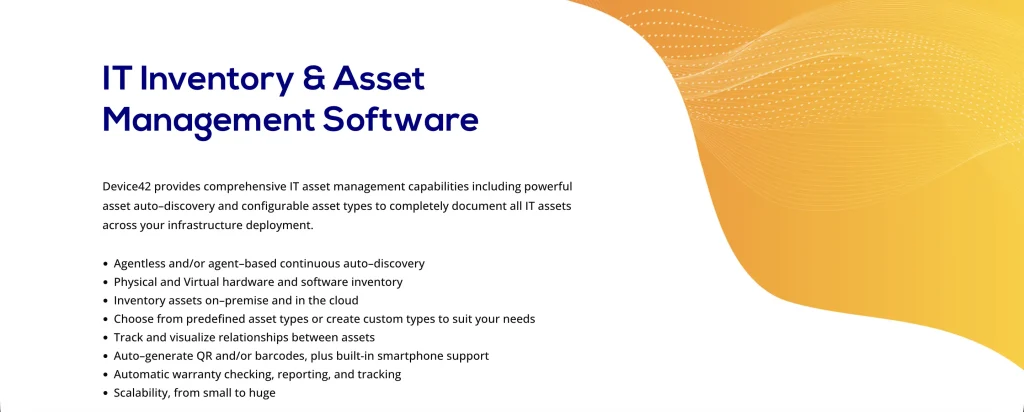
Best fit: Infrastructure teams that need discovered asset and relationship data through REST or custom queries.
Device42, now part of Freshworks, focuses on discovering infrastructure and maintaining asset and configuration relationships. It covers physical devices, virtual environments, cloud resources, and related software.
Its REST APIs support programmatic access to device and asset information. Device42 Object Query Language (DOQL) also lets you retrieve connected records without assembling results from numerous individual requests.
A device list alone may not reveal which applications depend on a server being replaced. DOQL can retrieve related infrastructure records together, giving CMDB and reporting integrations the context needed for change analysis.
DOQL queries can run over HTTPS or the REST API, and saved queries can be retrieved as CSV. Public API references and integration scripts also support custom development.
Key strengths:
- Relationship-aware queries: DOQL retrieves related device and infrastructure records together, reducing the need to combine responses from separate endpoints.
- Custom field retrieval: Queries can include custom attributes such as ownership tags, location details, and cost centers alongside discovered asset information.
- Saved query exports: Saved DOQL queries can return CSV data via a URL, supporting recurring reporting and data-extraction workflows.
- Integration scripts: Public examples include synchronization between Device42 and Freshservice CMDB records, illustrating how discovered infrastructure data can feed another platform.
- Programmable asset updates: Device42’s REST API supports entering, editing, and retrieving data, allowing external tools to enrich existing asset records.
Weaknesses:
- DOQL support: Device42 support covers DOQL bugs but does not provide assistance with writing individual queries.
- Workflow action scope: The reporting-oriented DOQL interface retrieves related data rather than carrying out asset custody transactions. Teams automating lifecycle actions need the corresponding REST operations or a connected workflow system.
Pricing: Device42 uses an annual subscription with a Core license and optional modules. Pricing depends on device count, modules, and IP addresses. A 14-day evaluation supports up to 100 devices.
User sentiment: Device42’s positive feedback highlights hardware inventory, discovery capabilities, and infrastructure visibility. Device42 is rated 4.7/5 by G2 reviewers. Customers also highlight its broad discovery capabilities, while some find navigation less intuitive and consider certain modules expensive.
5. Oomnitza
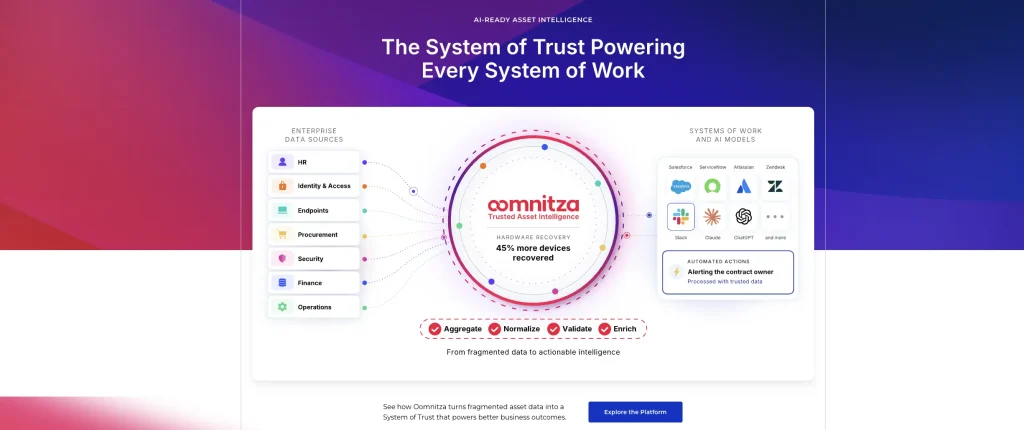
Best fit: Enterprise IT teams that want a Swagger-documented REST API across assets, users, and software.
Oomnitza brings asset, user, and software information together through API-based integrations. Its approach emphasizes reconciliation and coordinated automation across connected enterprise systems.
When the identity system, procurement platform, and MDM disagree about ownership, an inventory import alone will not resolve the conflict. Oomnitza’s reconciliation and workflows combine data and coordinate subsequent actions across those connected sources.
Oomnitza’s REST API exchanges JSON and supports multiple authentication methods. Its Swagger documentation is available within each customer tenant, where developers can explore and test endpoints.
The platform also provides automation blocks for internal record operations and outbound API calls. The outbound API block supports common HTTP methods, allowing workflows to communicate with other systems.
Key strengths:
- Broad record access: APIs cover assets, users, software, contracts, locations, and stockrooms, supporting integrations that work across multiple ITAM record types.
- External API requests: Workflow API blocks can send HTTP requests to third-party systems, with configurable methods, bodies, credentials, and response handling.
- Tenant-based API testing: Swagger documentation inside the tenant lets developers explore endpoints against the organization’s actual configuration and data model.
- Internal workflow operations: Oomnitza workflow blocks support retrieving and updating records without requiring separate authentication configuration for each internal action.
- Inbound webhook support: Configured listeners can receive external webhook events and use them to initiate workflows involving connected asset data.
Weaknesses:
- Documentation access: Interactive Swagger documentation requires access to an Oomnitza tenant.
- API versions: Different API versions are documented, so integrations must use the version supported by their environment.
- Plan restrictions: Read/write API access and write-back capabilities require Enterprise rather than Essentials.
Pricing: Oomnitza uses custom enterprise pricing based on its platform license, relevant modules, and customer requirements. Essentials includes read-only API access and up to ten integrations. Enterprise provides read/write API access and broader integration coverage.
User sentiment: Customers particularly value Oomnitza’s automation, integrations, and flexible workflows. On G2, Oomnitza has a 4.6/5 rating. Onboarding and offboarding receive positive attention, while implementation complexity and the learning curve for advanced workflows are recurring concerns.
6. Lansweeper
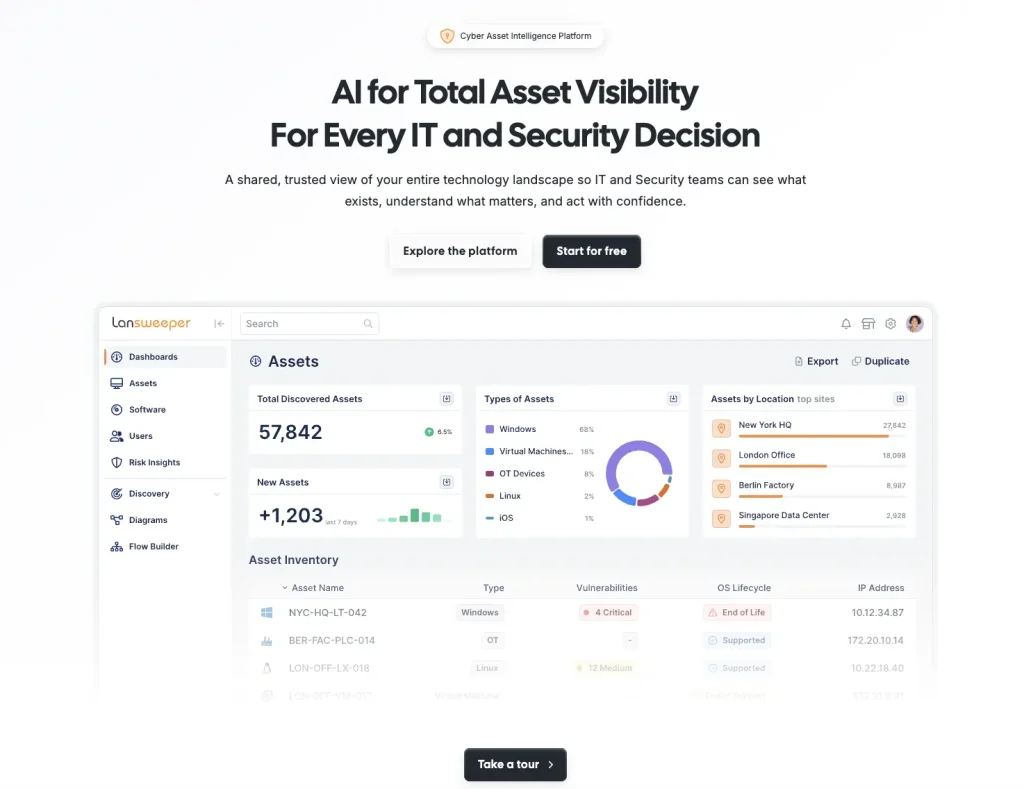
Best fit: Teams that want discovered IT, OT, and cloud asset data through a GraphQL API.
Lansweeper discovers and inventories devices across IT, OT, cloud, and on-premises environments. Its Data API exposes discovered information to other systems via GraphQL.
The API uses a single endpoint and lets clients request only the fields they need. This suits integrations that regularly retrieve large amounts of inventory information without requiring every available device attribute.
For organizations feeding discovery data into service desks, CMDBs, or security systems, the flexibility to select specific fields can simplify data retrieval.
Lansweeper also provides a Developer Portal, Platform API, Device Recognition API, and Flow Builder for integrations and orchestration.
Key strengths:
- Field-level queries: GraphQL allows integrations to retrieve selected asset, software, user, or site fields, reducing unnecessary response data.
- Documented asset mutations: The API includes “addAsset” and “editAsset” operations to create assets and update supported fields.
- Event-driven orchestration: Flow Builder can coordinate workflows involving asset events and connected systems, subject to available triggers and plan entitlements.
- GraphQL workflow connector: The Flow Builder connector sends requests to GraphQL APIs, supporting automation that exchanges information with external applications.
Weaknesses:
- Client compatibility: GraphQL requires compatible queries and tooling. Existing REST-only clients may need adaptation.
- Lifecycle scope: Procurement and work order records are not part of the documented Data API coverage.
- API plan access: GraphQL API access and webhooks are limited to proof-of-concept use on Starter and Pro. Enterprise includes full access, which changes the cost of production data feeds.
Pricing: Lansweeper offers a 14-day trial and a free plan for up to 100 assets. Paid plans are billed annually by asset tier. Starter includes 2,000 assets, while higher tiers expand asset limits, connectors, and workflow capacity. Software Asset Management is a separate offering.
User sentiment: Lansweeper’s agentless scanning, detailed inventory, and broad asset visibility receive consistent positive feedback. Its G2 customer rating is 4.4/5. Users also appreciate reporting and warranty information, though configuration and some cloud integration processes may require extra effort.
7. ManageEngine AssetExplorer
Best fit: IT asset teams needing documented cloud APIs for hardware records, purchase orders, contracts, and CI links.
ManageEngine AssetExplorer manages hardware and software assets, contracts, procurement records, and configuration information. Its Cloud v3 REST API uses OAuth 2.0 authentication.
The API covers assets, configuration items, CI relationships, purchases, contracts, and other modules. An API index, Postman collection, and pagination guidance support custom integrations.
When procurement and inventory live in separate applications, asset managers can spend time matching received equipment with purchase orders and contract records. AssetExplorer Cloud exposes these related objects, so an integration can update them in a single process.
The Cloud and on-premises editions have different API implementations, so integration requirements depend on the selected deployment.
Key strengths:
- Asset operations: Cloud v3 endpoints support asset record access and updates, allowing integrations to work with relevant inventory information.
- Contract relationships: APIs support contract renewal, cancellation, and associations with assets or software licenses.
- Procurement workflows: Purchase order operations and related contract associations support synchronization between purchasing and ITAM records.
- CMDB relationships: Create, update, retrieve, and manage configuration items and their relationships through documented operations.
- Developer tooling: OAuth 2.0 guidance, an API index, and a Postman collection support authentication and endpoint development.
Weaknesses:
- Edition differences: Cloud and on-premises APIs use different implementations, complicating migrations between environments.
- Multi-record handoffs: Purchase orders, contracts, assets, and CIs are separate API objects. An integration that updates several of them must handle partial failures and preserve relationships between successful and pending actions.
Pricing: AssetExplorer Cloud is priced according to the number of managed IT assets, with monthly and yearly plans. The cloud edition offers a trial, while the on-premises product uses a different node-based licensing model.
User sentiment: Affordable asset tracking, automatic discovery, and flexible asset categories feature in ManageEngine AssetExplorer feedback. On G2, ManageEngine AssetExplorer has a 4.2/5 rating. Users appreciate its practical inventory management capabilities, while add-on costs and configuration requirements appear among the limitations.
8. Flexera One IT Asset Management
Best fit: Enterprises that need documented software inventory, license allocation, and large export APIs across their IT estate.
Flexera One IT Asset Management focuses on managing complex software estates, license entitlements, and compliance information.
Its APIs provide access to assets, inventory devices, installed applications, software information, and license records. Some endpoints retrieve inventory data, while others support specific licensing operations.
A SAM team may know which software is installed but still need to identify where licenses are allocated and reclaim unused entitlements. Flexera’s license operations and export APIs address this workflow, rather than centering on employee-to-device checkouts.
Flexera documents license allocation and deallocation operations, regional API endpoints, and software export jobs. Large data extractions can use dedicated export processes instead of relying exclusively on individual record requests.
Key strengths:
- License allocation operations: Dedicated API operations support allocating and deallocating software licenses for users or devices, connecting licensing changes with governance workflows.
- Installed-software exports: Export APIs generate software inventory datasets for downstream reporting and analysis, including JSON or CSV output.
- Asset and inventory retrieval: APIs expose managed assets, inventoried devices, installed applications, and software relationships.
- Service-account authentication: Non-human identities and role-based permissions support automated access without depending on individual employee accounts.
- Regional API routing: Organization-specific identifiers and regional endpoints support integration configuration across different Flexera One environments.
Weaknesses:
- Hardware custody operations: Documented ITAM API coverage emphasizes asset reads and software-license management. Physical checkout and retirement requirements need separate consideration.
- Separate API products: Flexera One includes services for ITAM, SaaS management, and other domains, each with its own API scope. An import action available for one component should not be assumed to exist in another.
Pricing: Flexera One ITAM uses custom enterprise pricing. Costs depend on the selected products, modules, implementation needs, and licensing requirements.
User sentiment: Centralized software visibility, license management, and reporting are frequently highlighted in Flexera One customer feedback. Flexera One holds a 4.3/5 rating on G2. Customers value its coverage of complex software environments, while advanced configuration and the platform’s learning curve are recurring considerations.
Which ITAM API matches your workflow?
Different products can expose equally useful APIs for fundamentally different jobs:
- Asset lifecycle system of record: AssetSonar fits teams linking purchasing, custody, licenses, and service records with outside systems. ManageEngine AssetExplorer Cloud also offers a procurement- and CMDB-oriented API model.
- Enterprise CMDB governed by source precedence: ServiceNow provides platform APIs and an Identification and Reconciliation engine. Budget for the additional workflow capabilities you actually need.
- Direct device custody automation: Snipe-IT provides explicit hardware check-in, checkout, and audit endpoints with an accessible testing reference.
- Discovery-led data feeds: Device42’s REST/DOQL model and Lansweeper’s GraphQL Data API are strong candidates for distributing discovered infrastructure intelligence.
- Multi-system orchestration and reconciliation: Oomnitza brings inbound events, workflow API calls, and governed integration, with write access determined by package.
- Enterprise software licensing: Flexera One ITAM exposes license-allocation actions and high-volume software inventory data rather than specializing in staff-to-device checkout operations.
Each shortlist starts with the system that should own the final asset record. A discovery feed, license platform, and custody system may all need to cooperate, but they do not serve interchangeable roles.
How to pilot an ITAM API with real asset workflows
An API integration often appears complete until a device record is missing, a sync is retried, or two systems write different values. A focused pilot reveals whether those conditions create additional manual work. Use two or three workflows that represent the highest-risk handoffs in your environment.
- Define the completed action. For offboarding, specify whether the result is a returned laptop, a recovery task, a revoked license, or all three. A changed status is not proof of return.
- Pick test identities and asset keys. Include a correct serial number, one duplicate, a missing serial, and a user whose email differs between HR and MDM. Record which identifier each API uses for lookups.
- Use production-like permissions. Authenticate with a dedicated, limited-access integration account. Check whether it can perform lifecycle actions and whether logs identify the caller.
- Run an initial load and then an incremental sync. Record page counts, filters, throughput, response errors, and recovery checkpoints. Estimate the time required for your complete estate, not only 100 sample assets.
- Introduce conflicting writes. Let an endpoint-management integration change a device location after the ITAM team updates it. Confirm the authoritative field survives and the event is auditable.
- Force a partial failure. Stop the receiver after an upstream write but before acknowledgment. Retry the request and check whether a duplicate asset, purchase line, or ticket appears. Where no idempotency key exists, use an external identifier and pre-create lookup.
- Price the real implementation. Request a written quote showing API tier, connector or workflow modules, support, minimums, and likely expansion costs.
Document the measured results in a small worksheet with pass/fail criteria. Treat any unverified operation as a validation item.
Common mistakes when evaluating ITAM APIs
- Counting endpoints instead of completed actions: Twenty read operations cannot replace one check-in, license reassignment, or PO receipt that a workflow depends on.
- Confusing event delivery with outbound execution: A product that emits webhooks may still need middleware to call a third-party service. Check both directions.
- Ignoring record authority: MDM, identity, procurement, and ITAM often overlap on owner and location fields. Decide the allowed writer before enabling automated updates.
- Using the wrong edition’s documentation: Cloud, self-hosted, and enterprise-module APIs can differ in authentication, object coverage, and commercial terms.
- Comparing unlike pricing units: Per-asset subscriptions, hosting tiers, rate-limited APIs, and custom module quotes cannot be compared as identical prices. Include the licensing needed for the complete workflow, not just the entry tier.
Choosing ITAM tools with extensive API coverage for flexible asset workflows
IT asset management API tools should help IT teams complete asset operations across connected systems. Prioritize the actions your workflows require, from custody transfers to license updates.
AssetSonar brings asset lifecycle, procurement, licensing, and member operations into its REST API, supported by event-triggered workflows and outbound requests. Other platforms emphasize different requirements, from ServiceNow’s CMDB reconciliation to Flexera’s software-license operations.
The right choice depends on which records your integrations must change, what actions those changes should trigger, and the operational requirements they must support.