Key Takeaways:
- Effective IT offboarding should reconcile assigned assets, software entitlements, access, custody, and the asset’s next lifecycle state.
- AssetSonar, Reftab, and Oomnitza emphasize asset recovery and custody. Freshservice, InvGate, and SolarWinds approach offboarding primarily through service workflows.
- ServiceNow and Ivanti support broad enterprise workflows across multiple modules, which can increase licensing and administration requirements.
- The key buying distinction is whether a platform executes an action, orchestrates another system, or only records that the action must be completed.
- A realistic pilot should test failed integrations, overdue returns, entitlement release, exception handling, and evidence of completion.
Offboarding fails when IT treats account deactivation as the finish line. IT still has to recover assigned devices, reclaim software entitlements, close the employee’s custody record, and determine what happens to returned equipment. When these activities span disconnected systems, assets can remain unreturned, licenses stay allocated, and completion becomes hard to verify.
IT asset management offboarding software brings these responsibilities into a coordinated workflow. The best IT tools for managing offboarding workflows can respond to an employee departure, automate follow-up work, surface exceptions, and track completion.
This comparison focuses on 10 ITAM and ITSM platforms that coordinate multiple IT offboarding activities. Dedicated IAM, MDM, SaaS management, HR, and logistics tools are treated as connected systems rather than direct candidates.
Comprehensive comparison of IT tools for managing offboarding workflows
| Product | Best for | HR/IdP trigger | Asset retrieval | License reclamation | Retirement/disposition | Access actions | G2 rating |
| AssetSonar | Asset-centric offboarding and lifecycle automation | Integration | Native | Module | Native | Integration | 4.5/5 |
| Freshservice | ITSM-led cross-functional offboarding | Integration | Native | Module | Native | Integration | 4.6/5 |
| InvGate | Integrated ITSM + ITAM workflows | Integration | Module | Limited | Module | Integration | 4.6/5 |
| ManageEngine ServiceDesk Plus | ManageEngine-centric IT operations | Integration | Native | Limited | Native | Integration | 4.2/5 |
| SolarWinds Service Desk | Service-desk-led employee exits | Integration | Native | Limited | Limited | Integration | 4.3/5 |
| Ivanti Neurons | Enterprise ITSM + ITAM environments | Module | Module | Limited | Native | Integration | 3.9/5 |
| Jira Service Management + Assets | Configurable Atlassian workflows | Integration | Limited | Integration | Limited | Integration | 4.3/5 |
| Oomnitza | Cross-system lifecycle automation | Integration | Native | Module | Native | Integration | 4.6/5 |
| ServiceNow IT Asset Management | Complex enterprise workflows | Module | Module | Module | Module | Module | 4.3/5 |
| Reftab | Hardware recovery and custody-focused offboarding | Integration | Native | Limited | Native | Integration | 4.3/5 |
Legend:
Native = built into the reviewed product
Module = requires another product or license from the same vendor
Integration = requires a connected system
Limited = partially supported, with full offboarding execution unconfirmed.
What should IT offboarding software actually manage?
A complete IT exit should connect the departure event to the employee’s assigned assets, software entitlements, access, data ownership, and open IT work. A practical workflow looks like this:
Trigger → Identify → Revoke access or transfer ownership → Recover hardware → Reclaim licenses → Verify → Close custody
The trigger tells IT that an exit is happening. The platform then needs enough context to determine which devices, software, accounts, and open responsibilities belong to that employee.
Different systems remain authoritative for different actions. IAM handles identity and access. ITSM coordinates requests and ownership. MDM or UEM enforces endpoint controls. SAM and SaaS management can identify and, where supported, reclaim entitlements. ITAD workflow systems record retirement handoffs, while ITAD providers perform physical sanitization, resale, recycling, or destruction.
ITAM provides the authoritative record for managed asset ownership, custody, and lifecycle state. HRIS, identity, and software systems remain authoritative within their own domains.
For remote employee equipment retrieval, verify whether the stack only tracks return status or also supports return kits, shipping labels, courier tracking, chain of custody, lost-in-transit exceptions, and proof of receipt.
How we selected and evaluated these tools
We selected tools that address technical aspects of the IT offboarding workflow, from device recovery and license reclamation to automation, integrations, and proof of completion. We evaluated each product against the same criteria to determine its relevance for ITAM and IT operations teams.
The evaluation focuses on the following criteria:
- Asset recovery and custody: Assigned-device visibility, return workflows, custody closure, and next lifecycle state.
- Automation and resilience: Triggers, conditions, approvals, dependencies, exceptions, retries, and high-volume execution.
- License and entitlement reclamation: Identifying, reclaiming, reassigning, or releasing software entitlements.
- Integration execution: HRIS, IAM, MDM, SaaS, APIs, and whether integrations synchronize data or execute actions.
- Security and verification: Role controls, approval boundaries, audit history, evidence retention, and visibility into failed actions.
- Packaging and administration: Required modules, implementation effort, pricing model, and ongoing administration.
We excluded tools that primarily provide vulnerability scanning, endpoint patching, discovery, or HR administration because they don’t control enough of the IT exit process.
What features matter most when comparing IT offboarding software?
When comparing IT offboarding software, focus on how well each tool automates key exit tasks, tracks assets and licenses, and verifies completion.
Can employee status start the right workflow?
The termination event should reach IT without depending on an email or spreadsheet update. Check whether the platform can respond to HRIS or IdP changes, service requests, APIs, webhooks, or scheduled conditions.
Also verify what the trigger actually does. An integration that only synchronizes users is different from one that initiates workflow actions.
Can IT identify everything that must be recovered?
The platform should connect the employee to laptops, mobile devices, and other equipment the organization tracks and assigns individually.
Otherwise, offboarding device retrieval starts with IT reconstructing assignments across multiple systems before requesting a return.
Can IT close physical custody?
Asset visibility does not prove that equipment came back.
The workflow should distinguish between an asset that is assigned, requested for return, overdue, received, and available for its next use. This matters even more when remote employee equipment retrieval introduces shipping time and third-party logistics.
Can software entitlements be recovered?
Teams evaluating license reclamation software should check whether the platform can identify entitlements tied to a departing user and support deprovisioning, reassignment, or return to an available pool.
This should be evaluated separately from identity deactivation. Deactivating an account does not always release the underlying license or subscription.
Does ITAM continue beyond the return?
Recovered equipment may be redeployed, repaired, stored, sold, or retired.
For enterprises, ITAM workflow automation should connect these events to the wider asset lifecycle, including requisition, procurement, assignment, service, decommissioning, and retirement.
When evaluating secure asset retirement software, distinguish governance from execution. ITAM can record retirement approval, disposition, ITAD handoff, chain-of-custody evidence, and sanitization or destruction certificates, while another system or provider may perform the physical work.
AssetSonar, for example, documents workflow automation from procurement through decommissioning and retirement, while retaining workflow, custody, and supporting evidence in the asset record.
Can IT verify the outcome?
Creating a task is not the same as completing it.
Look for timestamps, workflow states, approvals, asset-history changes, license actions, integration results, and exception records. These give IT and compliance teams evidence of what actually happened, not just what was requested.
Detailed breakdown of 10 best IT tools for managing offboarding workflows in 2026
These tools approach employee offboarding in different ways, from asset-first platforms to broader service-management suites. The breakdown below shows where each one fits best.
1. AssetSonar

Best fit: IT teams that want offboarding tied directly to hardware, software, custody, service activity, and the wider asset lifecycle.
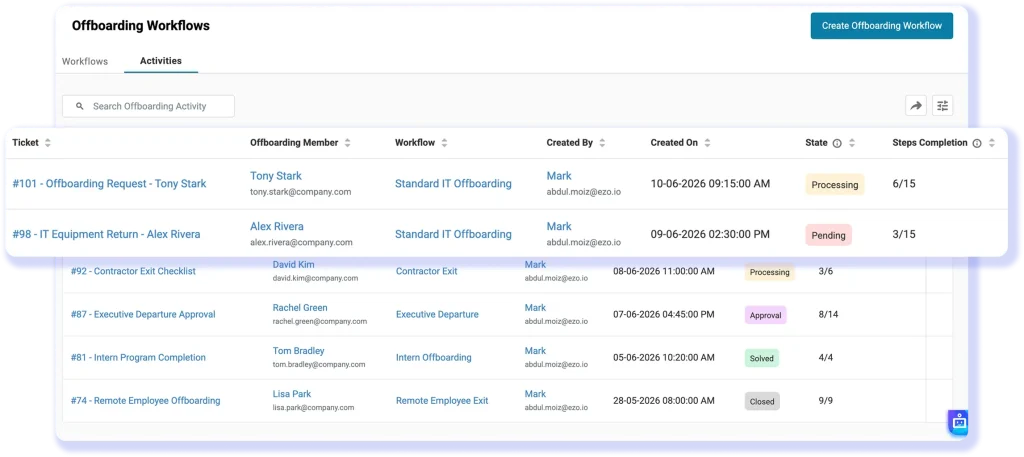
AssetSonar has a dedicated Offboarding Center for building stage-based workflows. A submitted offboarding request creates a parent ticket that can coordinate approvals, hardware retrieval, license reclamation, account actions, data transfer, and closure. IT can monitor each execution and step-completion status instead of managing exits through separate checklists.
The following view shows how AssetSonar’s Offboarding Center displays active offboarding workflows, their current states, and step completion.
Key strengths:
- Offboarding workflows with stages, tasks, approvals, tickets, and notifications
- Employee-linked device visibility and return tracking
- License revocation and reassignment through member automations
- Workflow automation across procurement, assignment, service, decommissioning, and retirement
- Execution tracking for incomplete steps and workflow status before closure
Weaknesses: Advanced SAM is required for deeper license optimization and reclamation. Certified data erasure, physical destruction, and shipping logistics can still sit outside the platform.
Pricing: ITAM starts at $0.75 per asset per month (billed annually), with volume discounts for estates above 1,000 assets. Other ITSM and SAM capabilities have separate pricing.
User sentiments: AssetSonar holds a 4.5/5 rating on G2. Users often appreciate the clear interface and consolidated asset records. Support also receives favorable mentions. Criticism tends to focus on reporting depth, filtering options, and the extra effort sometimes needed to tailor integrations or custom fields.
2. Freshservice
Best fit: Organizations that need coordinated work across IT, HR, Finance, Facilities, and other service teams during employee departures.
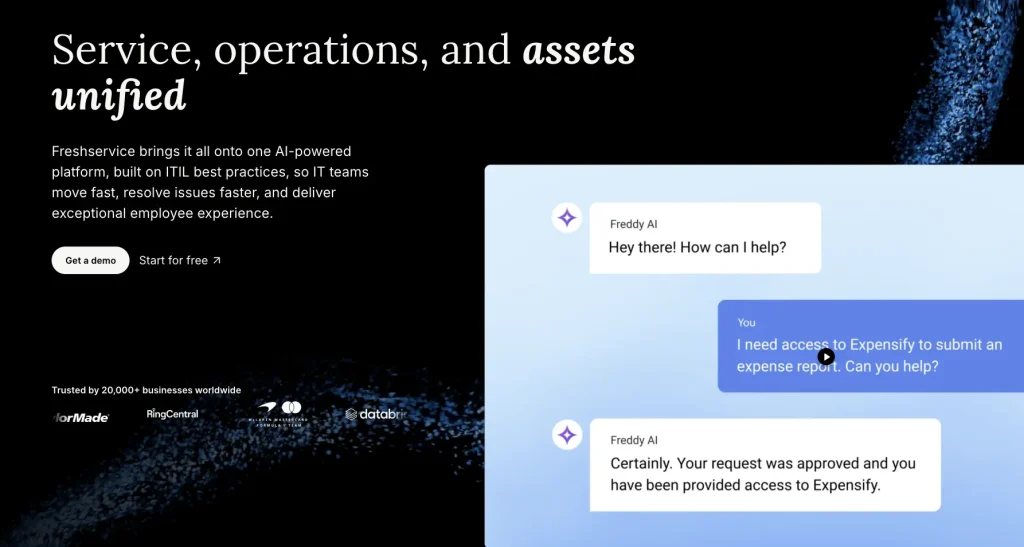
Freshservice has a dedicated Employee Offboarding flow. Administrators can configure the initiator and form, then automatically detect hardware and software mapped to the departing employee. Freshservice can create separate fulfillment tickets for hardware and software actions, while the documented flow can route reclaim-or-transfer decisions to the appropriate stakeholder.
This makes Freshservice well-suited to service-management-led offboarding.
Key strengths:
- Automatic detection of mapped assets and software
- Separate fulfillment tickets for recovery and software actions
- Journeys for multi-department employee lifecycle processes
- ITAM and software-license capabilities available within the wider platform
Weaknesses: Deeper ITAM and software-license management are packaged separately from basic service management. Buyers also need to confirm which identity actions require integrations rather than Freshservice itself.
Pricing: Core ITSM pricing starts at $19 per agent/month annually. Employee Journeys appears in the $99 per agent/month Pro tier. Freshservice’s current ITAM packages use Asset Units and require contacting sales for pricing.
User sentiments: Freshservice currently scores 4.6/5 on G2. Reviewers frequently highlight simple navigation, efficient ticket handling, and useful workflow tools. Less positive comments point to reporting constraints and limited flexibility in more advanced setups. Complex permissions and process design can also take time to configure.
3. InvGate Service Management + Asset Management
Best fit: IT teams that want a no-code service workflow connected to a dedicated asset-management product using InvGate’s service-management and asset-management products.
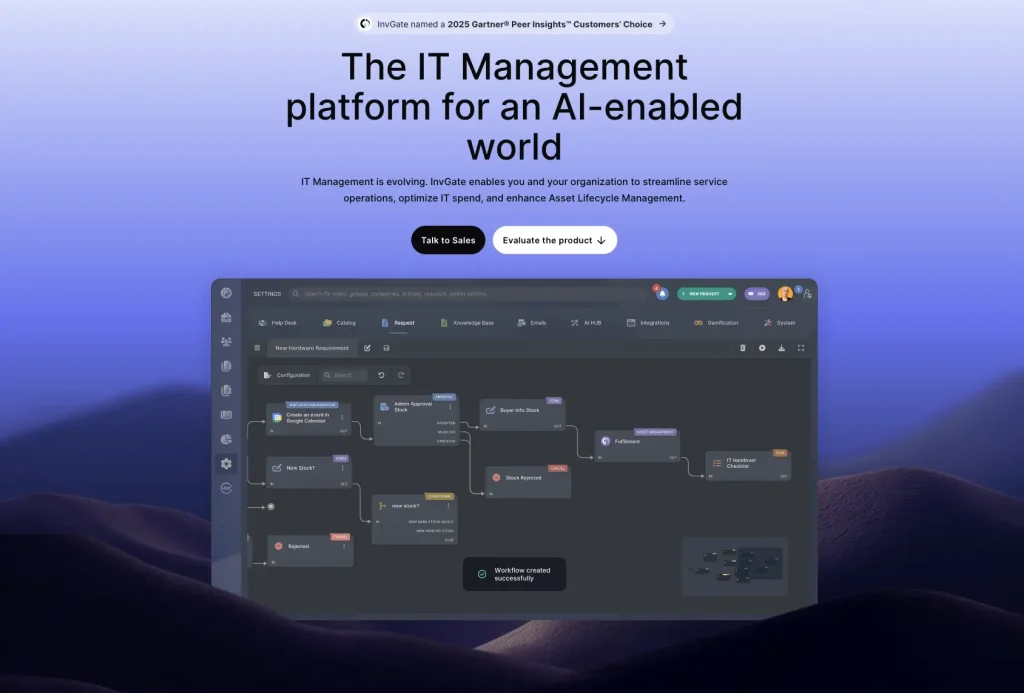
InvGate’s offboarding workflow goes beyond assigning tasks. Built-in action connectors can disable or delete accounts in systems such as Entra ID, Okta, and Google Workspace. The process can then move into equipment retrieval. When InvGate Asset Management is connected, returned assets can update their status, ownership, condition, and location.
Key strengths:
- No-code offboarding workflow
- Executable access actions through connectors
- Approval paths around equipment returns
- Linked asset records and post-return updates
- API blocks for systems without built-in connectors
Weaknesses: Full service-plus-asset coverage requires two InvGate products. Offboarding-specific software-license reclamation is less clearly documented than access removal and physical asset recovery.
Pricing: Service Management starts at $1,499/year for five agents; Pro starts at $500 per agent/year. Asset Management also starts at $1,499/year, with Pro at $5 per IP device/year and a $2,500 minimum. Both offer a 30-day trial.
User sentiments: InvGate Service Management has earned a 4.6/5 G2 rating. Customers often mention straightforward adoption, clean ticket management, and relatively smooth implementation. More critical feedback concerns specialized use cases. Some teams also report limits around imports, integrations, and deeper process tailoring.
4. ManageEngine ServiceDesk Plus
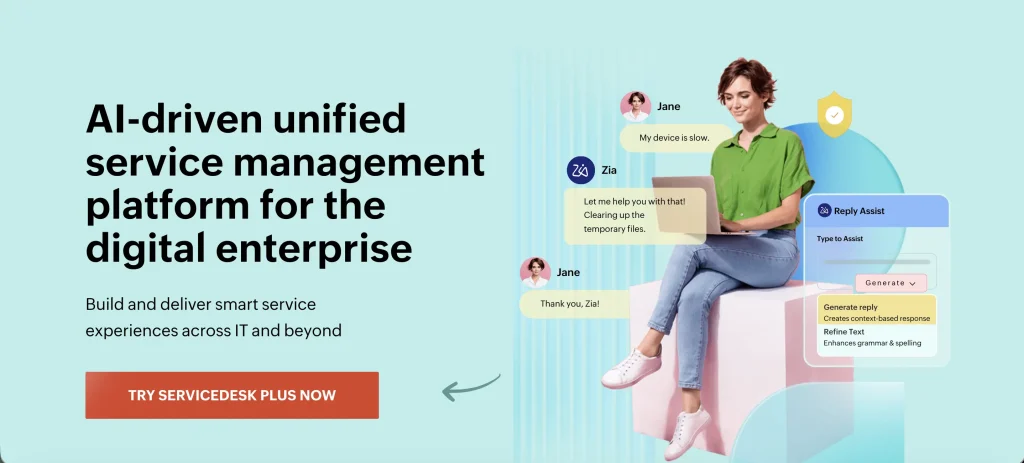
Best fit: Organizations already using ManageEngine for service management, directories, endpoint administration, or identity processes.
ServiceDesk Plus primarily serves as the orchestration layer in this offboarding use case. It supports request templates, automated approvals, task dependencies, cross-team workflows, dashboards, and integrations with Microsoft 365 and Entra ID. ManageEngine specifically positions these capabilities for joiner-mover-leaver processes.
Its wider ecosystem expands what can happen from the ticket. For example, integrating ADManager Plus lets technicians create, disable, or delete Active Directory accounts without leaving ServiceDesk Plus.
Key strengths:
- Complex request and approval workflows
- Built-in IT asset management in Professional and Enterprise
- Strong connections to the wider ManageEngine portfolio
- Reporting and dashboards for workflow oversight
- Low-code extensibility for multi-system actions
Weaknesses: Some important offboarding actions depend on separate ManageEngine products. Complex workflows may also require more configuration than simpler asset-first products.
Pricing: Asset management starts with Professional at $27 per technician/month. Enterprise starts at $67 and includes broader ITSM functions.
User sentiments: ManageEngine ServiceDesk Plus receives 4.2/5 on G2. Users value its broad functionality and strong fit with the wider ManageEngine ecosystem. The platform is also praised for its adaptability. On the downside, initial setup can be demanding, and advanced administration may require more expertise.
5. SolarWinds Service Desk

Best fit: Mid-market IT teams that want offboarding embedded in service requests, automation, asset records, and enterprise service management.
SolarWinds Service Desk can use shared forms for employee onboarding and offboarding, while workflow and service-catalog capabilities coordinate the work behind them. Its 2026 updates added more concrete supporting actions, including computer check-out/check-in with expected return and overdue tracking. Advanced and Premier customers can also use Entra process actions such as removing group membership and revoking active sessions.
Key strengths:
- Service-catalog-driven exit processes
- ESM support for HR and IT collaboration
- Computer assignment, return, and overdue tracking
- Entra ID access removal and group membership automation
- Asset data attached to service activity
Weaknesses: Software-license reclamation is not as central to the documented offboarding workflow as ticketing and device handling. Some newer automation and identity actions are limited to higher plans or Labs features.
Pricing: Essentials starts at $39 per technician/month annually. Advanced starts at $99. Asset pricing is available separately on request, and a 30-day trial is offered.
User sentiments: SolarWinds Service Desk carries a 4.3/5 rating on G2. Reviewers often praise its straightforward day-to-day use, ticket visibility, and built-in asset management. More negative comments mention limits in deeper workflow design and integration coverage. Some capabilities are also tied to higher-priced plans.
6. Ivanti Neurons for ITSM + ITAM
Best fit: Larger organizations that want employee lifecycle workflows connected to service management, asset data, endpoint operations, and other enterprise systems.
Ivanti separates the relevant capabilities across its Neurons platform. Neurons for ITSM supports enterprise workflows, while Neurons for HR explicitly automates onboarding and offboarding. Ivanti ITAM maintains ownership and lifecycle data from acquisition through retirement and integrates with ITSM for deeper asset requests, procurement, inventory, and workflow automation.
Key strengths:
- HR offboarding workflows on the Neurons platform
- ITSM workflow and service-request orchestration
- Asset ownership and assignment records
- Lifecycle visibility from acquisition to retirement
- More than 1,000 connectors for external systems
Weaknesses: Buyers need to map requirements carefully across ITSM, ITAM, HR, and other Neurons capabilities. Offboarding-specific license reclamation is less explicit in the documentation reviewed than the asset and workflow capabilities.
Pricing: Ivanti does not publish simple list pricing for this combined deployment. Product and license requirements are quote-based.
User sentiments: Ivanti Neurons for ITSM currently has a 4.0/5 G2 rating. Users tend to value its workflow flexibility and ability to centralize complex IT processes. Criticism focuses more on implementation effort. Advanced administration can feel difficult, and heavily customized environments may introduce usability or performance challenges.
7. Jira Service Management + Assets
Best fit: Atlassian-centric teams that want to build offboarding around requests, automation, approvals, and structured asset objects.
Jira Service Management provides the workflow layer, while Assets can represent user records, assigned devices, relationships, status, and other configuration items. Sensitive HR attributes should remain in the authoritative HR system. The result is highly configurable, but teams design the offboarding process rather than using a dedicated asset-recovery product.
Assets can connect employee records to assigned inventory, while JSM handles forms, tasks, approvals, notifications, SLAs, and reporting. Atlassian’s current Assets platform is available across paid Jira and Jira Service Management plans.
Key strengths:
- Flexible request and approval design
- Structured employee-to-asset relationships
- Broad Atlassian ecosystem
- Automates offboarding tasks and approvals
- Tracks offboarding SLAs and overdue tasks
Weaknesses: Dedicated recovery logistics and software reclamation typically require custom workflow design or integrations. Teams wanting a ready-made offboarding process should account for configuration effort.
Pricing: Service Collection Standard starts at $20 per agent/month, while Premium starts at $51.42 per agent/month. Enterprise pricing is quote-based. Asset and configuration management is included in Standard, Premium, and Enterprise plans.
User sentiments: Jira Service Management scores 4.3/5 on G2. Customers frequently highlight flexible workflows, strong Atlassian connectivity, and clear ticket visibility. Its biggest drawback is complexity. New administrators may face a steep learning curve, while deeper settings and process design can take considerable time to master.
8. Oomnitza
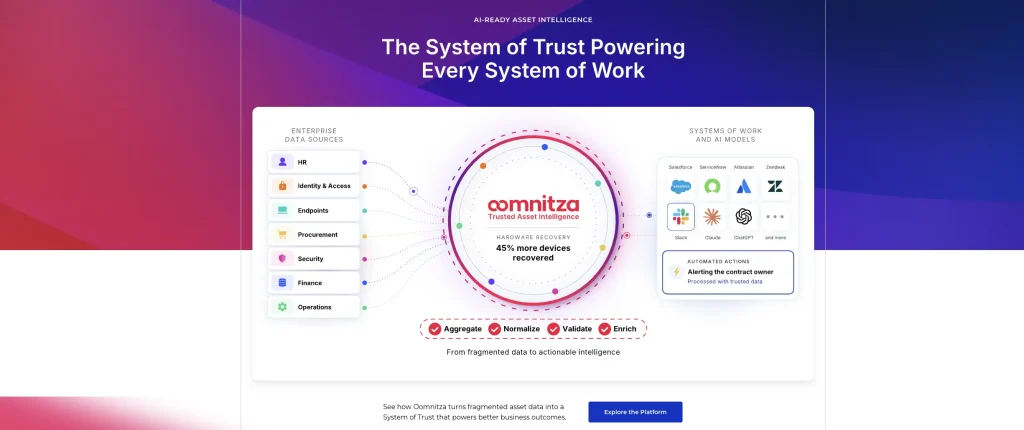
Best fit: Mid-enterprise and enterprise organizations where offboarding spans HR, hardware, MDM, identity, software, and other connected platforms.
Oomnitza is designed around lifecycle orchestration. Its joiner-mover-leaver offering uses HR events to drive asset assignment and recovery, access actions, and license workflows. It records hardware custody changes throughout use, and a return workflow handles recovery at offboarding.
A key documented capability is its ability to aggregate data from connected systems and use that context in lifecycle automation.
Key strengths:
- HR-event-driven lifecycle automation
- Device recovery and custody history
- Cross-system workflow actions
- Broad connector ecosystem
- Software management available for more advanced deployments
Weaknesses: Flexibility adds design and administration requirements. Software asset management and workflows that write data back to connected systems require the Enterprise package.
Pricing: Oomnitza uses custom pricing built from the platform package, usage-based asset or user modules, and a Customer Success package. Implementation is included within its Customer Success model.
User sentiments: Oomnitza maintains a 4.6/5 rating on G2. Reviewers often value its centralized data model, broad integration options, and ability to support complex IT processes. The main criticism is usability. Navigation can feel less intuitive, especially when teams build highly tailored workflows or manage larger environments.
9. ServiceNow IT Asset Management
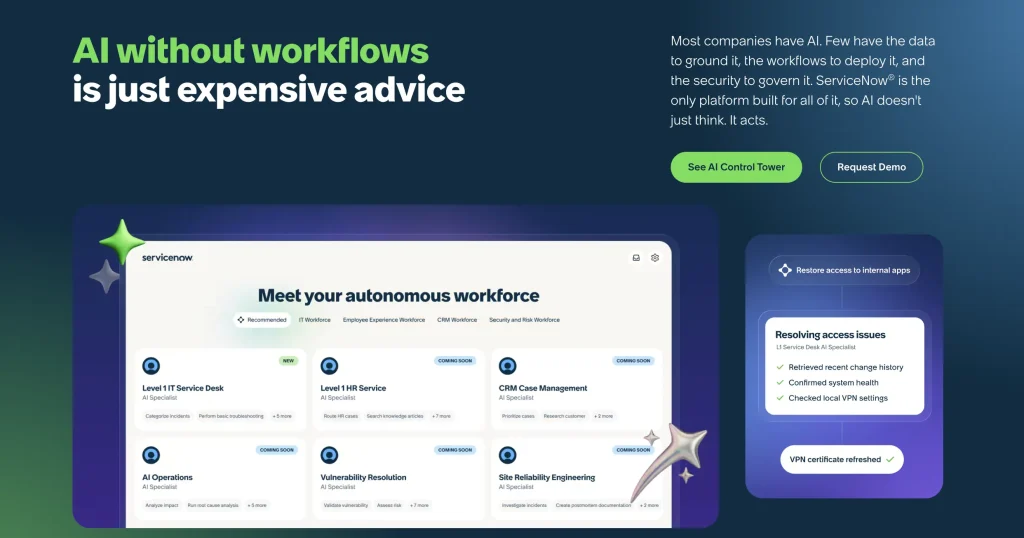
Best fit: Large enterprises that need employee exits connected to a broader ServiceNow ecosystem spanning ITAM, ITSM, HR, software, and enterprise workflows.
ServiceNow has dedicated reclamation processes. Hardware Asset Management can use a Reclaim Asset catalog workflow to retrieve equipment, then restock, reassign, repair, or dispose of it. Software Asset Management has its own employee offboarding process to return licenses, remove allocations and installations, and revoke access to supported products.
Key strengths:
- Dedicated software offboarding and reclamation
- Shipment, pickup, receipt, and evaluation tasks
- Strong integration with broader ServiceNow workflows
- Detailed enterprise lifecycle and governance capabilities
Weaknesses: The documented hardware and software offboarding capabilities span HAM, SAM, and related HR or employee-workflow components. Buyers must therefore map licensing, implementation, and administration requirements.
Pricing: ServiceNow uses contract pricing. HAM and SAM subscriptions may be purchased separately or in bundles, with licensing determined by the customer’s agreement and managed CI categories.
User sentiments: ServiceNow IT Asset Management is rated 4.3/5 on G2. Users value its enterprise-scale visibility, CMDB connectivity, and extensive lifecycle management capabilities. The tradeoff is complexity. Reviews frequently mention high costs, demanding implementations, and significant administrative effort to configure or maintain advanced deployments.
10. Reftab
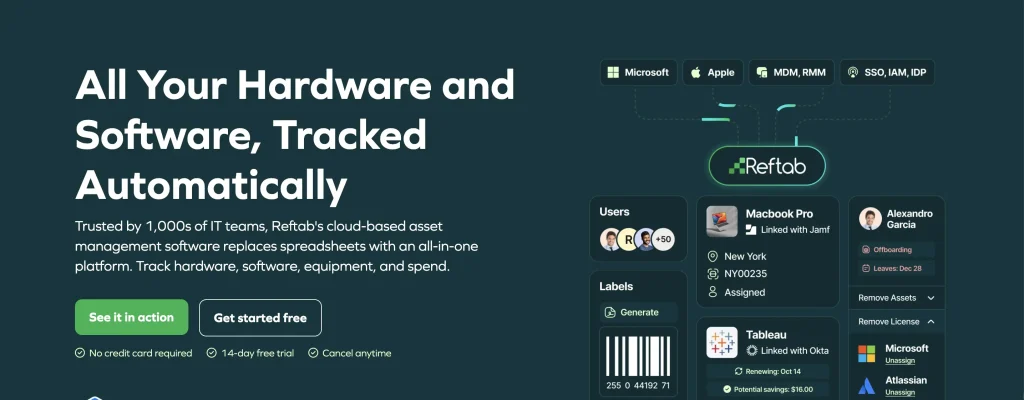
Best fit: IT teams that want an asset-first platform focused on hardware recovery and custody with dedicated employee offboarding tickets, device-return tasks, and IdP/MDM integrations.
Reftab provides native onboarding and offboarding tickets. Its default offboarding process includes a Return Items task that surfaces equipment assigned to the employee. Administrators can add checkbox, text, return-item, or e-signature tasks, record notes, and close the ticket after required actions are completed. The ticket log retains ticket activity.
Reftab can also react when a user becomes disabled through a connected Okta or Entra environment. Automations can flag assigned assets for return or notify managers and IT.
Key strengths:
- Dedicated offboarding tickets
- Automatic Return Items task
- Ticket-level activity log
- Automated workflows for asset return and custody tracking and closure
- Intune, Jamf, Entra, Okta, Jira, Zendesk, and other integrations
Weaknesses: Public documentation is more explicit about hardware-return workflows than offboarding-triggered license reclamation. Access termination also depends primarily on connected identity systems.
Pricing: Reftab’s Hardware Asset Management plan costs $125/month with unlimited users. Software Asset Management costs $9 per tracked software user/year. Complete ITAM combines hardware and software asset management with custom pricing based on assets and software users. All three options include a 14-day free trial.
User sentiments: Reftab currently holds a 4.3/5 G2 rating. Users generally like its straightforward asset tracking, customizable records, and useful integrations. Support also receives positive mentions. Criticism centers on workflow flexibility, navigation in some areas, and requests for stronger check-in/check-out and historical tracking capabilities.
Match the tool to your operating model
Start with the part of the process that currently fails most often.
| Scenario or priority | Tools to prioritize |
| Hardware and custody fall through the cracks | AssetSonar, Reftab, Oomnitza |
| Cross-team tasks are inconsistent | Freshservice, InvGate, SolarWinds |
| IT already runs on ManageEngine | ServiceDesk Plus |
| IT already runs on Atlassian | Jira Service Management + Assets |
| Software and hardware both need enterprise reclamation workflows | ServiceNow |
| Cross-system enterprise orchestration | Oomnitza, Ivanti, ServiceNow |
| Combined ITAM and ITSM are preferred | AssetSonar, Freshservice, InvGate, ServiceNow |
| Physical return logistics are the main problem | ITAM + a dedicated retrieval provider |
The important buying question is not simply whether a product “supports offboarding.” Determine whether it performs the action directly, triggers the action in a connected system, or only records that someone needs to complete it.
How should you test an offboarding platform before buying it?
Build the pilot around a realistic employee departure.
Use a remote employee with multiple assigned devices, a productivity-suite entitlement, one non-SSO SaaS account, privileged access, shared data ownership, and an open IT request.
Check whether the product can:
- receive the departure information;
- identify relevant assets and software;
- initiate offboarding device retrieval;
- route access actions to the correct system;
- flag an overdue return;
- recover or release the software entitlement;
- close custody when the device arrives;
- record the asset’s next lifecycle state;
- preserve evidence for completed, failed, and retried actions.
Then run failure-mode tests. Change the departure date, fail a connector, assign the wrong device, and confirm retries do not duplicate destructive actions. If bulk exits matter, repeat the test as a batch and check queue visibility, API limits, and failure isolation.
For secure asset retirement software, extend the pilot through decommissioning. Verify how approvals, disposition details, ITAD handoffs, and data-destruction evidence are recorded even when another provider performs the physical work.
What mistakes should buyers avoid?
Even strong offboarding tools can create gaps if buyers overestimate what they automate or overlook where another system is still required. Watch for these common evaluation mistakes before choosing a platform.
- Treating a checklist as automation: A workflow that creates multiple manual tasks may improve accountability, but it does not automate those ten actions.
- Confusing inventory with recovery: A platform may know who has a device without providing reminders, return status, custody closure, or exception handling.
- Assuming an integration executes an action: Some connectors synchronize data. Others can perform write-back actions. Confirm which behavior applies to the workflow you need.
- Treating retirement as secure disposal: Changing an asset’s lifecycle status does not prove its data has been sanitized or that an ITAD provider physically processed the hardware.
- Comparing pricing without the required modules: A low entry price means little if offboarding also requires ITAM, SAM, HR, workflow, asset-unit, or connector licenses.
Which of the best IT tools for managing offboarding workflows is right for your team?
The right offboarding tool depends on which records your team must control and which systems execute the highest-risk actions. ITAM-led platforms fit workflows centered on assets, custody, and lifecycle records. ITSM-led platforms fit cross-team coordination, while broader orchestration suites suit environments with several authoritative systems.
Compare the minimum stack required for your workflow, not the vendor’s headline product. Then validate execution, exception handling, and evidence through a realistic pilot. AssetSonar is one option for teams that want offboarding anchored to asset, custody, service, and software records.