AssetSonar integrates with the Zoom application to better manage cloud software assets. With this integration, IT managers can expand visibility into user activity, license utilization, and support automation for onboarding and offboarding workflows. You can now easily track your software subscriptions and reclaim unused licenses.
This integration helps map critical data—such as user email, activity status, and last accessed information—into AssetSonar’s software asset management module. This supports clients with direct integrations and those leveraging Okta/Azure/Google, ensuring accurate entitlement assignment without duplication.
Benefits of Zoom Integration
Here is how Zoom integration can bring value to your IT operations:
- Automated Provisioning & Deprovisioning: Enable automated workflows for user access to Zoom. Automation reduces IT teams’ manual workloads, such as creating or removing accounts when employees join or leave the organization. This results in improved accuracy and saves time and resources for crucial tasks.
- License Optimization: This is particularly beneficial for clients who don’t integrate with platforms like Okta, Azure, or Google, as this integration helps track who is actively using the platform and identify inactive users. License optimization ensures that the number of licenses purchased matches the number needed without over-allocating. This leads to more cost-efficient management of Zoom subscriptions.
- Seamless Compatibility with Existing Provisioning Systems: This integration ensures that Zoom doesn’t duplicate efforts in provisioning users. For example, if Okta is already managing user entitlements (permissions or access levels), Zoom can rely on Okta to manage those settings without having to recreate them in Zoom.
- User Insights and Data Analytics: By tracking this activity, IT and administrative teams can identify which users are actively utilizing Zoom and which may not be using it enough to justify a license. This data-driven approach allows teams to allocate licenses more efficiently, ensuring they align with usage patterns and needs.
- Enhanced Compliance and Security: With automated processes, IT teams can ensure that as soon as an employee leaves or changes roles within the company, their access to Zoom is immediately revoked, reducing the chances of unauthorized access.
Let’s learn how to enable this integration in AssetSonar.
Enabling Zoom Integration
To enable the setting, follow this pathway: Settings → Integrations → Direct SaaS Integrations. Then, click the ‘Connect’ button for Zoom.
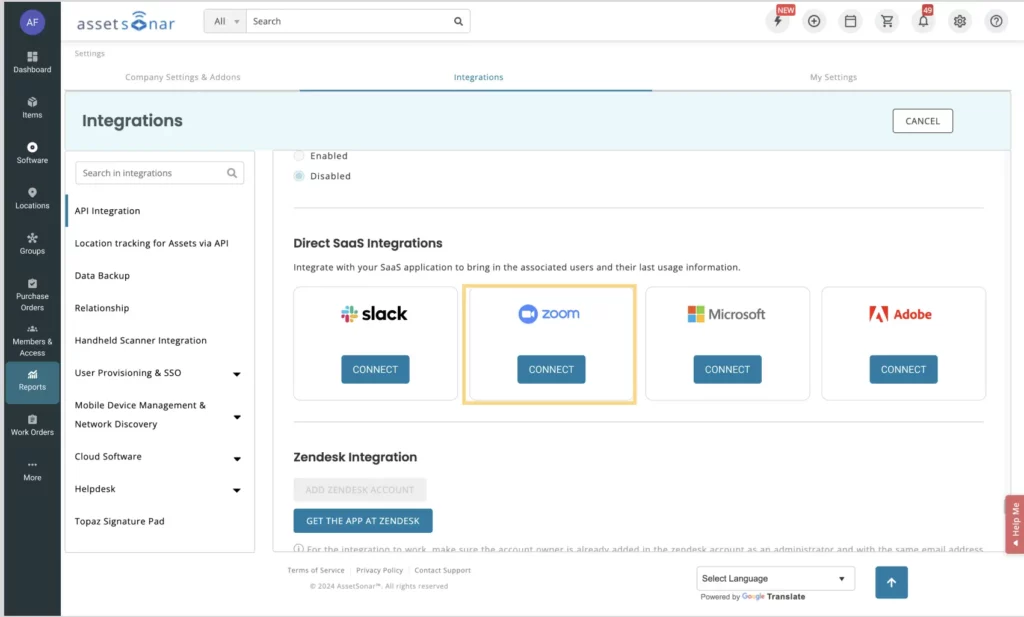
On the Zoom Integration overlay, enter Account ID, Client ID, and Secret ID.

Follow these steps to extract these credentials from your Zoom application:
- Go to Zoom Marketplace and Login.
- From the top navigation bar, go to Develop and select ‘Build App’ from the dropdown menu.

3. Select the ‘Server to Server OAuth App’ option in the overlay as shown below:

4. Next, it asks you to enter the name of your application. Then, click ‘Create’.

5. You’ll be directed to the App Credentials tab as shown below:
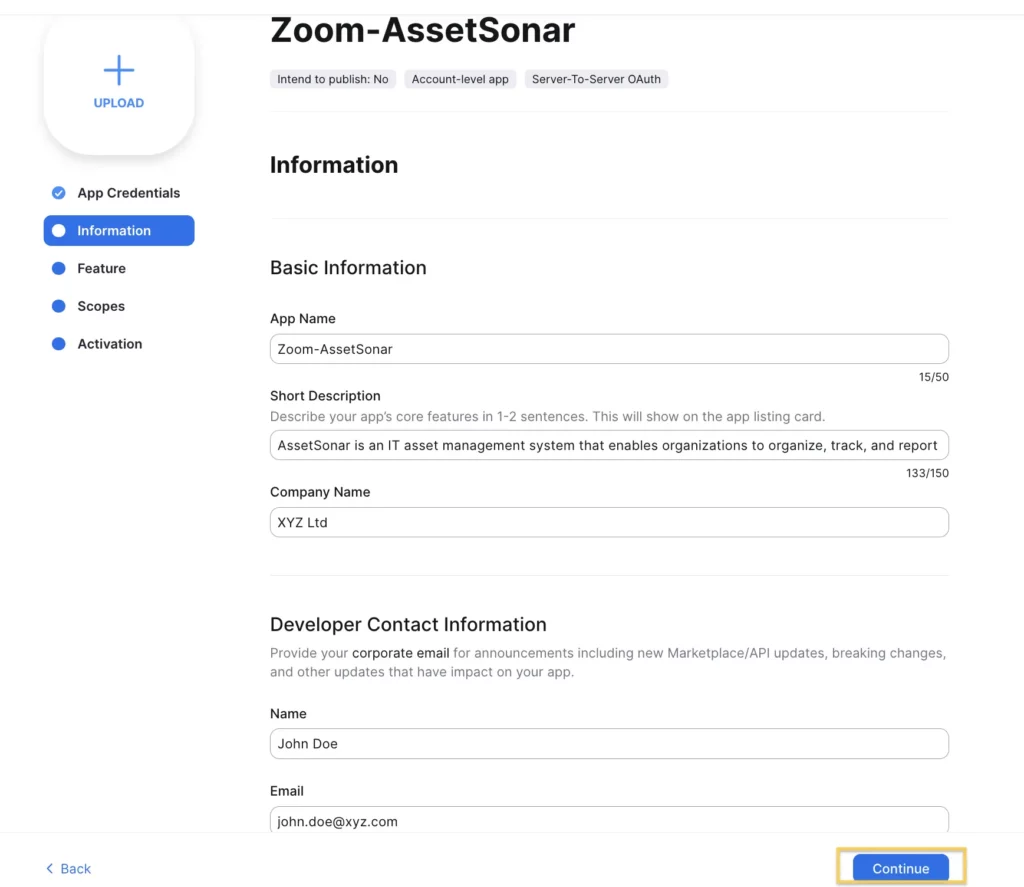
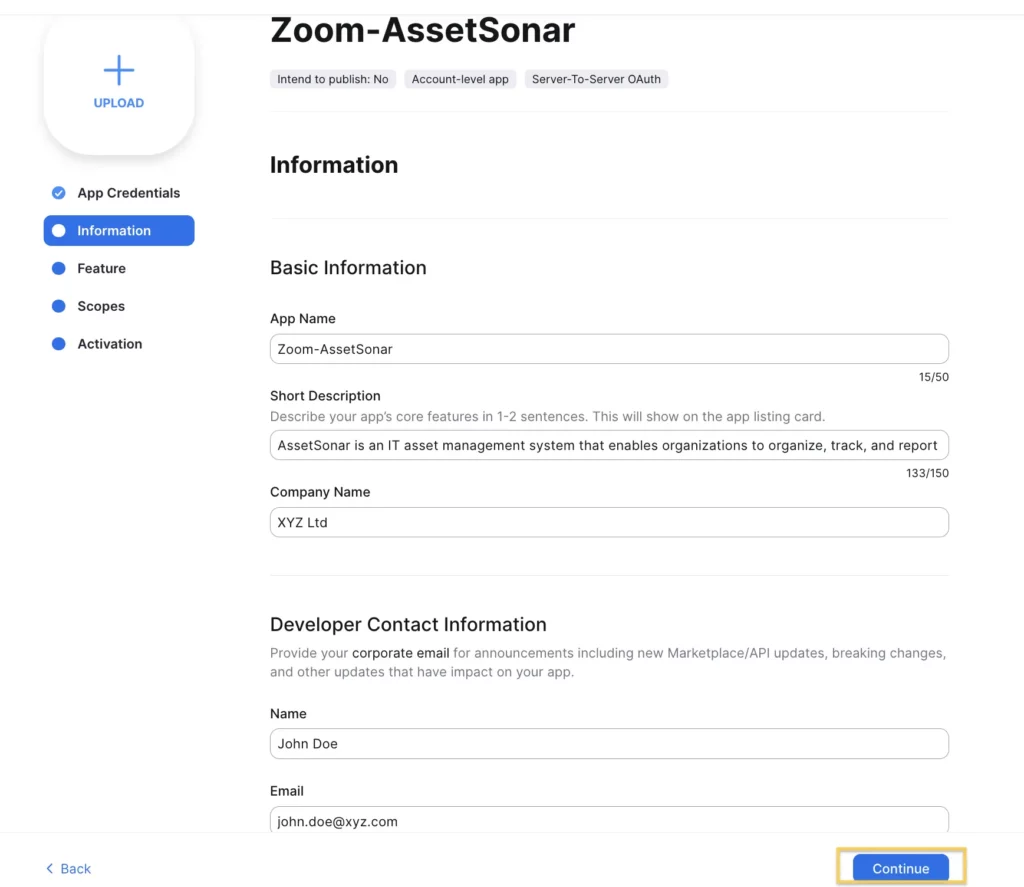
6. On the Information tab, you can enter basic information and developer contact details. Then, click ‘Continue’.
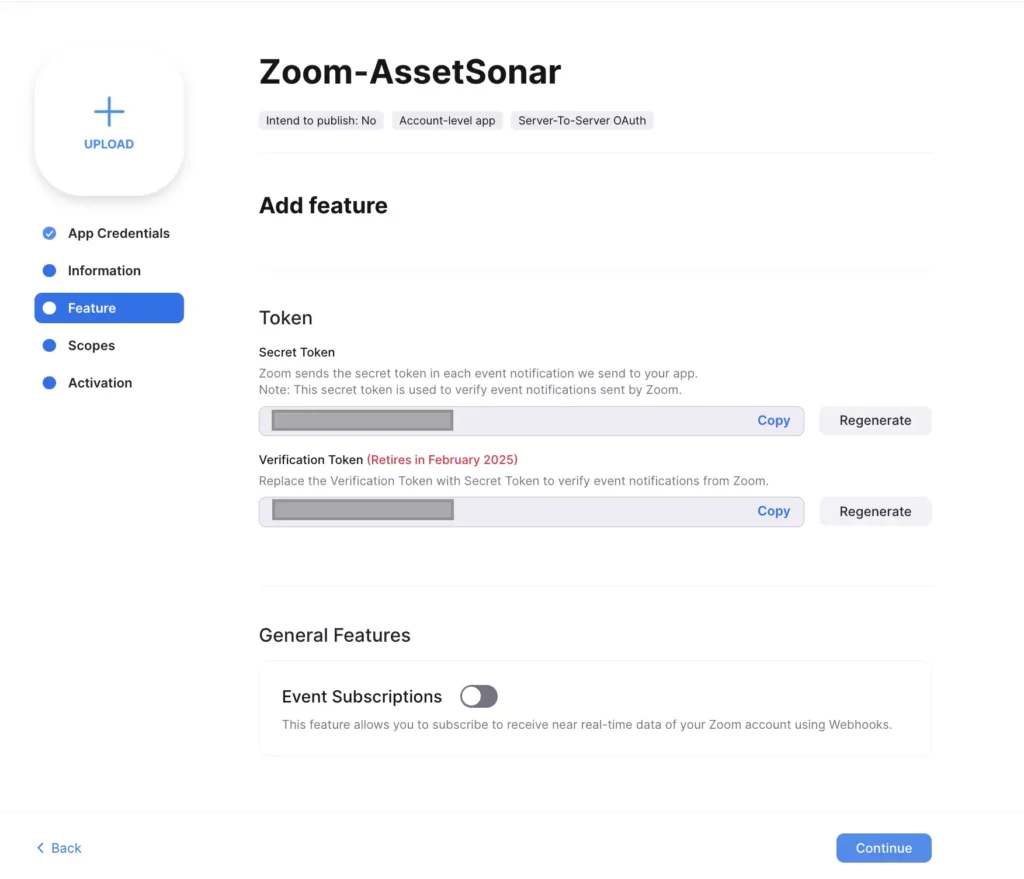
7. You can view the ‘Secret Token’ value on the features tab. Copy the value and click ‘Continue’.
8. On the scopes tab, click ‘Add Scopes’.

Please note that all required scopes are as follows:
- user:read:list_users:admin
- billing:read:plan_usage:admin
- billing:read:plan_information:admin
9. Then, go to Users and check ‘View Users.’ Click ‘Done’ once selected.

10. The scope is added. Click ‘Continue’. On the activation tab, click ‘Activate your app’.

Now, you have Account ID, Client ID, and Client Secret value to enter in AssetSonar and successfully integrate your account with Zoom.
