Want to push the AssetSonar Agent across your entire Windows fleet using Microsoft Intune? This guide walks you through the exact steps to do just that — no guesswork, no manual installations. All you need is an MSI package and your Intune console. Let’s get started.
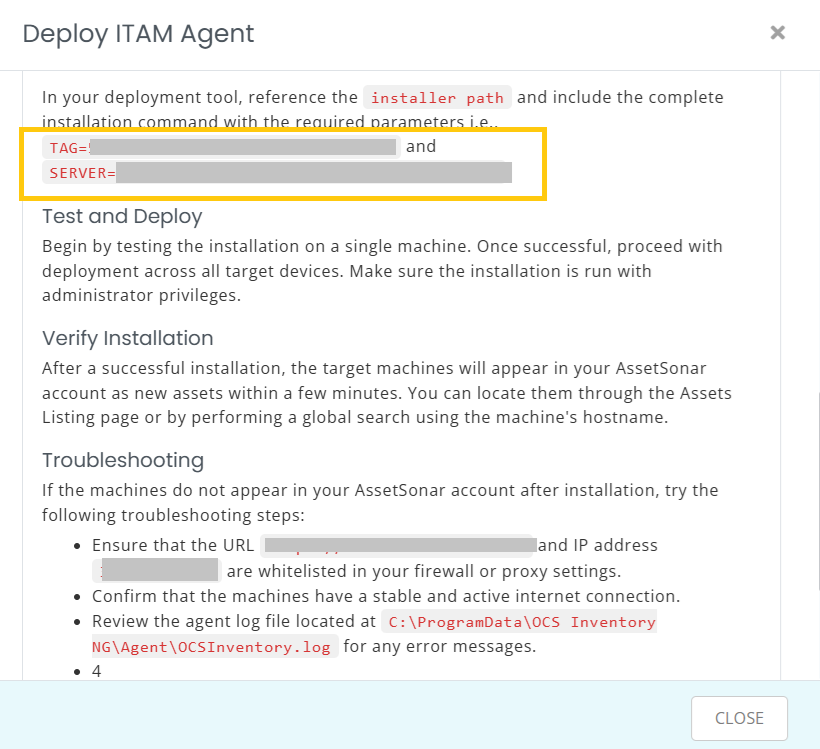
1. Download the Windows ITAM Agent MSI from Dashboard → Deploy ITAM Agent → Windows → Mass Deploy MSI on your AssetSonar account.
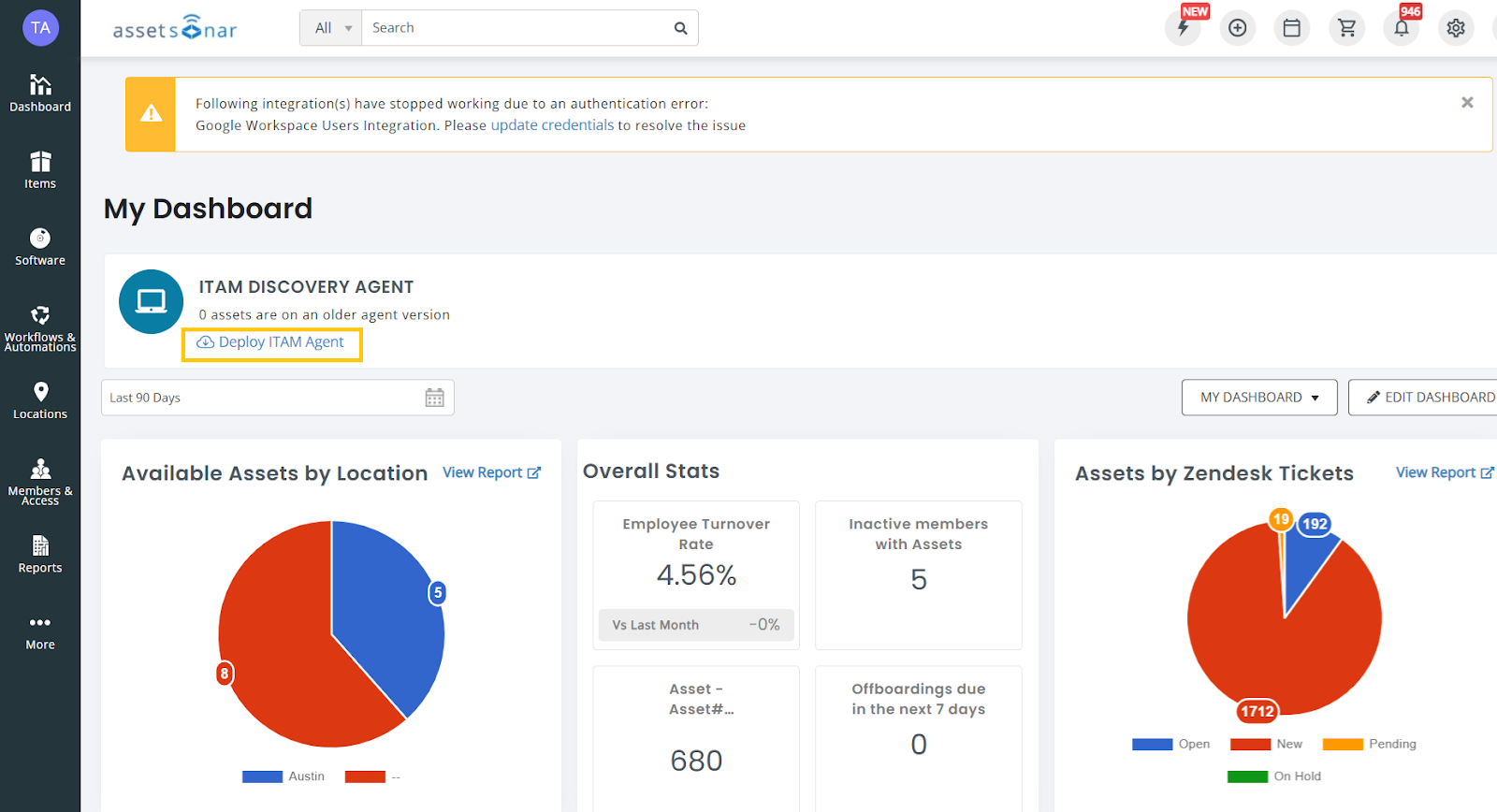
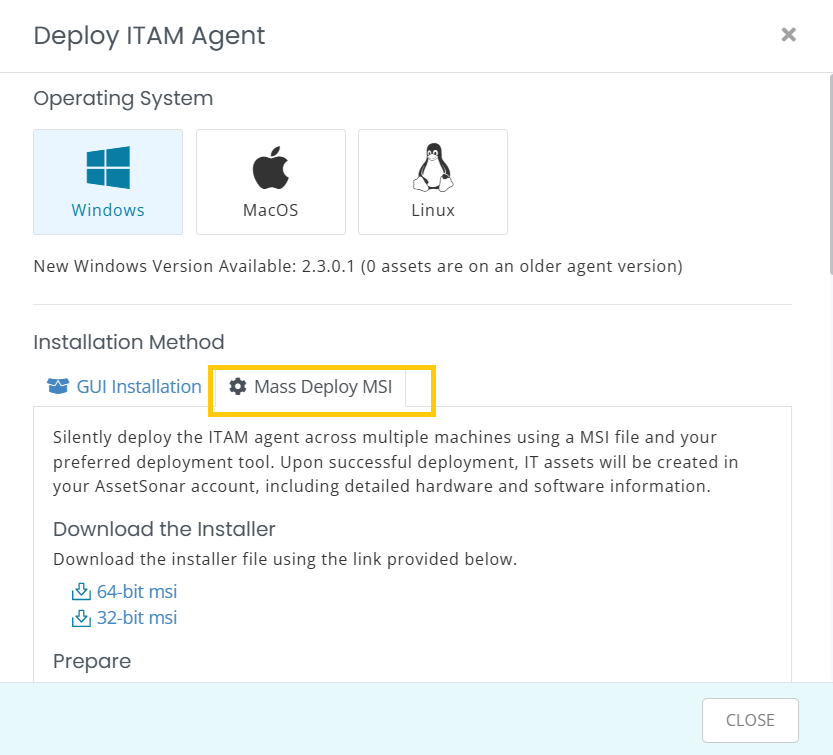
Choose your MSI version:
- 64-bit MSI
- 32-bit MSI
2. Now, head to your Microsoft Manager Endpoint Admin Center, go to Apps → All Apps, and click on the ‘+Create’ button.

3. This pops open a dialog on the right side of the screen. Choose ‘Line-of-business app’ as the App Type and hit ‘Select’.
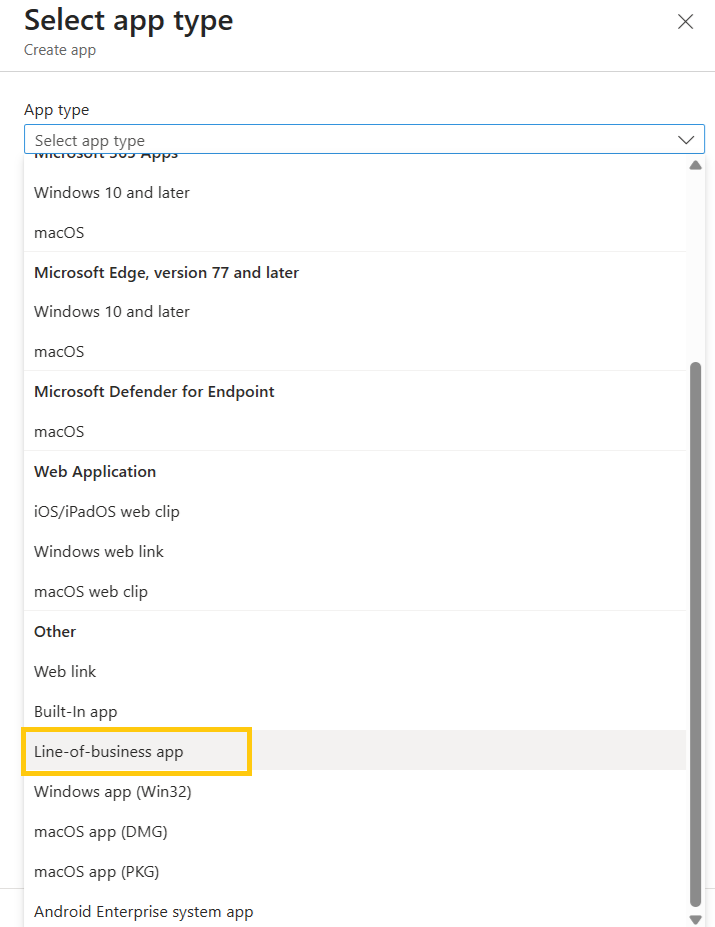
Note: Please make sure that you always choose ‘Line-of-business app’ as AssetSonar only supports .msi and .pkg for Windows & macOS devices respectively.
4. After you’ve selected the App Type, a new page opens up. Here, click on the ‘Select app package file’ button in the App Information tab.
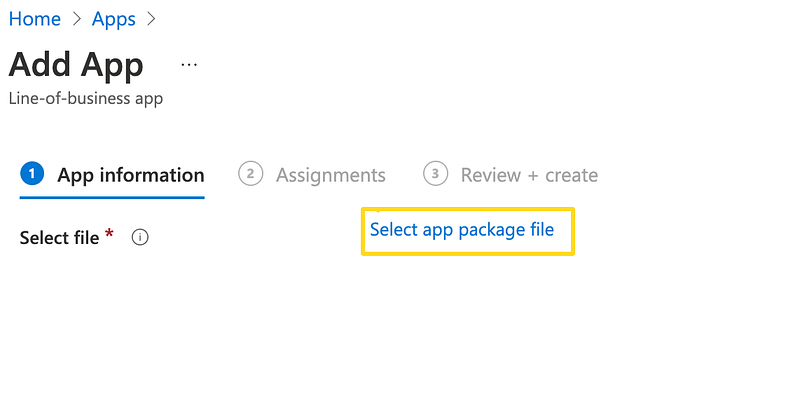
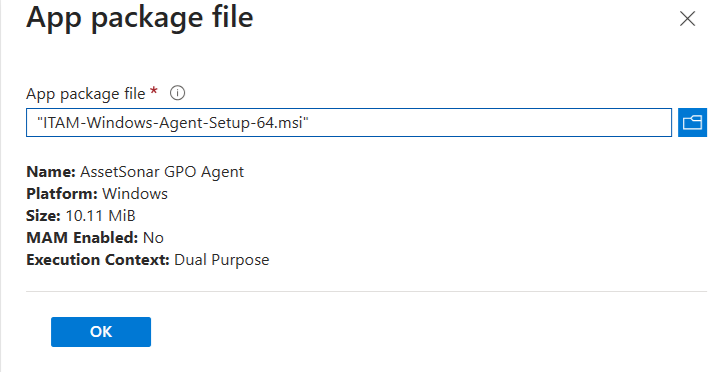
5. Then, in the App package file dialog box that appears on the right, select the Microsoft Intune file, and click ‘OK’.
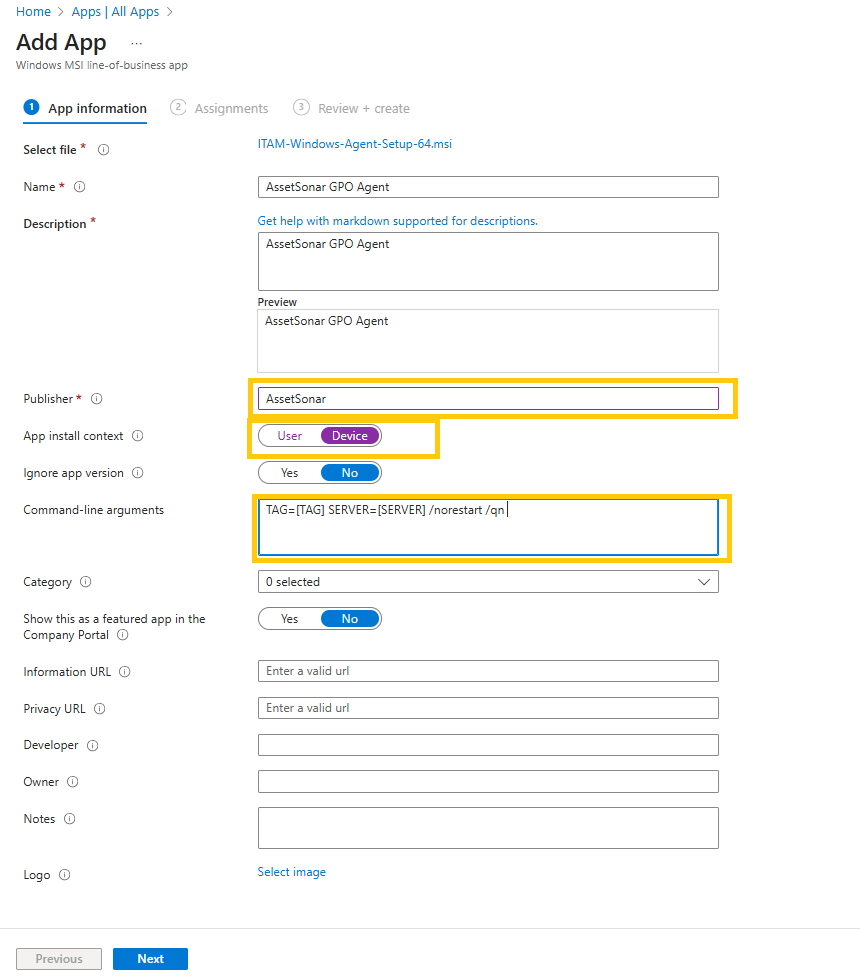
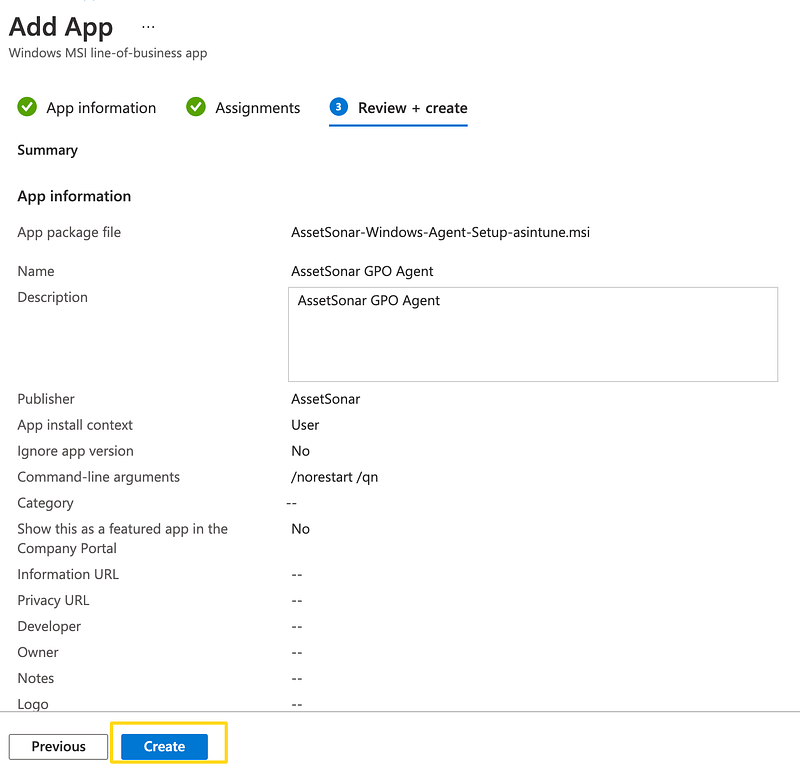
6. Add AssetSonar as Publisher, set App Install Context to device, and for Silent Install on the target machine, you will need to use the following command line argument:
TAG=[TAG] SERVER=[SERVER] /norestart /qn Please replace [TAG] and [SERVER] with your respective company value from Deploy ITAM Agent modal (See Step 1).
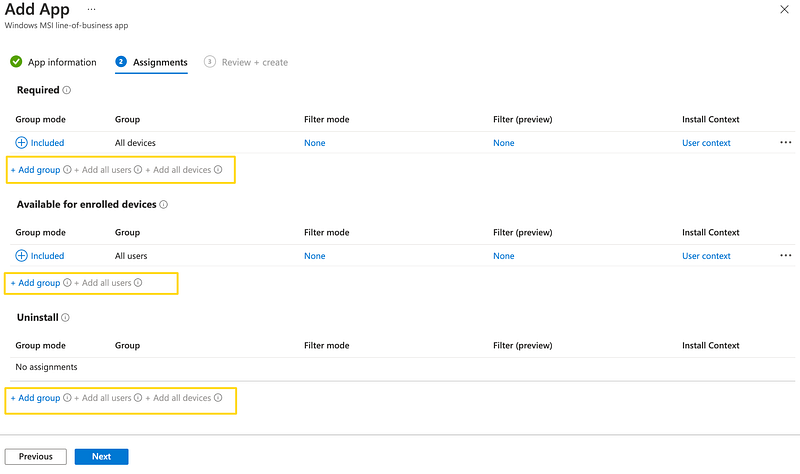
7. You can decide which users or machines you want to deploy the AssetSonar Agent on. In this scenario, we’ll select ‘Add All Users’ and ‘Add All Devices’ as shown below:
8. In the Review + Create tab, click ‘Create’ to complete the app setup.
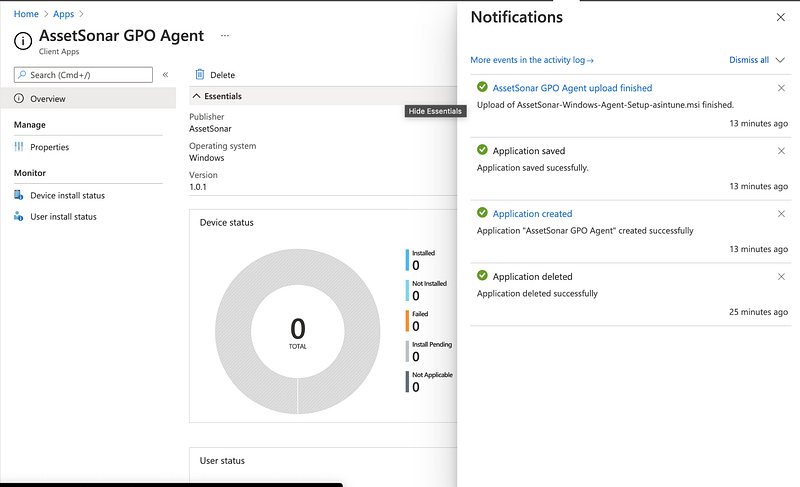
9. You will be notified when the app is created successfully.
Read more: Enhance Your Intune Mobile Device Management with AssetSonar’s Microsoft Intune Integration
Frequently Asked Questions (FAQs)
Why do I see version 1.0.4 for the GPO Agent when using the MSI?
This is expected. The GPO Agent is just a wrapper that installs the latest version of the actual ITAM Agent. While the MSI installer itself appears as version 1.0.4, the agent running on your device will always be the most recent version available.
Note: The wrapper’s version number does not reflect the version of the installed ITAM Agent.
About AssetSonar
AssetSonar is the leading hardware asset management software that integrates with Microsoft Intune. It is used by IT-intensive organizations and businesses all over the globe.
Sign up today for a free 15-day trial.
For more assistance, drop us an email at support@ezo.io. You can also visit our blog for detailed support posts.
