As the use of collaboration tools like Asana grows within organizations, managing user access becomes vital to maintaining security and compliance. Manual tracking of user information can be time-consuming and prone to errors, so EZO strives to provide direct SaaS integrations with AssetSonar. With this integration, you can automate the process of importing users from your Asana account into AssetSonar. This integration ensures your user information is always up-to-date and provides real-time visibility into user access, making it easier to stay compliant and secure.
Benefits of Asana integration
Let’s dive into the benefits of this integration.
- Automated user management: Eliminate the need for manual data entry by automatically syncing user information from Asana.
- Enhanced Security & Compliance: With real-time updates, you can quickly identify any discrepancies in user access, ensuring compliance with internal policies while reducing security risks associated with outdated data.
Enabling Asana integration
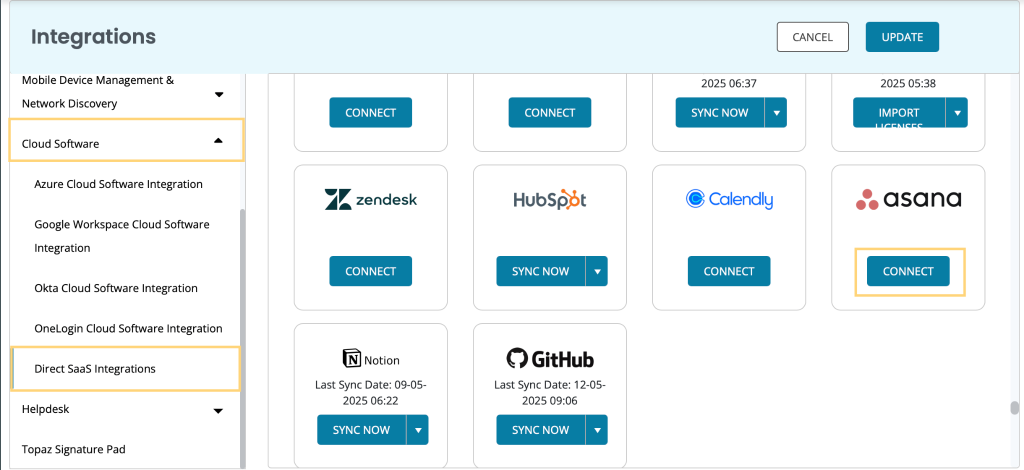
Follow this pathway to enable the Asana integration: Settings -> Integrations -> Cloud Software -> Direct SaaS Integrations. Click the ‘Connect’ button under the Asana logo.
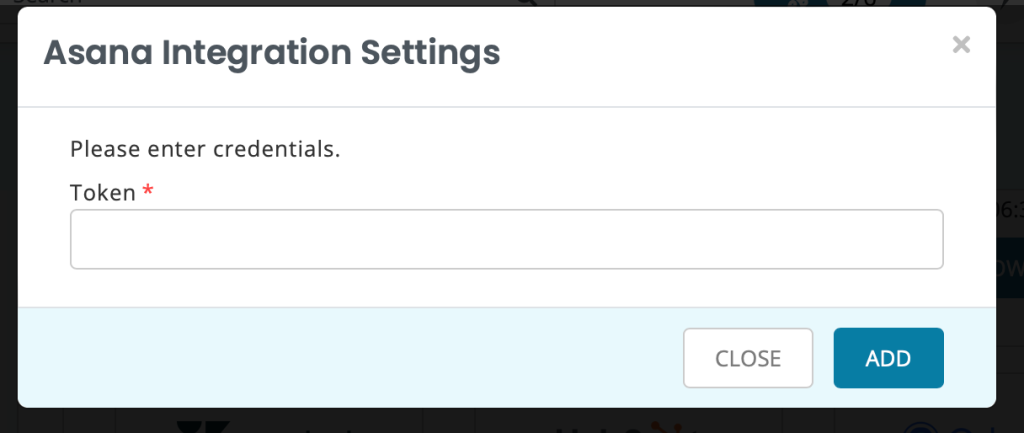
A new pop-up will appear prompting you to add your Asana token so the integration can be created.
Now let’s switch to Asana to retrieve this token.
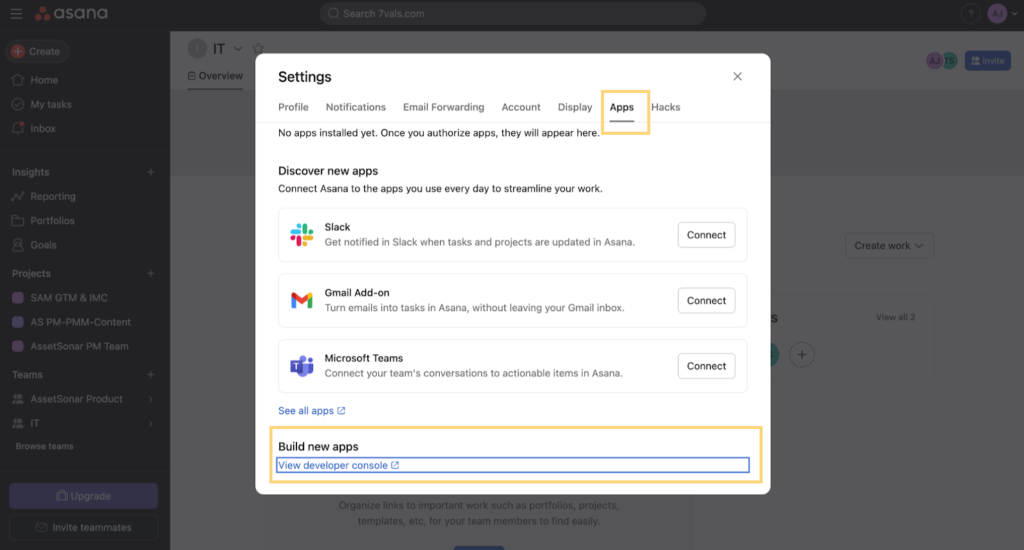
- Log in to your Asana account and go to Settings -> Apps -> Developer Console (Build new apps).
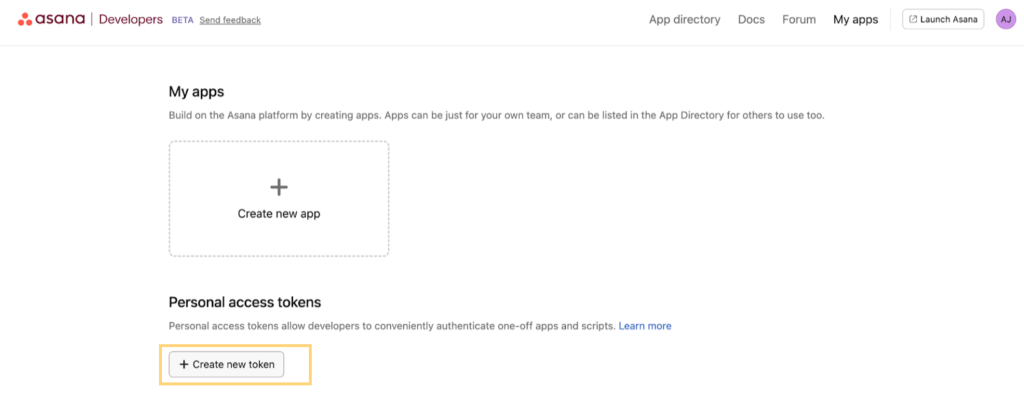
- A new window will open up. Click the ‘Create new token’ option as shown below:
- A new pop-up will open. Enter the Token name and hit ‘Create Token’.
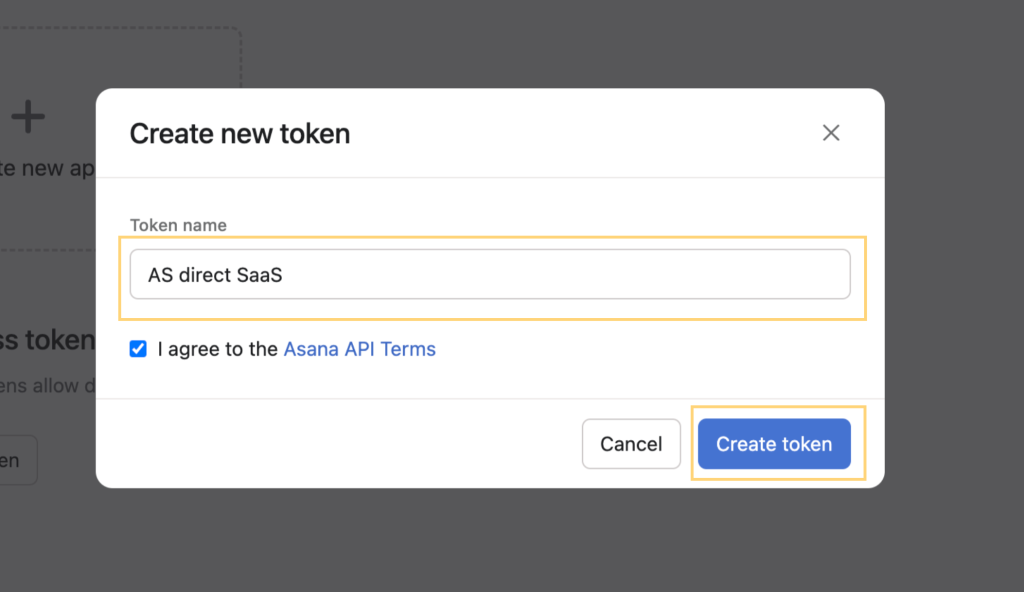
- A new Token will be generated. Copy the value and paste it into your AssetSonar overlay. Click ‘Add’.
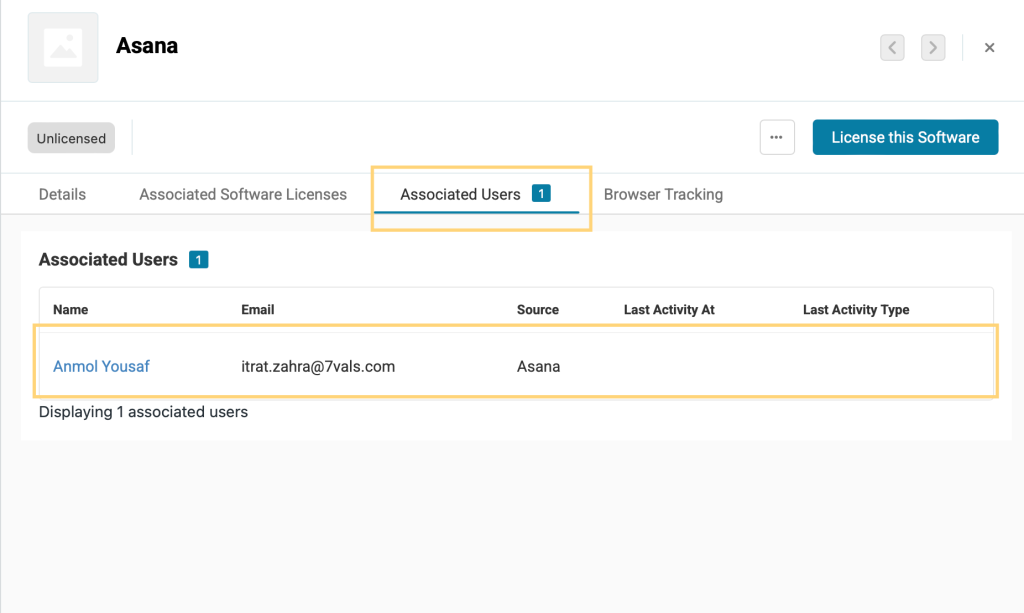
Once the integration is successfully created, you’ll be able to view a software named ‘Asana’ on the software listing page. Click on the software to open its detail page. The Discovery Type for this software will be ‘Cloud Software’, and the Source will be ‘Asana’.
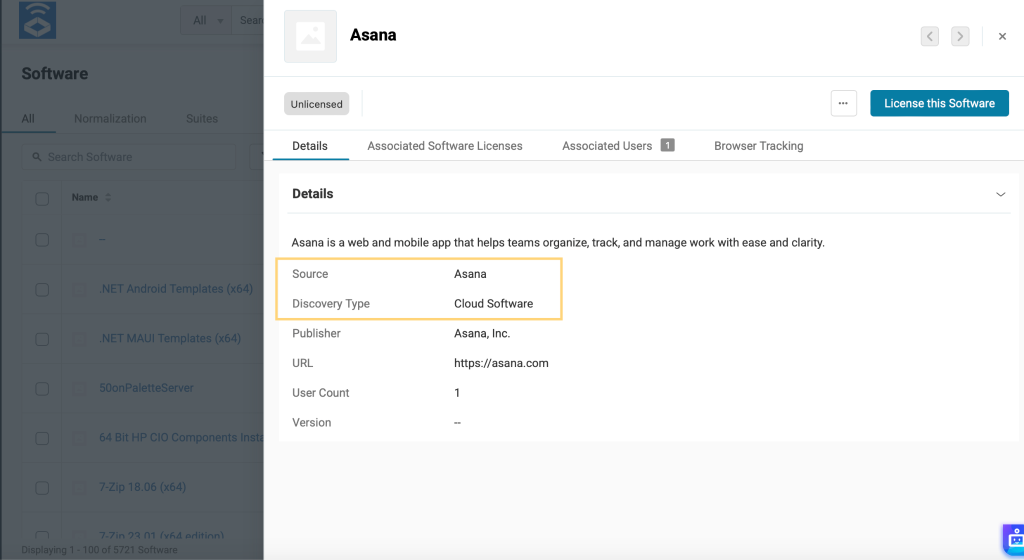
Go to the ‘Associated Users’ tab to view the list of users imported through this integration.