The ‘export to CSV’ feature is currently available for the following areas of the system:
- Assets
- Asset Stock
- Inventory
- Users
- Locations
- Groups
- Vendors
- Members
- Reports
- Documents
Exporting Reports
Open up a report from the Reports module, like the ‘All Active Assets’. To the right, you’ll see the Export button. From here, select your preferred exporting format.
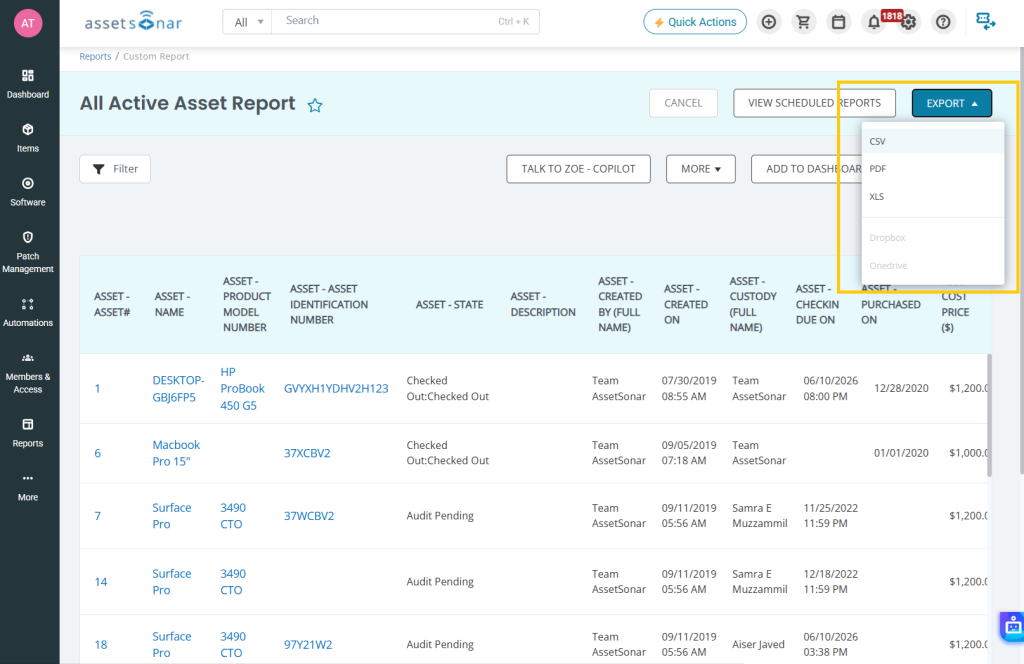
You can also upload them to a Dropbox or Onedrive account.
Exporting Graphs
Head to a graph report like the Asset Checkout Frequency. Click on the menu button on the right.
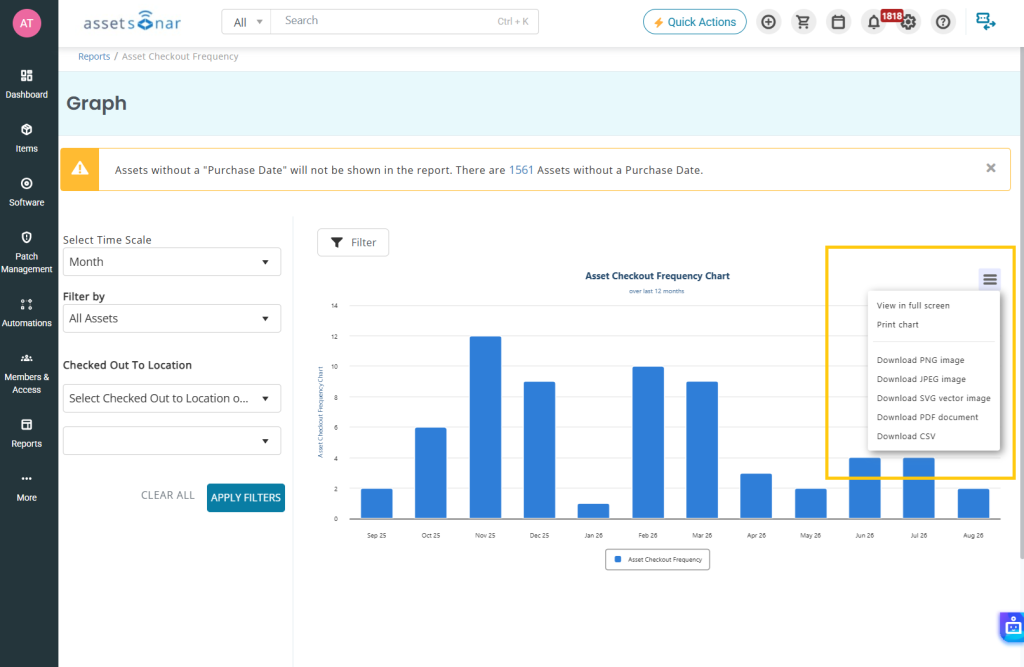
Choose between a host of different exporting options. Click ‘Download CSV’ to save the chart/graph or save it to print later.
