As organizations rapidly adopt more SaaS tools to support their operations, AssetSonar is striving to offer direct integrations with these tools to simplify user management for its customers.
AssetSonar now integrates with Notion – a versatile productivity tool – to import user data directly into AssetSonar, making it easier than ever to track and manage your Notion users.
Benefits of Notion and AssetSonar integration
- Seamless user data syncing: Automatically import user data from Notion into AssetSonar, ensuring your information is always up-to-date and eliminating the need for manual data entry.
- Enhanced security: Easily track user access and user details to eliminate the risk of unauthorized access.
- Streamlined workflows: Having your Notion users’ data flow directly into AssetSonar enables faster updates and smoother operations.
Now let’s learn how to enable the integration.
Enabling Notion integration
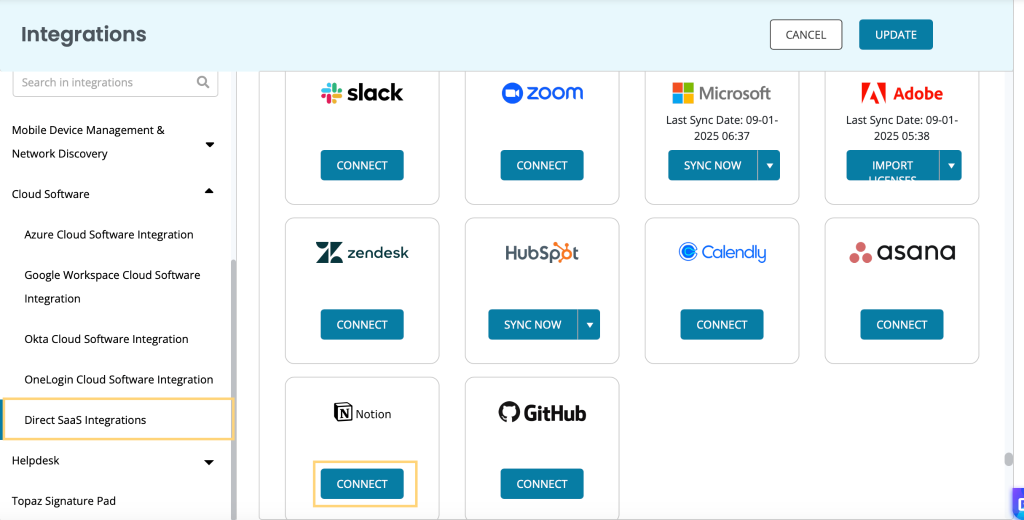
To enable AssetSonar’s integration with Notion, follow this pathway: Settings -> Integrations -> Direct SaaS Integrations. Click the ‘Connect’ button under Notion application.
A new overlay will open up where you’ll be required to add your Notion token. Here is how the overlay looks like:
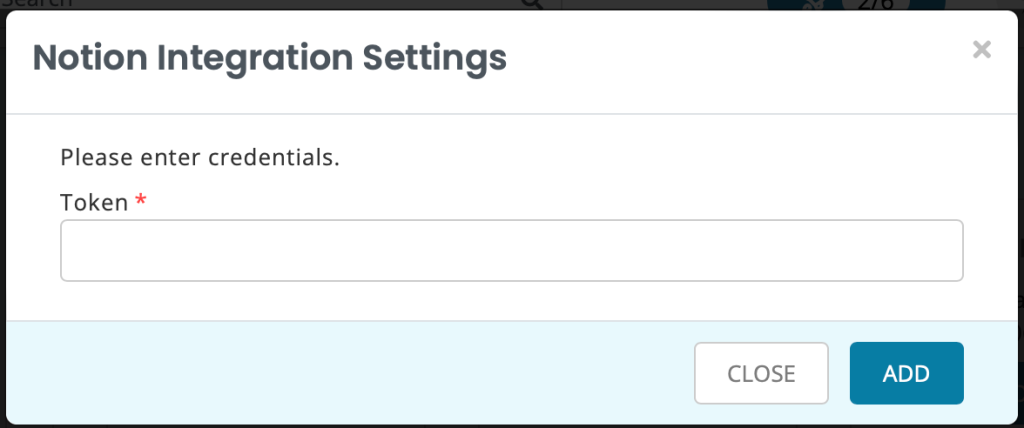
You’ll need to extract the Token from your Notion account by following the steps below:
- Click the ‘…’ to open a drop-down menu from the top-right corner. Go to Connections and then choose the ‘Manage connections’ option.
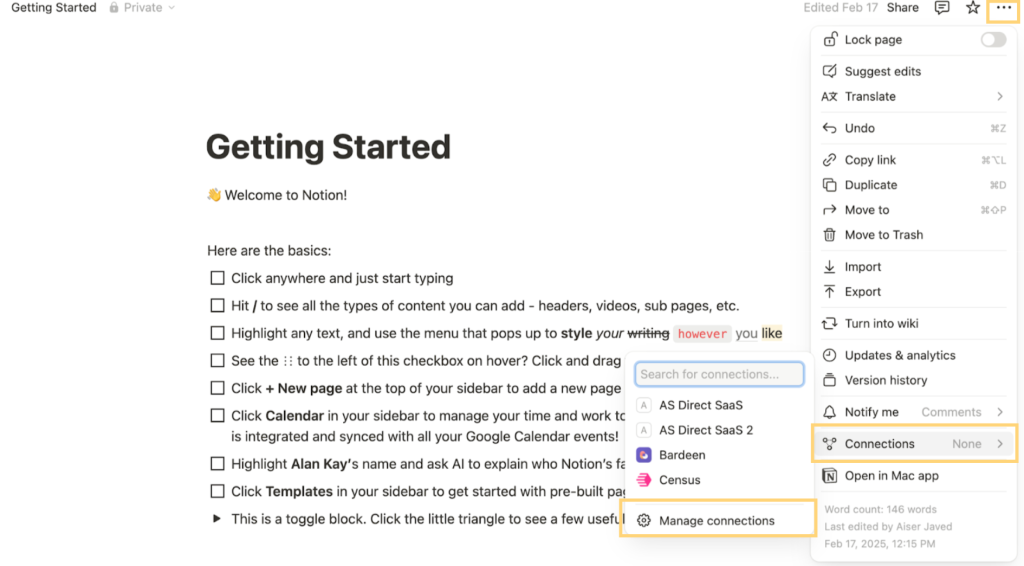
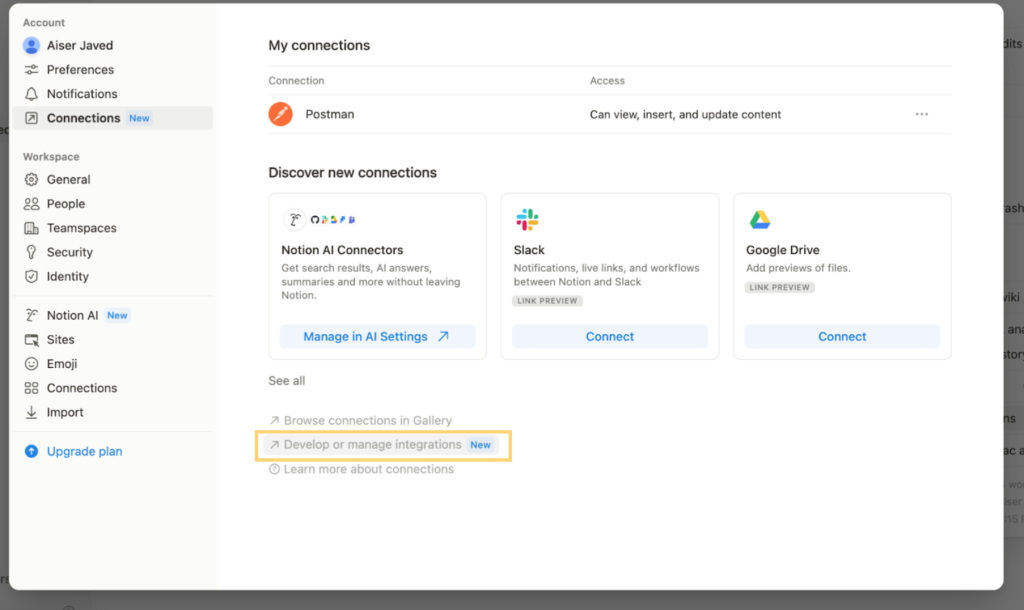
- A new overlay will appear, giving you an overview of all your connections. Click ‘Develop or manage integrations’.
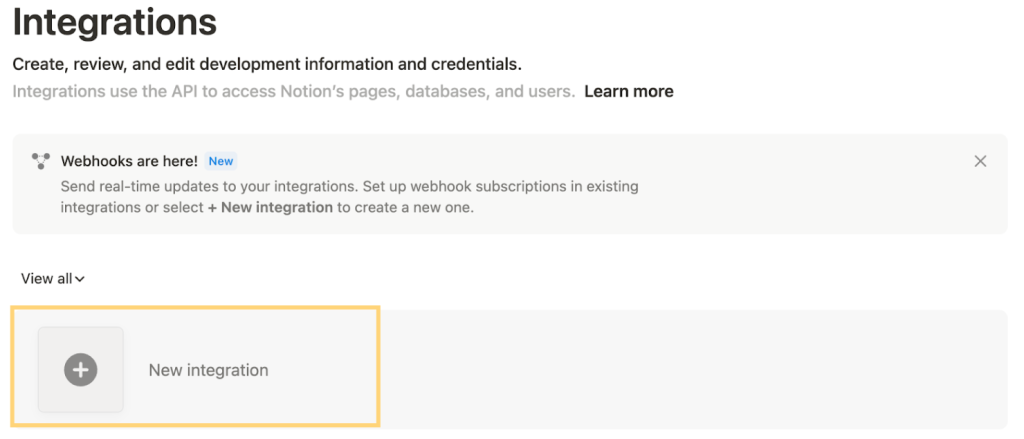
- A new page will open up. Click the ‘New integration’ option.
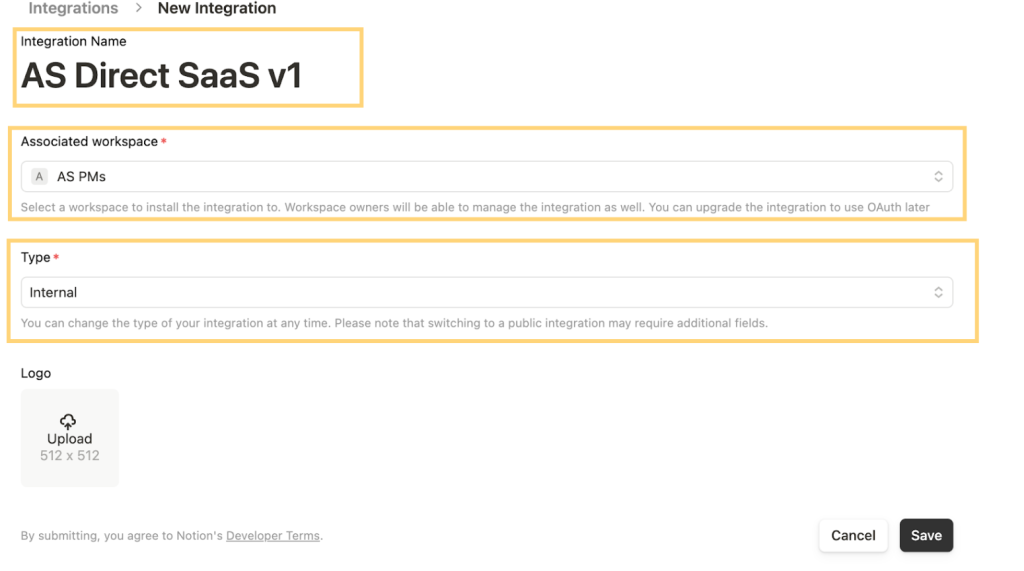
- You’ll be required to fill out the form to create a new integration. Add the following mandatory fields:
- Integration name
- Associated workspace
- Type: select ‘Internal’
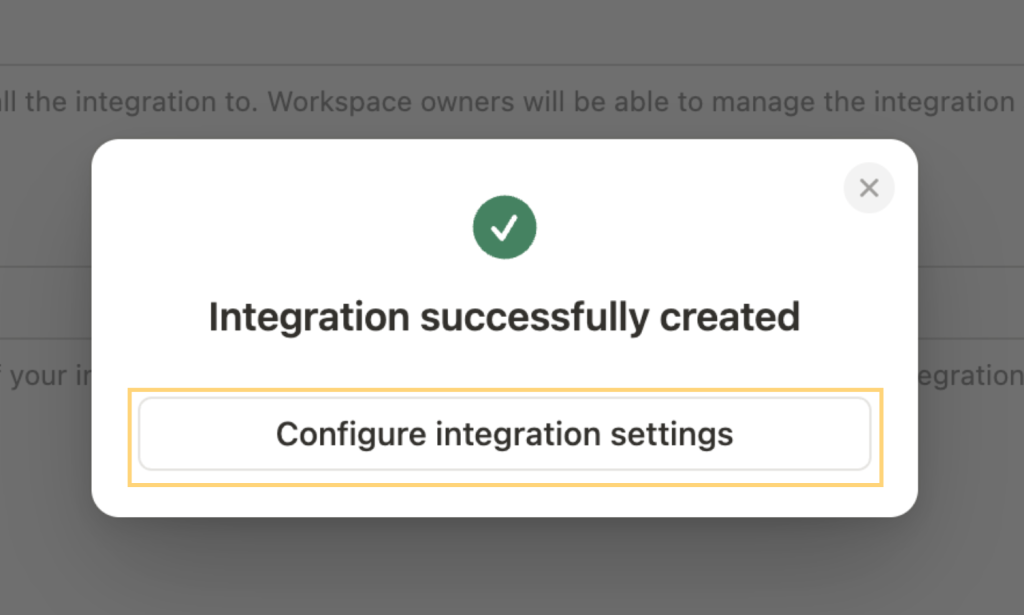
- Once you have filled out the relevant fields, hit ‘Save’ and then select ‘Configure integration settings’.
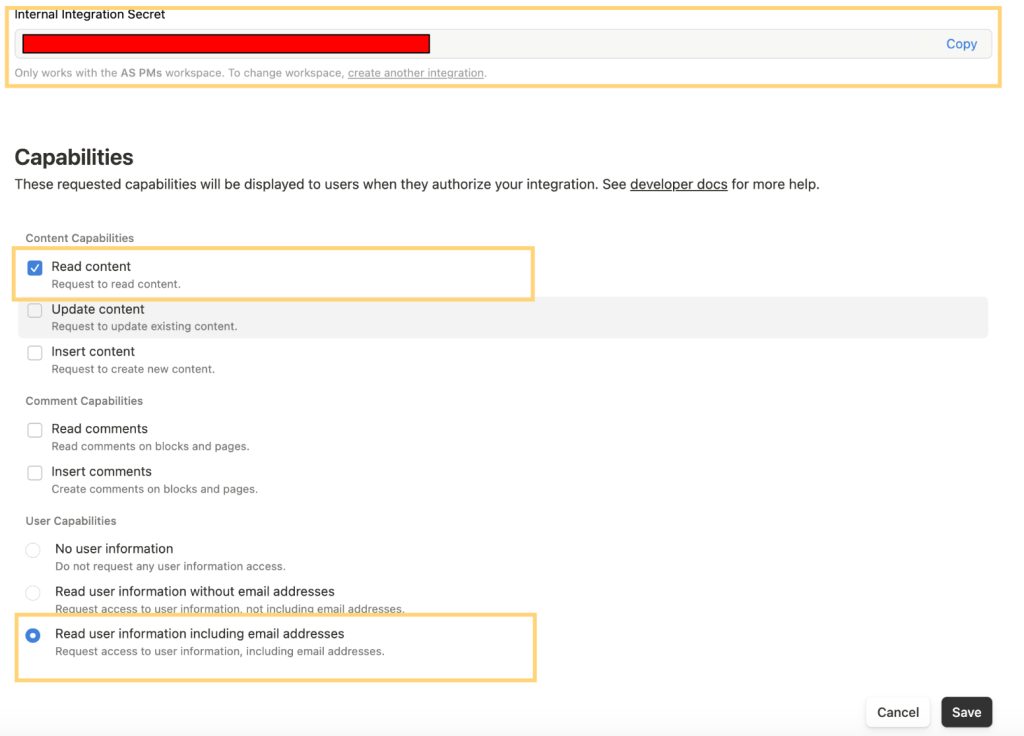
- A new token would be generated. Copy this token and check the following capabilities:
- Read content
- Read user information, including email address
Now click ‘Save’.
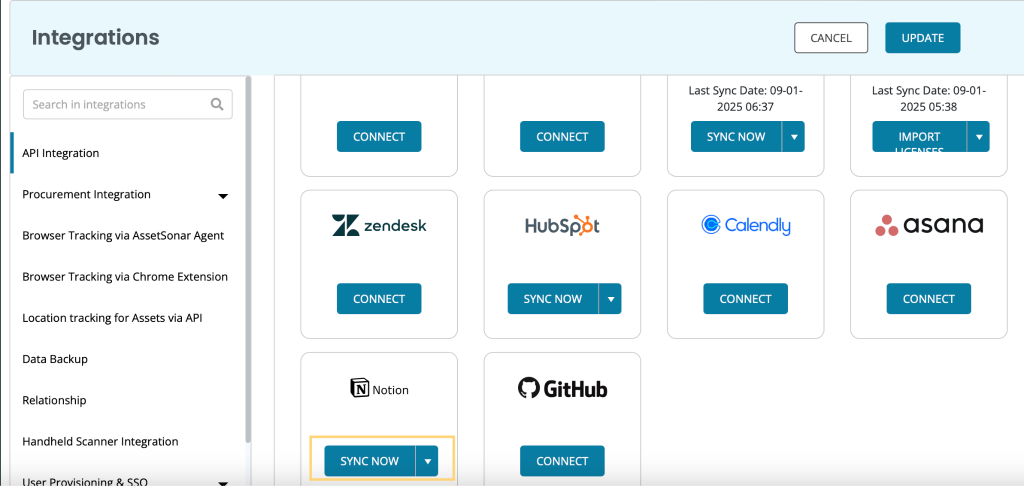
Now, head over to your AssetSonar settings, paste the Token in the Notion overlay, and click ‘Add’. You’ll be successfully integrated with Notion and see the ‘Sync Now’ option under the Notion setting.
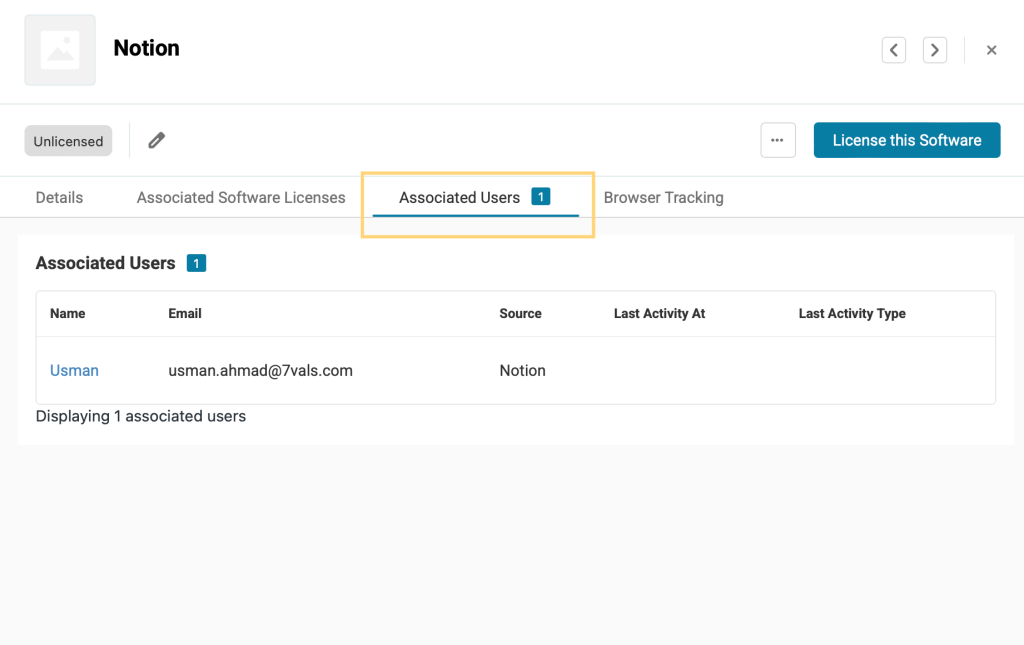
Once you have run a successful sync, a software named ‘Notion’ will be created in AssetSonar. The Discovery Type will be ‘Cloud Software’ while the Source will be ‘Notion’. Here is a snapshot of the newly created software:
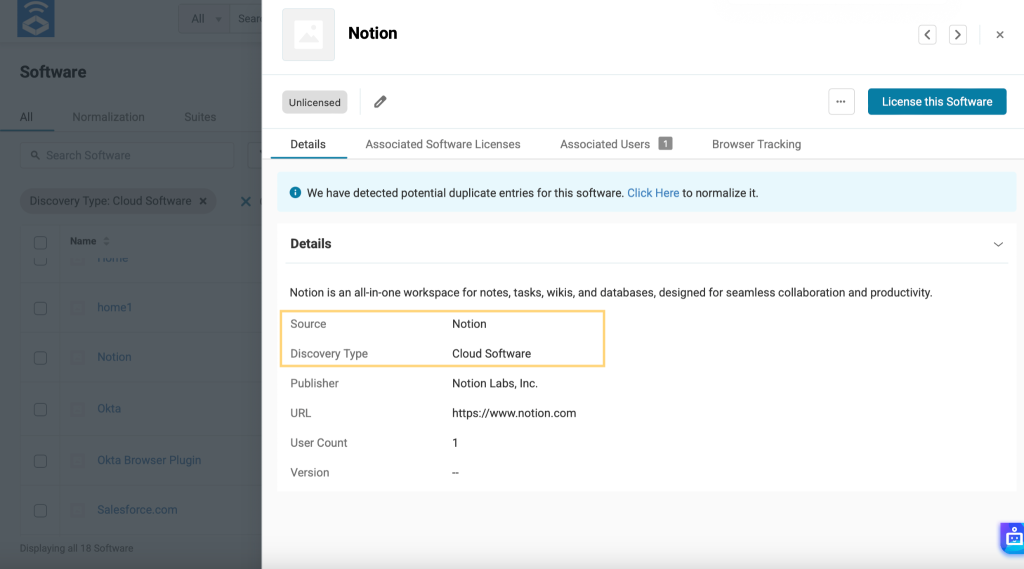
You’ll also be able to view the users’ details from the ‘Associated Users’ tab as shown below: