The AssetSonar reports tags function gives admins and staff the ability to assign public and private labels, creating easy accessibility and improving organization. Tags group together similar reports, simplifying navigation. This is especially useful for reports that lack criteria for grouping. Tags can also be used for custom reports, as they allow labeling for clarity and quick retrieval.
Advantages of report tags
1. Simplified information management
Tags let users categorize reports according to projects, clients or tasks. This saves employees time and effort by allowing easy retrieval of the information they need from a large bank of data.
2. Improved collaboration and communication
Report tagging streamlines data sharing and retrieval protocols, enhancing collaboration between various departments. The simplification this feature creates for inter-team communication creates a work environment that is more cohesive and productive.
3. Customizable report management and tracking
The simplified approach report tagging creates for managing custom reports lets users efficiently categorize and track personalized data insights. The quick and easy access to information supports decision-making, improving operational effectiveness.
How to create and manage tags
Go to the ‘Reports’ page located in the sidebar on the left.
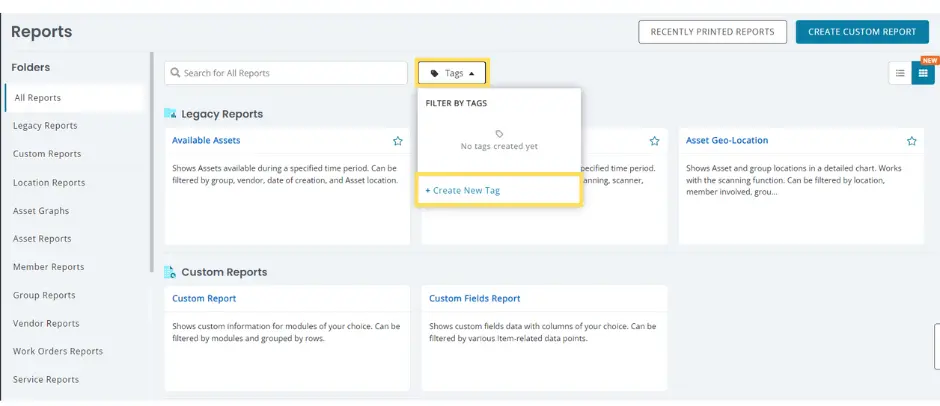
Clicking on ‘+ Create New Tag’ will open a dialogue box that lets you create a tag of your choice.

Once you’ve entered the tag name, you can choose the reports you want tagged and determine whether you want them to be public or private. Hit ‘Create’ when this is done.
AssetSonar will now take you back to the main Reports page. To see the complete list of custom tags, click ‘Tags’ and then go to ‘Manage Tags’.
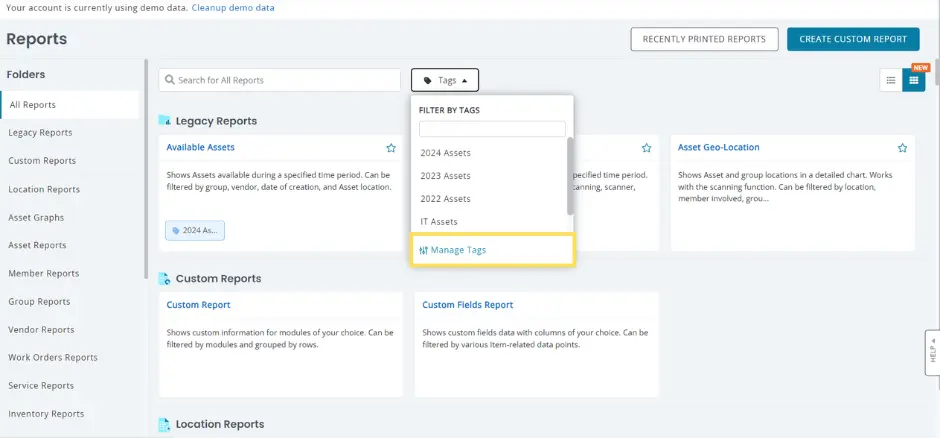
You can now click on a tag filter of your choice to see reports you’re interested in.
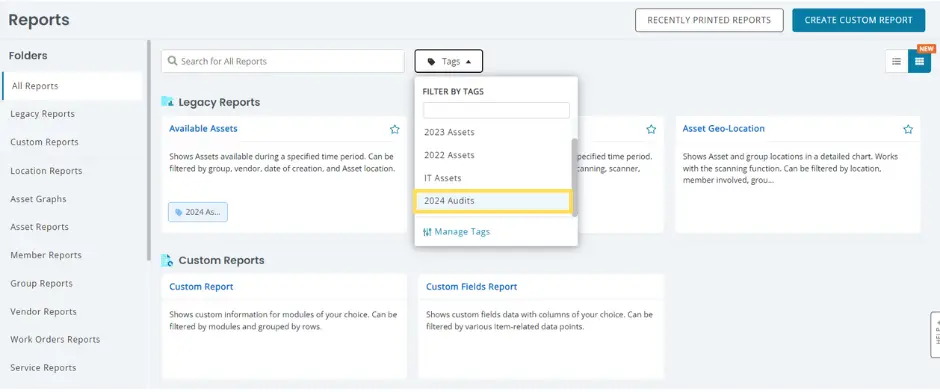
Here are all the reports for the 2024 Audits filter.

You also get some options for managing your tags by clicking on the Tags button on the Reports page and clicking ‘Manage Tags’.

Clicking on Manage Tags brings up the following overlay:

The first icon(from the left) that looks is the ‘Hide’ icon. Clicking on it prevents that tag from appearing in the Reports Listing page. When this icon has a slash going across it, the tag for it is already set to hidden. The delete icon comes next, followed by the Edit option. New tags can also be created from this overlay.
