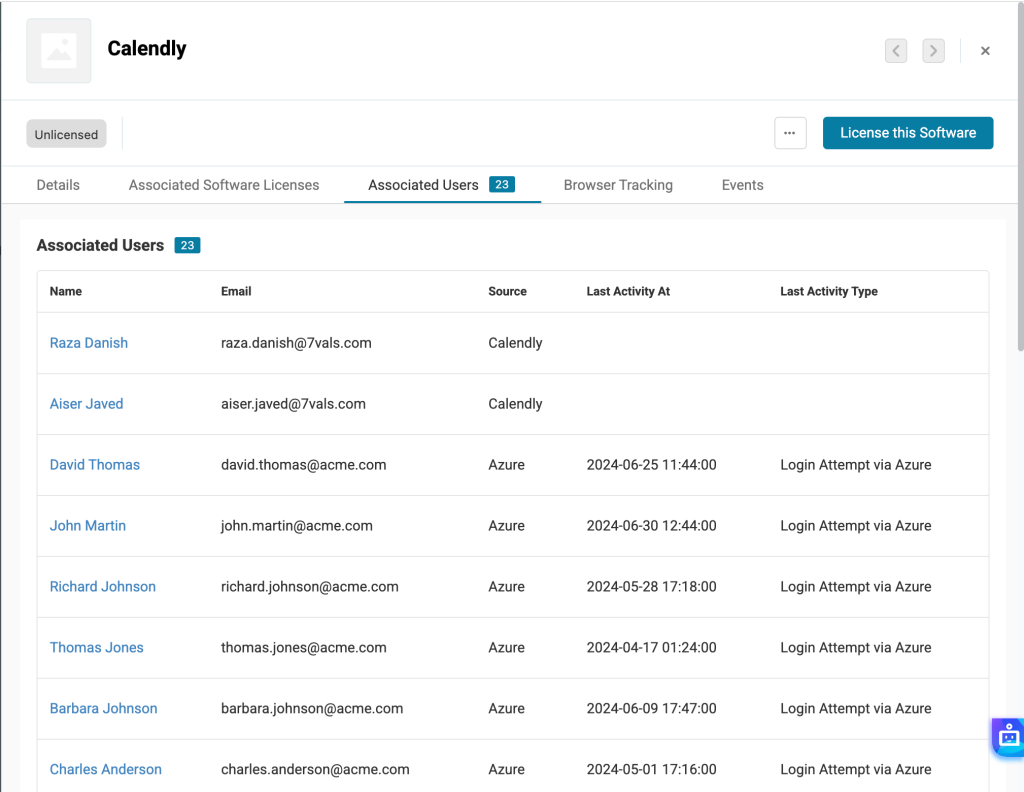
AssetSonar integrates with Calendly, a meetings scheduling platform, to import your Calendly users directly into AssetSonar. This integration is a significant step towards consolidating your user data and leveraging AssetSonar as a single source of information for your IT ecosystem.
Benefits of Calendly integration
- Increased operational efficiency: With this direct SaaS integration, you can automate syncing user data, freeing up your IT resources.
- Enhanced Security & Compliance: Track user access within Calendly to enforce policies.
- Streamlined workflows: Having your Calendly users’ data flow directly into AssetSonar enables faster updates and smoother operations.
Enabling Calendly integration
Follow this pathway to enable the integration: Settings -> Integrations -> Cloud Software -> Direct SaaS Integrations -> Calendly. Then, hit the ‘Connect’ button.
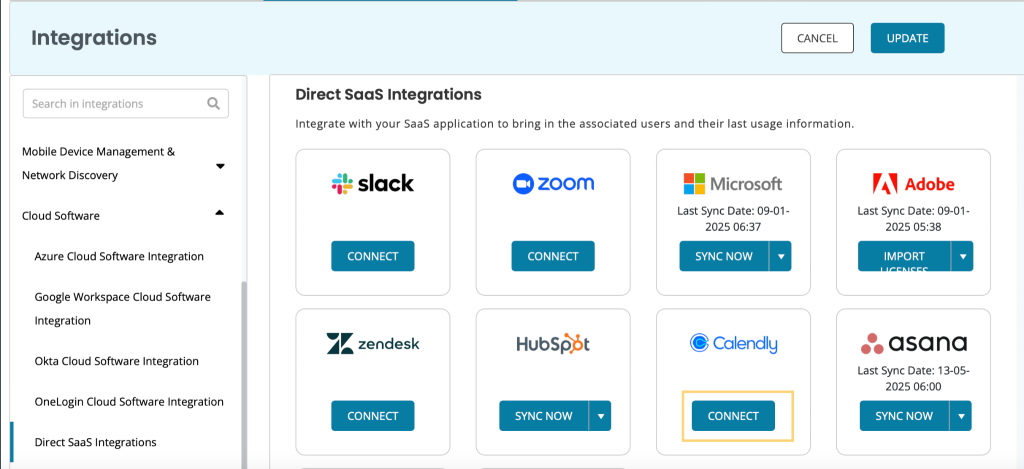
You’ll be redirected to a new page as shown below. Click ‘Connect to Calendly’.

Your integration will be created. Now, a software named ‘Calendly’ will be created on the software listing page in AssetSonar. The Discovery Type will be ‘Cloud Software’ and the Source will be ‘Calendly’. Here is a snapshot of the software detail page:
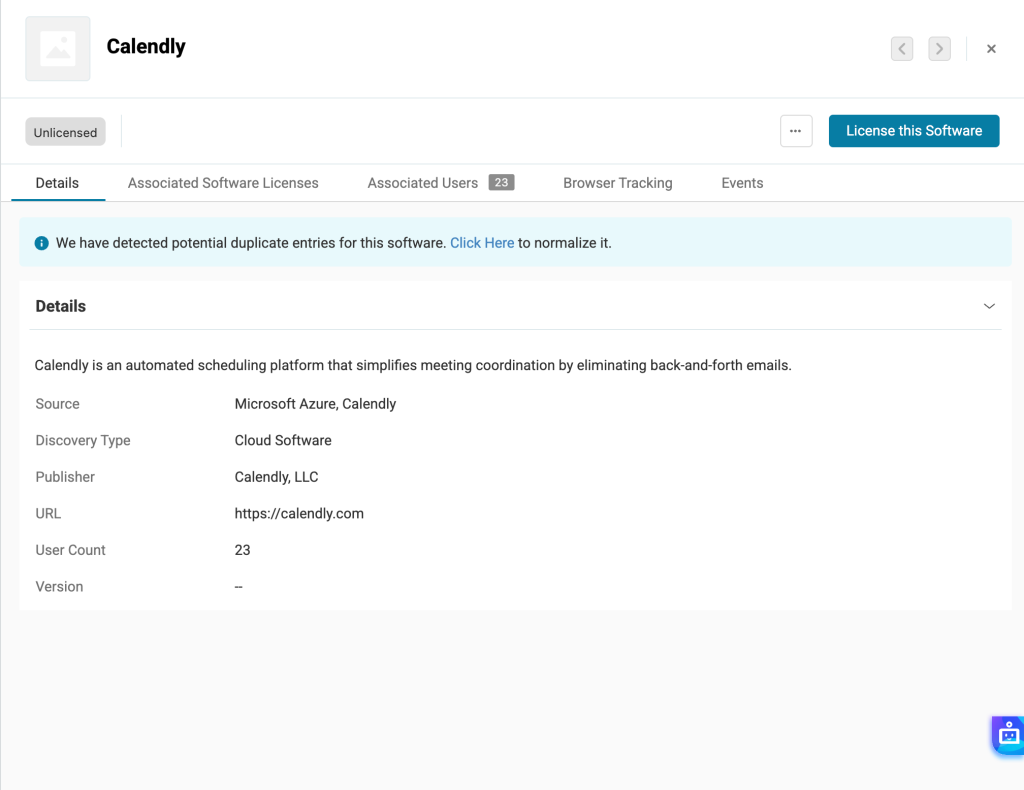
On the Associated Users tab, you will be able to see the users in your organization who are currently using Calendly.