AssetSonar directly integrates with GitHub to provide a streamlined way to track GitHub entitlements, ensure compliance, and optimize seat usage without any manual intervention.
This integration is a stepping stone in AssetSonar’s commitment to being the single source of truth for all software and hardware asset data. By importing GitHub data directly into AssetSonar, IT teams can eliminate the hassle of managing software licenses and gain a unified view of their license seats and entitlements.
Benefits of GitHub integration
The following are a few key benefits of this integration:
- Automated license tracking: Importing GitHub data into AssetSonar allows you to track user licenses and entitlements automatically, eliminating the need for manual reconciliation.
- Cost control: With accurate, up-to-date data from GitHub, AssetSonar ensures you are optimally utilizing your license seats. This helps organizations stay compliant with licensing agreements and avoid unnecessary costs.
- Simplified renewals: With GitHub’s license data directly within AssetSonar, renewals become a breeze. You can set up alerts and notifications to renew your licenses on time.
Now let’s dig deeper into this integration’s functionality.
Enabling GitHub integration
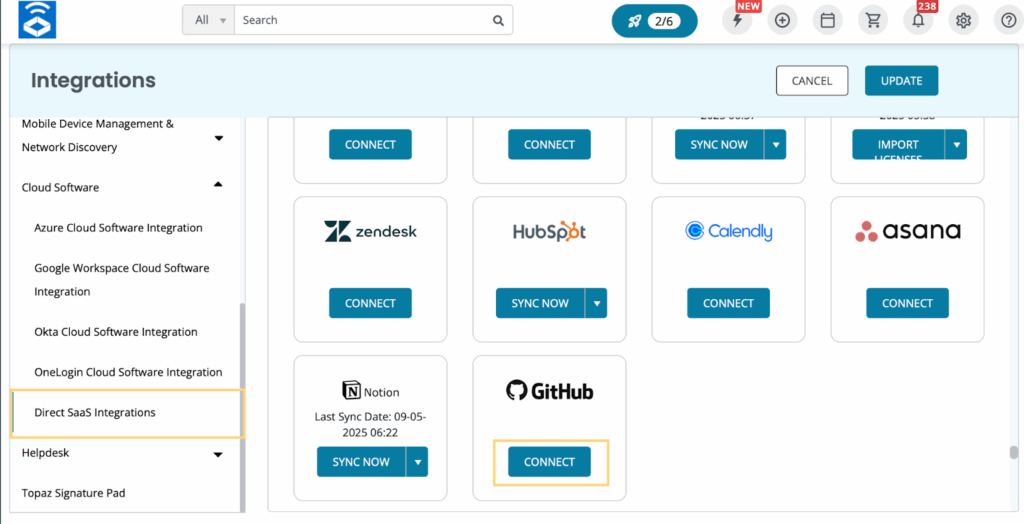
Go to Settings -> Integrations -> Cloud Software -> Direct SaaS integrations. There will be a ‘Connect’ button under the GitHub Logo. Click it.
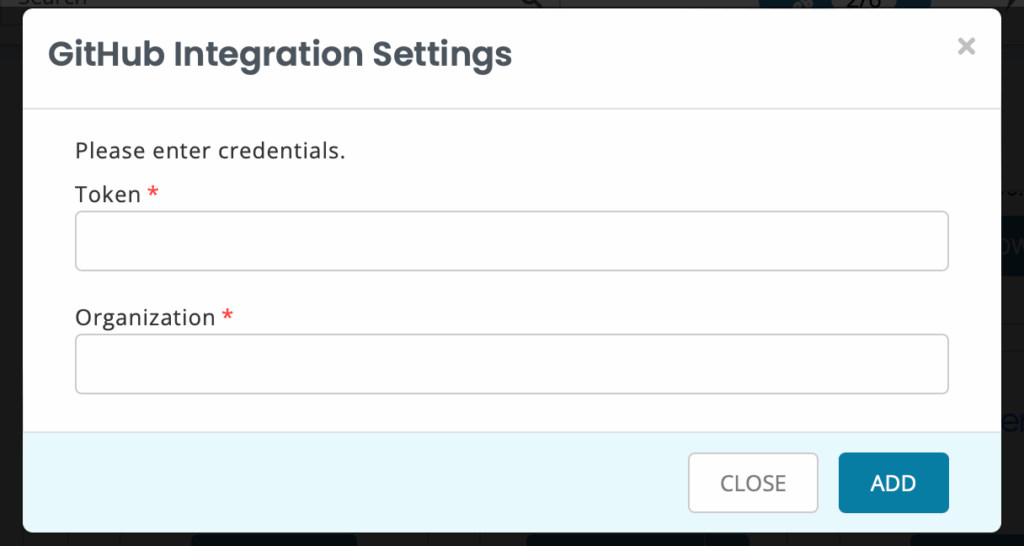
A new overlay will open up where you’ll be required to enter the GitHub Token and Organization. Here is a snapshot of the overlay:
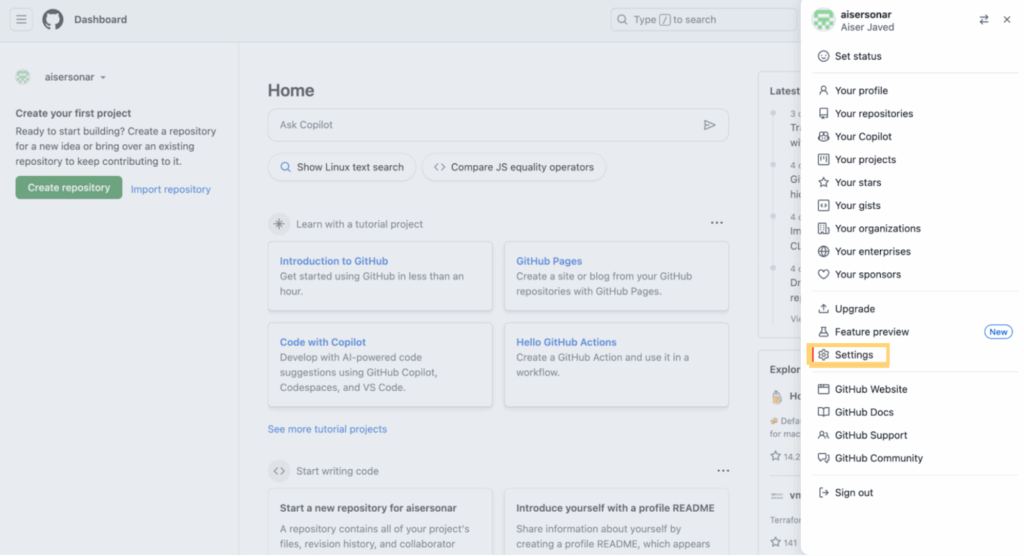
You’ll need to access your GitHub account to extract the Token details. Follow these steps to retrieve this information:
- Log in to your GitHub account and click the profile picture in the top right corner. Now select ‘Settings’ from the dropdown menu as shown below:
- A new page will open up. Scroll down and go to the Developer settings.
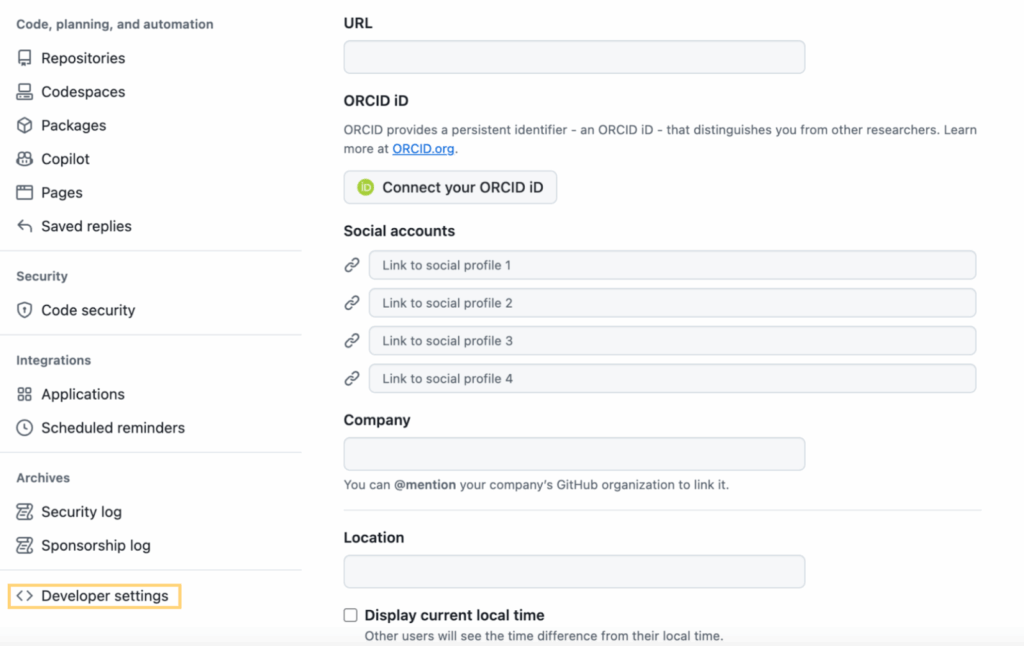
- From the Developer settings panel, go to ‘Personalized access tokens’ and click ‘Fine-grained tokens’.
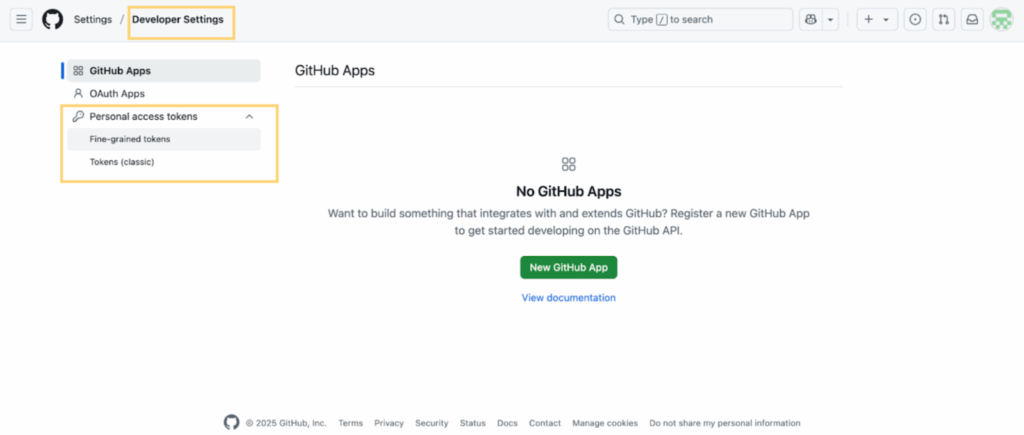
- Now, click the ‘Generate new token’ option and fill out the following mandatory fields:
- Token name
- Resource owner: Select your organization
- Repository access: Public repositories
- Permissions: Only select read-only access to Members and Plan
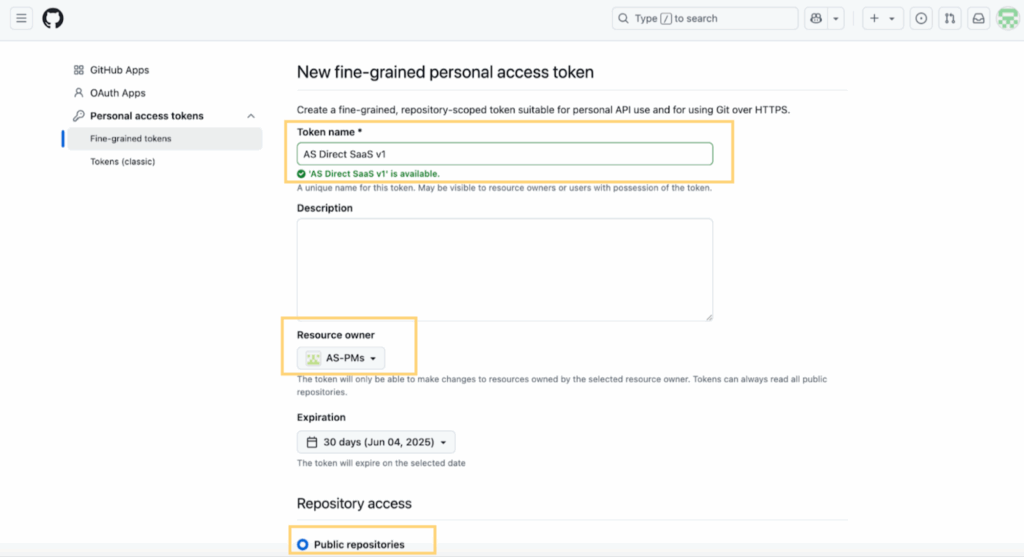
- Now, click the ‘Generate Token’ button.
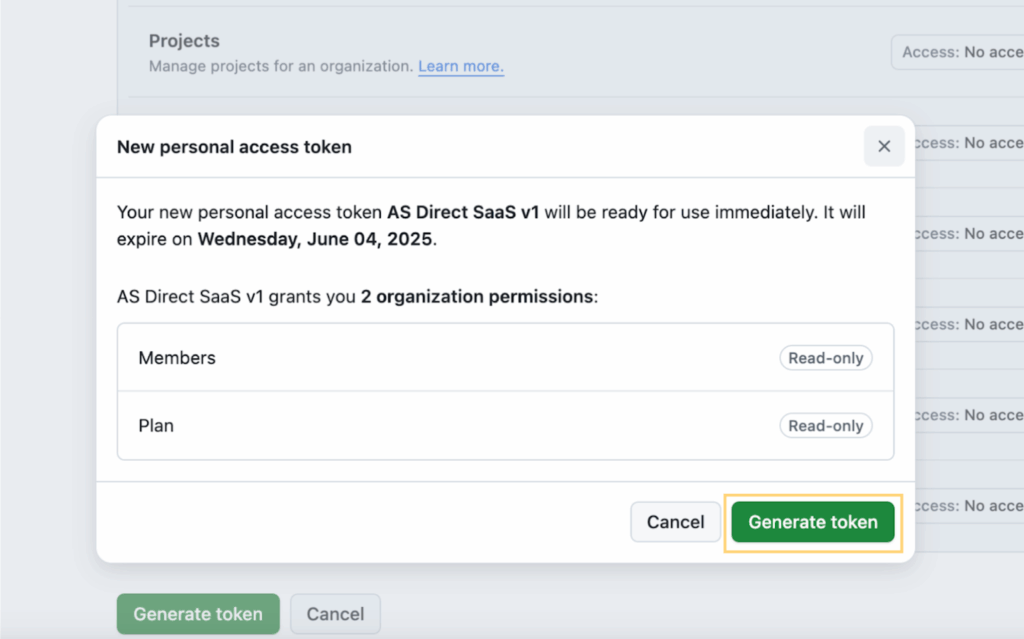
- Once the Token is generated, make sure to copy it now, as you won’t be able to view it again.
Now, paste this Token and your organization’s name into the AssetSonar GitHub overlay and hit ‘Add’.
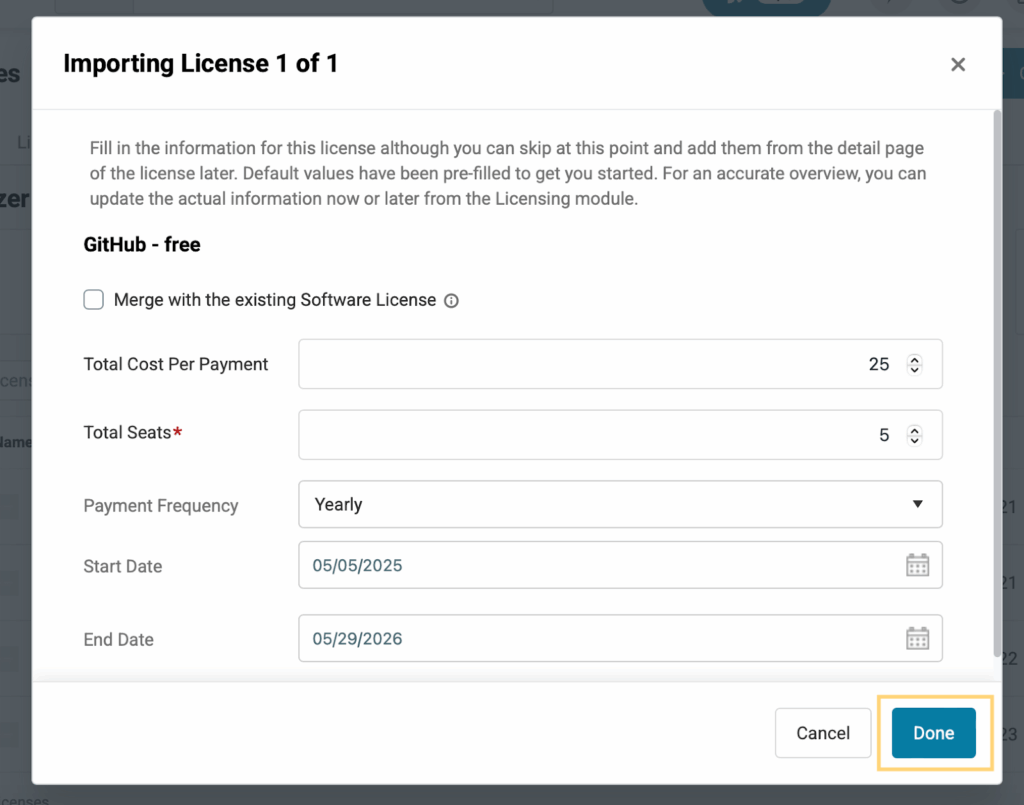
Once you have successfully integrated your AssetSonar account with GitHub, you’ll be redirected to an Imported Licenses overlay in the Software Licenses module. Choose the license you want to bring to AssetSonar and click ‘Next’.
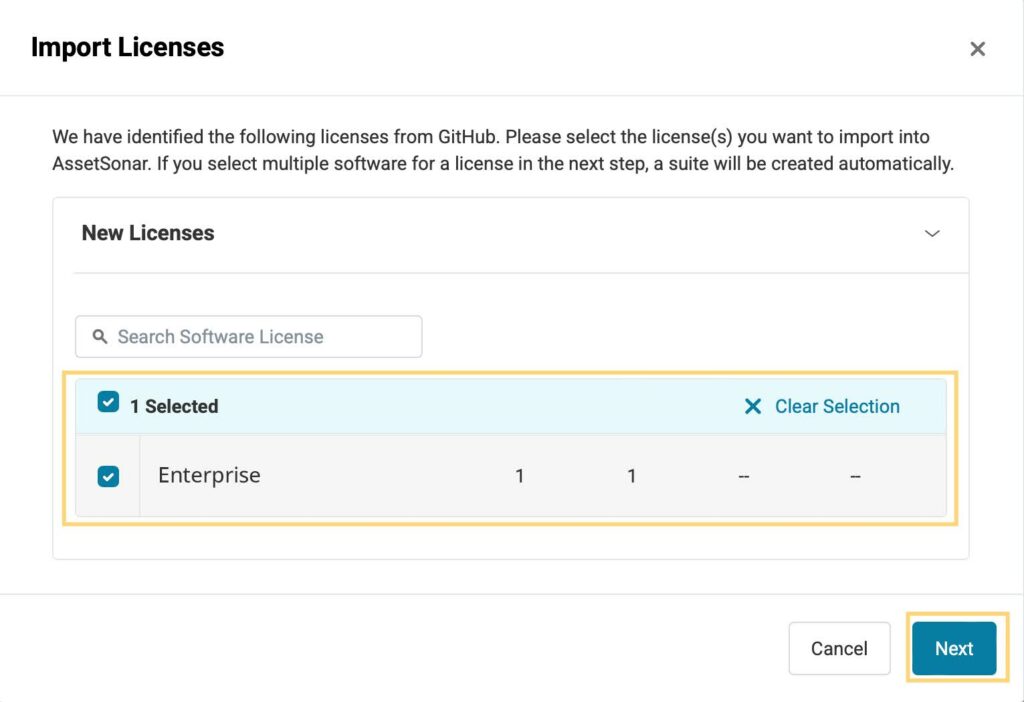
Now, enter the following details regarding your license:
- Total Cost Per Payment
- Total Seats
- Payment Frequency
- Start Date
- End Date
Please note that you can also merge this imported license with an existing one in AssetSonar.
Once you have added all the relevant information, click ‘Done’.
Now you’ll see an Import Licenses Summary so you can double-check the details you entered.
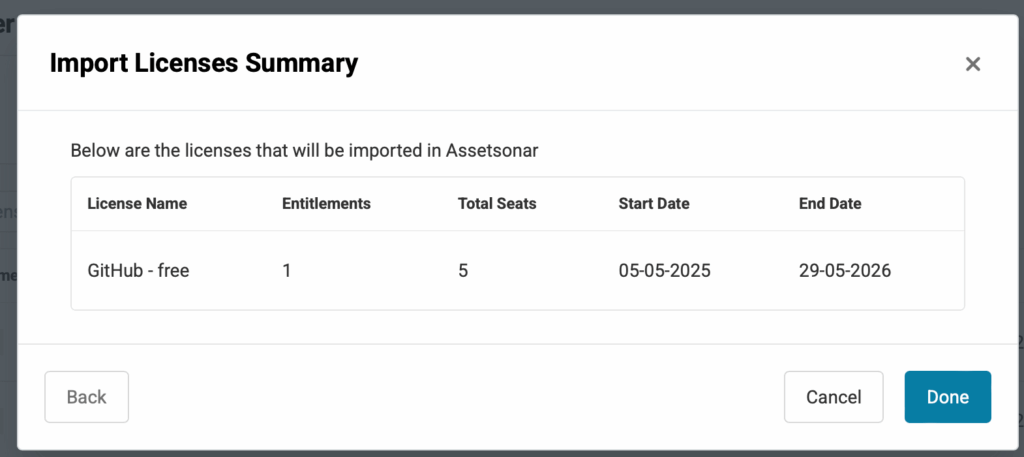
Click ‘Done’ and your license import process will be completed successfully.
Note: Only users whose primary email addresses are publicly available on GitHub will be retrieved.
